10 Best Lusha Alternatives 2026: Top Lusha Competitors Ranked


You’re paying for contact data. But your LinkedIn outreach is still manual, your CRM is still full of gaps, and your credit balance runs out before the month does.
Lusha is a solid B2B data tool – and for targeted, selective prospecting, it holds up well. But after testing it alongside dozens of outreach stacks, the same friction points keep coming up. Phone credits cost 5x more than email credits, LinkedIn execution requires a completely separate tool, and data coverage outside North America gets inconsistent fast.
For teams running active outbound, those gaps add up quickly – in cost, in workflow complexity, and in time spent on bad data.
This guide breaks down 10 Lusha alternatives worth considering in 2026. Covering B2B data tools with better coverage, cold email infrastructure, LinkedIn automation, and full-stack enrichment platforms. Whether you’re looking to replace Lusha entirely or fill a specific gap in your stack, here’s what’s worth considering.
To put this list together, I looked at G2 reviews, pricing pages, and tested these tools across real outreach stacks. Here’s what we’ll cover:
- What is Lusha and how does it work? (main features overview)
- When you should consider a Lusha alternative.
- Lusha pricing plan breakdown.
- Why consider Expandi if you’re looking for a Lusha alternative.
- Expandi pricing plan breakdown.
- 9 Other Lusha alternatives depending on your tech stack.
Key Takeaways
- If you’re searching for a Lusha alternative, it usually means the credit model has stopped making sense at volume, the data coverage isn’t meeting your needs, or you need outreach capabilities Lusha doesn’t cover – particularly on LinkedIn.
- Lusha works well for targeted contact discovery and CRM enrichment for teams doing selective outbound where credit costs stay manageable.
- But teams start looking elsewhere when phone credits burn too fast, data accuracy creates rework, or LinkedIn outreach requires a separate tool on top of an already paid plan.
- For a LinkedIn-first contact data workflow with real-time verification and predictable per-contact pricing, Wiza is worth considering. For broader enrichment without the phone credit multiplier, UpLead or Kaspr are solid options.
- If you need enterprise-grade intent data and a deeper contact database, ZoomInfo sits above Lusha. For a similar Chrome extension workflow with real-time search, Seamless.AI is the closest swap.
- If email is your primary channel, Hunter covers simple email finding and sending. For high-volume cold email infrastructure with proper deliverability, Instantly is typically the stronger fit.
- If your bottleneck is enrichment depth before outreach, Clay is the data layer that feeds everything else. If you need a multichannel execution layer with a built-in dialer, Klenty covers email, phone, SMS, and WhatsApp.
- If LinkedIn is a core acquisition channel and you want lead sourcing, sequencing, and safety infrastructure in one place, Expandi is built to handle that end-to-end – without a credit model.
10 Best Lusha Alternatives 2026: Top Lusha Competitors Ranked

What is Lusha and How Does It Work?
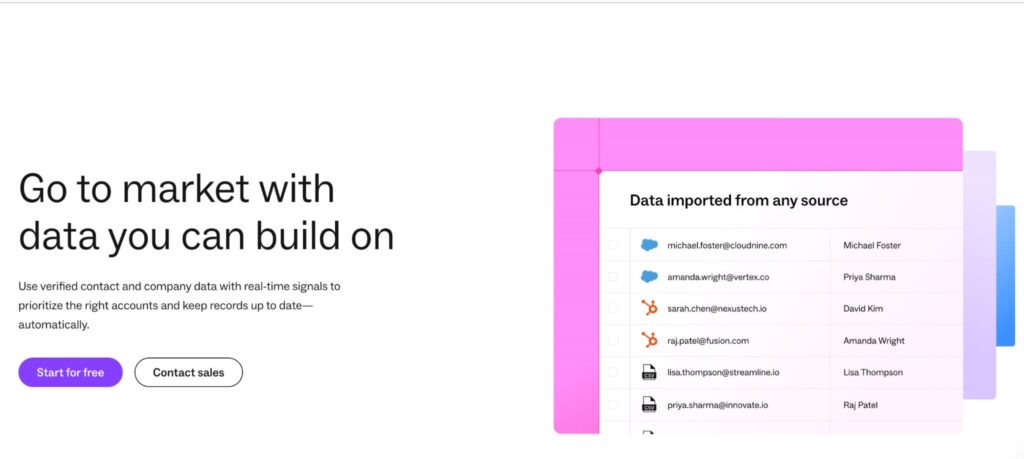
Lusha is a B2B data intelligence platform that helps revenue teams find verified contact information and keep CRM records accurate over time. At its core, it gives you emails, direct dials, and mobile numbers for prospects – pulled from LinkedIn profiles, company websites, and its own database.
It’s mainly for SDRs, BDRs, RevOps teams, and recruiters who need reliable contact data before outreach starts. Beyond basic contact finding, Lusha has expanded into a broader GTM data platform with enrichment workflows, intent signals, and a built-in email sequencing tool.
Here’s what it covers today.
5 Main Lusha key features
Based on Lusha’s current positioning and features, here are the core features the platform offers.
Chrome Extension
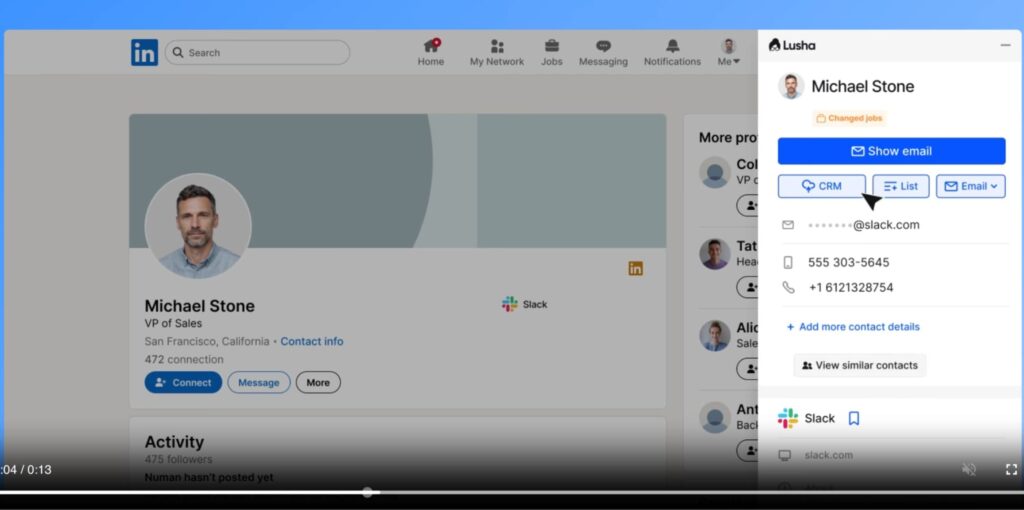
Lusha’s browser extension lets you reveal verified contact and company details directly from LinkedIn profiles and other B2B websites. You can then save contacts to lists or push them into your CRM with one click.
Lusha Workspace
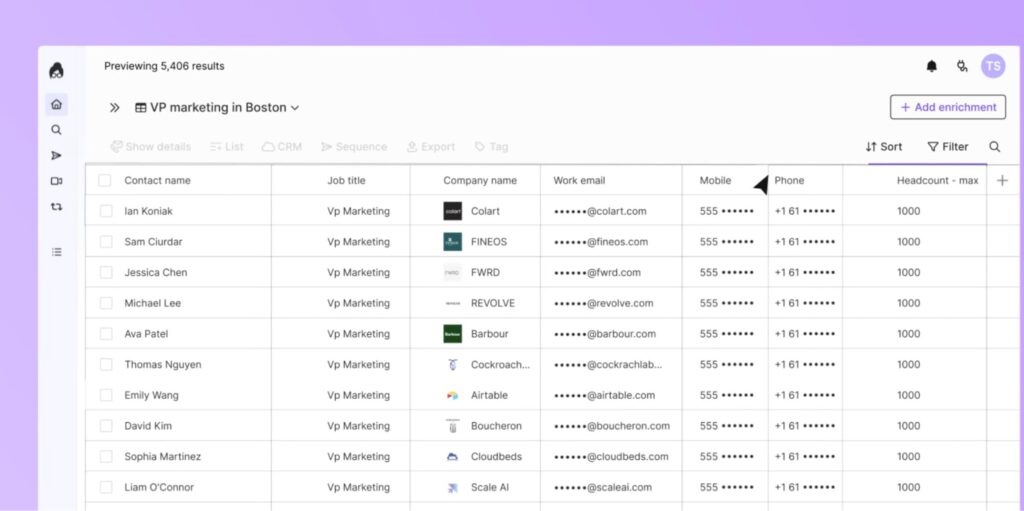
A centralized prospecting database where you filter by job title, company size, industry, and location to build targeted prospect lists. The main interface for teams doing structured list-building at scale.
CRM Enrichment
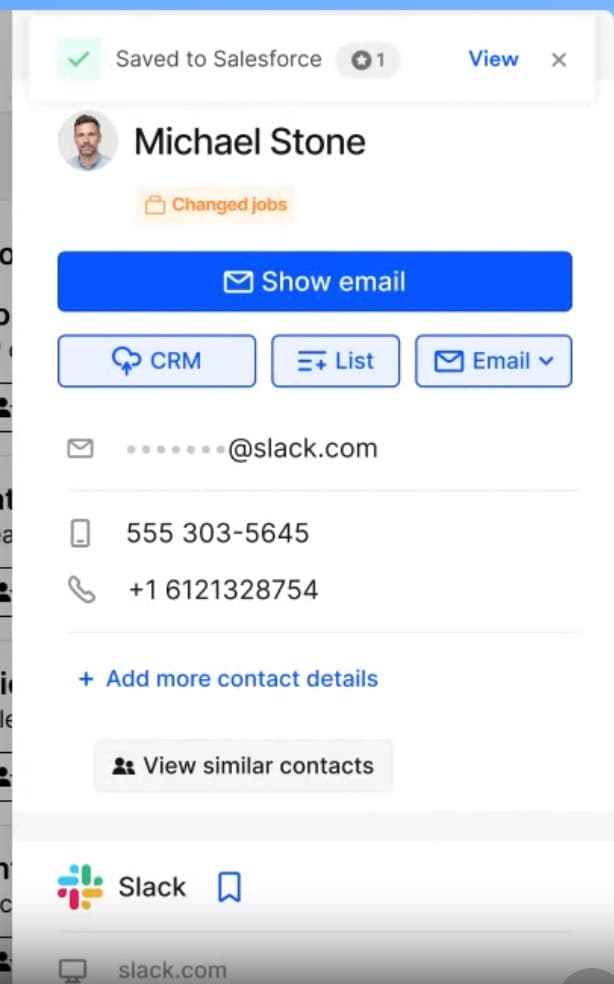
Lusha connects natively to Salesforce, HubSpot, Pipedrive, and Bullhorn. It automatically enriches and updates contact records to reduce data decay – stale job titles, missing fields, wrong phone numbers – without manual CSV work.
Intent Signals
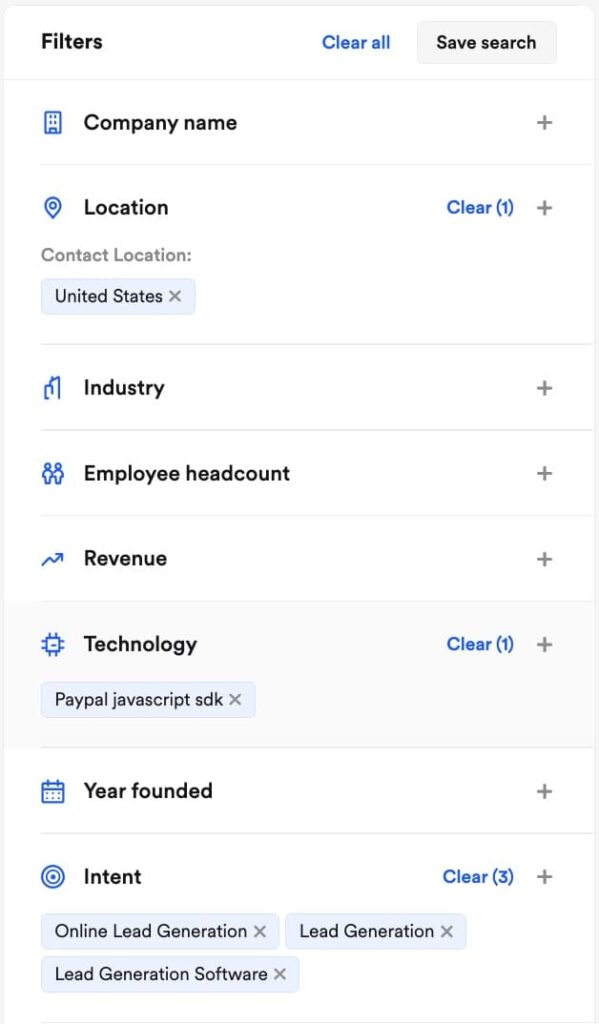
Lusha tracks buying activity across companies. Paid plans include 5 buying intent topics, scaling up to 25 on the Scale plan. Lusha scores accounts as Very Hot, Hot, or Warm based on how actively they’re researching solutions like yours. The idea is to prioritize accounts already in a buying cycle rather than cold-calling blind.
Lusha Engage
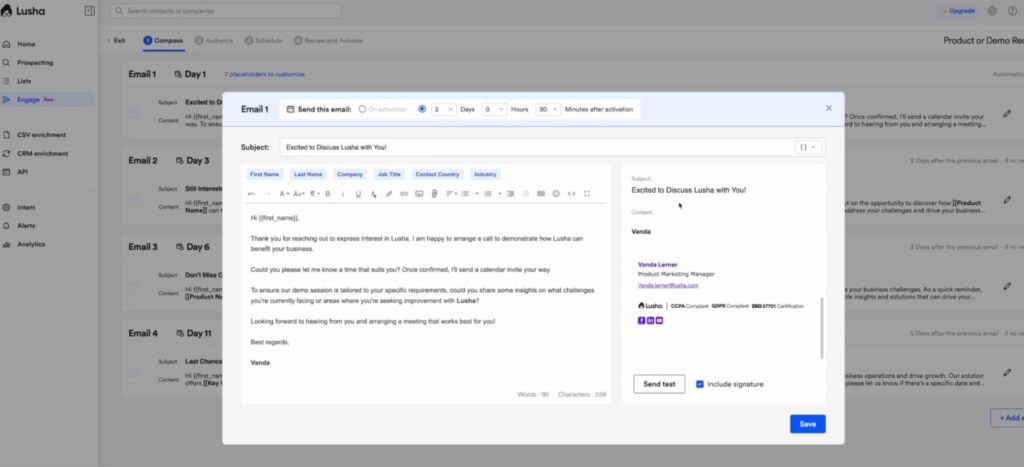
A built-in email sequencing tool that lets you go from finding a lead to launching a multi-touch email sequence without switching platforms. You can upload CSVs, set automation rules, and track open and reply rates inside Lusha.
To recap so far, for teams whose core bottleneck is contact data quality, it’s a strong tool. The Chrome extension is fast, the CRM enrichment can be useful, and intent signals add a targeting layer most basic enrichment tools skip entirely.
But there are specific situations where Lusha starts to feel limiting – or where the credit model stops making economic sense. That’s when people start looking at alternatives.
Why Consider a Lusha Alternative?
Most people don’t search for a Lusha alternative because the tool is broken. They do it because the credit costs stop making sense at volume, the outreach capabilities don’t cover LinkedIn, or the data quality starts creating more work than it saves.
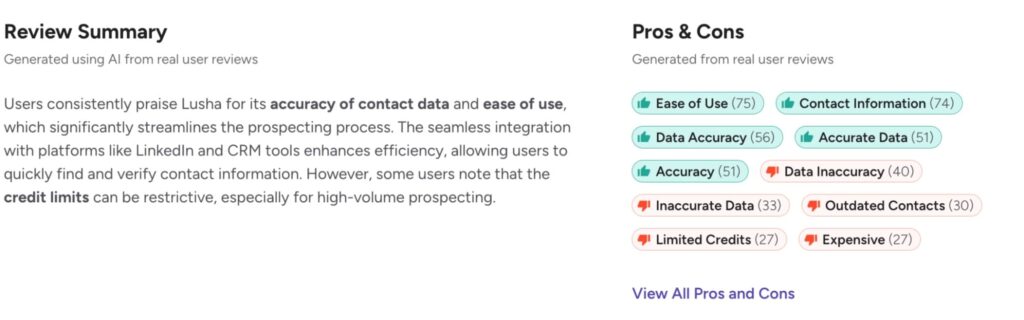
Here are the five most common reasons sales teams start comparing alternatives more seriously.
1. The credit model gets expensive fast
Lusha runs on a per-contact credit system. Emails cost 1 credit each, phone numbers cost 5 credits each. That math works fine for small batches, but it breaks down fast for teams doing high-volume prospecting.
If a revealed contact turns out to be inaccurate, those credits are gone regardless
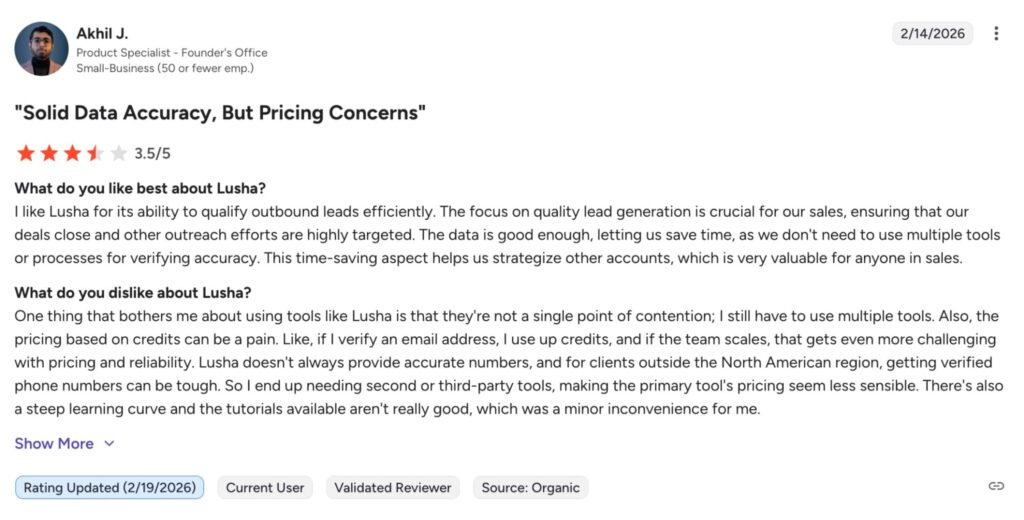
Users frequently report credits running out quickly, with outdated contacts leading to disrupted workflows and wasted spend. G2 According to G2 reviews, this is one of the top complaints across 1,600+ verified users – particularly for teams running active outbound sequences at scale.
2. Lusha Engage only covers email, not LinkedIn
Lusha does have a built-in outreach feature. But Lusha Engage is email sequencing only. It doesn’t automate LinkedIn connection requests, follow-up messages, InMails, or any LinkedIn-native actions.
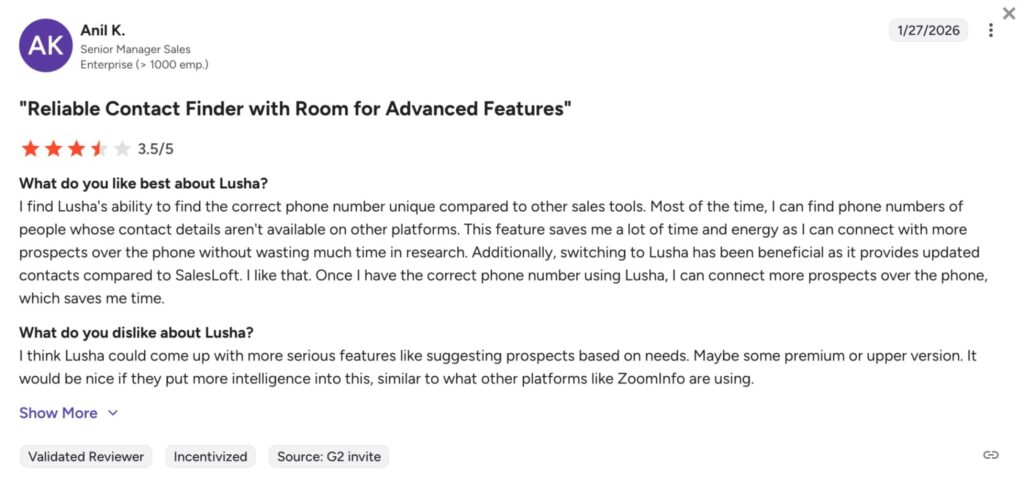
For teams where LinkedIn is a primary outreach channel, that gap matters. You still need a separate LinkedIn automation tool on top of Lusha, which means two platforms, two workflows, and added cost – even after paying for a full Lusha plan.
3. Data accuracy can be inconsistent, especially for phone numbers
Lusha’s email accuracy is generally solid. But phone number accuracy is where complaints cluster. Multiple reviewers specifically note that Lusha doesn’t distinguish between direct dials and company switchboards, which leads to wasted time calling general numbers rather than reaching the actual decision-maker.
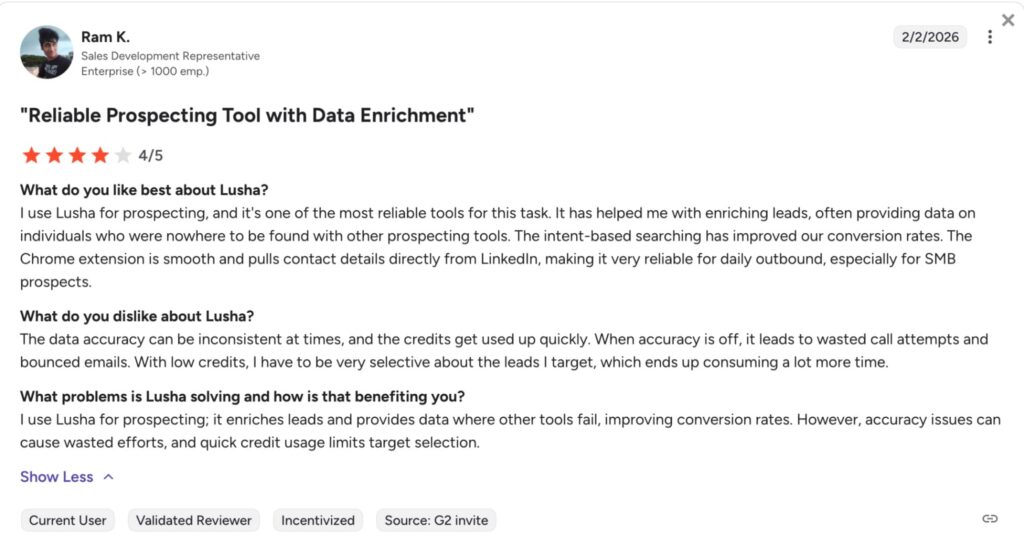
G2 reviewers note that when accuracy is off, it leads to wasted call attempts and bounced emails – and with low credits, teams have to be more selective about who they target, which compounds the time cost. G2
4. Coverage gaps outside North America
Lusha’s strongest data coverage is North America and Western Europe. Users in EMEA and APAC report thinner data coverage compared to North America.
For teams running global outreach programs, this usually means stacking a second data provider for non-English-speaking or less-covered regions.
5. Key features are locked behind the custom-priced Scale plan
Several features that matter most for serious outbound teams – full intent coverage (25 topics), SSO, and advanced compliance – are only available on Lusha’s Scale plan, which has no public pricing. Though online reviews say the price starts around $37,482 for 25 seats.
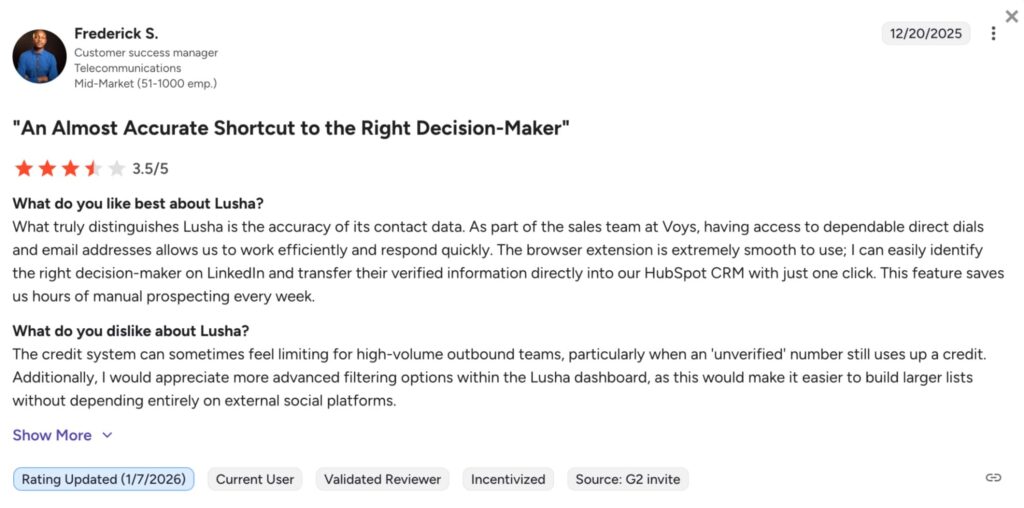
The jump from the Premium plan at $52.45/user/month to Scale (custom pricing) can be significant, and you can’t evaluate it without going through a sales call first.
For teams trying to compare tools and build a budget before committing, that lack of pricing transparency can be a real friction point.
Lusha Pricing Plan Breakdown (2026)
If you’re evaluating a Lusha alternative, pricing is an important part of the conversation.
Lusha uses a credit-based, seat-plus-credits model where prices scale dynamically based on how many credits per month you need. There are five tiers, and the monthly cost for any paid plan increases as you move the credit slider up. Annual billing saves 25% across all plans.
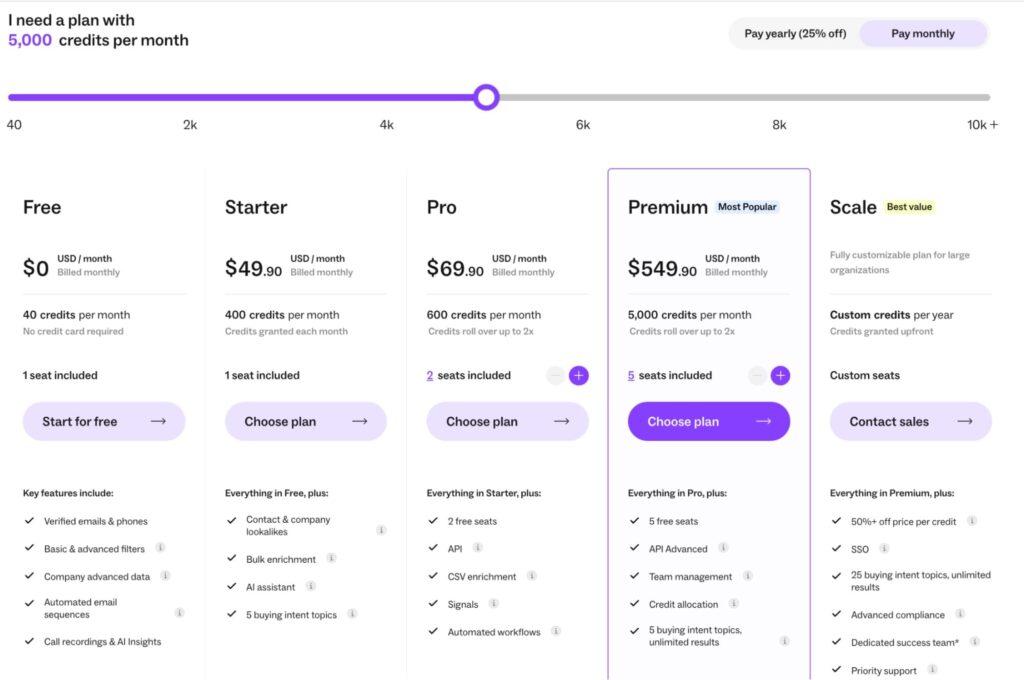
Here’s what you get at each level, based on Lusha’s pricing page:
- Free – $0/month. 40 credits/month, 1 seat. Includes verified emails and phones, basic and advanced filters, company data, automated email sequences, and call recordings with AI insights. Enough to test data quality. Not viable for any real prospecting volume.
- Starter – from $49.90/month. 400 credits/month, 1 seat. Adds contact and company lookalikes, bulk enrichment, AI assistant, and 5 buying intent topics. The first paid tier, but still capped at a single seat – more of a solo prospecting plan than a team tool.
- Pro – from $69.90/month. 600 credits/month, 2 seats included. Adds API access, CSV enrichment, signals, and automated workflows. Credits roll over up to 2x monthly cap. This is where the platform starts becoming useful for structured outbound, but 600 credits at base goes fast for phone-heavy prospecting.
- Premium – scales with credits, 5 seats included Adds API Advanced, team management, credit allocation across users, and unlimited results for 5 buying intent topics. The most complete self-serve tier for small teams. Credits roll over up to 2x cap.
- Scale – custom pricing, annual contract only Custom credit volume, custom seats. Adds SSO, 25 buying intent topics with unlimited results, advanced compliance, dedicated success team, and priority support. Credits are granted upfront annually with no rollover. Everything that matters for enterprise-level outbound lives here – but requires a sales conversation to evaluate. Online research and reviews say specific costs are customized, but you can expect to pay a base list price of around $37,482 for 25 seats
How credits work in practice:
- Verified email: 1 credit.
- Phone number: 5 credits.
- CRM or CSV export: 1 credit per contact.
- Conversation intelligence (recorded call): 8 credits.
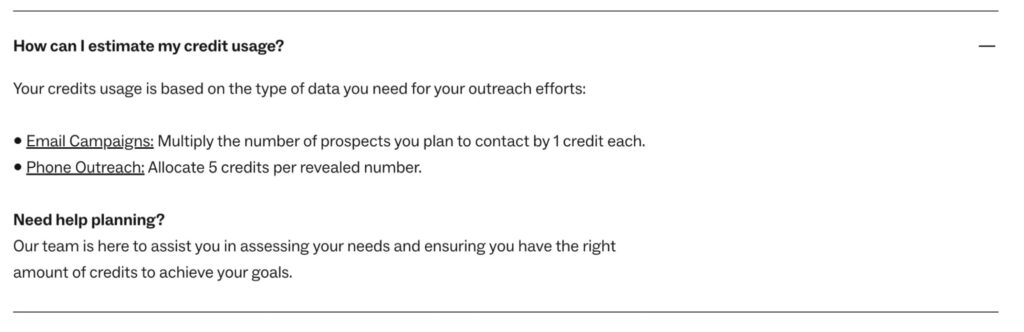
That phone number multiplier is where costs diverge fast. An SDR revealing both an email and phone number for one contact spends 6 credits per prospect, not 1.
Let’s take a real example.
Take a 3-person SDR team on Pro pulling both email and phone for 200 prospects per week.
That’s 6 credits per contact, 1,200 credits per week – but Pro starts at 600 credits/month. They’d burn through their allocation in the first few days. Real usage at team scale pushes costs well past the base price.
Here’s what you need to consider when evaluating Lusha pricing vs. competitors
- Credit flexibility: Per-reveal pricing works for selective targeting, not high-volume prospecting.
- Feature gating: Full intent signals, job change alerts, and team controls are locked behind higher tiers.
- Scaling costs: Free and Starter are single-seat. Credit volume per user compounds fast as you add people.
- Contract structure: Annual credits reset at year end with no rollover – uneven usage cycles mean wasted spend.
- LinkedIn outreach isn’t included: Lusha Engage only runs email sequences. If you want to reach leads on LinkedIn as well, that’d be a separate tool cost on top.
Expandi: The Best Lusha Alternative for LinkedIn Outreach
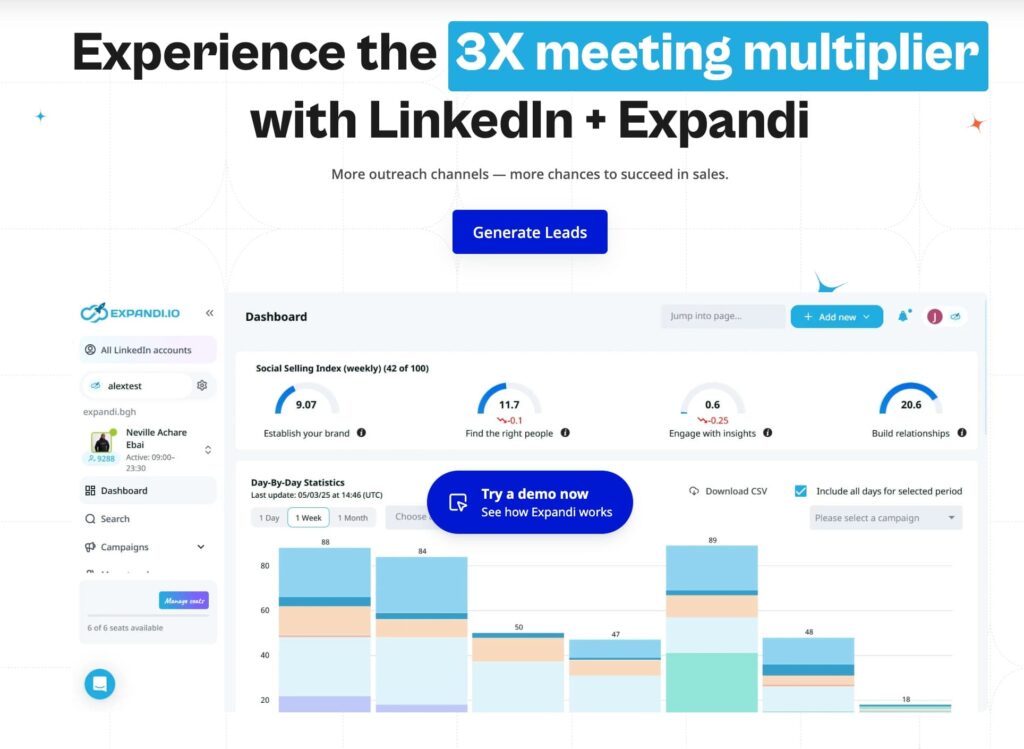
Expandi is a cloud-based LinkedIn automation platform built for B2B teams that want to turn contact data into booked meetings – safely and at scale.
Where Lusha stops (finding the contact and sending an email), Expandi picks up. It automates LinkedIn connection requests, follow-up messages, InMails, profile visits, and post engagement – and combines those LinkedIn actions with email in a single coordinated campaign flow.
If your outreach motion includes LinkedIn, Expandi is what sits on top of your data layer and executes it.
Here’s why you should consider Expandi as a Lusha alternative.
1. LinkedIn sourcing and outreach in one place
Lusha Engage covers email sequences. It doesn’t touch LinkedIn.
Expandi automates the full LinkedIn execution layer – connection requests, timed follow-ups, InMails, profile visits, and post engagement – all from a cloud-based platform that runs without keeping your browser open.
Expandi also sources leads directly from LinkedIn. You can scrape LinkedIn search results, groups, events, post engagement, and more – then target those leads via LinkedIn automation, email, or both. For prospects sourced from LinkedIn specifically, you don’t need a separate data tool.
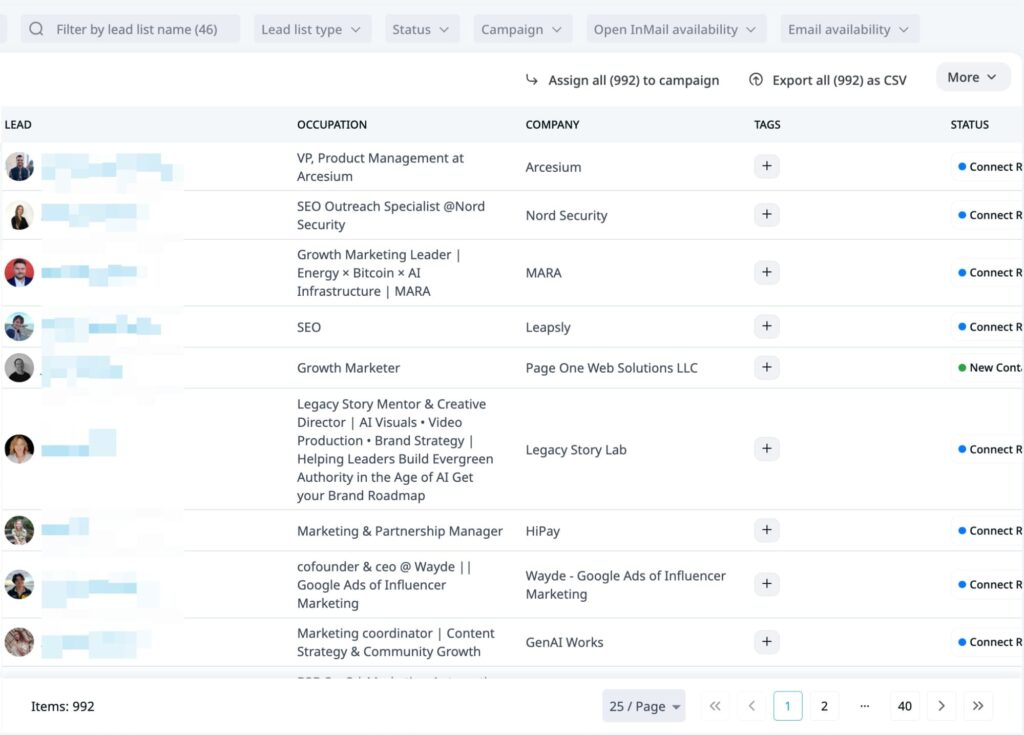
For teams where LinkedIn is a primary channel, this is a gap Lusha leaves open regardless of plan tier.
2. Behavior-based campaign logic
Expandi campaigns aren’t linear drip sequences. You build flows using 11 action types and 9 conditions that branch based on what a prospect actually does.
For example:
- If accepted → send message A.
- If no reply after X days → check for email and send one instead.
- If replied → stop campaign automatically.
- If viewed profile but didn’t connect → trigger a warmer follow-up.
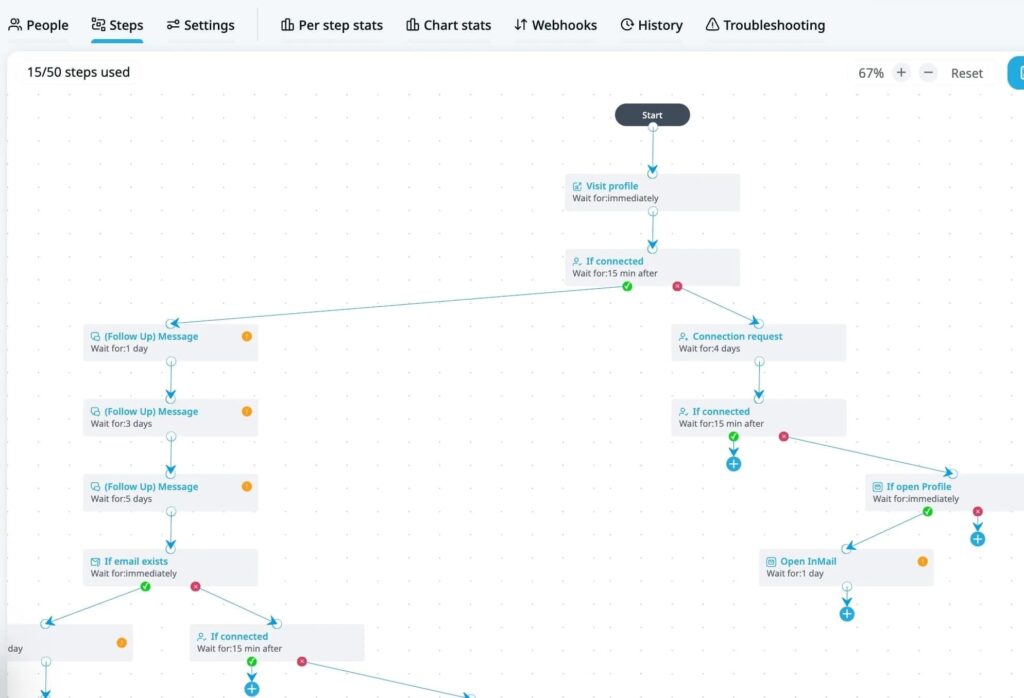
That kind of adaptive logic means campaigns respond to prospect behavior in real time rather than firing the same sequence at everyone.
3. Account safety infrastructure
LinkedIn automation carries risk if the tool isn’t built carefully.
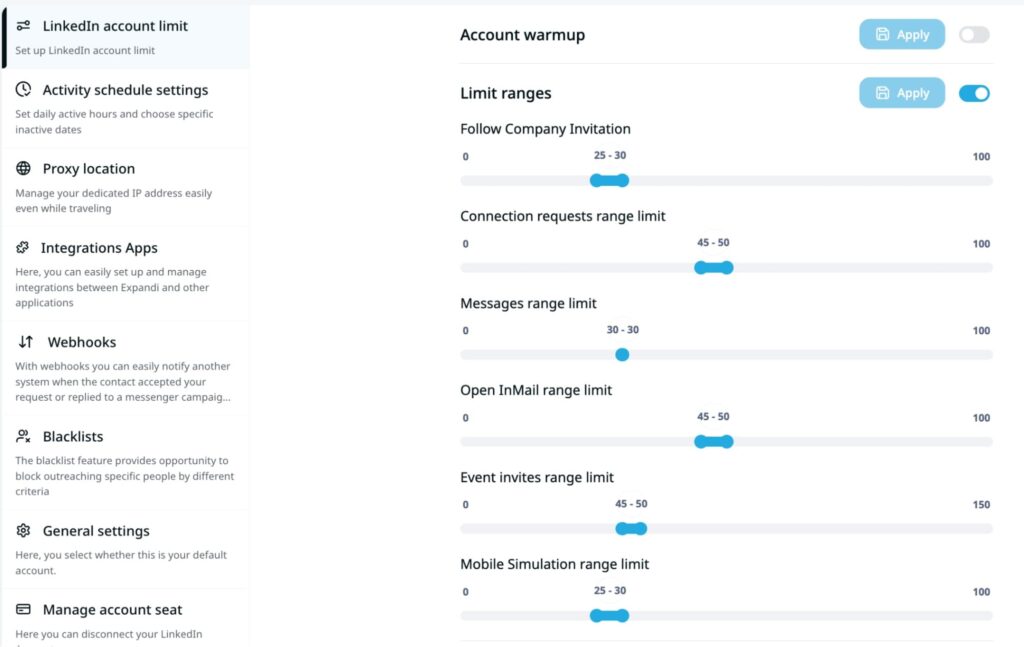
Expandi includes a dedicated country-based IP address per account (same login location every day), profile auto warm-up, smart daily limit algorithms, and built-in action caps.
4. Dynamic personalization at scale
Beyond basic merge tags, Expandi supports dynamic image and GIF personalization, hyper-personalized icebreakers pulled from LinkedIn activity, and ICP-based campaign branching by location, industry, company size, or title.

For more info, learn more about how Expandi uses personalization.
5. Built for agencies and multi-account teams
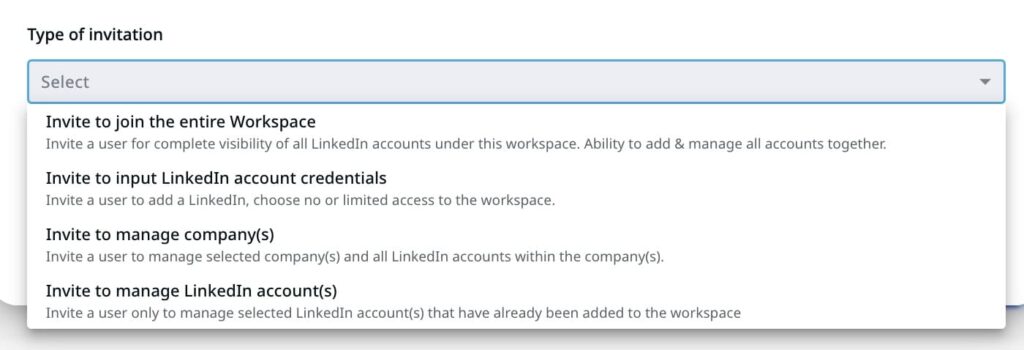
For teams managing multiple LinkedIn accounts or client campaigns, Expandi includes centralized campaign management, flexible roles and permissions, template sharing, client reporting, and white-label options.
This is ideal for agencies, in particular.
Expandi Pricing Plan Breakdown
Expandi pricing is straightforward, there’s only one plan, and no feature gating.
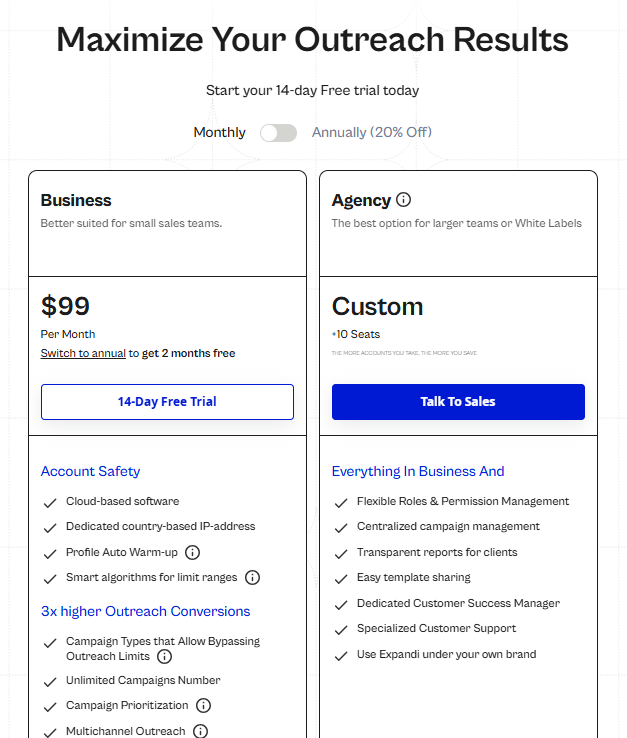
- Business Plan: $99/month per account.
- Annual billing includes 2 months free.
- Free 14-day trial, no feature restrictions during trial.
Everything is included from day one: safety infrastructure, smart campaigns, personalization, team features, and dedicated IP. No unlocking controls behind higher tiers.
Compared to Lusha’s credit-based model where costs scale with usage and key features sit behind Scale (custom pricing), Expandi’s flat per-account pricing is predictable.
For more details, see the full pricing page here.
Other Top 9 Lusha Alternatives in 2026
Depending on your outreach stack, objectives, and budget, here are 9 other Lusha alternatives worth considering in 2026.
1. Wiza
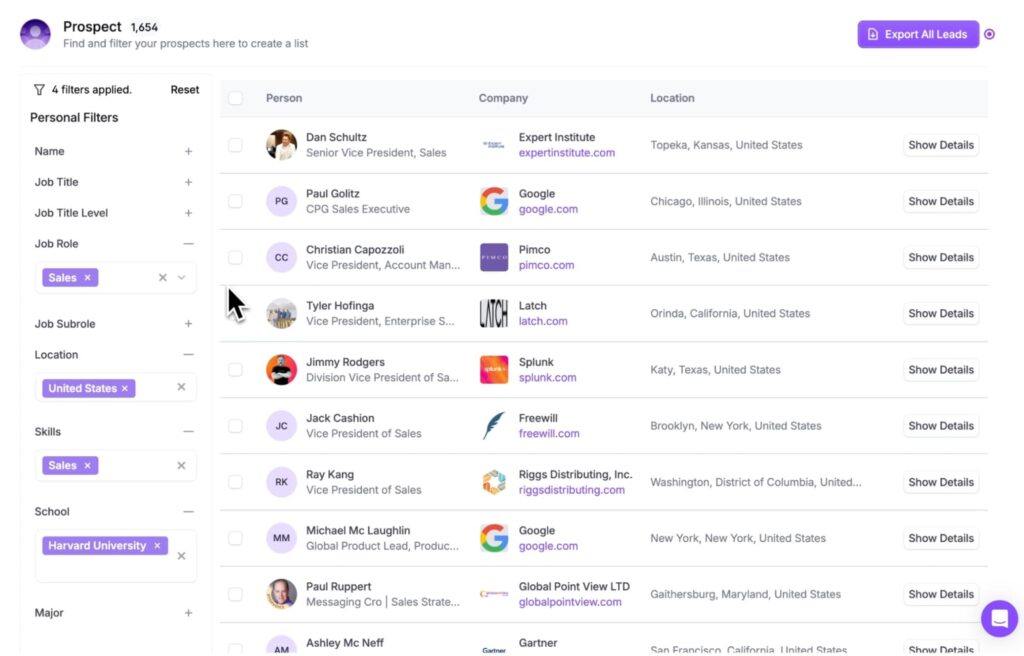
Wiza is a LinkedIn-focused contact data tool that turns prospecting searches into verified lead lists. The Chrome extension works across LinkedIn – run a search, let Wiza extract and verify contact details in the background, then export to CSV or push directly into your CRM.
Wiza’s own Prospect platform also gives access to 850M+ contacts with real-time verified data, so you’re not solely dependent on LinkedIn to source leads.
Key Features
- Chrome extension – Extract verified emails and phone numbers from LinkedIn profiles and across the web, one click to export
- Real-time email verification – Emails verified at point of export, not from a cached database.
- Bulk export – Up to 2,500 contacts at once with CSV support.
- CRM integrations – Syncs with HubSpot, Salesforce, Outreach, and Pipedrive.
- AI Research – Included on paid plans; surfaces prospect insights to support personalization.
Pricing
- Free: 20 emails + 5 phone numbers/month
- Paid plans start from $49/per user/mo.
Wiza vs. Lusha: Which is Better?
Lusha has its own prospecting database and a credit-based model that charges separately for emails and phone numbers.
Wiza bundles both on its Email + Phone plan at a flat rate, which makes per-contact costs more predictable at volume. Wiza also has its own Prospect platform with 850M+ contacts, so you’re not limited to LinkedIn sourcing.
For teams that need intent signals and deeper CRM enrichment, Lusha covers more ground.
If you want to scrape profiles and run LinkedIn outreach on top, Expandi handles the automation layer – connection requests, follow-ups, InMails – without switching tools.
2. Hunter.io
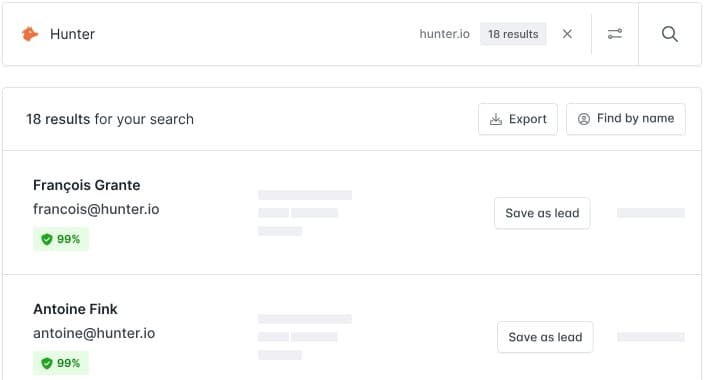
Hunter.io is an email-first prospecting tool focused on finding, verifying, and sending to professional email addresses. It’s one of the most widely used tools in the space – simple, affordable, and purpose-built for email outreach.
It doesn’t provide phone numbers, doesn’t automate LinkedIn, and isn’t trying to be a full sales intelligence platform. That simplicity is both its strength and its limitation depending on your workflow.
Key Features
- Email Finder – Find professional email addresses by name and company domain.
- Email Verifier – Validate deliverability before sending to protect sender reputation.
- Domain Search – Find all email addresses associated with a company domain in bulk.
- Campaigns – Send cold email sequences with follow-ups directly from Hunter, connected to Gmail or Outlook.
- Discover database – Filter B2B contacts by company attributes and buying signals.
Pricing
- Free plan with 25 searches and 50 verifications per month.
- Paid plans start from ~$57/month (Starter) and scale based on credit volume. Annual billing saves around 30%.
Hunter vs Lusha: Which is Better?
Hunter and Lusha overlap on email finding, but that’s where the similarity ends.
Lusha covers emails, phone numbers, CRM enrichment, intent signals, and a broader GTM data platform.
Hunter is email-only – no phone numbers, no LinkedIn automation, no CRM enrichment beyond basic export.
For teams that primarily do cold email outreach and don’t need phone data, Hunter is significantly cheaper and simpler. For teams that need phone numbers or a fuller data stack, Lusha covers more ground.
If your outreach includes LinkedIn alongside email – Expandi can scrape leads, and target them with LinkedIn as well as email all in one place.
3. Kaspr
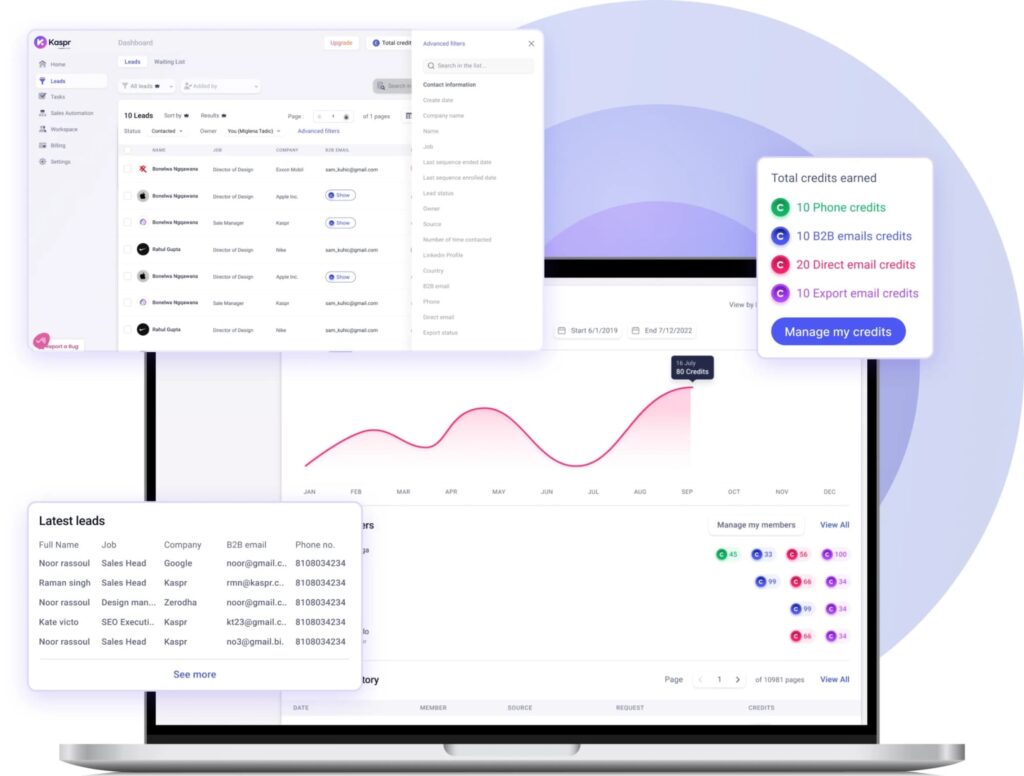
Kaspr is a LinkedIn-focused contact data tool – Chrome extension first, web app second. It gives SDRs and recruiters instant access to verified phone numbers and emails directly from LinkedIn profiles, groups, events, and Sales Navigator.
It’s built for individual contributors and SMBs rather than enterprise teams, and its strength is European data coverage and generous phone credit allocations relative to price.
Key Features
- LinkedIn Chrome extension – Reveals verified emails and phone numbers from LinkedIn profiles, groups, events, and Recruiter Lite.
- Real-time verification – Data checked against 150+ sources at the point of reveal, not cached.
- LinkedIn Cadences – Automate basic LinkedIn outreach sequences directly from Kaspr (Starter plan and above).
- CRM integrations – Export enriched contacts to HubSpot, Salesforce, Pipedrive, and others across all plans.
- Team workspace – Share credits and manage team activity from a centralized dashboard.
Pricing
- Kaspr offers a free plan with unlimited B2B email credits (limited exports).
- Paid plans start from $69/user/mo, with plans that go up in price over credits + features.
Kaspr vs Lusha: Which is Better?
Kaspr and Lusha are both Chrome extension-first, both LinkedIn-focused, both covering emails and phone numbers.
Kaspr has the edge for European data coverage and phone credit generosity at lower price points.
Lusha has broader North American coverage, a more developed intent signals feature, and a more complete GTM platform overall.
For solo SDRs and small teams prospecting heavily in Europe, Kaspr is often the better value. For teams needing a fuller enrichment platform with CRM enrichment at scale, Lusha covers more.
For LinkedIn outreach execution on top of either tool’s data, Expandi handles what neither can – automated sequences, smart campaign logic, and safety infrastructure built for LinkedIn specifically.
4. ZoomInfo
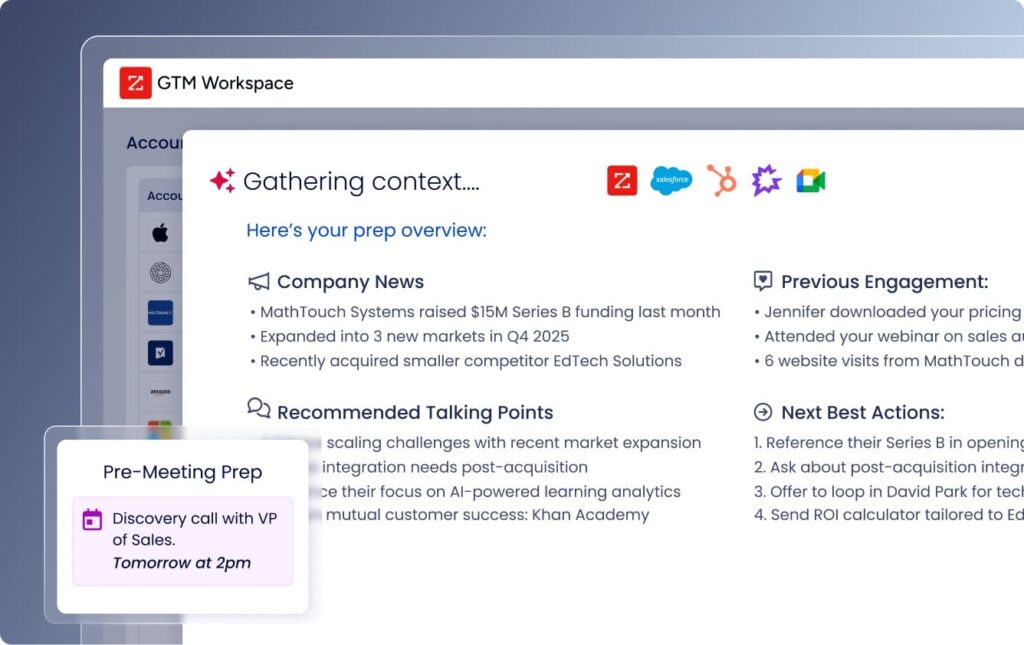
ZoomInfo is the enterprise standard for B2B sales intelligence. It combines a database of 321M+ professionals and 104M+ companies with intent signals, org charts, technographics, and native sales engagement – all under one platform.
If Lusha starts to feel limited, ZoomInfo is what sits above it.
Key features:
- Enterprise contact database – 321M+ professionals and 104M+ companies with org charts, technographics, and firmographic data.
- Intent data signals – Tracks research activity to help prioritize accounts already in a buying cycle.
- CRM & sales stack integrations – Deep integrations across Salesforce, HubSpot, Outreach, Salesloft, and more.
- ZoomInfo Engage – Email and phone sequencing tool, available as a paid add-on.
Pricing
- Custom pricing, requires a sales call. No self-serve trial.
- Based on online user reports, plans range from ~$14,995 to ~$39,995/year. Annual contracts only.
ZoomInfo vs. Lusha
Lusha is more accessible – self-serve, published pricing, and a free tier for individuals and small teams.
ZoomInfo is built for mid-market and enterprise orgs where budget isn’t the constraint and database coverage needs to go deeper than Lusha can offer.
The tradeoff: ZoomInfo’s entry price is roughly 10x Lusha’s paid plans, locked into annual contracts with auto-renewal clauses that frequently catch teams off guard at renewal time.
Neither tool covers LinkedIn execution. If that’s part of your outbound motion, Expandi handles the full LinkedIn automation layer on top of your data stack – flat $99/month, no credit model.
5. UpLead
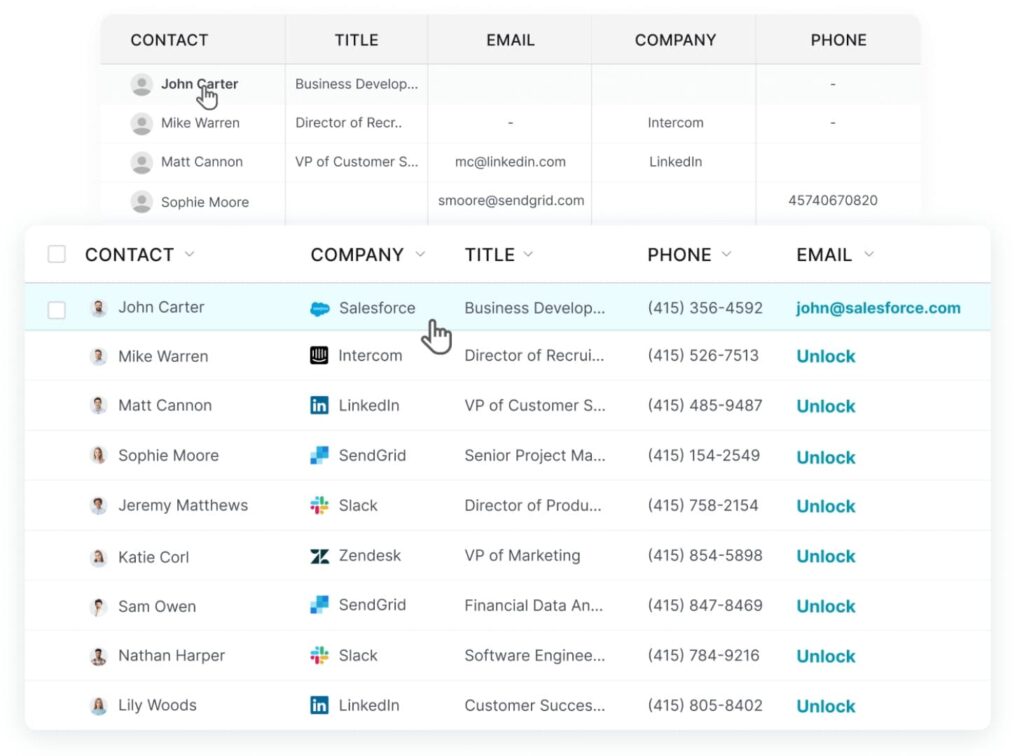
UpLead is a mid-market B2B data platform that competes directly with Lusha on price, with a different stance on data quality. The core claim: real-time email verification at the moment of reveal (not from a cached database), with a 95% accuracy guarantee.
UpLead includes transparent pricing, no sales call required, and month-to-month billing on lower tiers.
Key Features
- Real-time email verification – Emails verified at point of reveal, not after, so credits aren’t wasted on bad contacts.
- Mobile direct dials – Distinguishes direct lines from HQ switchboard numbers.
- Technographics – Search and filter by 16,000+ technologies companies use.
- Data enrichment – Bulk CSV upload and CRM sync to keep records current.
Pricing
- Free 7-day trial, 5 credits, no credit card required.
- Paid plans start from $99/month (or $74/month billed annually).
UpLead vs. Lusha
Lusha charges 1 credit for email and 5 credits for a phone number – that multiplier adds up fast for phone-heavy prospecting.
UpLead charges 1 credit per full contact regardless of whether you pull email, phone, or both, which makes costs more predictable at volume.
Lusha has the edge on North American database breadth and intent signals. UpLead’s edge is tech-stack targeting – if technographics are how you qualify your ICP, it’s the sharper tool.
If your leads come primarily from LinkedIn, Expandi sources and sequences them in one place – no data credits needed for LinkedIn-sourced prospects.
6. Instantly
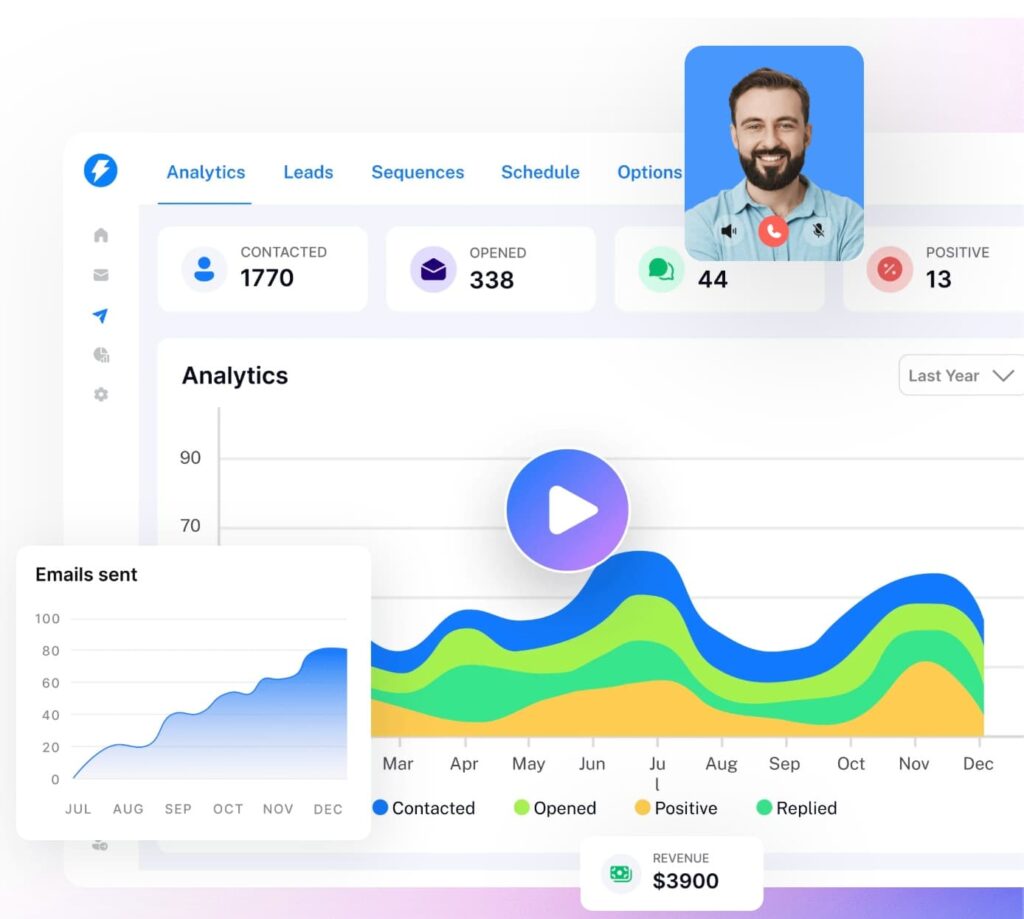
Instantly is a cold email infrastructure platform built to help teams scale outbound campaigns with inbox rotation, deliverability optimization, and automated follow-ups.
Instantly is what you use after your data enrichment and scraping leads to target them via email.
Key Features
- Unlimited email accounts and warmup – Connect and warm up as many sending inboxes as needed on all plans.
- Email sequencing – Automated follow-up sequences with A/B testing (Hypergrowth and above).
- Unibox – Centralized inbox across all connected accounts for managing replies at scale.
- SuperSearch – Built-in lead database with 450M+ contacts (separate subscription).
Pricing
- Free trial available.
- Outreach plans start from $37/month.
Instantly vs. Lusha
Lusha finds contacts and can send via Lusha Engage, but Engage is a lighter email sequencing tool. It’s not built for high-volume sending infrastructure.
Instantly is purpose-built for deliverability: inbox rotation, warmup, blacklist monitoring, and scaling sends across unlimited accounts.
For teams running serious cold email volume, that’s a meaningful difference.
Instantly now also has its own lead database (SuperSearch) that can compete directly with Lusha on data sourcing – it’s newer and data quality is less consistent, but for teams already inside the Instantly ecosystem, the case for consolidating is there.
The gap Instantly doesn’t fill is LinkedIn. If that channel is part of your outreach motion, Expandi coordinates LinkedIn and email in a single campaign flow – a prospect who doesn’t reply to email can get a LinkedIn touchpoint automatically, without switching tools.
7. Seamless.AI
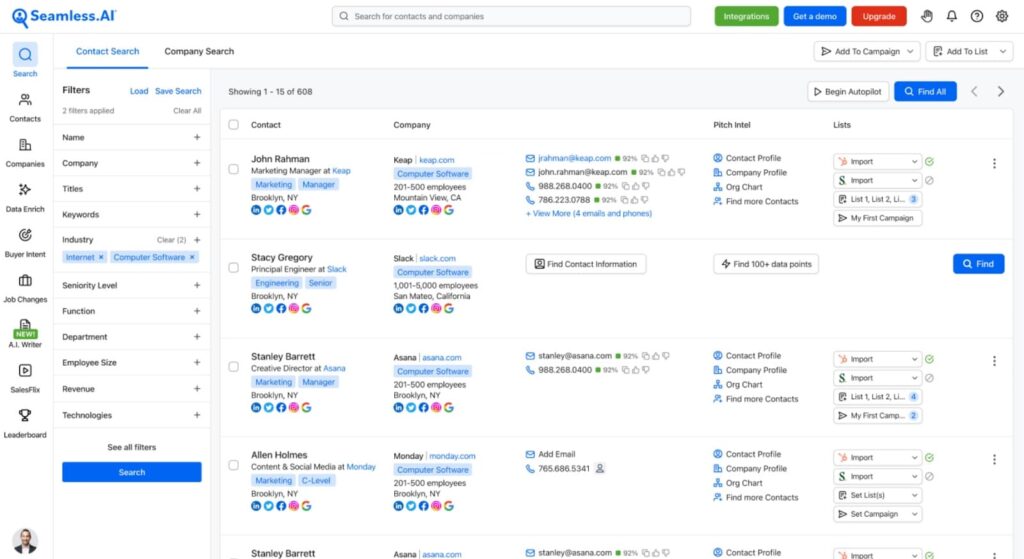
Seamless.AI is a real-time B2B contact search engine that finds emails, phone numbers, and direct dials as you prospect – rather than pulling from a static database.
The main angle here is speed: build a list of 100+ contacts in minutes using a Chrome extension that works alongside LinkedIn and Sales Navigator.
It’s a direct Lusha alternative in terms of use case – Chrome extension-first, credit-based, and built around fast contact discovery for SDRs doing high-volume outbound.
Key Features
- Real-time search engine – Researches contacts live rather than serving cached data, which can improve accuracy on recently updated records.
- Chrome extension – Reveal contact data directly from LinkedIn profiles and websites, similar to Lusha’s extension workflow.
- Buyer intent data – Tracks companies actively researching relevant topics (available as an add-on).
- CRM push – Direct sync to Salesforce, HubSpot, Salesloft, and Outreach on paid plans.
Pricing
- Free plan with 1,000 credits/year for 1 user.
- Pro and Enterprise require a sales call.
Seamless.AI vs. Lusha
Seamless.AI and Lusha are both Chrome extension-first contact data tools, and they’re used in nearly identical workflows.
The real-time search approach is Seamless’s differentiator – it re-researches contacts at the point of reveal rather than serving cached results, which can improve accuracy for recently changed roles.
Lusha’s pricing is more transparent and the contract terms are cleaner. For teams evaluating both, Seamless can offer value at high prospecting volume.
If LinkedIn outreach execution is part of your stack on top of data sourcing, Expandi handles that layer – automated sequences, smart campaign logic, and dedicated IP infrastructure, at a flat $99/month.
8. Clay
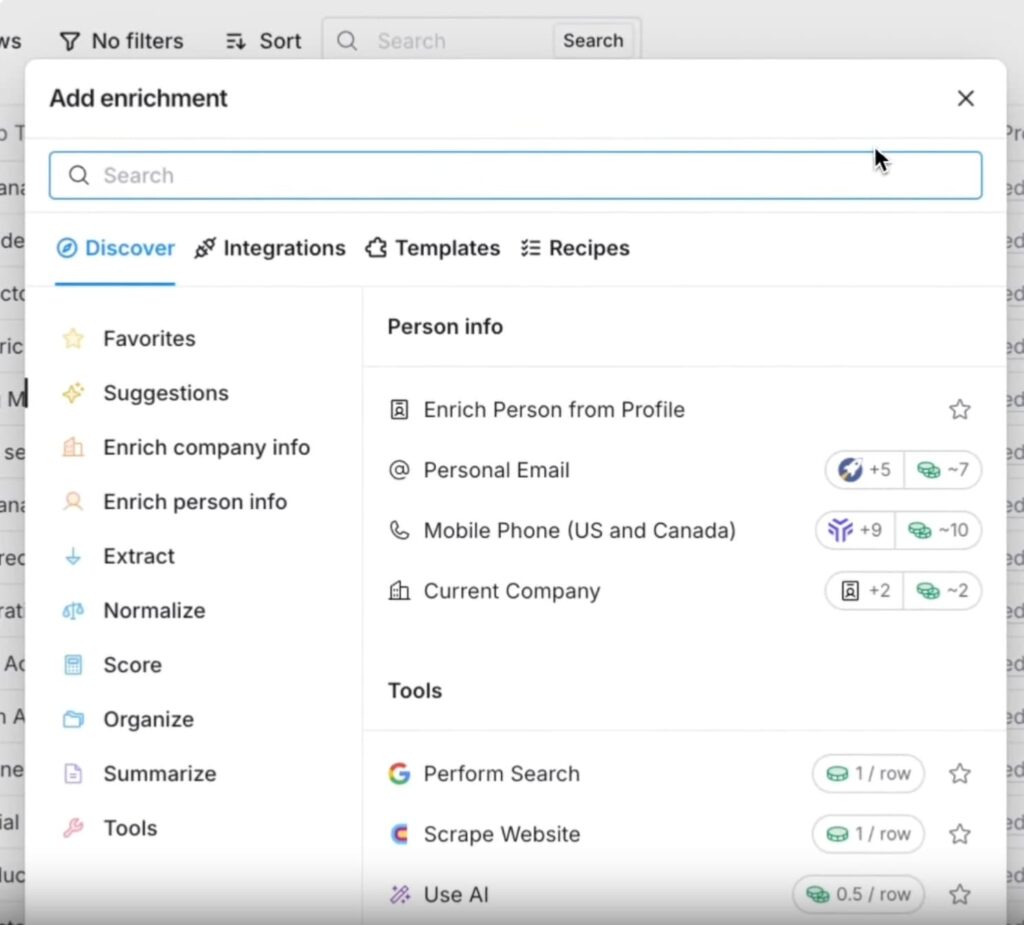
Clay is a GTM data enrichment and workflow platform – not an outreach tool by itself. It’s built to help teams source, enrich, clean, and route lead data using 100+ data providers simultaneously, then push it into whatever outreach tool they’re running. It’s the data layer that sits between your prospecting sources and your sequences.
Teams use Clay when their bottleneck is data quality and personalization inputs. It’s particularly powerful for building hyper-personalized outreach at scale – pulling company news, LinkedIn activity, job changes, and technographic data into a single enriched row before a message goes out.
Key Features
- Waterfall enrichment – Runs 100+ data providers in sequence to fill gaps, so you’re not dependent on any single source.
- AI research agent (Claygent) – Automates custom research tasks like finding recent company news, competitor signals, or ICP-fit indicators.
- CRM enrichment and hygiene – Keeps records current with recurring enrichment workflows, not one-time imports.
- Integrations – Connects to Salesforce, HubSpot, Outreach, Instantly, and most major sales tools.
Pricing
- Free plan with limited credits.
- Paid plans start from $149/month.
Clay vs. Lusha
Clay and Lusha solve different problems, though they can overlap on contact data.
Lusha is a contact discovery tool – you find a prospect on LinkedIn, reveal their details, and move on.
Clay is an enrichment and workflow engine – you feed it a list of companies or people and it fills in everything: emails, phones, job titles, tech stack, recent news, LinkedIn signals, and custom AI research.
For teams doing account-based outreach where personalization depth matters, Clay often replaces or supplements multiple data tools at once. The learning curve is steeper and it requires more setup, but the output is richer.
Clay doesn’t run outreach on its own though. For LinkedIn execution specifically, Expandi pairs naturally with Clay, as you can use Clay to build and enrich your list, then push it into Expandi to run the LinkedIn campaign.
9. Klenty
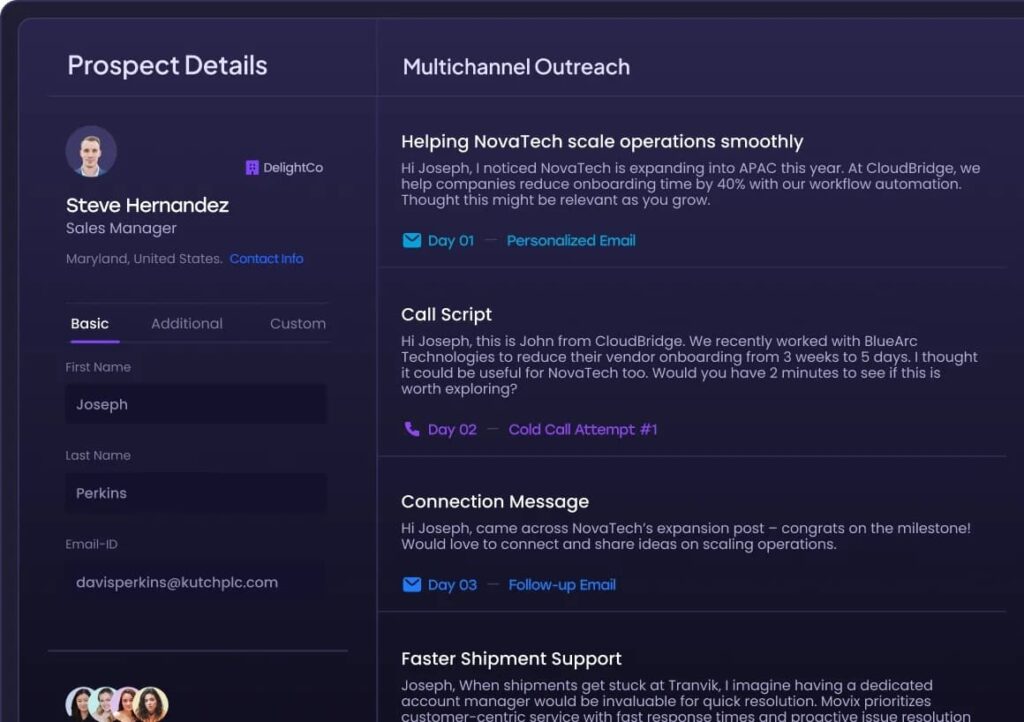
Klenty is an AI-powered sales engagement platform that helps sales teams run multichannel outreach across email, phone, LinkedIn, SMS, and WhatsApp. It’s built around reducing manual work for reps – handling account research, email personalization, and next-step execution so reps can focus on conversations.
Key Features
- Agentic Cadences – AI researches accounts, writes tailored emails, and executes outreach steps automatically across channels.
- Parallel and Power Dialer – Dial up to 5 prospects simultaneously or work through a list sequentially, with AI handling voicemail detection, note-taking, and CRM updates.
- Action AI – Listens to calls, surfaces the next step discussed, and schedules follow-ups automatically with prior context.
- Email deliverability suite – Inbox rotation, warmup, and domain health monitoring built in to protect sender reputation.
Pricing
- Free 14-day trial, no credit card required.
- Plans start from $50/user/month billed annually.
Klenty vs. Lusha
Klenty and Lusha sit at different stages of the same workflow.
Lusha finds contacts and can send basic email sequences via Lusha Engage.
Klenty is a dedicated sales engagement platform – it doesn’t source data, but it executes outreach across more channels and with more sequencing depth than Lusha Engage offers.
For teams that already have a reliable data source and need a proper multichannel execution layer with a built-in dialer, Klenty can be a good choice.
The one gap: Klenty includes LinkedIn as a manual task step in cadences, but it doesn’t automate LinkedIn actions natively.
If you need automated connection requests, follow-ups, and InMails running in the background alongside email, Expandi handles that layer and can coordinate both channels in the same campaign flow.
Finding the Right Lusha Alternative for Your Stack
No single tool here does everything. That’s the point.
Lusha is a solid contact discovery tool. But depending on where your bottleneck is – data coverage, outreach execution, deliverability, or LinkedIn – a different tool might fill that gap better.
A few ways to think about it:
- If you need predictable per-contact pricing with real-time verification and LinkedIn-native sourcing, Wiza is worth considering.
- If you’re running high-volume cold email and need proper infrastructure, Instantly is built for that – inbox rotation, warmup, and deliverability at scale.
- If you need enrichment depth before outreach (tech stack, news, custom AI research), Clay is the data layer that feeds everything else.
- If your team needs a multichannel execution layer on top of contact data, Klenty covers email, phone, SMS, and WhatsApp with proper cadence logic.
- If LinkedIn is your primary acquisition channel – sourcing leads, running outreach, and managing replies – Expandi is built to handle that end-to-end without stitching tools together.
The goal is to find the most feature-rich tool that fits where you are in your outbound workflow.
See if Expandi is right for you, or claim your free, 14-day trial here.





You’ve made it all the way down here, take the final step