
Why Choose Expandi over HeyReach ?
Expandi vs HeyReach is a close call on the basics. Both run LinkedIn outreach from the cloud, both give every sender its own residential IP, both have a unified inbox, an API, and an MCP server. The differences start where the sequence begins and where it ends.
- HeyReach scales by rotating senders: add more LinkedIn accounts, split one list across them, and pay per sender.
- Expandi scales by starting from a signal: someone who viewed your profile, engaged with a post, or visited your company page gets enrolled automatically, and the sequence branches on what they do next, with email as a step in the same flow.
This comparison lays out verified pricing for both tools, a categorized feature matrix, real pros and cons on each side, and a plain answer on which tool fits, whether you are weighing per-seat against per-sender pricing or deciding how to scale client accounts.
Interested in switching from HeyReach to Expandi?
Fill out this form and we will migrate your entire setup in less than 48 hours.
TL;DR
- HeyReach is the simpler tool for pushing volume across multiple LinkedIn accounts, with sender rotation, a 14-day trial, and a flat sender price that drops to $59 at 10 or more.
- HeyReach sequences branch on two conditions (connected, open profile), have no email step, and pull post engagers once as a static list.
- Expandi branches on 11 conditions across 20 actions, enrolls leads from profile visits, company page visits, and post engagement as they happen, and runs email inside the same LinkedIn sequence.
- Expandi costs more per seat ($99, or $79 annual), charges nothing for teammates or clients, and publishes benchmarks from 13.2 million connection requests so you can grade the team’s numbers against the market.
Expandi vs HeyReach: feature comparison by category
Both tools cover the basics. The rows that separate them are in the builder, lead sources, and email categories.

$79 per sender ($59 per sender at 10+)
$63 per sender per month ($47 at 20 senders)
$999/month for 25 senders, $1,399 for 50
Unlimited: $2,999/month, 300-sender fair-use cap
14 days, no card, up to 3 accounts (30 days on request for Agency and Unlimited)
Free, unlimited
(static residential, Growth plan: bring your own on Agency and Unlimited)
Manual guidance (5 requests/day in week one, raise gradually)
~100, auto-freeze near the limit
200 actions per day per account, 40 warm-up actions
12
2
(branches on accepted or not accepted)
3 hours
(message variations)
(plus Recruiter, HubSpot, Clay)
One-time import of reactors only, 10,000 per post
(Sales Navigator required)
(custom variables)
(messages and Unibox)
ChatGPT personalized message toggle
Via MCP
(Interested / Generic / Negative auto-tags)
n/a
Instantly, Smartlead, EmailBison
(Find Email, 100 credits per sender)
(Unibox)
Workspaces and permissions
(core feature)
Agency plan (1 brand), Unlimited (multi-brand, $500 per extra)
Agency and Unlimited (Slack channel)
HubSpot
(all plans)
We’ll migrate your entire setup in under 48 hours
Campaigns, inbox, accounts, settings. Just tell us what you need and our team will handle the rest.
Get your free migration plan or Start Free Trial with ExpandiNow You know why Expandi is the obvious choice
Whether you’re a beginner or a pro, a business development Newbie or a LinkedIn Boss, a fan of Recruitment on LinkedIn or a networking guru, everyone turns to Expandi to supercharge their outreach game.
Still in doubt? Expandi is more

Secure. Cloud-Based Solution with country Proxy Selection.With Warm-Up with Human-like Automation
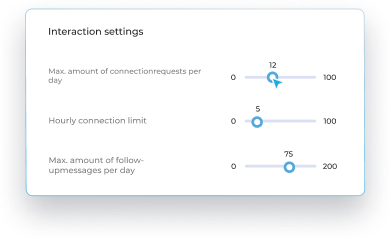
Adaptable. We stay ahead of updates, ensuring seamless adaptability to any changes.
Convenient. Invite as many clients as you want with no extra charge. And manage all their accounts conveniently from a single account.
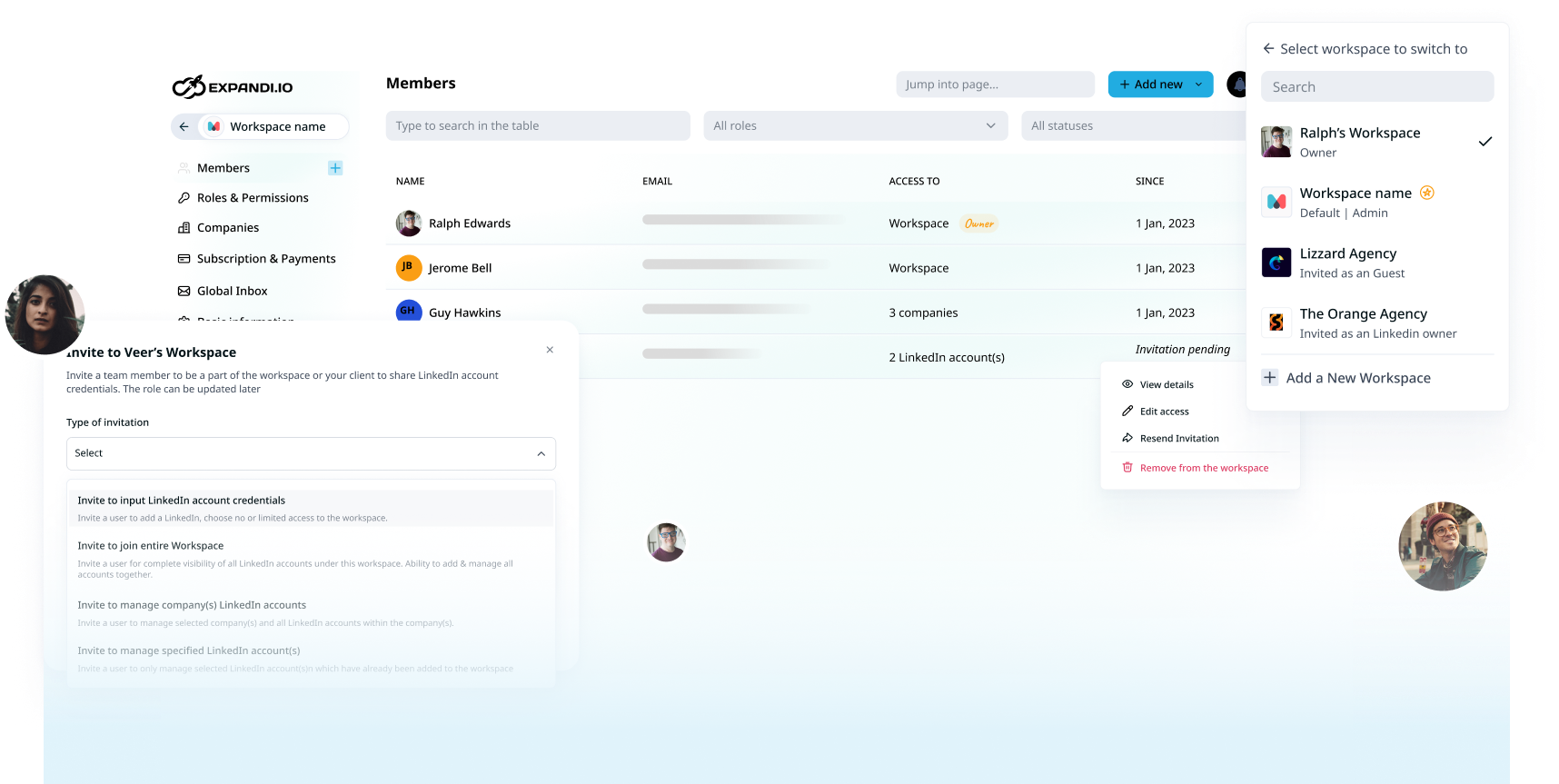
Flexible. Create an unlimited number of Roles & Permissions with granular access to the platform for teammates and clients.
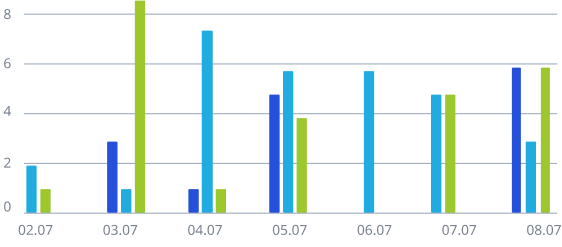
Trackable. Track team performance on an intuitive dashboard. Save more than 6 hours weekly per account by using tags, filters, and inbox management.
Integrative. Receive all replies and your hot leads directly in Slack or any chosen tool, and distribute performance reports to other tools, all using webhooks.

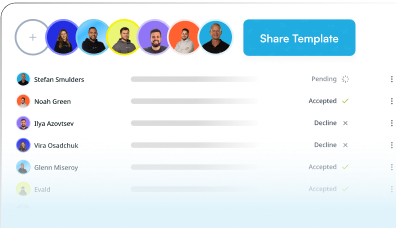
Smart. Share best-performing Expandi Campaigns inside the team in a few clicks.
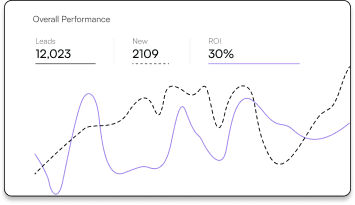
Scalable. Accelerate Growth with Human-Like Automation to boost conversions with personalized, condition-based flows. Engage and warm up contacts before requesting connection.
People like you use
Expandi to generate
leads and grow faster





What Expandi users report
The testimonials above are real. The numbers below are too, and they come from published case studies you can open:
- Salescout: 6 new demos and $250k in pipeline in 3 weeks, with message templates pulling 40%+ response rates.
- Provoke Agency: $0 to $1.8 million ARR in under 2 years, running outreach for 50+ recurring clients a month.
- UltB: 5+ appointments booked every week, on a 52.85% acceptance rate and 18.92% reply rate.
- A17: 20 interviews with C-level executives in 10 working days, from 600 profiles at a 50% reply rate.
- Quoleady: recruiting cycle cut from months to one or two weeks, 4x faster.
The baseline those sit against: 28.5% connection acceptance and a 10.4% message reply rate across 13.2 million requests in our State of LinkedIn Outreach H2 2026 report.
HeyReach review: what real users are saying
HeyReach holds a 4.6/5 on G2 across 72 reviews and a 4.0/5 on Trustpilot across 51. Reviewers praise the speed of setup, the support team, and sender rotation.
The lower scores cluster around support response times, reporting, and campaigns that stall.
What are the pros of HeyReach?
Here is where HeyReach performs well for users, based on G2 and Trustpilot:
- Sender rotation: One campaign can split a list across multiple LinkedIn accounts, and reviewers name it as the standout feature for scaling past one profile’s weekly limit.
- Fast setup: Campaigns go live in minutes, and the builder’s positive and negative branches are easy to read.
- Per-sender pricing with free seats for people: Teammates, VAs, and clients cost nothing, and the sender price drops to $59 at 10 or more.
- Unibox with voice notes: Replies from every sender land in one inbox, teammates can answer on each other’s behalf, and voice notes send from campaigns or the inbox.
- Stack-friendly: Native HubSpot sync, an API with webhooks, Clay and RB2B integrations, and an MCP server on every plan.
What are the cons of HeyReach?
Here is where HeyReach falls short, based on the same review sites and its own help center:
- Two condition steps: if connected, and whether the profile is open. A prospect who viewed your profile or liked your post walks the same path as one who did nothing.
- No email step: Email means handing the lead to Instantly, Smartlead, or EmailBison and running a second sequence on a second clock. A G2 reviewer’s dislike, in full: “No multichannel campaigns but you can easily overcome that.”
- Post engagers are a snapshot: The import grabs reactors once, skips commenters, and stops. There is no way to keep a campaign fed as new people engage.
- Support and stalls: A zero-star G2 review lists “Customer support and they average two days to reply” and “campaigns don’t start properly and take many more days to send connections and messages.” A January 2026 Trustpilot one-star: “Their support is virtually nonexistent.”
- Reporting and blacklists: “Support was weak, and there was no proper reporting” (G2). Another reviewer: “Can’t easily add a blacklisted lead list to be excluded.”
- Small teams pay more: “The only thing I dislike is the fact that their pricing is not favorable for just 1-2 seats” (G2).
HeyReach pricing
HeyReach charges per LinkedIn sender, with people free. All three tiers below were read from the live pricing page in September 2026 with the monthly and yearly toggles clicked:
- Growth: $79 per sender per month. The per-sender price falls to $59 at 10 or more senders. Yearly billing takes 20% off ($63 per sender at one seat, $47 at 20). 14-day trial, no card, up to 3 accounts. Each sender gets a dedicated residential proxy and 100 enrichment credits.
- Agency: $999 per month for 25 senders or $1,399 for 50 ($799 and $1,119 per month billed yearly). Adds one white-label brand, 1,000 enrichment credits, done-for-you onboarding, and a Slack channel. You bring your own proxies on this tier.
- Unlimited: $2,999 per month ($2,399 billed yearly) for unlimited senders under a 300-sender fair-use cap, 3,000 credits, done-for-you migration, and extra white-label brands at $500 each. A 30-day trial is available on request.
Expandi review: pros and cons
Expandi holds a 4.3/5 on G2 across 160 reviews and a 4.5/5 on Trustpilot across 234. Reviewers single out support and the depth of the sequence builder.
The cons below are the real trade-offs, followed by three older claims that no longer hold.
What are the pros of Expandi?
Where Expandi earns its rating:
- Sequences that react: 11 conditions, including profile visits, post likes, follows, and email opens, each splitting into a positive and a negative path.
- Signals: profile visitors, company page visitors, and post engagers enroll into a campaign automatically as they act, synced roughly every 24 hours.
- Email inside the sequence: a LinkedIn message and an email follow-up live in one flow, and a reply on either channel pauses the lead.
- Global Inbox and Workspaces: every account in the workspace in one inbox, 100+ permission settings, and teammates or clients invited free.
- Published benchmarks: acceptance, reply, and industry cuts from 13.2 million requests, so a 22% acceptance rate has context.
What are the cons of Expandi?
Where Expandi has real trade-offs:
- Agency pricing needs a call. Yes, Agency starts at 10 seats and is quoted. But Business is public at $99 per seat with every feature included, so a Head of Sales buying under 10 seats never has to ask. The call exists because no two agencies run the same setup: seat count, white-label, client reporting, and a dedicated success manager get priced to what you actually run, which a fixed public tier couldn’t do.
- The trial is 7 days, shorter than HeyReach’s 14. Yes. But every feature is open on day one, nothing is charged until you subscribe, and Signals campaigns start filling within the first 24-hour sync, so a week is enough to watch real prospects enroll and reply.
- Account restrictions can happen with Expandi, as with any automation tool, if you make it do a week of outreach in an afternoon. Expandi is built to stop you doing that: automatic warm-up ramps a new account from 5 to 15 actions a day, daily limit ranges are yours to set per action, random delays sit between actions, and a dedicated country-based IP keeps every login in one place. Keep those on and the tool works inside LinkedIn’s limits.
- Setup can take hours. G2 reviewers say “the creation of campaigns should be more user friendly” and “the sequences can be slightly complicated in setting up.” But that complexity is 20 actions and 11 conditions, which is the reason a sequence can branch on a profile visit or an email open in the first place, and Marketplace templates give you a working flow to edit rather than a blank canvas. Email setup takes a Gmail app password or custom SMTP.
Three claims about Expandi that are out of date
A few points in older Expandi reviews no longer match the product:
- “Teammates can’t reply on each other’s behalf.” They can. Workspace admins, members, company managers, and edit-level account managers all reply from any LinkedIn account they have access to, inside the Global Inbox, without logging into that account.
- “Only one LinkedIn profile per Workspace.” A workspace holds every LinkedIn account and every client company you add to it, with roles scoped per account, per company, or workspace-wide.
- “Email replies don’t pause the lead.” They do. An email reply pauses the lead and unschedules the next email, as long as the mailbox is connected with IMAP details as well as SMTP.
Expandi pricing
Expandi is $99 per seat per month, or $79 on annual billing, with every feature on every seat and no charge for teammates or clients. Agency pricing is custom from 10 seats and adds white-label, a dedicated success manager, and centralized client reporting.
The add-on question deserves a straight answer.
Expandi’s image, GIF, and video personalization run through Hyperise and Sendspark, which are separate subscriptions. A seat that wants all of it, plus Sales Navigator, stacks up to roughly $337 a month on monthly billing ($99 Expandi, $119.99 Sales Navigator Core, $69 Hyperise, $49 Sendspark), or about $265 on annual plans.
Two of those are optional:
- Sales Navigator is never required, and Hyperise and Sendspark only matter if you want visual personalization.
- Text personalization, Signals, and the builder are all in the base seat.
At one seat, HeyReach is $20 cheaper a month. At ten senders it is $590 to Expandi’s $990.
The Expandi seat buys the builder, lead source, and email rows above.
What makes Expandi better than HeyReach?
HeyReach automates the send. Expandi automates the choosing: who enters the campaign, which path they take, and which channel carries the next touch. Here is how that plays out.
1. Signals enroll leads while they are still warm
Expandi Signals watch three sources and add matches to a campaign automatically: people who visited your profile, people who visited your company page, and people who liked or commented on up to three chosen posts, with keyword filters on the comments.
New matches sync roughly every 24 hours, so a post that keeps getting engagement keeps feeding the sequence. Profile and company signals need LinkedIn Premium or Sales Navigator on the account. Post signals run on a free account.
The proof is in our own data. Campaigns built on profile visitors replied at 13.4% and event-attendee campaigns at 14.21%, against a 10.3% average across all LinkedIn DMs in our State of LinkedIn Outreach H1 2026 report. HeyReach’s closest equivalent imports a post’s reactors once, as a list.

2. Sequences that branch on what the prospect did
Expandi’s Builder campaign offers 20 actions and 11 conditions. “If visited your profile,” “If post liked,” “If followed you,” and “If email opened” each split the flow, so the prospect who looked at your profile after the request gets a different second message than the one who ignored it.
HeyReach forks on accepted or not accepted, then checks whether the lead is connected and whether the profile is open. That is the whole decision tree.
3. Email as a step inside the sequence
An Expandi sequence can send a connection request, wait, message, and then email through your connected mailbox, all in one flow, with “If email exists” deciding whether the email branch runs.
A reply on LinkedIn or by email pauses the lead. HeyReach’s email actions push the lead to Instantly, Smartlead, or EmailBison, where a second sequence runs on its own schedule with its own stop rules.
4. One inbox for every account, with the right person replying
The Global Inbox shows every conversation across every LinkedIn account in the workspace, and who can reply is a permission set per role: admins and members anywhere, company managers within their client’s accounts, account managers on the accounts they are invited to. HeyReach’s Unibox matches that for replies.
Workspaces add 100+ permission settings, custom roles, and free seats for every teammate and client.
5. Expandi MCP: describe the outcome, skip the clicking
Expandi MCP connects Claude, Cursor, ChatGPT, or any MCP-compatible client to your Expandi account. You describe the outcome, and the agent builds lead lists, drafts campaigns and replies, reads performance, and names why a campaign stalled: limit hit, outside sending hours, account disconnected, out of leads.
Nothing sends without your approval, and every action stays inside daily limits and warm-up. Access is rolling out in waves through a waitlist.
6. Personalization past the first name
Text placeholders and A/B tests are table stakes on both tools. Expandi adds image, GIF, and video personalization through Hyperise and Sendspark: the prospect’s name, logo, or photo dropped into a visual, inside the LinkedIn message.
HeyReach’s answer is voice notes, which Expandi does not send. Pick by what your prospects open.
When HeyReach might be the better fit
A fair comparison names the cases where the other tool wins. HeyReach is the better pick when:
- You are an agency owner whose growth lever is adding senders. Rotating one list across 10, 25, or 50 accounts is HeyReach’s core design, and its per-sender price gets cheaper as you add them.
- You are a GTM engineer whose stack runs through Clay, RB2B, and Instantly, and LinkedIn is one step in a workflow that lives elsewhere.
- You want a 14-day trial with no card before deciding.
- Voice notes are part of your outreach style.
- You need an MCP server today, on the entry plan, with no waitlist.
When to choose Expandi
Expandi is the better pick when:
- Signal-based prospecting is your main lead source, and you want profile visitors, company page visitors, and post engagers enrolled as they act.
- Sequences need to branch on behavior after the connection request, beyond whether it was accepted.
- The LinkedIn message and the follow-up email belong in one flow with one set of stop rules.
- You are an agency owner running outreach for clients and want per-client roles, one inbox, and zero charges for the SDRs and VAs doing the work.
- You are want a published benchmark to tell you whether an SDR’s campaign is ahead of or behind its market.
The bottom line: HeyReach scales senders. Expandi scales signals.
If your plan is volume across multiple LinkedIn accounts on a simple connect-and-follow-up loop, HeyReach delivers it at a lower per-sender price.
If your plan is to reach people who already showed interest, branch on what they do, and carry the conversation to email without leaving the sequence, Expandi is the better choice, and it charges nothing for the teammates and clients who help you run it.
With Expandi, you get:
- Signals that enroll profile visitors, company page visitors, and post engagers automatically.
- Sequences that branch on 11 conditions, including profile visits, post likes, and email opens.
- Email steps inside the same LinkedIn sequence, with reply detection on both channels.
- A Global Inbox with per-role reply permissions and 100+ permission settings, free for every teammate and client.
- Benchmarks from 13.2 million connection requests, cut by industry, to grade every campaign.
Start your free Expandi 7-day trial, or fill out the migration form and we will move your HeyReach setup in under 48 hours.
Interested in switching from HeyReach to Expandi?
Fill out this form and we will migrate your entire setup in less than 48 hours.
Frequently asked questions
Is Expandi better than HeyReach?
As a HeyReach alternative, Expandi is the better pick for sales teams and agencies whose outreach starts from a signal and branches on prospect behavior. Expandi enrolls profile visitors, company page visitors, and post engagers automatically, branches on 11 conditions, and runs email inside the same sequence. HeyReach is better for agencies that scale by rotating multiple senders on a simple connect-and-follow-up sequence and want the lowest per-sender price at volume.
How does Expandi vs HeyReach pricing compare?
Expandi is $99 per seat per month, or $79 on annual billing, with every feature included and teammates free. HeyReach is $79 per sender per month, $59 per sender at 10 or more, with Agency tiers at $999 for 25 senders and $1,399 for 50, and an Unlimited tier at $2,999. Both charge per LinkedIn account, never per user.
Can teammates reply from each other’s LinkedIn accounts in Expandi?
Yes. The Global Inbox shows every conversation across the workspace, and reply rights follow the role: workspace admins and members can reply from any account, company managers from the accounts under their company, and account managers from the accounts they were invited to manage.
Does Expandi send email in the same sequence as LinkedIn?
Yes. Email is an action in the Builder campaign, sent through a connected Gmail, Yahoo, or custom SMTP mailbox, with conditions for email opened, clicked, bounced, and exists. A reply on either channel pauses the lead. HeyReach hands leads to Instantly, Smartlead, or EmailBison for email instead.
Does the Expandi free trial require a credit card?
No, and nothing is charged during the 7 days. Every feature is open during the trial. If you decide to continue, subscriptions are managed per seat under Subscriptions and Payments, and canceling a seat there is what stops billing, since disconnecting a LinkedIn account alone does not.
Can I migrate from HeyReach to Expandi?
Yes. Fill out the migration form on this page and the Expandi team rebuilds your campaigns, lead lists, and account settings in under 48 hours, so you are not starting from an empty workspace.











You’ve made it all the way down here, take the final step