LinkedIn event invitations: the underused channel that scales with your team

LinkedIn lets every person send up to 1,000 event invitations a week, on a channel separate from connection requests. Most B2B teams never come close to using it. They treat events as a side project, send a handful of invites from one account, and watch most of the registrants never show up.
This guide is for running LinkedIn events as a deliberate reach channel: how the invite mechanic actually works, why the reach compounds when more than one person invites, and a workflow you can run before, during, and after your next event.
How the LinkedIn event invite channel actually works
The most useful fact about LinkedIn events is one most operators have never seen. LinkedIn’s own help documentation puts the event-invitation limit at up to 1,000 per person per week, across all the events they manage.
For context, ordinary connection requests sit closer to 100 to 200 per week for most accounts. Event invitations do not draw from that connection-request budget. They run on a separate, much larger allowance.
The mechanic itself is simple.
You create the event from your profile or company page, set the date and a description, then invite first-degree connections one at a time or in batches. An invitation triggers a notification, the kind that lands directly in the recipient’s stack without depending on the feed to surface a post. They can accept or decline, and if they accept they become an attendee you can keep in the loop with updates from the event page.
The catch has always been the manual nature of inviting at scale. Click, search, invite, repeat.
Most teams stop early and accept the reach one account can produce, and never use the bigger door the platform left open. The pacing caveat still applies: invite people who would genuinely want to be there, and spread sends across the week. The point is not to max the ceiling. It is to know it exists.
Why the reach compounds when more than one person invites
One account invites from one network. That is the ceiling most teams accept by default.
The people you want at your event are not all connected to one person. They sit across the whole team’s networks: the founder’s connections, the AEs’, the colleague who joined three months ago and still has every former employer in her contacts.
Added up, your team is already connected to far more of your audience than any single account can reach. The move that compounds reach is straightforward. Have more than one person invite their own network to the same event.
If you run webinars with multiple speakers, you already know this instinctively. Each speaker who invites their connections widens the room. Do the same across a sales team or an agency’s accounts and the audience grows with every person who joins in.
For example, one account inviting from a 2,000-connection network can reach 2,000 people, capped by the invite allowance and by who fits your audience. Five accounts with similar-sized networks invite to the same event, the reachable pool roughly multiplies.
The actual number depends on overlap, ICP filtering, and how many of those connections care about your topic. The structural fact still stands: every additional inviter widens the door, no extra sends per account required.
What events actually do for visibility, and what they do not
You will read claims that LinkedIn events get a hidden algorithm boost, get indexed as “premium” content by Google, or rank in search, but treat those carefully. The platform has not confirmed them, and most trace back to marketing blogs, not data. The most cited public study of LinkedIn algorithm behavior does not flag events as a category-level boost.
Here is what is actually grounded.
The notification advantage. The invitation triggers a notification. The recipient sees you, by name, in their notification stack. That is a direct channel that does not depend on the feed pushing your post. It is also, in the platform’s logic, a softer touch than a cold connection request, because you are inviting them to something they can opt into rather than asking for a relationship.
The content-around-the-event effect. One event gives you a week of relevant things to say: the run-up post setting up the topic, the day-of post inviting last-minute attendees, the recap with the takeaway from the session. Each one ties to an audience that already opted in to the topic, which is the kind of engagement the feed tends to reward (more conversation, more dwell time). You do not need an algorithm conspiracy for events to work. The mechanic is enough.
A practical pre, during, and post workflow
You need a repeatable sequence rather than a big production. The framework below works for a webinar, an AMA, a community meetup, or a product session, scaled up or down to whatever resources you have.
3 to 4 weeks out: choose the topic and the audience
Pick a narrow topic your buyers actually care about, not a category-defining one. “How agencies handle reply triage across ten LinkedIn accounts” beats “How to grow with LinkedIn outreach.” Specific topics attract specific people. Vague topics attract no one.
Create the LinkedIn event with a title that names the value, not the format.
- The description should read like the value proposition of the session, not a slogan: who it’s for, what they’ll leave with, and the format (Q&A, walkthrough, panel).
- Add a visual that makes the event scannable in a notification or feed card.
- Decide who you want in the room before you invite anyone: the roles, industries, and company sizes that match your ICP.
- Write those criteria down and share them with whoever else will be inviting.
2 weeks out: start the inviting and post around the topic
Invite from as many team accounts as you can.
One inviter is a ceiling. More inviters means more matching connections see the event. If you have speakers from outside your company, line them up to invite their networks too. Their reach into adjacent audiences is part of why you invited them.
For five or more accounts, do not coordinate by hand.
The manual back-and-forth across that many inboxes is the reason most teams give up on the play before they ever see it work.
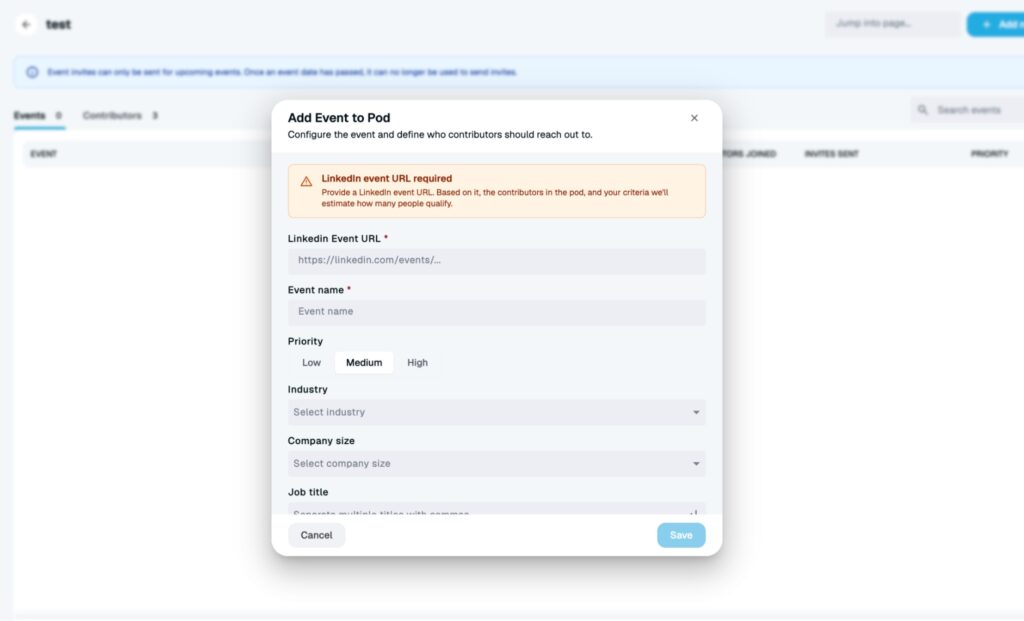
This is what Expandi’s Event Pods automates: drop the LinkedIn event into a pod, optionally set the audience (job title, company size, industry, or leave blank for broader reach), and add the contributing accounts. The contributors then attend the event, and their matching first-degree connections get invited automatically. You set the rules once.
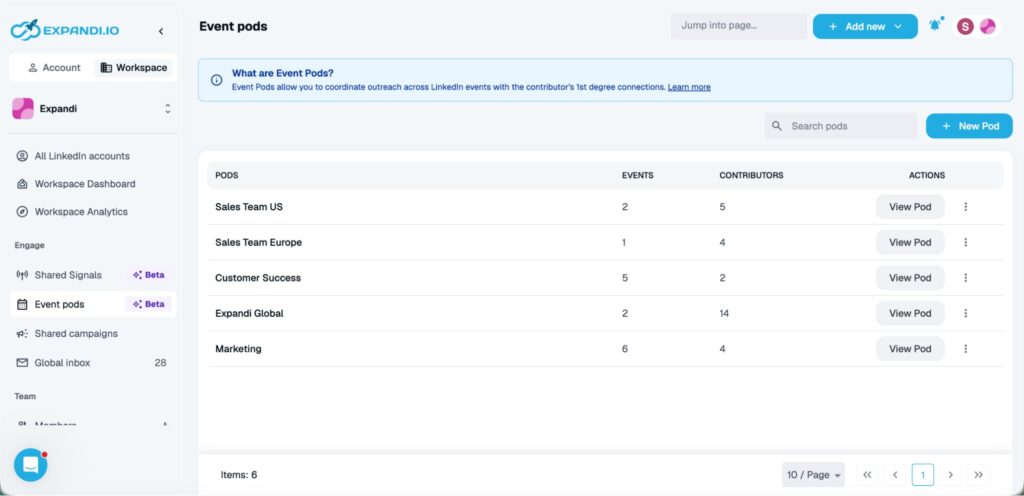
Know how the pod actually works.
Audience is set on the event, not on each contributor, so two events in the same pod can target different audiences.
Per-event priority decides which event gets invites first when contributors share their invite budget across multiple events.
Invites run on LinkedIn’s dedicated event-invite allowance, separate from the connection-request budget your campaigns use, so the channel is additive to the outreach you already run.
Post about the topic, not the event.
Give people a reason to care before you ask them to register. A post that names a specific tension you will address in the session (“most teams measure reply rate wrong, here’s the version that matters”) beats a post that says “join my webinar.” Two or three of those posts in the run-up does more for registrations than a daily reminder ever will.
The week of: cadence and reminders
Post once a day with a real observation tied to the session. A specific data point, a contrarian take on the topic, a question you plan to answer live. The point is to keep showing up in the feed of the people who already opted in, with content they actually want.
Remind registrants directly, but make the reminder useful. A note saying “we are starting tomorrow, here is what you’ll get in the first ten minutes” beats a calendar notification. Keep both specific. Generic countdowns do not move people.
The session itself: capture and engage
Run a session worth attending. That sounds obvious, but the bar is higher than it used to be: people are giving you 30 to 45 minutes, on camera or off, and the alternative is closing the tab. Show up with content that is denser than a blog post, and a delivery that earns the time.
Take questions live, even short ones. Note who engaged, who asked, who pushed back. Document the specific follow-up commitment you made to each person who spoke up, while it is fresh. Ten minutes of notes after the session saves you an hour of reconstruction three days later.
The 72 hours after: where most teams lose the value
This is the gap that decides whether the event becomes pipeline. Most teams treat the event as the finish line and lose the audience exactly when it was warmest.
Follow up while the conversation is warm. Reference what each person asked or reacted to, not a generic “thanks for attending.” Share the recap, the slides, or the one specific resource you mentioned.
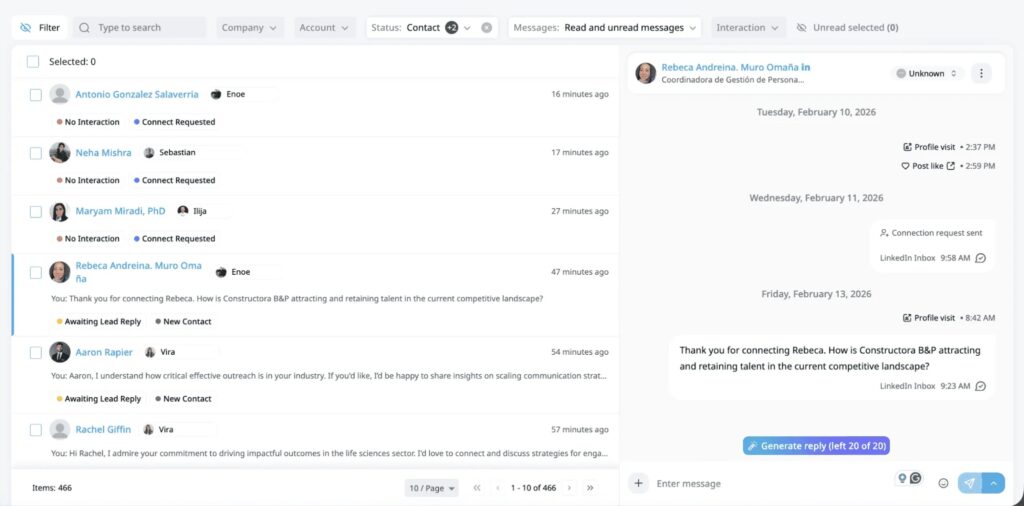
Move interested attendees into your standard campaign flow, with the event context attached to each lead so whoever messages them next knows what they cared about. If your team manages replies across multiple LinkedIn accounts, those follow-up conversations land in one place via Global Inbox.
The event is not the goal. The attendee list is. Treat it as the start of a conversation, not the end of one.
The takeaway: approach LinkedIn events strategically
LinkedIn events are not a side project. They are a warm, opt-in audience on an invite channel with far more headroom than the one most teams ration, and the math compounds the moment more than one person joins in. Run them as a sequence. Fill them as a team. Follow up while it is warm.

You’ve made it all the way down here, take the final step