Signal-Based Outreach: The Social Signals Every Sales Team is Sleeping On

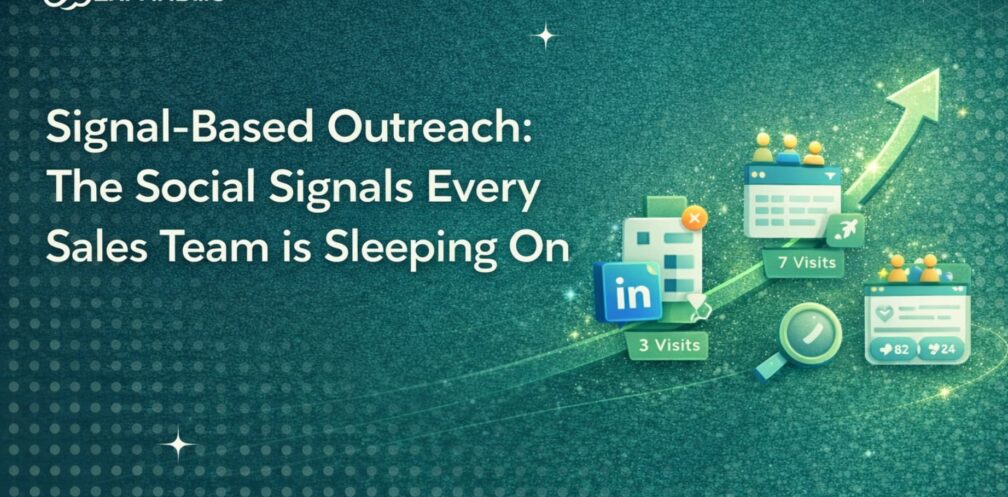
According to Belkins’ 2025 cold outreach benchmarks analyzing 16.5 million emails, signal-based outreach consistently outperforms generic cold campaigns. High-intent triggers with multi-point personalization achieve 10-20%+ reply rates on targeted segments, while broad cold campaigns average just 5-9%.
The reason is pretty straightforward: with signal-based outreach, you’re not interrupting strangers. You’re reaching people who already showed interest by visiting your profile, checking your company page, or engaging with your content, etc.
When someone visits your LinkedIn profile three times in a week, that’s intent. When someone comments asking for your lead magnet, they’re raising their hand.
Most teams see these signals and do nothing with them. They post content, get some engagement, and maybe glance at profile visitors if they remember. Then they go right back to cold outreach, scraping lists and sending batch messages.
The warm leads go cold while you’re focused elsewhere. They research competitors, forget your name, and book calls with someone else.
After helping 15000+ customers automate their outreach, we’ve realized that it’s not that teams don’t get it. They do. But manual tracking just doesn’t work at scale. You’d burn hours every day checking analytics, noting who engaged, writing personalized follow-ups one by one. Cold outreach, on the other hand, is much simpler, so that’s what gets done.
Automation solves this problem. If you could capture every signal, filter by ICP, and trigger sequences automatically, you’d have a completely different pipeline.
We built this capability into Expandi last month with three new signal types: profile visits with ICP filtering, company page visit detection (first in the industry to do this), and post engagement tracking with keyword triggers.
Here’s how each one works and why they consistently beat cold outreach.
Signal 1: Profile Visitors
Someone’s on your profile right now, researching you. Maybe they saw your comment on a post, a mutual connection mentioned you, or they’re comparing vendors before making a decision.
Whatever brought them there, you’re top of mind at this exact moment.
Most people check profile visitors weekly, if at all. By then, the moment’s gone, and that person has probably moved on to your competitor or forgotten you entirely.
Expandi changes this.
- Someone visits your profile
- Expandi checks if they match your ICP (job title, industry, company size, location)
- If yes, it auto-sends a connection request with or without a message.
Example message:
“Hey {firstName}, saw you stopped by my profile. What brought you here?”
You’re reaching out before they click away or move on to someone else.
Signal 2: Company Page Visits
Profile visits can often be personal and casual, but company page visits mean something different.
When someone checks your company page, they’re evaluating your business, comparing solutions, and building a shortlist of vendors to contact. This is further down the buying journey than a casual profile visit.
Here’s the limitation, though: LinkedIn doesn’t show you who individually visited your company page. Ever. Not even as an admin. You only get aggregated demographics like job function, industry, and company size. You can see that 10 marketing directors from SaaS companies visited, but you can’t see their names or reach out to them directly.
Expandi is the first tool that can track company page visits and match them to individual profiles. When someone visits your company page, Expandi identifies them, filters by your ICP criteria, and triggers automated outreach.
Example:
“Hey {firstName}, noticed you were checking out [Company]. Happy to answer questions if you have any.”
You’re catching them mid-research, before they schedule three competitor demos.
Signal 3: Post Engagement
When someone likes or comments on your post, they’re signaling interest in the topic. Most people post content, watch the likes roll in, feel good about the number, then do nothing with it. That engagement just sits there unused.
Expandi’s post engagement tracking changes this. With Expandi, you can automatically capture anyone who likes or comments on your posts and filter by specific keywords in their comments.
This keyword filtering becomes particularly useful for lead magnets. If you post “Comment ‘guide’ for my outreach framework,” Expandi detects everyone who comments “guide,” sends them the resource automatically, and triggers a follow-up sequence (Day 2, then Day 5, for example).
You can also filter out people who don’t match your ICP. When students or entry-level professionals comment asking for the guide, they’re filtered out. Only your target buyers get the follow-up sequence.
Here’s what this looks like in practice: You post a case study. Fifty people like it, ten comment. Expandi filters for ICP matches (director-level and above at companies with 50+ employees, for instance) and automatically sends a DM to qualified engagers.
Example message:
“Glad that case study resonated with you. Want to see how we pulled it off?”
This turns content engagement into actual conversations with qualified prospects while the topic is still fresh in their mind.
The Lead Magnet DM Sequence That Actually Converts
Most people send the lead magnet and stop there. But the real value is in the follow-up sequence that turns a content download into a sales conversation.
Here’s a proven 3-message framework for lead magnet nurture:
Message 1 (Immediate): Deliver the Resource
“Hey {firstName}, here’s the [lead magnet name] you asked for: [link]
Let me know if you have any questions about it.”
Keep it simple. Deliver what they requested without adding friction.
Message 2 (Day 2-3): Check Usage + Add Value
“Hey {firstName}, did you get a chance to look at the [lead magnet]?
One thing I’d add that’s not in there: [specific tactical insight related to the resource].
Curious what you think – does this match what you’re dealing with right now?”
You’re checking if they actually used it while adding something they can’t get from the PDF alone. The question opens a conversation about their specific situation.
Message 3 (Day 5-7): Soft CTA Based on Their Problem
Only send this if they responded to Message 2. If they went silent, let it drop.
“Makes sense. Based on what you shared, sounds like [restate their challenge].
We’ve helped a few companies solve exactly this. Happy to show you what worked for them if that’s useful – here’s my calendar: [link]
No pressure either way.”
What Makes This Work
The sequence turns a one-way content share into a two-way conversation. You’re qualifying them through the questions (do they actually have this problem?) while positioning yourself as helpful, not salesy.
Most people skip Message 2 entirely and jump straight to booking a call. That kills conversion because you haven’t earned the conversation yet. The middle message is where you build trust and uncover whether there’s a real fit.
If someone downloads your lead magnet but doesn’t respond to the value-add follow-up, they’re probably not in-market. Let them go. Focus on the people who engage.
Bonus Play: Hijack Competitor Lead Magnets
Here’s a tactic most teams aren’t using yet that we’ve seen work extremely well: tracking engagement on competitor lead magnet posts and offering your alternative to the same audience.
Step 1: Find a Competitor Lead Magnet Post
Look for posts in your space where someone’s offering a resource in exchange for engagement. Common formats:
- “Comment ‘checklist’ for my GTM playbook”
- “Drop ‘template’ below for my cold email framework”
- “Reply ‘guide’ and I’ll send you our sales process doc”
Search LinkedIn for phrases like “comment for,” “DM me,” or “reply below” in your industry to find active lead magnet posts.
Step 2: Set Up Post Tracking in Expandi
Copy the post URL and create a new post engagement search in Expandi (same process covered in the setup section earlier). Add the specific keyword they’re asking people to comment (like “checklist” or “template”).
Step 3: Apply Your ICP Filters
Before the campaign runs, set your targeting criteria. You don’t want everyone who commented – just the people who match your ideal customer profile. Filter by job title, seniority, company size, and industry so you’re only reaching qualified prospects.
Step 4: Craft Your Outreach Message
Reference the specific resource they requested and position yours as complementary or improved.
Template:
“Hey {firstName}, saw you grabbed [Person]’s [resource type]. We actually built something similar but with [specific differentiation – more tactical, industry-specific, AI-powered, etc.]. Want to check it out?”
Real example:
“Saw you grabbed Alex’s cold email templates. We built an AI-powered version that auto-personalizes at scale based on LinkedIn data. Want to compare approaches?”
Step 5: Send the Resource, Then Follow Up
When they respond, send your lead magnet immediately. Then use the same nurture sequence from the previous section:
- Day 2-3: Check if they used it + add a tactical insight
- Day 5-7: Soft CTA to continue the conversation
Step 6: Monitor What’s Working
Track which competitor posts generate the best-quality conversations. If you notice certain topics or formats consistently attract your ICP, create your own lead magnet on that topic and run it as your primary campaign.
The Ethics of This Approach
Only use this tactic if you genuinely have something better or different to offer. If your resource is just a repackaged version of what they already got, you’re wasting their time and damaging your reputation.
The goal is to add value at the exact moment someone is researching solutions in your space. They raised their hand for help – you’re offering an alternative perspective. That’s useful, not spammy.
How To Set Up Signal-Based Campaigns in Expandi
Getting started takes about 20 minutes. Here’s the process.
Step 1: Define Your ICP Filters
Set your targeting criteria:
- Job titles and seniority levels
- Industries and company size
- Geographic location
- Any other parameters that define your ideal buyer
These filters apply automatically to all signals. When someone visits your profile but doesn’t match your ICP (wrong seniority, different industry, company too small), Expandi won’t add them to outreach.
Step 2: Activate Your Signals
Turn on the signals you want to track:
- Profile visit tracking (enabled in campaign settings)
- Company page visits (requires admin access to your company page)
- Post engagement (add up to three posts per campaign)
You can track multiple posts simultaneously to test different topics or content formats. For example, monitor a case study post, a tactical tips post, and a thought leadership piece to see which drives better conversations.
Step 3: Build Your Message Sequences
Write 2-3 messages for each signal type:
- Message 1: Reference the specific action (“Saw you visited my profile” or “Noticed you engaged with my post about [topic]”)
- Add value: Share a tactical insight, ask a relevant question, or offer a resource
- Soft CTA: Make the next step easy but not pushy (question, resource offer, or calendar link)
Avoid leading with a pitch. The goal is to start a conversation, not to close a deal in the first message.
Step 4: Monitor and Optimize
Track performance and refine your approach:
- Compare response rates by signal type (profile visitors vs. post engagers vs. company page visitors)
- A/B test message angles (question-led vs. insight-led, short vs. long, direct vs. soft CTA)
- Refine ICP filters based on who actually converts (maybe Directors respond better than VPs, or one industry converts faster)
- Double down on what works and adjust targeting accordingly
The Results You Can Expect
Once you start capturing these signals and using them for outreach, the performance difference is measurable across every key metric.
Here’s what the data shows:
| Metric | Cold Outreach | Signal-Based Outreach | Improvement |
| Conversion Rate | 1.7% (LiveAgent) | 14.6% (LiveAgent) | 8.6x higher |
| Reply Rate | 5-9% (Instantly) | 10-20%+ (Instantly) | 2-4x higher |
| Sales Cycle Length | 90-180 days (Spp) | 30-60 days (Spp) | 50-67% faster |
| Meeting Conversion | 1% (Leads at Scale) | 20-30% (Leads at Scale) | 20-30x higher |
| Time to First Response | 8+ touchpoints needed | 1-3 touchpoints | 60-80% fewer |
What This Means in Practice
If you send 1,000 cold LinkedIn DMs, you’ll typically convert 17 leads and close around 1-2 deals over a 3-6 month period.
If you reach 1,000 people through signal-based outreach (profile visitors, company page traffic, post engagers), you’ll convert 146 leads and close 14-20+ deals in 1-2 months.
So signal-based campaigns generate 8-10x more revenue in half the time because you’re reaching people who already showed interest.
However, the numbers might vary by industry, deal size, and ICP complexity, but the directional improvement remains consistent across segments.
Why the Numbers Are This Different
Cold outreach starts from zero awareness. You’re interrupting someone who’s never heard of you, doesn’t know if they need your solution, and is probably getting 10 other similar messages that week.
Signal-based outreach starts from demonstrated interest. The prospect already took an action (visited your profile, checked your company page, engaged with your content) that indicates they’re researching solutions in your space.
That context changes everything because now your message isn’t random, it’s timely. You’re not explaining who you are, you’re continuing a conversation they started.
Why Teams Miss These Signals
Most teams aren’t capturing social signals for a few straightforward reasons.
They don’t have the tools to do it systematically. Until recently, there wasn’t a way to automate signal tracking at scale without stitching together multiple platforms and hoping they synced properly.
They don’t realize how much more effective warm signals are compared to cold lists. The 8-10x conversion rate difference sounds impressive in theory, but it doesn’t register until you see it in your own campaigns.
They’re stuck in batch-and-blast mode because it’s what they’ve always done. Even as cold outreach gets harder and more expensive, inertia keeps teams running the same playbook.
They assume automation equals spam. But signal-based automation is fundamentally different. You’re reaching people who already took an action that indicates interest. That’s contextual relevance, not interruption.
The limiting factor has always been execution. Manually tracking who visited your profile, checking company page analytics, and following up with post engagers doesn’t scale beyond a handful of interactions per day.
What to Do Next
Cold outreach isn’t dead, but it’s becoming less effective and more expensive every quarter. Buyers are getting smarter and more selective, and standing out in a crowded inbox requires either perfect timing or existing familiarity.
Signal-based outreach solves the familiarity problem. You’re not interrupting strangers. You’re continuing conversations people already started by visiting your profile, researching your company, or engaging with your content.
LinkedIn is full of warm leads hiding in plain sight as profile visitors, company page traffic, and content engagement. Most teams ignore them because tracking these signals manually doesn’t work at scale.
If you want to systematically capture and convert these signals without burning hours on manual follow-up or hiring more SDRs, start a free trial for Expandi today.



You’ve made it all the way down here, take the final step