10 Best Dripify Alternatives in 2026: Top Dripify Competitors Compared

If you’re searching for a Dripify alternative, you’re probably in one of three situations:
- Your LinkedIn outreach and sales campaigns feel limited.
- Your team is growing and you need more control.
- Or, you’re questioning whether Dripify is the best tool to scale LinkedIn outreach safely in 2026.
Dripify is one of the more well-known LinkedIn automation tools on the market. It’s cloud-based, built around drip campaigns, and designed to help automate connection requests, follow-ups, and multi-step outreach sequences on LinkedIn.
For solo users running straightforward campaigns, it can work. It’s by no means a “bad” tool.
But once you start scaling and caring about things like:
- Sequence flexibility – Dripify supports structured sequences (including basic conditions/branches), but sales teams might want deeper behavior-based logic, more scenario depth, and more control over how campaigns adapt as replies change.
- Team collaboration – Dripify has team features, but as you scale, you may need more granular permissions, cleaner multi-account/client workflows, and tighter workspace-style controls.
- Inbox management – Dripify has an inbox, but high-volume teams typically need assignment, routing, shared visibility, and process controls that go beyond shared inbox.
- Activity control & safety – Dripify includes limits/safety settings. But when doing outreach at scale, you might also need dedicated environments/IP consistency, warm-up logic, and stricter pacing infrastructure.
- LinkedIn + email coordination – Dripify can mix channels, but teams that run real omnichannel outbound often need tighter coordination + more advanced branching across LinkedIn and email (not just adding an email step).
…that’s usually when people start comparing Dripify competitors more seriously.
This guide breaks down:
- What is Dripify and how does it work?
- Why consider a Dripify alternative if you’re on the fence.
- Dripify pricing plans breakdown tier-by-tier.
- Why consider Expandi if you’re looking for a Dripify alternative in 2026.
- How Expandi pricing plan compares.
- 9 Other Dripify alternatives to consider depending on your workflow and needs.
Key Takeaways
- If you’re searching for a Dripify alternative, it usually means your outreach needs have evolved. Either you need more flexibility, stronger team controls, deeper safety infrastructure, or better coordination between LinkedIn and email. Dripify is solid for structured, linear drip campaigns, but scaling teams often outgrow its workflow limitations.
- Dripify is usually best for straightforward, linear LinkedIn drip campaigns. Especially for solo users who want simple automation running in the cloud.
- Teams typically start looking elsewhere when they need conditional logic, better safety controls, deeper team permissions, or more structured inbox workflows.
- If you want behavior-based sequences, branching workflows, and LinkedIn-first automation built for safe scaling, Expandi is a strong fit.
- If you’re building lists and personalization inputs, use a data layer like Clay (workflow + enrichment) or ZoomInfo (enterprise-grade intent + data).
- If only email is part of your stack, pair tools by channel: consider Instantly for email infrastructure.
- For budget-friendly LinkedIn automation, Waalaxy is straightforward for light campaigns, while Octopus CRM is cheaper. But more limited and typically carries more risk when scaling because it relies on browser-based automation.
- If you need scraping and custom automations (not a sequencer), PhantomBuster is useful, just expect more DIY setup.
- If your bottleneck is sourcing leads or finding verified contact data, tools like LeadFuze, Kaspr, or Hunter can help you build and enrich lists before you run outreach.
- If you want one platform that can handle LinkedIn prospecting, advanced conditional sequences, scraping from Sales Navigator searches, multichannel LinkedIn + email coordination, and built-in safety infrastructure, Expandi is designed to cover the full outbound workflow without stitching together multiple tools.
10 Best Dripify Alternatives in 2026: Top Dripify Competitors Compared

What Is Dripify and How Does It Work?
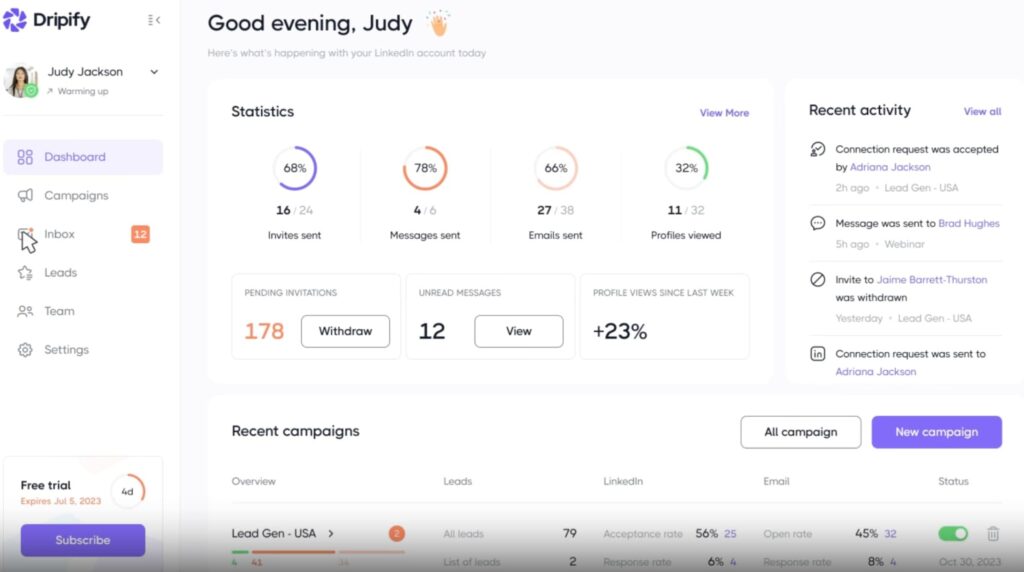
Dripify is a cloud-based LinkedIn automation tool designed to help founders, sales, and HR automate outreach on LinkedIn.
Instead of manually sending connection requests, follow-ups, and messages every day, Dripify lets you build automated “drip” campaigns that handle these actions for you.
The platform positions itself as a tool for:
- Sales prospecting.
- LinkedIn lead generation.
- Recruitment outreach.
- Multichannel engagement (LinkedIn + email).
- Team collaboration and performance tracking.
Because it’s cloud-based (not a Chrome extension), campaigns continue running even when your computer is off. Which is one reason it became popular among small sales teams and agencies. Especially compared to older Chrome extensions, which are easier to get your account suspended and need you to have your computer running.
At its core, Dripify is built around creating structured outreach flows on LinkedIn and tracking performance in a centralized dashboard.
Let’s break down what that includes practically.
5 Main Dripify key features overview
Based on Dripify’s current positioning and feature set, here are the core capabilities the platform offers.
1. LinkedIn drip campaign builder
Dripify is built around automated LinkedIn drip campaigns.
You can create multi-step sequences that include:
- Profile visits.
- Connection requests.
- Follow-up messages.
- InMails.
- Time delays between actions.
- And more.
The campaign builder lets you visually structure outreach flows so you don’t have to manually message prospects one by one.
For solo reps running structured outbound, this is the core functionality.
2. Multichannel outreach (LinkedIn + email)
Dripify allows you to combine LinkedIn actions with email steps inside the same campaign.
That means you can:
- Send LinkedIn connection requests
- Follow up with messages
- Add email touchpoints
- Track engagement metrics
This makes Dripify more than a LinkedIn-only tool. Though email enrichment and advanced controls may depend on Dripify pricing tier.
3. Team management & workspace controls
On higher-tier plans, Dripify also supports:
- Multiple LinkedIn accounts.
- Team dashboards.
- Centralized campaign visibility.
- Basic performance tracking per user.
This is designed for agencies and sales teams managing outreach across several accounts.
However, advanced control and customization vary by pricing tier.
4. LinkedIn campaign analytics & reporting
Dripify provides built-in reporting for campaign performance, including:
- Connection acceptance rates.
- Reply rates.
- Email open & click rates.
- Overall campaign metrics.
This helps users optimize sequences and understand what messaging converts. For many teams, reporting visibility is one of the reasons they move beyond basic tools.
5. Activity limits & account control
For safer automated outreach, Dripify includes LinkedIn activity controls such as:
- Daily invite limits.
- Messaging limits.
- Profile visit limits.
These are meant to help users stay within LinkedIn’s thresholds while automating outreach.
However, certain activity customization options are restricted to higher pricing tiers. Which becomes important for teams concerned about LinkedIn account safety.
Basic ($59/mo) is limited, while Pro/Advanced ($79/mo and $99/mo) unlock full quotas, which matters when teams need tighter control over outreach volume and risk.
So, Is Dripify Bad?
No. For simple, solo LinkedIn automation, it does what it promises.
But if you need:
- Advanced conditional sequences.
- Stronger team collaboration.
- More granular safety controls.
- Better CRM sync.
- Or deeper LinkedIn + email coordination.
That’s usually when people might start looking for Dripify alternatives in 2026.
Let’s take a look why.
Why Consider a Dripify Alternative?
Most people don’t search for a Dripify alternative because the tool is broken or it doesn’t work.
They search because their needs outgrow it, feel limited in features, or say it gets expensive.
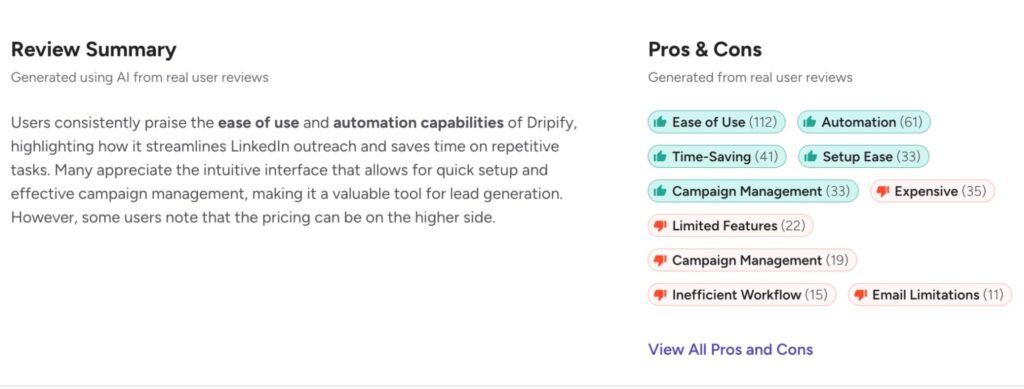
Here are the most common reasons sales teams start comparing Dripify competitors more seriously:
1. Limited sequence flexibility
Dripify focuses on linear drip campaigns.
You can build multi-step sequences with connection requests, delays, follow-ups, and email steps. But when you need more advanced logic, like condition-based workflows, branching paths, or behavioral triggers, things can start to feel rigid.
For example:
- If a prospect replies but doesn’t book → trigger a different follow-up path.
- If someone visits your profile → move them to a warmer sequence.
- If email bounces → pivot back to LinkedIn automatically.
More advanced sales teams often need this level of flexibility. That’s where many start evaluating Dripify alternatives built for conditional workflows.
2. Team control & visibility
Dripify offers team plans and shared dashboards.
But when teams grow, they often want deeper control such as:
- More detailed permission settings.
- Activity visibility per rep.
- Centralized reporting across accounts.
- Easier campaign duplication across team members.
Some reviewers mention that while Dripify works fine for individuals, larger teams sometimes find it less structured than expected.
When LinkedIn becomes a core outbound channel, reporting and control start to matter more.
3. Inbox management depth
Dripify includes a dedicated inbox (available on Pro and above plans) so users can respond to leads without leaving the platform.
However, for larger teams, inbox management often becomes more than just viewing replies.
Shared visibility, structured assignment, conversation routing, and advanced collaboration workflows can become important when LinkedIn is a core revenue channel.
That’s typically when teams start evaluating how different tools handle inbox collaboration and visibility at scale.
4. Activity control & safety concerns
LinkedIn automation only works long-term if it’s done safely.
Fortunately, Dripify DOES allow daily limits and activity controls, but it depends on your plan.
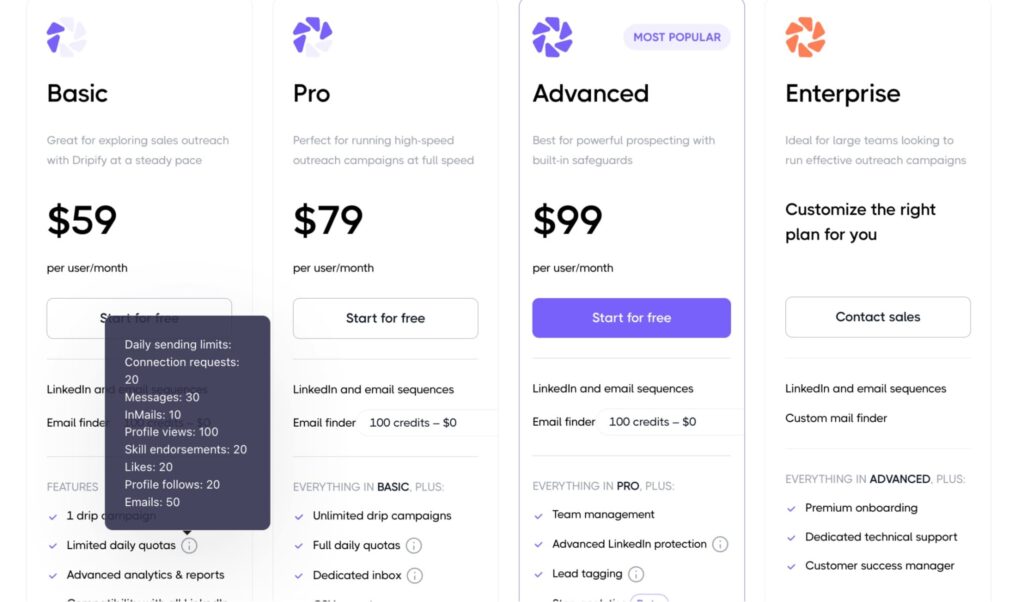
And some users want more freedom in terms of:
- More granular action control.
- Built-in warm-up logic for LinkedIn accounts.
- Dedicated IP environments.
- More visible safety safeguards.
If LinkedIn is responsible for real revenue, teams become extremely cautious about account risk. When safety becomes non-negotiable, many begin researching more advanced Dripify alternatives.
5. Dripify pricing vs feature access
Dripify pricing starts at $59 per user/month and increases based on plan tier.
As you move up, you unlock:
- Unlimited campaigns.
- Team features.
- Activity controls.
- Advanced integrations.
- API access (Enterprise).
For solo users, this may feel reasonable.
For growing teams, costs add up quickly. Especially when certain controls are only available on higher tiers.
When evaluating total cost vs feature depth, teams often compare Dripify pricing against competitors offering more built-in flexibility at similar price points.
Dripify Pricing Plan Breakdown (2026)
If you’re evaluating a Dripify alternative, pricing is usually part of the equation.
Dripify offers four pricing tiers. Plans are billed per user, per month, with discounts available for annual subscriptions.
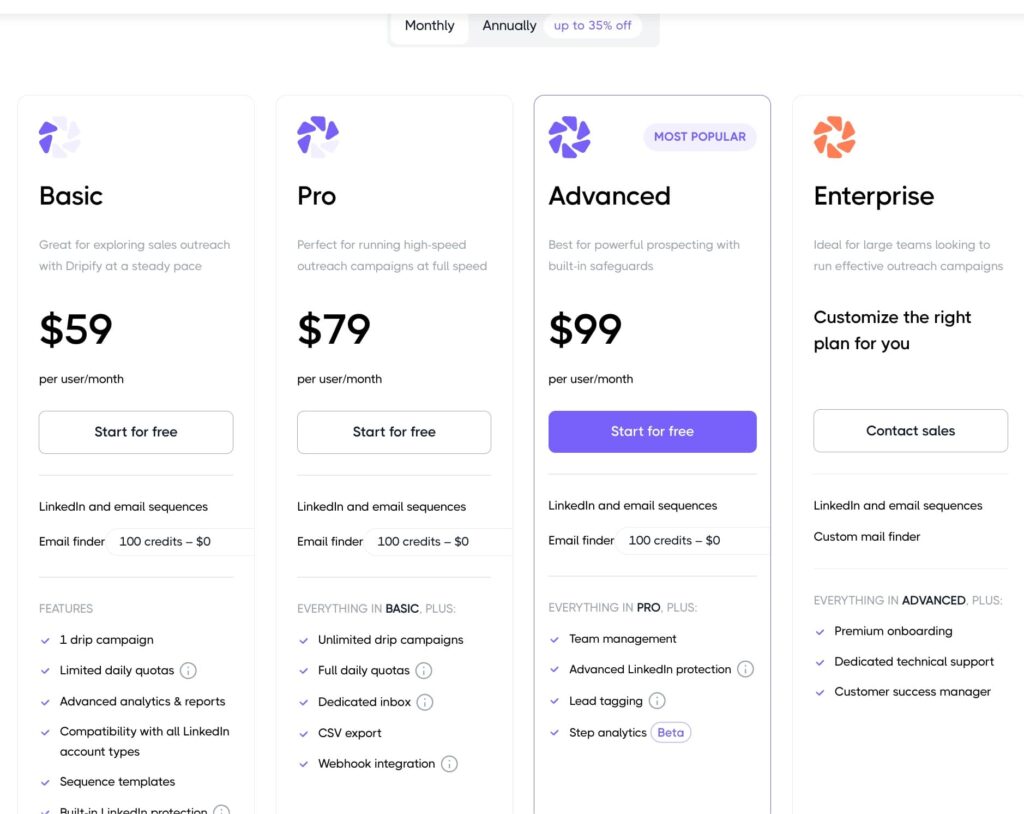
Here’s a structured breakdown of what you get at each level:
- Basic plan: $59 per user/mo. Best for individual users running simple LinkedIn campaigns. Includes 1 active campaign, limited daily action quotas, basic analytics, 100 email finder credits, and limited features.
- Pro Plan: $79 per user/mo. This is most commonly for individual sales reps. Includes everything in Basic + unlimited campaigns, CSV lead export, full daily action quotas, and email outreach integration. Though this is still primarily built for single users.
- Advanced plan: $99 per user/mo. Designed for teams that need collaboration and management features. Includes everything in Pro + team management tools, shared dashboards, LinkedIn inbox inside the platform, webhooks, and more. This is where Dripify starts becoming viable for multi-user setups.
- Enterprise plan: Custom pricing. Includes API access, dedicated support, advanced onboarding, full-level team visibility, and more. Pricing is not publicly listed and requires speaking with their sales team.
At $59-$99 per user/month, Dripify sits in the mid-range of LinkedIn automation tools.
But pricing alone isn’t the full picture.
When evaluating Dripify pricing vs competitors, teams usually consider:
- How much flexibility they get per tier.
- Whether advanced safety controls are included or gated.
- Whether CRM integrations are native or require workarounds.
- How quickly costs scale when adding multiple users.
For solo users, the Basic ($59) or Pro ($79) plan may feel reasonable.
But once you start adding team members, the math changes fast.
For example:
- 3 users on Pro → $237/month
- 5 users on Pro → $395/month
- 5 users on Advanced → $495/month
And that’s before considering email finder credits, CRM tooling, and other lead generation tools in your stack.
At that point, you could be approaching (or exceeding) $1,000/month for LinkedIn automation. Which is usually when teams start evaluating Dripify alternatives more seriously.
Expandi – The Best Dripify Alternative for 2026
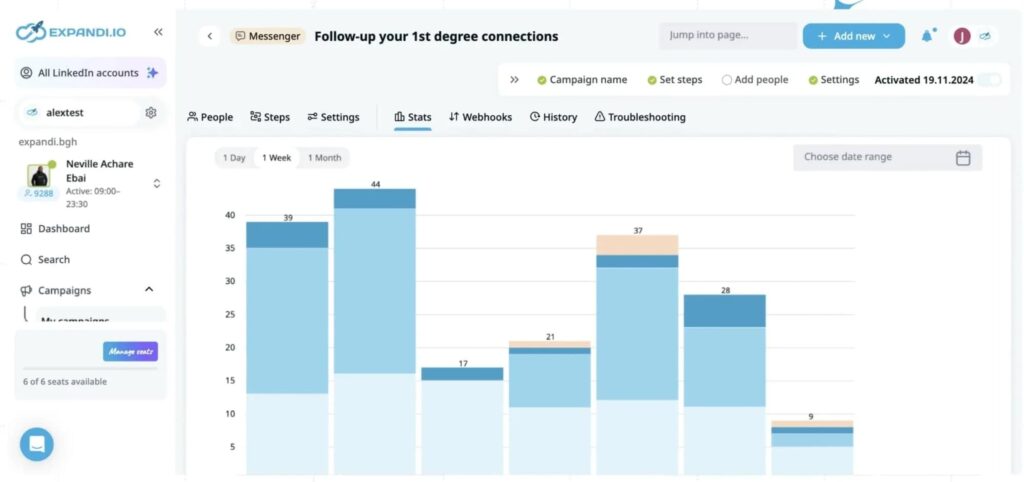
Expandi is built for teams that want control, flexibility, and safe LinkedIn scaling when doing outreach.
It’s a fully cloud-based LinkedIn automation platform designed specifically for B2B outreach at scale, without sacrificing personalization or account safety.
While Dripify focuses primarily on structured campaign building, Expandi focuses on:
- Conditional logic.
- Smart sequence branching.
- Deep personalization.
- Team-level collaboration.
- And LinkedIn-native safety controls.
Why Consider Expandi As a Dripify Alternative
If you’re serious about turning LinkedIn into a predictable acquisition channel – not just sending connection requests, here’s why you should consider Expandi as an alternative.
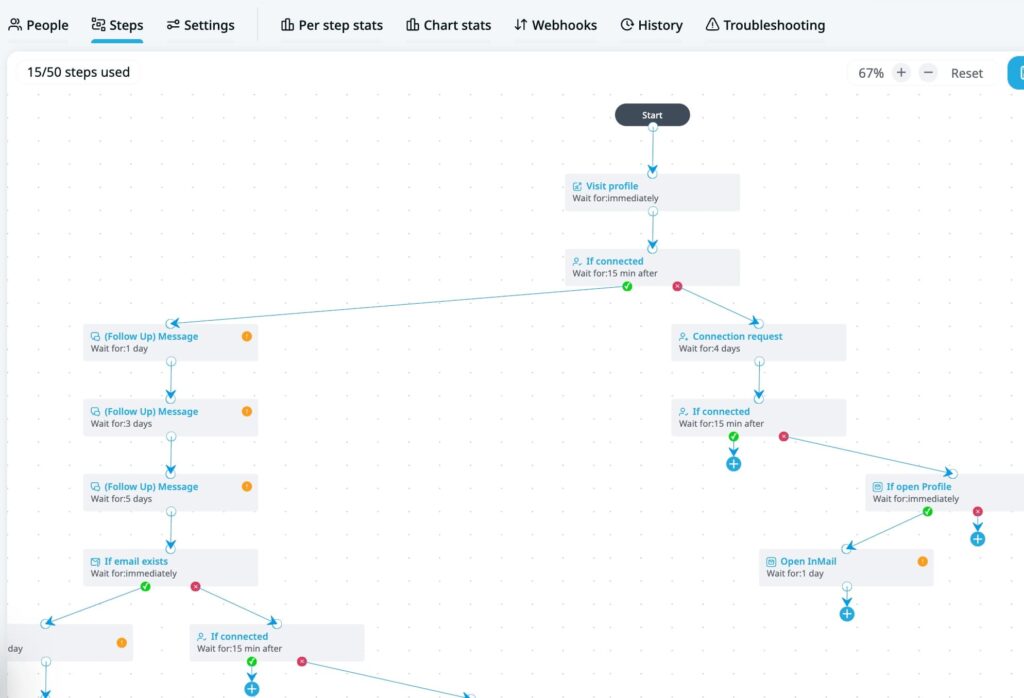
1. Advanced campaign logic (conditional sequences)
One of the biggest differences between Expandi and Dripify is workflow flexibility.
With Expandi, you can:
- Trigger different steps based on behavior.
- Add conditions like “If connected → Send message A”.
- Branch sequences based on replies.
- Auto-skip steps if someone responds.
- Combine LinkedIn + email in structured flows.
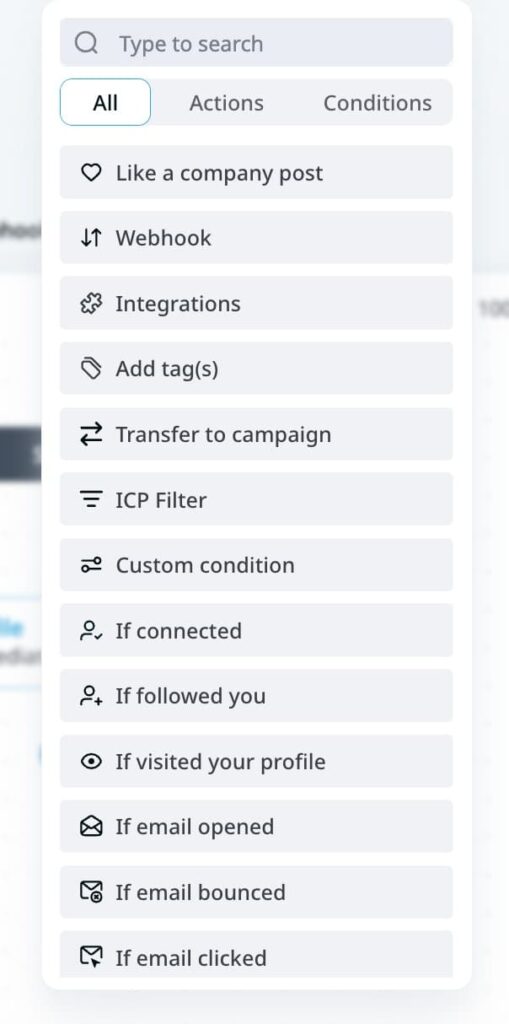
Instead of rigid drip paths, you get behavior-based automation. For teams optimizing reply rates and conversions, control matters in outreach.
2. LinkedIn safety infrastructure
Expandi was built with account safety in mind.
It includes:
- Dedicated IP environment – Your LinkedIn account runs from a consistent login location. You’re not logging in from Germany one day and France the next. That stability reduces red flags.
- Static login space – Each account operates from its own fixed environment, mimicking natural user behavior.
- Randomized delays between actions – Prevents robotic timing patterns.
- Built-in daily limits – Control invites, messages, profile views, and more.
- Gradual account warm-up – New accounts can scale activity slowly over time instead of jumping to high volumes immediately.
- Human-like action pacing – Actions are distributed naturally throughout the day.
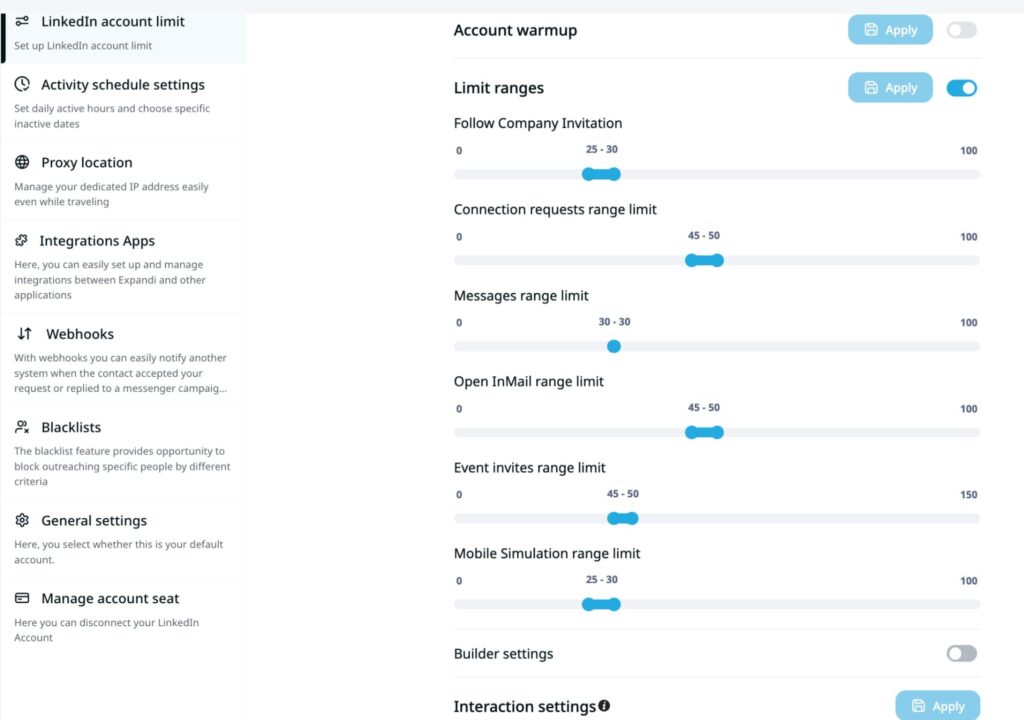
If scaling LinkedIn outreach is a priority, safety settings are essential. For many teams comparing Dripify competitors, this becomes a deciding factor.
3. Multichannel outreach (LinkedIn + email)
Dripify includes email steps. But Expandi goes deeper with true multichannel sequencing.
You can:
- Trigger emails if LinkedIn messages go unanswered.
- Use personalized, dynamic images and GIFs.
- Combine connection requests, profile visits, messages, and email.
- Run campaigns from Sales Navigator search URLs.
It allows LinkedIn to become one touchpoint inside a broader outbound strategy.
4. Built for sales teams and agencies
As soon as you’re running more than one LinkedIn profile, tooling needs change.
Expandi allows:
- Multiple accounts inside one workspace.
- Campaign sharing.
- Centralized dashboard reporting.
- Performance visibility across users.
- Role-based access control.
That makes it significantly easier to manage SDR teams or agency clients.
5. Advanced personalization, dynamic images and GIFs, and Conditional Logic
To take your LinkedIn outreach campaigns to the next level, Expandi allows:
- Conditional steps based on behavior (accepted, replied, viewed profile, etc.).
- Dynamic personalization fields.
- Dynamic image & GIF personalization.
- Smart campaign branching.
- Hyper-personalized icebreakers pulled from LinkedIn activity.
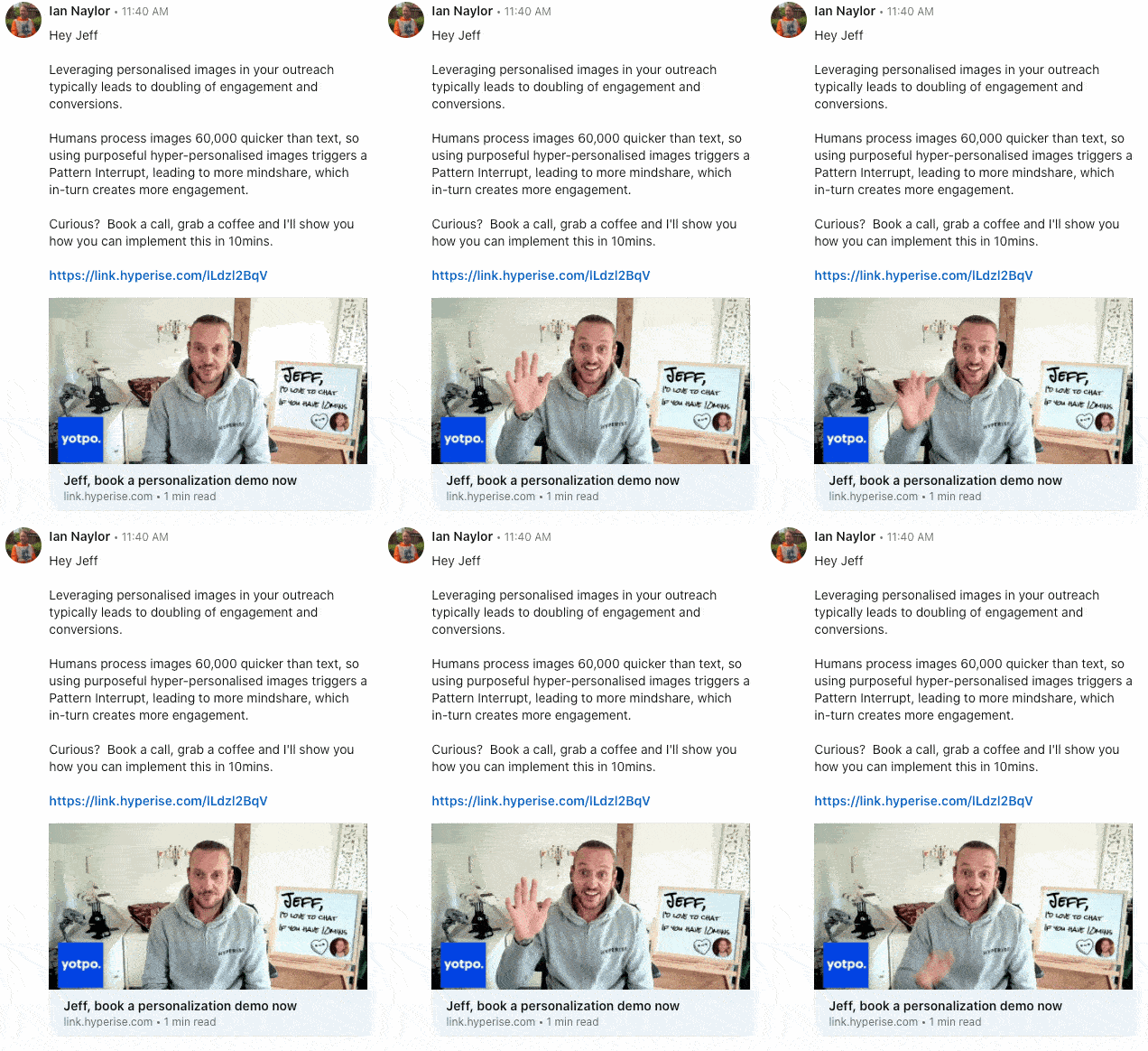
See how Expandi uses dynamic personalization here.
Instead of linear “Step 1 → Step 2 → Step 3” flows, you can create behavior-based campaigns.
Example:
- If accepted → Send message A.
- If no reply after X days → check for email and send one.
- If replied → Stop campaign.
- If viewed profile but didn’t accept → Trigger a different step.
That flexibility becomes important once outreach volume increases.
Many teams comparing Dripify alternatives realize they’ve outgrown simple drip logic and need something more adaptive.
Expandi Pricing Plan Breakdown
Expandi pricing is simple.
There’s a free, 14-day trial, and one core plan.
- Business Plan – $99 per month per account
- (Annual billing gives you 2 months free.)
- No feature restrictions during the trial period. You can test campaign logic, safety controls, and launch your campaign whenever you’re ready. So, if you land one client during the 14-day trial, the tool more than pays for itself.
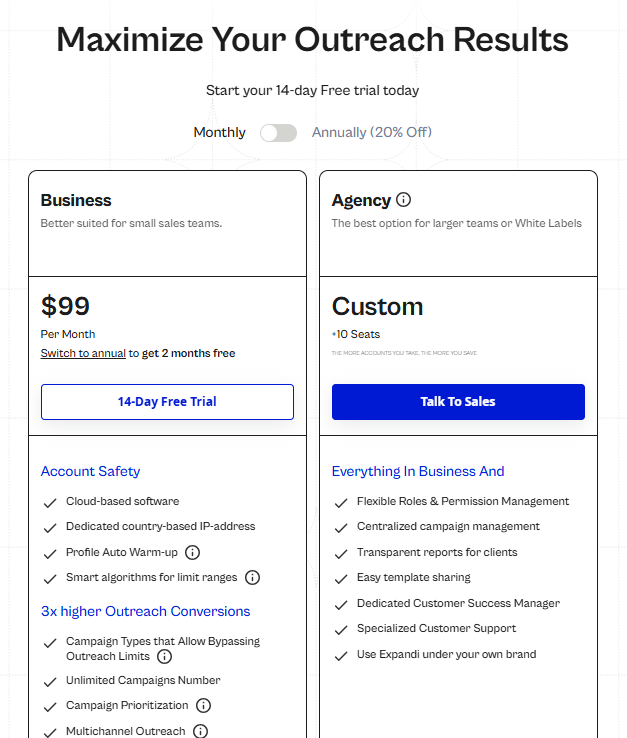
That single plan includes:
- Account Safety Infrastructure.
- Cloud-based platform.
- Dedicated country-based IP address (same login location every day, ideal for safety).
- Profile auto warm-up.
- Smart daily limit algorithms.
- Built-in action caps.
- And more.
With Expandi, you don’t have to pay extra to unlock safety features, the activity control center, or collaboration features.
Everything core to scaling LinkedIn outreach safely is included from day one.
That’s a major difference when comparing Dripify competitors, where features like team management and advanced activity controls are locked behind higher plans.
For agencies and teams managing 10+ accounts, Expandi also offers:
- Flexible roles & permission management.
- Centralized campaign management.
- Client reporting.
- Template sharing.
- Dedicated customer success manager.
- White-label options.
The more seats you add, the more you save.
For more info, see the full pricing page here.
Other Top 9 Dripify Alternatives in 2026
Depending on your outreach stack, objectives, and budget, here are 9 other Dripify alternatives to consider in 2026.
1. Clay
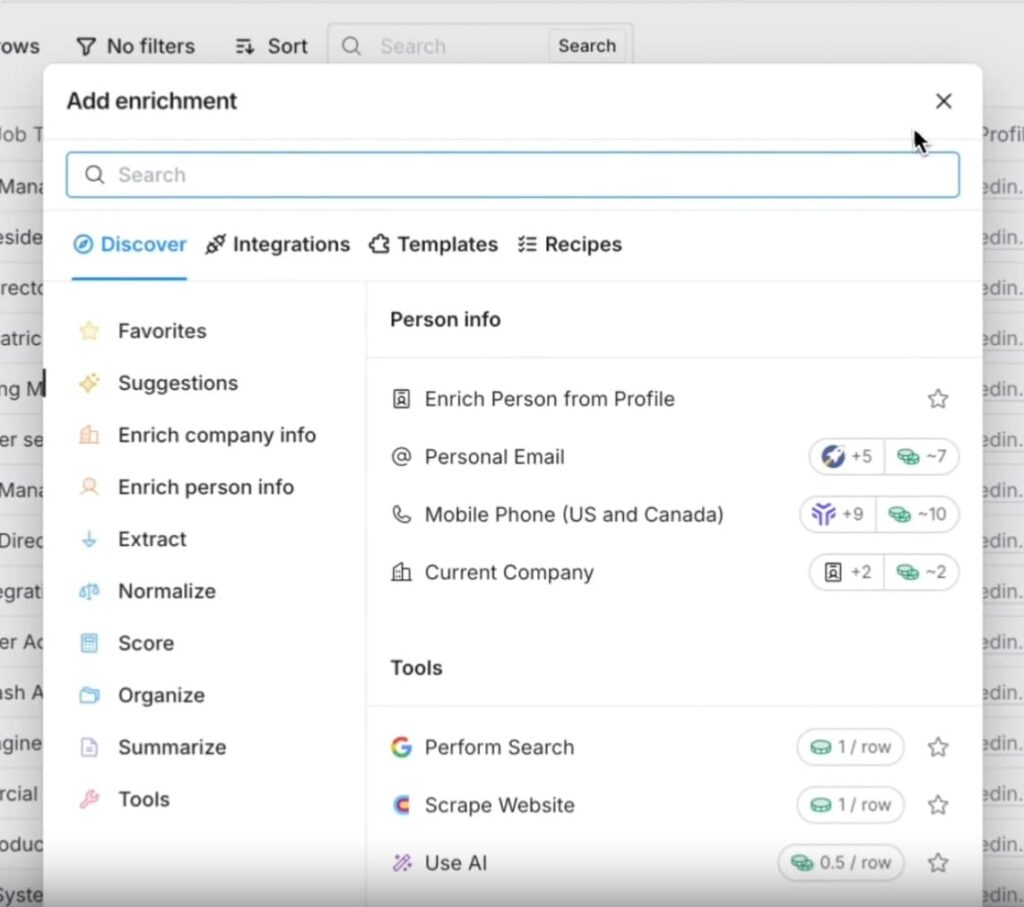
Clay is a GTM workflow + enrichment platform (not an automation tool by itself). It’s built to help teams source, enrich, clean, and route lead/account data using 100+ data providers, scraping, and AI, then push it into the rest of your outbound stack.
Clay is often used as a “data layer” alongside outreach tools, especially when the bottleneck is data quality and personalization inputs, not campaign execution.
Key Features
- Enrichment and waterfall workflows – Access 100+ data providers and run enrichment/workflows using Clay credits.
- CRM enrichment & hygiene workflows – Clay explicitly positions recurring workflows like CRM enrichment & hygiene (RevOps-style use cases).
- Integrations + webhooks – Higher plans include webhooks / “integrate with any HTTP API” style connectivity
Pricing
- Free with limited features and credits.
- Pricing starts from $149/mo (depending on credits).
Clay vs Dripify: Which is better?
Clay and Dripify solve different problems.
Dripify is built for running outbound sequences; Clay is built for building/enriching lead lists and automating GTM data workflows before (or during) outreach.
If your pain is “we don’t have good data/personalization inputs,” Clay can complement an outreach tool—but it won’t replace LinkedIn automation on its own.
2. Kaspr
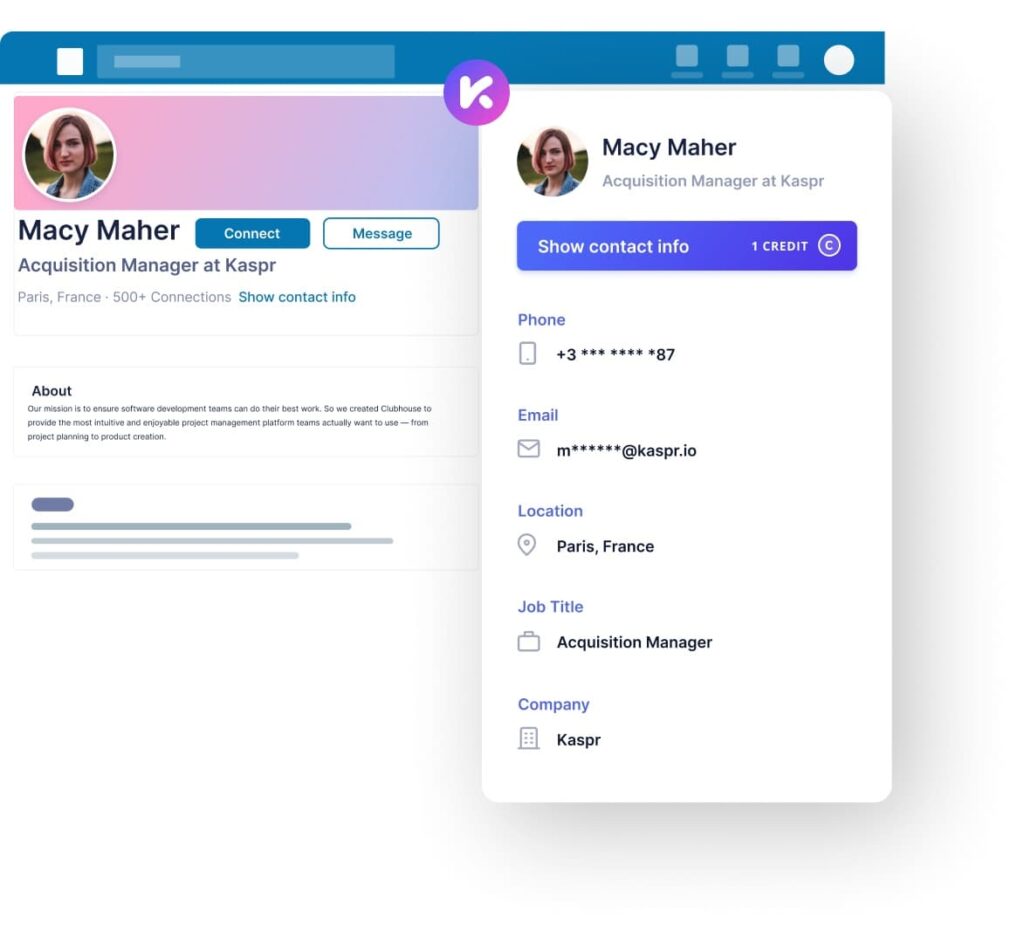
Kaspr is a LinkedIn-focused contact data and enrichment tool that helps sales teams find verified emails and phone numbers from LinkedIn profiles using a Chrome extension.
Kaspr is primarily a contact discovery + enrichment layer (not a full outreach platform). Its “workflows” refer to bulk enrichment and CRM/integration automations, helping you enrich leads at scale and route them into the tools where you run your cadences (CRM or outreach platform).
Key Features
- LinkedIn Chrome extension – Access verified emails/phone numbers from LinkedIn profiles, groups, and events.
- Bulk enrichment + CSV enrichment – Upload lists (e.g., LinkedIn URLs) and enrich/export in bulk.
- Export & CRM integrations – Export enriched leads to tools like HubSpot and Salesforce.
- Compliance – Kaspr emphasizes accurate contact data with 500m+ verified and compliant phone numbers and emails.
Pricing
- Free plan with limited credits.
- Pricing starts from ~$69/mo.
Kaspr vs Dripify: Which is better?
Kaspr and Dripify solve different problems.
Dripify automates LinkedIn outreach through structured drip campaigns.
Kaspr focuses on contact discovery, helping you find verified emails and phone numbers from LinkedIn profiles.
If your bottleneck is getting accurate contact data, Kaspr can help.
If you’re looking for one system that can scrape Sales Navigator searches, build advanced LinkedIn-first sequences, coordinate email steps, and operate inside a dedicated safety infrastructure, Expandi is built to handle the full outbound workflow.
3. ZoomInfo
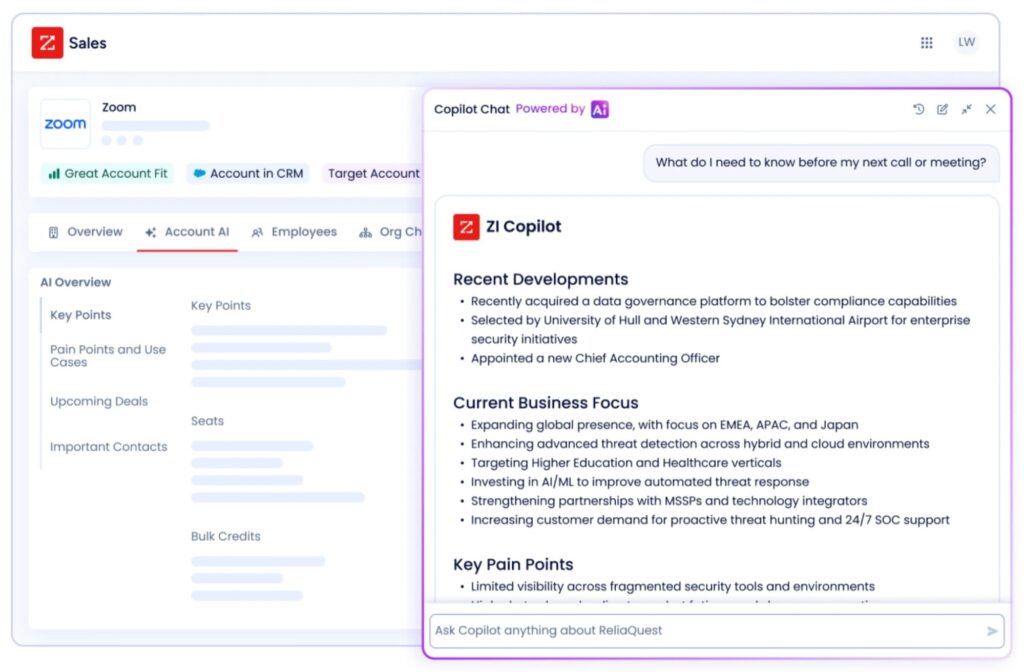
ZoomInfo is an enterprise-grade sales intelligence platform focused on deep company insights, contact data, and buying intent signals. It’s typically used by larger B2B organizations with structured RevOps teams.
This Dripify alternative positions itself as a data and intelligence engine, instead of focusing solely on LinkedIn automation.
Key Features
- Enterprise contact database – Extensive contact records, org charts, technographics, and firmographic data help teams identify decision-makers at scale.
- Intent data signals – Tracks research activity and buyer intent to help prioritize accounts already in-market.
- Advanced analytics & reporting – Built for forecasting, segmentation, and enterprise pipeline visibility.
- CRM & sales stack integrations – Strong integrations across enterprise tools.
Pricing
- Custom pricing, have to contact sales.
- Online reviews claim price ranges from $15,000 to $40,000 per year.
ZoomInfo vs Dripify: Which is better?
Dripify wins if you need simple LinkedIn automation without overcomplicating your stack.
While ZoomInfo can give you massive contact databases, intent signals, and direct CRM pushes, it can be overkill (and expensive) if all you’re looking for is straightforward LinkedIn outreach automation.
However, ZoomInfo doesn’t run LinkedIn drip campaigns for you, and Dripify can feel limited for teams that need deeper conditional workflows or more advanced safety infrastructure.
If you want the best of both worlds, the ability to scrape LinkedIn searches, layer intent signals, and run advanced omnichannel outreach safely, Expandi is built specifically for that use case.
4. Waalaxy
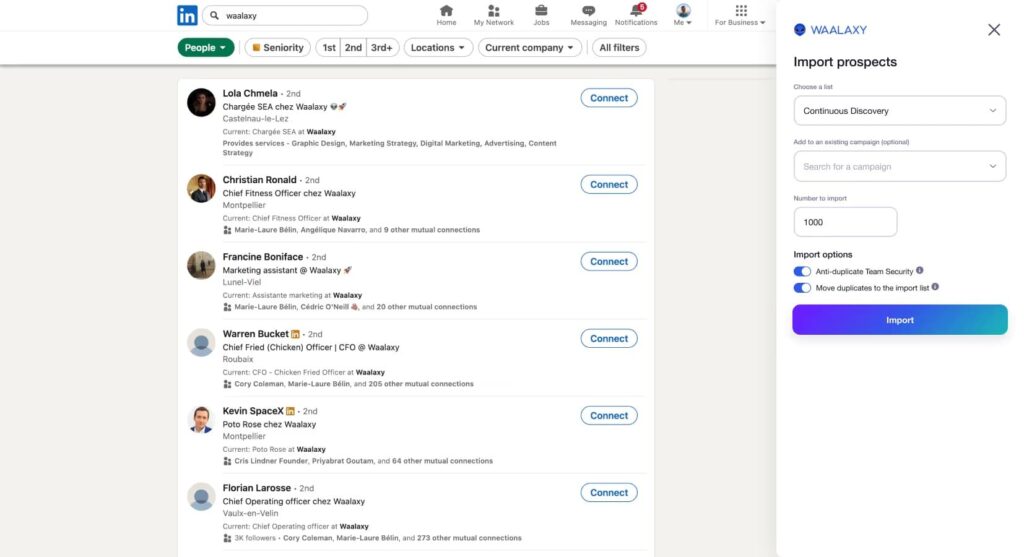
Waalaxy is a LinkedIn outreach automation tool designed for simplicity and fast campaign setup. It’s built primarily for founders, sales reps, recruiters, and small teams who want to automate LinkedIn prospecting without complex workflows or heavy technical setup.
Waalaxy focuses on making LinkedIn outreach accessible, combining connection requests, messaging, and email prospecting in a single interface.
Key Features
- LinkedIn automation – Automates invitations, profile visits, and follow-up messages directly from LinkedIn.
- LinkedIn + email sequences – Combine LinkedIn outreach with cold email inside the same campaign.
- Built-in email finder – Enrich prospects with professional email addresses.
- Team collaboration – Share leads and manage campaigns from a single dashboard.
- CRM integrations – Sync data with HubSpot, Pipedrive, and 2,000+ tools via Zapier and Make.
- Inbox management – Manage conversations, tag leads, and schedule automated follow-ups.
Pricing
- Free, 7-day trial.
- Pricing starts from $43/user/mo.
Waalaxy vs Dripify: Which is better?
Waalaxy and Dripify both automate LinkedIn outreach.
Dripify is generally stronger if you want structured drip campaigns with more detailed reporting and team-oriented dashboards.
Waalaxy is better suited for individuals who want a simpler tool for light outreach without advanced setup.
If you want more than basic linear drips, such as conditional logic, behavior-based triggers, and scalable LinkedIn-first infrastructure – platforms like Expandi are built for more advanced campaign execution.
5. Hunter.io
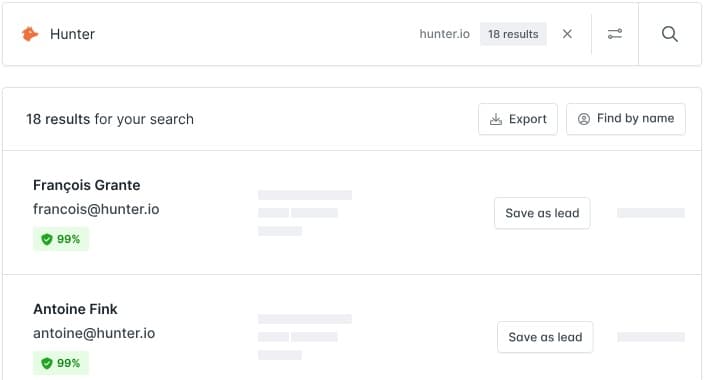
Hunter is an email-first prospecting and outreach platform. Focused on finding, verifying, and sending cold emails. It’s best used as a contact discovery + email outreach layer that complements your LinkedIn workflow.
Key Features
- Domain Search – find email addresses associated with a company domain.
- Email Finder – find a professional’s email address.
- Email Verifier – validate emails before sending to protect deliverability.
- Sequences – send cold email sequences with follow-ups (email outreach, not LinkedIn automation).
Pricing
- Free plan with limited credits and features.
- Pricing starts from ~$58/mo
Hunter vs Dripify
Dripify is built specifically for LinkedIn outreach automation, focusing on structured, drip-style campaigns that automate connection requests and follow-ups inside LinkedIn.
Hunter, on the other hand, is built around email discovery, verification, and cold email sequencing. It doesn’t automate LinkedIn actions, but instead helps you find and validate professional email addresses and run email campaigns.
But if you want to scrape LinkedIn searches, find emails, and reach out across both LinkedIn and email – Expandi handles that full outbound execution layer all in one platform.
6. Instantly
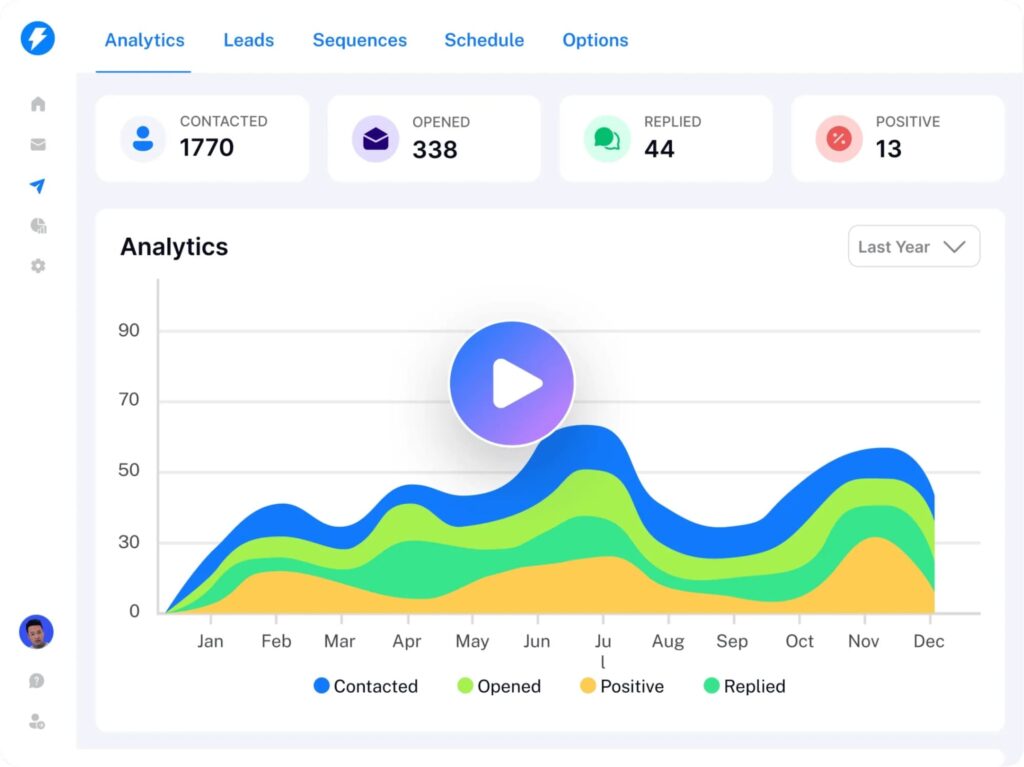
Instantly is a cold email outreach platform built to help teams scale email campaigns with inbox rotation, deliverability optimization, and automated follow-ups.
It focuses heavily on email infrastructure and sending capacity rather than LinkedIn-native outreach automation. This Dripify alternative is often used for agencies and outbound teams that prioritize high-volume cold email campaigns.
Key Features
- Unlimited email accounts – Connect multiple sending inboxes to scale outbound campaigns.
- Email warm-up system – Automatically warms inboxes to improve deliverability.
- Automated follow-ups – Create structured email sequences with timing controls.
- Campaign analytics – Track open rates, reply rates, and performance metrics.
Pricing
- Free, 14-day trial.
- Pricing starts from $47/mo.
Instantly vs Dripify
Instantly and Dripify are optimized for different primary channels and levels of complexity.
Dripify is stronger if LinkedIn is your main channel and you’re looking for structured, cloud-based drip campaigns – connection requests, timed follow-ups, and linear messaging sequences.
Instantly is stronger if email is your primary acquisition channel and you need deliverability infrastructure like inbox rotation, warm-up systems, and high-volume sending controls to scale cold email campaigns.
If you want more than linear drips, such as conditional logic, behavior-based triggers, and coordinated LinkedIn + email sequencing, Expandi can be a great choice for advanced automations, adaptive workflows, and scalable logic across channels.
7. LeadFuze
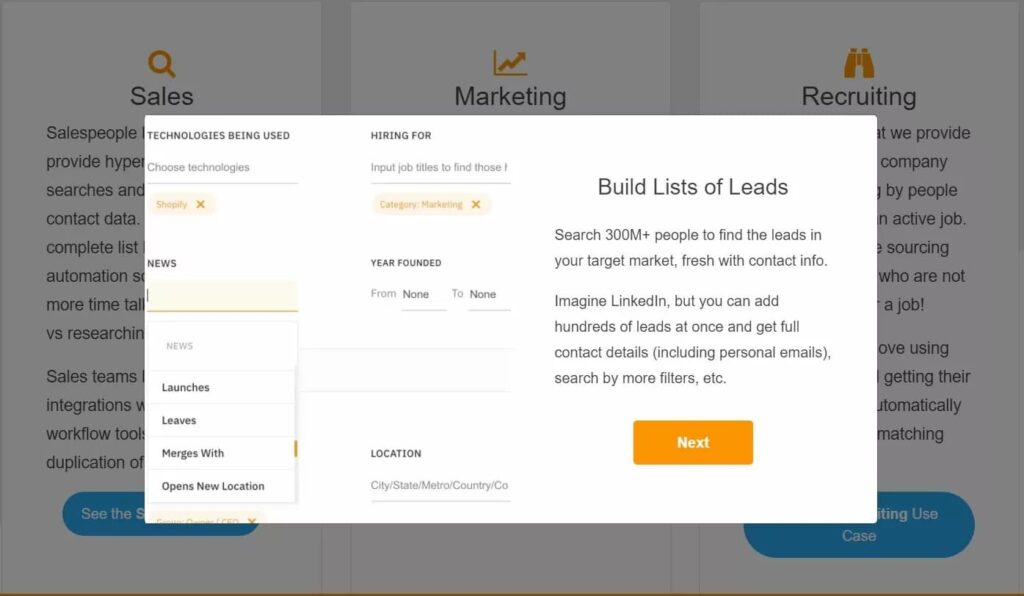
LeadFuze is a B2B lead sourcing and list-building platform. Instead of running LinkedIn drip sequences, it helps you find and export targeted prospect lists (people + companies) with contact data, so you can push those leads into whatever outreach tool you’re using.
It’s a solid option if your main bottleneck is a lack of quality leads.
Key Features
- Lead database + list building – Build lists based on your search criteria and export leads with contact info.
- Fuzebot list automation – Automates list building so new leads can be added based on saved criteria.
- Sales tool integrations – LeadFuze highlights “sales tool integrations” (and notes integrations in their content).
Pricing
- Free, 7-day trial.
- Need to contact sales. Online reviews say pricing starts from ~$132/mo.
LeadFuze vs Dripify
LeadFuze and Dripify solve different parts of outbound.
Dripify is stronger if you already have leads and want basic, cloud-based LinkedIn drip automation (connections → timed follow-ups → linear messaging).
LeadFuze is helpful if your priority is building targeted prospect lists with contact data before outreach even starts.
If you want to create strong lists from LinkedIn and reach out to them with advanced automation, Expandi can handle both sides safely at scale.
8. PhantomBuster
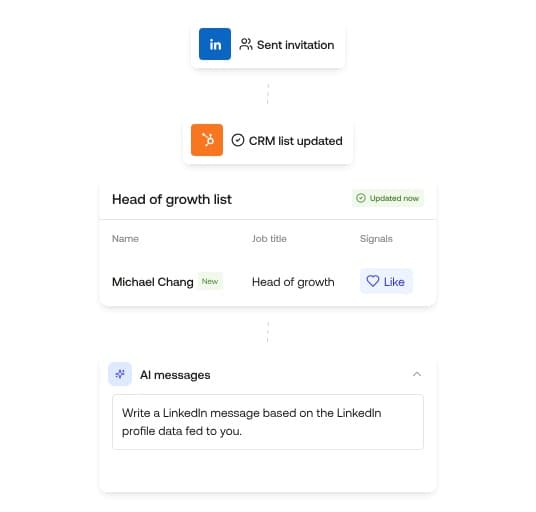
PhantomBuster is more of an automation and data extraction toolkit than a traditional LinkedIn outreach platform. Instead of focusing on structured drip campaigns, it allows you to scrape data and automate actions across multiple platforms using cloud-based “Phantoms” (automated scripts).
It’s commonly used by technical teams who want to extract LinkedIn search results, engagement data, group members, or automate workflows beyond LinkedIn entirely.
Key Features
- LinkedIn data scraping – Extracts profile data, search results, post engagement, group members, and more to build prospect lists at scale.
- Cross-platform automation – Automates workflows across LinkedIn, Google, Instagram, X, and other platforms using customizable automation scripts.
- Cloud-based execution – Runs automation in the cloud without relying on browser extensions.
Pricing
- Free, 14-day trial with limited features and credits.
- Pricing starts from ~$81/mo and goes all the way up to ~$520/mo, depending on features, credits, and execution time.
PhantomBuster vs Dripify
Dripify is a structured LinkedIn automation platform built around drip campaigns and follow-up sequences. PhantomBuster, on the other hand, is primarily a scraping and workflow automation engine rather than a sequencing tool.
Dripify handles connection requests, follow-ups, and LinkedIn messaging in a guided campaign builder. PhantomBuster extracts data and automates specific tasks but doesn’t offer built-in conditional campaign logic, inbox management, or LinkedIn-native outreach safety architecture.
If your goal is heavy data scraping or automating workflows across multiple platforms (Google, Instagram, X, etc.), PhantomBuster can be useful.
If you want a platform that can both scrape LinkedIn search results natively and run structured, behavior-based outreach campaigns safely at scale, consider Expandi instead.
9. Octopus CRM
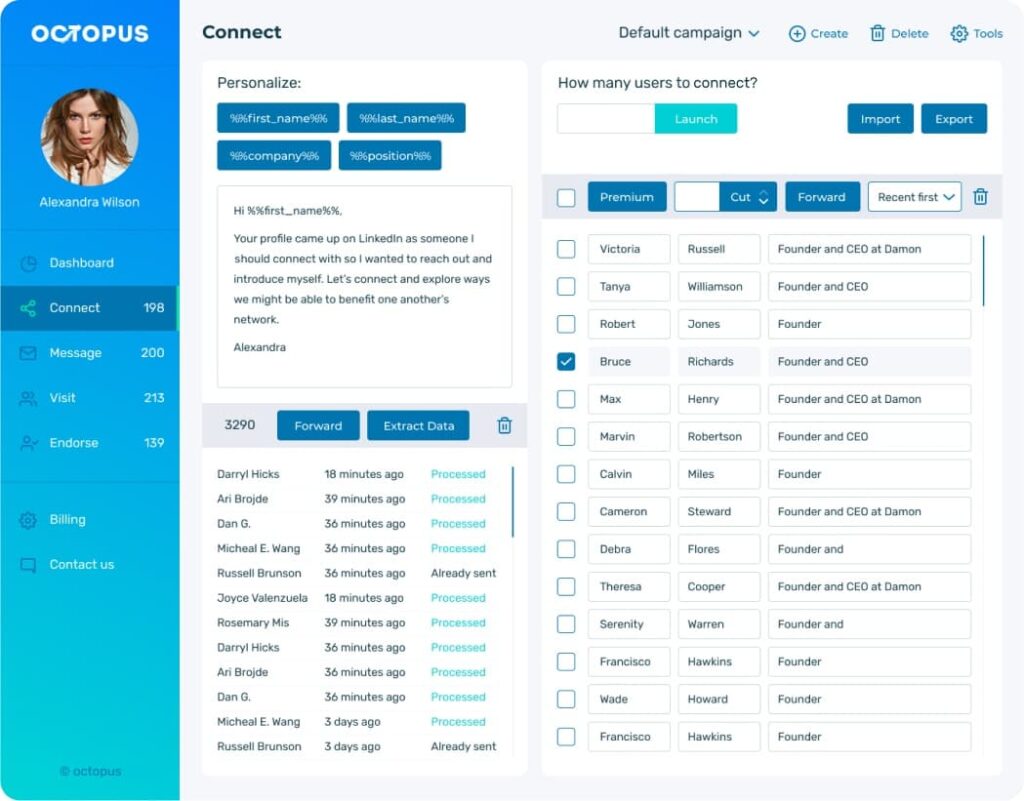
Octopus CRM is a budget-friendly LinkedIn automation tool built primarily as a Chrome extension. It helps users automate connection requests, profile visits, skill endorsements, and bulk messaging on LinkedIn.
It’s designed for solo users, freelancers, and small businesses that want basic LinkedIn automation without investing in higher-priced cloud platforms.
Unlike more advanced automation systems, Octopus CRM focuses on simplicity and affordability rather than complex workflow logic or enterprise-level team controls.
Key Features
- Automated connection requests – Send personalized invites at scale.
- Bulk messaging – Message 1st-degree connections automatically.
- Campaign builder – Combine actions into basic LinkedIn funnels.
- CSV import/export – Upload lead lists or export campaign data.
- Zapier & HubSpot integration – Push LinkedIn actions into external tools.
- Activity control alerts – Notifies users of excessive LinkedIn activity.
Pricing
Octopus CRM is one of the cheapest Dripify alternatives available.
- Free, 7-day trial.
- Pricing starts from $9.99/mo.
Octopus CRM vs Dripify
Octopus CRM and Dripify both automate LinkedIn outreach, but they serve different levels of users.
Dripify is a cloud-based platform built around structured drip campaigns, reporting dashboards, and team features.
Octopus CRM is a lower-cost, Chrome-based tool focused on basic automation like connection requests, bulk messaging, and simple funnels.
If you want lightweight, budget-friendly automation, Octopus CRM may be enough. If you need more structured campaigns and cloud-based execution, Dripify is stronger.
Browser-based automation tools are easy to set up, but they rely on your local session and can carry more risk as activity scales.
If you need advanced conditional logic, behavior-based branching, dedicated IP infrastructure, and LinkedIn-first automation built for long-term safety and scale, Expandi is designed for that level of execution.
Get the Right Dripify Alternative for Your Business
So, to recap, Dripify isn’t a bad tool. It’s cloud-based and works well for straightforward LinkedIn drip campaigns. But once you start scaling, needing conditional outreach, and tighter account safety, the difference between the tools becomes clearer.
Many of the tools we covered here are strong. They offer advanced features, deep integrations, enrichment, and heavy customization. But that also means they can become more expensive, more complex, and sometimes overkill, depending on your team size and outbound workflow.
That said, no tool is perfect. What matters is choosing one that matches your outbound workflow, marketing stack, team structure, and overall growth goals.
If you need basic LinkedIn automation and outreach, Dripify may be enough.
But if LinkedIn is a core revenue channel – and you want adaptive, behavior-based campaigns, built-in safety infrastructure, and scalable multichannel control – Expandi is built for that level of growth.
Book a demo and see how it fits your outbound strategy.





You’ve made it all the way down here, take the final step