AI for Lead Generation: 12 Ways Real GTM Teams Are Using It in 2026

Your SDRs start the day with a 500-row list and a quota that assumes half of it is worth contacting.
AI for lead generation fixes the order of operations. It reads buying signals — visited your profile, liked your post, checked your pricing page — scores who’s worth a rep’s time, and triggers outreach the moment intent shows.
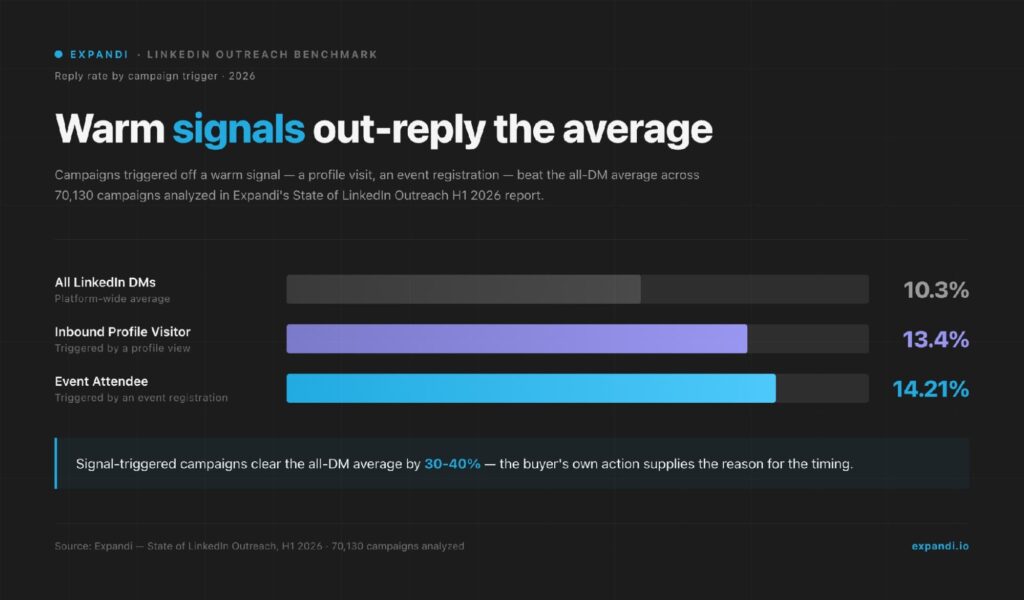
Across the 70,000+ campaigns analyzed for our State of LinkedIn Outreach H1 2026 report, signal-triggered campaigns replied at 13.4% and 14.21%, against a 10.3% DM average.
Here are 12 ways to put that to work, the tools that cover each job, and one signal-built agency campaign that booked 5+ appointments a week.
Key Takeaways
- The biggest AI lead generation gains come from prioritization: deciding who to contact and when, ahead of any increase in sending volume.
- 87% of sales organizations already use some form of AI, per Salesforce’s 2026 State of Sales research. The edge now comes from wiring it to live buying signals.
- Signal-triggered LinkedIn campaigns outperform standard outreach in our data: 13.4% and 14.21% reply rates against a 10.3% DM average.
- Expandi ties the two together: its Signals feature turns profile visits, post engagement, and company-page checks into automated sequences, and its AI Analyzer writes the messages and sorts the replies from leads by sentiment.
AI for Lead Generation: 12 Ways Real GTM Teams Are Using It in 2026

What AI lead generation reads before a rep ever types
AI lead generation is the use of machine learning, natural language processing, and predictive analytics to find, qualify, and engage buyers automatically.
In practice, it means software decides who to contact first by reading intent signals (behavior, timing, account changes) rather than a rep working through a static list top to bottom.
These systems score signals from:
- CRM and historical sales data.
- Website behavior and pricing-page visits.
- Social activity, job changes, and funding events.
- Email engagement and reply patterns.
- Third-party intent, firmographic, and technographic data.
Say a SaaS company raised a round last week, posted two SDR openings, and someone from their RevOps team visited your pricing page.
AI sales lead generation software stitches those three events together and routes the account to a rep while the moment is still warm.
Traditional vs. AI-powered lead generation: a side-by-side comparison
The two motions run in opposite directions:
- Traditional lead generation starts with a list and works forward: build it, research it, send to it, and find out weeks later who was worth the effort.
- AI lead generation starts with the signal and works backward: watch who is showing intent, qualify them against your ICP, and only then spend rep time.
Here’s the side-by-side:
| Aspect | Traditional lead generation | AI lead generation |
|---|---|---|
| Approach | Manual and human-led: list building, one-to-one emails, cold calls | Automated and data-driven: bulk enrichment, predictive scoring, triggered outreach |
| Targeting | Basic segmentation on demographic or firmographic data | Real-time intent signals and predictive models |
| Personalization | Written one message at a time. Hard to scale past a few dozen leads | Tailored to each lead’s behavior and preferences, across the full list |
| Speed | Hours to weeks per campaign cycle | Finds and qualifies leads in seconds and engages 24/7 |
| Scale | Capped by headcount and budget | Handles large lead volumes without added headcount |
| Cost | Higher: manual labor across research, qualification, and follow-up | Lower per lead once workflows are set up, though the tool stack adds a fixed monthly cost |
| ROI | Lower conversion from untargeted volume | Higher conversion from timing and fit |
Traditional lead generation spends rep hours before anyone knows which leads are real, AI spends them after.
That’s why the gains concentrate early in the funnel: identification, signals, scoring — which is exactly where the 12 use cases below begin.
Why you need AI in your lead generation efforts
The case for AI in lead generation comes down to three compounding gains.
1. Improved lead quality
AI mines your CRM, website analytics, social activity, and third-party intent data to surface the accounts with real buying momentum.
Reps stop qualifying by gut feel and start the day with a ranked list. Fewer conversations, better ones.
2. Drives efficiency
Per Salesforce’s 2026 State of Sales research, 87% of sales organizations currently use some form of AI for tasks like prospecting, forecasting, lead scoring, or drafting emails.
The same study found sellers expect AI agents to cut prospect research time by 34% and email drafting by 36%: hours that go back into selling.
3. Higher conversions
55% of sales professionals already use AI for prospecting, with another 38% planning to, per the same Salesforce report. Another 92% of sellers working with AI agents say it benefits their prospecting efforts.
The lead you reach an hour after their pricing-page visit is a different conversation than the one you reach next Tuesday.
12 ways you can use AI for lead generation to drive business growth
56% of sales professionals now use AI daily, per LinkedIn’s research on AI in B2B sales.
Here is where it earns its keep across the funnel: 12 AI lead generation use cases, ordered roughly in the sequence a lead moves through them.
| Use case | What AI does | Best for |
|---|---|---|
| 1. Buyer identification | Flags lookalike accounts from closed-won patterns | SDRs building target lists |
| 2. Intent signals activation | Triggers outreach on profile visits and post engagement | Teams running LinkedIn outbound |
| 3. Lead scoring and qualification | Ranks leads by likelihood to convert | Sales leaders prioritizing rep time |
| 4. Lead segmentation | Clusters leads by behavior and funnel stage | Marketers running nurture tracks |
| 5. Automated data enrichment | Fills records with verified emails and context | RevOps keeping the CRM clean |
| 6. AI-powered outreach and follow-ups | Writes messages and sorts replies by sentiment | SDRs personalizing at scale |
| 7. Omnichannel engagement | Coordinates LinkedIn and email touches | Teams layering channels |
| 8. Chatbots and virtual assistants | Qualifies inbound visitors and books meetings | Inbound-heavy teams |
| 9. Social media listening | Surfaces buying-intent conversations | Social sellers |
| 10. Streamlined workflow and routing | Routes hot leads and updates the CRM | RevOps and GTM engineers |
| 11. Sales trend forecasting | Projects pipeline from historical data | Sales directors planning quarters |
| 12. AI-powered sales coaching | Scores calls against top-performer patterns | Managers ramping new reps |
1. Buyer identification
AI models compare your closed-won deals against live market data, then flag lookalike accounts showing the same patterns. Persona guesswork gets replaced by observed behavior.
For LinkedIn-first teams, this is the foundation of LinkedIn lead generation: the platform holds the job changes, company growth, and engagement activity these models feed on.
2. Intent signals activation
Intent signals are actions a buyer takes that reveal interest before any form gets filled: repeat website visits, a job change, new funding, engagement with your content.
AI systems watch for these events and move matching leads into outreach the moment they happen — the core of signal-based outreach.
This is the layer we built Signals for inside Expandi.
Signals watches three moments on LinkedIn:
- Someone visits your profile.
- Engages with a post you choose.
- Or checks your company page.
It pulls those people into the campaign you’ve built, syncing new matches roughly every 24 hours. You set your ICP filters once, and anyone who trips a signal without matching the filter never enters the sequence.
Signal-triggered campaigns are the highest-performing pattern in our State of LinkedIn Outreach H1 2026 report: campaigns built on profile visitors replied at 13.4% and event-attendee campaigns at 14.21%, against the 10.3% average across all LinkedIn DMs.
Each signal is an action one specific person chose to take, minutes or hours ago.
Rahul Lakhaney, Founder & CEO at Enrich Labs, told GTM Society his team runs its own pipeline on engagement signals:
“A lot of the content that we post, or content posted by our competitors — we look at the people who engage with that content, qualify those people, and then use automation on LinkedIn to reach out to them.” — Rahul Lakhaney, Founder & CEO at Enrich Labs, a real-time B2B data API for platforms building AI agents
3. Lead scoring and qualification
Predictive scoring models rank every lead by likelihood to convert, using the patterns in your historical wins: title, company size, engagement recency, tech stack.
Reps work the top of the ranked list first, and low scorers route to nurture, keeping SDR time for the top of the list.
Dave Schools, co-founder and CEO of Singulate, puts the underlying problem bluntly:
“Companies have data. They have plenty of data. Getting data is not the problem. It’s commoditized. It’s what do you do with that data. How then do you action that data to grow your business?” — Dave Schools, co-founder and CEO of Singulate, an AI segmentation and personalization tool for marketing nurtures
4. Lead segmentation
Beyond scoring, AI clusters leads into segments by industry, behavior, deal size, or funnel stage, and keeps those segments current as new data lands.
For a lead gen agency this is the difference between five client accounts run by hand and five run by trigger type: job-change leads get a congratulations-first sequence, funding-round leads get a growth angle, and post engagers get a message that references the post.
5. Automated data enrichment
Enrichment tools fill the gaps in a lead record automatically: verified email, role, company context, recent triggers.
Waterfall enrichment checks several data providers in sequence until one returns a verified match, which keeps lists fresh without a manual research pass — the workflow behind the Clay and Expandi integration.
JB Daguené, founder and CEO of Evergrowth, described what happened when his team turned AI on their research function:
“We always try to make our team more efficient, we actually created an agent that replaced our research team, and that was like 70 people.” — JB Daguené, founder and CEO of Evergrowth, an agentic sales platform
6. AI-powered outreach and follow-ups
Message writing is where AI is furthest along.
Expandi’s AI Analyzer generates campaign messages, follow-ups, and in-conversation replies matched to your goal, then sorts incoming replies by sentiment (Interested, Maybe Interested, Not Interested) so hot leads get routed fast.
Layer personalization on top: dynamic placeholders and visual elements via integrations — with the same message logic carrying across LinkedIn and email.
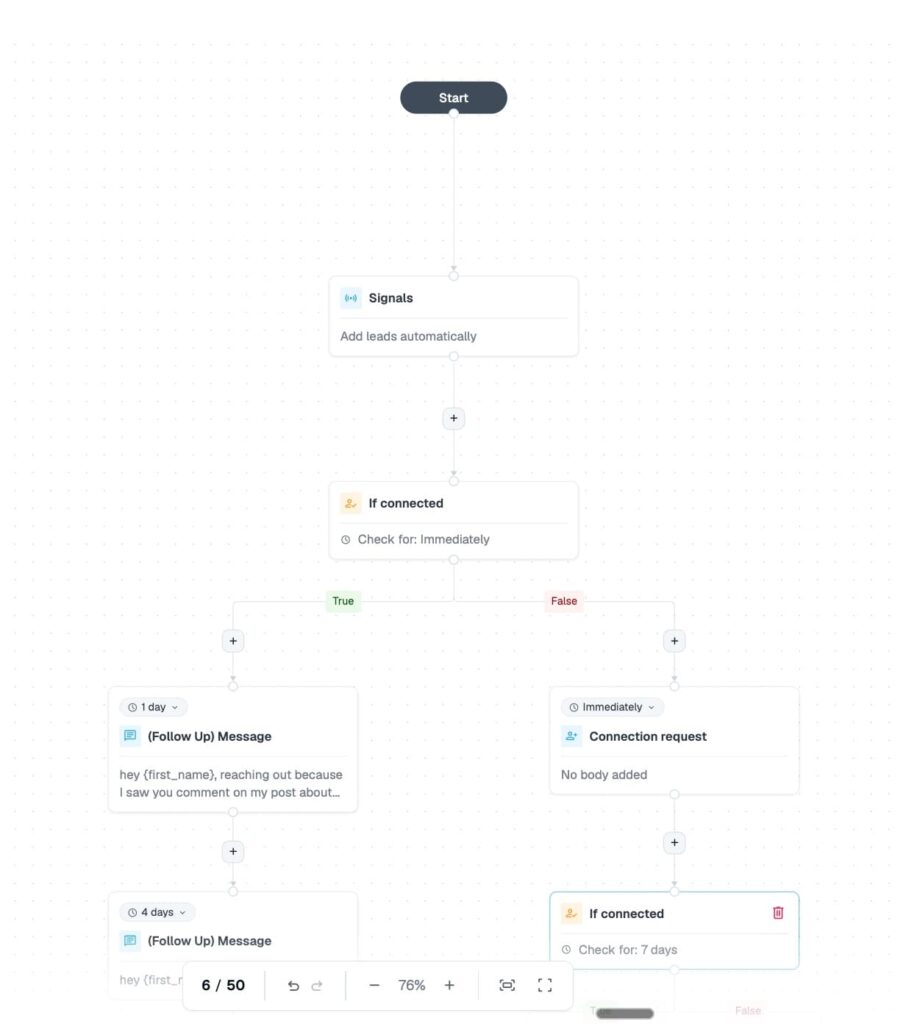
Follow-ups matter as much as the opener: per our H1 2026 data, a second follow-up adds 4.05% more responses. Smart campaigns automate that persistence with if-then sequences across 19 actions and 11 conditions, so a lead who accepts but goes quiet takes a different path than one who never accepted.
7. AI-driven omnichannel engagement
AI coordinates touches across channels, so a lead who ignores email gets a LinkedIn touch next, and a LinkedIn reply pauses the email leg.
The coordination matters because channels perform differently: LinkedIn DMs average a 10.3% reply rate against 5.1% for cold email, per our H1 2026 data. Sequences that layer both channels get the strengths of each.
8. Chatbots and virtual assistants for real-time engagement
On the inbound side, AI chat agents qualify visitors in real time: they answer product questions, collect fit criteria, and book meetings straight to a rep’s calendar.
The 3 a.m. pricing-page visitor gets a conversation immediately, and only conversations matching your firmographic fit reach a human. Everyone else gets a resource and a webhook into nurture.
9. Social media listening and monitoring
Listening tools monitor conversations, hashtags, and competitor mentions for buying-intent language. Someone asking for tool recommendations in your category is a lead, just an unclaimed one. AI filters the noise and routes genuine prospects to your team.
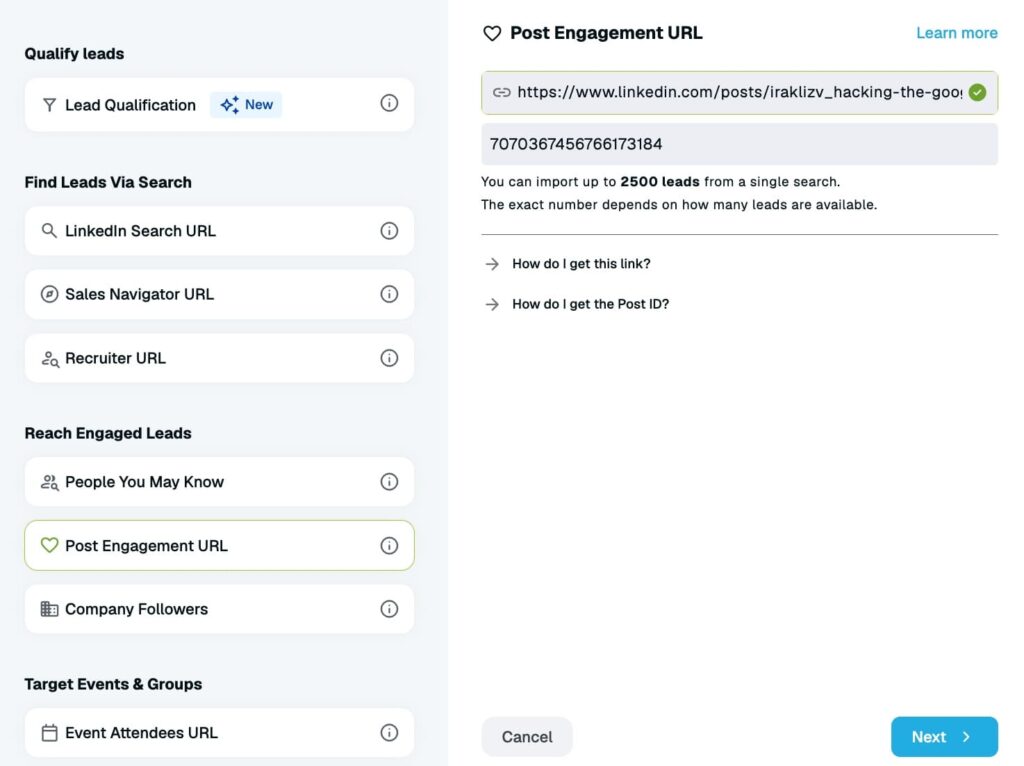
On LinkedIn, you can close that loop directly: pull everyone who commented on a relevant industry post into a post-engagement campaign, so the outreach references the conversation they started. You can easily automate this with LinkedIn marketing tools.
10. Streamlined workflow and routing
This is lead generation automation end to end:
- A lead crosses a score threshold and the system alerts the owner.
- Updates the CRM through webhooks or native integrations.
- Moves the lead into the right sequence with no handoff email.
This is also where AI agents land: tools that research an account, draft the sequence, and adjust on replies without a human driving each step.
McKinsey’s late-2025 global survey found 62% of organizations at least experimenting with AI agents, and Salesforce’s 2026 research reports 54% of sellers have used them, with nearly 9 in 10 planning to by 2027. The SDR role shifts up a level, from executing every step to reviewing what the agents queue.
For teams and agencies running this across clients, Workspaces keep every account, campaign, and permission in one place, with teammate access at no extra seat cost.
11. Forecast sales trends
Predictive models read your pipeline history (win rates by segment, cycle length, seasonality) and project what’s coming, so you staff and spend against a forecast you can defend.
A sales director planning next quarter’s hiring sees projected pipeline by segment before committing headcount, and the same models flag at-risk deals early enough to act.
12. AI-powered sales coaching
AI coaching tools review real calls and messages, score them against what your top performers do, and give reps a private place to rehearse pitches and objection handling around the clock.
The cheapest version is already useful: feed your last ten lost-deal call transcripts to a model and ask what your best rep does differently.
Ground rules for getting reliable output from the models themselves are in our guide to using ChatGPT effectively.
What this looks like in practice: an 18.92% reply rate from a cross-channel signal handoff
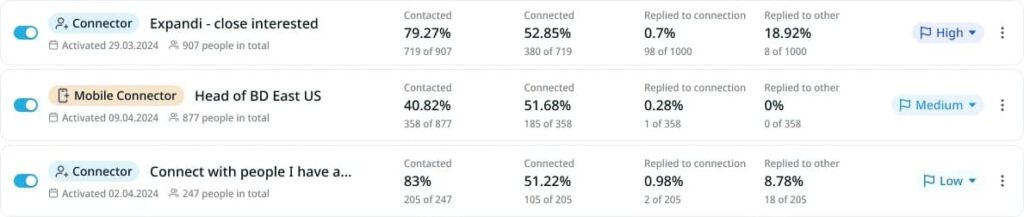
UltB, a B2B growth agency running on Expandi, runs email as its primary outbound channel — up to a million sends a month. When a contact shows interest via email, their team pulls that contact from Close CRM into an Expandi Connector campaign for a personalized LinkedIn follow-up.
Per UltB’s use case, the follow-up campaign hit an 18.92% reply rate and a 52.85% acceptance rate, booked 5+ appointments a week, and worked through 907 interested contacts by the end of the month.
The takeaway: the signal that triggers the LinkedIn play doesn’t have to come from LinkedIn. Any evidence of interest — an email reply, a form fill, a CRM field flip — is a reason to move to the next channel while the moment is warm.
Top AI lead generation tools for faster growth in 2026
No single tool covers all 12 use cases. Here’s how seven AI lead generation tools compare, starting with the one we build:
| AI lead generation tool | Best for | Key features | Pricing |
|---|---|---|---|
| Expandi | Signal-based LinkedIn lead generation and outreach | Signal-triggered campaigns (profile visits, post engagement, company-page checks), AI Analyzer for messages and sentiment sorting, smart sequences, workflow automation | 7-day free trial. $99 per month per seat |
| Common Room | Intent signals | Buying signals, Prospector 360, Roomie AI | No free trial, paid plans start at $2,500 per month, billed annually |
| Clay | Data enrichment | Waterfall enrichment, AI research agents, vast integrations | Free plan and 14-day trial. Paid plans start at $185 per month |
| Klenty | Omnichannel engagement | Multichannel sequences, click-to-call dialer, SMS automation | 14-day free trial. Paid plans start at $50 per month billed annually ($60 billed quarterly, no monthly billing) |
| Make | Streamlined workflow | Sales automation, agentic automation, integrations | Free plan. Paid plans start at $10.59 per month |
| Aviso | Sales forecasting | Revenue forecasting, conversation intelligence, reports and analytics | Contact for a quote |
| Hootsuite | Social media listening and monitoring | Social listening, social media analytics, publishing | Free trial. Paid plans start at $99 per month, billed annually |
1. Expandi — for LinkedIn lead generation and outreach
Expandi is a cloud-based LinkedIn automation platform built around the signal-based motion this article describes.
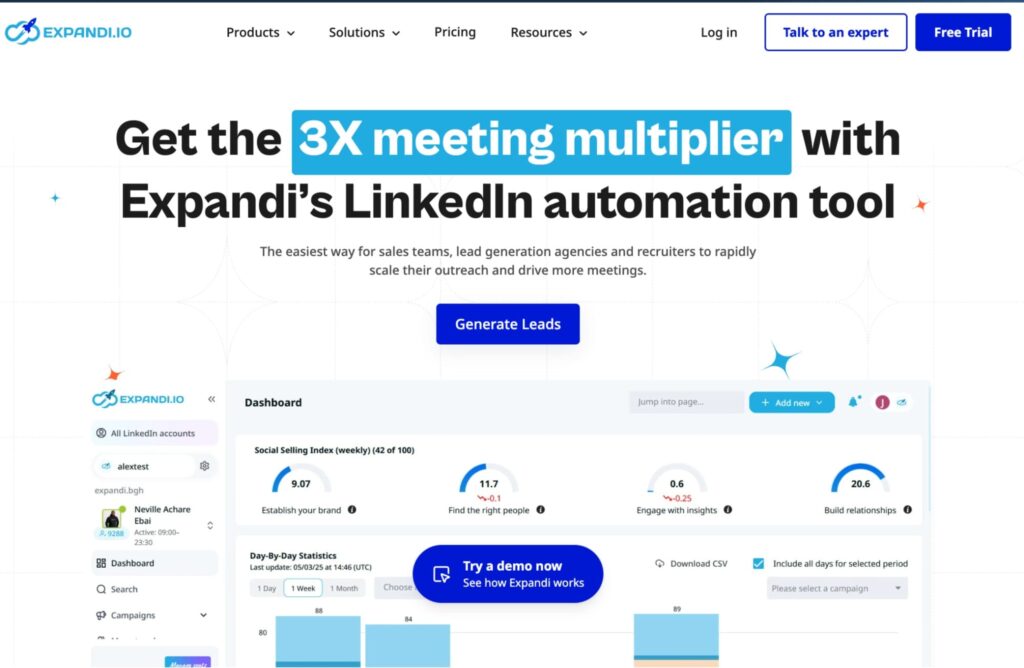
Campaigns built on a Signals trigger fill themselves with profile visitors, post engagers, and company-page visitors, the AI Analyzer writes messages and sorts replies by sentiment, and smart sequences branch on real lead behavior.
Dedicated country-based IPs, profile warm-up, and smart daily limits keep accounts safe while it runs 24/7 in the background.
Pricing starts at $99 per month per LinkedIn seat, every feature included, with a 7-day free trial.
2. Common Room — for intent signals
Common Room aggregates intent from community activity, product usage, and social engagement into one buyer timeline, then scores which accounts are heating up.
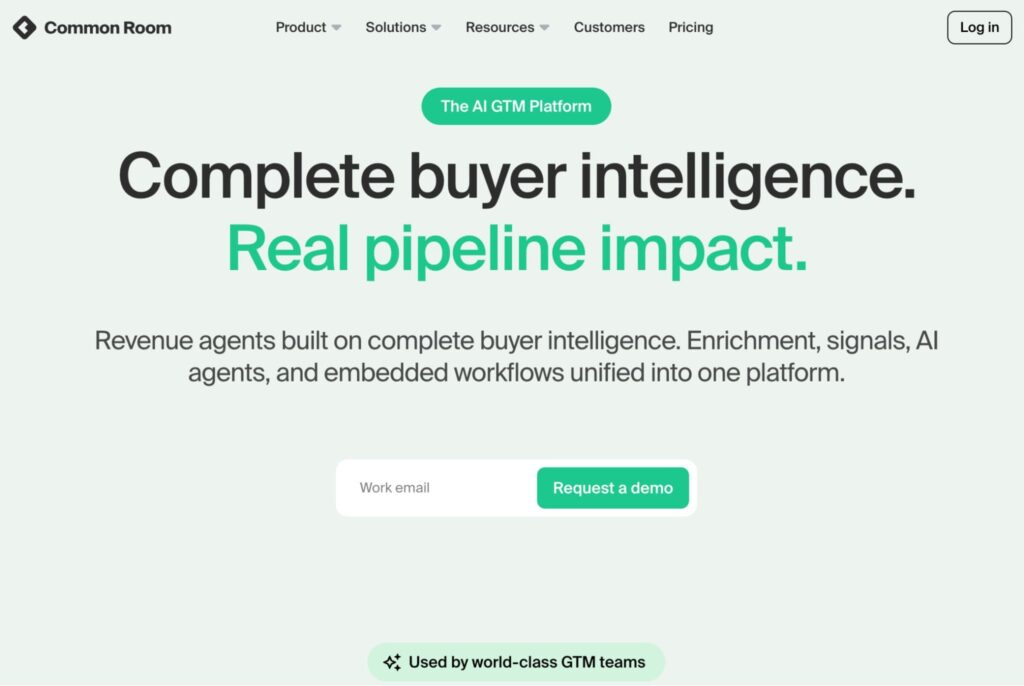
Built for teams selling into developer and community-led markets, at a $2,500-per-month starting price.
3. Clay — for data enrichment
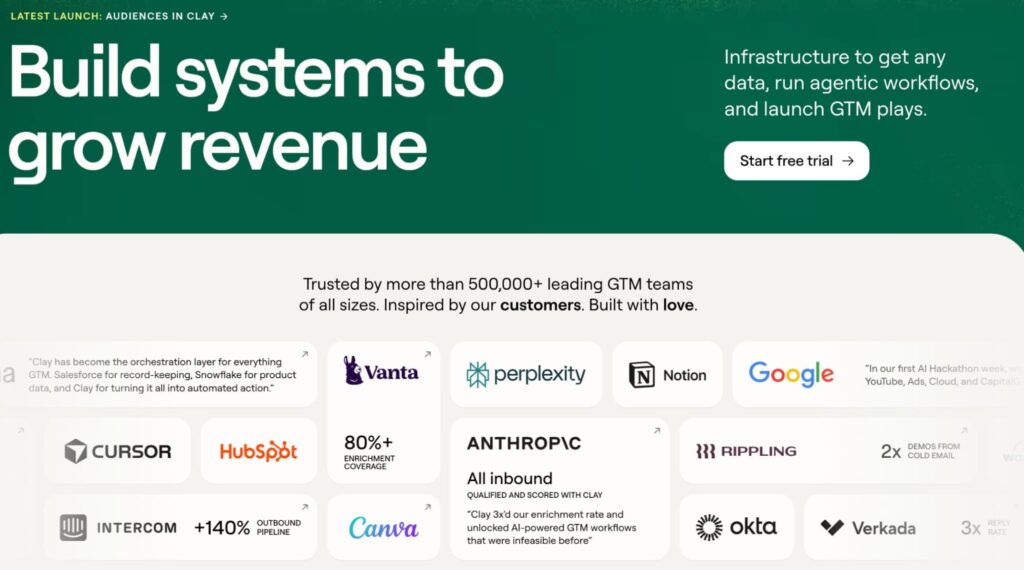
Clay runs waterfall enrichment across dozens of data providers and lets you build enrichment workflows with AI research agents.
Strong fit for GTM engineers who want list building, enrichment, and personalization inputs in one spreadsheet-style canvas.
4. Klenty — for omnichannel engagement
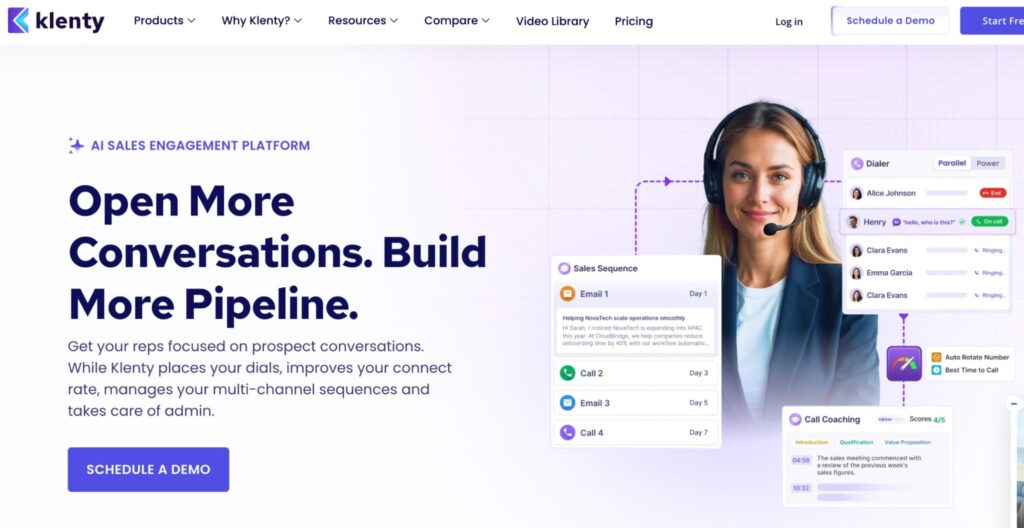
Klenty is a sales engagement platform that runs email, call, and SMS steps in one sequence.
A fit for teams that want structured multichannel cadences layered on top of a LinkedIn-first motion.
5. Make — for streamlined workflow
Make is a no-code automation platform that connects your lead gen stack: route enriched leads to the CRM, trigger alerts on score changes, sync replies across tools.
It fills the plumbing role between specialized tools.
6. Aviso — for sales forecasting
Aviso applies AI to revenue intelligence: forecasting, pipeline inspection, and deal risk scoring, plus conversation intelligence for coaching.
It covers the back end of the funnel: the forecast a sales director staffs against, and the call review reps learn from. Aimed at revenue leaders running larger teams, and priced accordingly.
7. Hootsuite — for social media listening and monitoring
Hootsuite covers the content side of lead generation.
It tracks brand mentions, competitor activity, and sentiment across social platforms, so buying-intent conversations and inbound DMs land in one inbox next to your publishing calendar.
For teams generating inbound leads with content, the listening streams double as a prospecting feed: the person asking about alternatives in your category shows up before a competitor answers them.
Where AI lead generation breaks down
AI lead generation fails in predictable ways. Three deserve attention before you scale anything.
1. Data quality
AI output is only as good as the data feeding it.
Stale CRM records, duplicate contacts, and unverified emails produce confident-sounding scores built on noise. Audit and dedupe before you automate. Enrichment helps only when the base record is real.
2. Over-automation and generic AI outreach
The fastest way to burn a territory is AI-written messages sent on volume alone.
A message that reads templated gets treated like one, and on LinkedIn the damage compounds: accounts that push automated volume past platform limits get restricted. AI also still misses context a rep catches in seconds: sarcasm in a reply, a “not now” that means “try me in Q3.”
MIT’s Project NANDA found that 95% of organizations running enterprise GenAI pilots were getting zero return in 2025, and put the divide down to integration into real workflows, with humans reviewing what ships.
AI that lives outside your sequences, limits, and CRM is a demo. AI wired into them is capacity.
3. Data privacy and compliance
Lead generation AI runs on personal data, and regulators treat it that way. GDPR and CCPA set the rules on consent, storage, and deletion.
On top of that, scraping data from LinkedIn has limits worth knowing before you build lists.
How Expandi covers the LinkedIn side of AI lead generation
Those failure modes trace back to AI bolted onto outreach after the fact.
Expandi was built signal-first.
- You build the campaign and pick the trigger once. From then on, profile visitors, post engagers, and company-page visitors feed into it, no manual imports.
- The AI Analyzer drafts the messages, then sorts replies by sentiment so reps open the inbox to a ranked list.
- Smart sequences branch on what each lead does, and email steps pick up where LinkedIn leaves off, which makes it a complete LinkedIn outreach motion in one tool.
Putting AI for lead generation to work
AI for lead generation comes down to relevance and timing: reading real buyer signals, scoring what they mean, and reaching out while the moment is live.
The 12 use cases above cover the funnel end to end, and the teams getting results run them with human judgment still in the loop.
If LinkedIn is where your buyers are, Expandi puts the whole motion: signals, sequences, AI-written replies — in one place. Sign up for a 7-day free trial and launch your first signal-triggered campaign this week.
FAQs about AI lead generation
ricing for AI lead generation tools runs from roughly $50 to $185 per month for outreach and enrichment platforms, up to $2,500+ per month for enterprise intent-data tools.
Expandi costs $99 per month per LinkedIn seat with every feature included. The bigger investment is setup time: clean data, a defined ICP, and built sequences take a few working days before results compound.
Yes, and LinkedIn is where the signal data is richest, since profile visits, post engagement, and job changes all happen on the platform.
The operational catch is LinkedIn’s activity limits: roughly 100 connection requests a week, with restrictions for accounts that push automated volume past them. Signal-triggered campaigns fit inside those limits naturally, because they contact fewer, warmer people. Look for tools with warm-up, daily caps, and human-behavior pacing built in.
AI replaces tasks, and the rep absorbs the time back. Research, list building, scoring, and first-touch drafting move to software.
Discovery calls, negotiation, and judgment stay human. Teams get further treating AI as added capacity per rep, with a person reviewing what goes out, than treating it as a headcount swap.
A single tool is live within days: connect your LinkedIn account or CRM, define your ICP, and launch a first campaign inside a week.
LinkedIn-based outreach adds a warm-up period of one to two weeks for account safety. Full-stack integration (enrichment, scoring, routing, multichannel sequences) is closer to a quarter-long project done properly.
Marketing automation executes pre-built rules: send email B three days after email A.
AI lead generation makes decisions: which account to target, when to reach out, what message fits the signal. The two work together: AI decides, automation executes.



You’ve made it all the way down here, take the final step