20 Best B2B Prospecting Tools For 2026: Features, Pricing, Uses


Most B2B teams use plenty of prospecting tools, but are short on the right combination.
You’ve got a CRM, a data provider, and an outreach tool, yet reps are still building lists manually, chasing stale contacts, and guessing at timing. The stack just doesn’t work together.
To put this guide together, I reviewed G2 and Capterra ratings across hundreds of verified users, tested trial accounts directly, and talked to outbound teams, lead gen agencies, and founders about how they actually use these tools day-to-day.
That research led to this roundup of 20 B2B prospecting tools, organized by what they do in a real stack, so you can stop guessing at combinations and build something that works end to end for your workflow, team size, and budget.
Here’s what we’ll cover:
- How B2B prospecting tools fit into your sales workflow.
- Best B2B prospecting tools: quick picks (TL;DR).
- How we tested and scored these tools.
- 20 Best B2B prospecting tools in 2026: reviews by category.
- Choosing the right B2B prospecting tool.
How B2B Prospecting Tools Fit Into Your Sales Workflow
B2B prospecting tools cover a wide range: contact databases, intent platforms, outreach sequencers, enrichment tools, and CRMs. Most modern stacks combine three to five of these.
Today’s tools surface buying signals, automate multichannel sequences, and sync data across your GTM stack. The infrastructure has changed significantly, but the goal hasn’t: getting reps in front of the right people at the right time.
Primary users for prospecting tools:
- SDRs and BDRs running outbound sequences.
- Account executives doing account research and multi-threading.
- Revenue operations teams managing data quality and stack integrations.
- Lead generation agencies running campaigns across multiple clients.
- Founders and small teams doing their own outbound without a dedicated sales function.
Core features to look for in prospecting tools:
- Contact and company data with verified emails and phone numbers.
- Buying intent signals and trigger events (funding, job changes, hiring).
- Outreach automation across LinkedIn, email, and calls.
- CRM sync to keep pipeline data clean and current.
- Enrichment and verification to reduce bounce rates and wasted effort.
- Compliance coverage for your target geography (GDPR if selling into Europe).
Here’s how the tools on this list break down across each of those jobs.
Best B2B Prospecting Tools: Quick Picks (TL;DR)
Here’s how all 20 tools compare at a glance before we get into the full reviews
| Tool | Category | Best for | Key strengths | Pricing from |
| Apollo.io | Data / Outreach | SMBs, lean outbound teams | All-in-one: database + sequencing + CRM | $59/user/mo |
| ZoomInfo | Data | Enterprise US teams | Largest US database, direct dials, intent | ~$15k+/yr custom |
| Cognism | Data | EMEA / compliance-first teams | Phone-verified mobiles, GDPR-native | ~$15k+/yr custom |
| Lusha | Data | Individual reps, small teams | Fast setup, Chrome extension, clean data | $49/user/mo |
| LinkedIn Sales Navigator | Data / Social | LinkedIn-first prospecting | Native LinkedIn data, no staleness | ~$99/user/mo |
| Bombora | Intent | Enterprise ABM teams | Co-op intent across 5,000+ publisher sites | ~$25k+/yr custom |
| 6sense | Intent / ABM | Full ABM teams, enterprise | Buying stage prediction, multi-source intent | ~$50k+/yr custom |
| Dealfront | Intent / Data | EMEA, SMB/mid-market | Web visitor ID, GDPR-native, trigger events | $99/mo (visitor ID) |
| Expandi | Outreach (LinkedIn) | LinkedIn automation, agencies | Cloud-based safety, smart sequences, agency dashboard | $99/seat/mo |
| Instantly | Outreach (Email) | High-volume cold email | Flat-fee unlimited inboxes, strong deliverability | $47/mo flat |
| Lemlist | Outreach (Multichannel) | Email + LinkedIn + calls in one tool | Creative personalization, built-in deliverability, lead DB | ~$91/user/mo |
| Salesloft | Outreach (Enterprise) | Enterprise sales engagement | Cadences + conversation intel + forecasting | ~$125+/user/mo custom |
| Clay | Enrichment | RevOps, technical teams | 100+ provider waterfall, Claygent AI research | $149/mo |
| Clearbit / Breeze | Enrichment | HubSpot-native teams | Real-time enrichment + form shortening, native HubSpot | $45/100 credits |
| Hunter.io | Enrichment / Verify | Small teams, email finding | Best-in-class email verification, simple UX | $56/mo |
| HubSpot CRM | CRM | SMB to mid-market | Free CRM, 2,000+ integrations, full-stack GTM | $15/seat/mo (Starter) |
| Pipedrive | CRM | Sales-led SMB teams | Visual pipeline, fast setup, transparent pricing | $19/seat/mo |
| Salesforce | CRM | Enterprise | Deepest customization, AppExchange ecosystem | $25/user/mo (Starter) |
| Zapier | RevOps glue | Simple no-code automation | 8,000+ integrations, fastest to set up | $29.99/mo |
| Make | RevOps glue | Complex workflow automation | Lower cost at volume, visual builder, branching logic | $10.59/mo |
Worth keeping in mind: several tools on this list do more than one job. Apollo covers data, sequencing, and a basic CRM in one platform, which is convenient. But its data accuracy lags behind specialist providers like Cognism, and its sequencing is less flexible than dedicated outreach tools.
Lemlist combines email, LinkedIn, and calls, but its LinkedIn automation isn’t as robust as Expandi, for example. HubSpot spans CRM, marketing, and enrichment, but costs scale fast as you add seats and hubs.
The pattern holds across the list. Tools that try to cover the full stack for prospecting usually make trade-offs somewhere. The right starting point is your primary channel and your ICP geography, not the tool with the longest feature list.
How We Tested and Scored These B2B Prospecting Tools (Our Methodology)
Every tool on this list was evaluated across six criteria:
- Data quality and coverage.
- Workflow fit for outbound sales teams.
- CRM and stack integration depth.
- Usability and onboarding time.
- Compliance posture (GDPR/CCPA).
- And value relative to pricing.
Where possible, we tested trial accounts directly, reviewed onboarding flows, and checked export limits and credit structures.
Pricing was cross-referenced against live pricing pages at time of writing (March 2026). G2 ratings are pulled from the current published scores. We also reviewed G2 and Capterra user feedback to surface recurring themes in both pros and cons.
Tools were not included based on sponsorship or paid placement.
20 Best B2B Prospecting Tools In 2026: Reviews By Category
Below you’ll find all 20 tools organized by what they do in a real stack, with full breakdowns covering features, pricing, pros and cons, integrations, and what real users say.
5 Tools to find prospects (data providers and databases)
These tools answer the first question in any outbound motion: who should I reach out to?
They provide verified contact data, company firmographics, and in some cases org charts, technographics, and intent signals. Without solid data here, everything else in your stack works harder for worse results.
1. Apollo.io
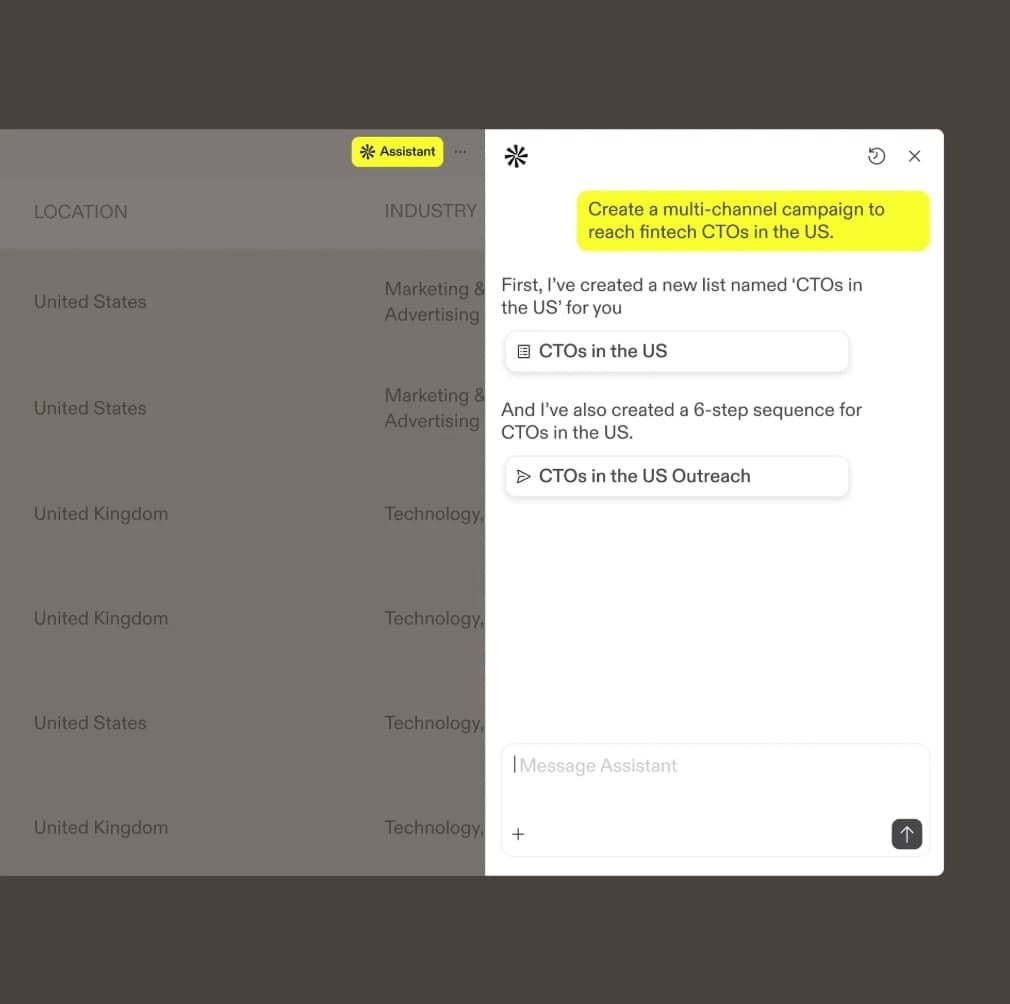
Apollo.io is an all-in-one sales platform combining a large B2B contact database with built-in outreach tools. It’s one of the few options that covers data, sequencing, and basic CRM in a single product without enterprise pricing.
Best for: SMBs and lean outbound teams that want contact data and email sequencing under one roof without managing multiple subscriptions.
Key features:
- 275M+ contact database with firmographic, technographic, and intent filters.
- Built-in email sequencing, dialer, and meeting scheduling.
- AI writing assistant for outreach personalization.
- Intent data and job-change tracking on higher tiers.
- CSV enrichment and bulk export.
Pros:
- Generous free plan with usable prospecting features, not just a lead magnet.
- Month-to-month contracts available, no forced annual lock-in.
- One of the few tools combining data, sequences, and basic CRM at this price point.
Cons:
- Data accuracy lags behind phone-verified providers, with user-reported hit rates in the 65-80% range.
- Credit system inflates costs fast at scale, especially for phone numbers.
- Advanced features like intent topics and Salesforce integration are gated behind higher tiers.
What users say:
“The pricing also increases quickly as you scale usage, which might be a challenge for smaller teams.” – G2 reviewer
“What I dislike about Apollo.io is that data accuracy can sometimes vary, especially for smaller companies or non-US markets, which still requires manual verification.” – G2 reviewer
Pricing:
- Free plan available. Paid plans from $59/user/mo (Basic) to $149/user/mo (Organization), billed monthly.
Integrations:
- Salesforce.
- HubSpot.
- Outreach.
- Salesloft.
- Zapier.
- LinkedIn Sales Navigator.
Data/compliance notes:
GDPR and CCPA noted but not a primary differentiator. Apollo’s terms allow it to use customer-submitted data to supplement its database, worth reviewing if data governance matters to your org.
Setup time: Can get difficult to navigate because there are so many features and the interface can feel slightly cluttered. Outreach and lead sourcing can be straightforward if you have experience with prospecting tools.
Alternatives:
- Lusha (simpler, stronger data quality for smaller teams).
- ZoomInfo (more depth for enterprise).
- Cognism (better for EMEA).
- Other Apollo alternatives.
2. ZoomInfo
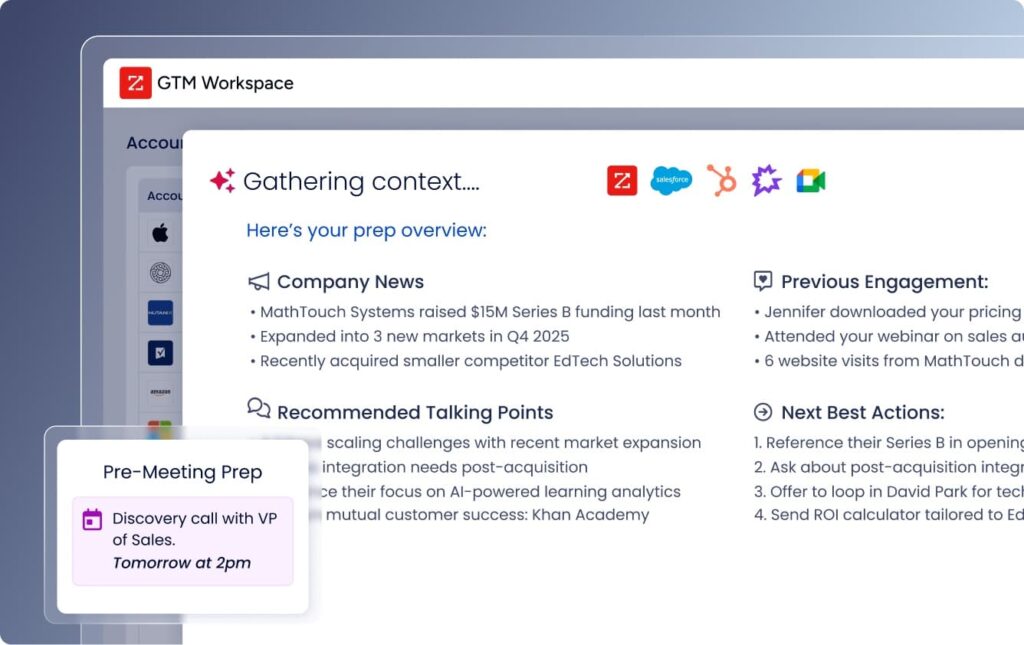
ZoomInfo is the market-leading B2B contact database, built for enterprise sales and marketing teams that need data depth, intent signals, and a wide integration ecosystem.
Best for: Large enterprise teams with significant budgets that prioritize North American data depth, direct dials, and multi-stakeholder account intelligence.
Key features:
- One of the largest B2B databases on the market, particularly deep for US direct dials.
- ZoomInfo Copilot: AI assistant for account research and outreach suggestions
- Buyer intent data and buying signals (add-on).
- Org chart mapping for multi-stakeholder account planning.
- Salesflows: multi-channel campaign automation across email, calls, and social.
- 300+ native platform integrations
Pros:
- Unmatched depth for US phone numbers and direct dials.
- Strong for enterprise ABM where org-chart mapping and multi-stakeholder data matter.
- Wide native integration ecosystem reduces reliance on middleware.
Cons:
- Pricing typically starts around $15,000/year, enterprise plans reach $30,000-$50,000+.
- Annual or multi-year contracts with limited mid-term flexibility.
- EU data coverage is notably weaker than EMEA-native providers like Cognism.
What users say:
“ZoomInfo consolidates everything from budgetary insights and technographic stacks to detailed employee hierarchies on a single page.” – G2 reviewer.
“Our BDR team in EMEA and APAC used to work with ZoomInfo, but we after 2 years we came to the conclusion that the amount of direct emails and mobile phones, compared to North America, is low in EMEA and APAC” – G2 reviewer.
Pricing:
- Custom pricing only. Typically $15,000+/year for small teams, $30,000-$50,000+/year for enterprise.
Integrations: Salesforce, HubSpot, Marketo, Outreach, Salesloft, Microsoft Dynamics, 300+ total.
Data/compliance notes: SOC 2 and ISO 27001 certified. GDPR compliance noted but EU data quality lags behind European-native providers.
Setup time: Moderate to long. Enterprise onboarding typically runs 2-4 weeks.
Alternatives:
- Cognism (stronger for EMEA).
- Apollo.io (more accessible pricing, smaller teams).
- Lusha (simpler for smaller teams).
3. Cognism
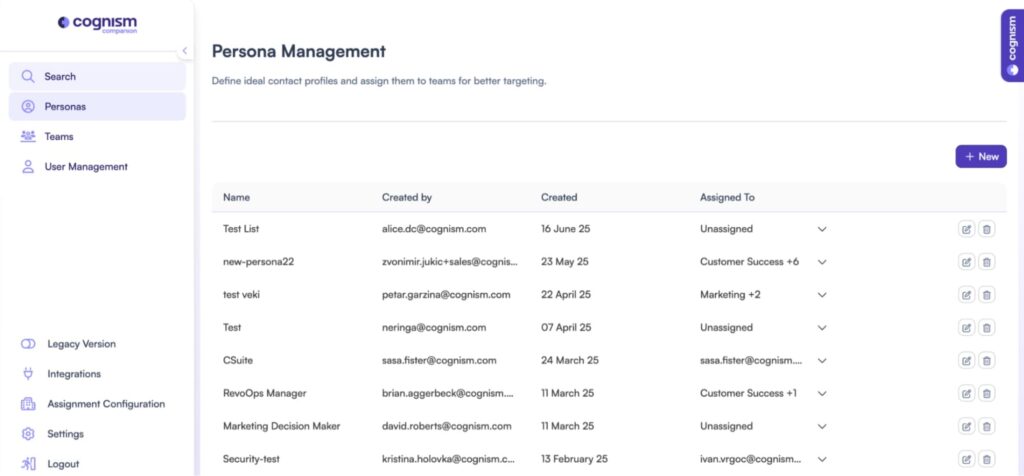
Cognism is a GDPR-first B2B data provider with strong EMEA coverage and phone-verified mobile numbers. It’s built for teams where compliance isn’t optional and data quality on direct dials is a core requirement.
Best for: Sales teams targeting European markets, or any org where GDPR compliance and verified phone data are non-negotiable.
Key features:
- Diamond Data: phone-verified mobile numbers with claimed 98% accuracy.
- GDPR and CCPA compliance built into data collection from the ground up.
- Intent data via Bombora integration (available as add-on).
- Sales trigger events: funding rounds, leadership changes, hiring signals.
- Cognism AI Search: prospect discovery via natural language queries.
Pros:
- Strongest EMEA coverage and compliance posture of any major provider on this list.
- Phone-verified mobiles reduce wasted dial time compared to unverified databases.
Cons:
- No free plan and pricing requires a sales conversation, limited transparency upfront.
- Typically starts at $15,000-$30,000/year, out of reach for individual contributors or very small teams.
- Less useful if your ICP is primarily North American and EMEA coverage isn’t a factor.
What users say:
“I use Cognism to find phone numbers and emails of event planners within Europe, and it solves several problems for me, like helping find the company email structure and company contact details” – G2 reviewer.
“The main drawback is the accuracy of employee data. It’s not uncommon to find prospects listed who have left their companies. This can lead to wasted time and effort when reaching out.” – G2 reviewer.
Pricing:
- Custom pricing. Typically $15,000-$30,000/year for small teams. No self-serve option.
Integrations:
- Salesforce.
- HubSpot.
- Outreach.
- Salesloft.
- Pipedrive.
- Zapier.
Data/compliance notes: GDPR and CCPA compliant by design. ISO 27001, SOC 2. The strongest compliance posture of the data providers on this list.
Setup time: Moderate. Most teams are live within a week after onboarding.
Alternatives:
- ZoomInfo (stronger for North America).
- Lusha (lighter and cheaper for smaller teams).
- Apollo.io (more accessible pricing).
- Other Cognism alternatives.
4. Lusha
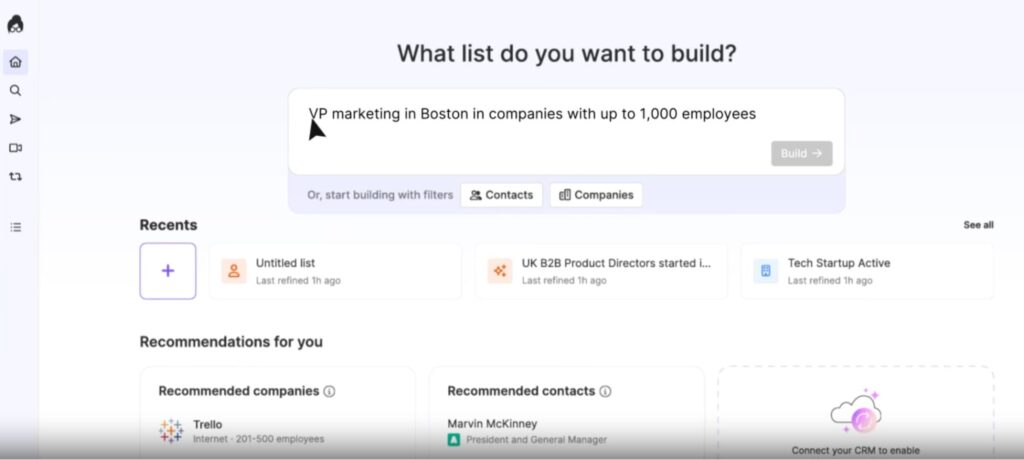
Lusha is a lightweight B2B contact database with a Chrome extension that surfaces verified emails and phone numbers directly on LinkedIn profiles and company websites.
Best for: Individual sales reps and small teams that need quick access to verified contact data without the complexity or cost of an enterprise platform.
Key features:
- Chrome extension surfacing contact data directly on LinkedIn and company sites.
- Verified emails and direct dials via a credit-based system.
- Bulk enrichment via CSV upload.
- CRM enrichment: auto-updates contact records in Salesforce and HubSpot.
- Intent signals on higher tiers.
- GDPR and CCPA-aligned data.
Pros:
- Fast time-to-value, reps pulling contacts within minutes of signing up.
- Free plan is genuinely usable before committing, not just a limited demo.
- Simpler and cheaper than prospecting tools like ZoomInfo for teams that don’t need enterprise data depth.
Cons:
- Smaller database than ZoomInfo or Apollo, coverage gaps show up for niche industries and international markets.
- Credit costs add up at scale, especially for phone numbers at 5 credits vs 1 for email.
- Integrations are less deep than enterprise-grade providers.
What users say:
“What I like most about Lusha is how easy it is to find accurate contact information.” – G2 reviewer.
“The credit system can sometimes feel limiting for high-volume outbound teams, particularly when an ‘unverified’ number still uses up a credit.” – G2 reviewer.
Pricing:
- Free plan available. Pro from $49/user/mo billed monthly. Scale and custom plans available, depending on credits.
Integrations:
- Salesforce.
- HubSpot.
- Pipedrive.
- Lemlist.
- Outreach.
Data/compliance notes: GDPR and CCPA compliant. SOC 2, ISO 27701. One of the cleaner compliance profiles among affordable data tools.
Setup time: Very fast. Chrome extension is live within minutes.
Alternatives:
- Apollo.io (adds outreach sequencing on top of data).
- Hunter.io (email-only, even lighter).
- Cognism (stronger data quality for EMEA and enterprise teams).
- Other Lusha alternatives.
5. LinkedIn Sales Navigator
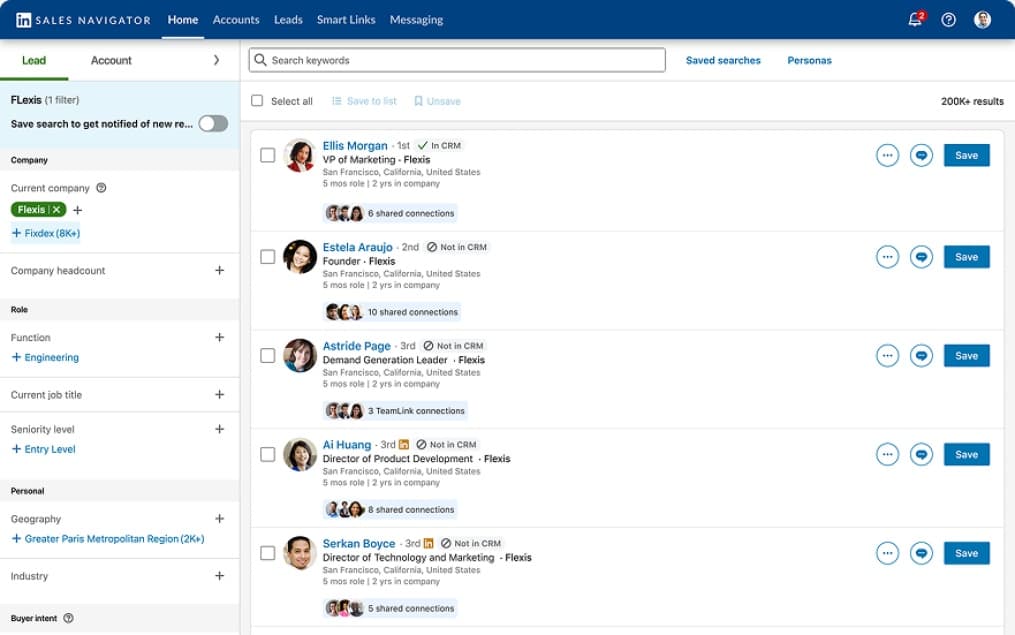
LinkedIn Sales Navigator is LinkedIn’s native prospecting layer, giving sales teams advanced search, lead recommendations, and real-time account alerts directly within the LinkedIn network.
Best for: Any team running LinkedIn-first outreach or social selling where accurate, up-to-date contact intelligence on the platform matters.
Key features:
- Advanced search with 50+ filters including seniority, function, headcount growth, and job changes.
- Lead and account recommendations based on saved lists and CRM data.
- InMail credits for direct outreach beyond your 1st degree network.
- Real-time alerts for job changes, company news, and engagement signals.
- CRM sync: push leads and accounts to Salesforce or HubSpot directly.
- TeamLink: surfaces shared connections across your org for warm intro paths.
Pros:
- Most accurate LinkedIn data available because it comes directly from LinkedIn, no third-party staleness.
- Pairs naturally with Expandi for building precise audiences before launching automated sequences.
- At ~$100/user/mo, cost-effective relative to the contact intelligence it provides.
Cons:
- LinkedIn-native only, no phone numbers, off-platform intent data, or technographics.
- InMail credits are limited and expensive relative to running connection request campaigns.
- Needs pairing with a separate enrichment or outreach tool for a complete prospecting workflow.
- Users note that it’s easy for Sales Navigator to get expensive and that some features are locked behind higher-tier plan.
What users say:
“The best part about LinkedIn Sales Navigator is how it combines highly precise targeting with real‑time buyer insights so outreach is both focused and relevant.” – G2 reviewer.
“The search filters, though advanced, can sometimes feel rigid for example, you can’t always fine-tune by specific company tech stacks or intent keywords.” – G2 reviewer.
Pricing:
- Core ~$99/user/mo. Advanced ~$149/user/mo. Team pricing available on request.
- Pricing may be different depending on region.
Integrations:
- Salesforce.
- HubSpot.
- Microsoft Dynamics.
- Outreach.
- Salesloft.
- Expandi.
- Most other prospecting, CRM, and AI sales tools.
Data/compliance notes: GDPR compliant. Data sourced directly from LinkedIn’s platform, no third-party collection concerns.
Setup time: Fast. Active within hours of subscribing.
Alternatives:
- Lusha (adds email and phone enrichment on top of LinkedIn data).
- Apollo.io (broader database beyond LinkedIn).
- Expandi (for scraping LinkedIn results and automating the outreach.
3 Tools to capture intent and buying signals
Intent data tells you which companies are actively researching problems your product solves.
Without it, you’re prospecting on fit alone, reaching accounts that match your ICP but aren’t in a buying window. These tools layer timing on top of targeting, which is often the bigger variable in outbound success.
1. Bombora
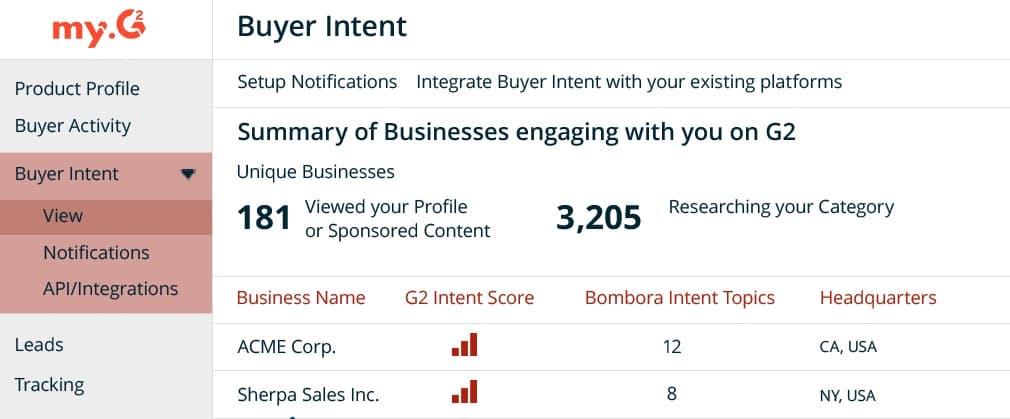
Bombora is a third-party intent data provider that tracks content consumption across a co-op network of 5,000+ B2B publisher sites, flagging accounts showing above-baseline research activity on topics relevant to your product.
Best for: Enterprise marketing and sales teams that need reliable buying signals to prioritize large account lists for ABM campaigns and outbound sequences.
Key features:
- Company Surge data: tracks content consumption across 5,000+ B2B publisher sites.
- 12,000+ intent topics covering the B2B buying landscape.
- Weekly data refresh with sustained 3-week intent detection window.
- Audience creation tools for building targeted account lists.
- Integrates directly into most major CRMs and ABM platforms.
Pros:
- One of the most widely adopted third-party intent data source in B2B, integrates into almost every major tool in your stack
- Co-op model provides broader coverage than single-provider tracking approaches
Cons:
- Account-level only. You know the company is researching, not which specific person, requiring a separate contact sourcing step
- Pricing typically starts at $25,000/year, limiting accessibility for many prospecting teams.
- False positive rate is meaningful. Surge signals can be triggered by content creation or competitive research, not just active buying intent
What users say:
“When you think about the proliferation of ABM and account-based everything regarding customer acquisition in B2B over the last five or so years, much of this idea around buyer intent data tracking stems from this product.” – G2 reviewer.
“What I would love to see is for the reports more user-friendly.” – G2 reviewer.
Pricing:
- Custom. Typically $25,000-$75,000+/year based on data volume and topic coverage.
Integrations:
- Salesforce.
- HubSpot.
- Marketo.
- 6sense.
- Demandbase.
- ZoomInfo.
- Many other prospecting and lead generation tools.
Data/compliance notes: Consent-based data collection across its publisher co-op. GDPR and CCPA aligned.
Setup time: Moderate. Integration setup varies by platform, typically 1-2 weeks depending on your stack.
Alternatives:
- 6sense (adds predictive buying stage modeling on top of intent signals).
- Dealfront (more accessible for SMB and EMEA-focused teams).
- ZoomInfo (includes basic intent data within its platform at enterprise tier).
2. 6sense
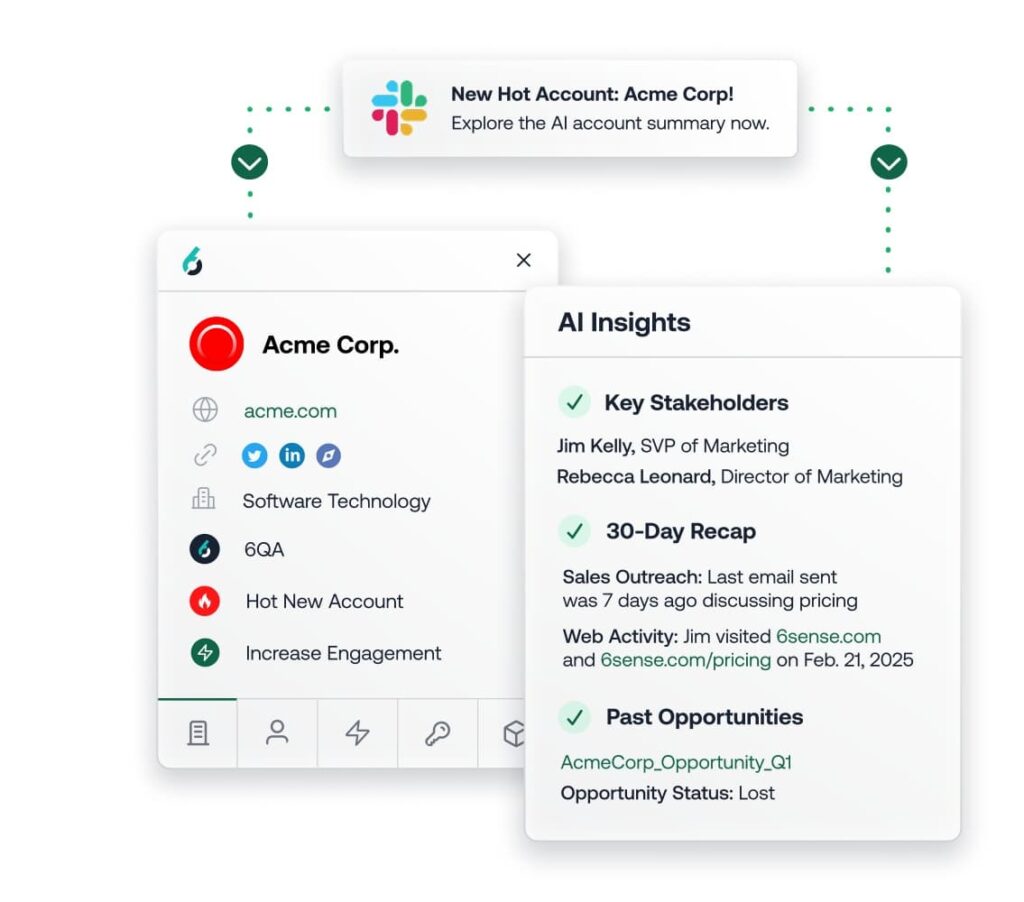
6sense is an AI-powered ABM platform that combines intent data from multiple sources with predictive buying stage modeling, helping sales and marketing teams identify which accounts are in-market and where they are in the evaluation process.
Best for: Mature enterprise ABM teams that need to align marketing and sales around buying-stage intelligence, not just raw contact data or intent signals.
Key features:
- AI-driven buying stage prediction: awareness, consideration, decision, purchase.
- Combines Bombora, G2, TrustRadius, and proprietary first-party data into one intent model.
- Anonymous buyer identification and deanonymization of website visitors.
- Dynamic audience segments updated in real time for ad targeting and outreach prioritization.
- Revenue AI: surfaces which accounts to target, when, and with what message
- Native ad activation and sales engagement integrations
Pros:
- Goes beyond raw intent by predicting buying stage, letting teams tailor messaging to where the account actually is in its process
- Combining multiple intent sources reduces false positives compared to single-source providers
- Strong alignment use case: marketing and sales work from the same account prioritization model
Cons:
- Pricing puts it out of reach for most SMBs and mid-market teams.
- Predictive models can be confident about the wrong accounts.
- Complex to implement. Expect a multi-week deployment with RevOps involvement.
What users say:
“I like 6sense Revenue Marketing because it helps in identifying in-market accounts and prioritizing outreach, which is crucial for account-based marketing.” – G2 reviewer.
“What I dislike most is that it’s difficult to delineate which specific person or team is engaging with the content, and whether that engagement means they’re truly curious or just browsing.” – G2 reviewer.
Pricing (as of March 2026):
- Custom. Typically $50,000-$150,000+/year.
Integrations:
- Salesforce.
- HubSpot.
- Marketo.
- Outreach.
- Salesloft.
- LinkedIn.
- Bombora.
Data/compliance notes: GDPR and CCPA compliant. SOC 2 Type II.
Setup time: Long. Enterprise deployment typically 4-8 weeks with RevOps involvement.
Alternatives:
- Bombora (intent data only, lower cost, works as a building block in your existing stack)
- Dealfront (more accessible for EMEA-focused or mid-market teams).
- ZoomInfo (intent data included at enterprise tier without a separate platform purchase).
3. Dealfront
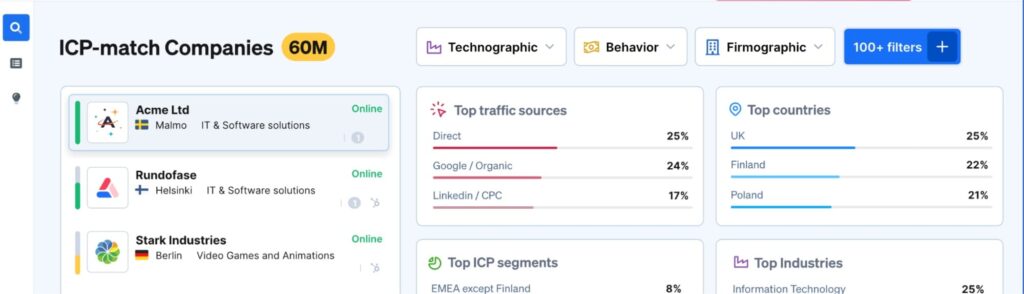
Dealfront is a B2B sales intelligence platform that identifies companies visiting your website anonymously and surfaces account-level trigger events to help teams reach out at the right moment.
Best for: SMB to mid-market teams selling into Europe that need GDPR-native web visitor intelligence and account-level intent without enterprise-level pricing or complexity.
Key features:
- IP-based web visitor identification: reveals which companies are on your site even when they don’t fill a form.
- Trigger events: funding rounds, leadership changes, and hiring signals for timely outreach.
- 100+ search filters for building targeted company and contact lists.
- B2B database with particularly strong European market coverage.
- CRM integrations and workflow triggers for automated lead routing.
- Intent signals for identifying accounts researching relevant solutions.
Pros:
- Best GDPR-native option for European web visitor identification, no legal grey areas common in US-built tools applied to EU traffic.
- Free tier makes it accessible for teams testing web visitor intelligence before committing budget.
- Lower complexity and cost than some prospecting tools in this list for teams that don’t need full ABM orchestration.
Cons:
- US coverage is still developing post-merger, less useful if your market is primarily North American.
- Account-level visitor identification only, does not resolve to individual contact level.
- Not a standalone outreach platform, needs pairing with a sequencing tool to act on signals.
What users say:
“Dealfront has significantly improved our sales and marketing workflows. The platform provides highly detailed firmographic and behavioral data, which allows us to better target prospects and personalize our outreach.” – G2 reviewer.
“I don’t particularly enjoy the credit system limiting the exports of the contacts, it feels like more work to think about how to make the best use of them.” – G2 reviewer.
Pricing:
- Web visitors identification: Free for max 100 identified companies monthly. Paid starts at $99/mo.
- Sales intelligence is custom pricing, depending on your needs.
Integrations:
- Salesforce.
- HubSpot.
- Pipedrive.
- Slack.
- Google Ads.
Data/compliance notes: GDPR compliant by design. Headquartered in Europe. One of the cleaner compliance options for teams with EU data obligations.
Setup time: Fast. Tracking pixel setup takes under an hour. CRM integrations typically same day.
Alternatives:
- 6sense (more powerful but significantly more expensive).
- Bombora (topic-based intent rather than web visitor identification).
- Clearbit/Breeze Intelligence (web visitor ID within HubSpot’s ecosystem).
4 Tools to reach out (sales engagement)
Finding a prospect is step one. Getting them to reply is a different problem. Sales engagement tools handle the execution layer: sequences, follow-ups, multichannel touches, and reply detection. The tools below cover LinkedIn-first, email-first, and full multichannel workflows.
1. Expandi
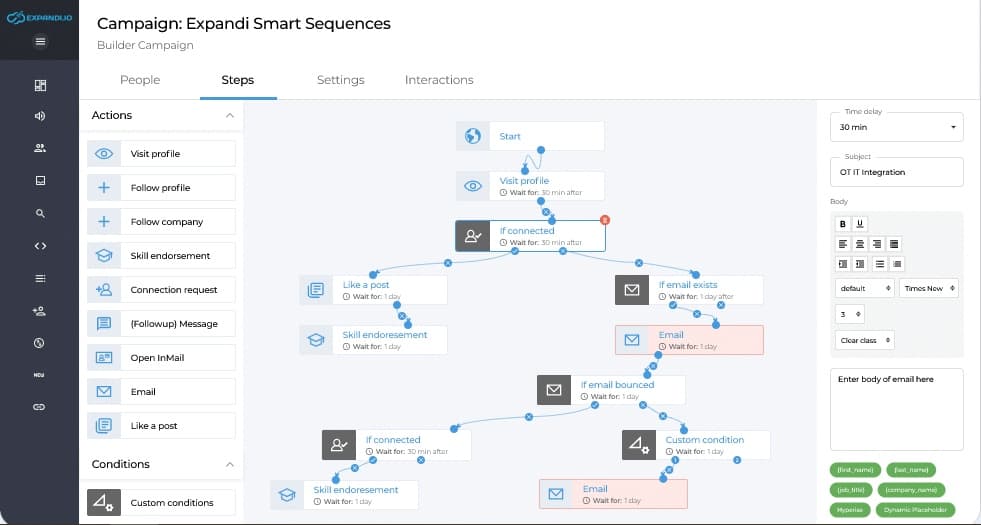
Expandi is a cloud-based LinkedIn automation platform that lets sales teams, agencies, and founders run personalized outreach campaigns at scale without putting their LinkedIn accounts at risk.
Best for: SDRs, lead gen agencies, and founders running LinkedIn as a primary outreach channel who need to automate connection requests, message sequences, and follow-ups safely and at scale.
Key features:
- Cloud-based automation runs 24/7 without keeping your browser or computer on.
- Dedicated IP address per LinkedIn account to minimize detection risk.
- Smart sequences with conditional branching based on prospect behavior.
- 10+ campaign types including Mobile Connector to bypass weekly connection limits.
- Dynamic personalization with custom variables, images, and GIFs.
- Built-in A/B testing for message variants.
- Multichannel sequences combining LinkedIn steps with email follow-ups.
- Agency dashboard with white-label option and centralized multi-account management.
Pros:
- Easy to set up automated outreach campaigns without getting overwhelmed. As advanced as you need it to be.
- Cloud-based architecture is significantly safer than browser-extension tools which are easier for LinkedIn to detect.
- Conditional branching lets you tailor follow-ups based on what a prospect actually did, not just a fixed time delay.
- All-inclusive pricing at $99/month with no credit ceilings or feature paywalls.
- Agency-friendly, option for whitelabeling.
Cons:
- Some users report the learning curve can take some time to learn.
- Priced per LinkedIn account, not per user.
- Agency pricing requires a sales call to get a quote, which might create some friction during tool evaluation process.
What users say:
“I’ve been using Expandi as a paying customer for a year now, and I only have great things to say! It’s easy to use, with ready-made templates, and it rarely has bugs or downtime. It has helped me get new deals and is a great tool for automating LinkedIn growth.” – G2 reviewer.
“Expandi had a few issues with the dashboard that was an ongoing issue for a few months, but it’s now resolved. There have been a few other issues, but they fix them quickly.” – G2 reviewer.
Pricing:
- Business plan $99/month per seat, or $79/month billed annually. Agency pricing on request for 10+ seats.
- 14-day free trial with full feature access, no credit card required.
Integrations:
- HubSpot.
- Pipedrive.
- Salesforce.
- Zapier.
- Hyperise.
- LinkedIn Sales Navigator.
- See our guide on Expandi CRM integration for a step-by-step overview of this.
Data/compliance notes: GDPR compliant. Cloud-based with dedicated IPs per account. Each account operates within LinkedIn’s recommended usage thresholds.
Setup time: Fast. Can launch the first campaign typically within 30 minutes.
Alternatives:
- LinkedIn Sales Navigator (for building the prospect list before running Expandi sequences).
- Lemlist (for multichannel outreach where email is the primary channel)
- Instantly (for high-volume cold email alongside LinkedIn outreach).
2. Instantly
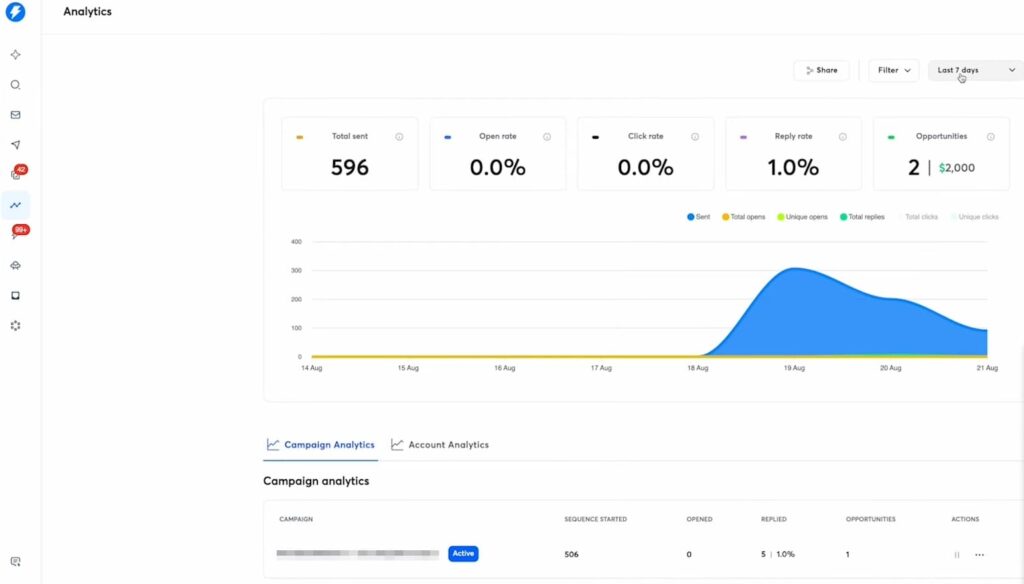
Instantly is a flat-fee cold email platform built for high-volume outreach across unlimited sending accounts, with a strong focus on deliverability infrastructure and inbox placement.
Best for: Agencies, SDR teams, and outbound-heavy orgs that need to send cold email at scale across multiple inboxes without per-seat pricing compounding costs as the team grows.
Key features:
- Unlimited sending accounts on all paid plans, no per-inbox fees.
- Automated email warmup included on every plan.
- Inbox Placement testing: automated seed tests before launching campaigns.
- SuperSearch: built-in B2B lead database with 450M+ contacts and waterfall enrichment.
- AI Reply Agent: auto-detects and handles replies within minutes.
- Multi-variant A/Z testing with auto-optimize based on reply rate.
Pros:
- Flat-fee pricing makes scaling predictable. A 20-person team pays the same base plan as a 2-person team.
- Deliverability infrastructure is more comprehensive than most competitors at this price point.
- Built-in lead database of B2B leads.
Cons:
- Email-first tool. No native LinkedIn or calling functionality, so true multichannel outreach requires additional tools.
- CRM not included in base email outreach plans, have to pay separately.
- Key features like A/B testing sit on the Pro plan ($99/mo), not the entry-level Growth plan ($47/mo)
What users say:
“The best thing about instantly is how easy it makes bulk and personalized email communication.” – G2 reviewer.
“Some parts of the reporting and filtering could be more flexible, especially when you want to slice performance data in more advanced ways.” – G2 reviewer.
Pricing:
- Outreach plans from $47/mo (Growth) to $358/mo (Light Speed), flat fee not per user.
- Lead gen and CRM priced separately.
Integrations:
- HubSpot.
- Salesforce.
- Pipedrive.
- Zapier.
- Slack.
Data/compliance notes: GDPR noted. US-built with partial EU compliance. Worth verifying data handling practices if sending into European markets at scale.
Setup time: Fast. Accounts can be warmed and campaigns live within 24-48 hours.
Alternatives:
- Lemlist (adds LinkedIn steps and creative personalization to email sequences).
- Expandi (for LinkedIn outreach alongside cold email).
- Apollo.io (combines a contact database with email sequencing in one platform).
3. Lemlist
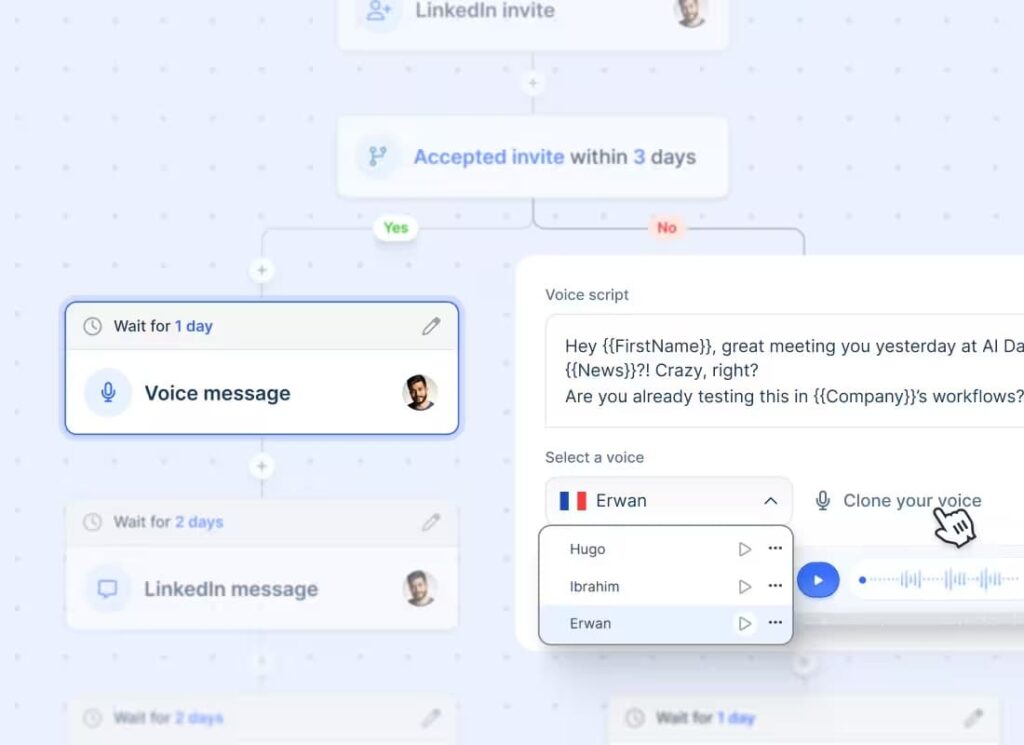
Lemlist is a multichannel outreach platform covering email, LinkedIn, calling, and WhatsApp, with a built-in lead database, AI personalization, and email deliverability tools baked into one tool.
Best for: Sales reps and small teams that want email-first multichannel outreach without stitching together multiple tools.
Key features:
- Multichannel sequences: email, LinkedIn steps, calling, and WhatsApp in one workflow.
- Built-in lemwarm deliverability booster included on all paid plans.
- 600M+ lead database with email finder, phone finder, and waterfall enrichment.
- AI personalization with liquid syntax, custom images, and video thumbnails.
- Intent signals add-on: website visits, hiring signals, LinkedIn engagement.
- Chrome extension for prospecting directly from LinkedIn or Gmail.
- Unified multichannel inbox across all channels.
Pros:
- One of the more complete stacks for the price. Database, sequencing, deliverability, and personalization in one prospecting tool.
- Access to Lemwarm to stay out of spam.
- Flexible credit-based add-on system means you only pay for enrichment you actually use.
Cons:
- Credit system for enrichment adds unpredictability to monthly costs if your team is doing high-volume prospecting.
- LinkedIn automation is less robust than dedicated LinkedIn tools. Connection request limits and sequencing logic lag behind specialist platforms.
- Some features might be overkill for some sales teams.
What users say:
“The platform provides impressive flexibility for multi-channel outreach, making it simple to test different strategies.” – G2 reviewer.
“I wish lemlist had stronger reporting and analytics tailored to large teams so managers could get clearer campaign breakdowns.” – G2 reviewer.
Pricing:
- Email Pro from ~$91/user/mo (monthly).
- Multichannel Expert from ~$126/user/mo (monthly).
- Enterprise custom.
- 14-day free trial on Multichannel Expert plan.
Integrations:
- HubSpot.
- Salesforce.
- Pipedrive.
- Zapier.
- Make.
- Clay.
- Aircall.
- Ringover.
Data/compliance notes: GDPR compliant. EU and US billing available. SOC 2 alignment noted.
Setup time: Fast. First campaign live within a few hours including deliverability setup.
Alternatives:
- Instantly (better for pure high-volume cold email play).
- Expandi (stronger LinkedIn automation).
- Apollo.io (larger contact database, possibly weaker sequencing).
- Other Lemlist alternatives.
4. Salesloft
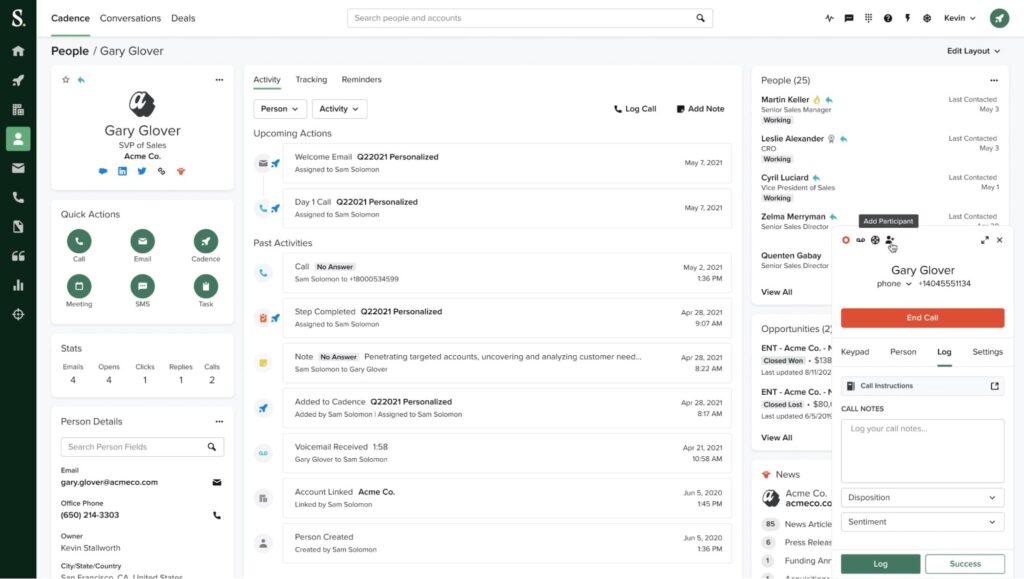
Salesloft is an enterprise sales engagement and revenue orchestration platform covering cadences, conversation intelligence, deal management, and forecasting in one system.
Best for: Mid-market and enterprise sales teams that need a unified platform for managing the full sales cycle, from prospecting cadences through to pipeline forecasting, with CRM as the system of record.
Key features:
- Cadence builder for multi-step, multi-channel outreach sequences.
- Conversations: AI-powered call recording with summaries, coaching insights, and keyword tracking.
- Deals: pipeline tracking and opportunity management with health scoring.
- Revenue forecasting on Premier plan.
- CRM sync with Salesforce and HubSpot.
- AI-driven next-best-action recommendations.
- Analytics and rep performance dashboards.
Pros:
- One of the most complete sales engagement platforms on the market, covering cadences, calls, deal management, and forecasting natively.
- Conversation intelligence is strong. Teams using it for coaching report meaningful improvements in ramp time.
- Deep Salesforce integration is a genuine differentiator for enterprise Salesforce shops.
Cons:
- Pricing is opaque and negotiation-dependent. Expect $125-180+/user/mo before add-ons, with the dialer priced separately on both plans
- No free trial, which creates friction for teams evaluating alongside cheaper alternatives
- Users consistently flag CRM sync delays and dialer reliability issues as ongoing problems
What users say:
“What I like most about Salesloft is how easy it makes organizing and automating daily prospecting tasks without losing the personal touch” – G2 reviewer.
“At times, the platform feels a bit overwhelming when you’re just trying to handle simple tasks quickly, like making small cadence edits or tracking one-off activities.” – G2 reviewer.
Pricing:
- Custom, quote-required.
- Market estimates say you can expect to pay $125 to $180+ per user per month. No free trial.
Integrations:
- Salesforce.
- HubSpot.
- Microsoft Dynamics.
- LinkedIn.
- ZoomInfo.
- Gong.
- Slack.
- Outreach.
Data/compliance notes: SOC 2 Type II. GDPR compliant. Enterprise-grade SSO and security controls.
Setup time: Long. Enterprise deployment with CRM configuration typically 2-4 weeks.
Alternatives:
- Outreach (comparable enterprise feature set).
- Apollo.io (lower cost with sequencing + database).
- HubSpot Sales Hub (for teams already in the HubSpot ecosystem).
3 Tools to enrich and verify data
Enrichment tools fill the gaps in your contact and account records. They verify emails before you send, append missing firmographic data, and pull from multiple providers to maximize coverage.
If you’re building lists from LinkedIn or working with raw exports, enrichment is what turns names into actionable outreach data.
1. Clay
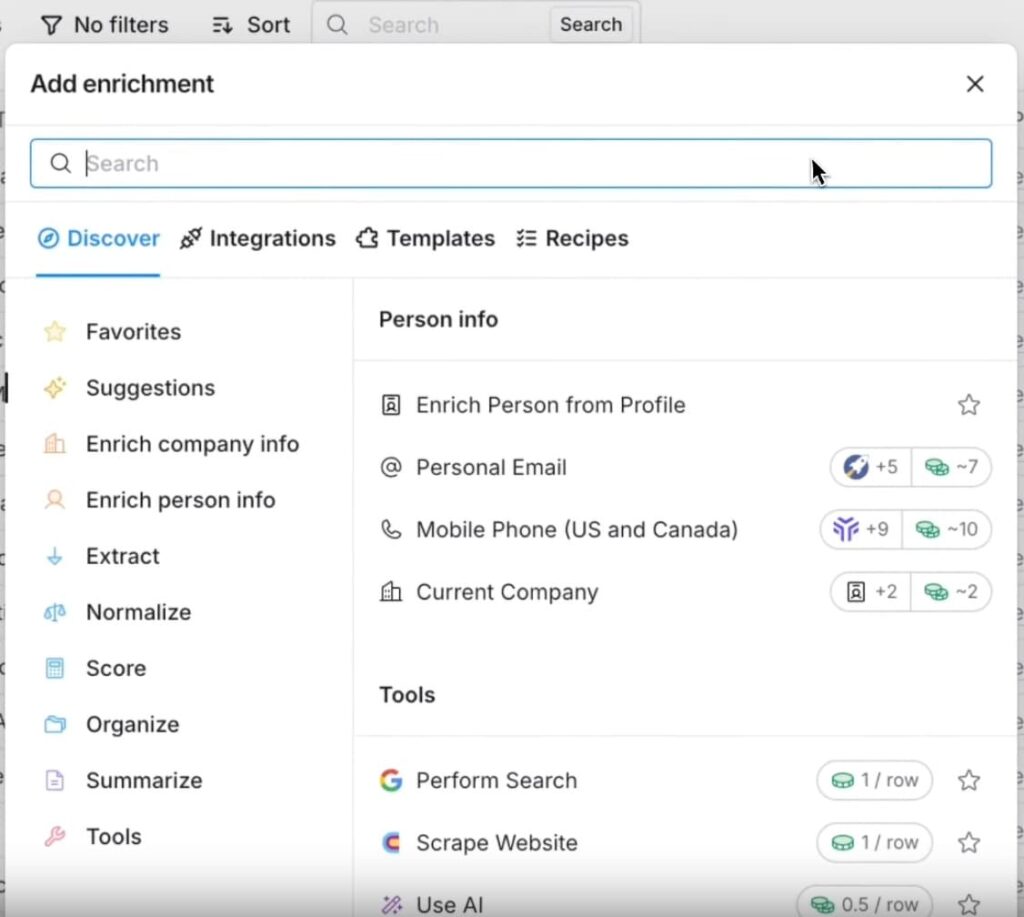
Clay is a data enrichment and workflow automation platform that pulls from 100+ data providers simultaneously to build and enrich prospect lists, then pushes them into your outreach tools.
Best for: RevOps teams, GTM engineers, and growth-focused agencies that need multiple individual data providers.
Key features:
- Waterfall enrichment: queries multiple providers in sequence until a valid result is found, charges credits only on success.
- 100+ data provider integrations including ZoomInfo, Cognism, Clearbit, LinkedIn, and more.
- Claygent: AI web scraping agent that pulls custom research from any website.
- Native integrations with outreach tools including Outreach, Salesloft, Instantly, and Lemlist.
- CRM integrations (Salesforce, HubSpot) on Pro plan and above.
- List building from LinkedIn, Google Maps, GitHub, CRMs, and more is free.
- AI-powered personalization fields for generating custom variables at scale.
Pros:
- Clay finds the cheapest valid source per data point.
- Connects to providers you already pay for via API key at no extra credit cost.
- Claygent unlocks custom data points that no database carries, making hyper-personalization at scale actually achievable.
Cons:
- Steep learning curve. Teams without a RevOps engineer or dedicated Clay operator typically underuse it.
- Credit costs can compound fast on high-volume enrichment without careful workflow design.
- Not a sequencing tool. Clay builds and enriches the list; you still need a separate platform to send.
What users say:
“This is a very powerful platform which really assist organization to identify the right population to be targeted without much effort. Finding the right person, businesses or companies through its AI searches have been made very easy.” – G2 reviewer.
“The same flexibility that makes Clay powerful can also make it intimidating at first. There’s definitely a learning curve, especially if you’re not familiar with enrichment logic or building workflows.” – G2 reviewer.
Pricing:
- Free plan available with limited credits.
- Paid plans start at $149/mo (Starter) at 2,000 credits/mo.
Integrations:
- HubSpot.
- Salesforce.
- Outreach.
- Salesloft.
- Instantly.
- And many other prospecting and outreach tools.
Data/compliance notes: GDPR aligned. Passes through compliance responsibility to underlying data providers. Teams should verify individual provider compliance for EU prospecting.
Setup time: Moderate to long. Simple workflows can be built quickly. Complex enrichment pipelines with custom Claygent logic typically take several days to configure properly.
Alternatives:
- Apollo.io (simpler all-in-one with built-in database, less flexible).
- ZoomInfo (single-provider enrichment at enterprise scale).
- Expandi + Sales Navigator (for LinkedIn-specific scraping, enrichment, and outreach without the technical overhead).
2. Clearbit / Breeze Intelligence
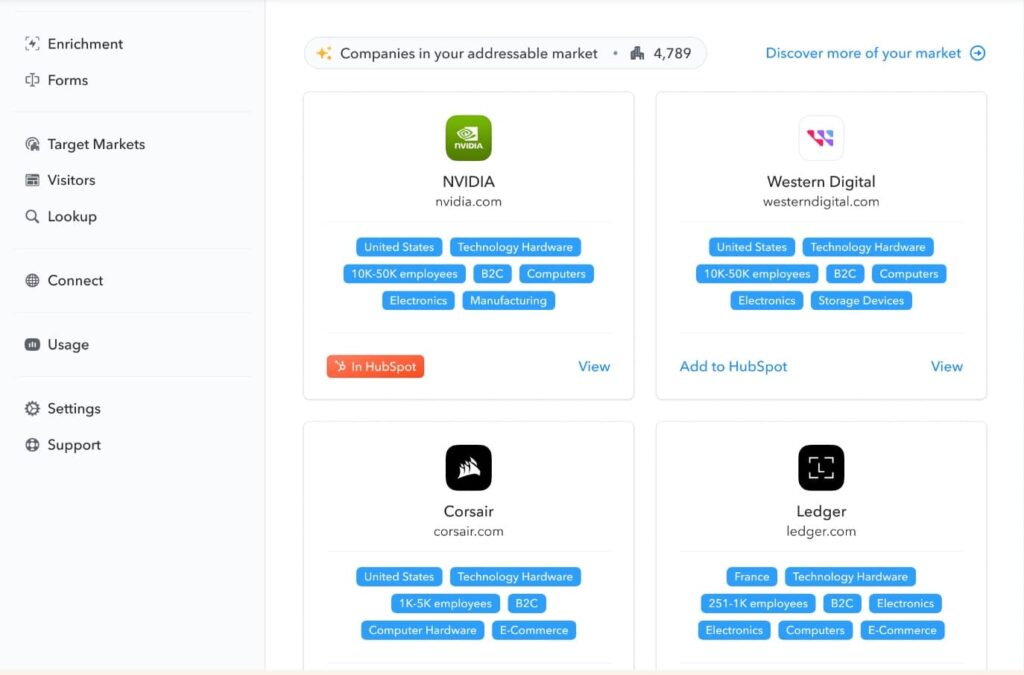
Clearbit was acquired by HubSpot in late 2023 and rebranded as Breeze Intelligence in 2024. It now operates primarily as HubSpot’s native data enrichment layer, covering company and contact enrichment, buyer intent signals, and form shortening directly within the HubSpot platform.
Best for: HubSpot-native teams that want real-time enrichment, intent data, and form optimization without adding another tool to their stack.
Key features:
- Real-time contact and company enrichment using 200+ attributes.
- Buyer intent: identifies companies visiting your website and flags accounts showing research activity.
- Form shortening: auto-fills known HubSpot contact fields to reduce form friction and increase conversion.
- Enrichment triggers: auto-enrich records when new contacts enter HubSpot.
- Data health scoring on existing CRM records.
- 200M+ company and contact records in the underlying database.
Pros:
- Native HubSpot integration removes all the sync headaches that come with third-party enrichment tools.
- Buyer intent plus form shortening plus enrichment in one product makes it a strong fit for inbound-heavy teams
- Pricing is credit-based within HubSpot, making it accessible without a separate contract
Cons:
- More useful if HubSpot is your CRM.
- Data coverage outside North America is noticeably thinner, less reliable for EMEA or APAC-focused teams.
- Credit consumption for enrichment at scale can get expensive quickly, particularly for large CRM databases.
What users say:
“Clearbit provides rich, accurate company and contact data that helps sales teams better understand and segment prospects. Its real-time enrichment and seamless CRM integrations improve data quality, enable more targeted outreach, and reduce manual research effort.” – G2 reviewer.
“From my perspective, I found Clearbit’s platform to have a bit of a learning curve. It took me some time to navigate and fully utilize its features effectively.” – G2 reviewer.
Pricing:
- Credit-based, purchased within HubSpot.
- Breeze Intelligence requires a paid HubSpot subscription, minimum $30/mo. Credits start at $45 for 100 credits.
Integrations: HubSpot only (native). No standalone integrations.
Data/compliance notes: GDPR compliant under HubSpot’s data processing framework. US-centric data origins; EU data coverage is improving but still secondary.
Setup time: Fast for HubSpot users. Activation and first enrichment typically within the same day.
Alternatives:
- Clay (more flexible enrichment across any CRM or outreach stack).
- ZoomInfo (broader database for enterprise teams).
- Apollo.io (combined database and sequencing outside the HubSpot ecosystem).
3. Hunter.io
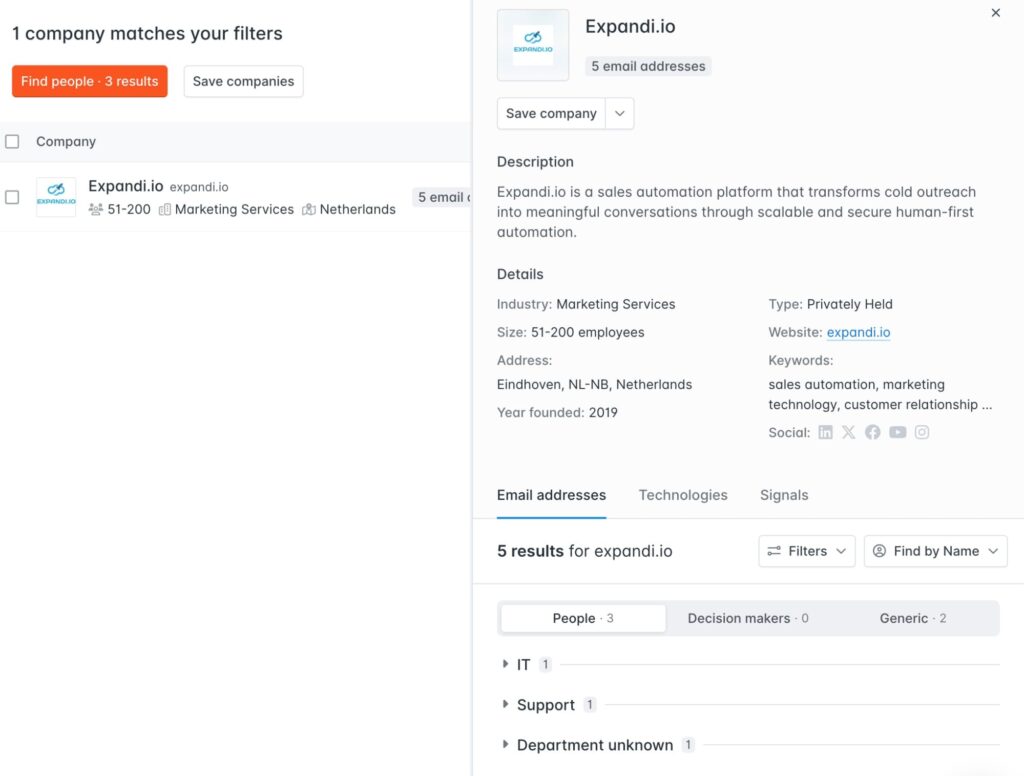
Hunter.io is an email finding and verification platform that helps sales and marketing teams locate professional email addresses by domain, name, or company, with a built-in sequencing tool and growing B2B lead database.
Best for: Small to mid-sized teams that primarily need accurate email finding and verification at an accessible price point, without the overhead of a full sales engagement platform.
Key features:
- Domain Search: find all email addresses associated with a company domain.
- Email Finder: find a specific contact’s email address by name and company.
- Email Verifier: real-time verification with auto-verification on all paid plans.
- Discover: B2B lead database with advanced filters on paid plans.
- Sequences: built-in cold email tool with AI writing assistant and inbox rotation.
- Signals: intent data showing companies researching relevant topics.
- Browser extension and Google Sheets add-on for workflow integration.
Pros:
- One of the best email verification and prospecting tools on the list, outperforming most competitors on smaller and mid-sized company domains based on published benchmarks.
- Unlimited team members on all plans, including free, with shared credit pools.
- Clean, low-overhead tool. Teams can get value from it in minutes without a training investment.
Cons:
- Database coverage is narrower than Apollo or ZoomInfo, particularly for phone numbers and direct dials.
- Sequences functionality is basic compared to dedicated email outreach tools. Works for simple campaigns, not complex multi-branch workflows.
- Intent Signals are limited on lower plans (20 signals/mo on Starter), requiring Scale plan for meaningful volume.
What users say:
“What I appreciate most about Hunter is its straightforwardness and dependability. The tool delivers exactly what it promises, without introducing any unnecessary complications.” – G2 reviewer.
“Hunter’s data feels too surface level… especially if you’re doing multi step outreach, org mapping, persona filtering, SDR style precision prospecting, or if you actually need volume at scale.” – G2 reviewer.
Pricing:
- Free plan with 50 credits.
- Pricing ranges from $56/mo (Starter, billed monthly) to $345/mo (Scale).
- Enterprise pricing is custom.
Integrations:
- HubSpot.
- Salesforce.
- Pipedrive.
- Zapier.
- Google Sheets.
- API, browser extension.
Data/compliance notes: GDPR compliant. Data sourced from public web indexing. Strong transparency around data sourcing practices via their public “Our Data” page.
Setup time: Immediate. Free plan active on signup, first domain search takes seconds.
Alternatives:
- Apollo.io (broader database with native sequencing).
- Clay (for better, waterfall enrichment across multiple providers).
Lusha (for direct dial and mobile number coverage).
3 Tools to manage pipeline (CRM and lead routing)
A CRM is where prospecting data lands and deals get tracked. The right one depends on your team size, sales motion, and how much customization you need. The three below cover the most common setups in B2B sales.
1. HubSpot CRM
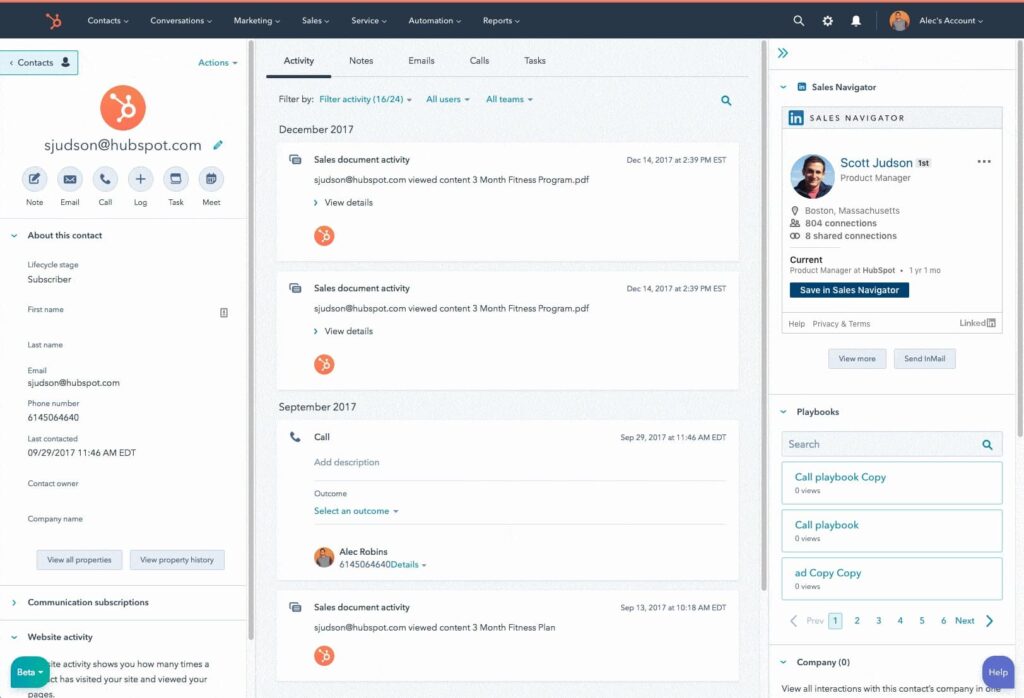
HubSpot CRM is a cloud-based customer relationship management platform that connects marketing, sales, service, and data in one system, with a free tier that gives teams a functional starting point before scaling into paid Sales Hub features.
Best for: SMB to mid-market teams that want a full-stack CRM with strong marketing automation and a low barrier to entry.
Key features:
- Contact and deal management with customizable pipelines.
- Sales Hub sequences: automated follow-up cadences from within the CRM.
- Meeting scheduler, email tracking, and call logging baked in.
- Breeze Intelligence: AI-powered contact and company enrichment, buyer intent signals, and form shortening (credit-based add-on).
- Native marketing, service, and content hubs for full-stack GTM teams.
- Robust reporting and custom dashboards across all hubs.
- 1,500+ native integrations via HubSpot’s App Marketplace.
Pros:
- Pipelines, contact management, and basic email tracking work out of the box at no cost
- Best-in-class all-hub integration means marketing, sales, and service teams share a single record without third-party sync headaches
- Onboarding resources and HubSpot Academy make it one of the faster platforms to get a new team up and running
- Especially useful if already using other HubSpot ecosystem tools.
Cons:
- Cost scales fast as you add seats and hubs. A mid-market team on Sales Hub Professional with Marketing Hub quickly exceeds $1,000/month.
- Sequences and automation on lower tiers are limited. Teams doing serious outbound need Professional tier or above.
- Breeze Intelligence credit costs for enrichment at scale can add meaningful overhead on top of base plan pricing.
What users say:
“I appreciate that it allows me to automate reach out cadences with multiple types of touchpoints, like calls, automated emails, and LinkedIn InMail.” – G2 reviewer.
“Some features feel locked behind higher tiers, so you quickly run into upgrade prompts when you want more advanced reporting, automation, or permissions.” – G2 reviewer.
Pricing:
- Free plan available (up to 2 users).
- Sales Hub Starter from $15/seat/mo (billed annually) or $20/seat/mo (monthly).
- Professional Customer Platform $1,300/mo (billed annually) or $1,450/mo (billed monthly).
- Enterprise Customer Platform $4,300/mo (billed annually) or $4,700/mo (billed monthly).
Integrations:
- Over 2,000+ native and third-party integrations.
Data/compliance notes: GDPR compliant. SOC 2 Type II. HIPAA available on Enterprise. Breeze Intelligence data follows HubSpot’s data processing framework.
Setup time: Fast for basic CRM. Moderate for Sales Hub Professional with sequences and automation. Full multi-hub implementation can take several weeks.
Alternatives:
- Pipedrive (simple, more sales-focused, lower cost for outbound teams).
- Salesforce (more powerful for complex enterprise workflows).
- Expandi + Sales Navigator (for teams focused primarily on LinkedIn outreach rather than full CRM).
2. Pipedrive
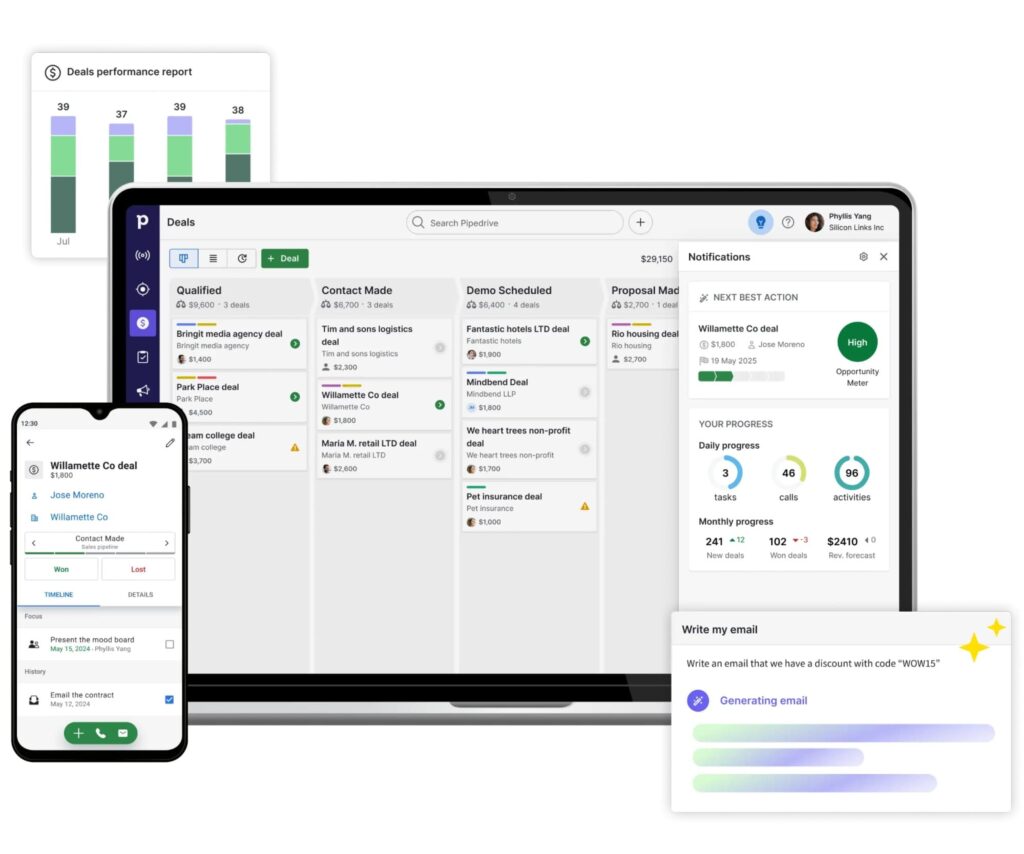
Pipedrive is a sales-focused CRM built around visual pipeline management, designed to help reps move deals forward with minimal admin overhead and maximum focus on selling activities.
Best for: SMB sales teams of 3-50 that need a clean, intuitive CRM for managing deals and outbound follow-up without the complexity and cost of HubSpot or Salesforce.
Key features:
- Visual deal pipeline with drag-and-drop deal management.
- Full email sync with tracking on Growth plan and above.
- Sequences: automated email nurture workflows with follow-up tasks.
- AI Sales Assistant: activity suggestions and deal health nudges.
- Revenue forecasting and subscription tracking on Premium and above.
- LeadBooster and Projects bundled from Premium tier.
- 400+ integrations plus open API.
Pros:
- Built from the salesperson’s perspective rather than a manager’s reporting dashboard.
- Pricing is among the most transparent in the CRM space. Four clear tiers, no hidden feature gates beyond what’s published.
- Visual pipeline makes it easy to spot stuck deals, which is where most teams lose revenue.
Cons:
- Sequences and automation require Growth plan minimum. Lite plan is too stripped down for most active outbound teams
- No free plan, only a 14-day trial, which limits evaluation for smaller teams on tight budgets.
- Add-ons like Campaigns and Web Visitors stack up quickly. Real monthly cost for a 5-person team with add-ons can be 2x the base plan.
What users say:
“I find Pipedrive easy to use and user-friendly, which makes navigating my sales process a breeze. It’s aesthetically pleasing, so it’s not overwhelming when I look at it. It’s very easy to complete tasks, helping me stay organized.” – G2 reviewer.
“The reporting and analytics, while useful for basic insights, can feel somewhat limited when trying to build more advanced or highly customized reports.” – G2 reviewer.
Pricing:
- Lite $14/seat/mo (annual) or $19/mo (monthly).
- Growth $39/seat/mo (annual) or $49/mo (monthly).
- Premium $49/seat/mo (annual) or $64/mo (monthly).
- Ultimate $69/seat/mo (annual) or $99/mo (monthly).
- 14-day free trial on all plans.
Integrations:
- HubSpot.
- Salesforce.
- Slack.
- Zoom.
- Zapier.
- Expandi.
- And 400+ other B2B prospecting tools.
Data/compliance notes: GDPR compliant. SOC 2 Type II. EU and US data hosting available.
Setup time: Fast. Most teams have a working pipeline within a day. Sequence setup and CRM configuration typically takes 2-3 days.
Alternatives:
- HubSpot CRM (stronger if marketing automation matters as much as sales pipeline).
- Salesforce (for enterprise complexity).
- Apollo.io (if you want database + sequencing + light CRM in one tool).
3. Salesforce Sales Cloud
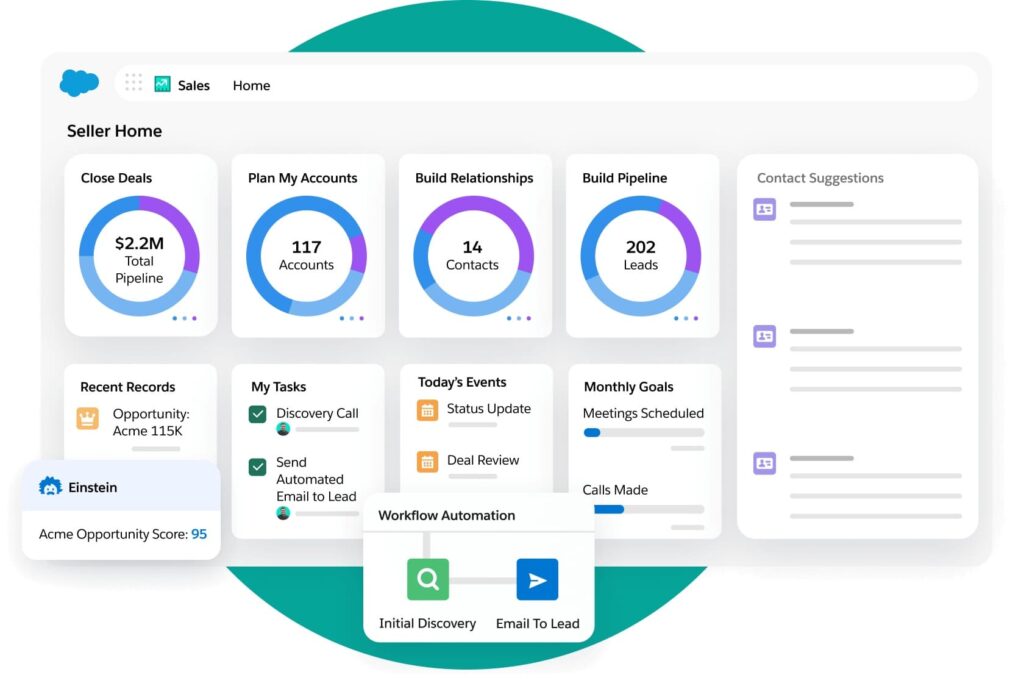
Salesforce Sales Cloud is the enterprise standard for CRM, providing deal management, forecasting, automation, and AI across complex, multi-team sales organizations with deep customization and integration capabilities.
Best for: Enterprise and upper mid-market sales teams with complex sales cycles, multiple products, large reps teams, and mature RevOps functions that need a CRM they can build their entire GTM process on top of.
Key features:
- Fully customizable objects, fields, workflows, and pipeline stages.
- Advanced forecasting with opportunity scoring and pipeline health analytics.
- Einstein AI: predictive lead scoring, deal insights, and next-best-action recommendations.
- Agentforce: AI agent layer for automated sales tasks, available on Enterprise and above.
- AppExchange: 5,000+ apps and integrations built specifically for Salesforce.
- Flow Builder: no-code automation builder for complex multi-step processes.
- Territory management, product catalogs, and CPQ for complex deal structures.
Pros:
- If your sales process is complex enough to need it, Salesforce matches customization depth and ecosystem breadth.
- AppExchange means almost every B2B tool in your stack has a native Salesforce integration.
- Enterprise-grade security, compliance certifications, and audit capabilities out of the box.
Cons:
- Expensive and time-consuming to implement correctly. Most teams need a Salesforce admin or consulting partner to get full value.
- Total cost of ownership is consistently underestimated. Implementation, admin time, licenses, and add-ons regularly push annual spend well above initial estimates
- Overkill for most sales teams with under 20 reps or straightforward pipeline.
What users say:
“What I like best about Salesforce Sales Cloud is its ability to centralize all customer and pipeline data in one structured, reliable system. It gives complete visibility into accounts, opportunities, activities, and forecasting, which makes sales tracking much more transparent and organized.” – G2 reviewer.
“The biggest drawback is complexity. Salesforce has a steep learning curve and often requires training or admin support to configure properly.” – G2 reviewer.
Pricing:
- Free suite with limited features for a maximum of 2 users.
- Starter Suite $25/user/mo.
- Pro Suite $100/user/mo.
- Enterprise $165/user/mo (billed annually).
- Unlimited $330/user/mo.
- Agentforce 1 Sales from $550/user/mo.
- 30-day free trial available.
Integrations:
- Largest ecosystem in the industry, with over 7,000-9,000+ apps on its AppExchange as of 2026
Data/compliance notes: GDPR, HIPAA, SOC 2 Type II, ISO 27001. Enterprise-grade trust and security infrastructure with a dedicated trust.salesforce.com transparency portal.
Setup time: Long. Basic setup takes days. Production-ready enterprise deployment typically 4-12 weeks with admin or partner involvement.
Alternatives:
- HubSpot CRM (easier to implement, better for inbound-heavy teams).
- Pipedrive (simpler pipeline management at lower cost).
- Microsoft Dynamics 365 (if already in the Microsoft ecosystem).
See here for more LinkedIn CRM options.
2 Tools to integrate everything (RevOps glue)
Last but not least, a well-chosen stack still fails if data stays siloed between tools.
RevOps automation tools connect your platforms without custom engineering, routing leads, syncing records, and triggering actions based on events across your stack. The two below are the most widely used for B2B sales workflows.
1. Zapier
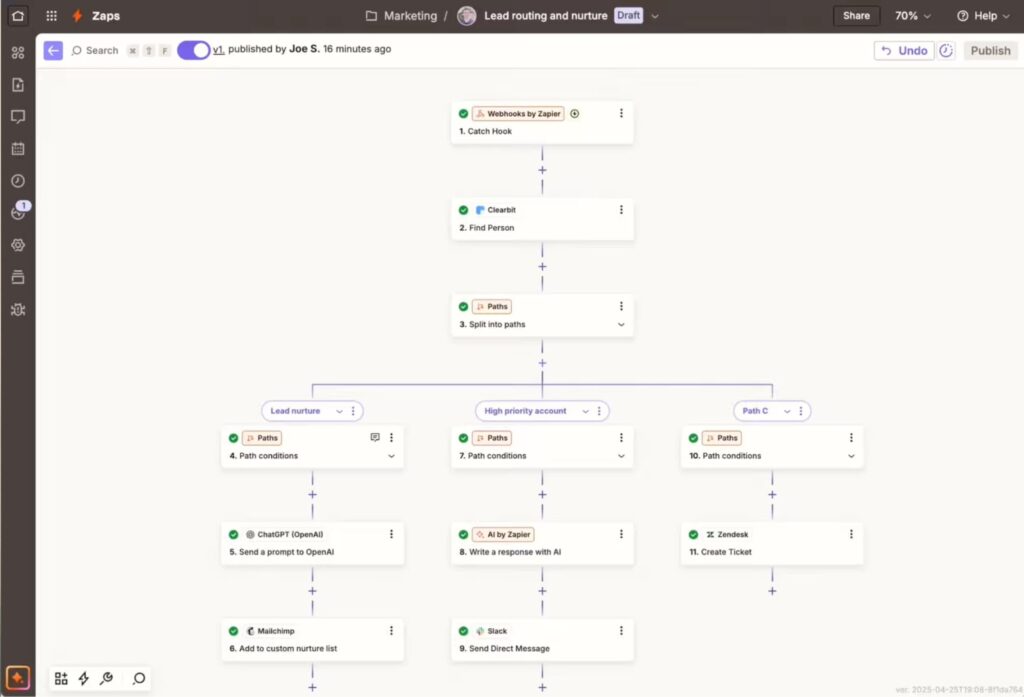
Zapier is a no-code automation platform that connects 8,000+ apps via trigger-action workflows, letting sales and RevOps teams automate data flows between prospecting, outreach, enrichment, and CRM tools without engineering support.
Best for: Sales ops, RevOps, and growth teams that need to automate repetitive data handoffs across their B2B stack.
Key features:
- 8,000+ app integrations with pre-built triggers and actions.
- Multi-step Zaps with conditional logic via Paths, Filters, and Formatter.
- Zapier Tables: built-in database for storing and processing automation data.
- Zapier Forms: data capture that feeds directly into automated workflows.
- Zapier Agents: AI agents that can take autonomous actions across connected apps.
- Pay-per-task overage billing so Zaps don’t stop when you hit your limit.
Pros:
- Largest app library in automation. If your tools exist, Zapier almost certainly connects them.
- No-code builder means sales ops teams can build and maintain automations without developer involvement.
- Filters, Formatter, and Paths steps are free and don’t count toward task limits, making complex logic cheaper than it looks on paper.
Cons:
- Task-based pricing compounds fast for high-volume workflows. Teams running thousands of lead routing automations daily need to watch usage carefully.
- For complex data transformation or multi-condition business logic, teams often hit the limits of what no-code can handle and need Make or a developer.
- Free plan (100 tasks/mo) and Professional plan ($29.99/mo for 750 tasks) are realistically only enough for light use.
- Can be intimidating if you don’t have the right skills.
What users say:
“I really like Zapier’s ability to seamlessly connect different apps that typically don’t integrate with each other, turning disconnected tools into one cohesive and efficient ecosystem.” – G2 reviewer.
“Getting used to Zapier can be challenging for some people. It can feel heavy or overwhelming at the beginning, especially if you’re not very familiar with tech in general.” – G2 reviewer.
Pricing:
- Pricing depends on how many tasks you need per month. 14-day free trial on paid plans.
- Free plan (100 tasks/mo).
- Professional $29.99/mo (750 tasks).
- Team $103/mo (2,000 tasks, up to 25 users).
- Enterprise custom.
Integrations:
- 8,000+ apps including every major CRM, outreach, enrichment, and prospecting tool in the B2B stack.
Data/compliance notes: SOC 2 Type II. GDPR compliant. Enterprise plan adds SSO, SCIM provisioning, and advanced data governance controls.
Setup time: Immediate. Simple two-step Zaps can be live in minutes. Complex multi-step workflows with custom logic typically take a few hours to build and test.
Alternatives:
- Make.com (more powerful for complex multi-step workflows, lower cost per operation at scale).
- n8n (self-hosted option for teams with developer resources and strict data sovereignty needs).
- native CRM automations (for teams whose workflows stay within a single platform).
2. Make
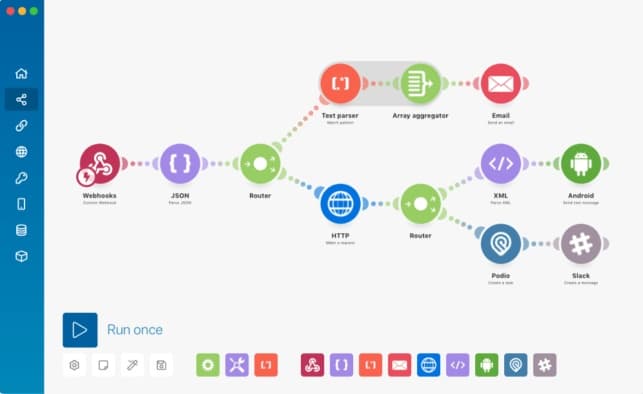
Make (formerly Integromat) is a visual automation platform that lets teams build complex, multi-step workflows connecting 3,000+ apps, with more processing flexibility and lower per-operation costs than Zapier for teams running high-volume or logic-heavy automations.
Best for: RevOps engineers, growth teams, and agencies building sophisticated multi-step automations.
Key features:
- Visual scenario builder with drag-and-drop module connections.
- Credit-based billing where each module action consumes one credit, with AI and complex operations consuming more.
- 3,000+ pre-built app integrations maintained to enterprise security standards.
- Make AI Agents: build autonomous AI agents that act across your connected apps.
- MCP server: connects AI tools to Make scenarios from any platform.
- Custom JavaScript and Python execution via Make Code App on paid plans.
- Subscenarios: chain scenarios together for modular, reusable workflow architecture.
Pros:
- Credit-based pricing at volume is significantly cheaper than Zapier’s task pricing for high-throughput automations.
- More powerful data transformation and routing logic than Zapier without needing custom code.
- Free plan (1,000 credits/mo) can be useful for testing, with no time limit.
Cons:
- Steeper learning curve than Zapier. The visual builder is powerful but complex scenarios require more setup time and logic understanding.
- Smaller app library than Zapier (3,000+ vs 8,000+), which occasionally means using HTTP requests for niche integrations instead of pre-built connectors.
- AI-powered operations consume credits at a variable rate, making cost forecasting on AI-heavy workflows less predictable.
What users say:
“Make is a perfect application for entering the world of automation when small and medium-sized businesses have a clear understanding of their most critical processes.” – G2 reviewer.
“Make is a bit more complicated to use than something like Zapier. I’ve found non-technical users tend to struggle with using Make when compared to something like Zapier.” – G2 reviewer.
Pricing:
- Depends on credits per month.
- Free plan (1,000 credits/mo, no time limit).
- Core $10.59/mo for 10,000 credits.
- Pro $18.82/mo for 10,000 credits.
- Teams $34.12/mo for 10,000 credits.
- Enterprise custom.
- All plans scale with credit volume. Annual billing saves 15%+.
Integrations:
- 3,000+ apps including Salesforce, HubSpot, Pipedrive, Apollo, Clay, Expandi, and many other major B2B tools.
Data/compliance notes: GDPR compliant. Hosted on AWS in EU and North America. SOC 2 alignment. Enterprise plan includes audit logs, SSO, and advanced security controls.
Setup time: Moderate. Simple scenarios live within hours. Complex multi-scenario workflows with custom logic and subscenarios typically take 1-3 days to build and test properly.
Alternatives:
- Zapier (easier to use, larger app library, better for simple automations).
- n8n (self-hosted for full data control).
- Clay (for enrichment-specific automation workflows in the prospecting stack).
Choosing The Right B2B Prospecting Tool
With 20 tools across six workflow categories, the right choice depends on your specific motion, market, and stack. Work through these before committing to anything.
- Define your ICP first. Geography drives tool selection. Selling into Europe means you need GDPR-native tools with strong EMEA coverage. US-focused teams can often get by with lighter options like Apollo or Hunter.io.
- Map your required channels. Buy for the channels you actually use, not the ones you plan to add. LinkedIn-only teams need Expandi and Sales Navigator. Phone-heavy teams need verified direct dials from Cognism or ZoomInfo.
- Check compliance requirements. If you’re reaching contacts in the EU, verify lawful basis for data processing before signing any contract. It’s the step teams skip most and regret later.
- Match the pricing model to your team. Per-seat, credit-based, and flat-fee models behave differently at scale. Agencies should weight per-account pricing. High-volume email teams benefit most from flat-fee tools.
Most teams need three to four tools at most:
- One to find contacts (e.g. Apollo, ZoomInfo, LinkedIn Sales Navigator).
- One to reach out (e.g. Expandi, Instantly, Lemlist).
- One CRM (e.g. HubSpot, Pipedrive, Salesforce).
- And optionally one enrichment or intent layer (e.g. Clay, Bombora, Dealfront).
Build that core before adding anything else.
If you’re running LinkedIn outreach as part of your main prospecting mix, Expandi is worth testing.
It scrapes LinkedIn search results and Sales Navigator lists directly into campaigns, runs smart if-this-then-that sequences that adapt based on how prospects respond, and combines LinkedIn steps with email follow-ups in one workflow.
Talk to an expert to see if Expandi is right for you, or claim your free, 14-day trial here.





You’ve made it all the way down here, take the final step