11 Best Apollo Alternatives in 2026 (Pricing + Use Cases)

The best Apollo alternatives depend on which part of Apollo is letting you down. If the data bounces or the credit math stops adding up, you need a different database.
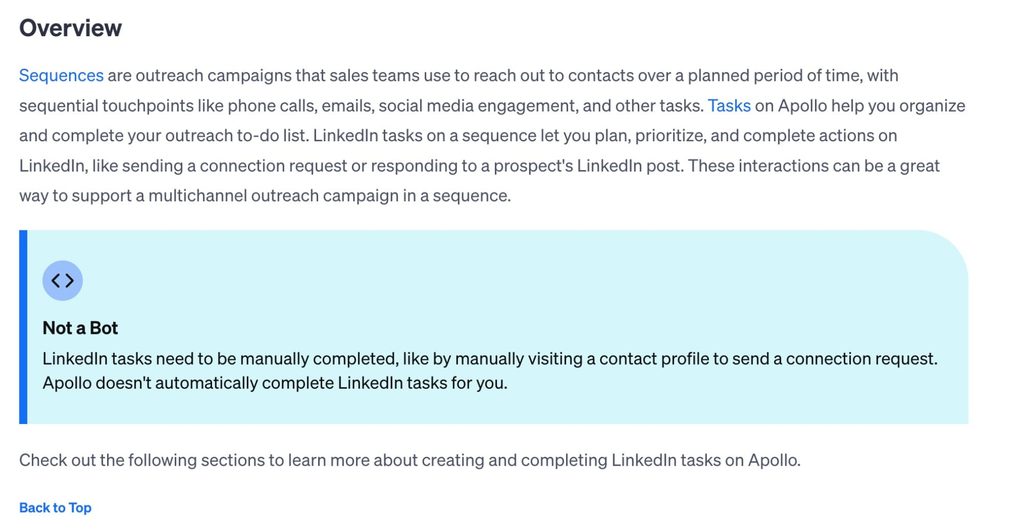
If LinkedIn is your main channel, you need a tool that runs LinkedIn outreach, since Apollo’s LinkedIn steps are reminders a rep completes by hand. Plenty of teams keep Apollo for contact data and add one specialist tool.
We compared 11 options against live pricing pages, G2 reviews, and our own LinkedIn outreach data.
Here’s what we’ll cover:
- A side-by-side table of all 11 tools, with prices checked in 2026.
- What changed at Apollo in 2026, and the four reasons teams look elsewhere.
- When to replace Apollo and when to run a second tool next to it.
- Tool-by-tool breakdowns grouped by the job you need done.
- A quick decision guide, plus answers on credits, pricing, and LinkedIn.
Key Takeaways
- Apollo still suits teams that want contact data, email sequences, and a dialer on one bill. Teams leave over bouncing data, manual LinkedIn steps, credit costs, and paying for features outside their workflow.
- Replace Apollo when the data itself fails you. Add a tool next to it when the data works and a channel is missing.
- For contact data, ZoomInfo fits enterprise budgets, Cognism fits European markets, and UpLead, Lusha, and LeadIQ fit smaller teams. Instantly handles cold email volume, and RB2B identifies website visitors.
- Expandi runs the LinkedIn side: export your Apollo contacts as a CSV, upload the file, and let connection requests and follow-ups run inside safe daily limits.
11 Best Apollo Alternatives in 2026 (Pricing + Use Cases)


Apollo alternatives at a glance
Here’s how the 11 Apollo alternatives and competitors compare on the job each one does best, the outreach channels it covers, and its entry price as of 2026.
Apollo sits in the first row as the baseline.
The last column shows which tools automate LinkedIn outreach, the channel where Apollo relies on manual tasks.
| Tool | Best for | Outreach channels | Starting price (monthly billing) | Free plan or trial | Native LinkedIn automation |
|---|---|---|---|---|---|
| Apollo (baseline) | Data and email sequences on one bill | Email, calls, manual LinkedIn tasks | $65/seat/mo | Free plan, 14-day trial | No |
| Expandi | Automated LinkedIn outreach | LinkedIn, email | $99/mo per account | 7-day trial | Yes |
| LinkedIn Sales Navigator | Research inside LinkedIn | LinkedIn InMail | $119.99/mo (Core) | Free trial | No |
| ZoomInfo | Enterprise data and intent | Email, phone | Custom quote | Free trial | No |
| Cognism | European data, verified mobiles | Data only | Custom quote | None listed | No |
| Lusha | Quick lookups for small teams | Email sequences | $49.90/mo | Free plan | No |
| UpLead | Accuracy-guaranteed lists | Data only | $99/mo | 7-day trial | No |
| Seamless.AI | Real-time contact search | Data, prospecting automation | Custom quote | Free (50 credits) | No |
| Hunter.io | Email finding and verification | €49/mo | Free plan | No | |
| LeadIQ | Capturing leads from LinkedIn | Data only | $20/mo | Free plan, 30-day trial | No |
| Instantly | High-volume cold email | $47/mo | None listed | No | |
| RB2B | Identifying US website visitors | Slack and Teams alerts | $79/mo | Free plan, 7-day trial | No |
Prices are the lowest published paid tier on each vendor’s pricing page in 2026. Each tool section below links the page we checked.
How we evaluated these Apollo competitors
We judged every tool the way a Head of Sales or RevOps lead choosing a stack would, with agency owners running multiple clients as a second lens.
We checked each one against the same five criteria, reading each vendor’s live pricing page and help docs in 2026 and comparing the LinkedIn side against our own outreach data:
- Data accuracy: how fresh and verified the contact data is, and what reviewers report.
- Channel coverage: which outreach channels the tool runs itself, with extra weight on LinkedIn.
- Pricing transparency: whether the entry price is published, and how credits or seats change it.
- Account safety: for anything touching LinkedIn, how the tool keeps activity within safe limits.
- Setup time: how fast a team gets from sign-up to a live list or campaign.
What is Apollo, and what changed in 2026?
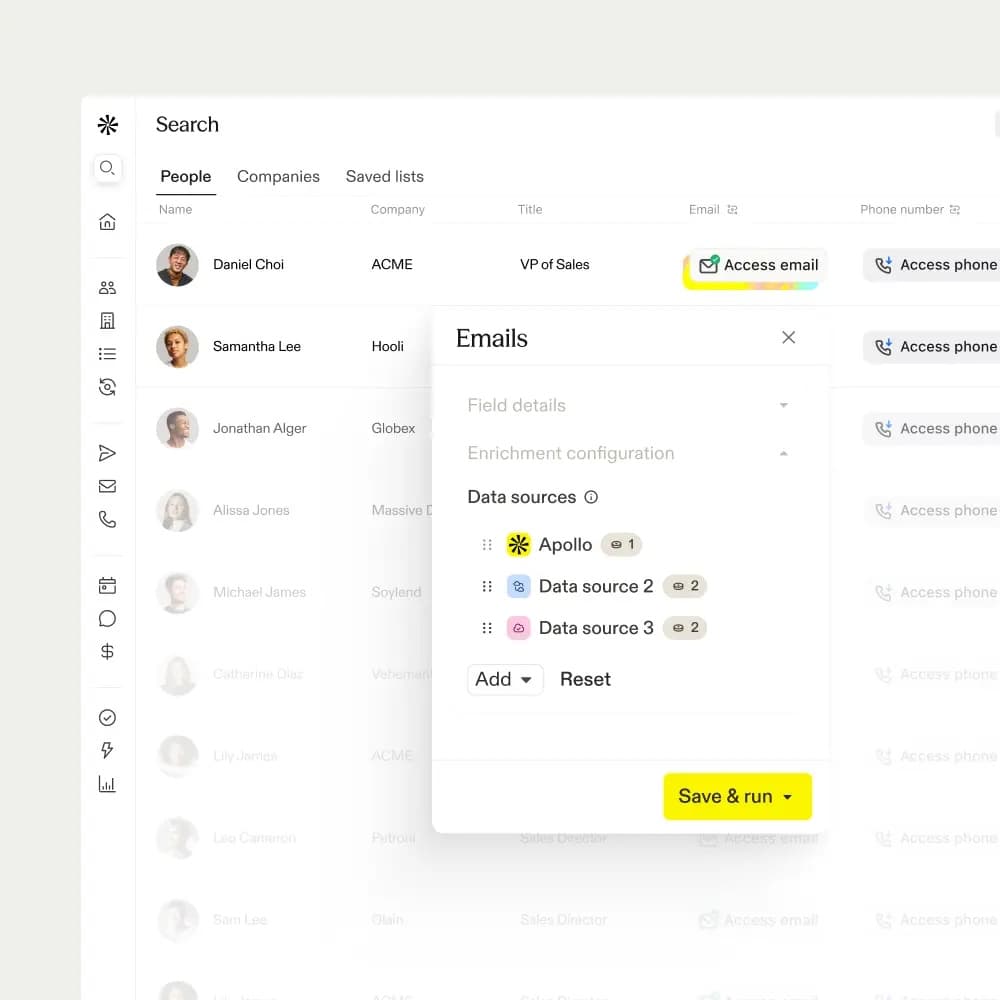
Apollo is a sales platform that combines a B2B contact database, email sequences, a dialer, and call recording.
Its homepage lists 240M+ contacts and 30M+ accounts, and in 2026 it repositioned as an AI GTM system: agents research accounts, build lists, write outreach, and book meetings, and its Apollo Anywhere layer runs inside Claude, ChatGPT, and your CRM.
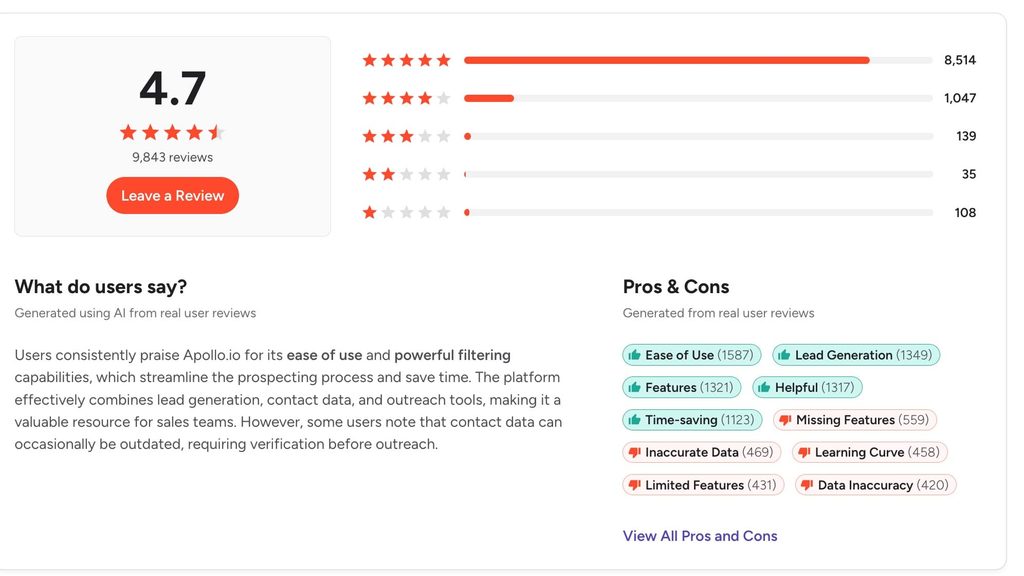
Apollo holds a 4.7 out of 5 rating across 9,843 Apollo reviews on G2, and its mix of data and sequencing puts it in the sales engagement tools category.
Apollo charges per seat and meters data through credits.
Paid plans run from $65 per seat per month on Basic ($49 billed annually) to $149 on Organization ($119 billed annually), alongside a free plan with 900 credits per seat per year.
An email costs 1 credit, a phone number costs 8, and unused credits expire at the end of each billing cycle. Every seat on an account sits on the same plan, so one rep who needs Professional features moves the whole team up.
Why teams look for an Apollo alternative
Teams move to Apollo.io alternatives for four reasons:
- Contact data that bounces.
- LinkedIn steps that need a human to finish them.
- Credit costs that climb with phone numbers.
- Paying for a whole AI system to use one part of it.
G2’s summary of Apollo reviews counts 469 mentions of inaccurate data and 458 mentions of a steep learning curve.
1. Contact data that bounces or goes stale
When a contact changes jobs before the record updates, the email bounces and the credit spent revealing it is gone.
Mannu, a Sales and Partnership Manager, wrote in a 2026 G2 review: “So far, roughly a third of the contact information I’ve used has been invalid, which impacts outreach effectiveness and requires extra manual verification.”
2. LinkedIn steps that still need a human
Apollo’s own help center is plain about its LinkedIn steps: “Apollo doesn’t automatically complete LinkedIn tasks for you.” Each step becomes a reminder, and a rep sends the request and writes the message by hand, which caps volume at what one person can work in a day.
Kacey M., an Account Executive, noted in a 2026 G2 review that Apollo changed “the LinkedIn capability to add people to sequences one profile at a time rather than a mass add.”
3. Credit costs that climb with phone numbers
A Basic seat includes 30,000 credits a year, or 2,500 a month. At 9 credits for an email plus a phone number, that covers about 277 fully revealed contacts a month before you buy more, and add-on credits renew every cycle until you remove them.
Kartik M., a Strategic Account Lead, put it bluntly in a 2026 G2 review: “Credits disappear faster than free pizza at a tech startup.”
4. Paying for the whole system to use one part of it
Apollo bundles data, sequences, a dialer, call recording, workflows, and AI agents. A team that only needs data, or only one channel, still buys the bundle at the plan level its most demanding user needs.
Arman S., a content creator, described the user side in a 2026 G2 review: “…because the platform includes so many features and filters, the user interface can feel a bit overwhelming at first.”
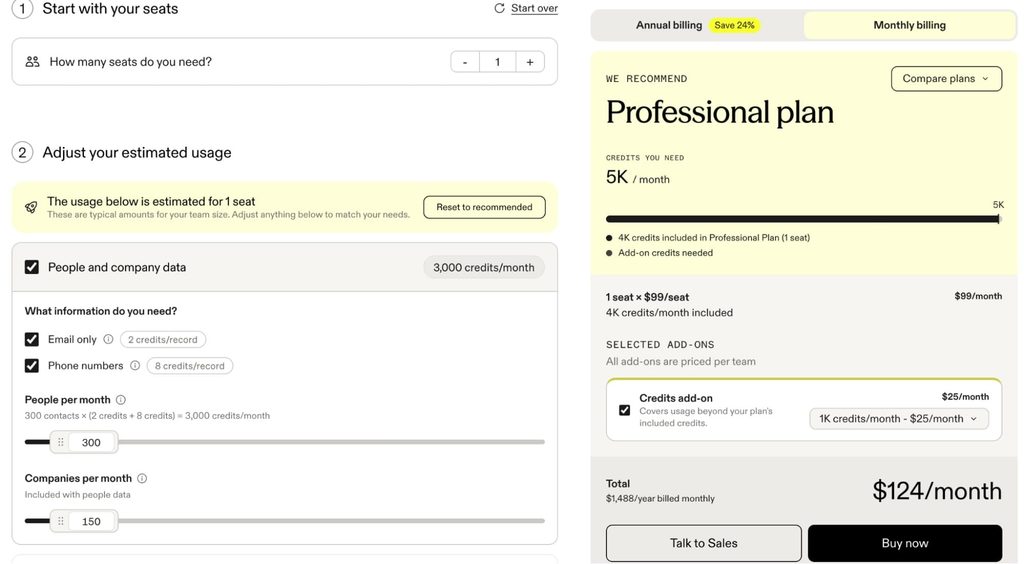
See Apollo’s pricing calculator which adjusts based on your needs.
Replace Apollo or add to it?
Replace Apollo when its data is the problem: bounces, thin coverage in your region, or credit costs that outgrow your budget.
Keep Apollo and add a tool when the data works and a channel is missing. In that setup, Apollo finds the contacts and a dedicated tool runs the channel Apollo handles least well.
Michal Jackowski, founder of ZenABM, a tool that de-anonymizes LinkedIn engagement and feeds it into your CRM, described that split in a GTM Society interview:
“You can basically find everyone on LinkedIn most of the time. You can use tools like Apollo, et cetera, to basically find relevant email addresses, use [Smartlead] to send also relevant email campaigns.”
Michal Jackowski, ZenABM
The same split works for LinkedIn. Apollo runs email and calls itself, but its LinkedIn steps are manual tasks, so the list can go to a tool that sends on LinkedIn for you.
Apollo’s CSV export includes a Person LinkedIn URL field, and exporting contacts you’ve already saved uses no credits, so an Apollo export can go straight into Expandi as a LinkedIn lead list.
Expandi, our LinkedIn outreach platform, is one tool built for that handoff, and moving an Apollo list into it takes five steps:
- Save the contacts you want under Search > People in Apollo.
- Open Edit export CSV settings and include Person linkedin url.
- Export the records and download the file.
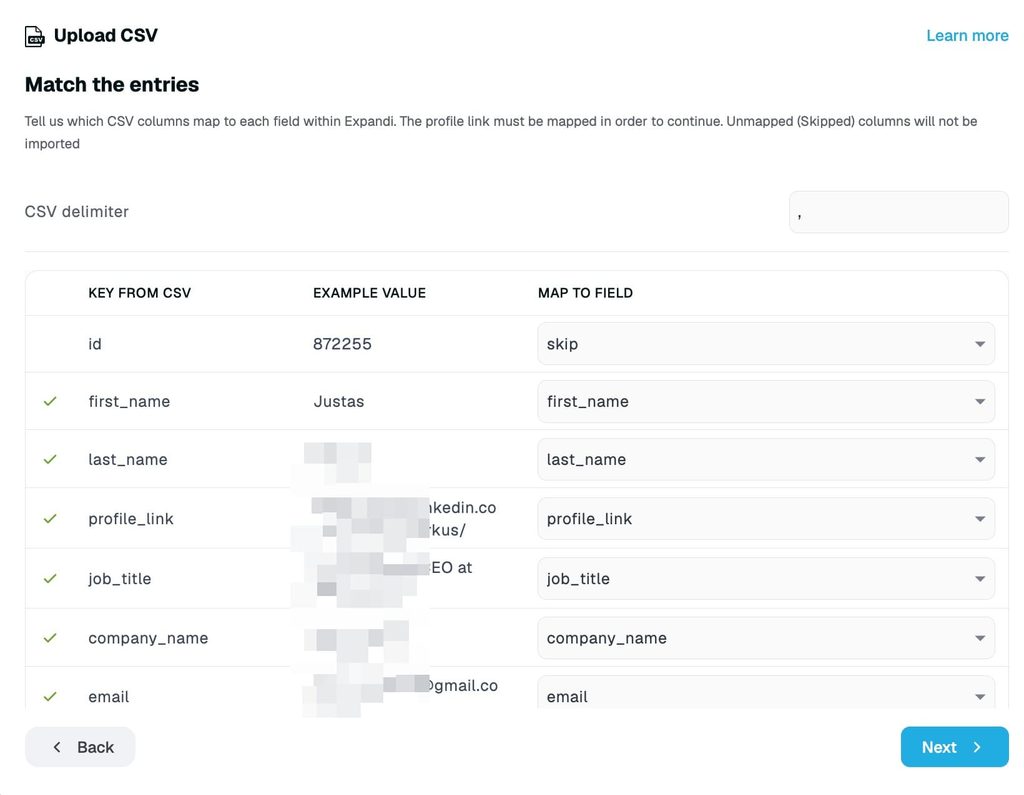
- Rename the Person linkedin url column to profile_link.
- Upload the file as a CSV lead list or into a campaign.
The profile_link column is the only column Expandi requires, and names, titles, and companies fill in when Expandi visits each profile. Files cap at 5,000 rows and 5 MB, and localized links such as linkedin.de get rejected, so check the column before you upload.
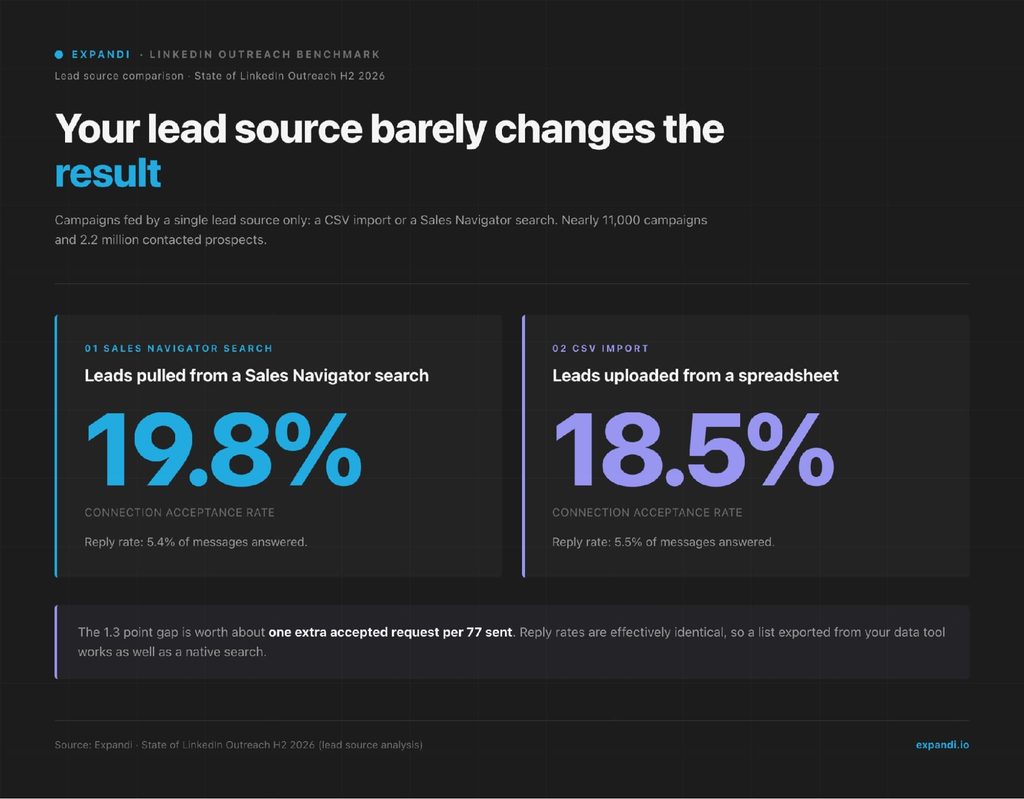
An exported list works about as well as a native LinkedIn search.
In our State of LinkedIn Outreach H2 2026 report, campaigns built from CSV imports accepted at 18.5% against 19.8% for Sales Navigator searches, across nearly 11,000 campaigns and 2.2 million contacted prospects, and reply rates came out identical.
If you’d rather sync than upload, Expandi connects natively to HubSpot, Pipedrive, and Salesforce, and to other tools through webhooks and Zapier, all listed on our integrations page.
Best Apollo alternatives for LinkedIn outreach
These two tools cover LinkedIn, the channel where Apollo relies on manual tasks.
Expandi automates the outreach, and Sales Navigator handles the research.
1. Expandi
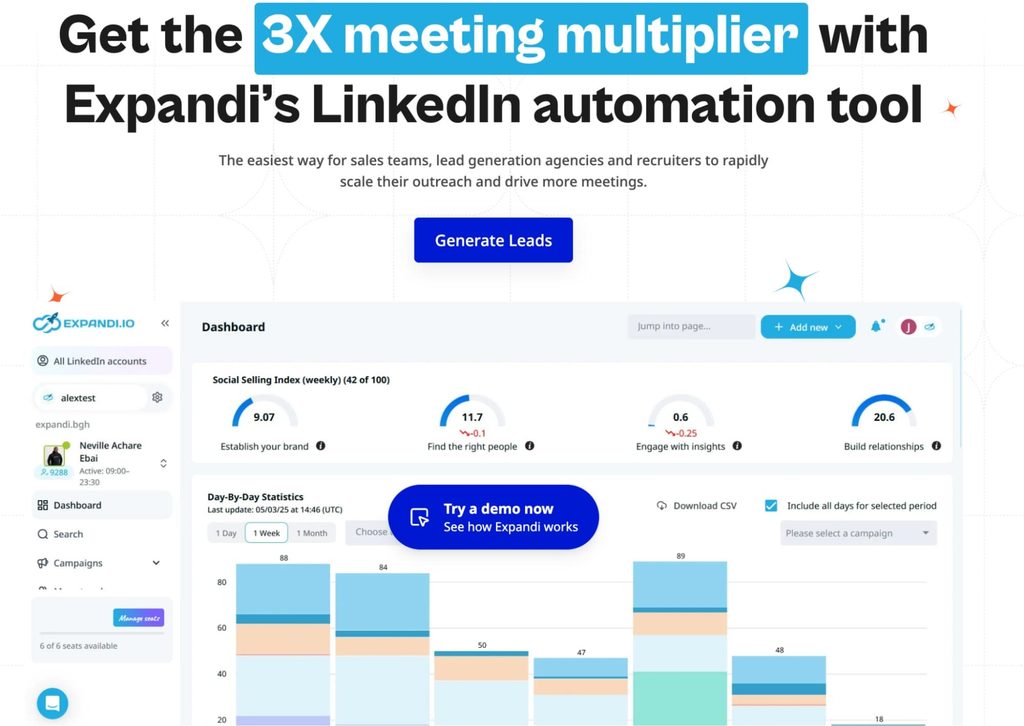
Expandi is our cloud-based LinkedIn outreach platform, and it covers the channel Apollo leaves to manual tasks.
Where an Apollo LinkedIn step waits for a rep, Expandi sends the connection requests, follow-ups, profile visits, and InMails itself, from a dedicated country-based IP per account, around the clock.
Of the LinkedIn marketing tools on the market, Expandi is built for outreach, and it runs on top of whatever data tool you already use, Apollo included.
LinkedIn is worth automating on response alone. Across 13.2 million connection requests sent through Expandi between 2025 and 2026, 28.5% were accepted and 10.4% of outbound messages got a reply, per our H2 2026 data.
Salescout, an agency that runs LinkedIn as its main channel, reported $250,000+ in pipeline and 6+ new demos within three weeks of moving to Expandi.
“With Expandi, I basically have a team of sales development reps working for me 24/7, 365 days a year. They never sleep and are extremely good at getting the outcomes we seek to achieve, such as engagement bookings for demonstration meetings, among others.” Ryan O’Connor, Salescout
Best for: Heads of Sales, SDR teams, and agency owners who book meetings through LinkedIn and want it automated safely.
LinkedIn lead generation
Expandi builds lead lists straight from LinkedIn, one of the simplest ways to generate leads without buying a separate database.
Pull from LinkedIn and Sales Navigator searches, post engagement, groups, events, or a CSV such as an Apollo export or your own exported LinkedIn contacts, then filter by industry, job title, company size, and location.
LinkedIn outreach automation and campaign sequences
Expandi campaigns go well past connection requests.
A sequence can mix profile views, messages, InMails, email steps, and follow-ups, with conditions that pick the next step based on what the prospect does, such as accepting the request or opening an email. Smart Campaigns give you 20 actions and 11 conditions to build with, and the AI Analyzer drafts replies and sorts responses by interest.
LinkedIn safety and limits
LinkedIn caps activity without publishing the numbers, so Expandi keeps every account inside safe ranges to cut the risk of a restricted LinkedIn account: a dedicated country-based IP, auto warm-up, smart daily limits, and random delays between actions.
You approve what sends, inside your limits. Expandi MCP lets Claude or ChatGPT draft campaigns and replies, and nothing goes live until you approve it.
Pricing
- Free plan: none. 7-day free trial on the Business plan.
- Pricing starts from $79/mo per LinkedIn account billed annually ($99 billed monthly). The Agency plan for 10+ seats is custom-priced.
Pros
- Fully automated LinkedIn sequences with branching logic.
- Cloud-based, with warm-up and safety limits on every seat.
- Takes Apollo exports, Sales Navigator searches, and CSVs as lead sources.
Cons
- No built-in contact database, so email-first teams still need a data tool.
- Priced per LinkedIn account, so cost grows with your number of senders.
Expandi vs Apollo: which one is better?
Apollo finds contacts and runs email and calls. Expandi runs LinkedIn, sending the requests and follow-ups Apollo leaves as manual tasks.
If email is your main channel, Apollo covers more of your workflow on its own. If LinkedIn books your meetings, run both: Apollo for the list, Expandi for the sequence.
2. LinkedIn Sales Navigator
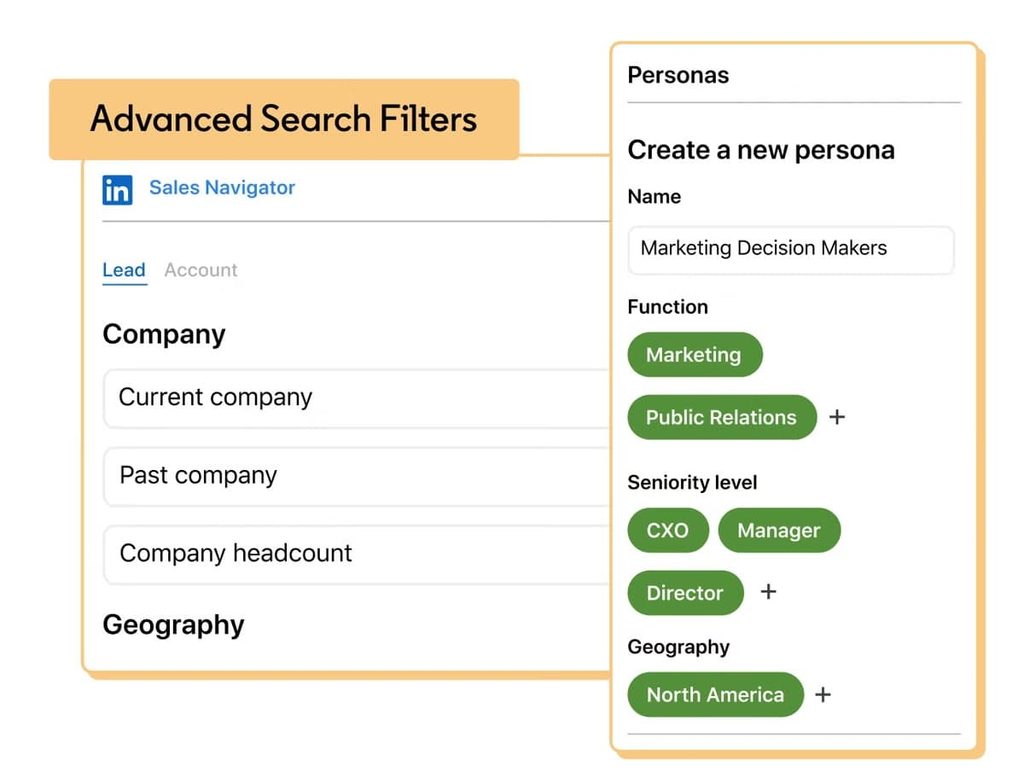
Sales Navigator is LinkedIn’s paid prospecting tool. It adds 50+ advanced search filters, lead and account lists, AI-powered Account IQ and Lead IQ summaries, buyer intent, and InMail on top of a regular LinkedIn account.
Our guide to using LinkedIn Sales Navigator covers search setup step by step.
Sales Navigator’s data comes straight from LinkedIn profiles, so job titles and companies stay as current as the profiles themselves.
Outreach stays manual, though: every connection request and message is sent by hand, one at a time.
Best for: Reps and account executives who prospect inside LinkedIn and want the freshest job-change data.
Key features
- Advanced search – 50+ filters across leads and accounts.
- Account IQ and Lead IQ – AI summaries of an account or lead that cut pre-call research.
- Buyer intent – flags accounts showing interest in your company.
- CRM integrations – sync with Salesforce, HubSpot, Microsoft Dynamics, and others on the higher plans.
- Team seat management – centralized billing and seat control as the team grows.
Pricing
- Free plan: none. Free trial available.
- Pricing starts from $119.99/mo for Core billed monthly, or $1,079.88 a year. Advanced costs $159.99/mo or $1,799.88 a year.
Pros
- Data comes straight from LinkedIn profiles.
- Strong filters for account research.
- Works as a lead source for LinkedIn automation tools.
Cons
- Every message and connection request is sent by hand.
- Higher per-seat cost than entry-level data tools.
Sales Navigator vs Apollo: which one is better?
Apollo gives you contact details and email sequences. Sales Navigator gives you fresher LinkedIn data and sharper search, while outreach stays manual.
- Pick Apollo if you need emails and phone numbers to work with.
- Pick Sales Navigator if your team sells through LinkedIn and wants the most current view of each account.
Either list can run through a LinkedIn automation tool like Expandi, which takes a Sales Navigator search URL or an Apollo CSV directly.
Best Apollo alternatives for contact data
These seven tools like Apollo cover the database side, and each one can replace Apollo’s contact data. Pick by region, budget, and whether you need phone numbers.
1. ZoomInfo
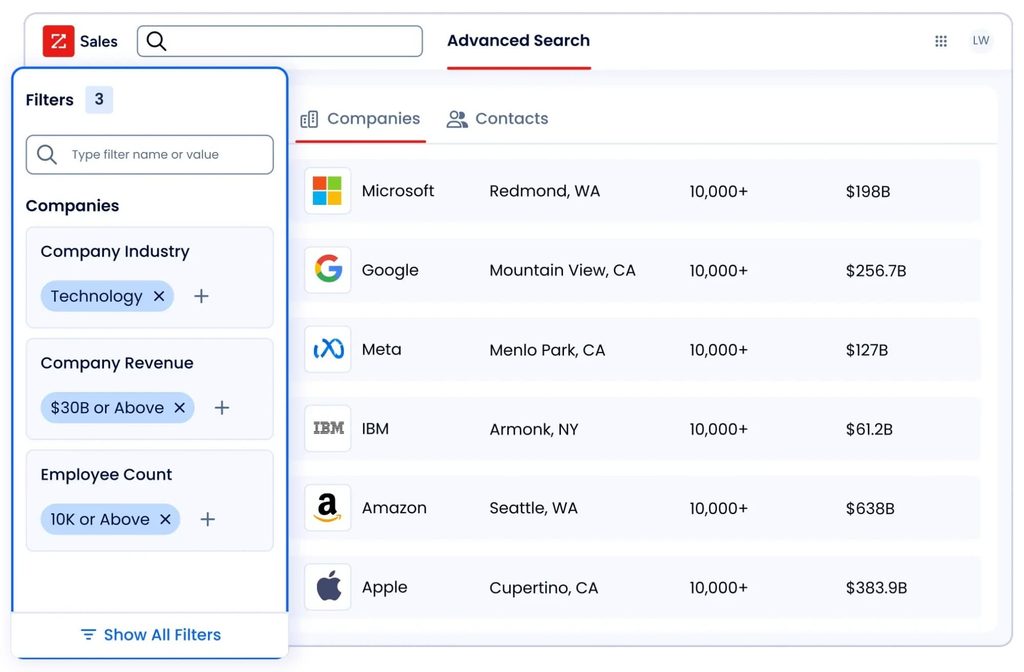
ZoomInfo is the enterprise standard for B2B contact and company data: business emails, direct dials, and mobile numbers, plus company insights and buying intent signals. Its Copilot tiers add AI account prioritization, website visitor identification, champion tracking, and automated workflows.
ZoomInfo’s pricing page shows a 4.5 out of 5 rating from 9,384 G2 reviews. Pricing is quote-only and based on licenses, credits, and add-ons, and each export of a contact or company profile uses one credit.
Best for: Heads of Sales and RevOps leaders at enterprise teams with budget for the deepest data and intent signals.
Key features
- Contact data – business emails, direct dials, and mobile numbers with company insights.
- Buyer intent – intent signals and clusters on Copilot Advanced and up.
- Website visitors – identifies the companies visiting your site.
- Champion tracking – alerts when your contacts change jobs, plus job posting changes.
- Chorus – conversation intelligence for recorded sales calls.
Pricing
- Custom quote based on seats, credits, and add-ons.
Pros
- Deep contact data with intent signals.
- Broad CRM and sales tool integrations.
- Conversation intelligence available in the same platform.
Cons
- No published pricing.
- Credits are consumed on every export.
ZoomInfo vs Apollo: which one is better?
Both tools sell contact data, intent signals, and engagement features in one platform. ZoomInfo goes deeper on enterprise data and intent and prices for enterprise budgets, while Apollo publishes its prices and starts at $65 a seat per month.
- For a small team, Apollo is the cheaper starting point.
- For an enterprise team whose reps live in Salesforce and need intent signals at scale, ZoomInfo is the stronger fit.
2. Cognism
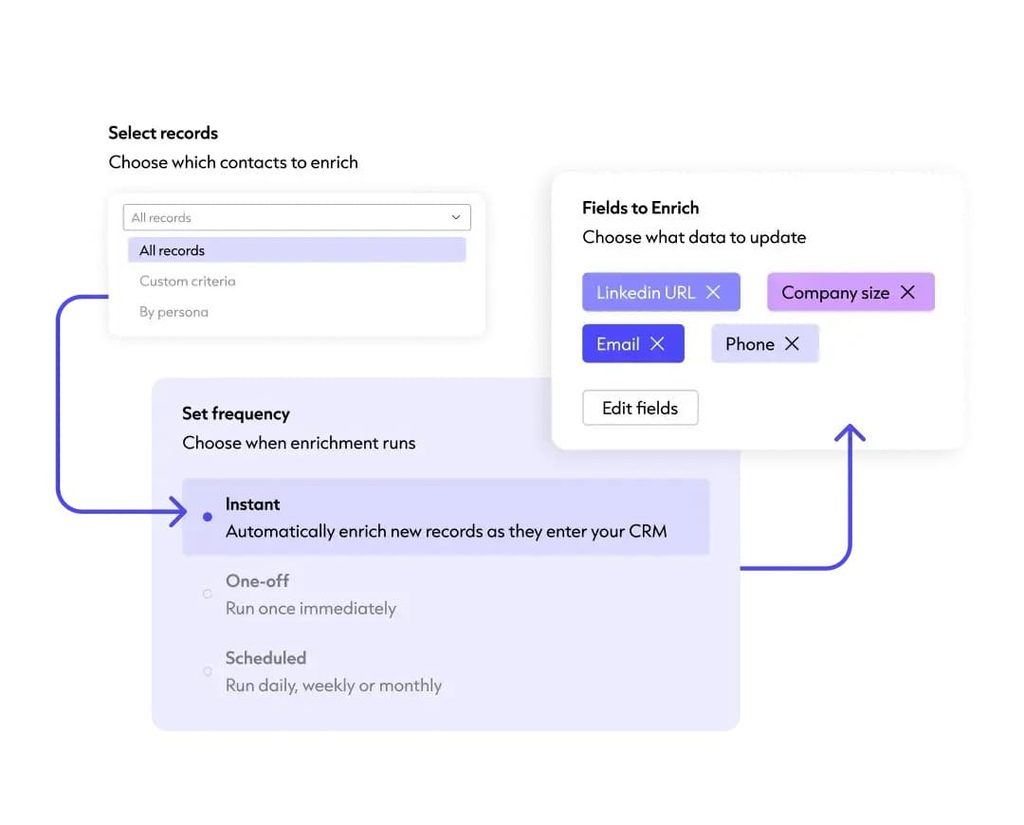
Cognism focuses on European B2B data, with phone-verified mobile numbers and GDPR compliance at the center of its pitch.
Cognism’s plans include list building on firmographic, technographic, and signal-based filters, AI account research, CSV enrichment, and MCP and API access.
If you’re weighing Cognism itself, our list of Cognism alternatives covers its rivals.
Best for: Teams prospecting into Europe that need mobile numbers that connect.
Key features
- Phone-verified data – mobile numbers verified for prospecting, with European coverage as the focus.
- Signal filters – firmographic, technographic, and signal-based filters for list building.
- AI research – account research inside the platform to refine searches.
- MCP and API – access Cognism data from AI tools and your own systems.
- CRM enrichment – an add-on that keeps CRM records up to date automatically.
Pricing
- Free plan: none.
- Pricing: Standard and Pro plans, each with 5 seats included, priced through a sales call.
Pros
- Strong European coverage.
- Phone-verified mobile numbers.
- Five seats bundled into every package.
Cons
- No published prices.
- Less relevant if your buyers are all in the US.
Cognism vs Apollo: which one is better?
In an Apollo vs Cognism comparison, Apollo is the better value for US-focused, self-serve teams.
Cognism earns its higher price when your buyers are in Europe and you need mobile numbers that connect, from data your legal team is comfortable with.
3. Lusha
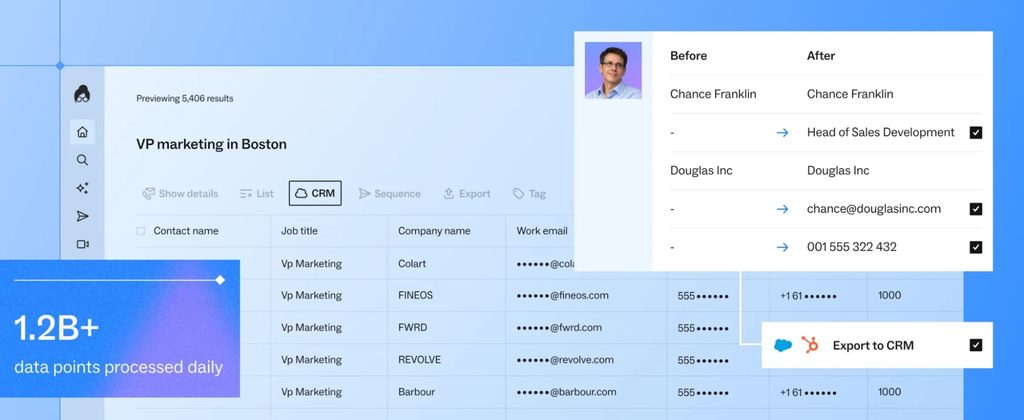
Lusha is a self-serve contact data platform with verified emails and phone numbers, basic and advanced filters, and automated email sequences on every plan.
Paid plans add contact and company lookalikes, bulk enrichment, an AI assistant, and buying intent topics.
Our breakdown of Lusha alternatives compares it with its closest rivals.
Best for: Small teams that want quick, self-serve lookups at a low entry price.
Key features
- Verified contact data – emails and phone numbers with basic and advanced filters.
- Email sequences – automated sequences included on every plan, Free too.
- Lookalikes – find contacts and companies similar to your best accounts.
- Bulk enrichment – enrich a full list in one pass.
- Buying intent – 5 buying intent topics from the Starter plan up.
Pricing
- Free plan: 40 credits a month and 1 seat.
- Pricing starts from $37.45/mo billed yearly, or $49.90/mo billed monthly, for 1 seat on Starter.
Pros
- Free plan with real contact data.
- Low entry price.
- Email sequences included.
Cons
- Starter includes 400 credits a month.
- One seat until the Pro plan.
Lusha vs Apollo: which one is better?
The two overlap heavily: data plus email sequences at a self-serve price. Apollo’s Basic plan includes 30,000 credits a year against 4,800 on Lusha Starter, so Apollo wins on volume, and Lusha wins on simplicity for a rep who only needs lookups.
Neither automates LinkedIn. A team that books meetings there pairs either one with a LinkedIn tool such as Expandi.
4. UpLead
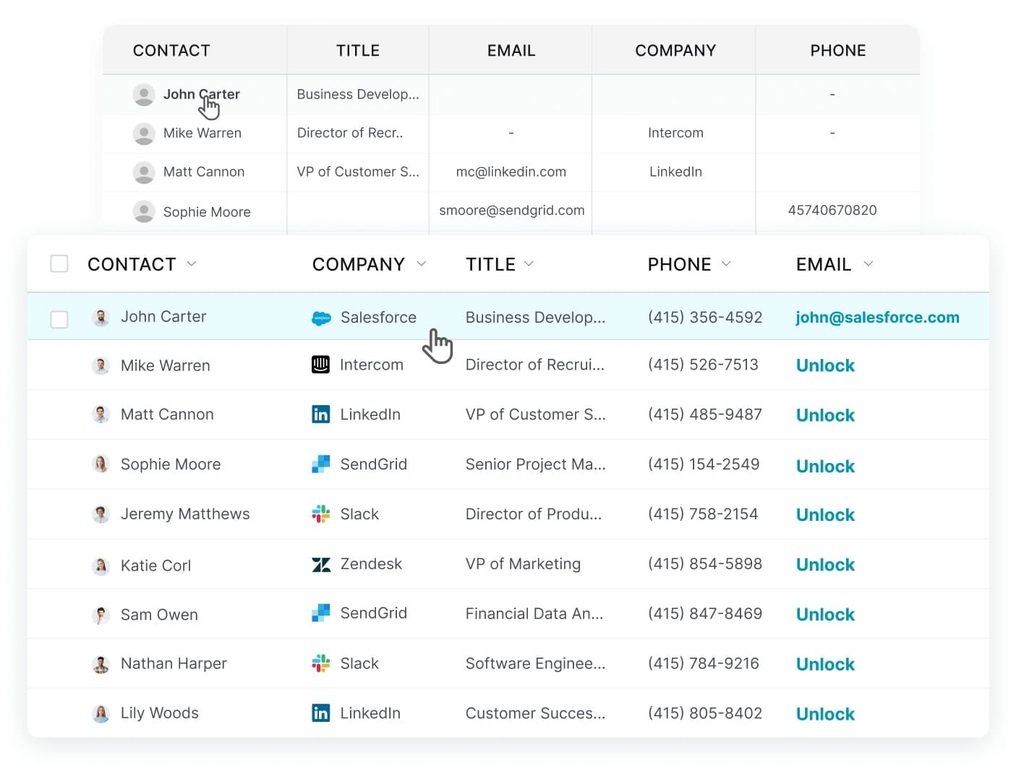
UpLead sells B2B contact data with real-time email verification and a 95%+ accuracy guarantee. UpLead’s homepage cites 200M+ leads, verified as you search and ranked by freshness.
Best for: Teams that value accuracy over database size.
Key features
- Real-time verification – emails checked as you search, before you spend a credit on outreach.
- Mobile numbers – included from the free trial up.
- Data enrichment – fills gaps in existing records on Plus and above.
- Technographics and advanced filters – available on the Plus plan.
- Buyer intent data – available on the Professional plan.
Pricing
- Free plan: none. 7-day free trial with 5 credits.
- Pricing starts from $99/mo for Essentials, with 170 credits a month.
Pros
- 95%+ accuracy guarantee.
- Simple monthly plans.
- Intent data on the top tier.
Cons
- Small credit allowance on Essentials.
- No outreach features.
UpLead vs Apollo: which one is better?
UpLead does one job: accurate contact data. Apollo does data plus sequencing at a lower cost per credit.
If bounces are why you’re leaving Apollo, UpLead’s guarantee addresses that directly, and you’ll need a separate sending tool.
5. Seamless.AI
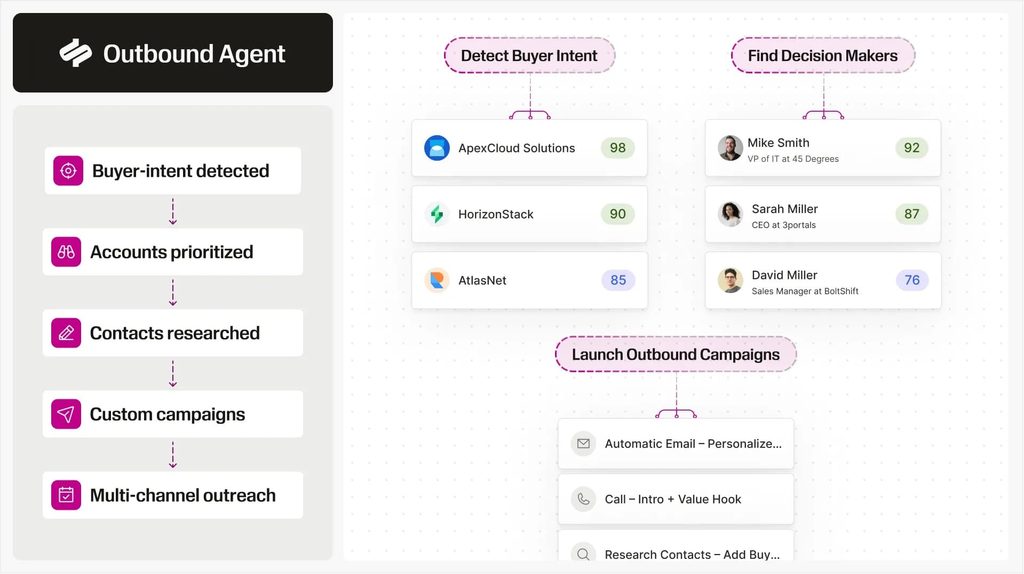
Seamless.AI searches for contact data in real time and adds buyer intent, job change tracking, CRM enrichment, and an Autopilot feature that turns intent into personalized outreach.
It sits alongside the other AI lead generation tools that build lists on demand.
Best for: Reps who want real-time lookups and job-change triggers.
Key features
- Real-time search – finds contact data as you prospect.
- Buyer intent – flags accounts showing buying signals.
- Job changes – tracks when your contacts move to a new company.
- CRM enrich – updates contact records inside your CRM.
- Autopilot – automates prospecting and outreach from intent signals.
Pricing
- Free plan: up to 50 credits.
- Pricing: custom quote through a pricing inquiry form.
Pros
- Free credits to test the data.
- Job-change and intent signals.
- CRM enrichment included.
Cons
- No public pricing.
- Paid plans require a sales conversation.
Seamless.AI vs Apollo: which one is better?
Seamless.AI focuses on finding fresh contact data on demand. Apollo pairs a stored database with sequences and a dialer at published prices.
Choose Seamless.AI for real-time lookups and job-change triggers, and Apollo for an all-in-one platform with pricing you can see upfront.
6. Hunter.io
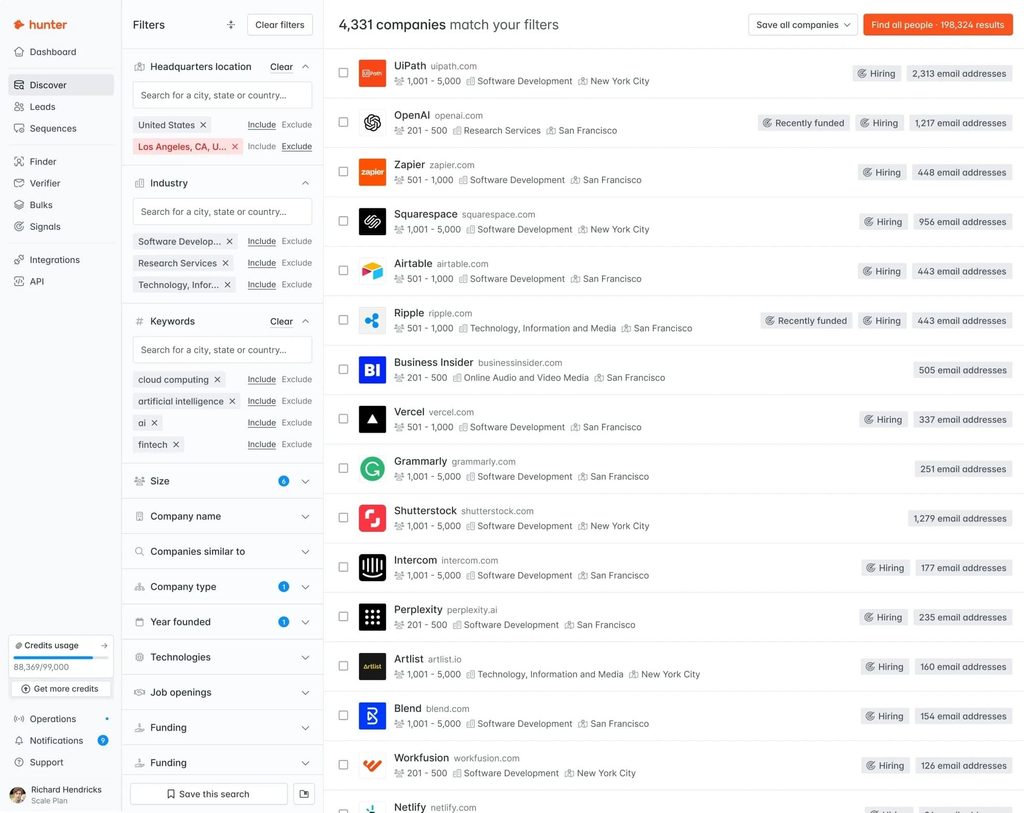
Hunter.io finds and verifies business email addresses by domain and sends cold email campaigns from the same account. Every plan includes unlimited users and auto-verified lead data, and the Discover database adds filters for building new lists.
Best for: Email-first teams that already know their target companies.
Key features
- Domain search and email finder – finds the email addresses behind a company domain.
- Email verifier – checks addresses before you send.
- Discover – a B2B database with filters and an AI assistant.
- Cold email sequences – connect a mailbox and send campaigns from Hunter.
- Signals – alerts based on activity from your existing leads.
Pricing
- Free plan: 50 credits a month and 1 connected email account.
- Pricing starts from €34/mo billed yearly, or €49/mo billed monthly, for Starter. Hunter lists its prices in euros.
Pros
- Generous free plan.
- Unlimited team members on every plan.
- Finding, verifying, and sending in one tool.
Cons
- Email is the only outreach channel.
- Prices listed in euros only.
Hunter.io vs Apollo: which one is better?
Hunter is the lighter, cheaper tool for email: find, verify, send. Apollo adds phone numbers, a dialer, and a much larger feature set.
If you only send email and already know your target accounts, Hunter covers the job for less.
7. LeadIQ
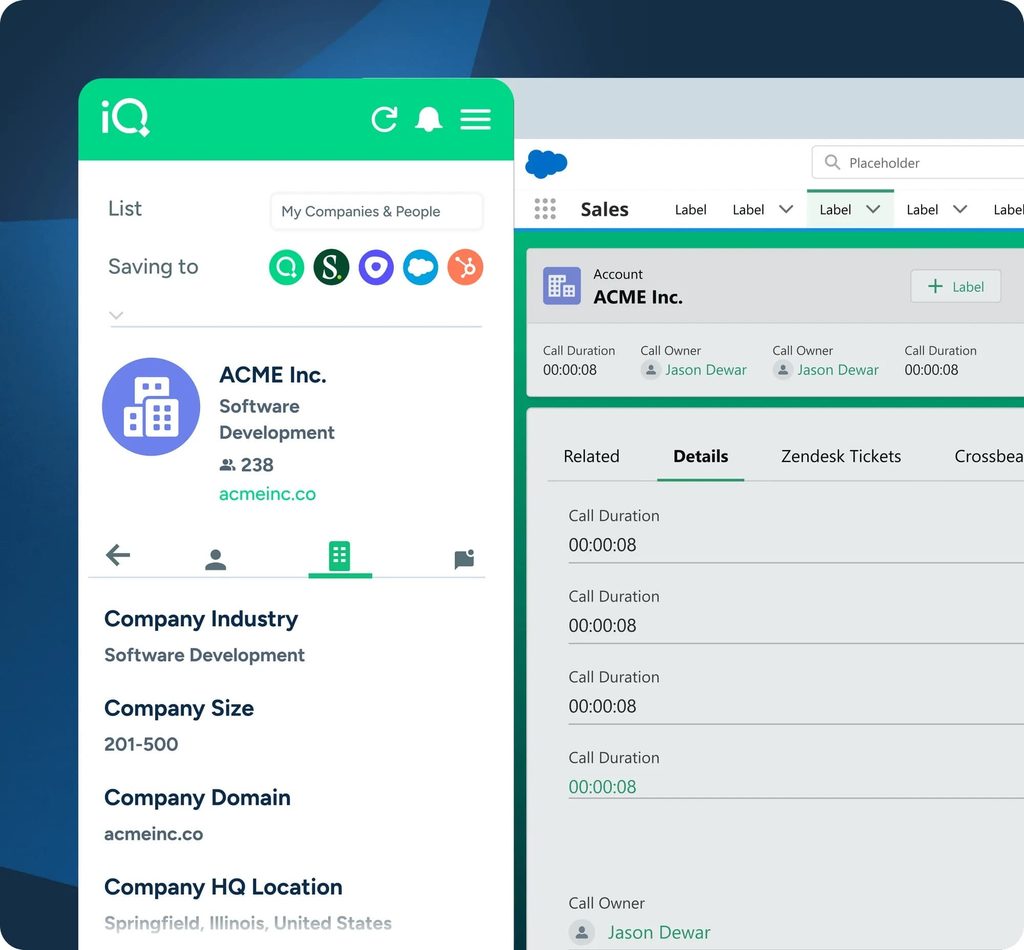
LeadIQ captures contact data while you prospect on LinkedIn through its Chrome extension, then pushes it to your CRM.
LeadIQ also tracks job changes for your champions, surfaces signals such as hiring and podcast mentions, and includes an AI outbound message writer.
Our list of LeadIQ alternatives covers the tools it competes with.
Best for: SDR teams that build lists from LinkedIn profiles and want them in the CRM fast.
Key features
- Chrome extension – captures emails and mobile numbers while you browse LinkedIn.
- People and company search – a database with technographic and firmographic filters.
- Champion tracking – alerts when past buyers and champions change jobs.
- AI message writer – drafts outbound messages from the prospect’s profile.
- CRM and webform enrichment – keeps records complete as leads come in.
Pricing
- Free plan: 1 user and 50 credits. Any plan is free for 30 days.
- Pricing starts from $15/mo billed annually, or $20/mo billed monthly, for Pro with up to 5 users. An email costs 1 credit and a phone number costs 10.
Pros
- Low entry price with up to 5 users.
- Fast capture from LinkedIn profiles.
- 30-day trial on any plan.
Cons
- Phone numbers cost 10 credits each.
- No sending of its own beyond the AI writer.
LeadIQ vs Apollo: which one is better?
LeadIQ captures contacts at the point of research and hands them off. Apollo stores them and runs the outreach.
LeadIQ suits teams that already have a sequencer and want cleaner, faster capture from LinkedIn.
Best Apollo alternative for cold email volume
Instantly covers one job, sending cold email at scale, and does it at a lower cost per email than a seat-based platform.
1. Instantly
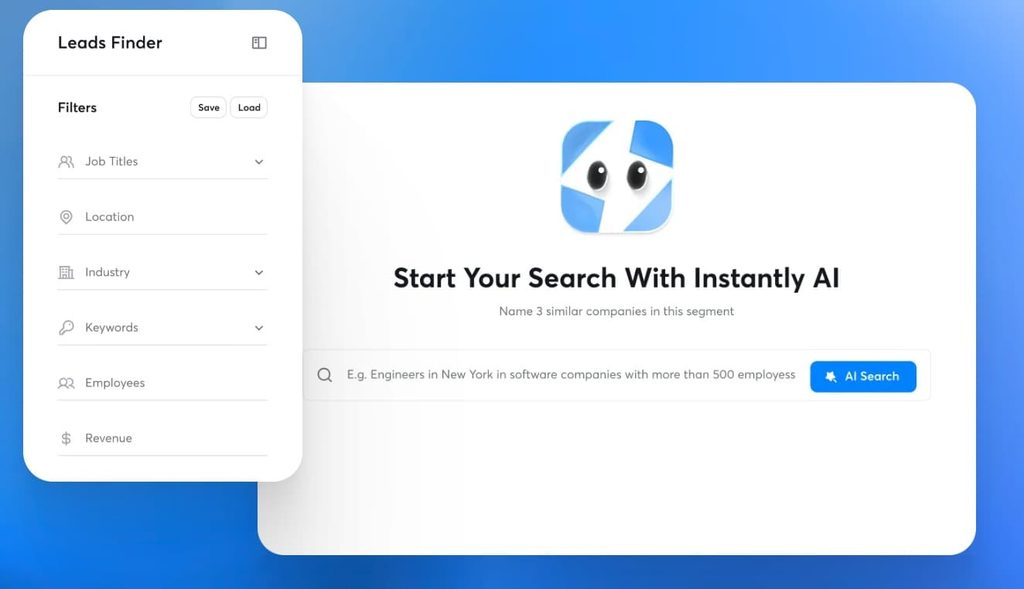
Instantly is a cold email platform built for sending volume.
Every plan includes unlimited email accounts and unlimited email warmup, and plans scale by emails sent each month. Lead data is priced separately under Instantly Credits.
Best for: Agency owners and SDR teams sending cold email at volume from many inboxes.
Key features
- Unlimited email accounts – connect as many sending inboxes as you need on every plan.
- Unlimited warmup – warms every connected inbox before and during campaigns.
- Volume-based plans – from 5,000 emails a month on Growth to 500,000 on Light Speed.
- Private Deliverability Network – available on the Enterprise plan.
Pricing
- Free plan: none listed on the pricing page.
- Pricing starts from $37.60/mo billed yearly, or $47/mo billed monthly, for 5,000 emails a month and 1,000 uploaded contacts.
Pros
- Unlimited inboxes and warmup on every plan.
- Low entry price.
- Scales to 500,000 emails a month.
Cons
- Lead data billed separately.
- Email is the only channel.
Instantly vs Apollo: which one is better?
Apollo now ships email warmup and inbox rotation too, so the difference comes down to volume economics. Instantly charges by emails sent and lets you connect unlimited inboxes, while Apollo charges by seat and credit.
- If you send at scale and already own your lists, Instantly is the cheaper engine.
- Instantly also sells lead data through separate credits, while Apollo includes data in every plan, so teams that need both on one bill get more from Apollo.
Best Apollo alternative for website visitor intent
RB2B turns your website traffic into named leads, a signal Apollo only covers at the company level.
1. RB2B
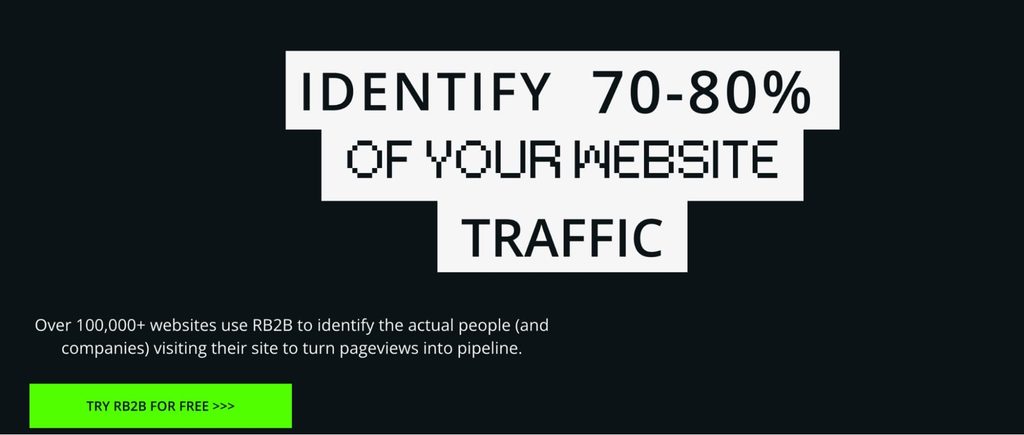
RB2B identifies who visits your website and pushes their LinkedIn profiles to Slack or Teams. Person-level identification covers US visitors only, while company-level identification works globally.
The Pro plan adds business email addresses and integrations with HubSpot, Salesforce, Clay, Zapier, webhooks, and Apollo.
Best for: US-focused teams that want to reach high-intent site visitors quickly.
Key features
- Person-level ID – names and LinkedIn profiles for US visitors.
- Company-level ID – global company identification on every plan.
- Hot Pages and Hot Leads – tags high-intent page visits and filters visitors by ICP.
- Slack and Teams alerts – pushes visitor profiles to your team in real time.
- Integrations – HubSpot, Salesforce, Clay, Zapier, webhooks, and Apollo on Pro.
Pricing
- Free plan: company-level identification with 150 resolutions a month. 7-day trial of the full product.
- Pricing starts from $79/mo for Starter. Pro, with business emails and integrations, starts from $149/mo.
Pros
- Free plan to test.
- Integrates directly with Apollo.
- Published overage pricing per resolution.
Cons
- Person-level ID covers US visitors only.
- Starter excludes email addresses.
RB2B vs Apollo: which one is better?
RB2B complements Apollo more than it replaces it. It tells you who is on your site and can push those visitors straight into Apollo.
Apollo’s paid plans identify up to 100 visiting companies a month, so RB2B earns its place when you need person-level US identification at volume.
How to choose an Apollo alternative
Start from the gap you need to close, then match the tool to it:
- If your Apollo data bounces, move your data spend to UpLead, Cognism, or ZoomInfo.
- If your buyers are in Europe, start with Cognism.
- If you send cold email at volume, add Instantly.
- If LinkedIn books your meetings, keep Apollo for data and add Expandi.
- If you need a cheaper Apollo alternative, Lusha, LeadIQ, and Hunter have free plans and low entry prices.
- If you want to act on website visitors, add RB2B.
For the wider picture, our comparison of outbound sales software covers the rest of the stack.
If you’re weighing all-in-one multichannel tools that bundle LinkedIn steps, our Expandi vs Lemlist breakdown covers that trade-off.
Picking the right Apollo alternative for your stack
The right Apollo alternative fixes the part of Apollo that costs you meetings. Bad data calls for a better database, and a missing channel calls for a specialist tool next to Apollo.
For LinkedIn, that means keeping your Apollo list and letting a dedicated tool run the sequence inside safe limits.
Start a 7-day free trial of Expandi and run your next Apollo export as a LinkedIn campaign.
Apollo alternatives FAQ
Is Apollo still worth it in 2026?
Apollo is a weaker fit when your data bounces, when your volume makes credits expensive, or when LinkedIn is your main channel, since its LinkedIn steps are manual tasks.
Can you use Apollo and Expandi together?
You move contacts across with a CSV export that includes each contact’s LinkedIn URL, and exporting contacts you’ve already saved costs no Apollo credits.
What’s the cheapest Apollo alternative?
The cheapest option depends on whether you need phone numbers, which cost extra credits on almost every data tool.
Which Apollo alternative is best for LinkedIn?
For research inside LinkedIn, Sales Navigator, which also works as a lead source for Expandi.
How do Apollo credits work?
Paid plans grant credits upfront each billing cycle, unused credits expire, and add-on credits renew until you remove them.




You’ve made it all the way down here, take the final step