How Much Does LinkedIn Premium Cost in 2026: Comparing All Plans

Key Takeaways
- LinkedIn sells 10 paid plans across Premium, Sales Navigator, Recruiter, and Learning, with 2026 pricing starting at $39.99/mo for Premium Career, $69.99/mo for Premium Business, and $119.99/mo for Sales Navigator Core.
- Annual billing takes 17–50% off list price depending on the plan, dropping Sales Navigator Core to $89.99/mo.
- For outbound work, Sales Navigator Core is the better buy over Premium Business; Recruiter Corporate and Sales Navigator Advanced Plus pricing is custom, quoted by LinkedIn’s sales team.
What Does LinkedIn Premium Cost in 2026?


How much LinkedIn Premium costs in 2026 depends on which of LinkedIn’s 10 paid plans you’re buying and on when you subscribed, since LinkedIn raised several list prices this year.
Self-serve plans run $39.99 to ~$170 a month, and the two enterprise tiers are quote-only. Self-serve prices here were checked against LinkedIn’s plan pages in July 2026. Enterprise figures come from reported sources and are marked as estimates where they appear.
Here’s what this guide covers:
- Where a free account stops being enough for B2B outreach.
- What every LinkedIn plan costs in 2026, verified against LinkedIn’s own pricing pages.
- Which LinkedIn Premium plans fit sales teams, job seekers, and recruiters.
- A plan-by-plan breakdown of all 10 paid plans and whether each is worth it.
- Quick answers to the questions buyers ask before paying.
Can’t I just use a free LinkedIn account for B2B outreach?
You can. For casual networking or a passive job search, a free account holds up fine. It’s a solid starting point for building a presence, connecting with your network, and running basic searches.
For consistent B2B outreach, though, you’ll hit its walls fast.
What you can do with a free account:
- Build and publish your profile.
- Send connection requests and messages to 1st-degree connections.
- Apply to jobs via Easy Apply.
- Follow companies and engage with content.
- Run basic people and company searches.
What you can’t do with a free LinkedIn account:
- Message people outside your network (no InMail).
- See the full list of who viewed your profile.
- Run unlimited searches without hitting LinkedIn’s commercial limit.
- Access advanced filters for lead or candidate sourcing.
The commercial search limit is worth knowing about. LinkedIn caps how many search results free accounts can see per month to curb automated scraping, and the cap isn’t publicly disclosed.
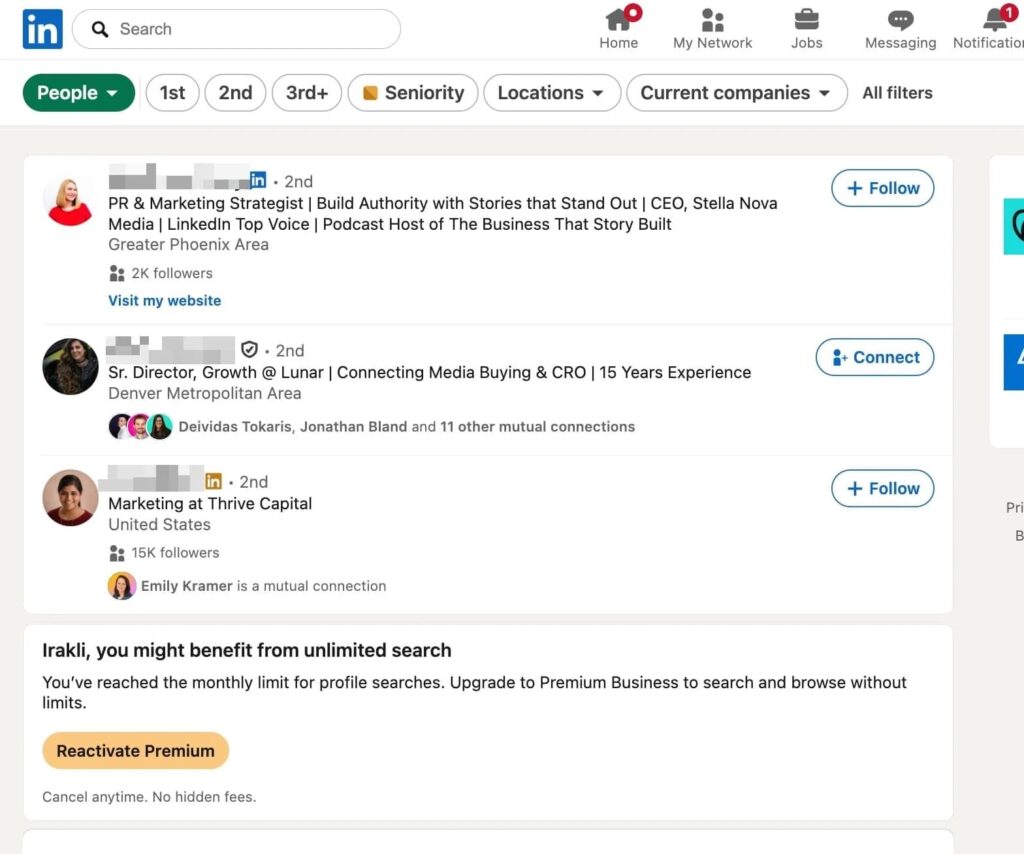
Users across Reddit and other communities report it’s approximately 300 searches per month or roughly 1,000 profile results (widely reported but not officially confirmed by LinkedIn).
Once you hit it, results stop showing. If you’re doing consistent prospecting or sourcing, expect to run into this ceiling early in the month.
Free vs. paid: when does it make sense to upgrade to a LinkedIn Premium plan?
A free account works fine if you’re casually networking or passively job hunting.
The moment LinkedIn becomes part of your workflow, whether for outreach, lead generation, recruiting, or sales, the limitations start costing you more in time and missed opportunities than any paid plan would.
Specific scenarios where upgrading to a LinkedIn Premium plan makes sense:
- You’re actively prospecting and hitting LinkedIn search limits.
- You need to message people you’re not connected to.
- You’re a recruiter who needs to filter beyond basic criteria.
- You want to see who’s been viewing your profile for targeting or follow-up.
- You’re running a sales process where speed and pipeline visibility matter.
How much does LinkedIn Premium cost?
LinkedIn Premium costs between $39.99/mo (Premium Career) and ~$170/mo (Recruiter Lite) for self-serve plans in 2026.
The enterprise tiers: Sales Navigator Advanced Plus and Recruiter Corporate – run on custom quotes. Annual billing cuts 17% to 50% off the Premium tiers and 6% to 25% off Sales Navigator.
All prices below are in USD. Sales Navigator figures come from LinkedIn’s official Sales Navigator pricing page, and Premium figures from LinkedIn’s own plan pages. Recruiter figures are widely reported and consistent across sources but not centrally published by LinkedIn.
The full 2026 LinkedIn Premium price list:
| Best for | Monthly price | Annual price | |
|---|---|---|---|
| Premium Career | Job seekers | $39.99 | $239.88/yr |
| Premium Business | Networkers, personal brand | $69.99 | $539.88/yr |
| Premium All-in-One | SMB owners | $89.99 | $899.88/yr |
| Premium Company Page | Company Page growth | $99.99 | $839.88/yr |
| Sales Nav Core | Individual sellers | $119.99 | $1,079.88/yr |
| Sales Nav Advanced | Sales teams | $159.99 | $1,799.88/yr |
| Sales Nav Advanced Plus | Enterprise sales + CRM | N/A | ~$1,600/yr (custom) |
| Recruiter Lite | Solo recruiters | ~$170 | ~$1,680/yr |
| Recruiter Corporate | Enterprise hiring teams | ~$900 | ~$10,800/yr |
| LinkedIn Learning | Skill building | $39.99 | ~$239.88/yr |
LinkedIn runs occasional promotional discounts – Black Friday and fiscal year-end are the common windows.
New users can also sometimes access extended trials or reduced first-month pricing depending on region.
Annual billing is the most reliable way to save. LinkedIn’s own pages show 17% to 50% off across the Premium tiers, with smaller reductions on Sales Navigator.
How to choose the right LinkedIn Premium plans based on your needs
The right plan follows your workflow. Here are the best LinkedIn Premium plans to consider depending on what you do on LinkedIn all day.
Best LinkedIn Premium plans for sales & outbound teams
LinkedIn plans to consider if your workflow is prospecting, running outbound campaigns, or managing sales pipeline on LinkedIn:
| Sales Navigator Core | Sales Navigator Advanced | Sales Navigator Advanced Plus | |
|---|---|---|---|
| Best for | Individual sellers | Sales teams | Enterprise sales + CRM |
| InMail credits | 50/mo | 50/mo | 50/mo |
| InMail rollover | No | No | No |
| Advanced search | 50+ filters | 50+ filters | 50+ filters |
| Unlimited browsing | Yes | Yes | Yes |
| Profile viewer history | 365 days | 365 days | 365 days |
| Lead/account lists | Yes | Yes | Yes |
| Smart Links | Yes | Yes | Yes |
| Buyer intent signals | No | Yes | Yes |
| Shared team lists | No | Yes | Yes |
| TeamLink | No | Yes | Yes |
| CRM sync | No | Yes | Yes |
| CRM writeback | No | No | Yes |
| Business insights | Yes | Yes | Yes |
| Free trial | 30 days | 30 days | No |
Also worth knowing if you’re doing outbound: Sales Navigator finds the prospects, but every connection request and follow-up still goes out by hand.
Expandi automates that part: requests, follow-ups, multi-step sequences – and works with any LinkedIn plan, free account included.
Claim your free, 7-day trial here.
Best LinkedIn Premium plans for job seekers and professionals
Plans to consider if your workflow is applying to jobs, building a personal brand, or managing a small business presence on LinkedIn:
| Premium Career | Premium Business | Premium All-in-One | LinkedIn Learning | |
|---|---|---|---|---|
| Best for | Job seekers | Networkers, personal brand | SMB owners | Skill building |
| InMail credits | 5/mo | 15/mo | 30/mo | None |
| InMail rollover | No | Up to 3 mo | Up to 3 mo | No |
| Unlimited browsing | No | Yes | Yes | No |
| Profile viewer history | 365 days | 365 days | 365 days | No |
| Business insights | No | Yes | Yes | No |
| LinkedIn Learning | Yes | Yes | Yes | Yes |
| Post boost credits | No | No | Yes ($100/mo) | No |
| Job posting credits | No | No | Yes ($50/mo) | No |
| Free trial | 1 month | 1 month | Yes | 30 days |
Best LinkedIn Premium plans for recruiting & hiring teams
Plans to consider if your workflow is sourcing candidates, managing hiring pipelines, or scaling recruitment across a team:
| Recruiter Lite | Recruiter Corporate | |
|---|---|---|
| Best for | Solo recruiters | Enterprise hiring teams |
| InMail credits | 30/mo | 150/mo |
| Advanced search | 20+ filters | 40+ filters |
| Unlimited browsing | Yes | Yes |
| Profile viewer history | 90 days | 90 days |
| Shared team lists | No | Yes |
| ATS integrations | No | Yes |
| LinkedIn Learning | Yes | Yes |
| Business insights | Yes | Yes |
| Free trial | Yes | No |
Now for each plan in detail: what it includes, what it costs, and who it’s for.
LinkedIn Premium Career – $39.99/mo
Best for: Active job seekers.
Premium Career is LinkedIn’s entry-level paid plan, built exclusively around job searching and recruiter visibility.
What you get beyond a free account:
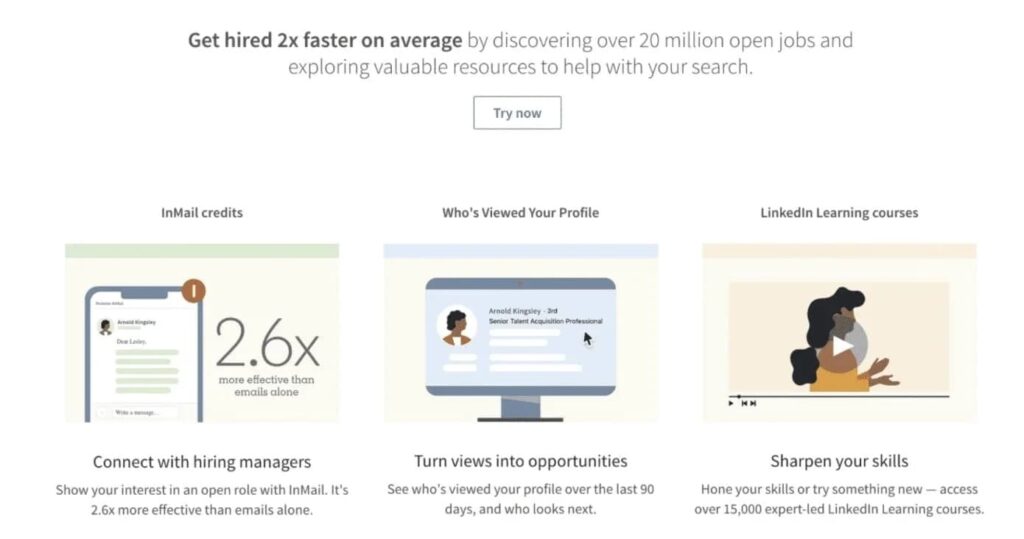
- 5 InMail credits per month to message recruiters or hiring managers directly.
- Full profile viewer history for the last 365 days.
- Top Applicant insights showing how you rank against other applicants for a role.
- AI-powered job fit analysis and profile writing suggestions.
- Access to 20,000+ LinkedIn Learning courses.
- “Top Choice” job marking to signal strong interest to hiring managers.
LinkedIn Premium Career pricing:
- Monthly: $39.99/mo (longtime subscribers may still be billed at the older $29.99/mo rate).
- Annual: $19.99/mo ($239.88/year – a 50% saving over monthly billing).
- Free trial: 1 month for eligible accounts.
Worth it?
If you’re actively applying and want visibility into who’s viewing your profile plus the ability to message recruiters directly, it’s a reasonable spend.
If you’re casually browsing jobs without consistent applications, skip it for now.
LinkedIn Premium Business – $69.99/mo
Best for: Professionals focused on networking, personal brand building, and light business development.
Premium Business includes everything in Career, plus:
- 15 InMail credits per month, with rollover for up to 3 months.
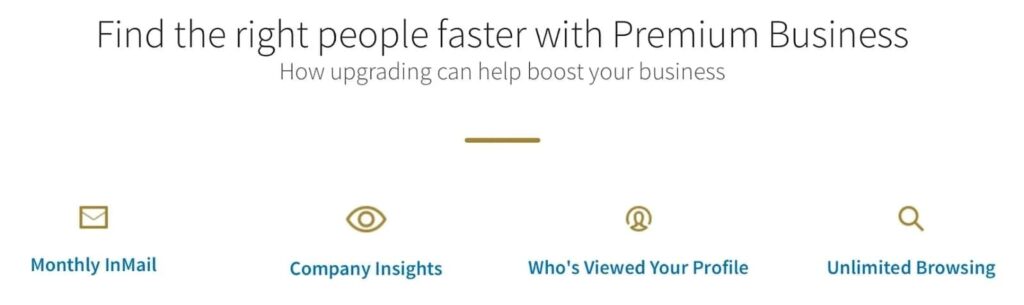
- Unlimited people browsing.
- Business insights including company growth data and competitor analytics.
- Custom call-to-action button on your profile.
- Daily prospect suggestions.
LinkedIn Premium Business pricing:
- Monthly: $69.99/mo (longtime subscribers may still be billed at the older $59.99/mo rate).
- Annual: $44.99/mo ($539.88/year – a 36% saving).
- Free trial: 1 month for eligible accounts.
Worth it?
Hard to recommend for anyone with a sales or outbound goal.
For $70/mo you get 15 InMails and some company insights. Sales Navigator Core at $119.99/mo gives you 50 InMails, 50+ advanced filters, lead tracking, real-time alerts on job changes and prospect activity, and actual prospecting infrastructure.
The extra $50/mo is worth it if outbound is part of your job.
Premium Business makes sense if your main goal is profile visibility, networking, and business insights rather than pipeline building.
LinkedIn Premium All-in-One – $89.99/mo
Best for: Small business owners and solopreneurs managing hiring, marketing, and networking from one plan.
Premium All-in-One is a relatively new plan LinkedIn introduced to bundle personal profile features with Company Page capabilities into a single subscription. Previously, you’d need two separate plans to cover both.
What you get:
- 30 InMail credits per month with rollover up to 3 months.
- Full profile viewer history for 365 days.
- Custom CTA button on your profile.
- AI-powered profile and post writing suggestions.
- $100/mo in LinkedIn advertising credits to boost posts and run campaigns.
- $50/mo in job posting credits to promote open roles.
- Company Page management and analytics.
- Enhanced Page visibility placements.
- Follower growth tools including auto-invite for content engagers.
- Daily prospect suggestions.
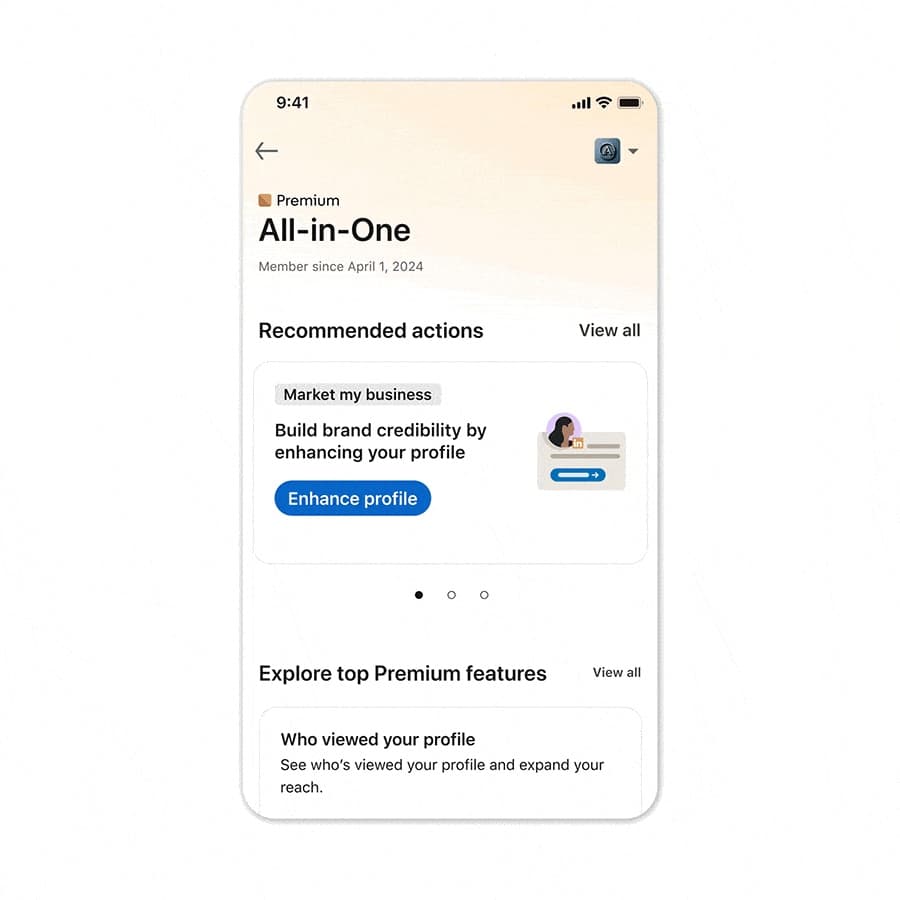
LinkedIn Premium All-in-One pricing:
- Monthly: $89.99/mo.
- Annual: $74.99/mo ($899.88/year – a 17% saving).
- Free trial: Available for eligible accounts.
Worth it?
The $150/mo in combined ad and job posting credits technically offsets the subscription cost if you’re actively using both.
For a small business owner who’s simultaneously trying to hire, run LinkedIn ads, and build a personal brand, bundling this into one plan at $89.99/mo is practical.
If you only need one of those things, a more targeted plan will serve you better.
LinkedIn Premium Company Page – $99.99/mo
Best for: Small businesses and marketing teams growing a LinkedIn Company Page rather than a personal profile.
Premium Company Page is the newest addition to LinkedIn’s paid lineup: a subscription that upgrades your company’s Page, while every other plan on this list upgrades a personal account. You need to be a super admin of the Page to buy it, and each Page requires its own license.
What you get:
- Auto-invites to prospects who’ve already engaged with your content.
- Invitations to followers of similar Pages.
- A customer testimonial displayed on your Page.
- Business highlights shown on your Page and in search results.
- A gold Premium badge on the Page.
- Page visitor insights.
- Custom call-to-action button across your Page header, posts, and search results.
- Up to 30 extra service request matches per month.
- AI-assisted content writing for Page posts.
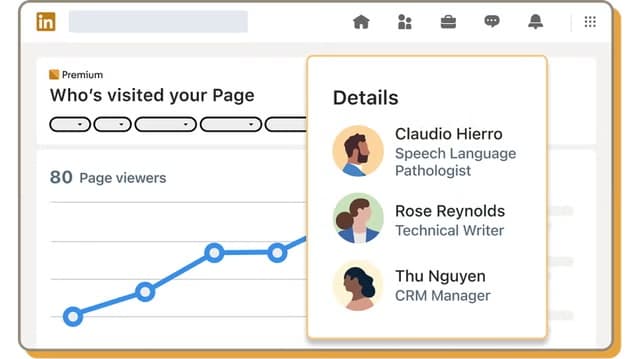
LinkedIn Premium Company Page pricing:
- Monthly: $99.99/mo per Page.
- Annual: $69.99/mo ($839.88/year – a 30% saving).
- Free trial: LinkedIn shows trial eligibility in your Page admin view.
Worth it?
If your Company Page is a genuine inbound channel, meaning service businesses, agencies, and firms that get found and vetted through their Page, the visitor insights and service request matches can carry the cost.
If your growth runs through personal profiles and outbound, Premium Business or Sales Navigator will do more for the same money.
LinkedIn Sales Navigator Core – $119.99/mo
Best for: Individual sellers, SDRs, founders, and marketers doing outbound prospecting on LinkedIn.
Sales Navigator Core is the primary tool for B2B prospecting on LinkedIn. It’s a separate platform from Premium, built specifically for sales workflows.
What you get:
- 50 InMail credits per month.
- 50+ advanced search filters for leads and accounts.
- Lead and account lists with up to 10,000 saved leads.
- Real-time alerts on job changes, promotions, company news, and prospect activity.
- Weekly lead recommendations based on your saved searches and ICP.
- Relationship Explorer to identify the best path to a decision-maker.
- Account IQ and Lead IQ – AI-generated research summaries on accounts and leads.
- Smart Links to package content into trackable links and see how prospects engage with it.
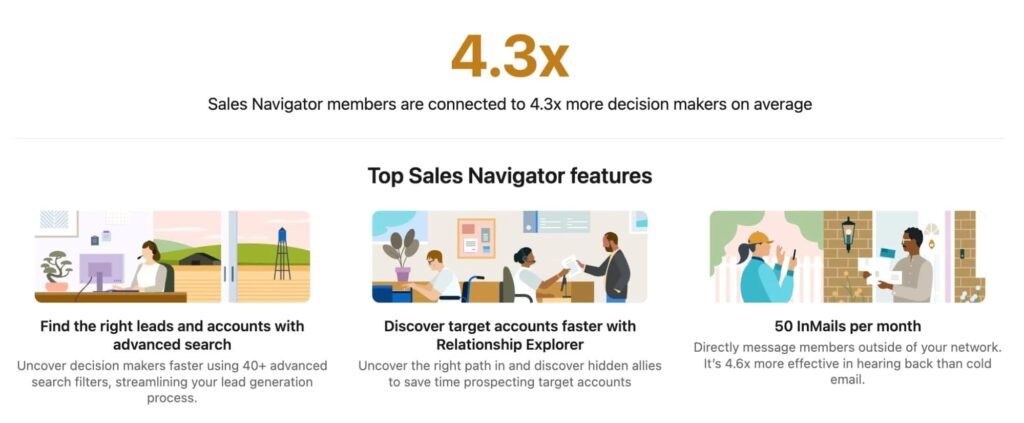
LinkedIn Sales Navigator Core pricing:
- Monthly: $119.99/mo.
- Annual: $89.99/mo ($1,079.88/year – a 25% saving).
- Free trial: 30 days for eligible accounts.
Worth it?
If LinkedIn is a serious part of your sales motion, yes.
The advanced filters alone change the quality of your prospecting vs. a free or Premium Business account. One closed deal from a Sales Navigator-sourced lead covers months of the subscription cost.
One limitation: Sales Navigator Core doesn’t let you export lead lists to CSV natively. To scrape and automate outreach at scale, you’ll want to pair it with LinkedIn marketing tools like Expandi.
LinkedIn Sales Navigator Advanced – $159.99/mo
Best for: Sales teams of 2+ reps who need to collaborate, share lead lists, and coordinate outreach.
Advanced includes everything in Core, plus team-specific features that make a real difference once you’re coordinating across multiple sellers:
- TeamLink – see which teammates are connected to a prospect and request warm introductions through your collective network.
- Relationship Map – org chart visualization for your target accounts.
- Buyer intent signals that flag accounts showing interest in your company.
- Shared lead and account lists across your team.
- CSV upload and CRM import for account list targeting.
- Team reporting and usage analytics.
- Centralized billing and seat management for 2+ sellers.
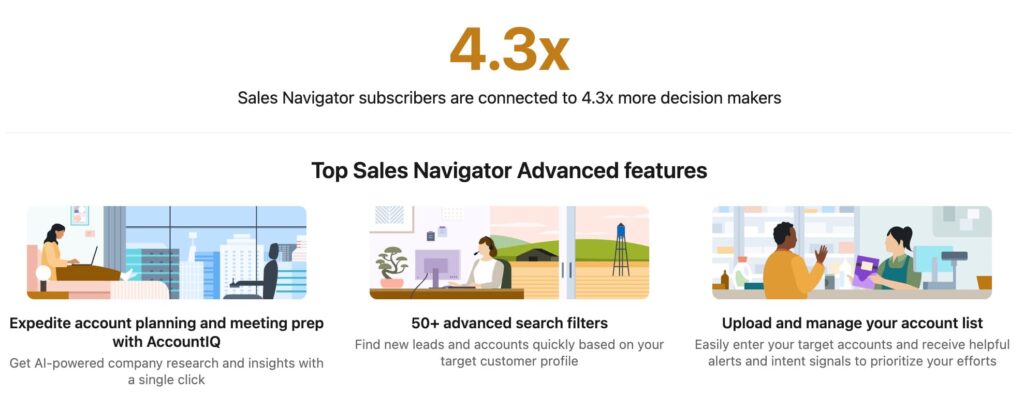
LinkedIn Sales Navigator Advanced pricing:
- Monthly: $159.99/mo per seat.
- Annual: $1,799.88/year per seat.
- Free trial: Available for eligible accounts.
Worth it?
If you’re a solo seller, Core is enough.
Advanced starts making sense once you have 2+ SDRs who need to avoid duplicate prospecting, share account intelligence, or tap into each other’s networks for warm introductions.
The per-seat cost stacks up fast for larger teams, so run the math before committing.
Note: Despite the price jump from Core, Advanced still doesn’t include CRM writeback. That’s exclusively in Advanced Plus.
LinkedIn Sales Navigator Advanced Plus – $1,600/year
Best for: Enterprise sales teams running CRM-integrated social selling at scale.
Advanced Plus is LinkedIn’s top-tier sales product and is only available through LinkedIn’s sales team – you can’t self-serve purchase it. Pricing is custom, based on team size, CRM setup, and onboarding requirements.
Pricing sits above Advanced and is quoted per seat on an annual contract. LinkedIn doesn’t publish a list price, so treat any figure you find secondhand as an estimate.
What you get beyond Advanced:
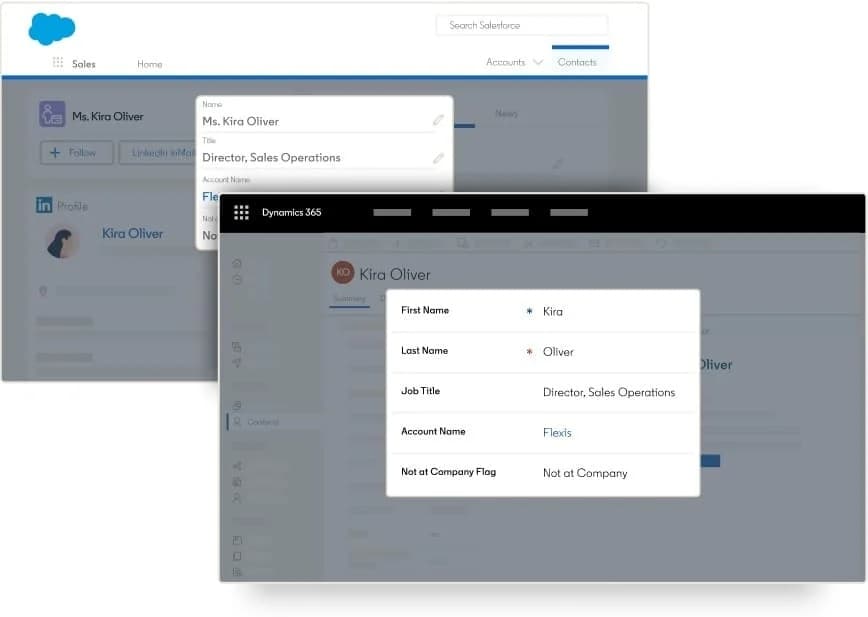
- Full LinkedIn CRM integration with Salesforce, HubSpot, Microsoft Dynamics, Oracle, and more.
- Automatic CRM writeback – LinkedIn activities sync to your CRM without manual entry.
- Lead and contact creation directly from Sales Navigator into your CRM.
- Advanced enterprise admin controls including SSO and SCIM.
- Dedicated account team and tailored onboarding (when purchased through a LinkedIn rep).
- Custom ROI reporting tied to your CRM pipeline data.
LinkedIn Sales Navigator Advanced Plus pricing:
- Monthly billing: Not available – annual contract only.
- Annual: Expect to pay ~$1,600+/seat/year (custom, contact LinkedIn sales).
- Free trial: Not available.
Worth it?
Only if your sales team is large enough to justify the overhead and your CRM is genuinely the system of record for your pipeline.
For teams under 20 reps, Advanced covers what’s needed. Advanced Plus is for organizations where LinkedIn activity needs to flow directly into a larger revenue tech stack automatically.
LinkedIn Recruiter Lite – ~$170/mo
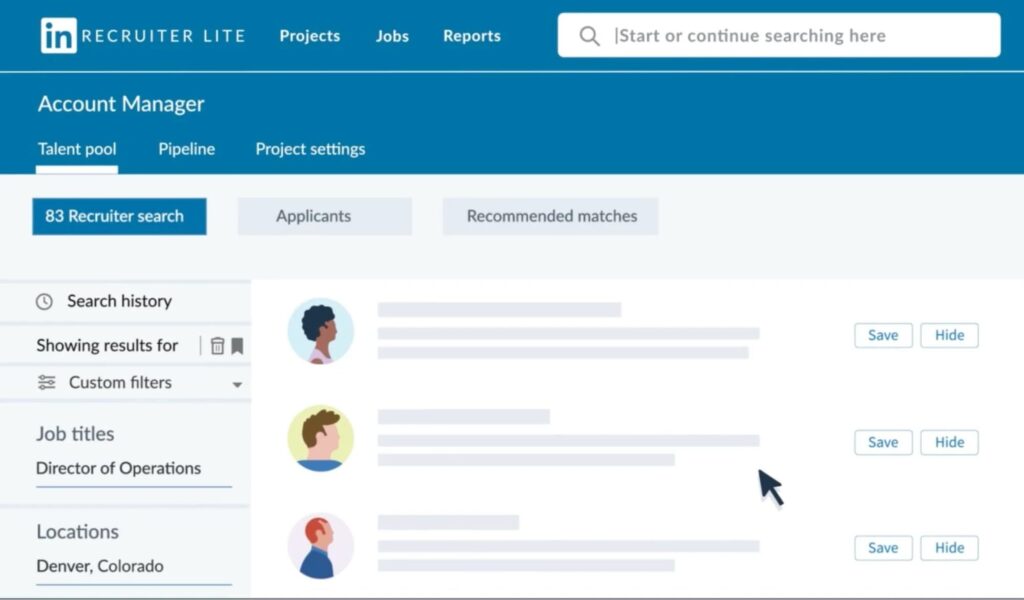
Best for: Individual recruiters, in-house hiring managers at SMBs, and solo agency recruiters with moderate hiring volume.
Recruiter Lite is LinkedIn’s entry-level recruiting product. It sits between Premium Business and full Recruiter Corporate in price and capability.
What you get:
- 30 InMail credits per month.
- 20+ advanced search filters for candidate sourcing.
- Unlimited browsing up to 3rd-degree connections.
- Candidate project folders and basic pipeline management.
- Saved search alerts up to 10 daily or weekly.
- Profile viewer history for the last 90 days.
- LinkedIn Learning access.
- InMail and job analytics.
LinkedIn Recruiter Lite pricing:
- Monthly: ~$170/mo (single license).
- Annual: ~$1,680/year.
- Free trial: Available for first-time users.
Key limitations to know before buying:
- Search is restricted to 1st, 2nd, and 3rd-degree connections only – not LinkedIn’s full database.
- Single-user license only – no team collaboration or shared pipelines.
- No ATS integrations.
- Additional InMail credits beyond the 30/mo allowance cost approximately $10 each.
Worth it?
For individual recruiters filling 1-3 roles per quarter, yes.
If you’re managing higher volume, running a team, or need ATS integration, you’ll hit the ceiling quickly and should evaluate Recruiter Corporate instead.
LinkedIn Recruiter Corporate – ~$900/mo per seat
Best for: Enterprise HR teams, staffing agencies, and large recruiting operations filling multiple roles simultaneously.
Based on widely reported industry figures, Recruiter Corporate starts at approximately $900/mo per seat. LinkedIn doesn’t publish this pricing publicly. Contact LinkedIn’s sales team directly for an accurate quote.
Your actual quote will depend on the number of seats, company size, and location.
What you get with Recruiter Corporate:
- 150 InMail credits per month per seat (vs. 30 in Lite).
- 40+ advanced search filters (vs. 20+ in Lite).
- Full LinkedIn database access – not restricted by connection degree.
- Bulk messaging up to 25 candidates at once.
- Full team collaboration: shared pipelines, candidate notes, and project visibility across recruiters.
- ATS integrations with 28+ tools.
- Company-owned data – candidate data belongs to the organization, not individual accounts.
- 50 saved search alerts daily or weekly (vs. 10 in Lite).
LinkedIn Recruiter Corporate pricing:
- Annual contract only: ~$900/mo per seat (~$10,800/year per seat).
- Free trial: Not available.
- Pricing is custom – contact LinkedIn’s sales team for a quote.
Worth it?
For teams filling 10+ roles simultaneously with dedicated recruiting staff, yes.
The ATS integration and team collaboration features are the main differentiators over Lite. For smaller operations, the jump from ~$170/mo (Lite) to ~$900/mo per seat is hard to justify unless those two features are hard requirements.
LinkedIn Learning – $39.99/mo
Best for: Professionals, students, and teams looking to build skills through structured courses.
LinkedIn Learning is a standalone subscription giving access to 20,000+ courses taught by industry professionals across business, technology, design, and creative fields.
What you get:
- 20,000+ courses with new content added regularly.
- Certificates of completion that display directly on your LinkedIn profile.
- AI-powered coaching and personalized learning path recommendations.
- Available as individual or team subscriptions.

LinkedIn Learning pricing:
- Monthly: $39.99/mo.
- Annual: ~$239.88/year.
- Free trial: 30 days.
Worth it?
At ~$19.99/mo on annual billing it’s one of the better value plans LinkedIn offers if you’re consistently using it.
The caveat: LinkedIn Learning access is already bundled into Premium Career, Premium Business, Premium All-in-One, Recruiter Lite, and Recruiter Corporate.
If you’re already on any of those plans, you don’t need to pay for it separately.
Which LinkedIn Premium plan is best for me?
Match what you’re trying to do to the LinkedIn Premium plan built for it:
- Actively job hunting → Premium Career.
- Building a personal brand or network → Premium Business.
- Small business owner managing hiring + marketing → Premium All-in-One.
- Marketing team growing a Company Page → Premium Company Page.
- Founder, AE, or SDR doing outbound → Sales Navigator Core. Pair with Expandi to automate outreach at scale.
- Sales team of 2+ reps → Sales Navigator Advanced.
- Enterprise with Salesforce or HubSpot → Sales Navigator Advanced Plus.
- Solo recruiter or small hiring team → Recruiter Lite.
- Enterprise recruiting team or staffing agency → Recruiter Corporate.
- Skill building or team training → LinkedIn Learning.
For the outbound rows, whether you’re a founder, an SDR, a sales team, or a recruiter working a pipeline, Expandi runs the outreach itself on top of whichever plan you pick, free account included. Expandi’s pricing is one flat $99/mo per seat, less than Sales Navigator Core, Advanced, or either Recruiter plan.
Expandi’s pricing is one flat $99/mo per seat – less than Sales Navigator Core, Advanced, or either Recruiter plan.
The manual ceiling applies no matter what you pay LinkedIn: connection request limits, InMail caps, and search restrictions come with every tier. Automation is how you get full value out of the plan you just picked.
Claim your free, 7-day trial and run your first campaign this week.
LinkedIn Premium cost FAQ (2026)
It depends on how you use LinkedIn. For active job seekers, Premium Career at $39.99/mo gives you recruiter access and applicant insights worth the cost.
For sales reps doing consistent outbound, Sales Navigator Core pays for itself with one or two deals. Premium Business sits awkwardly between the two, and the Premium Business section above covers when it does and doesn’t earn its price.
LinkedIn Premium (Career and Business) is built for job searching, personal branding, and general networking. Sales Navigator is a separate sales platform with advanced lead filtering, account tracking, buyer intent signals, and CRM tools.
They serve different purposes at different price points. If your goal is outbound prospecting or pipeline building, Premium Business is no substitute for Sales Navigator.
Sales Navigator Core at $119.99/mo is the right starting point for individual sellers: 50 InMails, 50+ advanced filters, lead lists, and real-time alerts on job changes and prospect activity.
For teams of 2+ reps needing shared lists and warm intro features, Sales Navigator Advanced at $159.99/mo is worth the upgrade. Pair either plan with a LinkedIn automation tool like Expandi to scale outreach beyond manual prospecting.
LinkedIn Premium starts at $39.99/mo for Premium Career ($29.99 for some longtime subscribers), $69.99/mo for Premium Business, $89.99/mo for Premium All-in-One, and $99.99/mo for Premium Company Page. Sales Navigator starts at $119.99/mo, Recruiter Lite at ~$170/mo, and LinkedIn Learning at $39.99/mo.
All figures are USD monthly billing. Annual billing reduces Premium plans by 17% to 50%, and Sales Navigator by less.
Yes. Premium Career and Business offer 1 month free. Sales Navigator Core and Advanced offer 30 days free. To qualify you can’t be on a paid LinkedIn plan or have used a trial in the past 12 months. LinkedIn also runs occasional discounts around Black Friday and fiscal year-end.





You’ve made it all the way down here, take the final step