How To Create A LinkedIn Carousel In 2026 [Examples + Tutorials]

In late 2023, LinkedIn removed native organic carousel uploads. LinkedIn carousels are still thriving in 2026, just in a different format: document posts, where you upload a multi-page PDF that renders as swipeable slides in the feed.
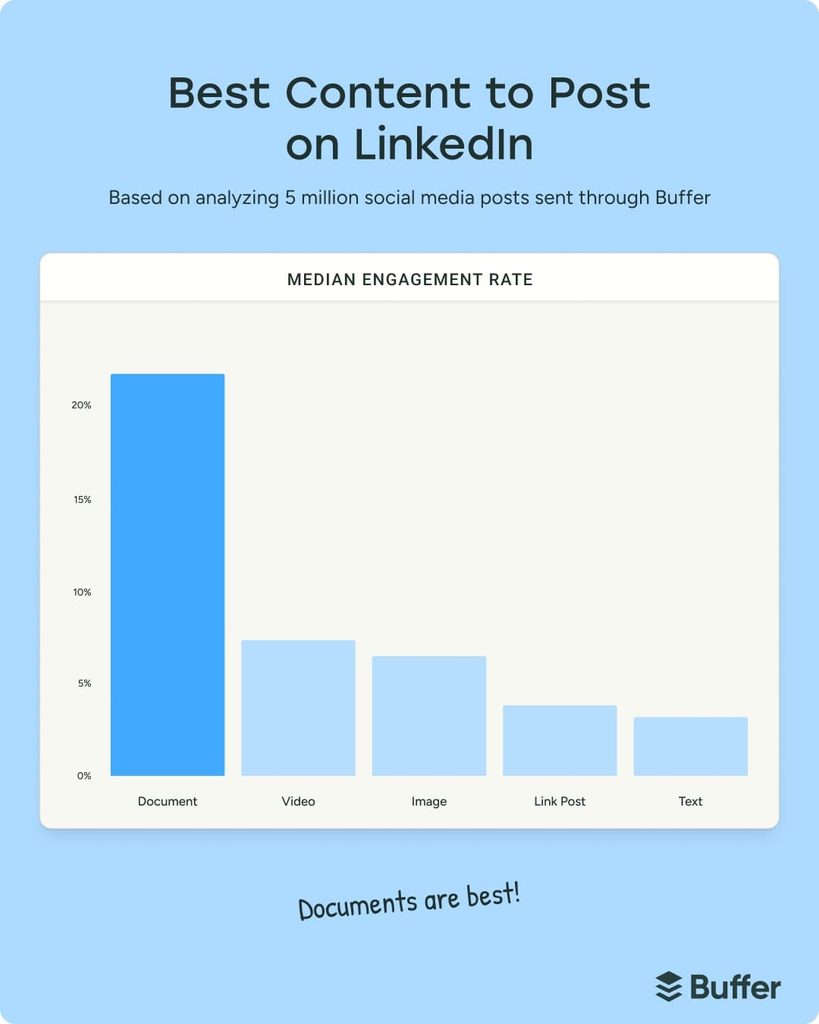
They are also the highest-engagement format on the platform. Buffer’s 2026 analysis of 45 million-plus posts found LinkedIn carousels earned a 21.77% median engagement rate, 196% more than video and 585% more than text posts.
To put this guide together, I looked at how the biggest LinkedIn creators structure carousel slides, write hooks, and design PDF documents that consistently drive engagement.
Here’s what we’ll cover:
- What is a LinkedIn carousel and how does it work?
- LinkedIn carousels in 2026 (native vs PDF method)
- LinkedIn carousel ads: specs, examples, and how they differ from carousel posts
- LinkedIn carousel specs, sizes, and requirements (updated for 2026)
- How to post a LinkedIn carousel step by step
- 5 Proven LinkedIn carousel formats with examples
- 7 Best practices for LinkedIn carousels in 2026
- 3 Best tools to create quality carousels
- How to turn carousel engagement into conversations
Key Takeaways
How to post a LinkedIn carousel (PDF method)
- Start a new post on LinkedIn.
- Click More, then Add a document.
- Upload a multi-page PDF (each page becomes a swipeable slide).
- Add a clear document title.
- Write a short caption to introduce the carousel.
- Publish.
Best practices to make your carousel perform
- Start with a strong hook: The first slide must stop the scroll and make people want to swipe.
- Keep one idea per slide: Simple, focused slides improve completion rate.
- Optimize for mobile: Use readable fonts and layouts that work on small screens.
- Use 3-10 slides: Short, concise carousels tend to outperform long documents.
- End with a clear CTA: Ask readers to comment, save, or share to boost engagement.
- Follow up with everyone who engaged: Expandi can pull the people who reacted to or commented on your carousel into a campaign and send them a connection request or message automatically, so the attention turns into conversations.
How To Create A LinkedIn Carousel In 2026 [Examples + Tutorials]


What is a LinkedIn carousel post and how does it work?
A LinkedIn carousel post is a document-based post where a multi-page file (most commonly a PDF) is uploaded and displayed as swipeable slides directly in the LinkedIn feed. Each page of the document becomes a slide users can swipe through on desktop or mobile, creating the same interactive experience that native carousel posts once offered.

In practice, LinkedIn carousels are now PDF carousels. They are published as document posts, not image or text posts, but function the same way from a user’s perspective: swipe, scroll, engage.
This format works especially well for:
- Breaking down complex ideas into digestible steps.
- Sharing frameworks, checklists, or tutorials.
- Telling a story across multiple slides.
- Increasing dwell time on a post through swipe interactions. In general, the longer someone spends reading your post, the more likely the LinkedIn algorithm is to push it to bigger audiences.
Because users must actively swipe to continue reading, carousel posts naturally encourage deeper engagement than single-frame posts.
The numbers back this up.
Buffer’s 2026 analysis of 45 million-plus social posts found LinkedIn carousels earned a median engagement rate of 21.77%, which is 196% more than video, 234% more than images, and 585% more than text-only posts.
On the company-page side, Oktopost’s March 2026 benchmark of 1,000-plus B2B pages put median engagement at 5.72% with the top 10% at 22.45%, and those top-decile pages post noticeably more carousel content than the median page.
That’s why many top creators and B2B marketers still rely on carousels as a core LinkedIn content format in 2026.
Who should use LinkedIn carousels?
LinkedIn carousels aren’t for everyone. But for the right use cases, they’re one of the most effective content formats on the platform.
You should use LinkedIn carousels if you want to:
- Educate or explain something that’s hard to communicate in a single text post (frameworks, processes, step-by-step guides, breakdowns).
- Build authority in a niche by packaging expertise into skimmable, visual content.
- Increase dwell time and engagement through swipe-based interaction.
- Tell a structured story (problem → insight → solution → CTA).
- Repurpose long-form content (blogs, threads, presentations) into LinkedIn-native posts.
- Be instantly recognized by your brand or visuals.
Carousels work especially well for:
- B2B marketers and founders.
- Consultants and agency owners.
- Sales and GTM leaders.
- Creators focused on personal branding.
- Teams sharing insights, playbooks, or internal frameworks publicly.
If your content relies on clarity, structure, and value density, carousels give you more surface area to communicate without overwhelming the reader.
But keep in mind, you need a strong content strategy to succeed. And carousels tend to take longer than regular text posts. So, if you’re going to be posting carousels, you’ll need to make sure they’re:
- Visually consistent.
- Follow your brand.
- Visually high quality (Canva or designer).
Do LinkedIn carousels still exist? (Native vs PDF method)
In short, yes, LinkedIn carousels still exist in 2026, but not in the same way they used to.
If you look up LinkedIn carousel post examples, you might see people talking about how the feature has been long gone since 2023.
Here’s the important distinction:
In late 2023, LinkedIn removed native organic carousel uploads. This means you can no longer upload images directly and have them appear as a swipeable carousel post.
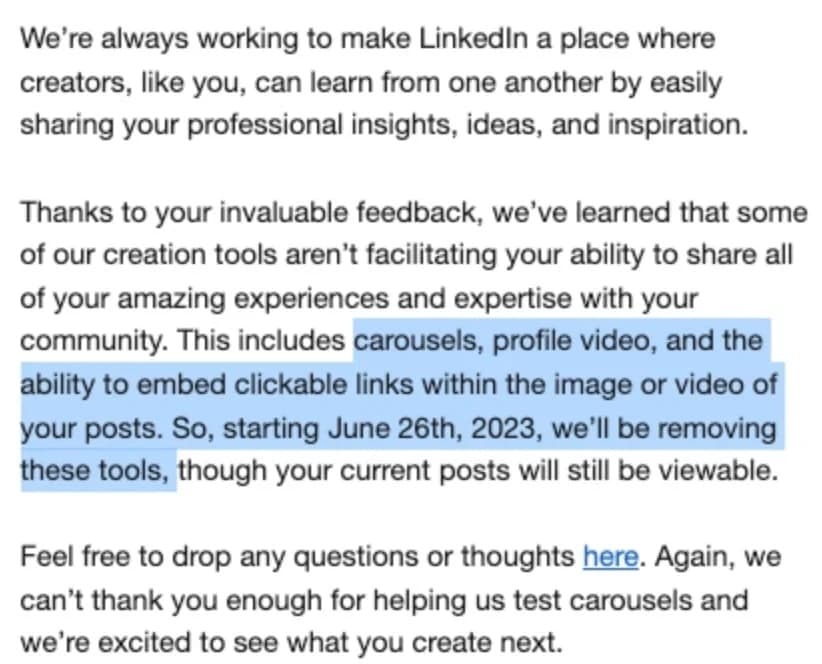
However, carousels did not disappear from the platform.
What was removed
- Native image-based carousel uploads for organic posts.
- The ability to upload multiple images and swipe through them as a carousel.
What still works (and works well)
- Document posts using PDFs.
- Each page of a PDF is rendered as a swipeable slide, creating the same carousel experience.
- Carousel ads were never removed and are still fully supported (covered in the next section).
This PDF-based approach is now the standard and officially supported way to create LinkedIn carousel posts organically.
The key difference is how you create and upload them, not how they appear in the feed.
LinkedIn carousel ads: specs, examples, and how they differ from carousel posts
A LinkedIn carousel ad is a Sponsored Content format built in Campaign Manager from 2 to 10 individual image cards, each with its own headline and destination URL. It is a separate product from the document upload: an organic carousel is one PDF, while a carousel ad is a set of separate images that LinkedIn stitches into a swipeable unit and serves to a targeted audience you pay to reach.
The mechanical differences matter when you plan the creative:
| Organic carousel post | Carousel ad | |
|---|---|---|
| Where you build it | LinkedIn post composer, Add a document | Campaign Manager |
| What you upload | One PDF (or PPT, PPTX, DOC, DOCX) | 2 to 10 separate image cards |
| Who sees it | Your followers and the feeds the algorithm extends it to | The audience you target by job title, seniority, industry, company, and more |
| Links | Links in the PDF are only clickable after download | Each card can carry its own clickable destination URL |
| Editing after publish | Title and caption only, the file is locked | Cards are locked once the ad is saved |
| Cost | Free | Paid per impression or click, depending on objective |
LinkedIn carousel ad specs for 2026
These are LinkedIn’s current carousel ad specifications from Campaign Manager. Check them before you brief a designer, because LinkedIn locks the cards once the ad is saved:
| Element | Specification |
|---|---|
| Number of cards | Minimum 2, maximum 10 |
| Card dimensions | 1080 x 1080 px recommended (1:1). Maximum 4320 x 4320 px. Images are scaled to 312 x 312 px in the feed |
| File type per card | JPG, PNG, or non-animated GIF |
| File size per card | 10 MB maximum |
| Headline per card | 45 characters, shown on two lines before truncation |
| Introductory text | 255 characters maximum, 150 to avoid truncation on some devices |
| Destination URL | Up to 2,000 characters, must start with http:// or https://. Each card can point to a different URL |
| Lead Gen Form | If selected, every card’s CTA opens the same form |
| Ad name | Up to 255 characters, internal only |
Design each card to stand alone. On mobile a reader sees one card at a time, so a headline that only makes sense after card three loses the people who stopped on card three.
LinkedIn carousel ad examples that work for B2B
Three structures cover the objectives B2B teams buy carousel ads for:
- Feature walkthrough (website visits): card one names the problem, cards two to five show one capability each with a product screenshot, the last card carries the demo or trial URL. Each middle card links to the matching feature page.
- Proof stack (lead generation): card one states a result, cards two to four each show one customer outcome with a number and a logo, the final card opens a Lead Gen Form for the full case study.
- Data teaser (brand awareness or engagement): card one asks the question your report answers, cards two to six reveal one finding each, the last card links to the full report.
Cards one and two decide the outcome.
Front-load the strongest claim, because a carousel ad that opens with a logo slide pays for impressions nobody swipes.
When to run a carousel ad vs an organic document post
Run a carousel ad when you need to reach people who don’t follow you and you need a clickable link on every card. Post an organic carousel when the goal is engagement, saves, and comments from an audience you already have or can reach through the algorithm.
The two combine well: publish the document post first, read the comments to see which slide people react to, then build the ad around that slide.
Two paid routes exist, and they are different products.
- A carousel ad is rebuilt from image cards.
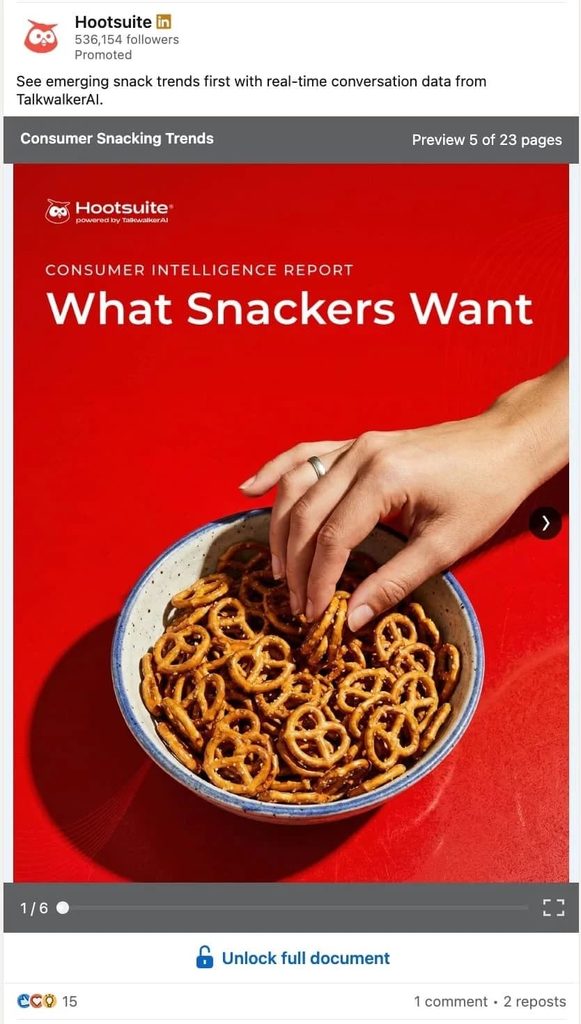
- A document ad sponsors the PDF itself: in Campaign Manager you can browse your existing organic posts and promote the document post you already published, with brand awareness, engagement, website visits, website conversions, or lead generation as the objective.
Document ads with a lead generation objective only accept PDFs and gate the full file behind an Unlock full document form.
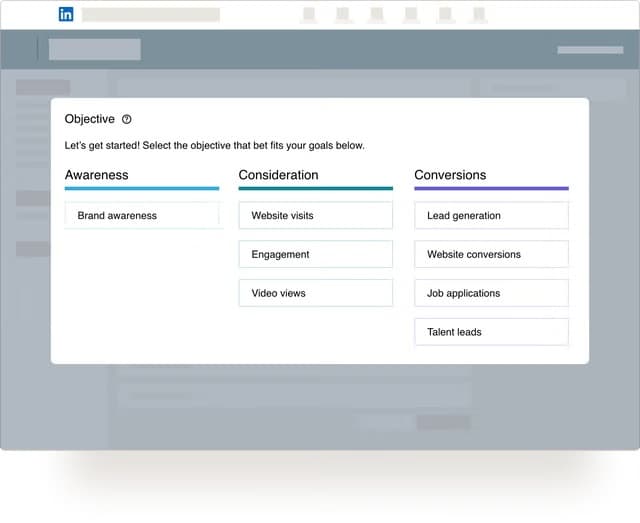
For budget, targeting, and bidding, see our guide to LinkedIn ads for lead generation.
LinkedIn carousel specs and requirements (updated for 2026)
LinkedIn carousel performance depends on how your carousel is designed and structured.
So, it’s important you get this step right.
Below is a clear breakdown of official limits versus recommended design specs according to LinkedIn.
Official LinkedIn document (carousel) limits
These are the hard limits enforced by LinkedIn:
| Requirement | Limit |
|---|---|
| Supported file types | PDF, PPT, PPTX, DOC, DOCX |
| Maximum file size | 100 MB |
| Maximum pages | 300 pages |
| Upload method | Document post (“add a document”) |
| Organic carousels | PDF/document method only |
| Carousel ads | Still supported separately (see specs above) |
Even though LinkedIn allows very large documents, most high-performing carousel posts use far fewer pages.
Recommended LinkedIn carousel design specs and sizes
Just because you can upload a 300 page LinkedIn carousel, doesn’t mean you should as that would be very hard and not UX-friendly to navigate through.
These are performance-driven recommendations for LinkedIn carousels:
| Design element | Recommendation |
|---|---|
| Slides per carousel | 3-10 slides |
| Slide format | Square (1:1) or vertical |
| Recommended dimensions | 1080×1080 px or 1080×1350 px |
| Text per slide | One clear idea per slide |
| Font size | Large enough to read on mobile |
| File type | PDF (most reliable) |
Here’s why this matters:
A large share of LinkedIn reading happens on a phone, where a slide fills the screen and small text needs a pinch-zoom.
Slides that are easy to read, visually consistent, and quick to swipe through tend to generate higher completion rates and more engagement.
Important notes to avoid common mistakes:
- Don’t confuse allowed limits with what performs well. A 50-slide PDF may upload fine, but most likely will underperform.
- Avoid tiny text or dense slides. If it’s hard to read on a phone, people won’t swipe.
- Keep margins consistent so text doesn’t get clipped in preview mode.
- Always preview your PDF before posting to ensure spacing and alignment render correctly.
Once you have the specs right, the next step is understanding what types of carousel content perform well.
How to post a LinkedIn carousel: step-by-step
- Start a new post on LinkedIn.
- Click Add a document.
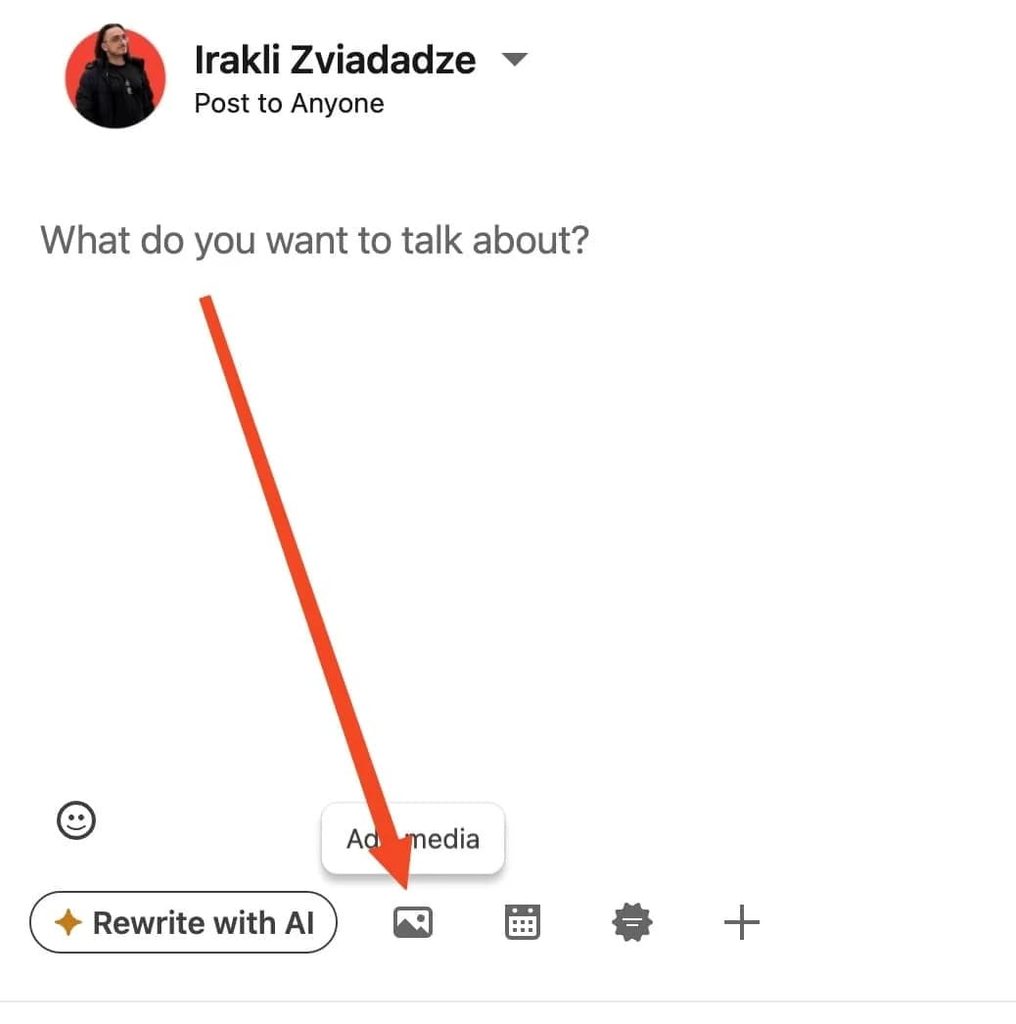
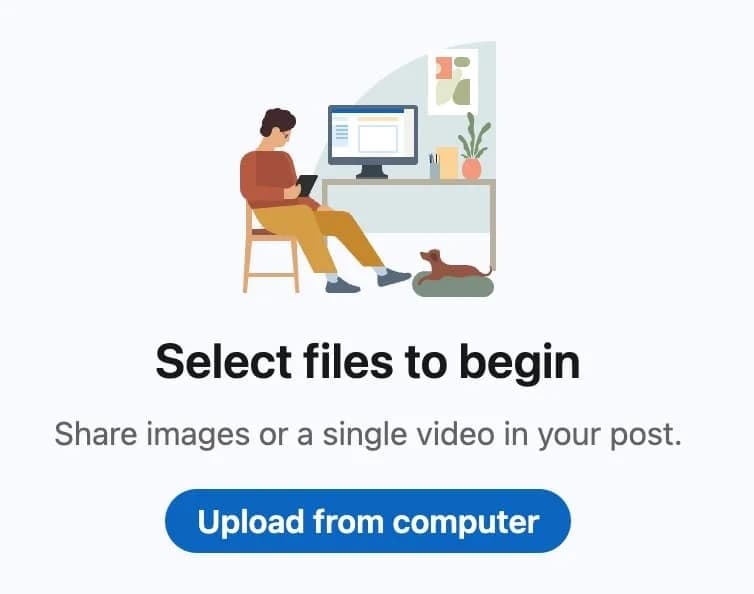
- Upload a multi-page PDF (each page becomes a swipeable slide).
- Add a clear document title (this appears above the carousel).
- Write a short caption to introduce the carousel.
- Publish.
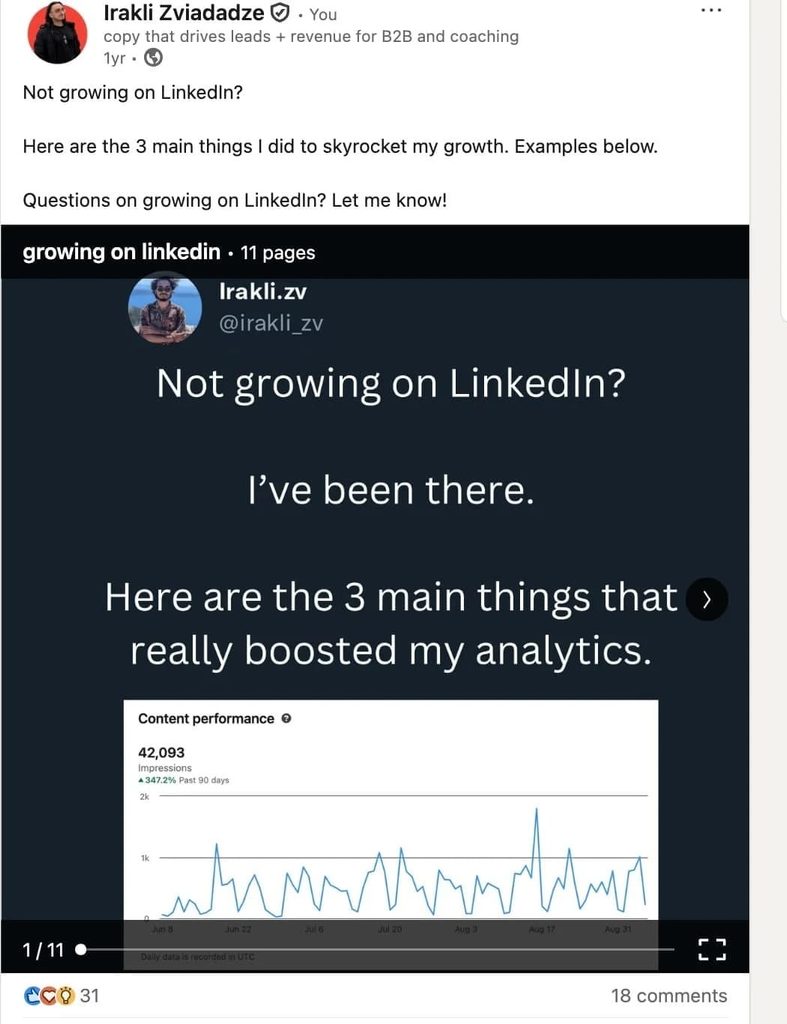
That’s it. LinkedIn will then automatically display each PDF page as a carousel slide in the feed.
LinkedIn carousel examples (what performs well)
Not all LinkedIn carousels perform the same. The highest-engaging carousel posts follow clear structural patterns that make people swipe, stay longer, and interact.
Below are some proven LinkedIn carousel formats used by top creators and B2B teams in 2026, with explanations for why they work and when to use them.
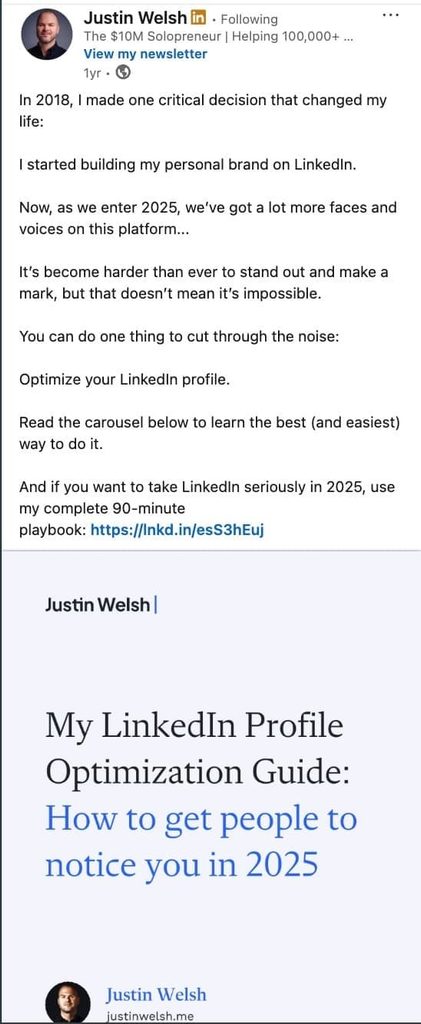
1) Step-by-step / how-to carousels
Example structure:
- Slide 1: Strong hook (“How to do X without Y”).
- Slides 2-6: Clear steps or actions.
- Final slide: CTA (comment, save, follow, DM).
Why this works:
Step-by-step carousels create natural momentum. Each slide promises progress, which increases swipe completion and dwell time.
Best for:
- Tutorials.
- Playbooks.
- Processes.
- Educational B2B content.
2) Problem → Insight → Solution carousels
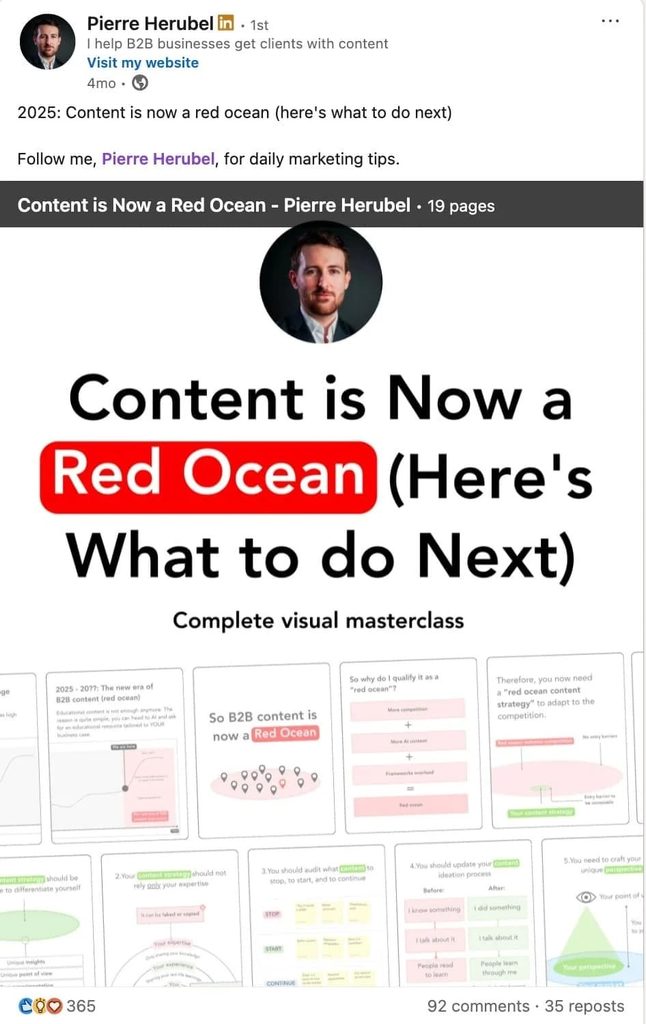
Example structure:
- Slide 1: Call out a painful or relatable problem.
- Slides 2-4: Explain why it happens / common mistakes.
- Slides 5-7: Offer a clear solution or framework.
- Final slide: Soft CTA.
Why this works:
This mirrors how people think. You validate the problem before offering value, which builds trust and keeps readers engaged.
Best for:
- Thought leadership.
- Consulting and agency content.
- Sales, marketing, and GTM topics.
3) Checklist / framework carousels
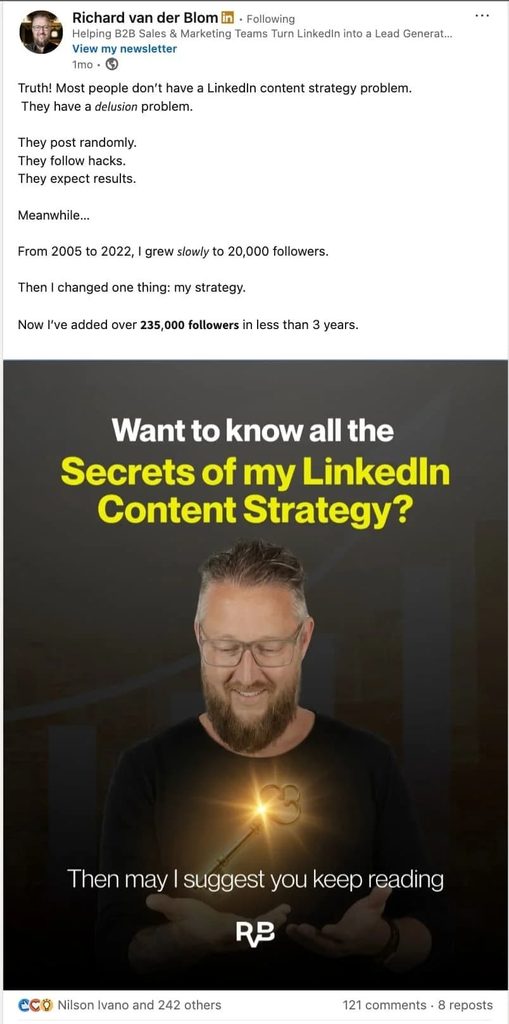
Example structure:
- Slide 1: “The X-point checklist for Y”.
- Slides 2-8: One checklist item per slide.
- Final slide: “Save this” or “Share with your team”.
Why this works:
Checklists are inherently skimmable and save-worthy. They perform well because people want to come back to them later.
Best for:
- Best practices.
- Audits.
- Reviews.
- Templates and frameworks.
4) Myth vs reality carousels
Example structure:
- Slide 1: “Everyone thinks X about [topic]”
- Slides 2-6: Myth → Reality comparisons.
- Final slide: CTA to comment or share opinion.
Why this works:
Contrarian angles trigger curiosity and discussion. These carousels often generate comments, not just likes.
Best for:
- Challenging industry assumptions.
- Personal brand positioning.
- Driving debate and engagement.

5) Story-based / before-after carousels
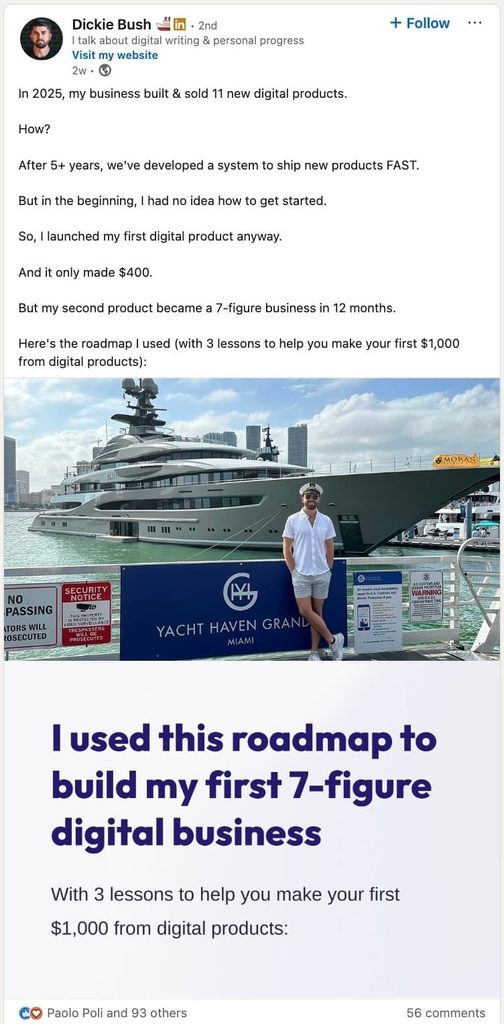
Example structure:
- Slide 1: Outcome-focused hook.
- Slides 2-5: The struggle or starting point.
- Slides 6-8: What changed + lessons learned.
- Final slide: CTA.
Why this works:
Stories humanize your content. People stay longer because they want the ending.
Best for:
- Founder content.
- Case studies.
- Personal brand storytelling.
A LinkedIn carousel template you can copy
If you want a single structure to start from, this nine-slide LinkedIn carousel template fits all five formats above.
Open Canva or Figma at 1080×1350 px and fill in the slots:
- Slide 1: Hook headline in eight words or fewer, plus one line stating the promise.
- Slide 2: The problem or the stakes, in one sentence and one supporting number.
- Slides 3-7: One idea per slide. Headline on top, two lines of explanation, a small “3/9” counter in the corner.
- Slide 8: Recap of the five ideas as a five-line list.
- Slide 9: One CTA (comment, save, or DM), your name, photo, and headline.
Keep the layout identical across slides and change only the words.
Regardless of the format, strong LinkedIn carousel posts usually:
- Open with a clear hook.
- Focus on one idea per slide.
- Use short, readable text.
- Encourage swiping (with visuals like an arrow pointing to the next slide button).
- End with a clear CTA.
Once you understand these patterns, you can reuse them across different topics without reinventing your content every time.
Next, let’s look at the best practices top creators use to increase swipe-through rate and engagement.
7 best practices for LinkedIn carousels (2026)
High-performing LinkedIn carousels often follow predictable patterns. Below are the best practices top creators use in 2026 to increase swipe-through rate, dwell time, and engagement.
If you want to improve your LinkedIn carousel’s performance for 2026, best practices include:
- Starting with a hook.
- Focusing on visual simplicity.
- Telling a story.
- Not forgetting the slide count.
- Keeping it human.
- Keeping it consistent.
- Ending with a CTA.
1. Start with a hook slide
Your first slide is the most critical. It needs to stop the scroll and grab attention.
While visuals help, you also need to have text that gets your audience to continue reading.
This is where principles of copywriting come in:
- Use bold, clear headlines.
- Add an intriguing question or promise value.
- Incorporate eye-catching visuals or colors.
Example: “Want to [outcome] in [timeline] or less? Try one of these # [things]”
2. Focus on visual simplicity
It’s easy to get carried away when designing your LinkedIn carousel.
But keep in mind, less is more.
Cluttered slides with many elements overwhelm the reader.
You don’t need to be an expert graphic designer for this.
But keep in mind what your branding looks like when designing carousels (see how below).
- Use large fonts and limit text to a few words per slide.
- Stick to one main point per slide to maintain clarity.
- Use consistent branding (colors, fonts, and logos). Define what your branding looks like in terms of main colors.
Once you have a template (see tools below), the process becomes much more straightforward.

3. Tell a story
You should structure your carousel like a mini-narrative:
- Problem slide: Introduce a pain point or question.
- Value slides: Present actionable tips or insights.
- CTA slide: End with a clear call-to-action (comment, share, or visit a link).
Example flow:
- Slide 1: “Why Most LinkedIn Posts Fail 💡”
- Slide 2: “Tip 1: Keep It Short”
- Slide 3: “Tip 2: Use Visuals”
- Slide 10: “Which Tip Was Your Favorite? Comment Below!”
Example hook:
“My X-step checklist for creating LinkedIn posts.”
4. Don’t forget the slide count
While LinkedIn allows up to 300 pages per document, carousels perform best when concise.
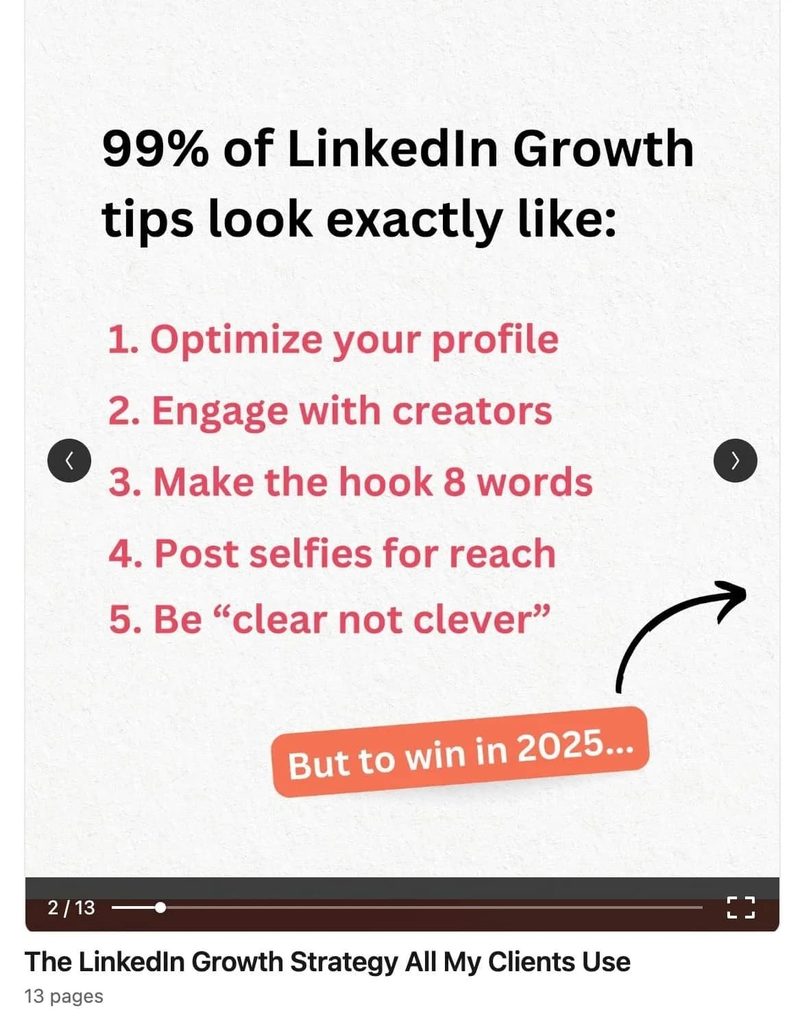
Aim for 3-10 slides and include visual elements that guide the reader through other pages.
5. Keep it human and relatable
LinkedIn is a B2B platform. But that doesn’t mean your audience is faceless entities.
So, you need to keep your carousel relatable and human.
- Speak their language: Use conversational tone and simple words.
- Tap into emotions: Address their challenges or desires directly.
- Use anecdotes: Stories about personal wins or lessons learned can hook your audience and build trust.
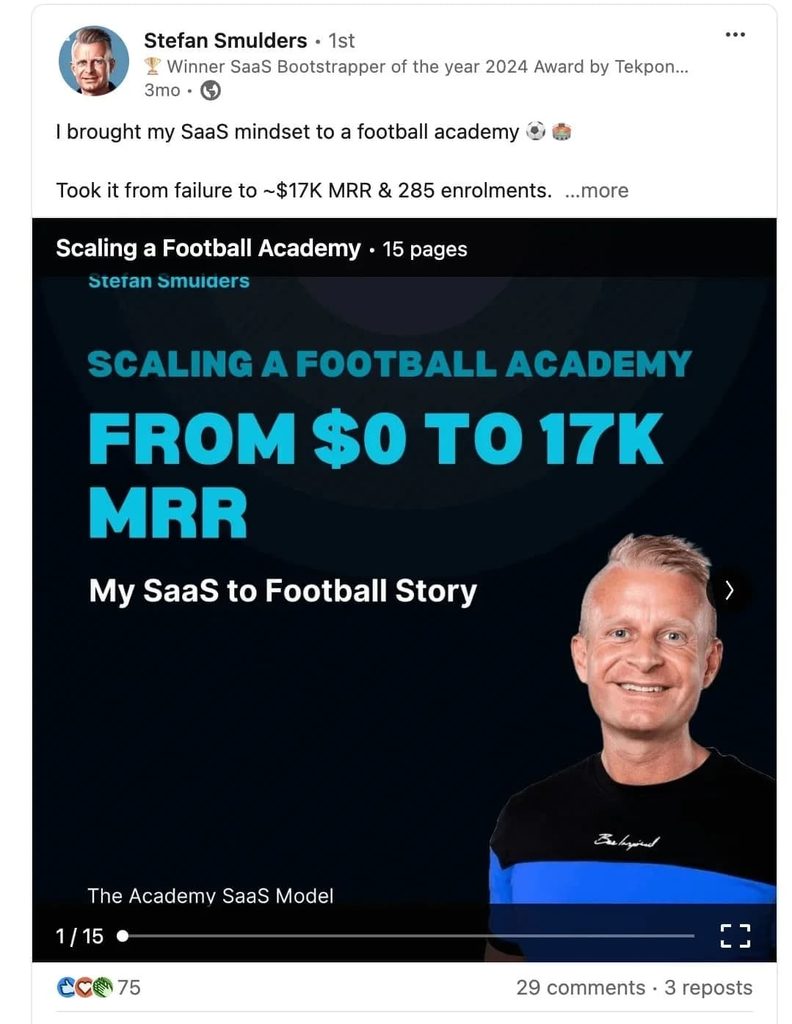
You can also use real images of yourself so that people can immediately tell who it is from.
6. Keep it consistent
Don’t expect to post one carousel and watch your engagement skyrocket.
You should also:
- Create and share other forms of content (text posts, videos, GIFs).
- Experiment with other content strategies based on your audience’s pain points and awareness.
- Use analytics to see what’s working and what isn’t (if something didn’t work, compare it to what did and see what was different).
If reach is the goal, see our guide on increasing brand awareness on LinkedIn.
7. End with a CTA (call-to-action)
Finally, every LinkedIn carousel should guide your audience towards the next step.
Without a clear CTA, you miss the chance to turn engagement into meaningful interactions.
Some examples of effective CTAs include:
- Encourage discussion: “Which tip are you trying first? Comment below!”
- Prompt sharing: “Found this helpful? Share it with your network!”
- Invite exploration: “Want to dive deeper? DM me for more info!”
- Drive action: “Need help implementing this? Let’s connect!”
3 top tools to create quality LinkedIn carousels in 2026
Creating a LinkedIn carousel doesn’t require advanced design skills or expensive software.
You don’t need to be a graphic designer either.
Here are some accessible tools that make the process simple and efficient, depending on your skill level. Pricing was checked on each vendor’s site in September 2026.
Canva
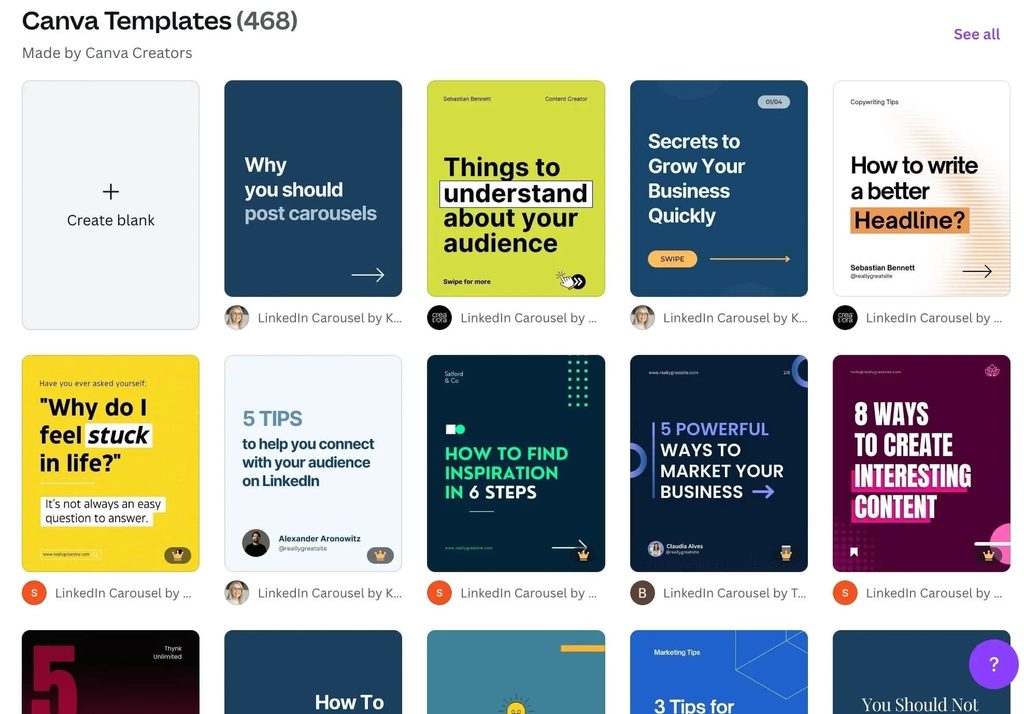
Canva is a versatile design platform with pre-built templates, ideal for creating professional-looking slides.
- Features: Drag-and-drop design, branding kits, animations.
- Who is it for: Ideal if you’re not a designer yourself and/or you’re managing a team since everyone can log in and use your templates.
- Pricing: Free plan available; Canva Pro is US$15/month billed monthly, or US$120/year.
Figma
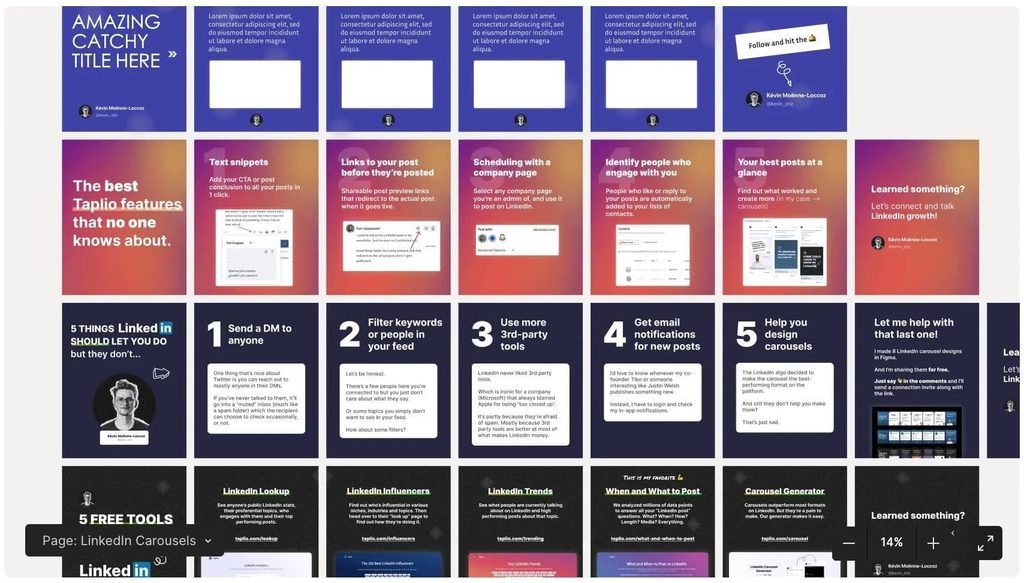
Figma is a collaborative design tool great for creating branded and pixel-perfect carousels.
- Features: Vector editing, team collaboration, prototyping. Not just for carousels.
- Who is it for: Ideal if you have a team or a designer to collaborate with. More powerful than Canva but easy to get the hang of.
- Pricing: Free Starter plan; a Professional full seat is $16/month billed annually, or $20/month billed monthly.
Claude
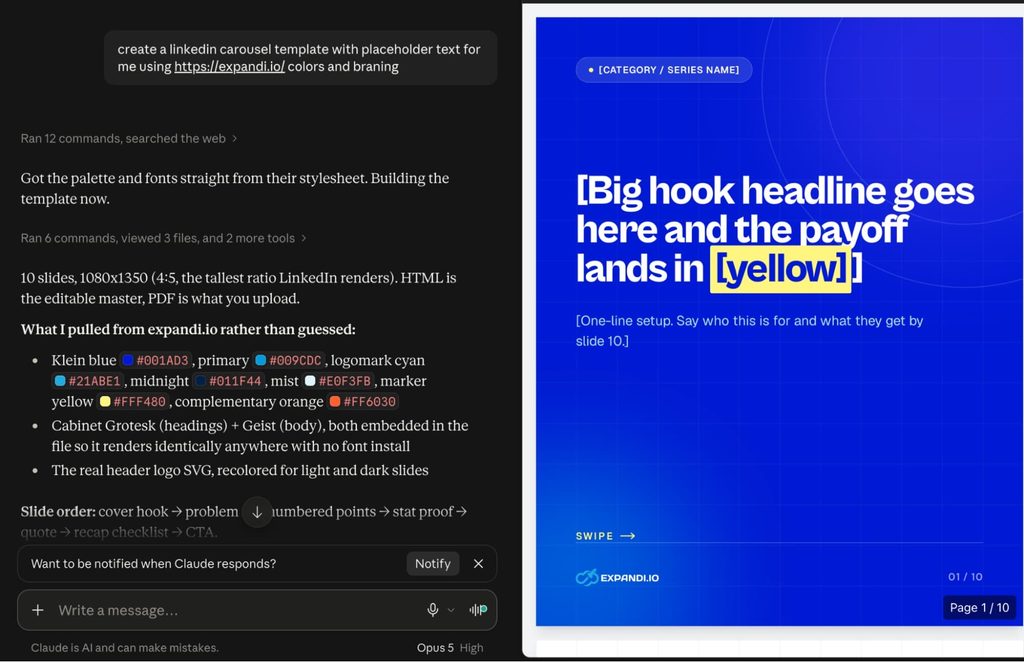
Claude is an AI assistant you can use for the writing side of carousel production.
When it comes to LinkedIn, it’s ideal for brainstorming ideas, drafting slide copy, editing, refining templates, and more. Paste in a blog post or a report and ask for nine slides, and you get a structure ready to drop into Canva.
- Features: Generate engaging copy, brainstorm hooks, outline slide flows, and polish your messaging.
- Who is it for: Ideal for marketers, creators, and professionals who need assistance with content creation but want to maintain a conversational tone.
- Pricing: Free plan available; Pro is $20/month, or $17/month billed annually.
The same prompts work in ChatGPT and other LLMs, and our full guide on ChatGPT tool use cases covers that setup. For the rest of the stack, see our roundup of AI sales tools.
Turning LinkedIn carousel engagement into conversations
Everyone who reacts to or comments on your LinkedIn carousel has told you what they care about, and that list is the warmest LinkedIn outreach audience you will build this month.
In our State of LinkedIn Outreach H2 2026 report, accounts with 1,000-plus followers and consistently engaged posts accepted connection requests at 30.5%, against a 27 to 29% platform average. The sample is small and the finding is directional, but the mechanism is plain: a prospect who has seen your name in their feed has less reason to ignore your request.

Expandi closes that loop.
Paste the carousel’s URL into a post engagement lead list and Expandi pulls everyone who reacted to or commented on it, up to 2,500 to 3,000 people per post, into a LinkedIn lead generation campaign.
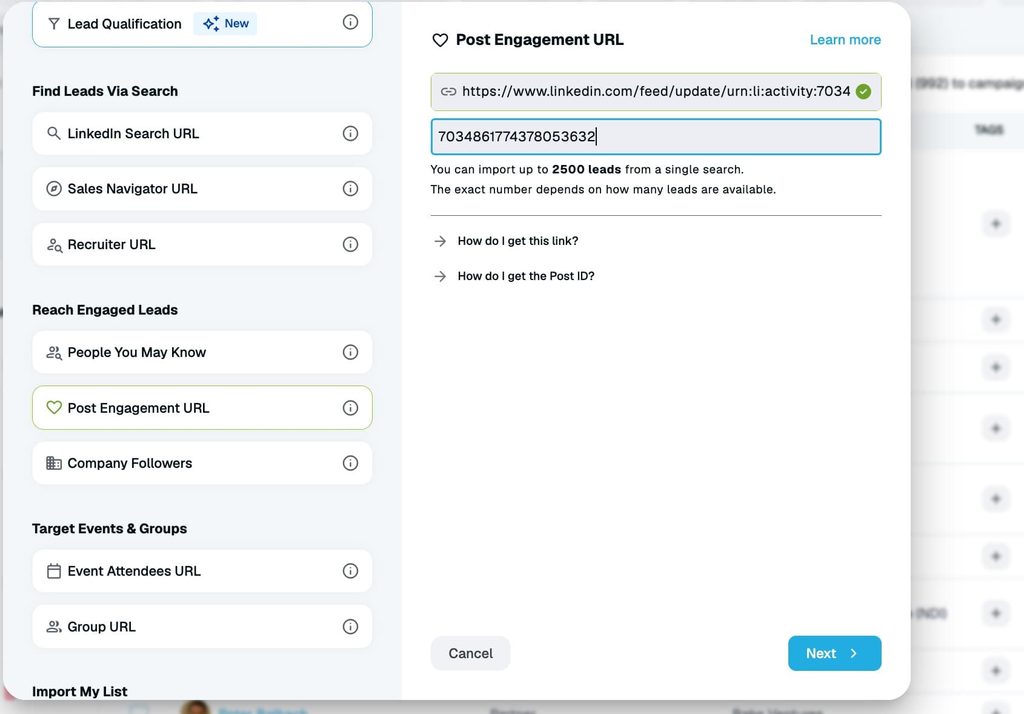
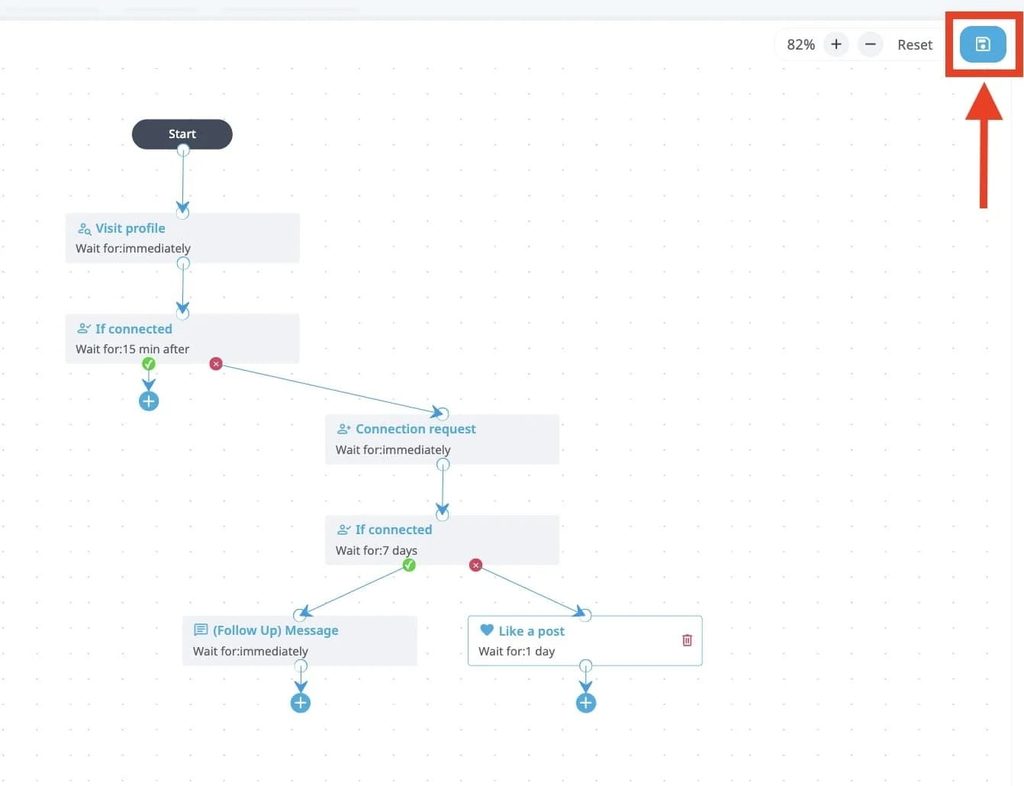
From there a smart outreach sequence can visit each profile, follow, send a connection request that references the carousel, and follow up once they accept. Our walkthrough of LinkedIn post engagement outreach shows the full setup in four steps.
Bridget Harris, founder of YouCanBook.me, a scheduling tool, described running exactly this on her own posts in a GTM Society interview:
“What we used it for was every time anybody engaged with one of my posts, Expandi would send them a message and help engage so we could do it. So when we had a post with, let’s say, 200 comments and things, Expandi would take care of all of that.” — Bridget Harris, YouCanBook.me
Two settings make the difference between this working and this annoying.
- First, personalization: the connection note should name the carousel or the slide they reacted to, because the report found the top-performing connection notes reference an existing tie like this.
- Second, sequencing: warm-up steps before the request, then the real message after acceptance, since our data shows the second message in a sequence gets the highest reply rate per send.
The resulting conversations sync to HubSpot, Pipedrive, or Salesforce, or any LinkedIn CRM connected through webhooks.
Making LinkedIn carousels part of your pipeline
A LinkedIn carousel is still the highest-engagement organic post you can publish in 2026, and the PDF method gives you more control over structure and storytelling than the native format ever did.
Get the specs right, open with a hook, hold one idea per slide, and close with one ask. Then treat the people who swiped as what they are: a warm list.
Expandi turns that list into connection requests and follow-ups that reference the post they just read, inside LinkedIn’s limits.
Start your free 7-day trial and run it on your next carousel.
FAQ – LinkedIn carousels in 2026
You post a LinkedIn carousel by uploading a multi-page PDF as a document post. Each page of the PDF is displayed as a swipeable slide directly in the LinkedIn feed, and this method has fully replaced native organic carousel uploads.
A carousel post is a free organic document post: one PDF whose pages become slides, shown to your followers and whoever the algorithm extends it to. A carousel ad is a paid Sponsored Content format built in Campaign Manager from 2 to 10 separate image cards, each with a headline and a clickable URL, served to an audience you target.
Carousel ads take 2 to 10 image cards at a recommended 1080 x 1080 px, up to 10 MB each, in JPG, PNG, or non-animated GIF. Each card gets a 45-character headline and can link to its own URL, and introductory text caps at 255 characters, with 150 recommended to avoid truncation.
Yes, two ways. In Campaign Manager you can select an existing organic document post and sponsor it as a document ad with the PDF intact, or export the slides as 1080 x 1080 px images and rebuild them as a carousel ad with a clickable link on every card.
PDFs are the most reliable file type for LinkedIn carousels. LinkedIn also supports PPT, PPTX, DOC, and DOCX files, but PDFs render more consistently across devices and reduce formatting issues.
LinkedIn document posts support files up to 100 MB with a maximum of 300 pages. These are hard platform limits, not performance recommendations, and shorter carousels typically perform better on completion rate and engagement.
Most high-performing LinkedIn carousels have between 3 and 10 slides. This range balances value and attention span, while longer documents often see drop-offs before the final slides.
Yes, PDF-based carousel posts remain one of the strongest organic formats on LinkedIn in 2026. Because users actively swipe through slides, carousels increase dwell time, which is a positive signal for LinkedIn’s feed algorithm and often results in higher reach than plain text posts.
Square (1:1) or slightly vertical formats perform best on LinkedIn, at 1080×1080 px or 1080×1350 px. Designs that are easy to read on a phone screen tend to generate higher engagement.
You can upload and publish a carousel PDF from the LinkedIn mobile app, but designing one on mobile is not convenient. Most creators design carousels on desktop using tools like Canva or Figma, where they have better control over layout, spacing, and typography.
The first slide should include a strong hook that immediately grabs attention: a bold promise, a relatable problem, or a curiosity-driven statement. If the first slide doesn’t stop the scroll, users are unlikely to swipe through the rest of the carousel.
CTAs that encourage comments, saves, or shares tend to perform best on LinkedIn. Asking a direct question, prompting readers to save the post, or encouraging them to share it with their team boosts engagement and distribution.
Popular tools for creating LinkedIn carousels include Canva for fast, template-based designs and Figma for more advanced or branded layouts. Many creators also use an AI assistant like Claude to brainstorm hooks, slide copy, and carousel structure before designing the final PDF.


You’ve made it all the way down here, take the final step