15+ Best LinkedIn AI Tools for Outreach, Content & Engagement (2026)

The best LinkedIn AI tools for a sales team cover five jobs: outreach, prospect data, content, scheduling, and engagement.
Buying one tool for all five is how a team ends up with an AI writer that also fires off connection requests.
Our own H2 2026 outreach data adds a warning: across 118 campaigns, AI-generated messages were accepted 12% less than the same accounts’ human-written templates, so every tool below was scored on how it uses prospect data, and AI drafting alone scored low.
Here’s what this guide covers:
- How we scored all 18 tools on a five-point rubric, with 2026 pricing and live review ratings for each.
- The pick for each job: outreach, enrichment, competitor research, content, scheduling, engagement, and profile.
- Where AI tools put a LinkedIn account at risk in 2026, and where the risk is to your credibility instead.
- A one-tool-per-job stack you can copy.
Key Takeaways
- For prospect data, Clay is the pick, with an AI agent that researches live profiles across 150+ providers, and Crystal is the fastest read on how a buyer communicates.
- For content, Supergrow and MagicPost include AI writing from $19 and $39 a month, while Taplio gates its AI writer behind a $69 plan.
- For scheduling, AuthoredUp is the cheap LinkedIn-only pick and Hootsuite the multi-network one. Engage AI drafts comments, and Resume Worded is the profile pick.
- The account-safety line runs between tools that automate LinkedIn actions and tools that only draft: cloud-based automation with conservative limits is workable, while browser extensions that click for you carry the risk.
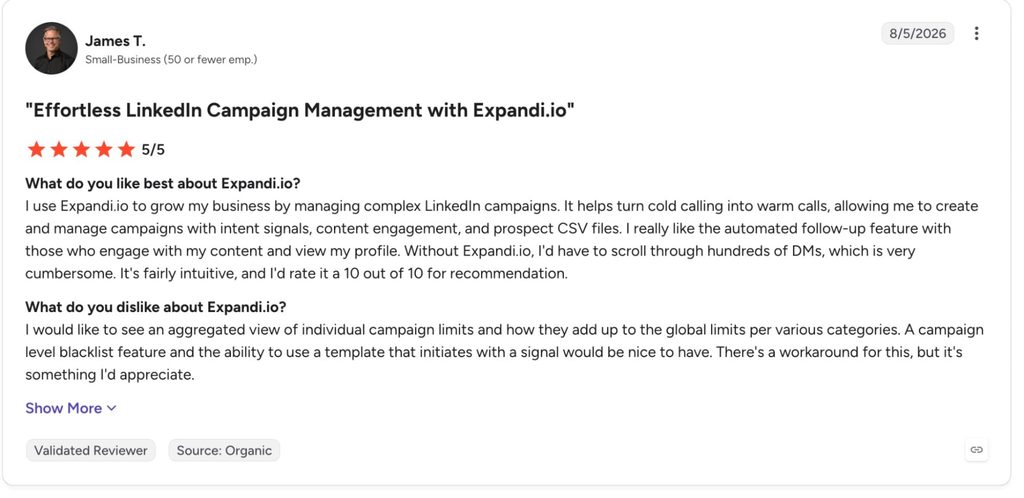
- Expandi scored 8/10 as the outreach pick: cloud-based with a dedicated IP per account, Signals that start sequences from profile visits and post engagement, and an AI Analyzer that drafts messages and sorts replies by sentiment.
15+ Best LinkedIn AI Tools for Outreach, Content & Engagement (2026)


Best LinkedIn AI tools at a glance
Here is how all 18 AI sales tools for LinkedIn compare on category, best use, our score, and entry price, with every price checked on the vendor’s live pricing page in September 2026:
| Tool | Category | Best for | Our score (/10) | Starting price |
|---|---|---|---|---|
| Expandi | Outreach | Signal-triggered LinkedIn sequences for sales teams and agencies | 8 | $99/mo per seat ($79/mo billed annually) |
| Clay | Prospecting and enrichment | AI research and waterfall enrichment for GTM engineers | 8 | Free plan, paid from $185/mo ($167/mo billed annually) |
| Crystal | Prospecting and enrichment | Personality-based meeting prep for SDRs and AEs | 7 | Free profile, Sales from $59/mo ($590/yr) |
| Backstory (formerly People.ai) | Prospecting and enrichment | Enterprise deal and account intelligence | 6 | Quote only |
| Delve.ai | Competitor analysis | Audience and competitor personas for marketers | 6 | Free tier, Website + Competitor Persona from $89/mo |
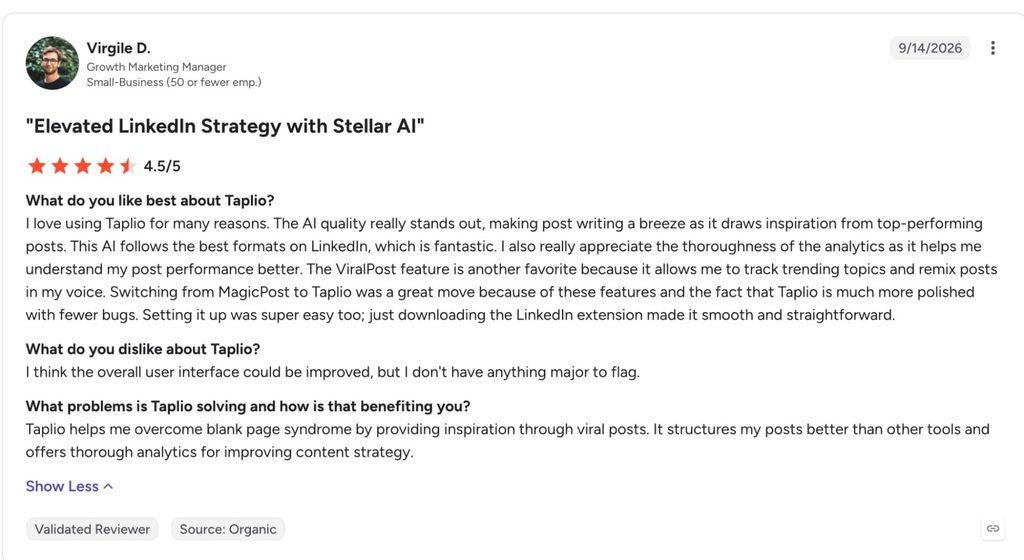
| Taplio | Content creation | Viral-post research plus a scheduler for creators | 5 | $39/mo ($32/mo billed annually), AI writer from $69/mo |
| MagicPost | Content creation | Low-cost LinkedIn-only AI post writing | 6 | $49/mo ($29/mo billed annually), AI writer from $69/mo |
| Kleo | Content creation | Voice-trained writing with a knowledge base | 8 | $99/mo ($999/yr billed annually) |
| Opus Clip | Content creation | Cutting long video into LinkedIn clips | 6 | Free plan, paid from $15/mo |
| Descript | Content creation | Editing video and podcasts by editing the transcript | 7 | Free plan, paid from $24/mo ($16/mo billed annually) |
| Supergrow | Content creation | Voice-matched posts from AI interviews | 8 | $19/mo ($16/mo billed annually) |
| AuthoredUp | Scheduling and analytics | Formatting, previewing, and analyzing posts | 5 | $19.95/mo ($16.63/mo billed annually) |
| Hootsuite | Scheduling and analytics | Multi-network scheduling for marketing teams | 7 | $99/user/mo billed annually |
| Engage AI | Engagement | AI-drafted comments on prospect posts | 5 | Free extension, community plans from $50/mo |
| Teal | Profile optimization | Free section-by-section profile review | 7 | Free, Teal+ from $29/mo |
| Resume Worded | Profile optimization | Scored LinkedIn profile review with keyword analysis | 8 | Free score, Pro $49/mo ($19/mo billed annually) |
| HeadshotPro | Profile optimization | AI headshots from phone selfies | 7 | $29 one-time |
| Careerflow | Profile optimization | Guided profile rewrite with a free optimizer | 7 | Free, Premium from $23.99/mo ($14.41/mo billed yearly) |
How we ranked these LinkedIn AI tools
Every tool was scored 0 to 2 on five criteria and summed to a score out of 10.
Pricing came from each vendor’s live pricing page on September 2026, with the billing toggle checked for both rates, and ratings came from whichever review platform the tool has a presence on.
The five criteria we looked at for these LinkedIn tools:
AI depth: does the tool act on prospect-specific data?
Two points for AI that acts on data specific to the prospect or the user: post history, a job change, a profile visit, a trained voice model.
One point for AI that works from a brief you give it. Zero for templated variable-swapping with an AI label on it.
Category fit: how well it does the one job it is hired for
Two points for a tool that goes deep on one LinkedIn job. One for a tool that does the job as one feature among several. Zero for tools that sit one step removed from LinkedIn entirely.
Several tools below lose points here, and the table says so.
Safety and output trust: account risk or editing load
For outreach and engagement tools, this is account safety: cloud infrastructure with a dedicated IP scores higher than a browser extension that clicks inside your LinkedIn tab.
For content and scheduling tools, it is platform compliance plus how much editing the AI’s output needs before it is postable.
Pricing transparency: is the real cost visible before signup?
Two points when both billing rates sit on a public page and the plan you see is the plan you get. One point when the feature you came for, such as the AI writer, is gated to a higher tier than the headline price. Zero when pricing is quote-only or only appears after you create an account.
Real-user validation: live ratings and review volume
Two points for a rating of 4.3 or higher with 100+ reviews on G2, Capterra, or Trustpilot. One for a solid rating on thin volume. Zero for tools with no independent review presence, which we say explicitly rather than skip.
Expandi went through the same five criteria as every other tool and lost points where it deserved to.
The outreach category comes first, because it is the job with the most at stake.
AI tools for LinkedIn outreach
LinkedIn outreach is the job people mean when they search for the best AI tools for LinkedIn sales, and it is the one job where a tool can get an account restricted.
1. Expandi
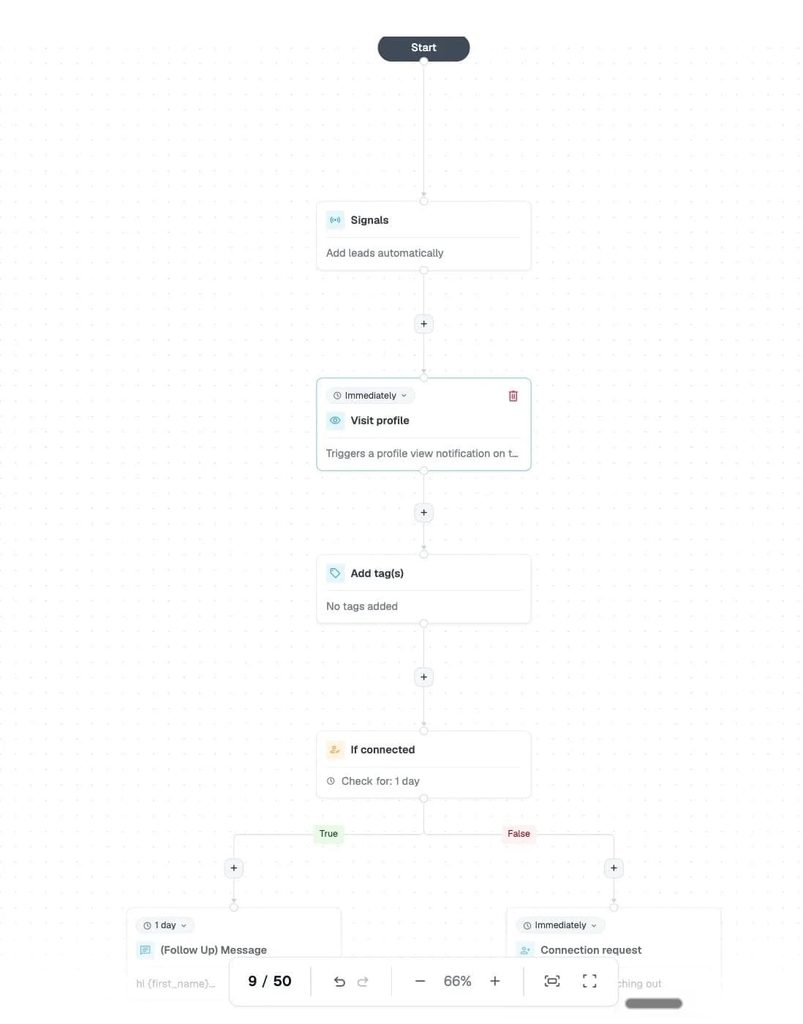
Expandi is our LinkedIn outreach automation platform: cloud-based, one dedicated country-based IP per account, and campaigns built as if-then sequences.
It earns the outreach slot for sales teams and agencies that want AI to decide when to reach out, and it is the only tool here whose AI feeds on what a prospect just did on LinkedIn. It runs the same way for a single seat as for an agency managing dozens of client accounts through Workspaces, with native CRM integrations for HubSpot, Pipedrive, and Salesforce.
Score: 8/10 (AI depth 1, category fit 2, safety and output trust 2, pricing transparency 2, real-user validation 1).
Key features:
- Signals add people who visited your profile, viewed your company page, or engaged with a post into a campaign automatically, syncing new matches about every 24 hours. A keyword filter on post comments turns engagement into topic-level targeting.
- The AI Analyzer sets a campaign goal from three sentences, generates connection messages and follow-ups, drafts replies inside the inbox, and sorts incoming replies into Interested, Maybe, and Not Interested. Message generation runs on 15 credits a day across campaigns, and every draft is meant to be checked before it sends.
- Smart sequences in the Builder combine 20 actions and 11 conditions, with dynamic placeholders built in and image and video personalization through Hyperise and Sendspark.
- The Expandi MCP beta lets Claude, ChatGPT, Cursor, n8n, or Make build lists, draft campaigns and replies, and diagnose stalled sending, with nothing sent without your approval.
- Workspaces let you invite teammates or clients at no extra cost, with custom roles and 100+ permission settings, and the Agency plan covers 10+ accounts with white-label and centralized campaign management.
The proof behind the signal-first design is our own data.
In our State of LinkedIn Outreach H2 2026 report, built on 13.2 million connection requests, unedited AI-generated messages were accepted 12% less than the same accounts’ human-written templates, with reply rate flat. That is why the AI Analyzer drafts and you edit.
Timing moved the numbers more than copy did. In our H1 2026 outreach data, campaigns aimed at people who had visited the sender’s profile replied at 13.4% against a 10.3% average for LinkedIn messages, which is the gap Signals exist to capture.
Pros and cons of Expandi:
| Pros | Cons |
|---|---|
| Cloud-based with a dedicated country IP per account, so nothing runs inside your browser | LinkedIn-first: email runs as a sequence step through Gmail, Yahoo, or custom SMTP, with no standalone email channel |
| Signals turn profile visits and post engagement into campaign triggers with no list building | AI message generation is capped at 15 credits a day, so it drafts rather than mass-produces |
| One plan with every feature, so Signals and the AI Analyzer are included at $99 | Image and video personalization run through Hyperise and Sendspark, each a separate subscription |
| Workspaces and the Agency plan cover 10+ accounts under one login | Reviewers on G2 and Trustpilot say the interface takes time to learn, and the MCP is still in beta |
Expandi pricing, from our pricing page:
| Plan | Price |
|---|---|
| Business | $99/mo per LinkedIn account, or $79/mo billed annually |
| Agency | Custom, 10+ seats |
Reviews: 4.3/5 from 161 reviews on G2 and 4.5/5 from 113 reviews on Trustpilot. Reviewers rate customer support highest and the interface lowest.
AI tools for LinkedIn data enrichment and prospecting
Enrichment tools answer who to contact and what to say before an outreach tool sends anything: Clay builds the list, Crystal reads the person, and Backstory reads the deal.
Alex Fine, co-founder of Understory, a sales and marketing agency for SaaS companies, described how the enrichment layer hands off to outreach in a GTM Society interview:
“So a very common tactic that we’ll do is we’ll scrape social posts. … And we can sequence them out of tools like Expandi. So you can do things where you can actually push this information to Clay and then you can funnel it to Expandi. So you can say if someone’s engaging with this post, they match my ICP, push it to an Expandi campaign, and then you can send it out immediately.” — Alex Fine, Understory
For the stack beyond LinkedIn, which AI tools a GTM strategy needs covers the rest.
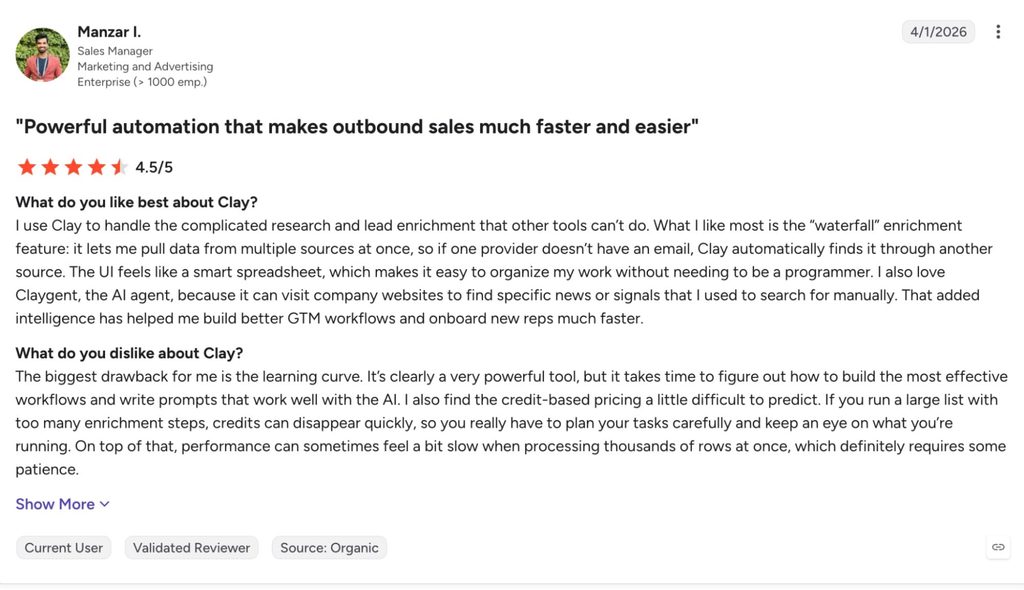
2. Clay
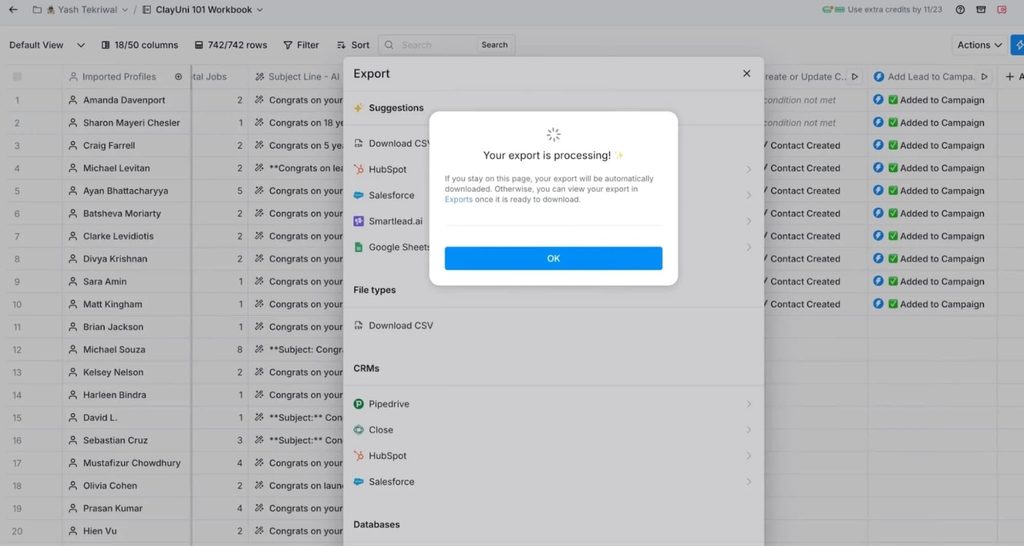
Clay is a spreadsheet-shaped enrichment layer that runs waterfall lookups across 150+ data providers and an AI research agent, Claygent, that visits live web pages to generate custom data points.
It is here for GTM engineers and RevOps teams who build their own prospecting workflows and feed the output into an outreach tool.
Score: 8/10 (AI depth 2, category fit 2, safety and output trust 1, pricing transparency 1, real-user validation 2). Learning difficulty is the top-cited con on G2, and the two-unit consumption model takes a help doc to predict.
Key features:
- Waterfall enrichment cascades through providers until a verified email or phone comes back, and a failed lookup no longer charges credits or actions.
- Claygent reads LinkedIn profiles, company pages, and news to generate research fields and first lines at scale.
- Signals for job changes, promotions, new hires, company news, and social listening from the Launch plan, with web intent and webhook automation on Growth.
- CRM auto-sync and data warehouse connections to Snowflake, BigQuery, and Databricks on Growth, plus a native sequencer for email.
- A free plan with unlimited seats, 500 actions and 100 data credits a month, and a 200-row table cap.
Pros and cons of Clay:
| Pros | Cons |
|---|---|
| Deepest prospect research here, with AI that reads live pages instead of static fields | Steep learning curve: learning difficulty and learning curve are the two most-cited cons on G2 |
| The free plan is real, with unlimited seats and Claygent included | Two consumption units make monthly cost hard to predict, and top-ups carry a 30% premium |
| Signals and CRM sync turn it into a trigger engine for outbound | Pulling Sales Navigator lists still depends on a Chrome extension |
Clay pricing, from the Clay pricing page, which was overhauled in March 2026:
| Plan | Price |
|---|---|
| Free | $0 |
| Launch | $185/mo, or $167/mo billed annually |
| Growth | $495/mo, or $446/mo billed annually |
| Enterprise | Custom, annual commitment |
Reviews: 4.6/5 from 233 reviews on G2. Integrations and ease of use lead the pros, learning difficulty leads the cons.
3. Crystal
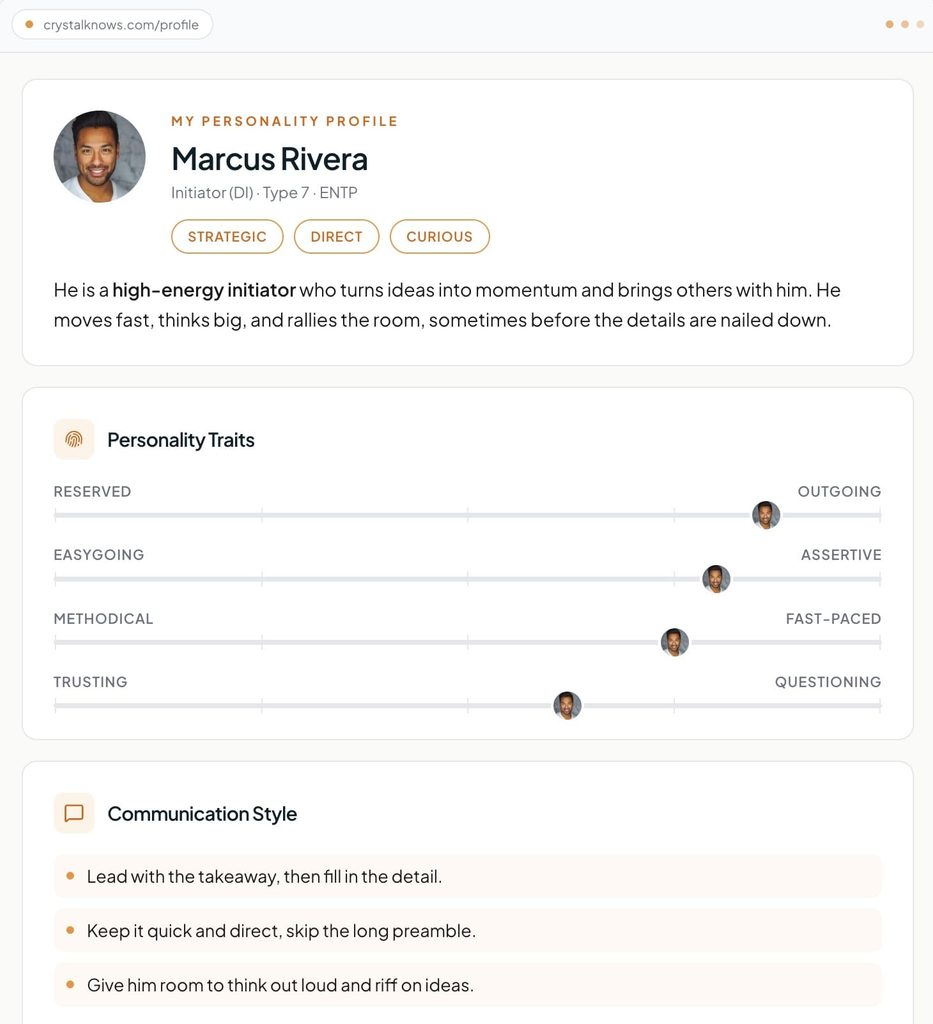
Crystal predicts a person’s DISC personality type from public data and turns it into communication advice: how to open, how fast to move, what to avoid. It belongs in a sales stack for SDRs and account executives who want a read on a buyer before a first message or call.
Score: 7/10 (AI depth 1, category fit 2, safety and output trust 1, pricing transparency 2, real-user validation 2). A predicted personality is an inference the prospect never confirmed, so treat the advice as a hypothesis.
Key features:
- The Sales plan turns each prospect into a personality-aware buyer profile with a meeting-prep brief and follow-up guidance, with a LinkedIn connector included.
- A Chrome extension shows the profile beside LinkedIn, with 10 lifetime previews on the free tier.
- A Personality API and an MCP server put the same profiles into a CRM, a product, or an AI agent, priced per profile created.
- Assessments tiers from $99 to $499 a month cover team reports, hiring, and onboarding for people outside sales.
Pros and cons of Crystal:
| Pros | Cons |
|---|---|
| Advice is specific to the person, which makes first messages easier to write | A predicted personality is a hypothesis, and reviewers question tying it to revenue |
| The free profile never expires, and the Sales trial covers your first 3 prospects | Sales Premium caps at 20 prospect profiles a month before the custom Teams tier |
| Pricing is fully public, including annual rates | Reviewers on G2 call individual pricing high for what it adds |
Crystal pricing, from the Crystal pricing page:
| Plan | Price |
|---|---|
| Free profile | $0 |
| Crystal Premium | $49/mo |
| Sales Premium | $59/mo, or $590/yr |
| Sales Teams | Custom |
Reviews: 4.6/5 from 458 reviews on G2. Accuracy of the personality read is the most-praised point, and price the most-criticized.
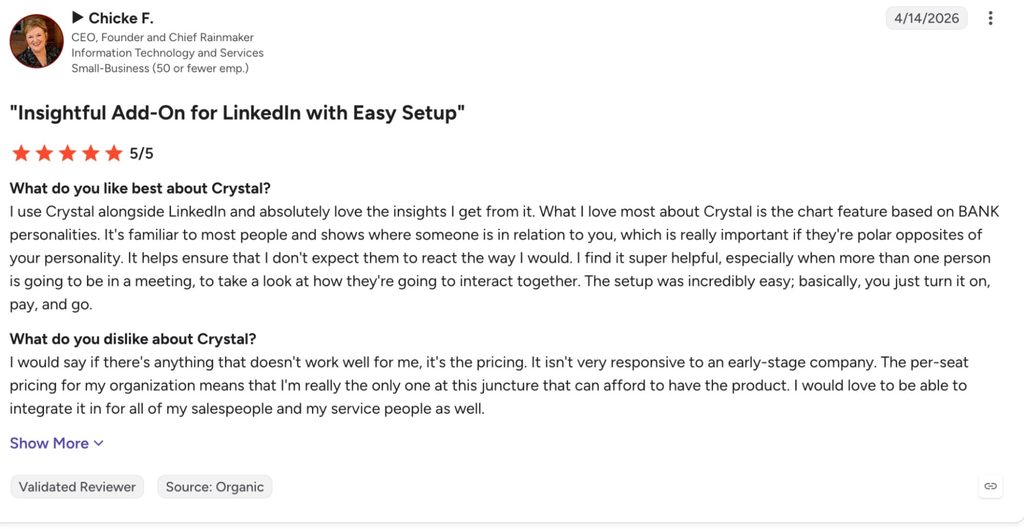
4. Backstory
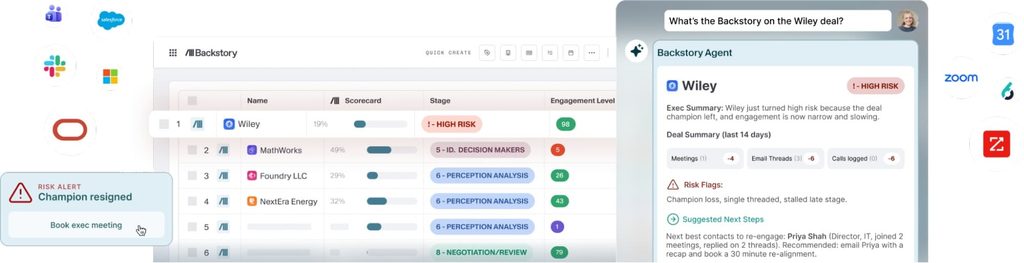
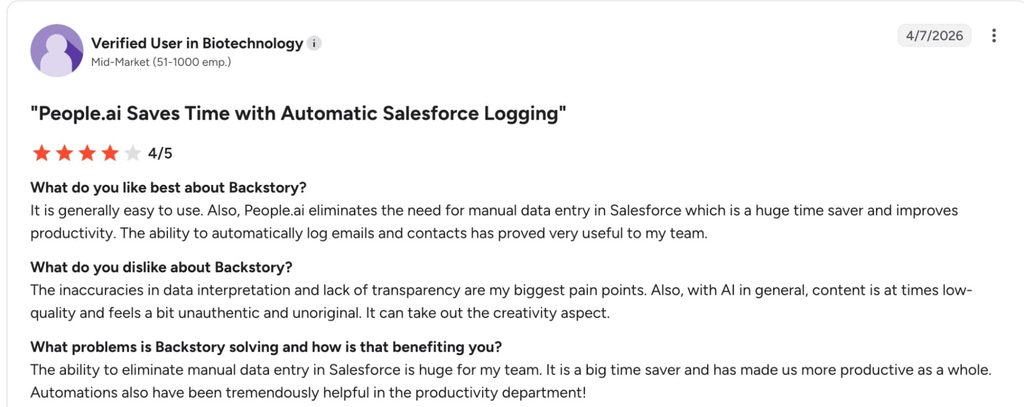
Backstory (formerly People.ai) now sells AI deal intelligence: it ingests reps’ emails, calls, and meetings, matches them to CRM records, and answers questions about pipeline health, deal risk, and account coverage.
Sales leaders keep it in their stack, which is why it appears here, and it carries a low category-fit score because nothing in it is LinkedIn-specific.
Score: 6/10 (AI depth 2, category fit 0, safety and output trust 2, pricing transparency 0, real-user validation 2). The two zeros are what they look like: no LinkedIn job, and no public price.
Key features:
- Automatic capture of customer activity from email, calendar, and calls, with no manual CRM logging.
- Deal risk, stakeholder mapping, and forecast answers surfaced in Salesforce, Slack, Microsoft Copilot, ChatGPT, and Claude, including through an MCP connection.
- Pricing based on the people whose activity is captured and the answers consumed, with viewers such as managers and finance added at no seat cost.
Pros and cons of Backstory:
| Pros | Cons |
|---|---|
| Strongest deal-level AI on this list, with 630 G2 reviews behind it | No LinkedIn features: it reads the relationship after outreach has already worked |
| Whole-org access without per-viewer seats | Quote-only pricing, requested through a form |
| Enterprise-grade security and integrations | G2 reviewers mention occasional syncing issues with Salesforce data |
Backstory pricing, from the Backstory pricing page:
| Plan | Price |
|---|---|
| Custom | Quote only |
Reviews: 4.5/5 from 630 reviews on G2.
AI tools for LinkedIn competitor analysis
Competitor analysis on LinkedIn means knowing who engages with the companies you sell against and what those people care about, and the tool here does it with generated personas instead of scraped lists.
5. Delve.ai
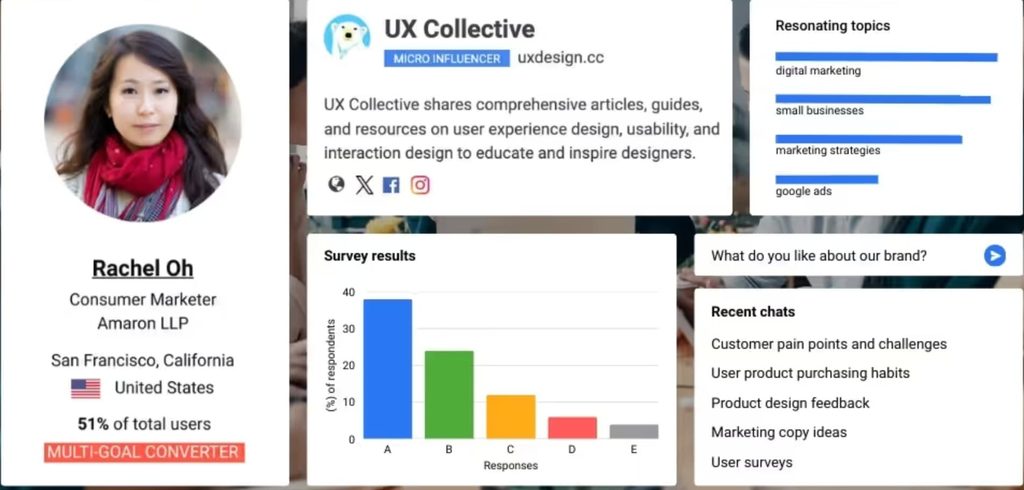
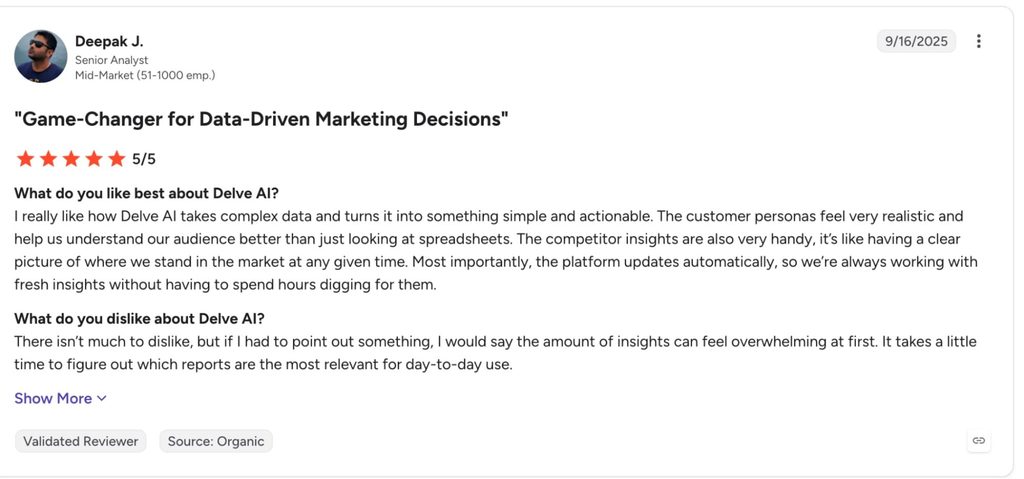
Delve.ai generates buyer personas from website analytics, CRM records, social audiences, and competitor domains, then lets you chat with those personas as digital twins. It is here for marketers and founders who want a structured read on a competitor’s audience before targeting it.
Score: 6/10 (AI depth 1, category fit 1, safety and output trust 1, pricing transparency 2, real-user validation 1). The personas are aggregate inference, and the 4.8 rating rests on 22 reviews.
Key features:
- Website + Competitor Persona builds personas for your visitors and for 2 competitor domains, with more competitors as a $49/mo add-on.
- Social Persona pulls audience research, sources of influence, hashtags, and topics for a brand from social networks.
- Digital twins let you interview a persona, with 50 chat credits on the free tier.
- Personas refresh monthly, with Slack or email notifications.
Pros and cons of Delve.ai:
| Pros | Cons |
|---|---|
| Competitor personas in minutes, with a free tier to test on one audience | Output is aggregate inference, useful for positioning and useless as a contact list |
| Every plan has a public price with a 20% annual discount | Bundles start at $317/mo, and the marketing bundle at $877/mo |
| Persona chat is a fast way to pressure-test messaging | G2 reviewers cite a learning curve and data overload as the main cons |
Delve.ai pricing, from the à la carte view of the Delve.ai pricing page:
| Plan | Price |
|---|---|
| Free tier | $0 |
| Research Persona | $99/mo |
| Website + Competitor Persona | $89/mo |
| Social Persona | $199/mo |
| Research Essential Bundle | $317/mo billed monthly, 20% under the à la carte price |
Reviews: 4.8/5 from 22 reviews on G2, a small base to weigh against the score.
AI tools for LinkedIn content creation
Content is the one LinkedIn job where AI output is public, so the test for each writer is whether a post reads like you or like the model.
Dave Schools, co-founder and CEO of Singulate, a personalization platform for marketing nurtures and newsletters, put the reader’s side of it this way in a GTM Society interview:
“People are sensitive to AI-generated content. It has to really come from a human, be well-written, be well-thought-out, and you have to have something to say.” — Dave Schools, Singulate
There is a second reason the content job matters in 2026. Profound’s analysis of 1.4 million AI-search citations found LinkedIn is the most-cited domain for professional queries across six AI platforms, and its ChatGPT domain rank climbed from around 11th to 5th between November 2025 and February 2026. Posts and long-form articles now make up roughly 35% of those LinkedIn citations, up from 27%, so what you publish is an AI-visibility asset as well as a LinkedIn one.
6. Taplio
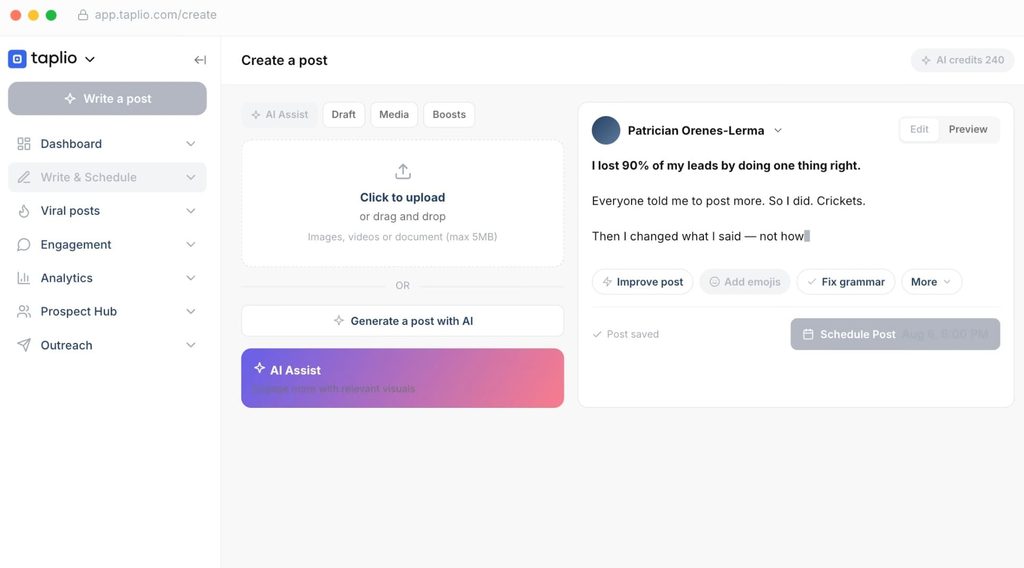
Taplio is the broadest LinkedIn content platform on this list: an AI writer, a searchable library of viral posts, a scheduler, analytics, carousel generation, and, on higher plans, automated connection requests and DMs.
It suits founders and sales leaders who want one product for the whole personal-brand motion and can pay for the tier that includes the writer.
Score: 5/10 (AI depth 1, category fit 2, safety and output trust 1, pricing transparency 0, real-user validation 1). The pricing zero is the documented pattern in this category: no AI on the $39 plan, 250 credits on Growth, and unlimited AI only at $199.
Key features:
- AI post generator, draft improvement, and image generation, all credit-metered on Growth and unlimited on Pro.
- A viral post library, plus a LinkedIn benchmark that Taplio says is built from 60,000+ posts analyzed each month.
- Scheduling, analytics, carousels, and a free Chrome extension for in-feed stats.
- Engage tools for commenting, and Taplio MCP V2, which lets an AI client draft comments and replies that queue until you confirm.
- Auto-connect and DM automation on Pro, which is outreach automation running inside a content tool.
Pros and cons of Taplio:
| Pros | Cons |
|---|---|
| Widest feature set in the content lane, from research to scheduling | No AI writing on the $39 plan, and unlimited AI only at $199/mo |
| The viral library and benchmark are useful research even without the writer | Auto-connect and auto-DM on Pro carry the same account risk as any browser-side automation |
| 7-day trial with full Pro access and a 30-day refund window | Thin review base: 8 reviews on G2 and 19 on Trustpilot, at 4.1 and 3.5 |
Taplio pricing, from the Taplio pricing page:
| Plan | Price |
|---|---|
| Starter | $39/mo, or $32/mo billed annually |
| Growth | $69/mo, or $49/mo billed annually |
| Pro | $199/mo, or $149/mo billed annually |
Reviews: 4.1/5 from 8 reviews on G2 and 3.5/5 from 19 reviews on Trustpilot.
7. MagicPost
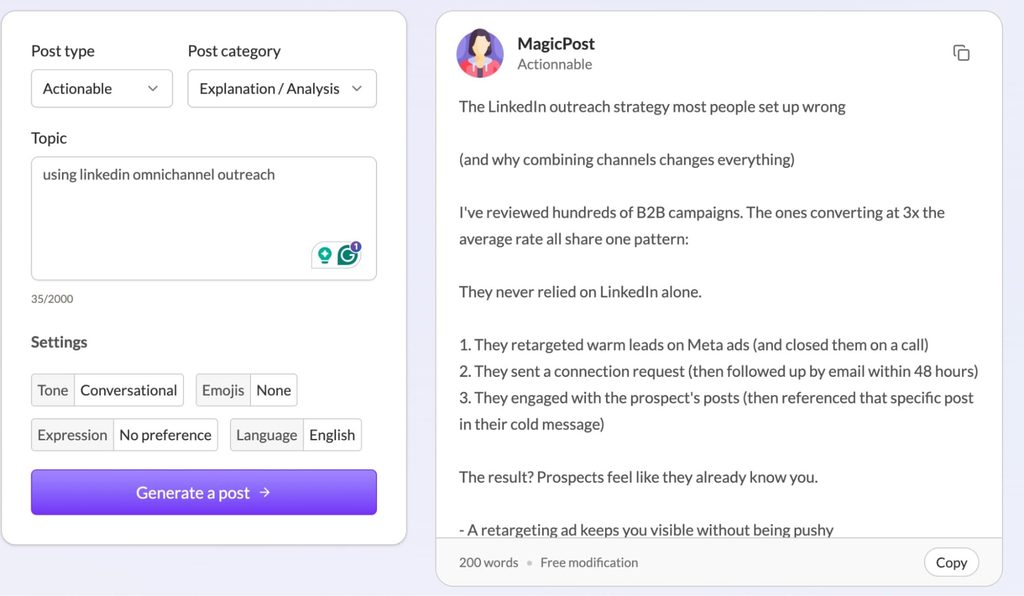
MagicPost does one thing: draft and schedule LinkedIn posts in your voice, trained on your past posts, at one of the lowest prices in the lane. It fits SDRs, founders, and ghostwriters who post text content regularly and want a writer without the platform.
Score: 6/10 (AI depth 1, category fit 2, safety and output trust 1, pricing transparency 1, real-user validation 1). The $49 Growth plan is analytics and manual scheduling, and the AI writer starts on Creator.
Key features:
- Unlimited post generation on Creator, with style matching from your own posts or any creator’s profile, a hook generator, and an idea generator.
- A library of 2M+ posts to browse for inspiration, plus AI photos and carousel creation.
- Scheduling with first-comment scheduling, an engagement feed, and lead detection that surfaces who engaged with your posts.
- API and MCP access on Creator, agency seats with client approval and white-label reports, and a Team plan for employee advocacy.
Pros and cons of MagicPost:
| Pros | Cons |
|---|---|
| AI writing from $39/mo billed annually, among the cheapest here | The Growth plan has no AI generation despite the “from $29” headline |
| Built only for LinkedIn, with agency and team modes | No G2 or Capterra listing, so Trustpilot is the only independent signal |
| Free trial with no card | Voice matching still needs an edit pass to lose the cadence readers now spot |
MagicPost pricing, from the MagicPost pricing page:
| Plan | Price |
|---|---|
| Growth | $49/mo, or $29/mo billed annually |
| Creator | $69/mo, or $39/mo billed annually |
| Agency | $59/mo per seat, or $47/mo billed annually, 5 seats minimum |
| Team | $299/mo, or $239/mo billed annually |
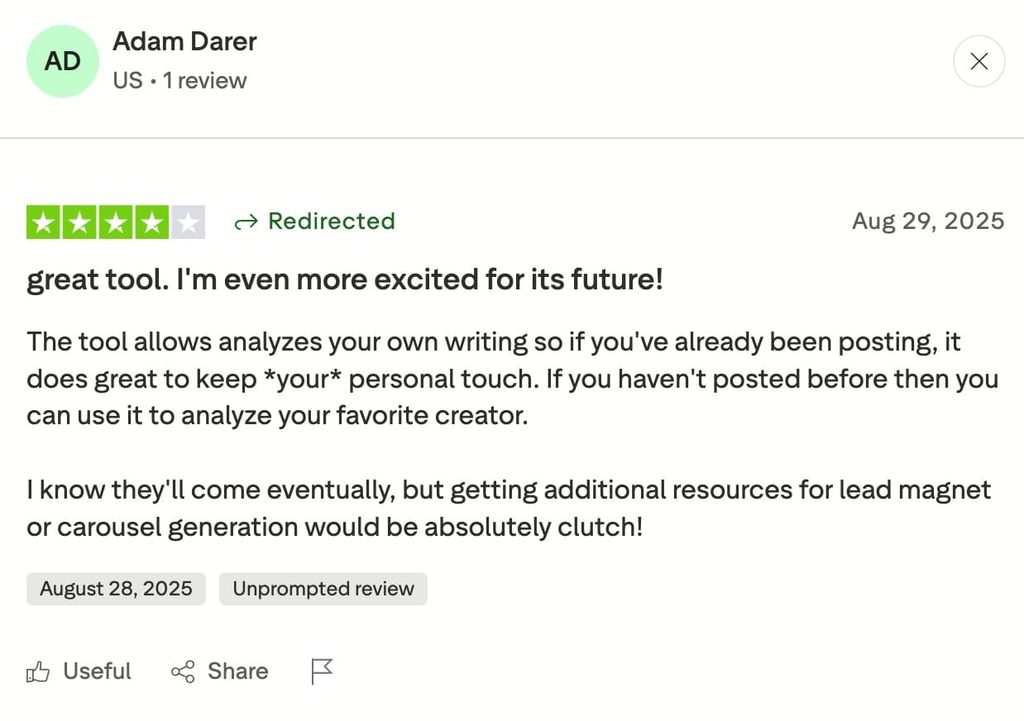
Reviews: 4.7/5 from 91 reviews on Trustpilot. MagicPost has no G2 or Capterra page.
8. Kleo
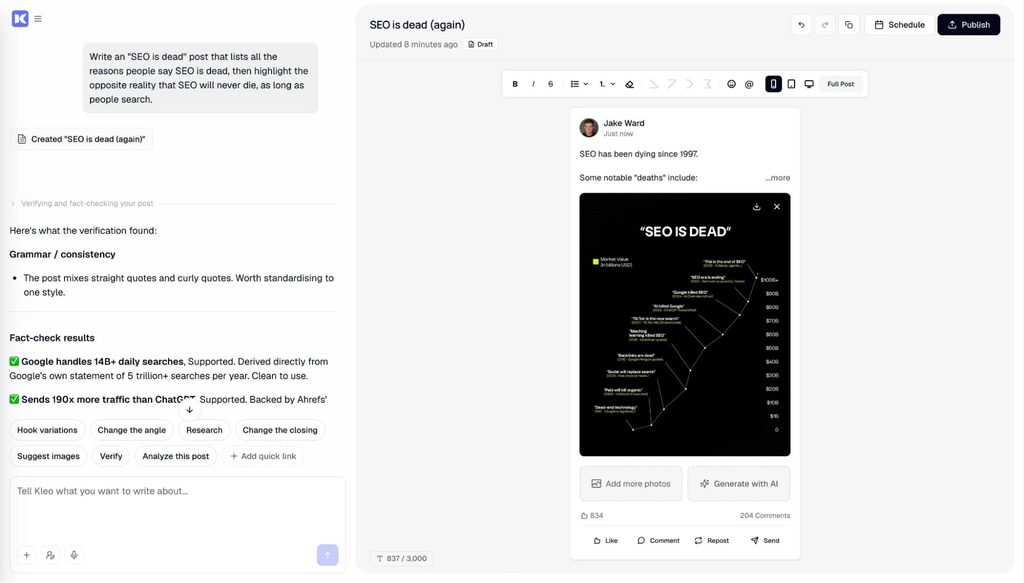
Kleo is a writing system more than a post generator: you load your knowledge, train it on your writing style, define your identity, and it remembers across sessions. It is built for creators posting several times a week who want drafts grounded in their own material, and it scores a zero only on reviews, where three Trustpilot entries are all that exists.
Score: 8/10 (AI depth 2, category fit 2, safety and output trust 2, pricing transparency 2, real-user validation 0). Kleo automates no LinkedIn action, both prices sit on its homepage, and the only independent rating is three Trustpilot reviews.
Key features:
- A knowledge base, writing-style training, and identity settings with automatic memories, so drafts pull from your material.
- A swipe file and inspiration saving from anywhere on the web, with templates and a formats library.
- Drafting through unlimited chats, 20 visuals a month, preview, and one-click scheduling in one flow.
- A rebuilt Chrome extension that saves inspiration and does nothing to your LinkedIn account.
Pros and cons of Kleo:
| Pros | Cons |
|---|---|
| Memory across sessions, so month two reads more like you than month one | No free trial, so the first real test happens after you pay |
| Zero LinkedIn automation, so zero account risk | Extra profiles for a team or clients cost $49/mo each on top of the $99 plan |
| The founders are practitioners with large LinkedIn audiences | Three Trustpilot reviews and no G2 page, so real-user validation is close to absent |
Kleo pricing, per their homepage:
| Plan | Price |
|---|---|
| Standard | $99/mo, plus $49/mo per additional profile for a team or clients. |
| Annual | $999/yr, with a 1:1 onboarding call, priority support, and early feature access |
Reviews: 3.0/5 from 3 reviews on Trustpilot. Kleo has no G2 or Capterra listing.
9. Opus Clip
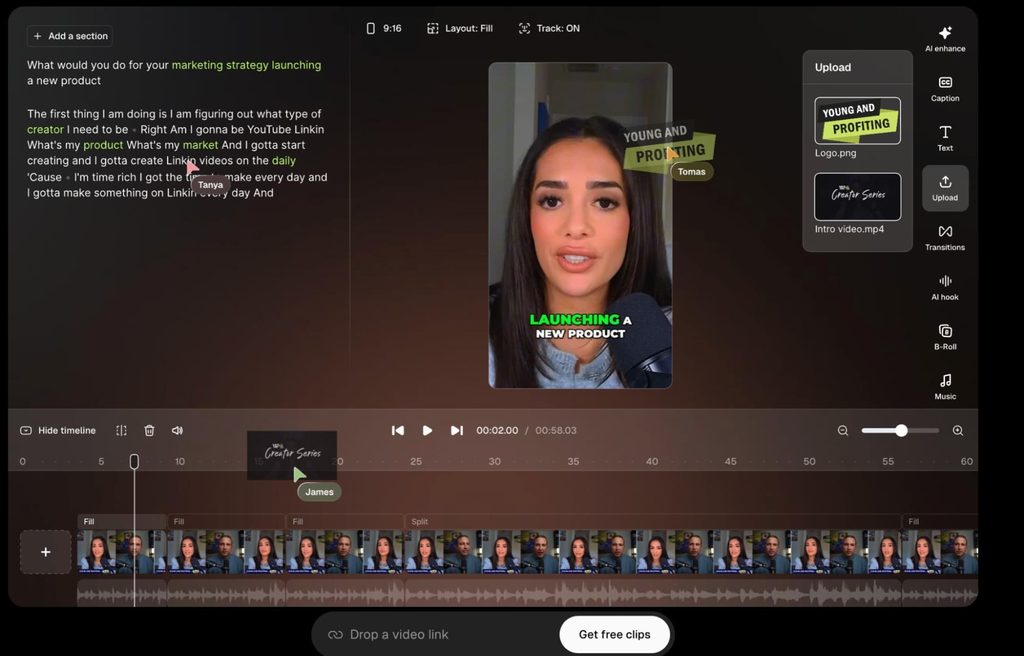
Opus Clip turns long-form video into short clips with a virality score, captions, and reframing, then schedules them to social networks. Founders who record podcasts and webinars use it to feed LinkedIn, and it carries a category-fit zero because LinkedIn is one export target among several.
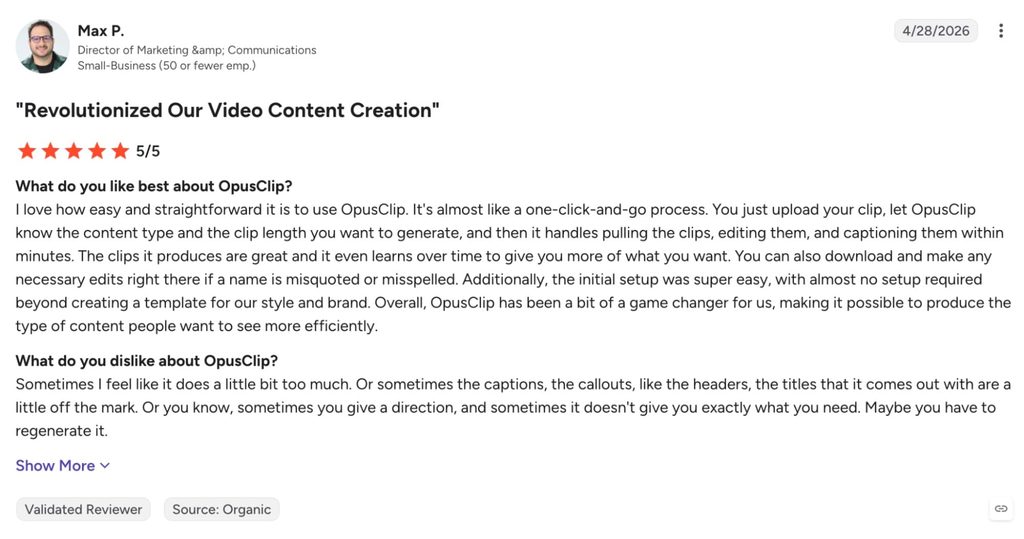
Score: 6/10 (AI depth 2, category fit 0, safety and output trust 1, pricing transparency 1, real-user validation 2). Reviewers on G2 describe clip selection as hit or miss, so expect to discard a share of each batch.
Key features:
- AI clipping with a virality score, custom clip lengths from under a minute to 15 minutes, and reprompting on paid plans.
- Animated captions in 20+ languages, speaker-based colors, and auto emoji and keyword highlights.
- AI reframe to 9:16 and other ratios, B-roll, voice-over, and speech cleanup on Pro.
- A social media scheduler, brand templates, and team workspaces on Pro.
Pros and cons of Opus Clip:
| Pros | Cons |
|---|---|
| Fastest route from a 60-minute recording to a week of LinkedIn video | Nothing LinkedIn-specific: the tool serves every short-form network equally |
| A free plan to test, with watermarked exports | Starter is monthly-only, and the Pro yearly price is a promotional 50% off that may not hold |
| 4.6 on G2 from 119 reviews | G2 reviewers say clip selection can be hit or miss and needs manual adjustment |
Opus Clip pricing, from the Opus Clip pricing page:
| Plan | Price |
|---|---|
| Free | $0 |
| Starter | $15/mo, monthly only |
| Pro | $29/mo, or $14.50/mo billed annually ($174/yr) at the current promotion |
| Business | Custom |
Reviews: 4.6/5 from 119 reviews on G2.
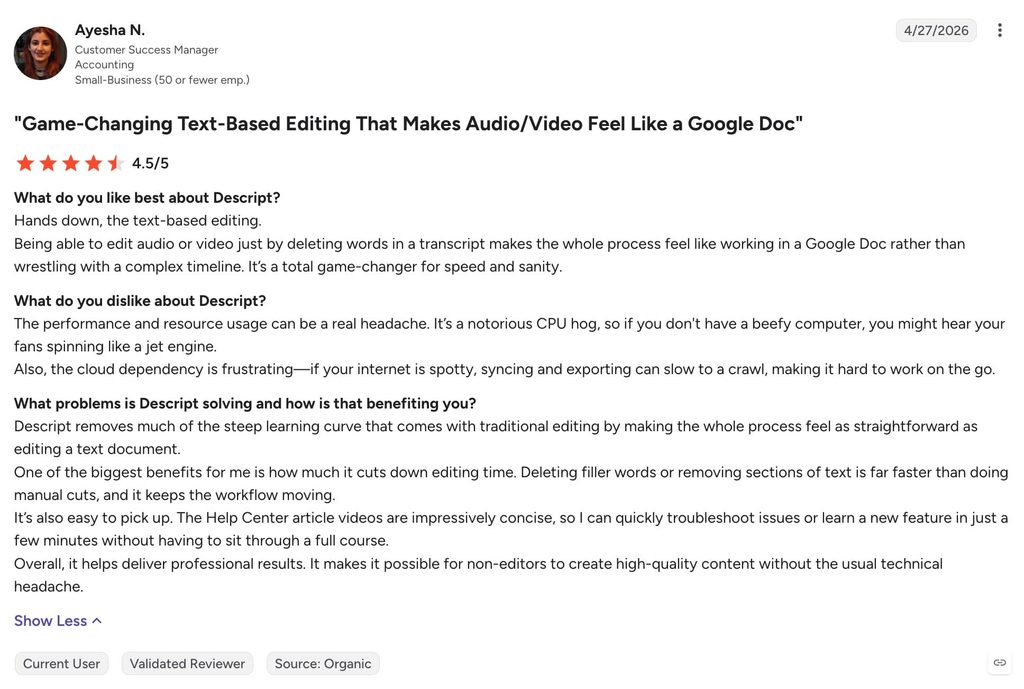
10. Descript
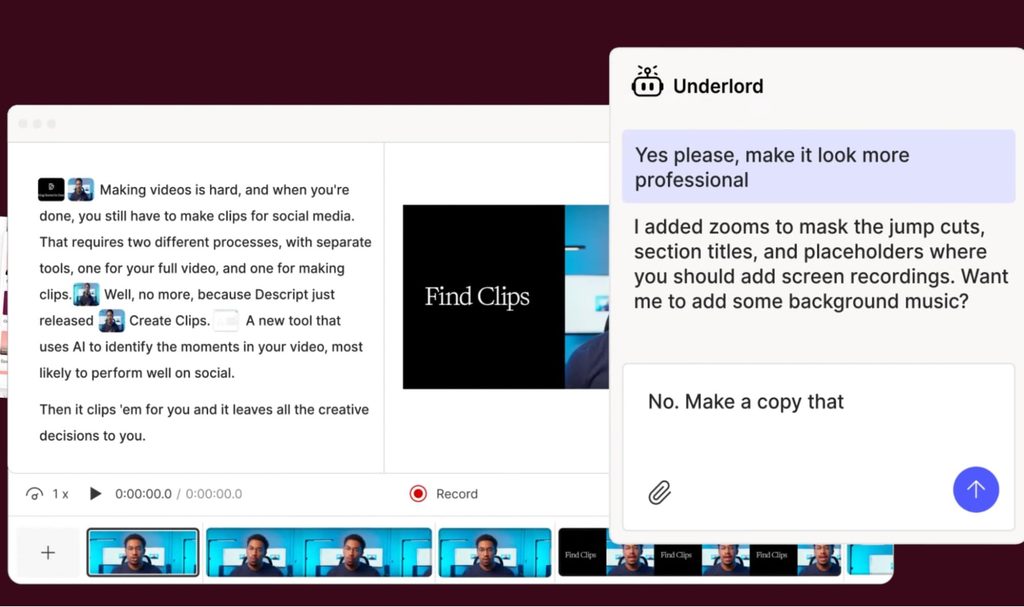
Descript edits video and audio by editing the transcript, with an AI co-editor called Underlord that removes filler words, cleans audio, and generates clips. It is here for teams producing LinkedIn video and podcasts, and it carries a category-fit zero for the same reason as Opus Clip: nothing in it knows LinkedIn exists.
Score: 7/10 (AI depth 2, category fit 0, safety and output trust 1, pricing transparency 2, real-user validation 2). Both billing rates are public and 923 G2 reviews back the rating, but nothing in it touches LinkedIn.
Key features:
- Text-based editing: delete a word in the transcript and the cut happens in the video.
- Underlord AI tools including Studio Sound, filler-word removal, Create Clips, and AI speech with voice clones.
- Transcription in 25 languages with speaker detection, and translation and dubbing in 30+ languages on Business.
- Media hours and AI credits per plan, with top-ups on Creator and Business.
Pros and cons of Descript:
| Pros | Cons |
|---|---|
| Editing by transcript is the fastest way to cut a talking-head video for LinkedIn | No LinkedIn features, publishing, or analytics |
| Public monthly and annual pricing with a real free plan | Media hours and AI credit caps run out fast for teams that record daily |
| 4.6 on G2 from 923 reviews | Learning curve and slow performance are the top-cited cons on G2 |
Descript pricing, from the Descript pricing page:
| Plan | Price |
|---|---|
| Free | $0 |
| Hobbyist | $24/mo, or $16/mo billed annually |
| Creator | $35/mo, or $24/mo billed annually |
| Business | $65/mo, or $50/mo billed annually |
| Enterprise | Custom |
Reviews: 4.6/5 from 923 reviews on G2.
11. Supergrow
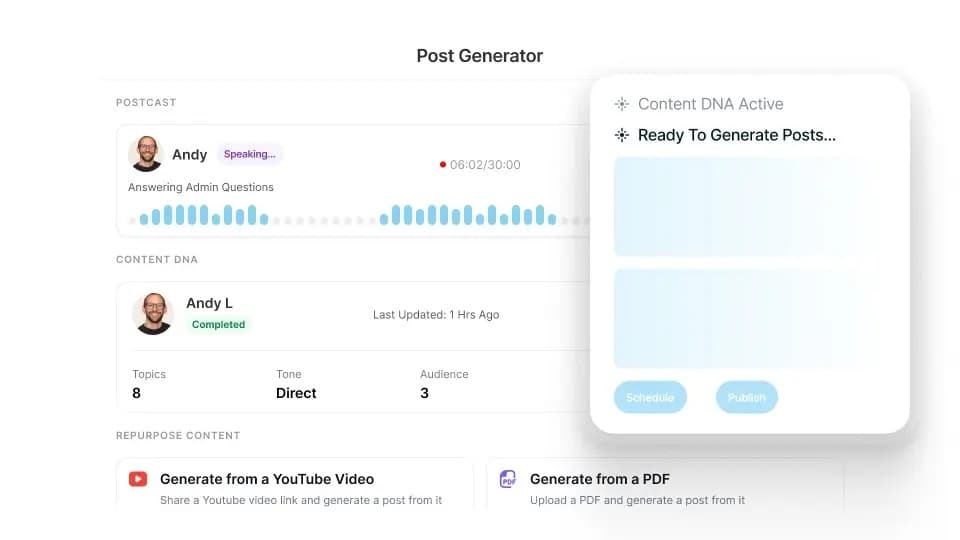
Supergrow trains a Content DNA profile on your voice, then runs Postcast, an AI interview that turns a 10-minute conversation into several posts. It is built for executives and sales leaders who talk better than they type, and it scored highest in the content lane because the writing is grounded in your own answers.
Score: 8/10 (AI depth 2, category fit 2, safety and output trust 1, pricing transparency 2, real-user validation 1). Supergrow states that it connects through LinkedIn’s official API with no automation, and the point off trust is for the human edit that voice-trained drafts still need.
Key features:
- Content DNA voice training and Postcast AI interviews, with 2 sessions on Starter and unlimited on Pro.
- Repurposing from YouTube, articles, and PDFs, with a carousel maker and infographic generator on Pro.
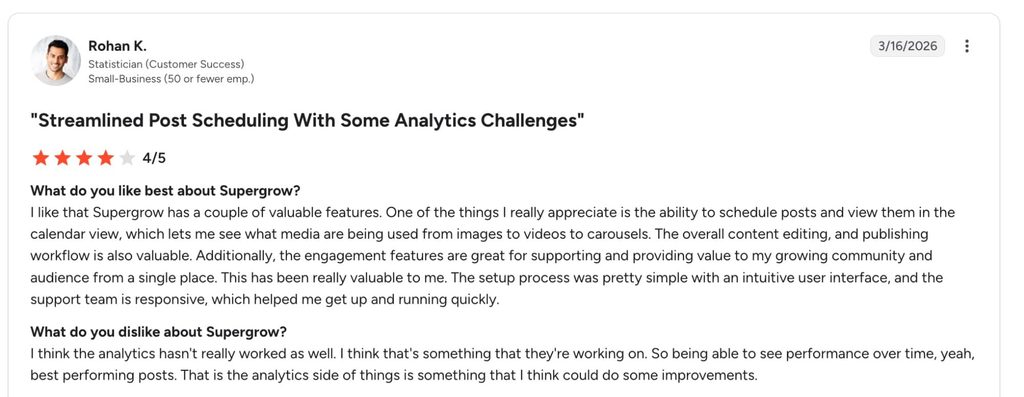
- Scheduling with calendar and kanban views, auto first comment, and an Engage feature on Pro.
- Supergrow MCP, profile analytics, and a weekly report on Pro, plus a Teams plan with an approval workflow for 4 accounts.
Pros and cons of Supergrow:
| Pros | Cons |
|---|---|
| AI writing included from $19/mo, with both billing rates public | Only 14 G2 reviews behind the 4.4 rating |
| Postcast produces posts from speech, which suits executives who never write | Carousels, Engage, analytics, and MCP all sit on Pro |
| 7-day free trial on every plan | The Teams plan covers 4 accounts before custom pricing |
Supergrow pricing, from the Supergrow pricing page:
| Plan | Price |
|---|---|
| Starter | $19/mo, or $16/mo billed annually |
| Pro | $39/mo, or $31/mo billed annually |
| Teams | $139/mo, or $133/mo billed annually |
Reviews: 4.4/5 from 14 reviews on G2.
AI tools for LinkedIn scheduling and analytics
Scheduling tools are where AI does the least and compliance matters the most, because a scheduler publishes to your account.
12. AuthoredUp
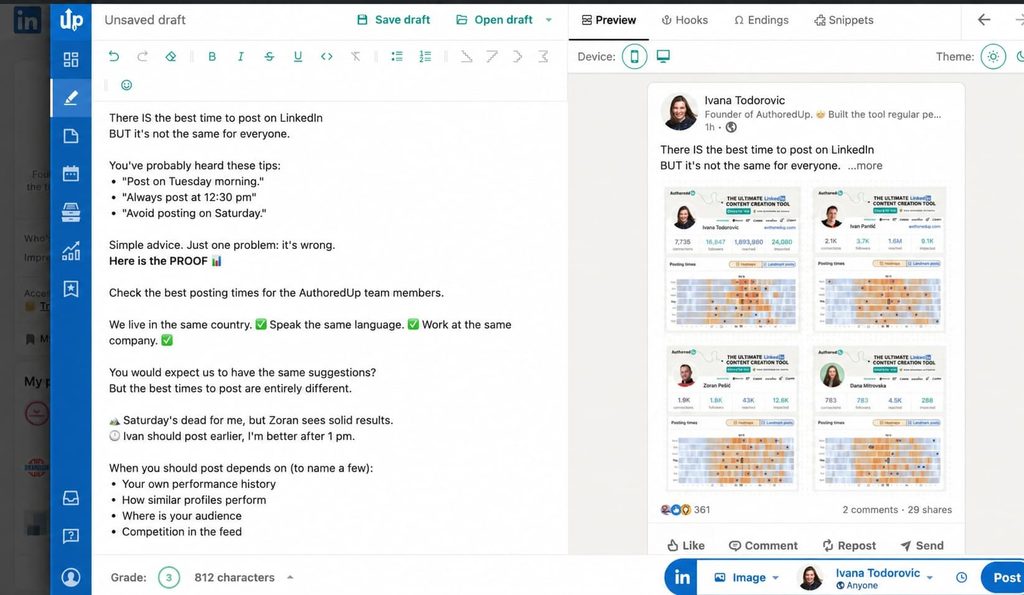
AuthoredUp is a LinkedIn editor and scheduler: text formatting, preview on desktop and mobile, a library of 300+ hooks and endings, drafts, snippets, and post analytics. It is for people who write their own posts and want them formatted, scheduled, and measured, and it scores zero on AI depth because writing help is the part it leaves to you.
Score: 5/10 (AI depth 0, category fit 2, safety and output trust 1, pricing transparency 2, real-user validation 0). One Trustpilot review and no G2 page, so real-user validation is absent.
Key features:
- An editor with styling, bullet points, and live preview, plus unlimited drafts and snippets.
- 300+ hooks and post endings, one-click post reuse, and all your saved posts in one place.
- Content analytics per profile, with company pages included on every plan.
- A Business plan with sub-accounts, organization management, team analytics, and draft collaboration for 3+ profiles.
Pros and cons of AuthoredUp:
| Pros | Cons |
|---|---|
| Cheapest paid scheduler here, with company pages included at no extra charge | No AI writer: the hooks library is a swipe file, and writing stays manual |
| Free trial with no card, cancel any time | One Trustpilot review at 3.2 and no G2 listing |
| Team analytics and collaboration on the Business plan | The Business plan requires a minimum of 3 profiles |
AuthoredUp pricing, from the AuthoredUp pricing page:
| Plan | Price |
|---|---|
| Individual | $19.95/mo, or $16.63/mo billed annually ($199.50/yr) |
| Business | $14.95 per profile/mo, or $12.46 billed annually, minimum 3 profiles |
| Custom Growth | Contact sales, annual billing, minimum 10 profiles |
Reviews: 3.2/5 from 1 review on Trustpilot. AuthoredUp has no G2 or Capterra page, so treat the rating as no signal either way.
13. Hootsuite
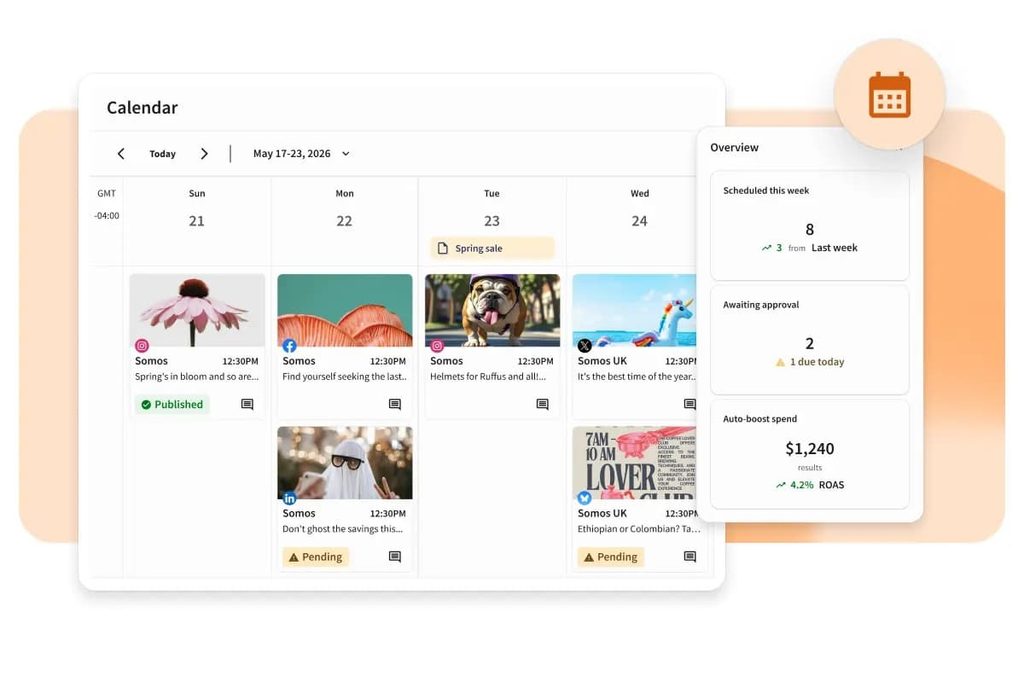
Hootsuite is the enterprise social media suite: scheduling, inbox, listening, and analytics across every network, with an AI layer called Wisdom that drafts posts and images. It fits marketing teams that already run LinkedIn alongside four other networks, and it loses a category-fit point because LinkedIn is one tab among ten accounts.
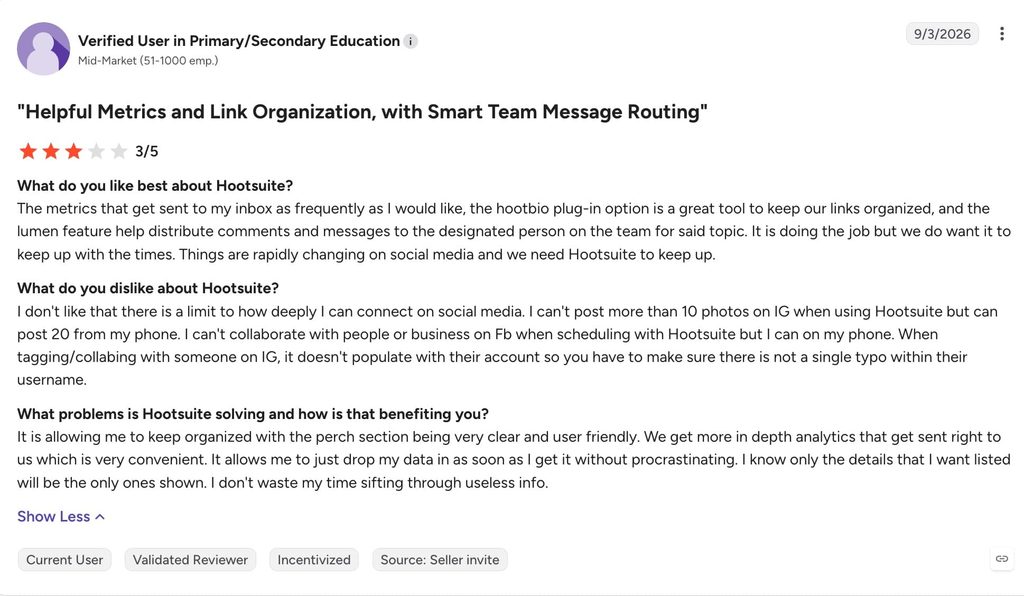
Score: 7/10 (AI depth 1, category fit 1, safety and output trust 2, pricing transparency 1, real-user validation 2). The plans page shows annual rates only, with monthly billing priced at checkout.
Key features:
- Scheduling for unlimited posts across 10 social accounts on Standard, and unlimited accounts on Professional.
- Wisdom AI on every plan for drafting posts and images, plus inbox automation and 90-day trend forecasting on Professional.
- Brand and competitor monitoring, custom reports on Professional, and approval workflows on Advanced.
- Enterprise adds advanced listening across social, digital, and AI, SSO, and compliance tooling.
- Hootsuite is listed among LinkedIn’s Marketing Partners, so publishing and analytics run through LinkedIn’s authorized API.
Pros and cons of Hootsuite:
| Pros | Cons |
|---|---|
| Publishes as a LinkedIn Marketing Partner, with 7,443 G2 reviews behind a 4.3 rating | Per-user pricing from $99 a month makes it the most expensive scheduler here for a LinkedIn-only team |
| One calendar for every network, with a 14-day trial and no card | The plans page shows annual rates only, and monthly costs more |
| Automation and forecasting on Professional | Limited features and price are the two most-cited cons on G2 |
Hootsuite pricing, from the Hootsuite plans page, billed annually:
| Plan | Price |
|---|---|
| Standard | $99 per user/mo, billed annually |
| Professional | $199 per user/mo, billed annually |
| Advanced | $399 per user/mo, billed annually |
| Enterprise | Custom |
Reviews: 4.3/5 from 7,443 reviews on G2. Ease of use and scheduling lead the pros, and limited features and price lead the cons.
AI tools for LinkedIn engagement
Engagement tools help you show up in a prospect’s comments before you show up in their inbox, and our guide to automating post engagement outreach covers the follow-up side.
14. Engage AI
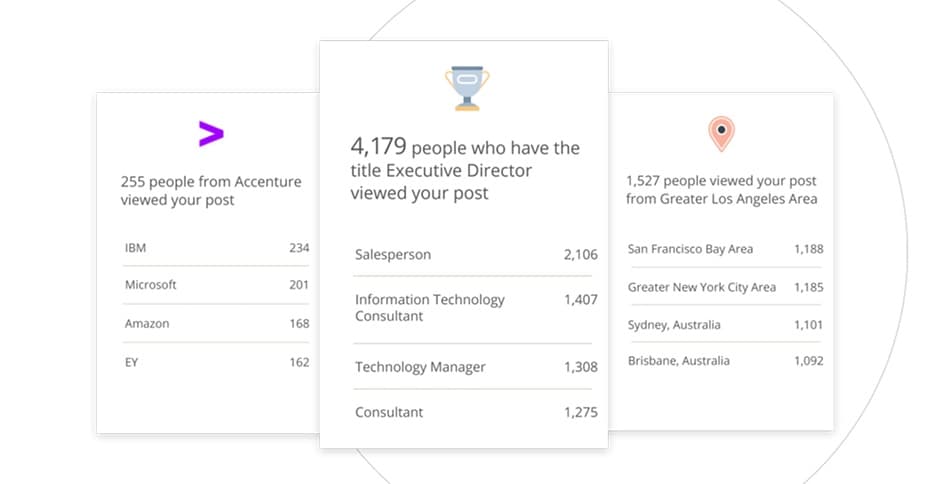
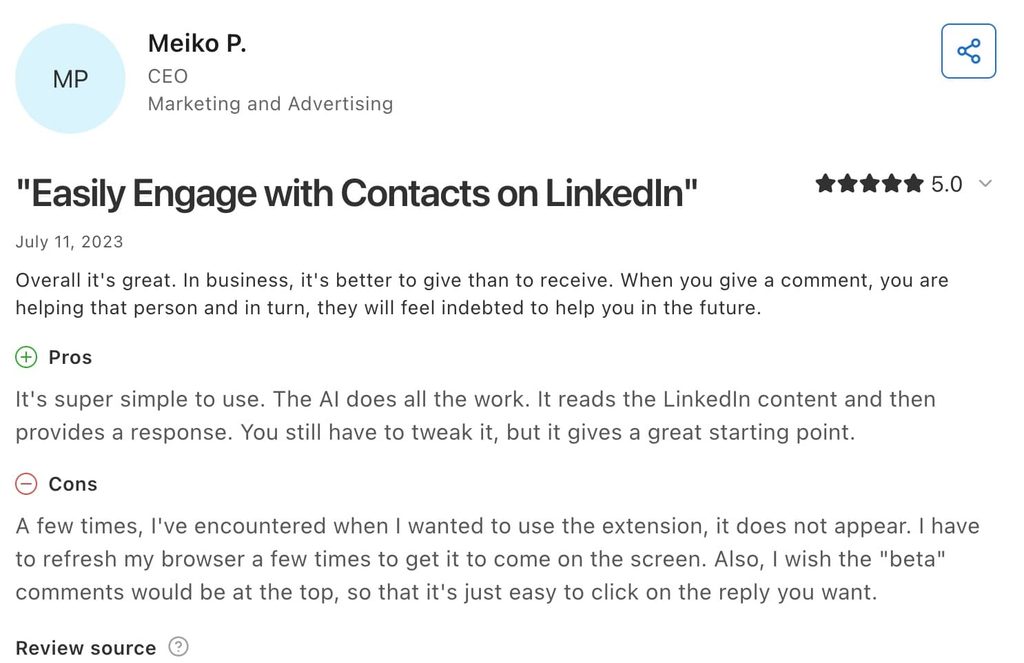
Engage AI is a browser extension that drafts comments on LinkedIn posts from the post’s content, with tone options and a memory of past comments it calls Second Brain. It is here for SDRs and founders who comment on target-account posts before running outreach, and the score reflects a company that has since moved its website to a different product.
Score: 5/10 (AI depth 1, category fit 2, safety and output trust 1, pricing transparency 0, real-user validation 1). The company site now sells a paid Engagement Community at $50 and $250 a month, while the extension’s own plans appear only in its Chrome Web Store listing.
Key features:
- Comment drafts that read the full post, with multiple tones, adjustable length, and emoji and hashtag controls.
- Second Brain, an archive of past comments for recall, in beta for paid users.
- Integrations with Zapier, HubSpot, Hootsuite, and Pipedrive, and support for all languages, per the listing.
- The Engagement Community, a separate product: 15 comments from real members on each post you submit, spread over five days, English content only, with no free trial.
Pros and cons of Engage AI:
| Pros | Cons |
|---|---|
| The free tier is enough to test the comment-before-pitch workflow | The company site now leads with a paid comment pod, which reads as low-effort engagement to the people it targets |
| Comments draft from the post’s content, so they reference what was said | Extension pricing lives in the Chrome Web Store description, alongside a bring-your-own OpenAI key option |
| 4.8 on Capterra from 30 reviews | A browser extension is still the delivery mechanism, even though it performs no automated actions |
Engage AI pricing, from their pricing page:
| Plan | Price |
|---|---|
| Engagement Community, Individual | $50/mo |
| Engagement Community, Group | $250/mo |
Reviews: 4.8/5 from 30 reviews on Capterra. Engage AI has no meaningful G2 presence.
AI tools for LinkedIn profile optimization
Profile tools are the cheapest category here and the one where AI depth matters least, because the job is a review, a rewrite, or a photo.
15. Teal
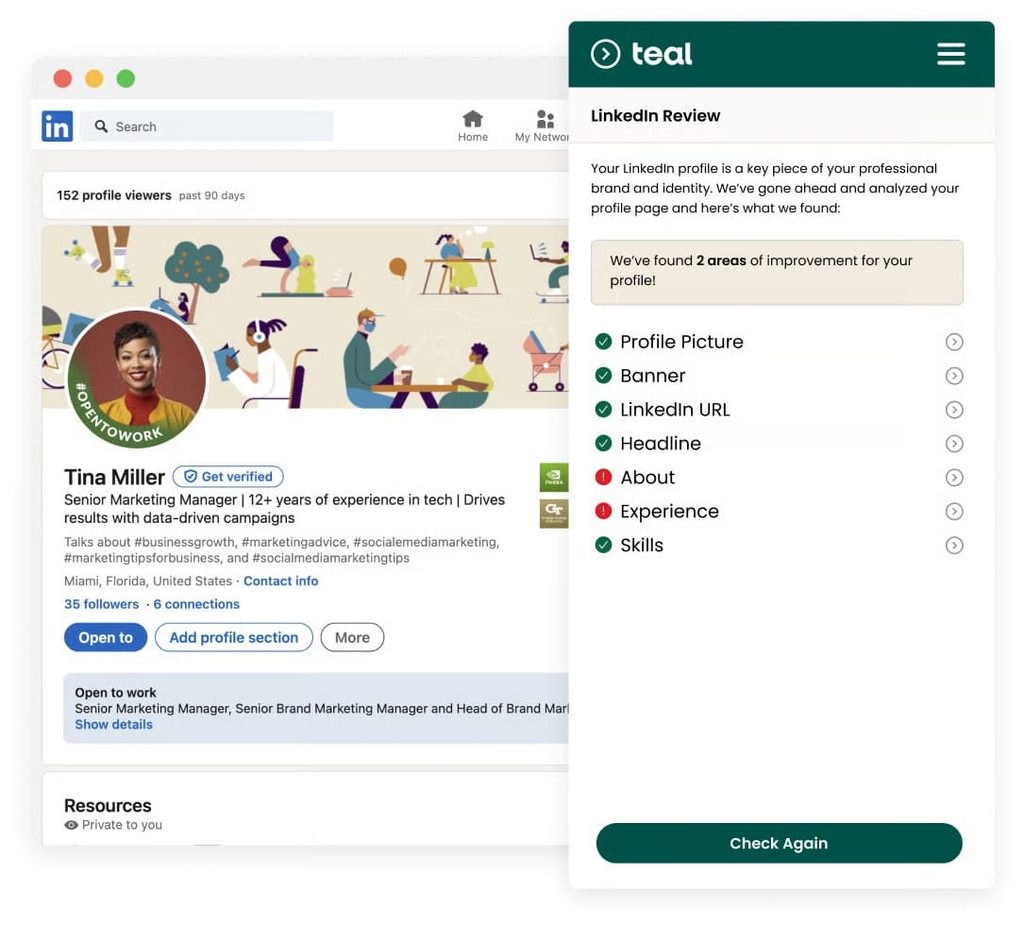
Teal’s LinkedIn Profile Review is a free Chrome extension that scores your profile section by section, from photo to skills, and suggests rewrites you can apply in one click. It is for anyone whose profile has to turn a visitor into a reply. Teal’s paid product, Teal+, is a resume and job-tracking suite, so the LinkedIn value lives in the free tool.
Score: 7/10 (AI depth 1, category fit 1, safety and output trust 2, pricing transparency 2, real-user validation 1). The extension reads the profile and changes nothing on its own.
Key features:
- A section-by-section review from photo and headline through experience and skills, with a profile score.
- AI-generated headlines and summaries, applied through the extension.
- Teal+ adds unlimited AI resume bullets, summaries, and cover letters, keyword matching against job descriptions, and unlimited templates.
Pros and cons of Teal:
| Pros | Cons |
|---|---|
| The LinkedIn review is free with no time limit | Teal is a job-search product, so the LinkedIn tool is a side door into a job-search product |
| Section-by-section fixes are faster than a full rewrite | No analytics and no scheduling, whatever category other lists file it under |
| 4.2 on Trustpilot from 115 reviews | Paid plans are weekly or monthly job-search bundles with nothing extra for LinkedIn |
Teal pricing, from the Teal pricing page:
| Plan | Price |
|---|---|
| Free | $0 |
| Teal+ | $13 per week, $29 per 30 days, or $79 per 90 days |
Reviews: 4.2/5 from 115 reviews on Trustpilot.
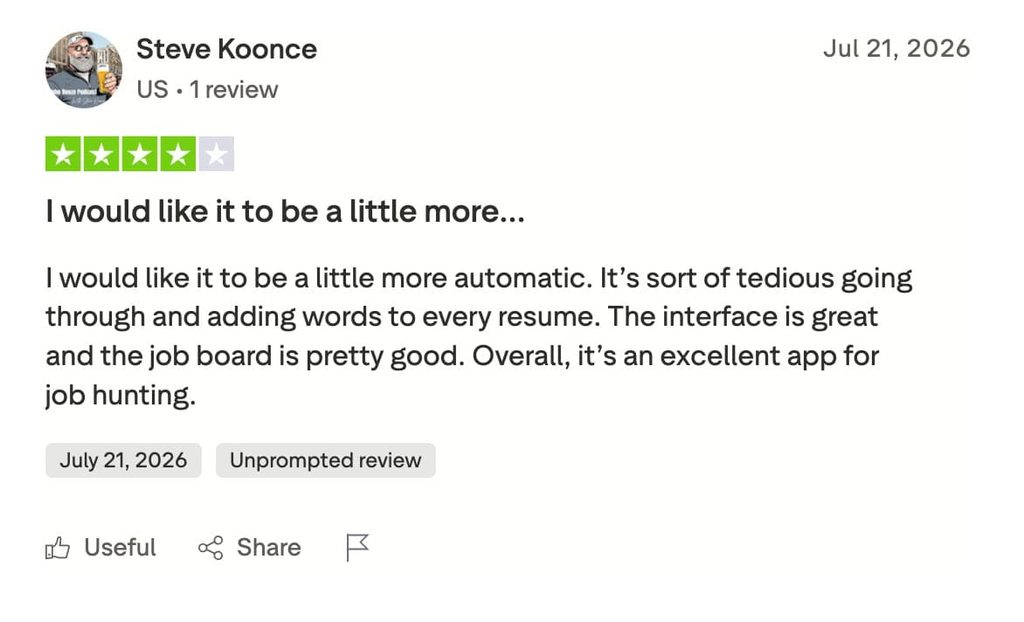
16. Resume Worded
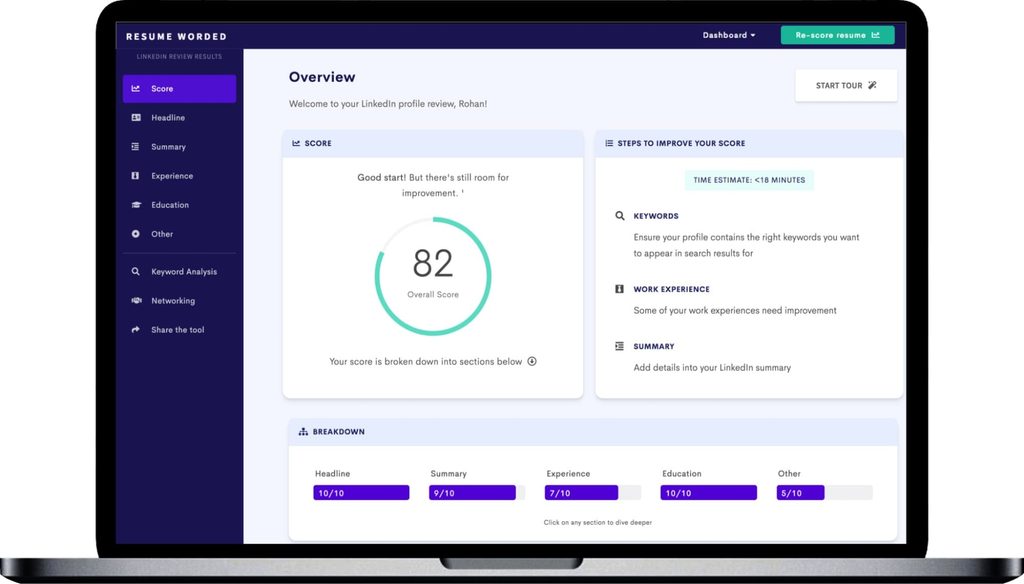
Resume Worded scores a LinkedIn profile against the checks recruiters and buyers use, then shows the keyword gaps and rewrites weak lines. It is here for SDRs and founders who want a number to improve against, and it scored highest in this category on the strength of 213 Trustpilot reviews.
Score: 8/10 (AI depth 1, category fit 2, safety and output trust 2, pricing transparency 1, real-user validation 2). Pricing appears only at the upgrade step, and reviews mention cancellation friction.
Key features:
- LinkedIn Review with keyword analysis, section feedback, and networking templates on Pro.
- A resume score out of 100 with line-by-line feedback, and an AutoFix agent that drafts rewrites you approve.
- Targeted keyword matching against a pasted job description or role.
- Unlimited re-uploads on Pro, so the score tracks progress.
Pros and cons of Resume Worded:
| Pros | Cons |
|---|---|
| A repeatable score, so you can measure the profile | The free tier shows a basic score and limited LinkedIn feedback |
| 4.8 on Trustpilot from 213 reviews | Pricing appears only on the upgrade page, with no public pricing page |
| The annual plan brings Pro to $19/mo | Trustpilot reviews mention repetitive suggestions and cancellation friction |
Resume Worded pricing, from the Resume Worded Pro page:
| Plan | Price |
|---|---|
| Free | $0 |
| Pro monthly | $49/mo |
| Pro quarterly | $33/mo, billed $99 every 3 months |
| Pro annual | $19/mo, billed $229 a year |
Reviews: 4.8/5 from 213 reviews on Trustpilot.
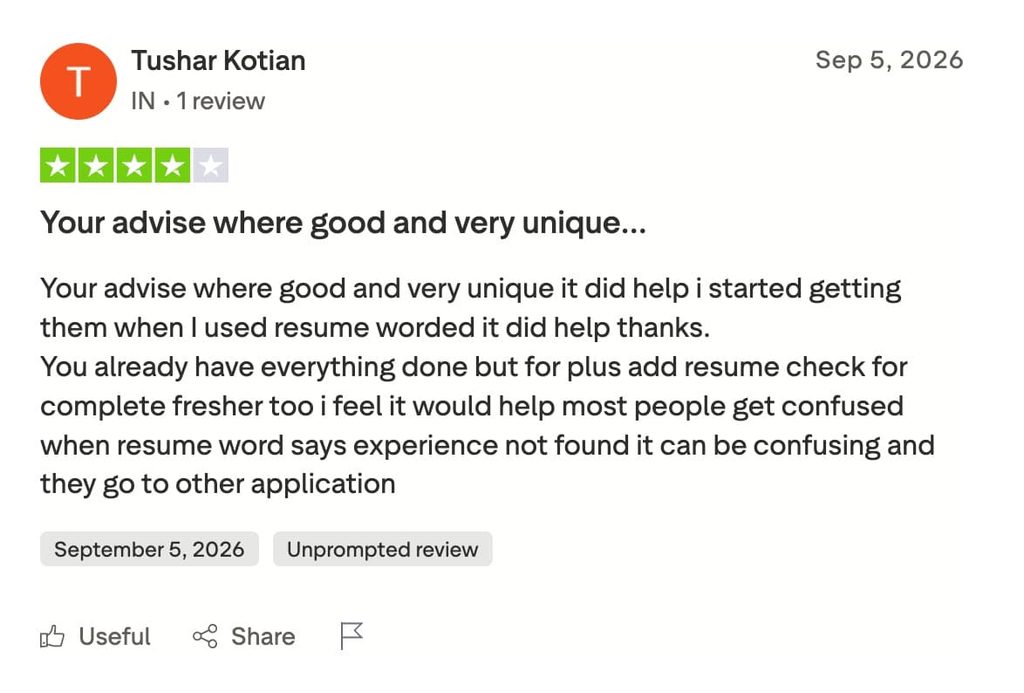
17. HeadshotPro
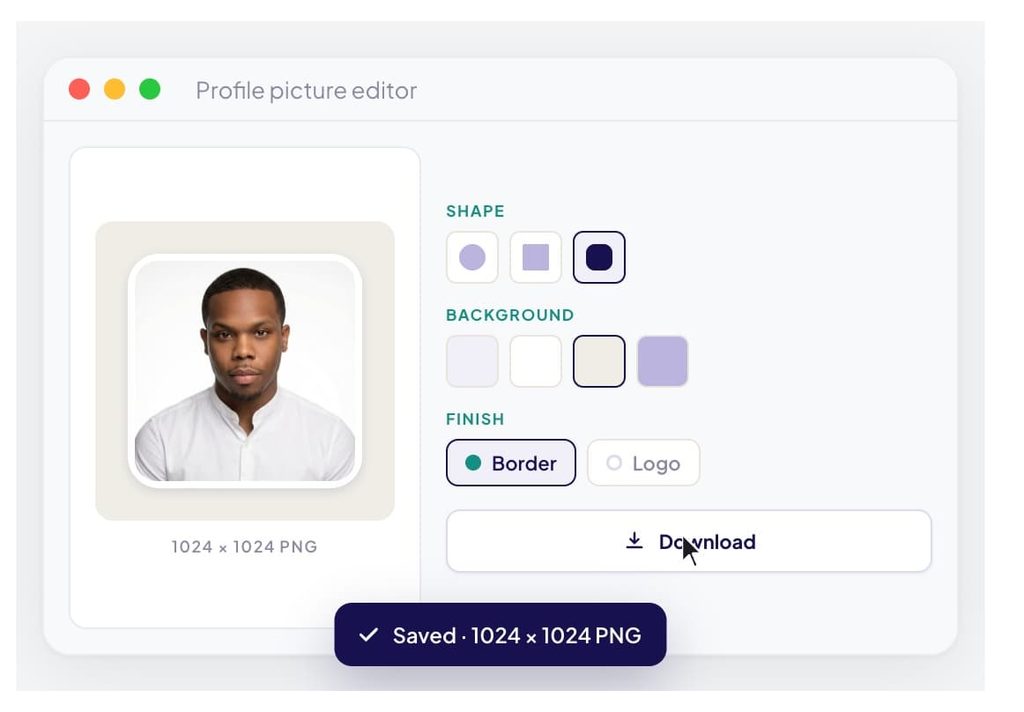
HeadshotPro generates studio-style headshots from a few phone selfies in under 30 minutes, with a money-back guarantee if the result does not look like you. The profile photo is the first thing a prospect sees, which is why it is here, and a one-time $29 to $59 beats a studio session for a whole team.
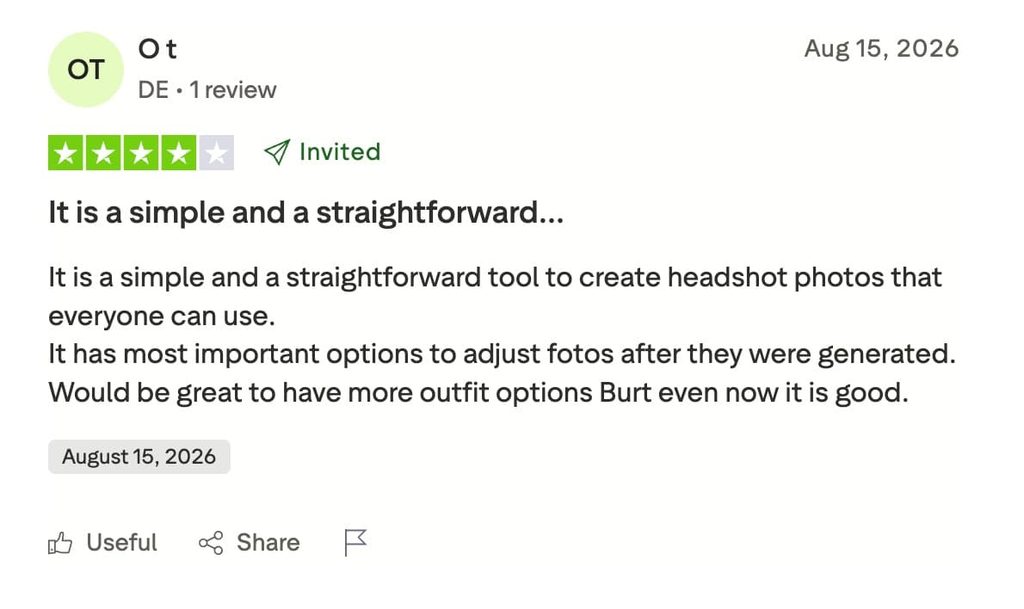
Score: 7/10 (AI depth 1, category fit 1, safety and output trust 1, pricing transparency 2, real-user validation 2). Trustpilot reviewers found some portraits over-smoothed and wanted more outfit and background choices.
Key features:
- 30, 50, or 70 headshots per shoot depending on package, with photo credits for edits and a free redo on the two higher tiers.
- Team credits with admin-curated styles, branded templates, and volume discounts that stack across orders.
- Selfies and results auto-delete after 30 days, and photos are never used to train models, per HeadshotPro.
Pros and cons of HeadshotPro:
| Pros | Cons |
|---|---|
| One-time purchase, no subscription | A share of outputs need discarding, per Trustpilot reviewers |
| 4.7 on Trustpilot from 3,553 reviews, the largest review base on this list | Limited clothing and background choices on individual packages |
| Team credits keep every profile photo consistent as people join | Realism varies with input photo quality |
HeadshotPro pricing, from the HeadshotPro pricing page:
| Package | Price |
|---|---|
| Basic | $29 one-time |
| Professional | $39 one-time |
| Executive | $59 one-time |
| Team (5 to 1,000 people) | Per-shoot credits on a volume slider, e.g. $29.25 per shoot at 30 credits ($878), discounts up to 50% at 1,000 |
| Enterprise (1,000+) | Custom per-person rate |
Reviews: 4.7/5 from 3,553 reviews on Trustpilot.
18. Careerflow
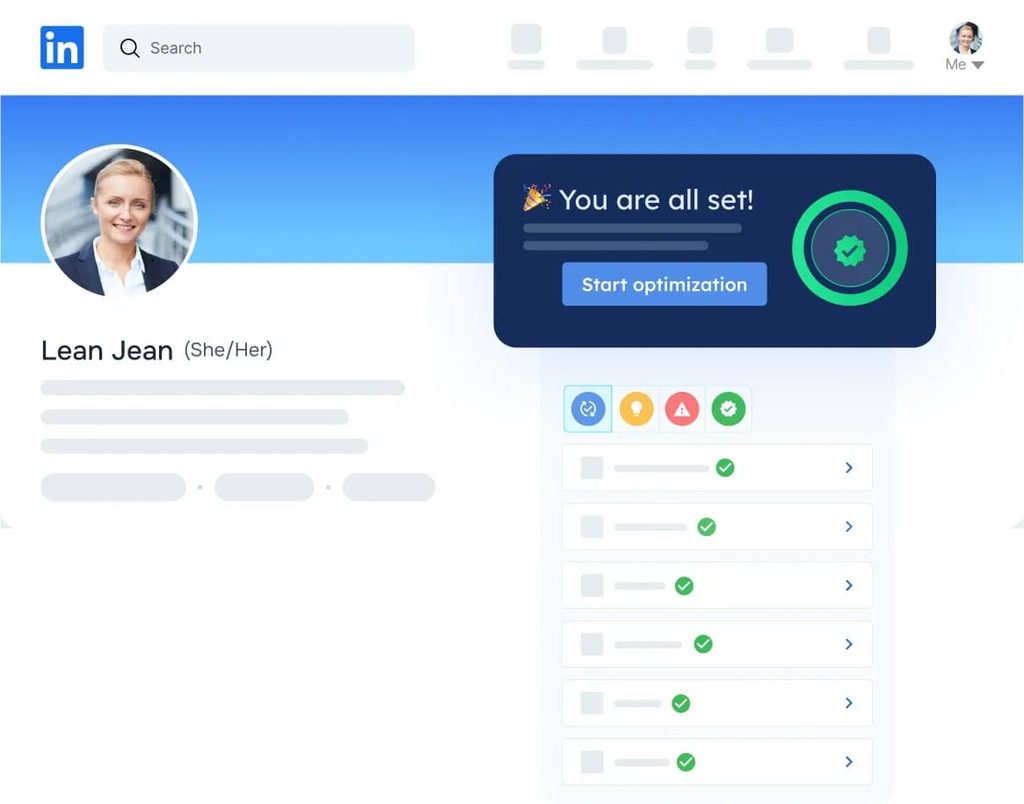
Careerflow’s LinkedIn Optimizer scores your profile, hands you a section-by-section checklist, and generates headlines, About sections, and posts you can apply through its Chrome extension. It is here for SDRs and founders who want a guided rewrite of a profile that has to convert visitors, with the optimizer available at a basic level on the free plan.
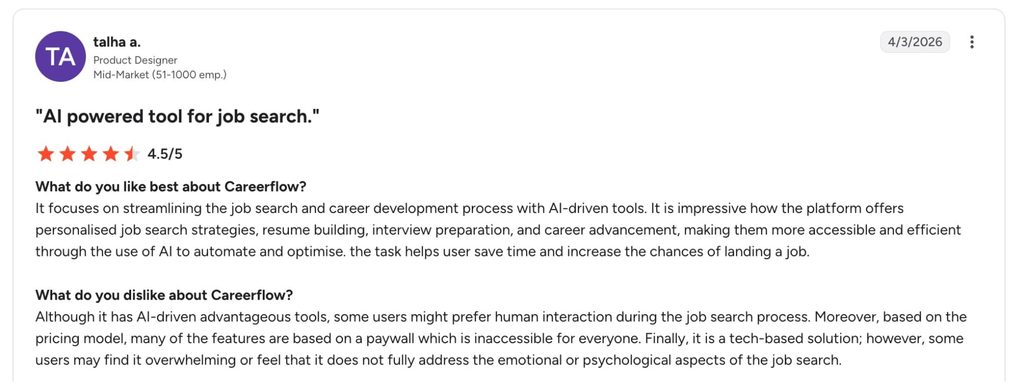
Score: 7/10 (AI depth 1, category fit 2, safety and output trust 1, pricing transparency 2, real-user validation 1). The generators work from your profile and a brief, the extension edits only what you approve, and the review base is small: 20 on Capterra and 17 on Trustpilot.
Key features:
- A profile score with a personalized checklist for every section, and real-time feedback as you edit.
- AI generators for headlines, About sections, and LinkedIn posts, with a banner creator and post templates.
- A Chrome extension that applies changes on the profile itself and keeps a history of edits.
- Premium adds the advanced LinkedIn Optimizer plus unlimited AI resumes, cover letters, and an ATS keyword analyzer.
Pros and cons of Careerflow:
| Pros | Cons |
|---|---|
| The optimizer is usable on the free plan, with both billing rates public | Premium is a job-search bundle, so a seller pays for resume tools they will never open |
| Section-by-section guidance is faster than staring at a blank About box | Generated headlines and summaries read generic until you edit them |
| 4.8 on Capterra from 20 reviews | 3.6 on Trustpilot from 17 reviews, so the signal is mixed and thin |
Careerflow pricing, from the Careerflow plans page:
| Plan | Price |
|---|---|
| Basic | $0 |
| Premium | $23.99/mo, or $14.41/mo billed yearly ($172.99/yr) |
| Premium Plus | $44.99/mo, or $24.99/mo billed yearly ($299.99/yr) |
Reviews: 4.8/5 from 20 reviews on Capterra and 3.6/5 from 17 reviews on Trustpilot. Careerflow has no G2 page.
Is it safe to use AI tools on LinkedIn?
Yes, with two caveats that depend on which kind of tool you mean. AI tools that automate LinkedIn actions carry account risk when they run outside the platform’s behavioral tolerance. AI tools that write posts and comments carry a credibility risk instead, and LinkedIn takes no action on those. Treating the two as one question is how teams pick the wrong safeguards.
Outreach and automation tools: the account-restriction risk
LinkedIn’s user agreement prohibits third-party automation, so no vendor can claim compliance with it. What separates tools is how far they sit from the behavior LinkedIn detects.
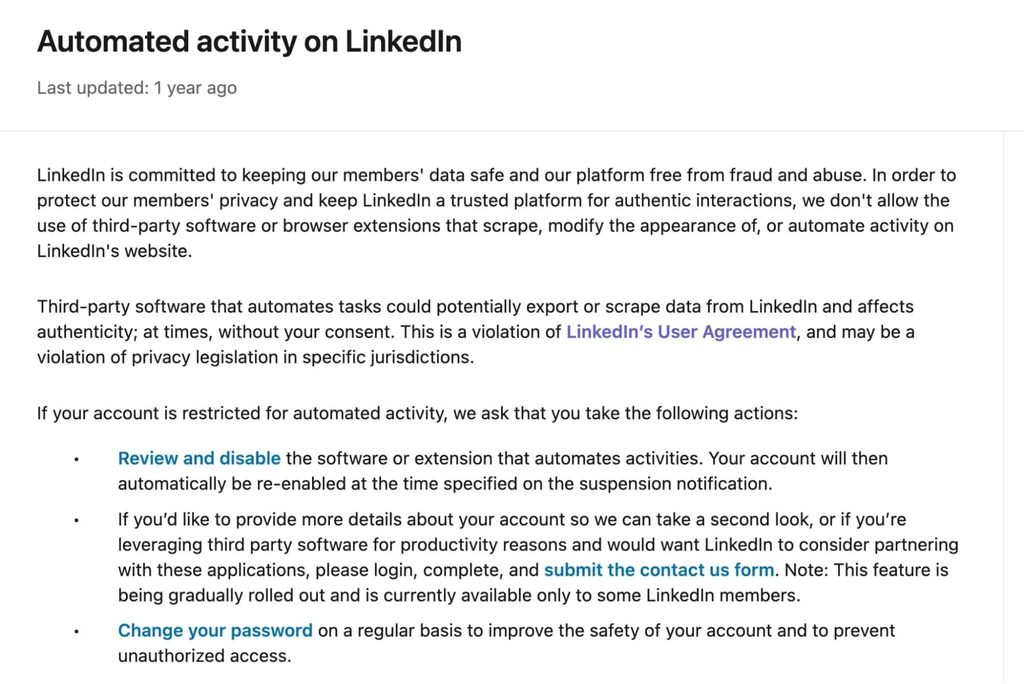
Three factors decide the risk:
- Volume and pacing. Tools that ramp a new account gradually and hold daily limits under LinkedIn’s thresholds look like a person. Tools that send 100 requests on day one do not.
- Where the automation runs. A browser extension executes inside your LinkedIn tab, in the same page context LinkedIn’s own scripts read. A cloud tool runs from its own infrastructure with a dedicated IP.
- IP consistency. An account that logs in from one country-based IP every day reads as one person. Rotating proxies read as several.
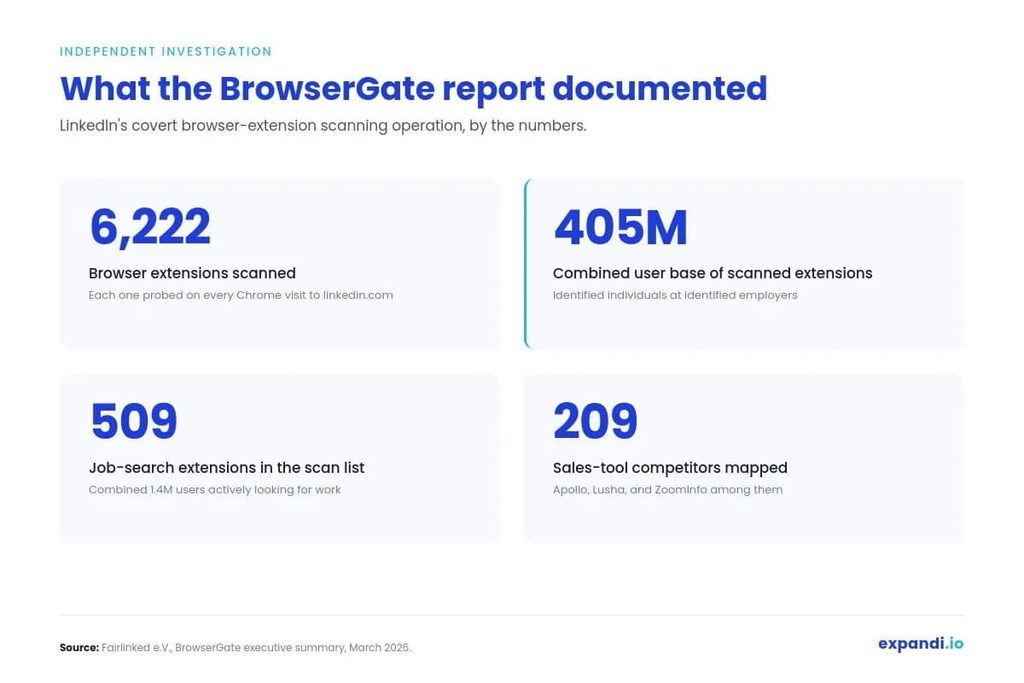
The 2026 enforcement climate sharpened all three. The BrowserGate investigation, published in March 2026, documented LinkedIn scanning users’ browsers for thousands of installed extensions, including hundreds built for LinkedIn outreach and prospecting, and tying the results to the account viewing the page.
Our breakdown of the BrowserGate report covers what that changes for tool selection, and the short version is that browser-side automation is now detectable by design.
LinkedIn has also escalated enforcement against automation vendors themselves this year, as far as removing a vendor’s company page and its executives’ profiles, and the tools that kept running were the ones built on cloud infrastructure with conservative defaults.
For enterprise buyers, the legal review runs on a different track: data processing agreements, entity details, and where the data goes. Our LinkedIn automation compliance checklist covers the four documents legal asks for before a tool clears review.
If an account is already restricted, the LinkedIn account restricted guide covers the appeal and what to change before automation resumes.
Content and engagement tools: the credibility risk
AI-written posts and comments trigger no platform action. The risk is softer and, for a seller, more expensive: readers now recognize the cadence, and a profile full of it stops earning replies.
Johan de Wit, founder of We Love SaaS, a Dutch community for SaaS companies, described the shift in a GTM Society interview:
“What I did notice in the past few months, especially since the rise of AI where everyone is posting content with the dashes, the capitalized titles, the posts that smell like AI generated, I think I try to do quite the opposite. I try to find my own tone of voice, so to say, and writing style.” — Johan de Wit, We Love SaaS
The same applies to comment tools and engagement pods: a comment that reads like a template on a prospect’s post costs more than no comment. The safe use of every content tool above is the same: draft with the tool, then edit until it sounds like the person whose name is on the post. Our H2 2026 data on AI-generated messages says the edited version wins, and the same logic holds for a public post.
How to build your LinkedIn AI tool stack in 2026
The best AI tools for GTM teams on LinkedIn follow one pattern across all 18 above: one tool per job. A content tool that also automates connection requests is carrying account risk it was never designed for, and an outreach tool asked to write your posts produces the copy our own data says underperforms.
Build the stack in this order:
- Pick the outreach engine first, because it is the only tool that can get an account restricted, so it has to run from the cloud on a dedicated IP with a gradual warm-up. On this list, that is Expandi.
- Add an enrichment layer that feeds it: Clay for teams that build workflows, Crystal for reps who want a read on each buyer.
- Add one content tool that matches how you produce: Supergrow if you talk, MagicPost if you write, Opus Clip or Descript if you record.
- Schedule and measure with the lightest tool that publishes through official channels: AuthoredUp for one profile, Hootsuite for a team on five networks.
- Fix the profile once with Teal or Resume Worded, and the photo once with HeadshotPro, before any of the above sends traffic to it.
That is the stack in one line: a signal, an enrichment step, and an outreach tool that acts on both. If the outreach layer is the gap, start a 7-day free Expandi trial and build the first Signals campaign before you add anything else.
Frequently asked questions about LinkedIn AI tools
LinkedIn automation is safe when the tool runs from cloud infrastructure with a dedicated IP, warms a new account up gradually, and keeps daily actions under LinkedIn’s limits. A new account should start at 5 to 15 actions a day during warm-up and increase over weeks, whichever tool runs it. Browser extensions that click inside your LinkedIn tab are the highest-risk pattern, because LinkedIn can detect the extension and tie it to your account.
It depends on the job: a cloud-based automation tool with behavioral triggers for outreach, an enrichment platform with an AI research agent for prospect data, and a writer trained on your own voice for content. No single tool above scored top marks in more than one category, so the best AI tool for LinkedIn is the best tool for the job you are hiring it for.
Yes. Clay, Crystal, Delve.ai, Opus Clip, Descript, Teal, Engage AI, Resume Worded, and Careerflow all have free tiers, and Expandi, Taplio, MagicPost, Supergrow, AuthoredUp, and Hootsuite offer free trials. Free tiers usually cap the AI feature: Clay gives 100 data credits a month and Resume Worded a basic score. Expect to pay for the AI once it is doing real work.
LinkedIn automation tools execute actions on a schedule: connection requests, messages, follow-ups. LinkedIn AI tools use data about the prospect or the user to decide what to send, when, or to whom, or to draft the words. LinkedIn automation AI is the overlap: tools where AI picks the trigger and automation runs the sequence, and those are the ones worth paying for.
Three covers a working stack: one outreach engine, one enrichment layer, one content tool. Profile tools are one-time fixes, and schedulers only matter for a team publishing across several networks. A fourth tool that overlaps with one of the three adds cost and, for automation tools, account risk.
AI-written posts trigger no platform action. The reach loss shows up in engagement: readers skip posts with the recognizable AI cadence, and fewer comments means less distribution. Drafting with AI and editing by hand avoids it, and the same edit-before-send rule holds for outreach messages.
Some do. Clay pulls Sales Navigator lists through its Chrome extension, Crystal’s Sales plan includes a LinkedIn connector, and Expandi runs Sales Navigator searches as a lead source while other campaign types work without a subscription. Check the lead-source list before buying Sales Navigator for a tool, because several of the tools above never touch it.




You’ve made it all the way down here, take the final step