14 Best LinkedIn Marketing Tools in 2026: Content, Outreach, Scheduling + Analytics

The best LinkedIn marketing tools in 2026 work as one system: content builds the audience, outreach turns that attention into conversations, and analytics shows which parts earn pipeline.
We mapped the stack job by job, checked every price on the vendor’s own pricing page, and pulled numbers from our own outreach data to show where content and outreach pay each other back.
Here’s what we’ll cover:
- The 14 tools worth paying for, grouped by the job each one does, with verified 2026 pricing.
- Five native LinkedIn ad features that cost nothing beyond ad spend.
- What our outreach data says about pairing content with outreach.
- Three sample stacks with real monthly totals, from solo founder to sales-led team.
Key Takeaways
- For content, AuthoredUp is the budget pick for writing and post analytics, Taplio adds AI writing and viral-post research, and Supergrow gets executives posting.
- For prospecting, LinkedIn Sales Navigator finds the accounts and Clay enriches them with data LinkedIn doesn’t show.
- For scheduling and analytics, Buffer starts free and Sprout Social or Hootsuite carry team approvals and reporting. Fibbler shows which companies engage with your ads and posts.
- For ads, LinkedIn’s own tools include flexible ad creation, ad personalization, Thought Leader Ads, and Revenue Attribution Reporting at no cost beyond ad spend.
- For outreach, Expandi turns content engagement into conversations, with cloud-based sequences that trigger on post likes and profile visits and now run from your AI assistant through the Expandi MCP.
14 Best LinkedIn Marketing Tools in 2026: Content, Outreach, Scheduling + Analytics


The best LinkedIn marketing tools at a glance
Here’s how the 14 LinkedIn marketing tools compare by job, best use, and starting price, with monthly prices read on each vendor’s live pricing page in 2026:
| Tool | Job | Best for | Starting price (monthly) |
|---|---|---|---|
| Taplio | Content | AI post writing and viral-post research | $39/mo |
| AuthoredUp | Content | Formatting, drafts, and post analytics | $19.95/mo |
| Canva | Content | Carousels, post visuals and ad creative | Free, Pro $15/mo |
| Copy.ai | Content | Shared messaging across posts, ads, and outreach | $29/mo (5 seats) |
| Supergrow | Content | Executive and employee posting programs | $39/mo |
| LinkedIn Sales Navigator | Prospecting | Account and lead search | $119.99/mo |
| Clay | Prospecting | Enrichment and list building | Free, Launch $185/mo |
| Buffer | Scheduling | Budget LinkedIn scheduling | Free, $6/mo per channel |
| Metricool | Scheduling | Scheduling plus cross-channel reporting | $25/mo (LinkedIn needs a paid plan) |
| Sprout Social | Scheduling | Approvals and reporting for larger teams | $199/seat/mo (annual plans only) |
| Hootsuite | Scheduling | Multi-network publishing and monitoring | $99/user/mo (annual rate, monthly not listed) |
| Fibbler | Analytics | Company-level ad and content attribution | $89/mo |
| Expandi | LinkedIn marketing automation | Safe LinkedIn outreach triggered by engagement | $99/mo per seat |
| Zapier | LinkedIn marketing automation | Connecting LinkedIn to your CRM and other apps | Free, Professional $29.99/mo |
LinkedIn native features
LinkedIn’s native features sit on top of that stack and cost nothing beyond your ad spend:
| Native feature | What it does | Where it lives |
|---|---|---|
| Revenue Attribution Reporting | Ties ad exposure to pipeline and revenue in your CRM | Business Manager |
| Flexible ad creation | Mixes up to four images, four videos and four copy variations, then shifts budget to the winners | Campaign Manager |
| Ad personalization | Fills in first name, company, job title or industry per viewer | Campaign Manager |
| Campaign hierarchy rename | Campaign group becomes Campaign, Campaign becomes Ad set | Campaign Manager |
| Thought Leader Ads | Boosts a person’s post as an ad under their own name | Campaign Manager |
How we picked these LinkedIn marketing tools
Every tool on this list had to earn its place on five criteria:
- Ease of use: a marketer or founder can set it up without a consultant.
- LinkedIn workflow fit: it does a LinkedIn job well, beyond a logo on an integrations page.
- Support: real documentation and a team that answers.
- Compliance: official LinkedIn APIs or partnerships where they exist, and clear limits where automation is involved. Some tools process profile data, so review each provider’s privacy policy before connecting it.
- B2B usefulness: it moves pipeline for B2B marketers, founders and sales teams in 2026.
5 Content and creative tools for LinkedIn
Content tools turn ideas into posts, carousels, and ad creative, and the best ones show what resonated so you can do more of it. The audience is there: LinkedIn’s Q3 FY26 highlights report more than 1.3 billion members, original posts up 14% year over year, and paid video growing nearly 30%.
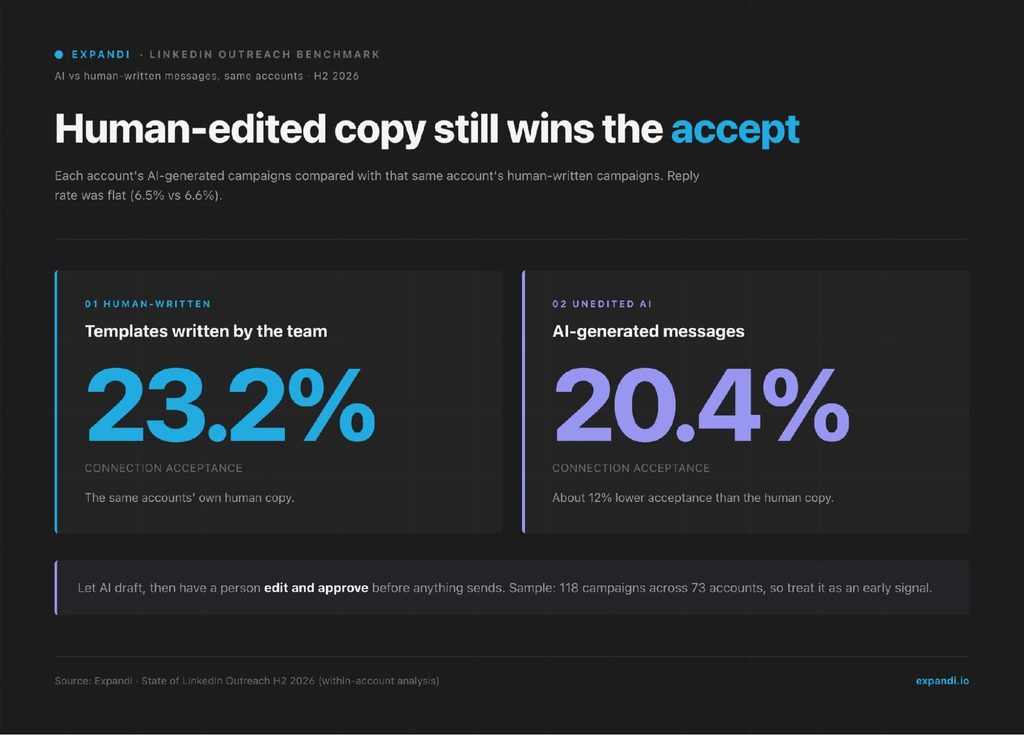
AI drafting is part of every tool in this category now, so one finding from our State of LinkedIn Outreach H2 2026 report matters before you pick one.
Within the same accounts, AI-generated outreach messages were accepted at 20.4%, against 23.2% for the human-written templates those accounts also ran, about 12% lower.
Reply rates stayed flat at 6.5% and 6.6%. The safest workflow is AI for the first draft and a human for the final edit, the same rule we apply in our guide to LinkedIn message automation.
Johan de Wit, founder of We Love SaaS, a Dutch community for SaaS founders that runs events and a weekly podcast, put it this way in a GTM Society interview:
“So the more natural a post is and the less polished it is, the better they work, at least for me.”
Johan de Wit, We Love SaaS
With that rule in place, these are the content tools that hold up in 2026. For a planning framework to feed them, start with our LinkedIn content strategy guide.
1. Taplio for AI-assisted LinkedIn content and growth
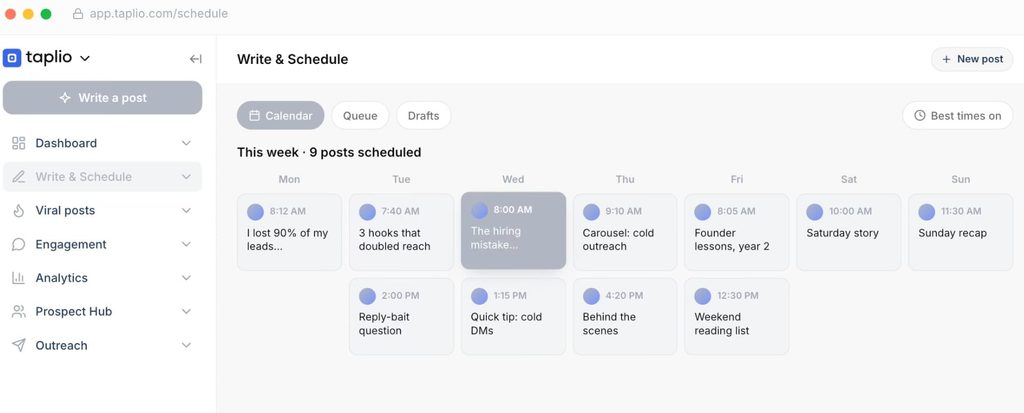
Taplio is a LinkedIn-only content platform that combines post ideas from high-performing creators, scheduling, and analytics in one workspace. It suits founders and operators building a personal brand who want to see why a post worked before writing the next one.
Taplio’s plans changed in 2026: the Starter plan covers scheduling and core analytics, and AI writing starts on the Growth plan.
Best for:
- Founders and operators growing a personal brand.
- Researching what performs for top creators in your niche.
- Building a consistent posting cadence.
Key features:
- AI post writing trained on high-performing LinkedIn content (Growth plan and up).
- Post scheduling and a content calendar.
- Analytics for views, engagement and audience growth.
- Faster replies and comments, plus team collaboration on Growth.
Pricing:
- 7-day free trial on every plan.
- Starter: $39/mo, or $32/mo billed annually.
- Growth: $69/mo, or $49/mo billed annually.
- Pro: $199/mo, or $149/mo billed annually.
Compliance considerations:
Taplio’s content, scheduling and analytics features carry little account risk when used as intended. The Pro plan now adds lead outreach automation, so treat that part like any automation tool: keep volumes low and messages personal.
2. AuthoredUp for formatting, drafts, and post analytics
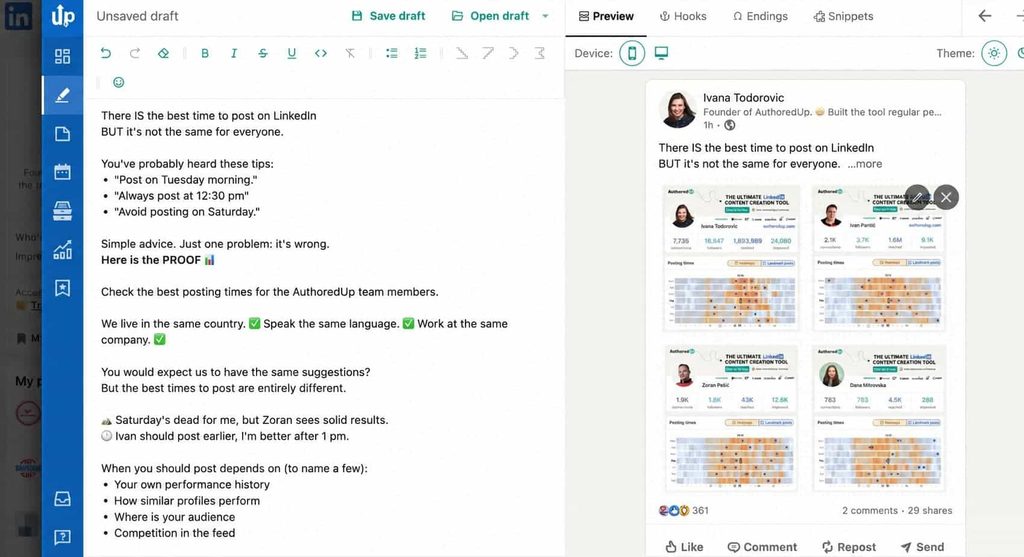
AuthoredUp is a writing and analytics tool that runs inside LinkedIn and on its own web platform.
It’s built for one job: LinkedIn posts, and pairs a clean editor with post analytics.
You write with real formatting and a multi-device preview, keep drafts and snippets in one library, then check which post types, days, and lengths perform best on your own profile.
Best for:
- Solo creators who want clean formatting and honest post data.
- Ghostwriters and agencies managing several profiles.
- Teams that want formatting and analytics more than AI writing.
Key features:
- Editor with text styling, lists and a preview for desktop and mobile.
- Hooks library and post-ending templates.
- Content calendar and scheduling for profiles, company pages and groups.
- Performance dashboard with best post type, day, length and readability.
- CSV export and an analytics API.
Pricing:
- Free trial, no credit card needed.
- Individual: $19.95/mo, or $16.63/mo billed annually.
- Business: $14.95 per profile/mo, or $12.46 per profile/mo billed annually (minimum 3 profiles).
Compliance considerations:
AuthoredUp states it runs with no automation and no cookie access, and it doesn’t take actions on your account, so account risk is low. It does run as a Chrome extension, so its analytics depend on LinkedIn continuing to allow extension access. Use its CSV export to keep your own copy of your post data.
3. Canva for carousels, visuals and ad creative
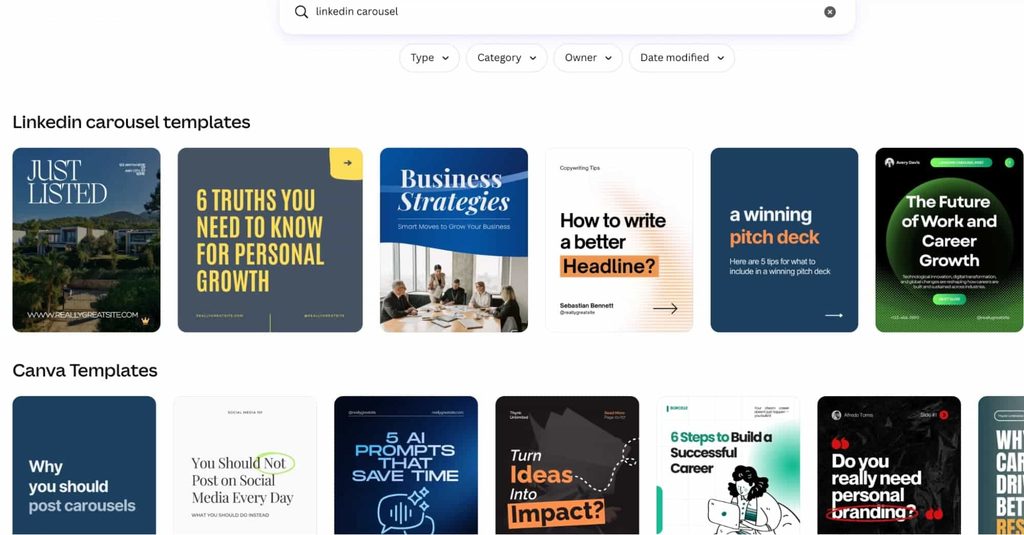
Canva is the design layer for LinkedIn posts, LinkedIn carousels, video and ad creative. Its LinkedIn integration now handles both sides of the feed.
According to LinkedIn’s own Canva walkthrough, you can publish or schedule posts to the feed from Canva and export image and video ads straight into your Campaign Manager media library.
Best for:
- Branded carousels and post visuals.
- Image and video ad creative for Campaign Manager.
- Teams that need reusable templates and a brand kit.
Key features:
- LinkedIn templates for posts, carousels, ads and video.
- Brand kit with logos, fonts and colors.
- Publish or schedule to the LinkedIn feed.
- Export ad creative to the Campaign Manager media library.
Pricing:
- Free plan.
- Pro: $15/mo, or $120/year ($10/mo).
- Business: $21 per person/mo, or $210 per person/year ($17.50/mo).
- Enterprise: custom.
Compliance considerations:
Canva doesn’t automate any LinkedIn actions. The only risk is indirect: ads still need to meet LinkedIn’s advertising policies.
4. Copy.ai for consistent messaging across teams
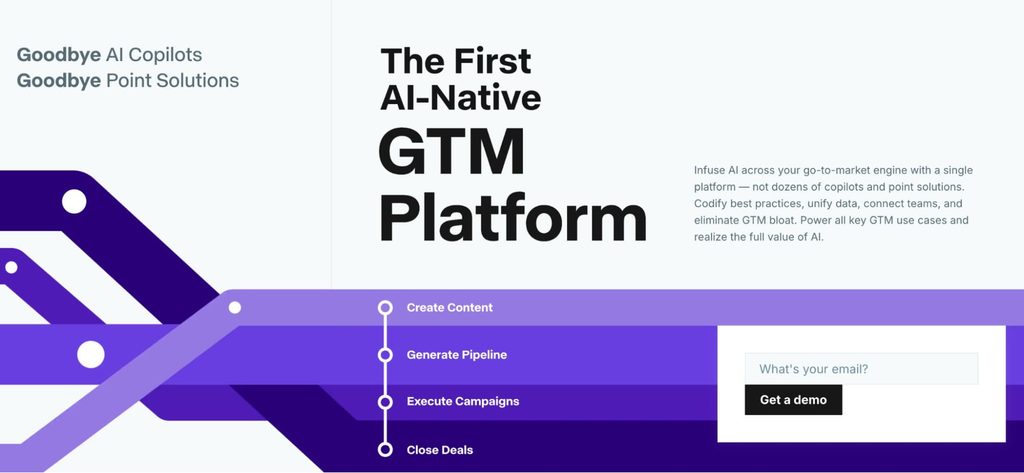
Copy.ai is an AI platform for go-to-market teams that need the same core message to show up in posts, ad copy, connection requests, and follow-ups. Copy.ai was acquired by Fullcast in October 2025 and now positions itself as a GTM AI platform, with workflows that chain research, writing, and integrations together.
For LinkedIn marketing, its value is keeping one message consistent across everyone who posts and sells.
Best for:
- Keeping marketing and sales messaging aligned.
- Repeatable AI workflows for posts, ads, and outreach copy.
- Small teams sharing one AI workspace.
Key features:
- Chat with access to OpenAI, Anthropic, and Gemini models.
- Brand voice and an infobase for shared messaging.
- Workflows that codify multi-step content processes.
- Integrations with GTM systems on higher tiers.
Pricing:
- Chat: $29/mo, or $24/mo billed annually, for 5 seats.
- Enterprise: custom, with workflow credits.
Compliance considerations:
Copy.ai doesn’t connect to LinkedIn accounts. Review AI output before it goes out, especially for outreach, where unedited AI copy underperformed in our data.
5. Supergrow for executive and employee posting programs
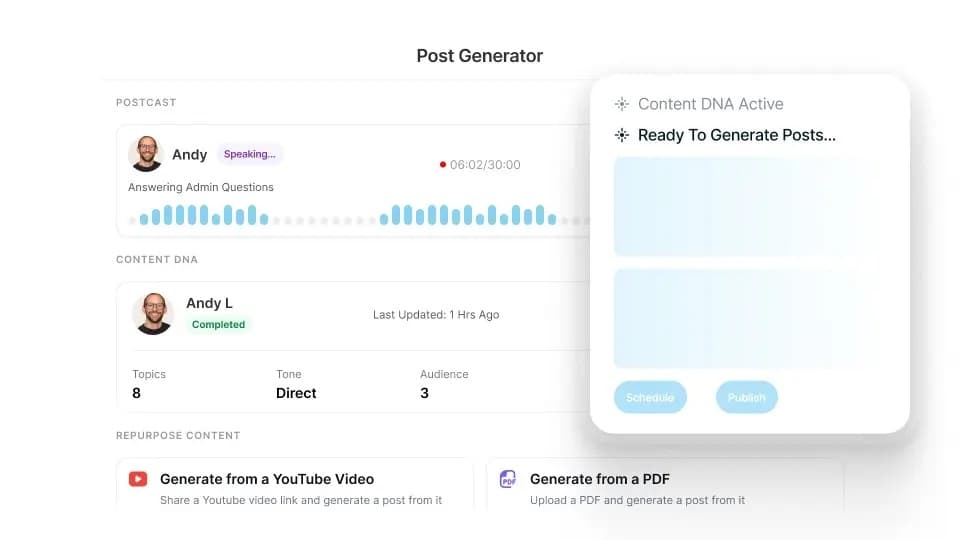
Supergrow is a LinkedIn content platform built around getting busy people to post. Its Postcast feature runs a short AI interview and turns the answers into drafts, and Content DNA learns each person’s voice.
The Teams plan is where it fits B2B marketing: one marketer can run posting for up to five executives with approvals and a shared calendar.
Best for:
- Executive and employee advocacy programs.
- Marketing leads managing several people’s LinkedIn presence.
- Founders who talk faster than they write.
Key features:
- Postcast AI interviews that become posts.
- Content DNA voice matching per person.
- Carousel maker, scheduling and auto first comment.
- Approval workflows, team calendar and team analytics (Teams).
Pricing:
- 7-day free trial.
- Pro: $39/mo, or $31/mo billed annually (1 account).
- Teams: $199/mo, or $189/mo billed annually (5 accounts).
- Enterprise: custom, for more than five executives.
Compliance considerations:
Supergrow states it connects through LinkedIn’s official API. Keep its Engage features for real comments on posts you’ve read, since LinkedIn’s Professional Community Policies ask members to respond authentically.
For more AI options in this category, see our roundup of LinkedIn AI tools.
2 Prospecting and outreach tools
Prospecting tools decide who sees your outreach, which makes them the quality gate for everything after. Content builds an audience, and these tools find the people in that audience, and outside it, who match your ICP.
For AI-driven options beyond these two, see our roundup of AI lead generation tools.
1. LinkedIn Sales Navigator for finding the right accounts and leads
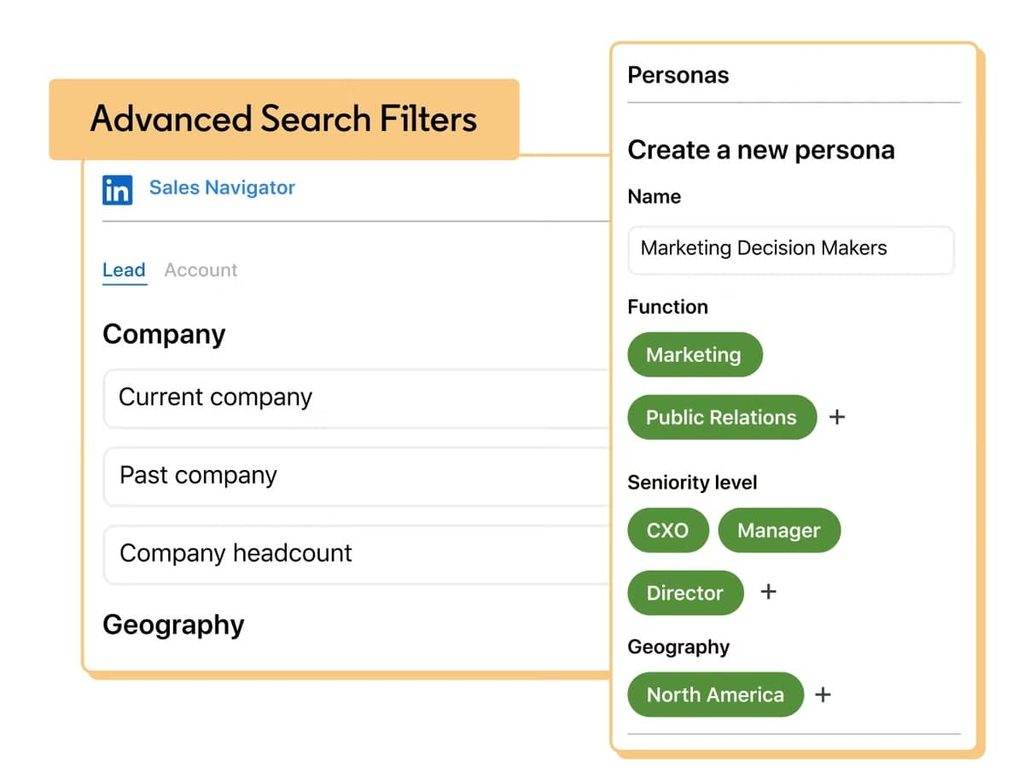
LinkedIn Sales Navigator is LinkedIn’s own prospecting product. It adds advanced lead and account search, saved lists and alerts, and InMail credits to a standard LinkedIn profile.
For the full setup, our guide on how to use LinkedIn Sales Navigator walks through searches and lead lists step by step.
Best for:
- Building ICP lead and account lists.
- Tracking job changes and activity on saved accounts.
- Reaching people outside your network with InMail.
Key features:
- Advanced lead and account search filters.
- Relationship Explorer to find warm paths into target accounts.
- Saved leads, accounts, and alerts.
- 50 InMails per month on Core.
Pricing:
- Core: $119.99/mo, or $89.99/mo billed annually.
- Advanced and Advanced Plus: listed on LinkedIn’s plans page, with Advanced Plus through sales.
Compliance considerations:
Sales Navigator is a LinkedIn product, so using it as designed carries no risk. The risk sits with third-party tools that scrape it, so pair it with tools that respect LinkedIn’s limits.
2. Clay for enrichment and smarter lists
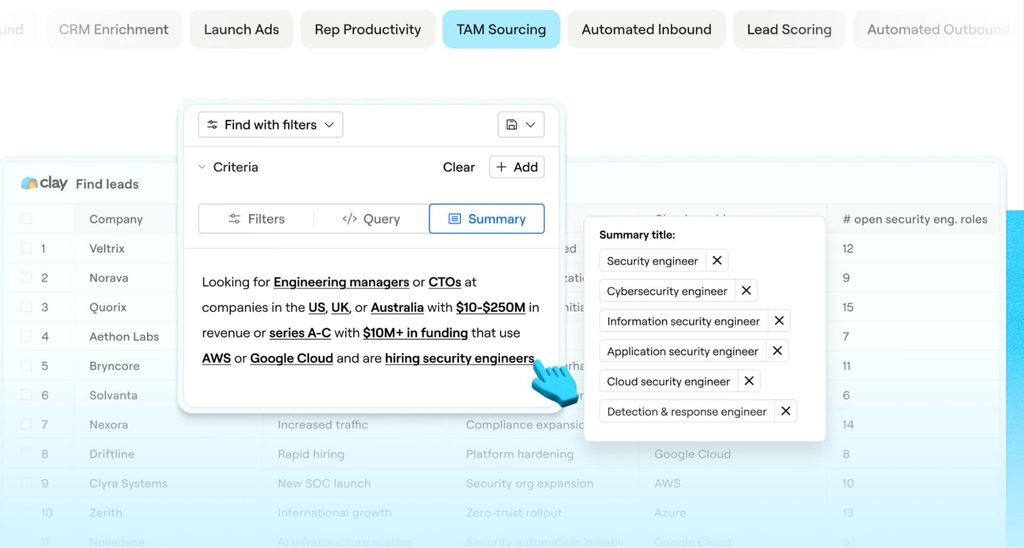
Clay is a data enrichment and research platform that pulls from multiple data providers into one table. Its job is building better lists before outreach starts.
For LinkedIn marketing, Clay adds company and contact data from several providers on top of what a profile shows. Its Claygent AI agents research accounts for you.
Our guide to Clay and Expandi shows how enriched lists flow into LinkedIn campaigns.
Best for:
- GTM engineers and RevOps teams building lists.
- Scoring and segmenting accounts before outreach.
- Personalization data beyond job title.
Key features:
- Waterfall enrichment across multiple data providers.
- Claygent AI agents for account and prospect research.
- CRM sync and enrichment on higher plans.
- Unlimited seats and tables.
Pricing:
- Free: 500 actions/mo.
- Launch: $185/mo, or $167/mo billed annually.
- Growth: $495/mo, or $446/mo billed annually.
- Enterprise: custom.
Compliance considerations:
Clay doesn’t take actions on LinkedIn, but it processes personal data. Check that your sourcing and use of enriched data meet LinkedIn’s terms and the privacy laws that apply to you.
4 LinkedIn scheduling and social management tools
Scheduling tools keep LinkedIn consistent without someone posting by hand every morning.
For solo users, they remove friction, and for teams they add approvals, shared calendars and reporting. LinkedIn has native scheduling, so a paid tool earns its place when you need consistency across people, channels, or clients.
1. Buffer for budget LinkedIn scheduling
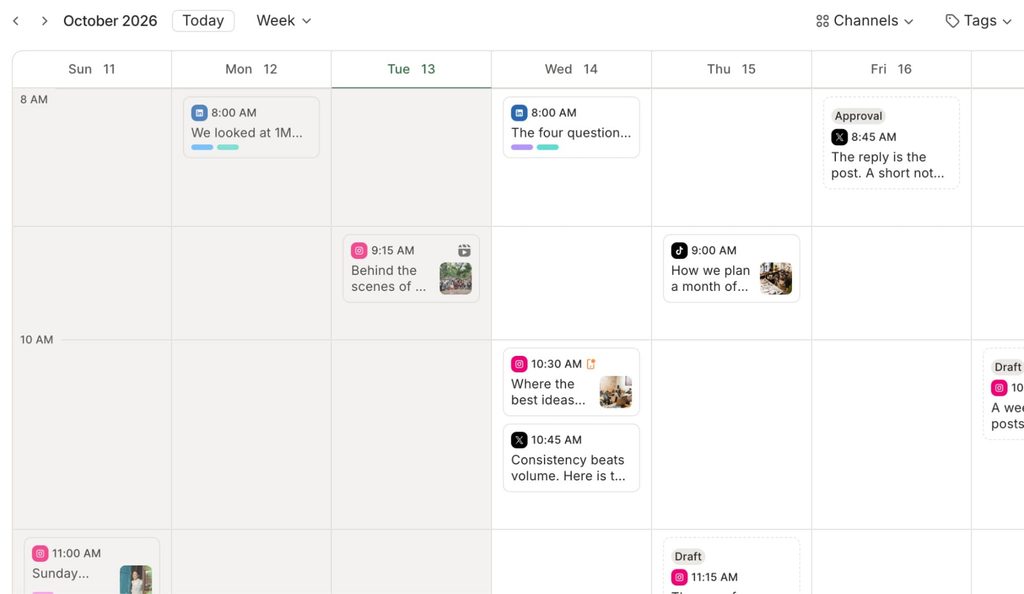
Buffer is a low-cost way to schedule LinkedIn posts across a profile and a company page, with a free plan to start. Pricing is per channel, so a solo user pays for exactly what they connect.
Best for:
- Solo founders and small teams on a budget.
- Scheduling a profile and a company page together.
- Simple analytics without a full suite.
Key features:
- Queue and visual content calendar.
- First comment scheduling on LinkedIn (paid plans).
- Replies to LinkedIn comments from one inbox.
- Analytics with exportable reports (paid plans).
Pricing:
- 14-day free trial on paid plans.
- Free: up to 3 channels, 10 scheduled posts per channel.
- Essentials: $6/mo per channel, or $5/mo billed annually.
- Team: $12/mo per channel, or $10/mo billed annually, with unlimited users and approvals.
Compliance considerations:
Buffer publishes through LinkedIn’s integration, and only posts what you schedule, so account risk is low.
2. Metricool for scheduling plus cross-channel reporting
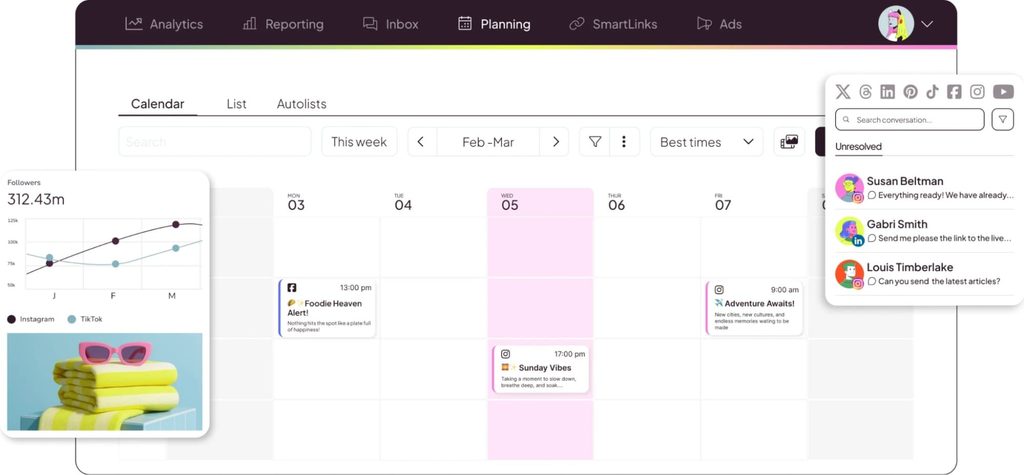
Metricool combines scheduling with analytics dashboards across social networks and ad platforms. It suits marketers managing LinkedIn alongside other channels who want reporting without a $199 seat price.
One catch with the free plan: it covers every network except LinkedIn and X. LinkedIn starts on Starter.
Best for:
- Small marketing teams and agencies managing several brands.
- Reporting LinkedIn next to other social channels.
- Client-ready PDF and slide reports.
Key features:
- Planner with best times, auto-publishing and a social calendar.
- Analytics with unlimited history on paid plans.
- Unified inbox, including LinkedIn.
- Competitor analysis and campaign dashboards.
Pricing:
- Free: 1 brand, LinkedIn not included.
- Starter: from $25/mo, or $20/mo billed annually (up to 5 brands).
- Advanced: from $67/mo, or $53/mo billed annually, with team roles and approvals.
- Custom: contact sales.
Compliance considerations:
Metricool schedules and reports through official integrations. The usual content policies still apply to what you publish.
3. Sprout Social for approvals and reporting at scale
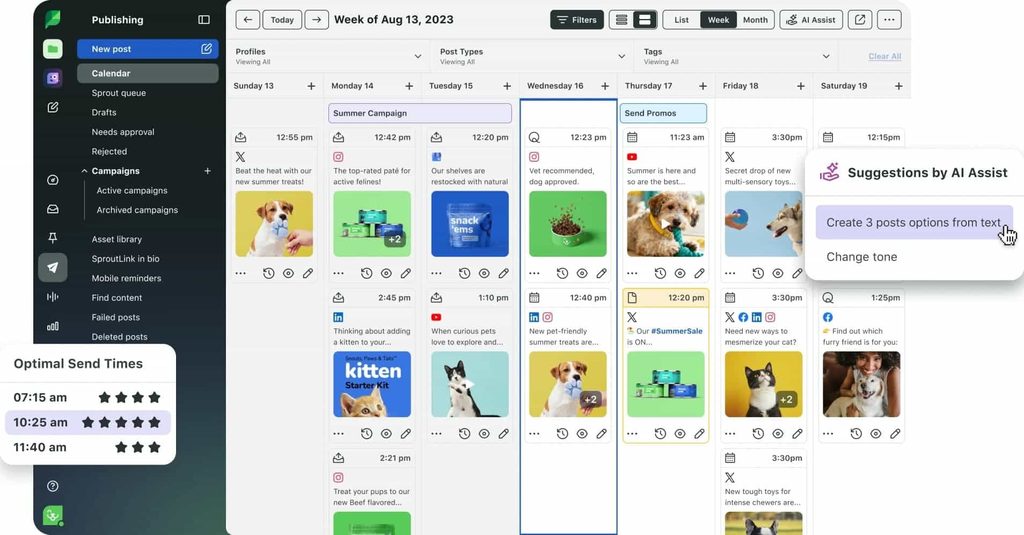
Sprout Social is a social media management suite for larger teams where LinkedIn is a major channel among several. Its strength on LinkedIn is governance: approvals, roles and reporting across the organization.
Best for:
- Marketing and comms teams managing several profiles.
- Approval workflows and role-based access.
- Advanced reporting across channels.
Key features:
- LinkedIn scheduling and publishing.
- Smart inbox for comments and messages.
- Competitor, tag and paid reporting on Professional.
- AI assist for posts and replies on higher tiers.
Pricing:
- All plans billed annually, with a 30-day free trial.
- Standard: $199/seat/mo.
- Professional: $299/seat/mo.
- Advanced: $399/seat/mo.
- Enterprise: custom.
Compliance considerations:
Sprout Social works through official integrations. Compliance questions here are about content moderation, permissions, and data access.
4. Hootsuite for multi-network publishing and monitoring
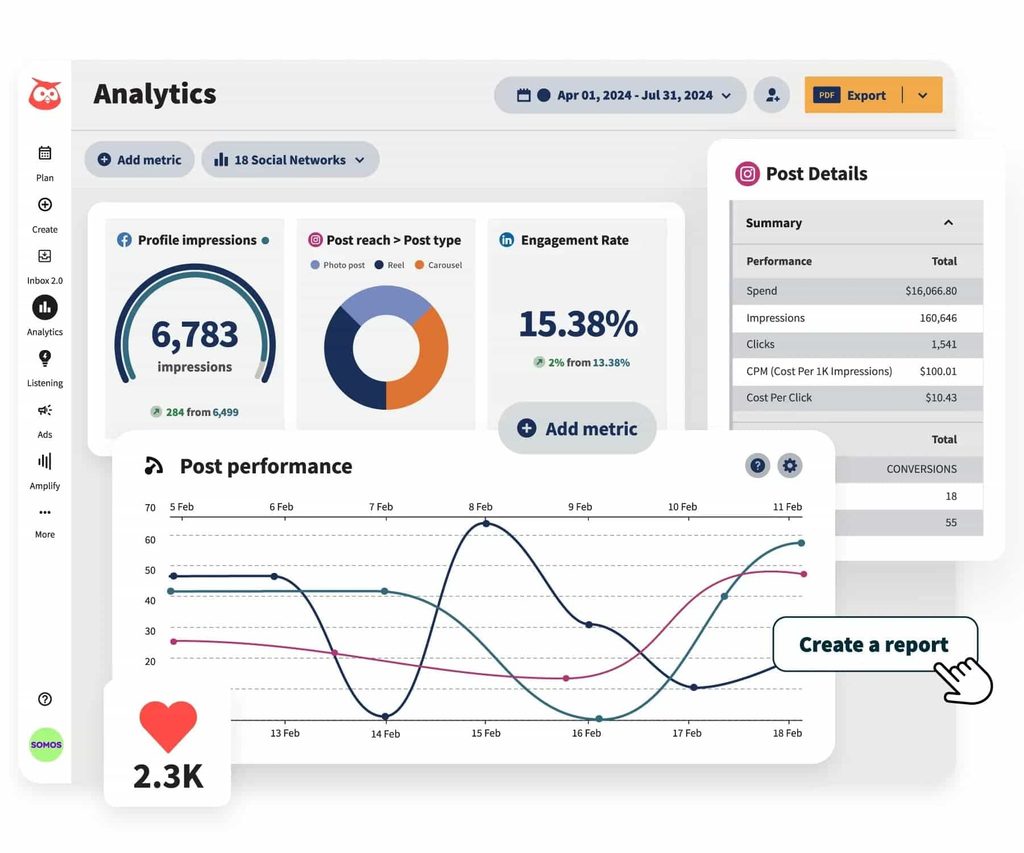
Hootsuite is a long-standing social management platform for teams that need broad network coverage, publishing at volume and social listening. On LinkedIn, its strengths are distribution and monitoring.
Best for:
- Teams publishing across several networks.
- Monitoring brand and competitor mentions.
- Enterprise and global marketing teams.
Key features:
- Unlimited scheduled posts on paid plans.
- AI-generated posts and images.
- Unified inbox and social listening.
- Approvals and message routing on Advanced.
Pricing:
- 14-day free trial.
- Standard: $99/user/mo, billed annually (up to 10 social accounts).
- Professional: $199/user/mo, billed annually.
- Advanced: $399/user/mo, billed annually.
- Monthly billing is available at a higher rate.
Compliance considerations:
Hootsuite publishes through official integrations. The main risk is quality: overposting or low-effort content hurts reach under the LinkedIn algorithm more than it hurts your account.
1 LinkedIn analytics tool
LinkedIn’s native analytics show what happened to a post. Analytics tools show who it happened with and whether it turned into pipeline, which is the question a B2B team gets asked.
1. Fibbler for company-level ad and content attribution
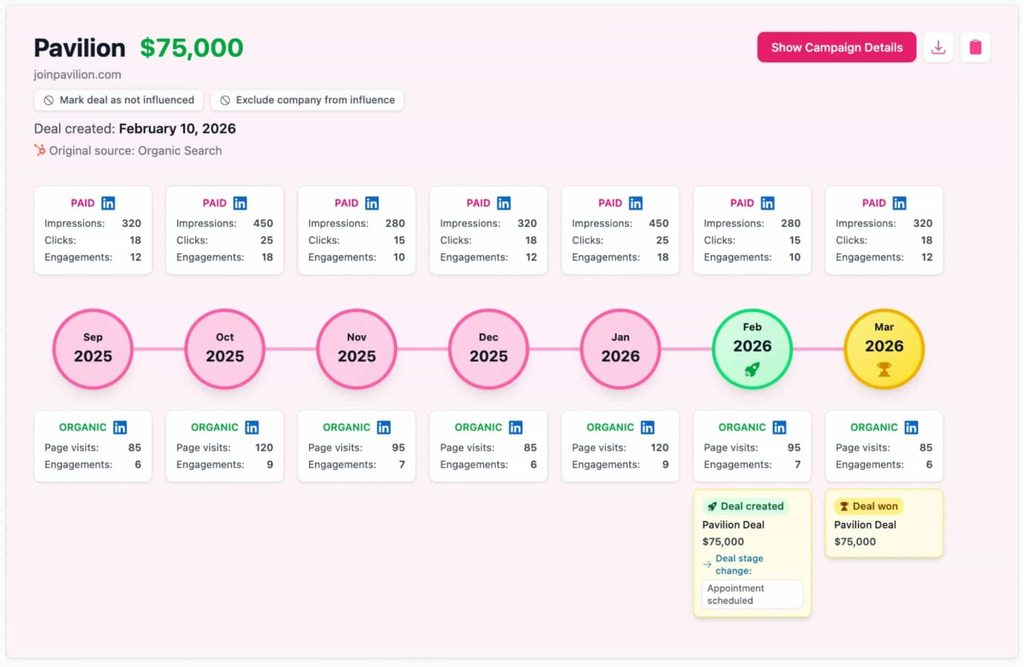
Fibbler is an official LinkedIn Marketing Partner that shows which companies view or engage with your LinkedIn ads and organic content, then connects that to pipeline and revenue in your CRM. It gives B2B teams account-level proof that their LinkedIn ads generate pipeline.
Its Signals feature alerts sales when a target account warms up, which is where analytics hands off to outreach.
Best for:
- B2B marketers proving LinkedIn ROI to leadership.
- ABM teams tracking engagement by target account.
- Agencies reporting LinkedIn Ads results for clients.
Key features:
- Company insights and campaign analytics.
- Customer journeys that combine ad and content touchpoints.
- CRM sync with HubSpot, Attio and Pipedrive (Salesforce on Unlimited).
- Signals that alert sales when an account engages.
- Audience exclusions and campaign optimization.
Pricing:
- 30-day free trial, no credit card.
- Growth: $89/mo, or $80/mo billed annually (1 user).
- Unlimited: $129/mo, or $100/mo billed annually.
- Agency: $159/mo, or $130/mo billed annually.
- Google and Meta Ads add-ons: $59 per account/mo.
Compliance considerations:
Fibbler works as an official LinkedIn Marketing Partner and states SOC 2 Type 1 compliance.
Check CRM permissions and privacy rules before syncing account-level data.
2 LinkedIn marketing automation tools
Automation tools take the repetitive work off your LinkedIn stack, from following up on post engagement to moving leads into your CRM.
Every like, comment, and profile visit tells you someone noticed you, and the right tool follows up while that interest is fresh.
Nick Tomic, founder of Face2Face, who has interviewed around 350 SaaS founders, described the play in a GTM Society interview, after a case study post of his drew 50 comments:
“I put an automation so that it would go through the whole list of everybody that liked and commented that post. And then I added them on LinkedIn with a message saying, hey, I saw you engage with my case study. I was wondering if you wanted to learn more, right? And so I booked a couple demos from that.”
Nick Tomic, Face2Face
The safe version of that play runs slowly.
LinkedIn’s User Agreement restricts third-party automation, and aggressive volume is the fastest way to get your LinkedIn account restricted. In practice:
- Sending 100 connection requests in 10 minutes is a red flag.
- A slow, human-paced drip with personal messages is what keeps an account healthy, and our guide to the LinkedIn connections limit covers the numbers.
1. Expandi for safe outreach triggered by engagement
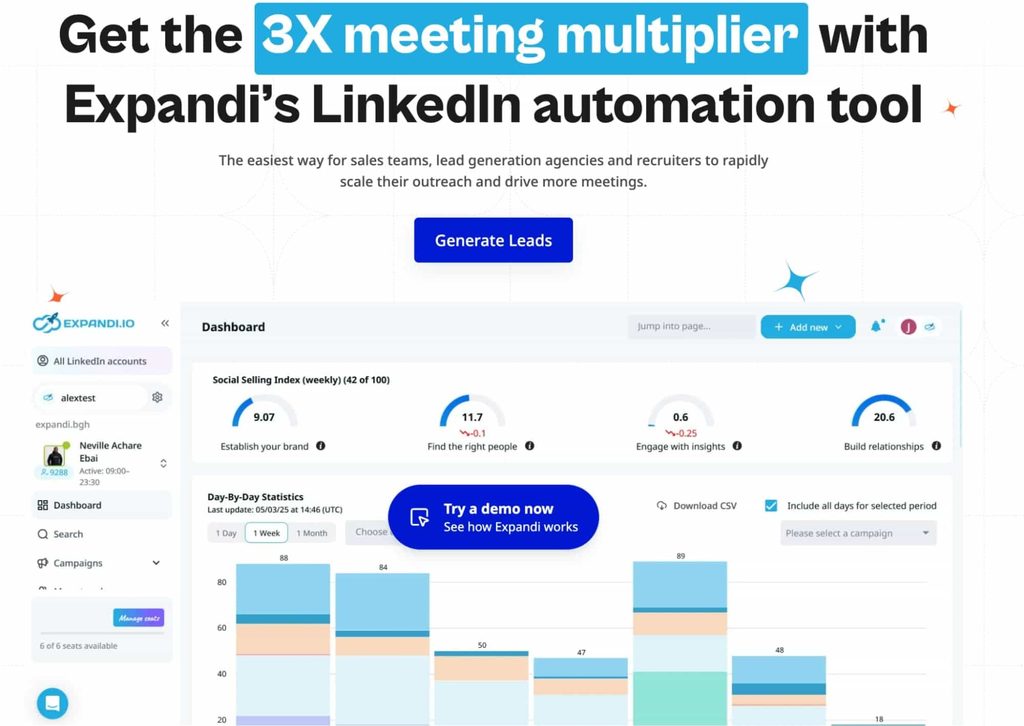
Expandi is a cloud-based LinkedIn outreach platform built around account safety and signal-based campaigns. It works best when it follows up with people who engaged with your content, visited your profile or fit a clearly defined ICP.
Expandi’s Builder runs if-then sequences with 20 actions and 11 conditions, and its post engagement lead lists pull everyone who reacted to or commented on a post, the exact play above.
Our walkthrough on LinkedIn post engagement outreach shows the setup.
The Expandi MCP lets you run those campaigns from your AI assistant: it builds lists, drafts campaigns and works the inbox while you approve what it sends, inside your daily limits and warm-up.
Our guide on how to connect Expandi to Claude walks through the setup.
Best for:
- Turning content engagement into conversations.
- Personalized connection requests and follow-ups at a safe pace.
- B2B sales teams, founders, and agencies running LinkedIn at scale.
Key features:
- Cloud-based, with a dedicated country-based IP per account.
- Profile auto warm-up and smart daily limits.
- Builder sequences with 20 actions and 11 conditions, combining LinkedIn and email.
- Signals that start sequences from post engagement and profile visits.
- AI Analyzer that drafts messages and sorts replies by sentiment.
- Native HubSpot, Pipedrive and Salesforce integrations, plus webhooks and Zapier.
Pricing:
- 7-day free trial.
- Business: $99/mo per seat, or $79/mo billed annually.
- Agency: custom, for 10+ seats, with white-label.
Compliance considerations:
Expandi is built to work within LinkedIn’s usage limits, but it’s still an automation tool, and any automation tool can get an account restricted when it’s misconfigured. Keep daily volumes conservative, write messages a person would send, and stay away from engagement pods.
If MeetAlfred is also on your shortlist for LinkedIn outreach, our Expandi vs MeetAlfred comparison breaks down pricing, safety and campaign logic side by side.
2. Zapier for connecting LinkedIn to the rest of your stack
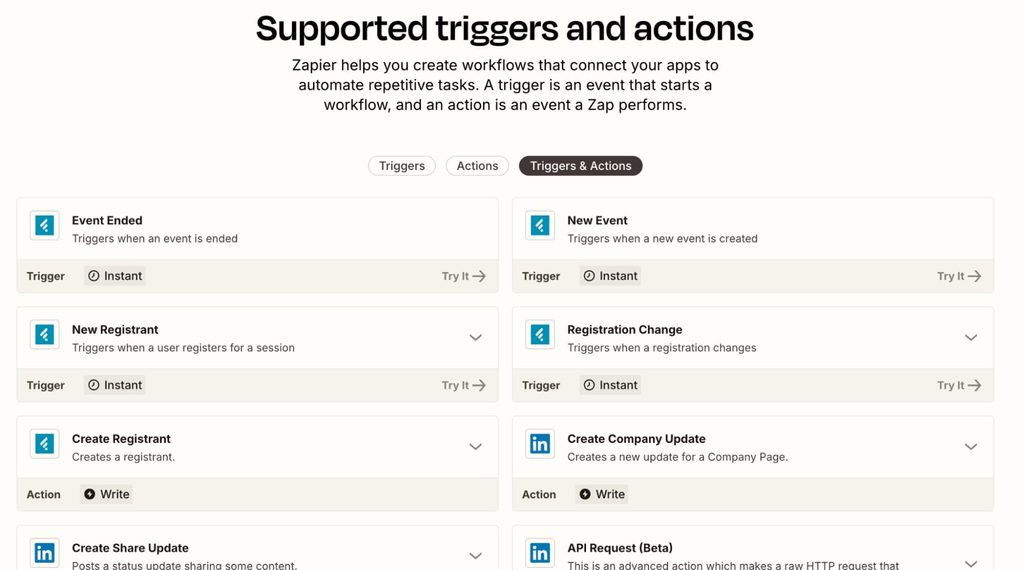
Zapier connects LinkedIn to the rest of your apps without code. On the marketing side, it can post company and share updates to LinkedIn when new content goes live, and its LinkedIn Ads app triggers on new Lead Gen Form responses from ads or organic content.
For outreach, Zapier is the bridge between Expandi’s webhooks and tools without a native integration, such as a spreadsheet, Slack or a smaller CRM.
Best for:
- Routing LinkedIn Lead Gen Form leads to your CRM or Slack.
- Posting new blog or event content to a company page.
- Passing outreach replies and tags into the rest of your stack.
Key features:
- LinkedIn actions: create company update and create share update.
- LinkedIn Ads triggers for sponsored and organic Lead Gen Form responses.
- Multi-step Zaps, webhooks and AI fields on paid plans.
Pricing:
- Free: 100 tasks/mo, two-step Zaps.
- Professional: from $29.99/mo, or $19.99/mo billed annually.
- Team: from $103.50/mo, or $69/mo billed annually.
Compliance considerations:
Zapier’s LinkedIn apps run on official integrations. Keep an eye on what personal data you pass between tools.
5 native LinkedIn features worth turning on
LinkedIn’s own marketing features live inside Campaign Manager and Business Manager, cost nothing beyond ad spend, and are easy to miss if you run on default settings.
For the fundamentals underneath them, see our guide to LinkedIn advertising.
Revenue Attribution Reporting for pipeline and revenue
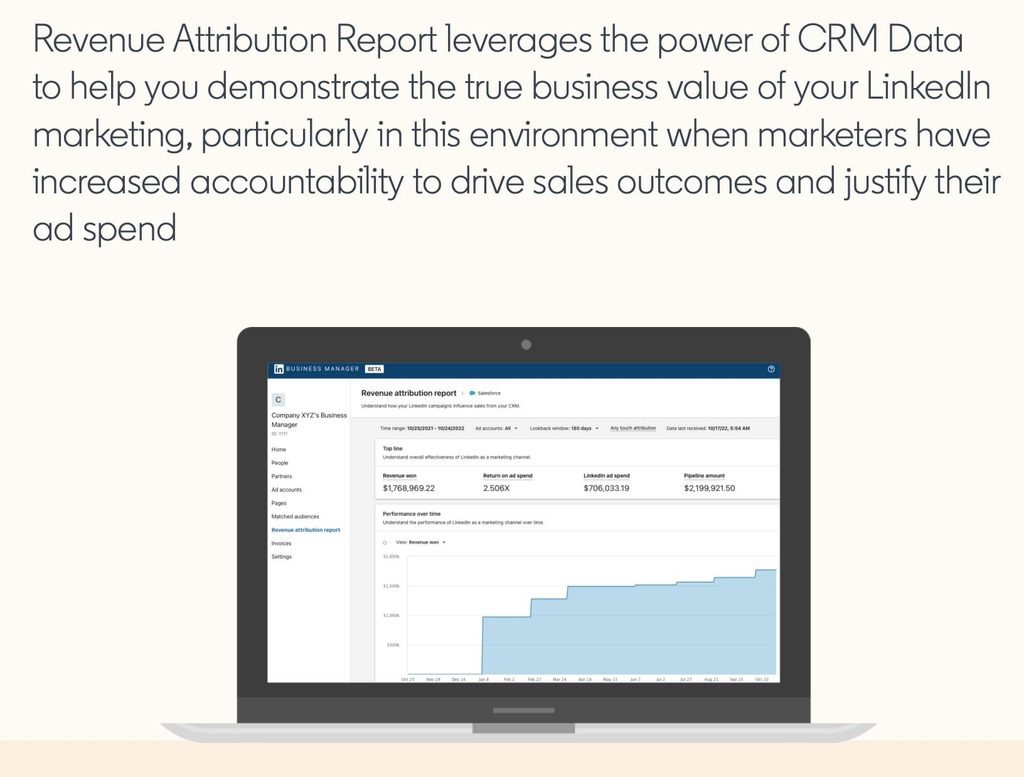
Revenue Attribution Reporting syncs your CRM to LinkedIn Business Manager to show how LinkedIn marketing influences revenue, pipeline and return on ad spend. You set it up yourself: create a Business Manager, then connect HubSpot, Microsoft Dynamics 365 or Salesforce.
For conversions that happen off LinkedIn, such as phone sales or event leads, the LinkedIn Conversions API sends them back for full-funnel measurement.
Here’s where Revenue Attribution Reporting fits in a LinkedIn marketing stack:
- Best for: B2B teams measuring LinkedIn beyond lead volume, RevOps-led organizations.
- Key features: revenue won, pipeline, ROAS, win rate, and deal size influenced by LinkedIn.
- Pricing: included with LinkedIn advertising.
- Compliance: you own CRM permissions and data privacy when you connect.
Flexible ad creation for faster creative testing
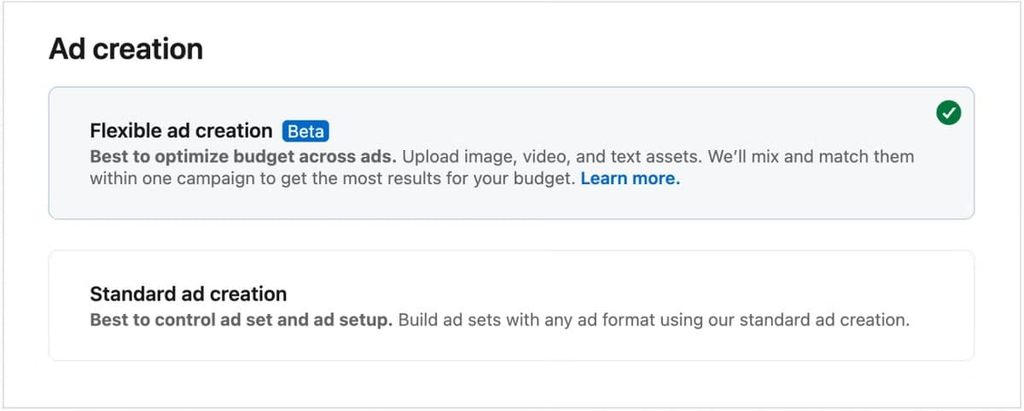
Flexible ad creation lets you upload up to four images, four videos and four copy variations. LinkedIn mixes and matches them across your campaigns, then shifts budget toward the best performers.
It arrived with LinkedIn’s July 2026 creative tools update, which reports that advertisers running five or more ad variants see over 20% higher click-through rates than those running one.
Here’s how LinkedIn flexible ad creation breaks down:
- Best for: teams testing several creatives and messages without building every combination.
- Key features: automatic combinations and budget shifting toward winning variants.
- Pricing: included with LinkedIn advertising.
- Compliance: creative still has to meet LinkedIn’s ad policies.
Ad personalization with profile macros
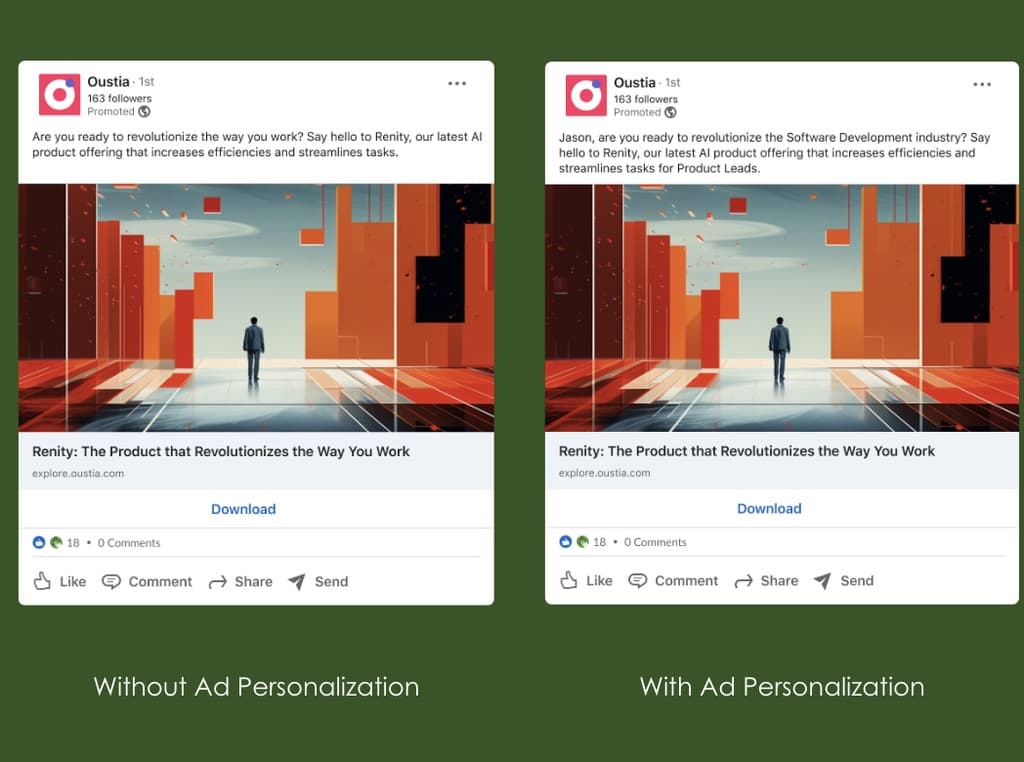
Ad personalization inserts details from each viewer’s profile into your ad copy with macros such as %FIRSTNAME%, %COMPANYNAME%, %JOBTITLE% and %INDUSTRY%. It works in Sponsored Messaging, Dynamic Ads, single image and video ads, and Lead Gen Forms.
Access widened in 2026: the feature started with managed accounts that have a LinkedIn rep, and LinkedIn is now rolling it out to small and growing businesses in Campaign Manager.
Here’s what ad personalization offers marketers:
- Best for: segmented and ABM-style campaigns where relevance lifts attention.
- Key features: macros filled in at delivery, so each member sees only their own details.
- Pricing: no cost beyond ad spend.
- Compliance: members can opt out, and macros must be written in capital letters to work.
Campaign hierarchy rename for cleaner cross-platform structure
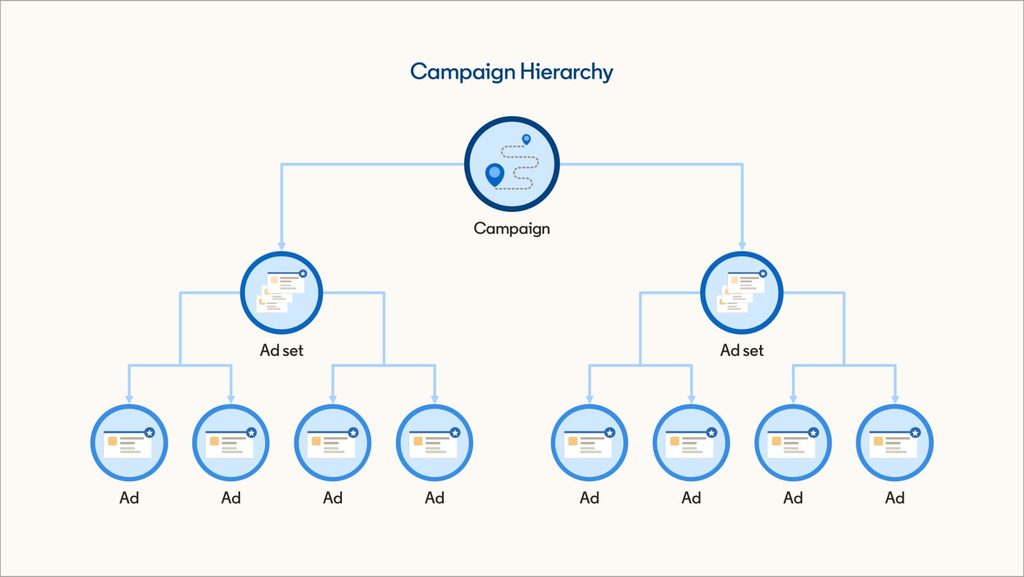
Campaign Manager is renaming two of its four hierarchy levels to match other ad platforms: Campaign group becomes Campaign, and Campaign becomes Ad set. Ad account and Ad stay the same, and nothing about how campaigns run changes.
Here’s who the rename affects and what it costs:
- Best for: teams running LinkedIn next to Meta and Google, and agencies onboarding new staff.
- Key features: consistent naming for reporting and UTM templates.
- Pricing: included with Campaign Manager.
- Compliance: a native change inside LinkedIn’s own environment.
Thought Leader Ads for boosting people over pages
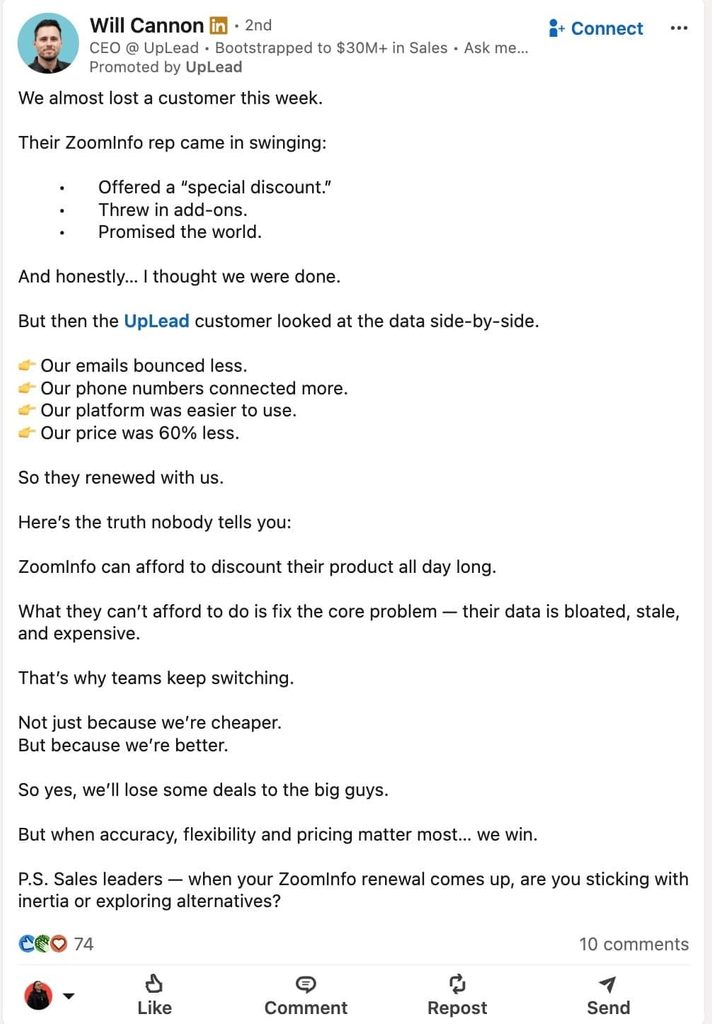
Thought Leader Ads turn a person’s organic post into a paid ad that runs under their name and photo. Companies can boost posts from employees, industry experts, customers, and content creators, with the author’s approval.
LinkedIn’s creator marketing guidance reports that advertisers running Thought Leader Ads see 45% higher click-through rates at the awareness stage, 19% higher at consideration and 48% higher at conversion than advertisers who don’t run them.
It’s the paid extension of an executive posting program built in Supergrow or Taplio.
Here’s how Thought Leader Ads break down:
- Best for: founder-led brands and executive posting programs.
- Key features: boosted posts that keep the person’s name, face and voice.
- Pricing: standard ad spend.
- Compliance: the post author approves every sponsorship.
Why your content and outreach tools should talk to each other
Content and outreach work best as one motion because content creates the reason to connect and outreach uses it. Our H2 2026 outreach data shows both halves in the numbers.
Accounts that post consistently get a small edge on cold requests. Senders with 1,000+ followers, three or more posts and more than 10 likes on every post accepted connection requests at 30.5%, against 27% to 29% across the platform.
The sample is 38 accounts, so treat it as directional.
The bigger lift comes when the note references a tie that already exists.
Connection notes that mention an existing tie, such as a follow, a shared group or a shared network, were accepted at 1.8x to 2.7x the 30.2% baseline. “Thanks for the follow” hit 81.1% across 435 contacted.
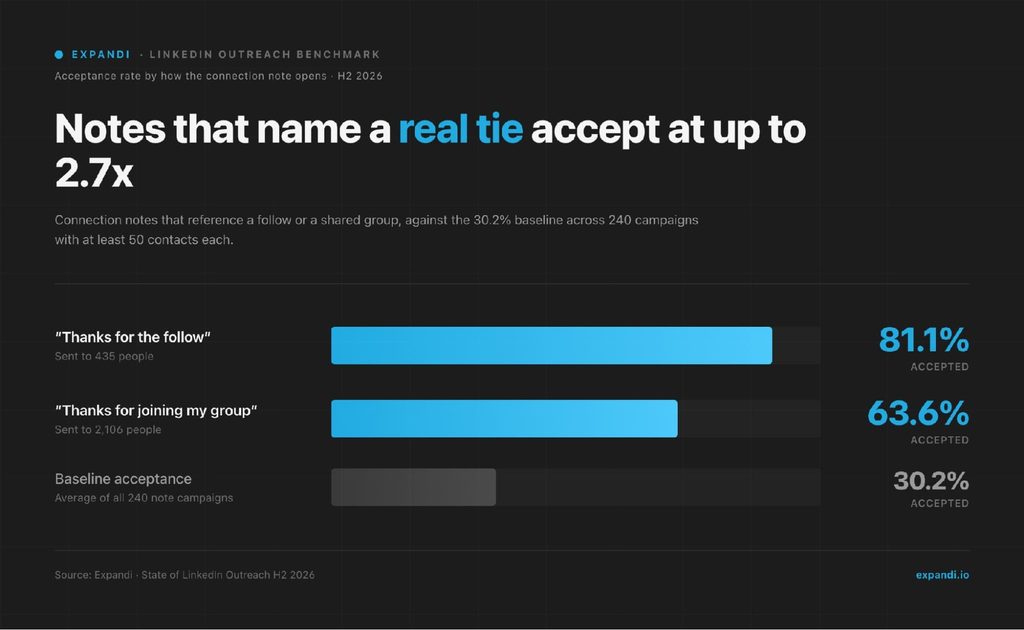
Content creates the tie, and outreach uses it. That’s the logic behind signal-based outreach, where a post like, a follow or a profile visit starts the conversation.
Joliene van Grieken, co-founder of The Growth Syndicate, a fractional head-of-growth team for B2B companies, made the same point in a GTM Society interview:
“And then it’s also up to sales to do the outbound. It’s not just, I’m going to wait and see until inbound happens. No, you need to reach out to the same customers. It’s all these touchpoints together that create success.”
Joliene van Grieken, The Growth Syndicate
The sample stacks below are built around that loop: content to earn attention, prospecting and analytics to aim it, and outreach to follow up.
Sample LinkedIn marketing stacks by team
A stack beats a single tool when each piece does one job.
Here are three LinkedIn marketing stacks with real monthly totals, built from the verified prices above:
| Team | Stack | Monthly billing | Billed annually |
|---|---|---|---|
| Solo founder | AuthoredUp Individual + Canva Free + Expandi Business | $118.95/mo | $95.63/mo |
| B2B marketing team | Supergrow Teams (5 execs) + Canva Business (1 seat) + Fibbler Growth | $309/mo | $286.50/mo |
| Sales-led team (per rep) | Sales Navigator Core + Expandi Business + Clay Launch | $403.99/mo | $335.99/mo |
How to read each stack:
- Solo founder: AuthoredUp handles writing and post data, Canva covers visuals, and Expandi follows up with the people your posts attract.
- B2B marketing team: Supergrow gets five executives posting, Canva keeps it on brand, and Fibbler shows which target accounts engage, ready for Thought Leader Ads.
- Sales-led team: Sales Navigator finds the accounts, Clay enriches them, and Expandi runs the sequences. Clay’s plan is shared across the team, so the per-rep cost drops as you add reps.
Choosing LinkedIn marketing tools that fit your workflow
The best LinkedIn marketing tools are the ones that remove friction from what you already do.
Start with your workflow:
- Content tools if you publish.
- A scheduler if consistency slips.
- Analytics if leadership asks about ROI.
- Outreach automation when posts start drawing attention you aren’t following up on.
Connect content and outreach, and each one makes the other pay back faster.
If outreach is the missing piece, Expandi turns post engagement and profile visits into personal, human-paced conversations.
Start your 7-day free trial and run your first engagement campaign this week.
LinkedIn marketing tools FAQ
What are the best LinkedIn marketing tools in 2026?
The best LinkedIn marketing tools depend on the job. A typical B2B stack pairs a content tool such as AuthoredUp or Taplio, a scheduler such as Buffer or Sprout Social, a prospecting tool such as Sales Navigator, and an outreach tool such as Expandi, plus LinkedIn’s free native ad features. A small, connected stack beats a long list of overlapping tools.
What native LinkedIn features should marketers use in 2026?
Start with Revenue Attribution Reporting to tie ads to pipeline, flexible ad creation for creative testing, ad personalization for relevance, and Thought Leader Ads to boost posts from your people. All four live in Campaign Manager or Business Manager and cost nothing beyond ad spend.
Are LinkedIn automation tools safe to use?
LinkedIn automation tools can be used safely when they run at a human pace. Account problems come from aggressive behavior, such as hundreds of requests in a short window or copy-paste messages. Cloud-based tools with warm-up, daily limits and personalization reduce the risk, but no tool removes it.
Can Canva publish ads directly to LinkedIn?
Canva exports image and video ad creative straight into your Campaign Manager media library, and it can publish or schedule organic posts to the feed. Launching, targeting and optimizing ads still happens inside Campaign Manager.
What’s the cheapest LinkedIn marketing stack?
The cheapest useful stack is a free scheduler and a free design tool: Buffer’s free plan covers up to three channels, and Canva Free handles visuals. Add AuthoredUp at $16.63/mo billed annually for formatting and post analytics, and Expandi at $79/mo billed annually when you’re ready to follow up with people who engage.
Do I need Sales Navigator for LinkedIn marketing?
Sales Navigator is optional for content-led marketing and close to essential for account-based prospecting. In our H2 2026 data, campaigns built from Sales Navigator searches and from CSV imports converted at nearly identical rates, so the choice comes down to how you build lists and what the subscription is worth to your workflow.
Should AI write my LinkedIn posts and messages?
AI works best as a first-draft tool with a human edit. In our H2 2026 data, unedited AI outreach messages were accepted about 12% less than the same accounts’ human-written templates. Draft with AI, then rewrite the opening and the ask in your own voice.
Are engagement pods worth it?
Engagement pods break LinkedIn’s rules and put your account at risk. LinkedIn’s Professional Community Policies ask members not to artificially increase engagement or agree in advance to like or re-share each other’s content. Real comments on the right people’s posts build the same visibility without the risk.



You’ve made it all the way down here, take the final step