LinkedIn API for Lead Generation: How to Automate Outreach and Scale Your Pipeline

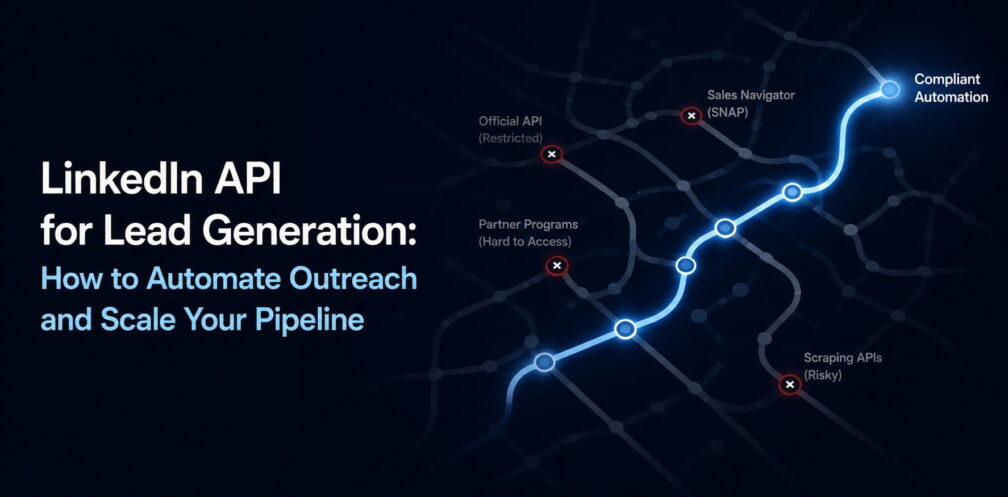
You opened the LinkedIn Developer Portal expecting a search endpoint. There isn’t one.
No profile data either. No connections export. No scrape. The endpoints that would make LinkedIn a lead-gen API are either closed or locked behind partner programs that take weeks to apply for and rarely approve sales use cases. The one open endpoint that returns profile data only returns the data of the person logged in — you.
The tools sold as “LinkedIn scraping APIs” fill that gap unofficially. They breach LinkedIn’s User Agreement, carry account-ban risk for you, and litigation risk for the vendor. We’ve watched both sides go badly — operators burning weeks on partner reviews that end in no, and accounts restricted running scrapers they were told were safe.
The durable path is the opposite: compliant in-app automation that operates your own account the way a person would, inside LinkedIn’s own limits. That’s what Expandi builds, and what the teams scaling outreach on LinkedIn actually use.
This is the sales operator’s guide to the LinkedIn API — written for the person who wants pipeline and got sent to developer docs.
Below, you’ll learn what the API actually is and how it works, how access and pricing really work, and, most importantly, the compliant path to automating outreach at scale.
Key Takeaways
- The official LinkedIn API is built for authentication and content sharing. Its open endpoints return only the logged-in member’s own data, with no search, no connections export, and no access to third-party profiles.
- Anything that searches profiles, pulls leads, or enriches contacts at scale is either a partner-gated program (Marketing, Sales Navigator, Lead Sync) or an unofficial scraper.
- A LinkedIn scraping API is a third-party tool that violates LinkedIn’s User Agreement. It risks account restriction and, for the vendors, legal action. Proxycurl shut down in 2025 after LinkedIn sued.
- Official API access requires a developer app, a verified company Page, and a product approval that can take weeks. The most useful programs are closed to applicants without a partnership.
- For sales teams, compliant in-app automation generates more pipeline than the API ever could. Tools that run signal-based, multi-step sequences inside LinkedIn’s limits are how outreach actually scales.
LinkedIn API for Lead Generation: How to Automate Outreach and Scale Your Pipeline


What the official LinkedIn API can and cannot do
The LinkedIn API is not one tool you can point at a profile. It is a catalog of separate official products, each governed by OAuth 2.0 authentication and each with its own permissions, approval process, and rules about what data you can touch.
You register an application in the LinkedIn Developer Portal, associate it with a verified company Page, and request access to specific products.
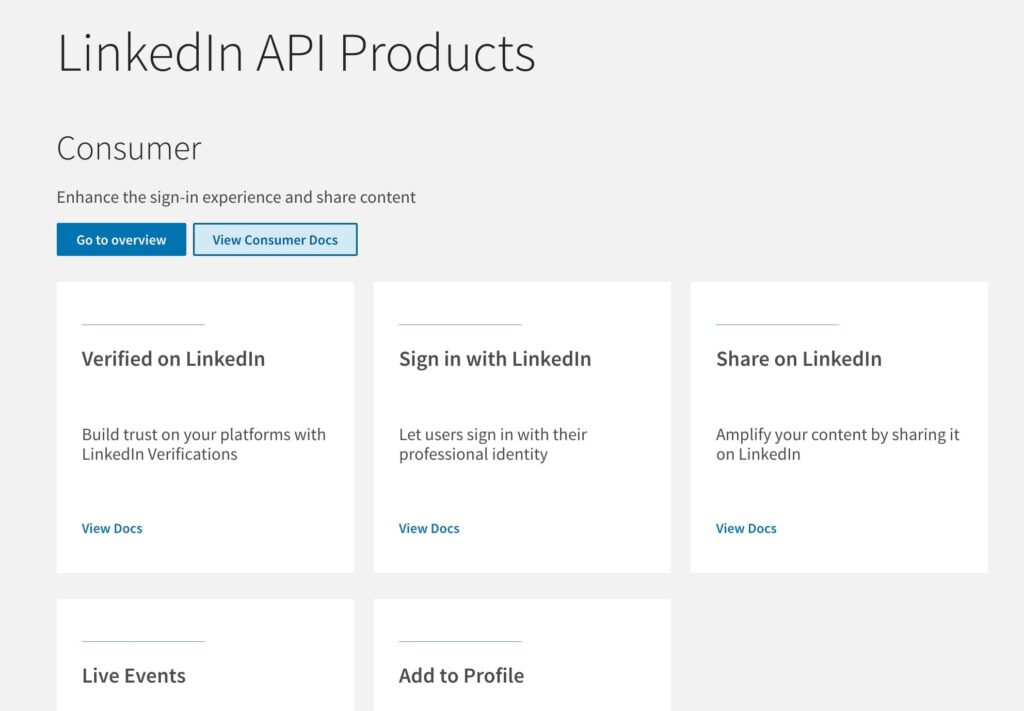
This is where lead-generation thinking about the API breaks down.
They picture an API that works like a search engine for prospects. What LinkedIn built is an identity-and-sharing layer for apps.
Here is the honest map of the official LinkedIn API products, and which are open to you without a partnership.
| Product | What it does | Access |
|---|---|---|
| Sign In with LinkedIn (OpenID Connect) | Lets users log into your app with their LinkedIn account. Returns the authenticated member’s own profile and email | Self-serve |
| Share on LinkedIn | Lets your app post content to the authenticated member’s feed | Self-serve |
| Marketing Developer Platform | Manage ad campaigns and company Page content | Partner-gated, application required |
| Community Management API | Manage and analyze organization Page engagement | Partner-gated, application required |
| Lead Sync API | Pull leads from your own LinkedIn Lead Gen Form ad campaigns | Partner-gated, application required |
| Sales Navigator (SNAP) | Surface Sales Navigator data inside an approved CRM or sales tool | Partner-gated, partnership required |
| Talent Solutions / Recruiter | Recruiting and hiring integrations | Partner-gated, partnership required |
The two self-serve products are the entire menu for an individual developer without a LinkedIn partnership, and both deal only with the logged-in user.
Sign In with LinkedIn, built on OpenID Connect, returns a fixed set of fields about the person who authenticated: their name, photo, locale, and verified email. It cannot return anything about anyone else.
This is the detail that closes the door for outbound use cases.
- The userinfo endpoint, the one that returns profile data, returns only the authenticated member’s own fields. There is no parameter for someone else’s profile, no endpoint that lists your connections, and no search.
- The older r_liteprofile and r_emailaddress permissions that some tutorials still reference have been deprecated. If your plan was to authenticate and then read your prospects’ profiles, the API simply does not expose that.
Everything genuinely useful for prospecting:
- Ad-lead retrieval.
- Sales Navigator data.
- And page analytics.
All of these sit in the partner-gated column, and those programs are built for established software vendors with a signed LinkedIn partnership, which a sales team writing its own script will struggle to qualify for.
Can you scrape LinkedIn with an API?
Yes, but only through unofficial third-party tools. The official LinkedIn API has no scraping endpoint, so everything sold as a “LinkedIn scraping API” is a third-party service with no connection to LinkedIn.
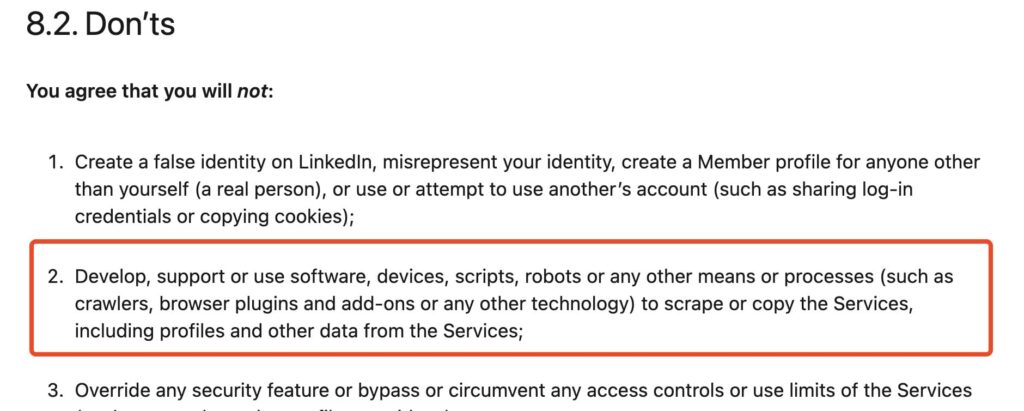
These tools harvest data from LinkedIn’s pages and resell it through an API of their own — profile data, email addresses, search results, connection lists, by the thousand. LinkedIn’s User Agreement is explicit that scraping member data and reselling it is not allowed.
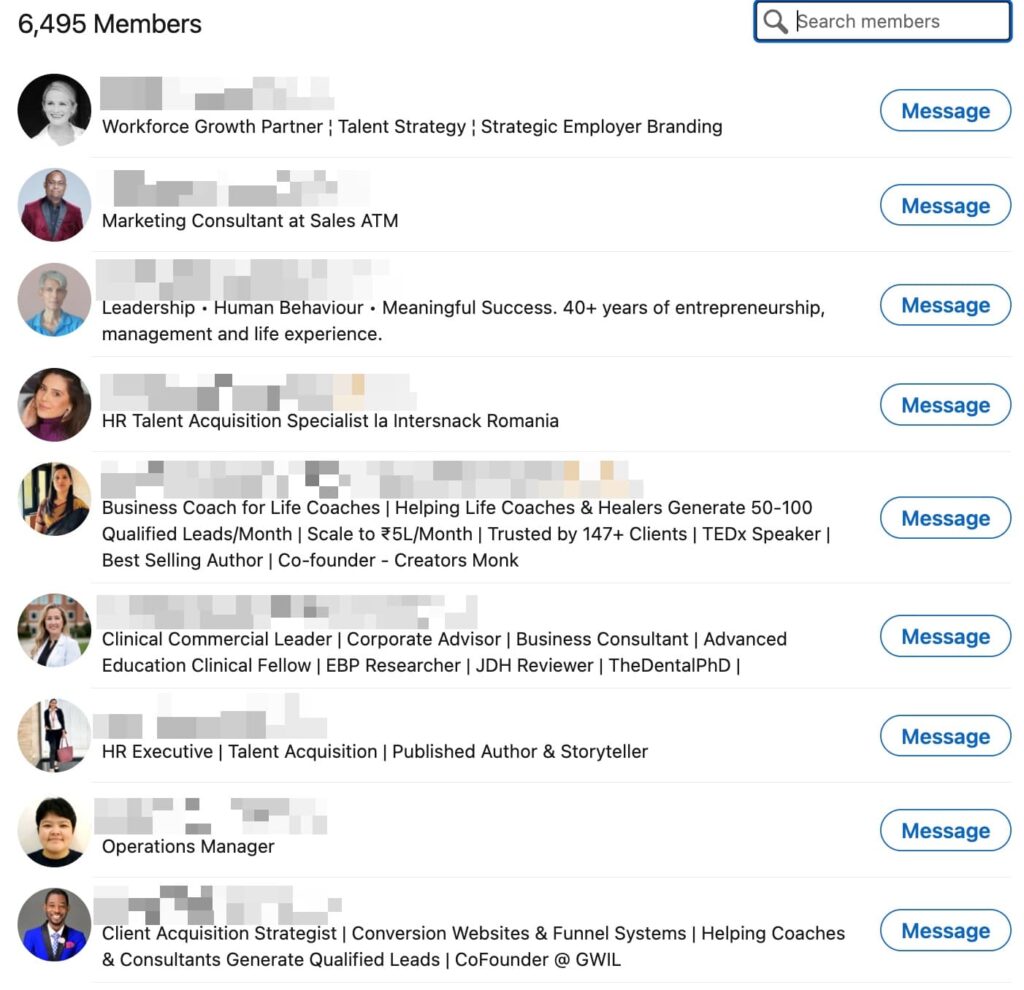
The bigger problem is that a scraping API is a fragile foundation to build on, and that has little to do with the law.
The law here is more nuanced than “scraping is illegal.” In hiQ Labs v. LinkedIn, the Ninth Circuit ruled in 2022 that scraping publicly available data does not violate the Computer Fraud and Abuse Act, the main federal anti-hacking statute. Scraping public LinkedIn data is not a federal crime.
It does breach LinkedIn’s terms, though, and LinkedIn enforces that hard — mostly against the vendors.
The same hiQ case ended in a December 2022 consent judgment — hiQ agreed to $500,000 in damages, a permanent injunction, and stipulated liability under California’s anti-scraping statute and trespass-to-chattels.
Proxycurl was one of the better-known LinkedIn data APIs. In January 2025 LinkedIn sued Proxycurl and its parent company, Nubela. By July 2025 Proxycurl had shut down, telling customers there was no winning in fighting it.
That is the risk you inherit. Buy your leads from a scraping API and your pipeline lives with a third party LinkedIn can litigate out of existence — when the vendor goes, your data supply goes overnight.
That said, there is a durable way to generate leads from LinkedIn, and it runs through your own account. You operate it the way a person would — reaching real people at human pace, inside LinkedIn’s limits — so your pipeline never rides on a harvested database that can vanish. That is what the rest of this guide covers.
How to get LinkedIn API access
If you do have a legitimate use for the official API — building an app, adding LinkedIn sign-in, integrating an approved program — here is the real process.
Create a developer application
In the LinkedIn Developer Portal, you create an app and connect it to a LinkedIn company Page you control.
LinkedIn verifies that association, which is why you need a real, verified Page behind the app.
Request the products you need.
Each product — Sign In with LinkedIn, Share on LinkedIn, Marketing, Lead Sync — is requested separately from your app’s Products tab.
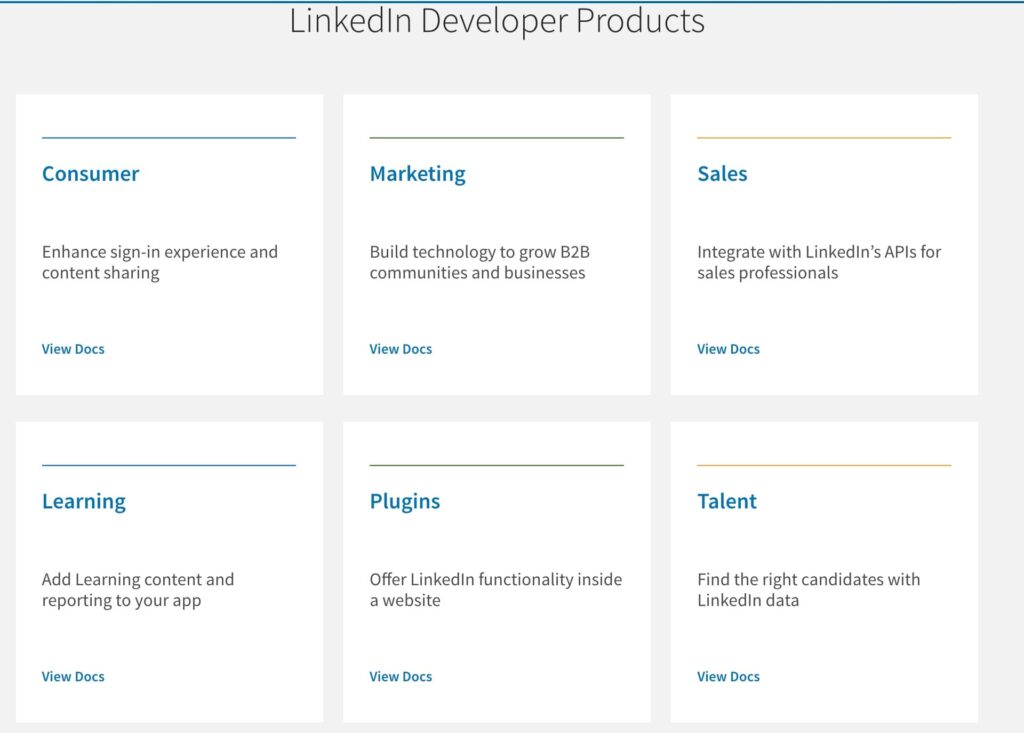
The self-serve ones are granted quickly. The partner-gated ones trigger a review.
Pass the review.
For gated products, LinkedIn evaluates your company, your use case, and often whether you are an incorporated business with a genuine integration to offer.
Third-party developers report review times ranging from about one to four weeks, and approval is far from guaranteed. Programs tied to compliance use cases, and many Sales Navigator and Talent integrations, are effectively closed unless you come in through an existing partnership.
Access to the harmless products is easy and access to the valuable ones is hard.
A sales team applying for API access to pull prospect data is applying for a program that doesn’t exist — the wait ends with the wrong answer. If that is you, the official API is the wrong door. The faster route — working your own account directly — is below.
How much does the LinkedIn API cost?
Officially, nothing. LinkedIn does not sell API access as a product with a price page.
The self-serve products are free to use once approved, and the partner programs are negotiated as part of a partnership, with no shelf price to buy. There is no public “LinkedIn API pricing” tier to sign up for.
The pricing you see advertised for a “LinkedIn API” almost always belongs to the unofficial scraping vendors, who charge for access to the data LinkedIn gives away to no one.
Reported rates from these third-party providers, all of which operate against LinkedIn’s terms, look roughly like this:
| Provider type | Reported pricing model | Note |
|---|---|---|
| Per-record scrapers (e.g., Bright Data) | Around $2.50 per 1,000 records | Pay per profile or data point pulled |
| Per-account API wrappers (e.g., Unipile) | From €49 (~$55) per month for up to 10 connected accounts | Wraps a logged-in account’s actions |
| Credit-based scrapers (e.g., Apify, ScrapingBee) | Roughly $1 to $10 per 1,000 results | Usage-based credit bundles |
Treat these as rough indications. The real numbers change often, and every one of them carries the terms-of-service and vendor risk covered above.
The real cost of a scraping API isn’t on the price page. It’s the pipeline that disappears the day LinkedIn gets a vendor shut down — see Proxycurl above.
If your goal is lead generation, the budget question is better aimed at compliant outreach software, where the price buys you a tool that keeps working.
The practical path: automate LinkedIn outreach without the API
To automate LinkedIn outreach without the API, you can use LinkedIn outreach automation software. This is software that operates a real LinkedIn account the way a person would, inside the platform’s own limits.
This is the category Expandi sits in, and it sidesteps every problem above. There is no partner review, because you are using your own account.
It runs on your own account, through the LinkedIn interface:
- Sending connection requests.
- Viewing profiles.
- Messaging the way you would by hand.
- Sending emails and more.
The data you work from is data you are allowed to see: the profiles of people you are actually reaching out to.
The mechanics that make it work:
- Human-like behavior inside the limits. LinkedIn caps the connections limit at around 100 a week. Good automation respects those limits and paces actions to look human, which is the difference between a campaign that runs for months and an account that gets restricted in a week. This is the baseline of staying safe and avoiding a restricted account.
- Signal-based targeting. The leads worth reaching are the ones showing intent. Building campaigns around signal-based outreach, a funding round, a job change, a relevant post, means you are messaging people when the timing is live, and you can trigger sequences off those events the moment they fire.
- Multi-step smart sequences. Smart campaigns chain LinkedIn actions, profile view, connection request, message, InMail, with conditions and delays, and add email steps for a multichannel sequence.
LinkedIn message automation done this way reaches the right people with the right follow-up, without a human sending each touch by hand.
Every reply teaches the targeting, the sequences keep running, and the account stays healthy because the tool was built to work with LinkedIn’s own interface and limits.
LinkedIn API vs in-app automation: which should you use?
To make the choice concrete:
| Factor | Official LinkedIn API | In-app automation (e.g., Expandi) |
| Best for | Building a product or integration on LinkedIn’s approved programs | Generating leads and running outreach as a sales or growth team |
| Access | Developer app, verified Page, product review, partnership for the valuable programs | Your own LinkedIn account, no LinkedIn approval needed |
| Prospect data | Only via partner-gated programs — no open profile or search access | The profiles of people you choose to reach out to |
| Scraping | Not supported by the official API | Your own account’s normal access, no third-party data reseller |
| Compliance | Compliant when you stay inside approved products | Compliant when the tool respects LinkedIn’s limits and behavior |
| Risk | Low, but access is slow and often denied | Low when paced correctly — account restriction if a careless tool overreaches |
The decision is mostly about who you are.
- If you are a software company building an integration — an ad-tech tool, a CRM enrichment, a recruiting product — the official API is the right and only legitimate road, and you should budget for the partnership process.
- If you are a sales team, an agency, or a founder who wants qualified conversations on LinkedIn, the API will not serve you, and compliant AI sales tools are the practical answer.
The mistake is reaching for the API because it sounds more official, then losing a month to a review that ends in a no.
Match the tool to the job: integrations go through the API, and outreach goes through automation that works the account safely.
The API is for builders — pipeline for outbound teams comes from automation
The LinkedIn API is a real and useful thing, for the developers building on LinkedIn’s approved programs. For people who arrived hoping to turn it into a lead machine, the honest answer is that it was never designed for that, and the scraping APIs that promise to fill the gap trade your account and your data supply for short-term convenience.
The way to generate leads from LinkedIn at scale is to automate the account you already have, safely, around real buying signals, with sequences that follow up so you are not doing it by hand.
That is what Expandi was built for. Start a free, 7-day trial and launch your first compliant LinkedIn campaign this week.
Frequently Asked Questions
Yes, in a limited sense. LinkedIn’s self-serve products, Sign In with LinkedIn and Share on LinkedIn, are free to use once your app is approved, but they only handle authentication and posting for the logged-in user. There is no free, public API that returns other people’s profiles or lets you search for leads. The data-rich programs are partner-gated and negotiated through a partnership, with no public price.
It is complicated. A 2022 ruling in hiQ Labs v. LinkedIn found that scraping publicly available data does not breach the federal Computer Fraud and Abuse Act. However, the same case ended with a judgment against the scraper for violating LinkedIn’s terms of service under contract and tort law. Scraping LinkedIn breaches the User Agreement you accepted, and LinkedIn actively enforces against it, so it carries account-ban and legal risk regardless of the CFAA question.
Self-serve products like Sign In with LinkedIn are approved almost immediately. Partner-gated products, such as the Marketing Developer Platform or Lead Sync, go through a review that third-party developers report taking roughly one to four weeks. Approval is not guaranteed, and some programs are closed to companies without an existing LinkedIn partnership.
Not in the sense the question implies. LinkedIn has a Lead Sync API, but it only retrieves leads from your own LinkedIn Lead Gen Form ad campaigns, the people who already filled out your form. There is no official API that searches LinkedIn for new prospects or returns profile and contact data at scale. For active lead generation, compliant in-app automation is the workable path.
Proxycurl was a popular third-party LinkedIn data API. In January 2025, LinkedIn sued Proxycurl and its parent company, Nubela. By July 2025, Proxycurl had shut down and stopped serving customers, with its founder stating there was no winning in fighting LinkedIn’s legal action. It is the clearest recent example of the risk in building on an unofficial LinkedIn scraper: the data source can disappear when LinkedIn takes legal action against the vendor.
No. The official LinkedIn API only returns the email address of the member who authenticates with your app through Sign In with LinkedIn, and only with their consent. It does not expose the email addresses of their connections or of any other member. Tools that claim to pull prospect emails from LinkedIn are unofficial scrapers operating against LinkedIn’s terms.





You’ve made it all the way down here, take the final step