Top 5 We-Connect Alternatives & Competitors (2026)


If you’re considering We-Connect for your outreach efforts, you need to know all about it. That’s why we are reviewing all you need to know about We-Connect: what it does, how it helps, and whether it’s actually worth your money.
Should you want another option, I’ll also walk you through the top 16 We-Connect alternatives and competitors for 2026. Let’s get started.
What’s We-Connect?
We-Connect is an AI-powered LinkedIn outreach tool designed for sales and marketing teams, recruiters, and entrepreneurs looking to scale their outreach and generate qualified opportunities.
With its powerful automation features, you can streamline your LinkedIn outreach campaign to boost workflow productivity. For instance, you can start conversations on autopilot. Automate connection requests, follow-up messages, InMails, company invites, and more to save you the stress of manually reaching out to prospects.
We-Connect also stands out for personalization. Use its AI assist feature to craft tailored messages that address prospects’ needs or preferences. This increases the chances of getting a response.
Also, summarize LinkedIn profiles and conversation threads to generate contextual insights for follow-up messages. We-Connect also offers a library of prompts to easily connect and engage with targeted leads.
On top of this, you can create and schedule LinkedIn posts, optimize your LinkedIn profile, A/B test emails, and track campaign performance with We-Connect.
We-Connect Features
With powerful features such as LinkedIn outreach, AI assist, and email workflows, We-Connect lets you engage prospects faster across different channels.
Let’s look at the detailed overview of these features below. Note that before you can access the features, you must connect your LinkedIn account to the tool through your LinkedIn email and password.
1. LinkedIn Automation
We-Connect offers lots of perks to target and engage leads. Before you can access the features, you need to create a campaign. You can tap into your LinkedIn search results, a saved list, pasted profile URLs, or an imported CSV file to begin the targeted campaign.
Once you have that, select the kind of activity you’d love to perform. For instance, you can follow people, send a connection request, visit a profile, like a post, or send an InMail message. Once you’re done adding the steps, you can save to automate the tasks.
On the Inbox tab, you can have a complete overview of your LinkedIn messages, where you can respond and follow up with prospects. It presents the contact bio and adds tags and notes to help with easy identification and prospecting.
Unlike Expandi, what I’m missing here is some “if-then” sequence that occurs based on the lead’s action. For example, if a lead accepts my connection request or follows me, can I send a message from the platform? We-Connect lacks this feature.
Additionally, We-Connect offers a comprehensive LinkedIn stat that measures your campaign performance. Track metrics such as connection requests accepted, posts liked, invites sent, number of followers, and more to evaluate what’s working and what needs improvement.
2. AI Assist
If you’re worrying about crafting personalized messages manually, you don’t have to. Why? We-Connect has your back. AI Assist offers some key sub-features, which include:
- LinkedIn profile and conversations summaries
Access the summaries of your prospect’s LinkedIn profile details, such as their interests, experiences, stats, and more.
- Library prompts
Get access to a library of AI-generated prompts to improve your LinkedIn outreach campaign. Based on your preference, change the tone or provide context about your business and use cases.
- Craft personalized messages
Generate personalized LinkedIn or email messages at scale based on your leads’ LinkedIn and CRM data. We-Connect understands that personalization goes beyond first names. So you can use dynamic tags or AI icebreakers to insert variables for personalized communications.
The generated icebreakers offer variants such as recent posts or activities, career trajectory, industry-level insights, current role, and professional experience from which users can select. Once you’re done, use an AI spintax writer to create variations of these messages that sound natural and on-brand.
3. Email Outreach
We-Connect lets you reach out to prospects via email to maximize replies. Once you connect your email account, create a sequence and set up a campaign to reach a large audience. When you’re about crafting the email messages, you can go beyond the manual process that wastes time. Instead, use the AI Assist feature to personalize your messages at scale and schedule your campaign.
On top of this, A/B-test the elements in your campaigns to improve performance. Experiment with the subject line, CTAs, or email content to determine what works with your audience.
We-Connect also lets you measure your email performance to identify what’s working and what needs improvement. Track reply rates, open rates, click-through rates, and unsubscribes to refine your strategies and improve campaign performance.
4. Post Remix
This add-on lets you plan, create, and schedule your LinkedIn posts. As long as you have your messages, insert them into the message box and customize with the AI assist feature. Then, click “post.”
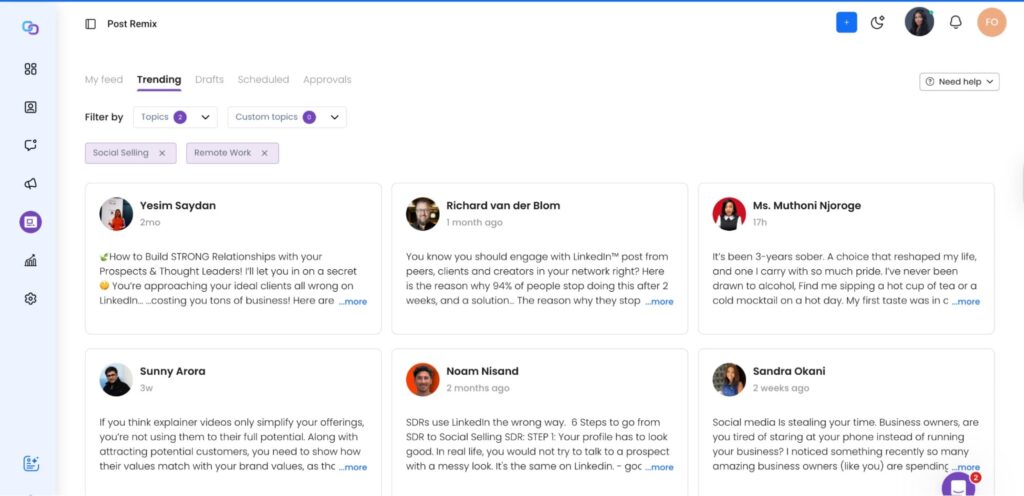
If you’re out of ideas, use the “Trending” sub-feature to find insights from specific topics. Let’s say you choose “B2B Sales” or “Content Marketing” from the list of topics. This sub-feature scans for and displays posts from numerous LinkedIn creators. This helps you to gain new ideas and create your posts.
We-Connect Pros
Based on the reviews from sites like G2 and Capterra, here are some advantages of using We-Connect for your outreach campaigns.
- Intuitive interface: G2 reviewers report that the tool is easy to use and navigate. This makes it perfect for a non-tech-savvy user who simply wants to engage leads without dealing with a complex learning curve.
- Time-saving: Manual outreach is no longer needed with this feature. You can automate connection requests, profile visits, follow-up messages, and other activities to save time and focus on other matters.
- Collaborative workspace: The tool makes teamwork effortless. It doesn’t matter whether you want to create group projects or share documents. We-Connect lets you perform these functions to drive efficiency.
- Vast integration: Connect with multiple tools to transfer data easily and streamline your workflow.
We-Connect Cons
Aside from the pros, We-Connect also has its cons. Here are some of these disadvantages according to users on G2 and Capterra.
- Slow performance
A common complaint for We-Connect is a poor technical experience. This limitation isn’t known in advance unless you sign up for the tool.
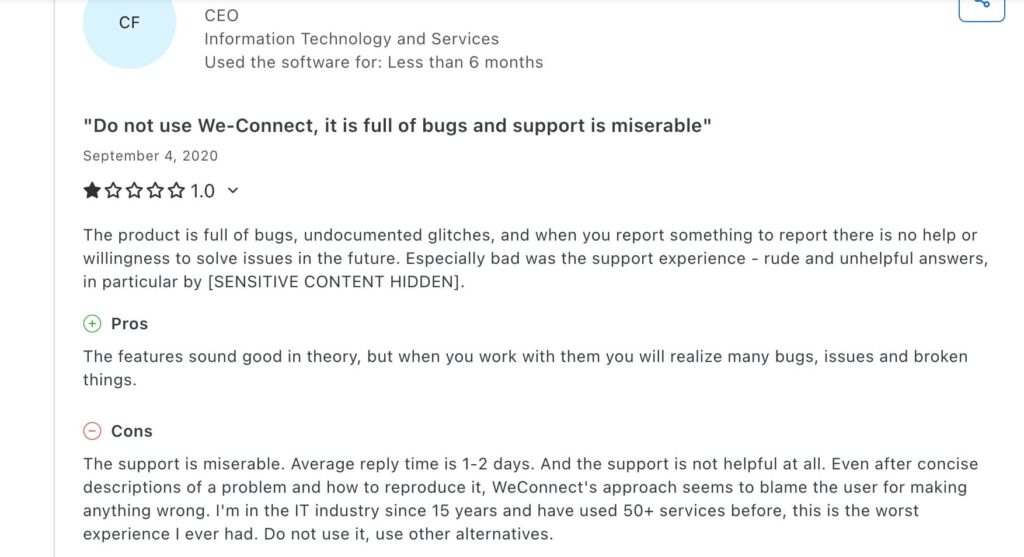
Users on G2 and Capterra report that We-Connect takes longer than expected to synchronize with LinkedIn. It’s full of bugs and glitches that slow performance and degrade the user experience. Small frictions like this can impede your sales process and prevent you from achieving your goals.
- Inefficient campaign sequence
We-Connect’s campaign sequence builder handles basic actions and restricts users to shallow engagement, such as visiting targeted profiles or sending connection requests. It doesn’t adapt to how prospects respond to campaigns, making it challenging run dynamic, conversation-based campaigns.
This limitation has been widely noted by users on platforms like G2 and Capterra. One user said, “The campaign builders can have more branches so that it gives more versatality onto what happens when a request is not accepted.”
- Poor customer service
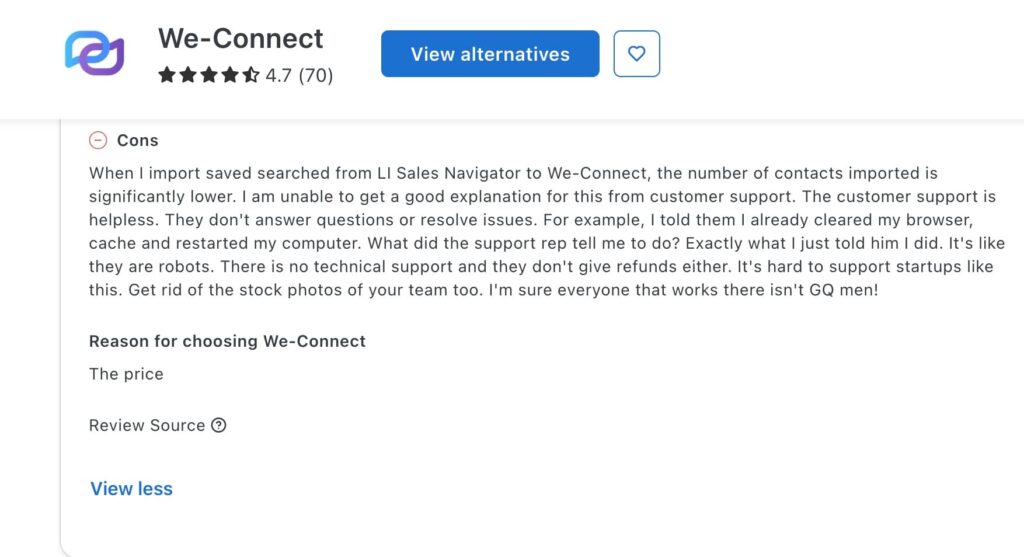
Multiple users from review sites complain about the platform’s poor customer service. When issues like billing errors or campaign bugs arise, customer support’s responses are slow, unhelpful, or nonexistent. The lack of effective assistance disrupts user experience and makes it difficult to realize the full value of what they paid for.
We-Connect Pricing
We-Connect offers a free plan, which gives you 7 days to test its features. Here are three pricing plans to choose from.
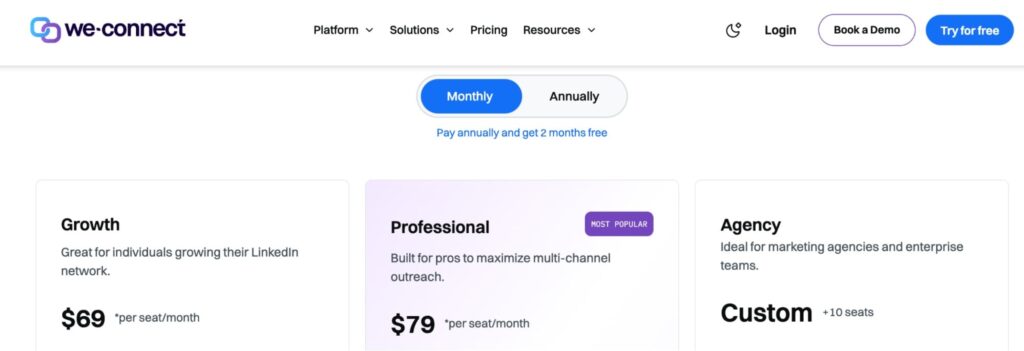
- Growth plan — $69 per seat/per month: Great for building unlimited LinkedIn smart campaigns, crafting personalized messages, and adding team members.
- Professional plan — $79 per seat/per month: Perfect for multi-channel outreach campaigns, automating email triggers, and integrating natively with third-party platforms.
- Agency (10+ seats) — custom pricing: Ideal for team training, access to API, custom integrations, and a dedicated customer support manager.
Is We-Connect Worth the Cost?
Expandi charges $79 per month/year. This is more affordable than We-Connect that charges per seat. To be clear, let’s do the maths below.
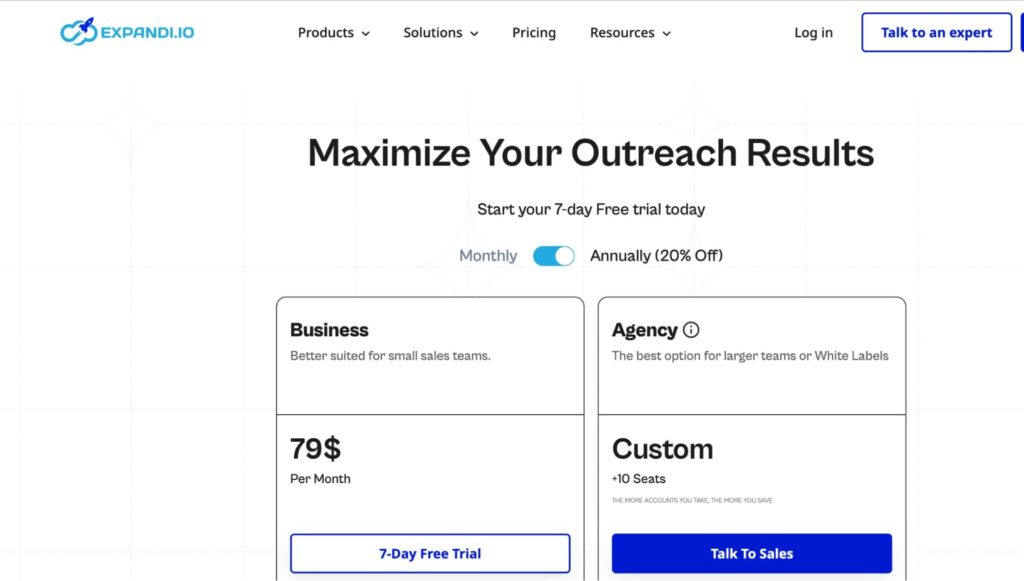
If you’re spending $690 for a teammate with We-Connect, how much will you pay for five teammates per year?
- $690 × 12 = $3,450 for 5 users/year.
Now compare it to Expandi’s.
- $79 × 12 = $948/year. No extra charges for additional users.
On top of this, Expandi lets you invite up to 20+ teammates to collaborate and automate your LinkedIn outreach efforts.
The Verdict
Expandi wins here, as you’d pay only $948 per year for five users, compared to We-Connect’s $3,450 for five teammates. Plus, you get most of the features that We-Connect offers for LinkedIn automation, whether it’s the LinkedIn campaign sequence builder, AI assist, or email outreach.
We-Connect Reviews
According to G2 reviews, the intuitive interface, campaign management features, and customer support stand out as the best perks of using the tool. Plus, users praise the tool for saving their time.
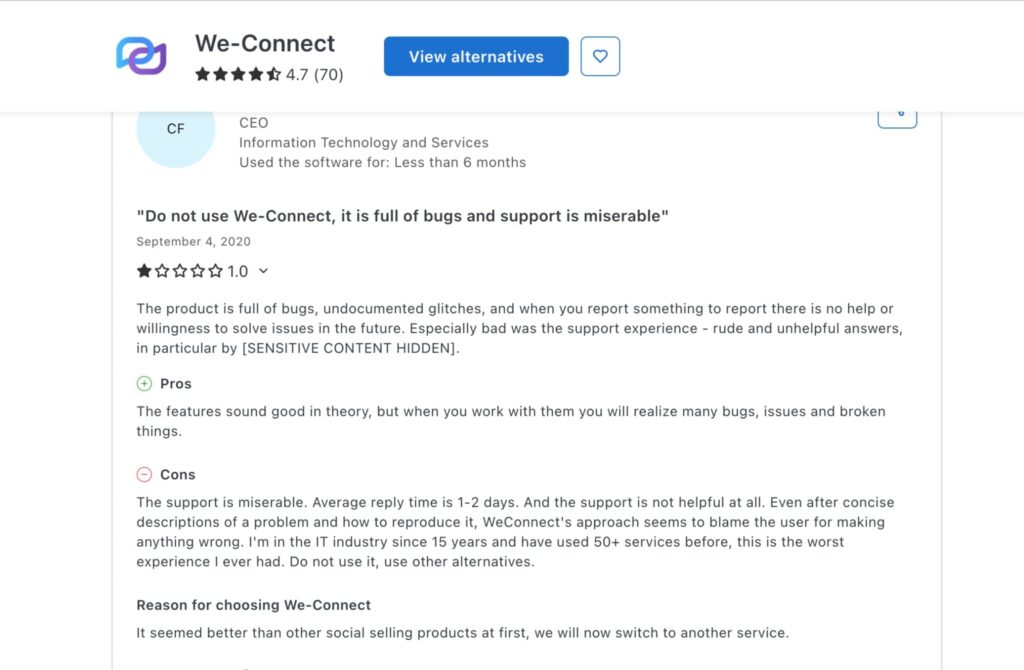
On the flip side, some users report that We-Connect suffers from technical glitches and basic campaign automation. Technical glitches waste time and prevent you from completing your work. So, why engage in such?
On the other hand, basic campaign automation only allows shallow engagements. What happens if a prospect rejects your connection request? There’d be no further engagement, which can tank your outreach effort.
Above all, users complain about their customer service. A non-responsive customer service will leave your queries unresolved or questions unanswered, thereby frustrating your LinkedIn outreach efforts.
Overall, G2 shows a 4.6 rating, which is pretty strong and tells users that We-Connect has its strengths.
Top 5 We-Connect Alternatives and Competitors for 2026
Think this might not be the best choice for your LinkedIn outreach campaign? Here are the top We-Connect competitors you should consider.
1. Expandi
Expandi is the best LinkedIn automation tool for scaling your outreach and boosting your LinkedIn lead generation. It’s built for teams and agencies that want to focus on core LinkedIn sequences and engage their prospects.
While We-Connect may be less expensive, Expandi offers value for the amount it charges. Here is how it outshines We-Connect:
- Multichannel outreach + richer sequence logic
Expandi offers multichannel outreach to engage prospects across diverse channels – LinkedIn, emails, and InMails. What sets it apart is its “if-then” sequence that performs actions based on triggers. In other words, the sequence runs based on how your leads interact.
For instance, if a lead accepts my connection request, Expandi automatically sends a message to engage them. Aside from this, you can combine multiple actions within a sequence — set at intervals and tied to the lead’s behavior — to generate different outcomes. This workflow makes it stand out from other tools, including We-Connect.
- Advanced personalization
Why send a bland text message when you can spice it up with images and GIFs? Expandi integrates with Hyperrise so you can drop personalized messages that catch your prospects’ attention.
You don’t need any tech skills to do this. Whether you’re uploading your own visuals, importing from a template, or using an AI-generated template, add this visual to make your text more resonant. You can also A/B test a campaign’s elements to improve outreach instead of generating generic messages.
- LinkedIn account warm-up
Don’t want your LinkedIn account restricted or banned? Then, don’t miss out on this Expandi’s feature that offers a human-like sending pattern to reduce the risk of being flagged by LinkedIn. This makes it a safer choice for agencies or enterprises that handle large-volume outreach.
- Team collaboration
Expandi encourages team collaborative work to drive productivity and improve efficiency. Once you sign up, you get a workspace and can invite others to join. It gives team members access to specific accounts.
You can tweak permissions to suit your needs by assigning roles such as Admin or Workspace member to your sales reps. This helps to centralize and manage campaigns more efficiently among team members.
Pricing
While Expandi may cost a bit more at $79 per month, it offers advanced features such as:
- Inbound campaigns to connect with potential leads that show interest in your profile.
- Hyperpersonalization with images and videos.
- Mobile connector to simulate a mobile device sending interactions to send additional requests.
- Daily limit ranges to set maximum limits for daily LinkedIn activities and help protect your account from being flagged.
- Team management to improve collaboration with up to 20+ accounts
So, the choice is up to you. Either you choose a tool that’s inexpensive but performs lightweight functions, or choose one that offers more features to streamline and protect your LinkedIn outreach workflow efficiently.
2. Closely
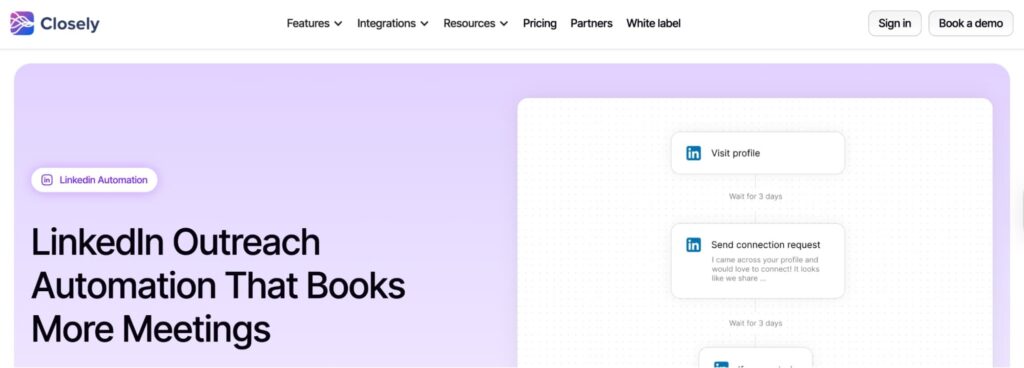
Next on the list is Closely. With a few clicks, you can create a multichannel cadence (LinkedIn and email) into a single workflow without manual efforts.
On top of this, you can automate your outreach based on specific triggers. Closely also lets you track your email performance to improve your campaign strategy. However, unlike Expandi, you can’t build condition-based sequences that initiate deep conversations with prospects.
Pricing
Closely’s pricing plan starts at $29 per month.
3. Waalaxy
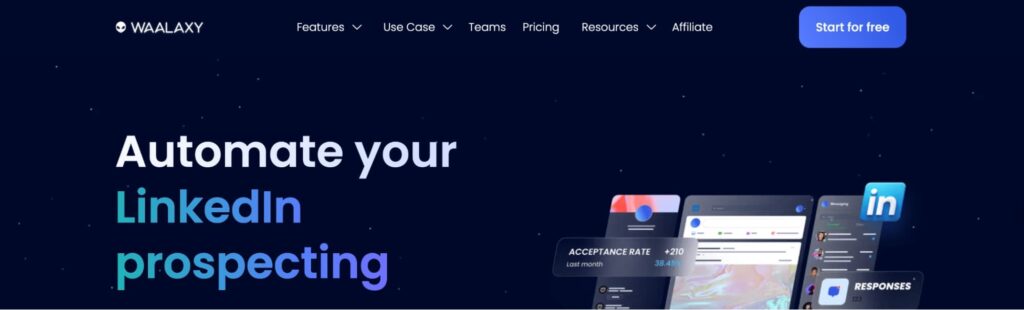
Waalaxy is another WeConnect competitor you can use to automate your LinkedIn outreach efforts. It’s perfect for beginners or sales teams who want to create simple LinkedIn and email sequences. You can send connection requests at scale, follow up on messages, and automate campaigns with triggers.
However, it doesn’t suffice for large-volume campaigns. Why? There are no safety limits to protect users’ actions when sending connection requests. This could result in getting your account flagged by LinkedIn.
Pricing
Waalaxy’s pricing plan starts at $21 per month per user.
4. CoPilot AI
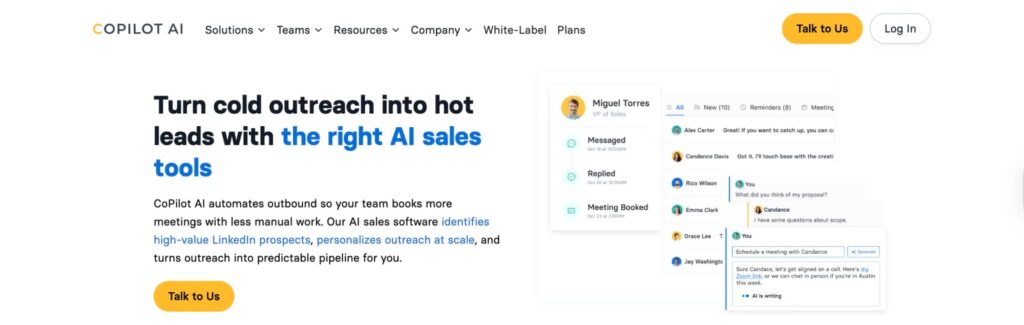
Copilot AI is an AI-powered cold outreach platform designed to simplify prospecting and outreach for your business. It’s suitable for sales and marketing teams who want to find qualified leads and personalize messages at scale using AI-generated insights.
As opposed to Expandi, the AI lead generation tool doesn’t let you build multi-step sequences with follow-up logic and conditions. Besides, you can’t A/B test elements of your campaign messages. This can impede users who want to tweak messages based on performance.
Pricing
CoPilot AI’s pricing plan starts at $199 per month.
5. BuzzAI
Another WeConnect competitor is Buzz AI. The AI-powered sales engagement platform is ideal for automating outreach and follow-ups. You can leverage its AI insights to tailor messages to each lead. It’s perfect for sales and marketing teams that want to improve engagement across platforms.
However, it doesn’t have dedicated LinkedIn features such as account warm-ups, inbox rotations, multi-channel workflow, and more. This can make it unsuitable for teams that deal with large-volume LinkedIn campaigns.
Pricing
Buzz AI’s pricing plan starts at $ $199 per month.
Is We-Connect Worth a Shot?
Now that’s all you need to know about We-Connect. It includes a range of features to automate your LinkedIn outreach efforts. But if you need a LinkedIn automation tool that goes beyond basic sequence logic, Expandi wins by a point.
Our tool offers additional features, such as advanced personalization, richer sequences, and account warm-up, to safeguard your LinkedIn activities. Book a demo call today to get started!






You’ve made it all the way down here, take the final step