
Know who to reach out to on LinkedIn, and why now
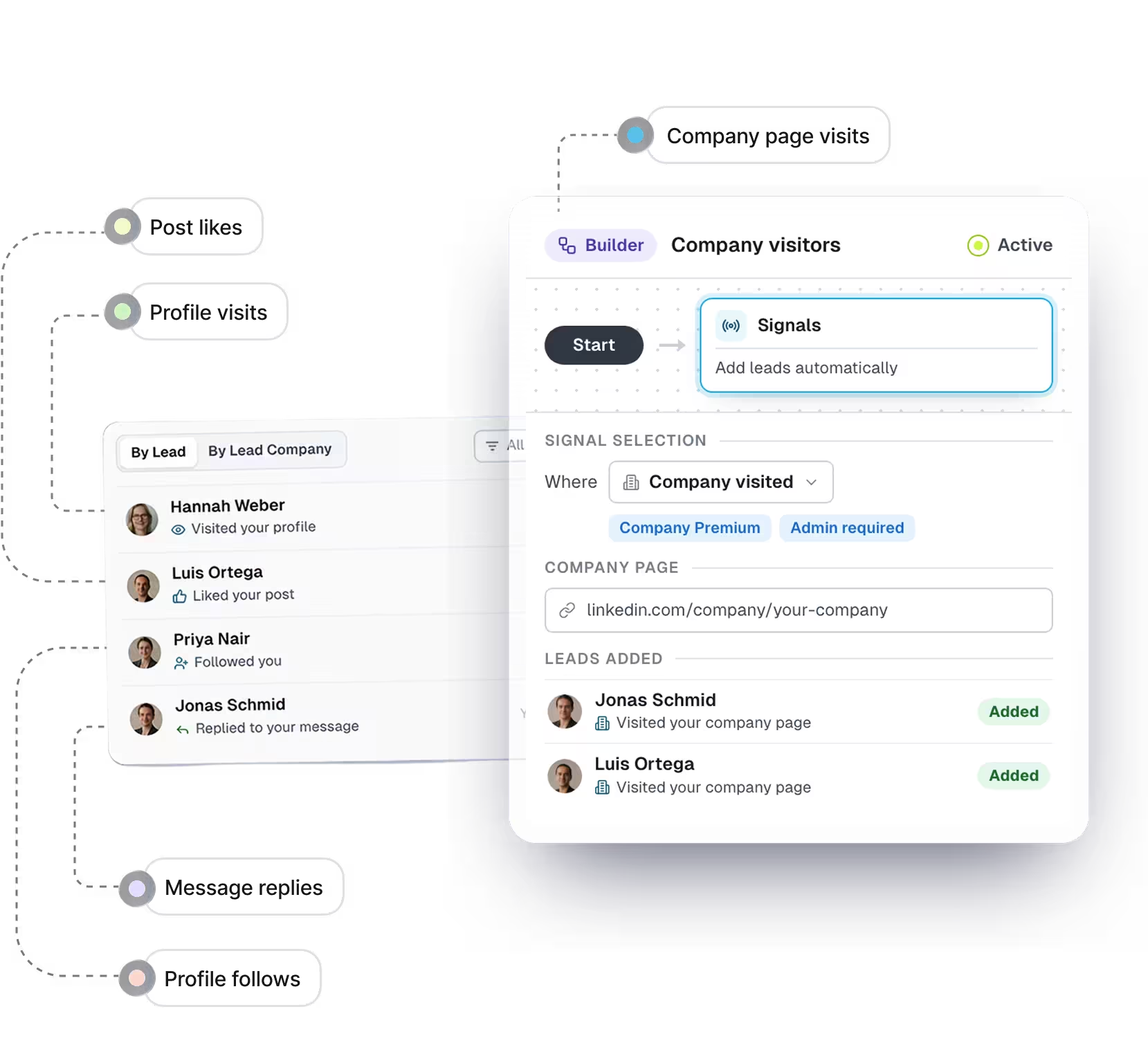
Interest nobody connects
- A prospect visits one rep’s profile, likes another’s post and follows a third. Nobody connects it.
- The first message goes to whoever is next on the list
- Follow-ups go out because three days passed.
- Two reps find the same warm lead a day apart.
Interest you can act on
- Every visit, like, follow and reply from the team’s LinkedIn accounts sits in one list.
- Campaigns start from the people who already showed interest.
- The next step can wait for a reason, like a profile visit or a follow.
- Each lead shows which of your LinkedIn accounts it engaged with.
Five LinkedIn buying signals
-
Visited your Profile Picture
They looked you up, often right after your message or a post. The easiest moment to say hello.Works in:- Signal center
- Campaigns
Needs:- Premium
- Sales Navigator
-
Visited your Company page
Someone is researching the company, not just one of you. Often the first hint an account is paying attention.Works in:- Campaigns
Needs:- Premium company page
- Page Admin
-
Followed your profile
They chose to hear more from you, so a first message feels expected rather than cold.Works in:- Signals Center
Needs:- Premium
-
Reacted to or commented on a post
They looked you up, often right after your message or a post. The easiest moment to say hello.Works in:- Signals Center (likes on posts)
- Campaigns
Needs:- Any LinkedIn account
-
Replied to your message
They looked you up, often right after your message or a post. The easiest moment to say hello.Works in:- Signals Center
Needs:- Any LinkedIn account


Start a campaign
from the signal
-
Step 1
Choose who counts as warm
People who looked at your profile or company page, or engaged with a post you care about. Pick the ones that match how your team sells. -
Step 2
Decide what they hear first
Build the sequence around why you’re reaching out. Follow-ups can pick up on what they did, so the conversation never reads like a cold pitch. -
Step 3
Work the replies, not the list
New warm leads keep joining while the campaign runs, so your time goes on conversations instead of building the next list.
Signals Center: the whole team’s signals in one place

-
Spot an account warming up
Three people from one account stop reading as three separate leads. -
Hand it to the right rep
See whose account they engaged with, so the right rep reaches out. -
Know the story before you write
Every signal from one lead, in the order it happened. -
Turn it into outreach
Start a Shared Campaign from the leads you pick, or export to your CRM.
Get the version you need
See which accounts are paying attention, not just which people
- An account-level view Every signal from every rep’s LinkedIn account, grouped by lead company, so you see which accounts are engaging with the team this week.
- Where to point the team Three people from one company engaging in the same week is an account worth prioritizing, and you can see it without asking every rep.


Keep reps coordinated on the same accounts
- Who has the relationship Each lead shows which of your team’s LinkedIn accounts they engaged with, so you decide who reaches out before two reps do.
- Start the outreach together Pick the leads from an account and start a Shared Campaign. The LinkedIn accounts they engaged with join as contributors, and you can change who takes part at any time.

Start the day with people who already know your name
- Warm leads, not a cold list People who visited your profile or engaged with a post join your campaign, so the first conversations of the day are with someone who has already noticed you.
- A reason to write The signal is your opener. Follow-ups can use it as context, so the second message is about them, not a generic bump.

One view of the team’s signals, instead of one per rep
- Out of personal notifications Right now every visit and follow sits in one rep’s LinkedIn notifications, where nobody else sees it. Signals Center brings every LinkedIn account in the workspace into one list you set up once for the team.
- Into the tools you report from Turn a selection into a Shared Campaign, or export it for the CRM, so signals show up where the pipeline is tracked.


See who’s already paying attention
Frequently asked questions
Something a prospect did on LinkedIn that shows they noticed you: visiting your profile or company page, engaging with a post, following you or replying. It’s a reason to start a conversation. Expandi lets you start a campaign from those signals or work them from Signals Center.
For some signals. Profile visits and follows need Premium or Sales Navigator on the LinkedIn account. Company page visits need admin rights and a Premium company page. Post engagement and replies work on any LinkedIn account.
Yes. A campaign can track engagement on anyone’s post, up to three posts per campaign. Signals Center shows likes on your own posts.
Expandi checks for new people about every 24 hours. It then works through them in order, within your daily limits and active hours.
No. A campaign fills either from signals or from a list, not both. Run the two side by side.
Within a Shared Campaign, leads are split between the LinkedIn accounts taking part, so nobody is contacted from two of them. Across campaigns, Expandi blocks duplicate outreach between your team’s LinkedIn accounts unless your team turns that setting off. Deciding who owns the relationship stays with the team: Signals Center shows which LinkedIn accounts a lead engaged with, so that call is easy to make.
Signal campaigns run under the same controls as any other: a country-specific cloud proxy per LinkedIn account, gradual warm-up, and daily limits and active hours you set. Signals decide who gets a message. Your limits decide how many go out.
Select the leads you want in Signals Center and export them as CSV, or start a Shared Campaign from the same selection.
Yes, at no additional cost.