LinkedIn Outreach ROI: Building a Smarter Outreach Strategy

Sending hundreds of LinkedIn messages doesn’t mean you’ll get constant qualified opportunities in your pipeline. LinkedIn outreach ROI isn’t about volume; it’s about quality.
Think of LinkedIn outreach as dating. You don’t just ask someone to date you randomly. You exchange contacts, build the relationship, and see whether they’re a mutual fit. That’s how LinkedIn outreach is.
You need to send connection requests and build meaningful relationships before they buy from you. However, your focus should be on the effectiveness of your outreach. The connection acceptance rates, positive replies, meetings booked, and conversion rates.
In this article, you’ll learn about how to build an effective LinkedIn outreach strategy and measure it to ensure your outreach campaigns remain successful. Let’s get started.
LinkedIn Outreach ROI: The Start of B2B Buyer’s Journey
LinkedIn isn’t only a social media platform where professionals connect with each other. It’s become an indispensable tool for B2B buyers seeking to justify their purchase decisions. Research revealed that 50% of B2B buyers use LinkedIn as a trusted source of information to make purchase decisions.
They don’t have to wait for an SDR to call them about a product or service. They research and identify vendors through LinkedIn posts, comments, and even DMs. This is why social touchpoints have become essential to securing and closing deals. If you opt out of the platforms, you’re likely losing out on valuable opportunities that could drive revenue growth for your business.
How do you do this? By not pitch-slapping them as soon as you send a connection request. Instead, you need a repeatable process that attracts the right target audience, initiates conversations, and gets booked meetings.
Why LinkedIn Outreach ROI is Best for Social Selling
LinkedIn remains the perfect spot for professionals. The moment your outreach message lands in their inbox, prospects check your profile —- your job title, company, mutual connections, or recommendations. What they see either impresses them or stops them from replying to your message.
For example, when your headline and about section clearly state what you do, the problems you solve, and the outcome you drive, your outreach becomes more relevant and prompts your prospects to reply.
Besides, LinkedIn is the best platform for building trust and improving credibility. What you post on your platform matters. It strengthens your positioning and lets prospects view you as an authority when they click to view your profile.
When they see that your opinions, ideas, or solutions align with what they need, you’re more likely to receive a positive reply. More replies increase the chances of booking meetings with your prospects and closing deals.
The Old Method for LinkedIn Outreach is Failing
As a sales professional, LinkedIn prospecting becomes a numbers game at some point. You’d think, “the higher the number of LinkedIn DMs you send, the higher you increase the chances of getting a positive.” As a result, this prompts salespeople to fall into this cycle:
Send a connection invite → if accepted, send a pitch immediately → the end.
The truth is, if you find yourself in this loophole, you’re probably getting little to no responses. Pitch slapping your prospects with the intent to book a call immediately or get something from them will most likely fail.
So, what’s the solution? Sending the right pitch. In the next section, we’ll discuss the steps that culminate in sending the right pitch to your prospects.
LinkedIn Outreach ROI: Step-by-Step Guide to Build a Repeatable Cadence that Earns Replies
LinkedIn outreach isn’t a one-time game you do and abandon. It works best as a cadence. You can start with light touches (profile views or follows) or go for a direct approach (sending a connection request or an initial message).
This creates a pattern that you can replicate for successful outreach. But before this, here are some steps to build a repeatable LinkedIn outreach cadence.
1. Optimize your profile
Your LinkedIn profile is the digital storefront of your business. Think of how you’d like your physical office to look nice — the name, logo, signage, about, products ads, and many more. That’s what you replicate to your LinkedIn profile because it gives prospects the first impression of who you are and what you do.
For your LinkedIn profile to give prospects a good impression, you must focus on these features:
- Headline: Clearly state who you help and how your products or services help your prospects.
- Banner: Include a strong, visual CTA in your LinkedIn banner. For example, “visit my website or book a demo.”
- About section: Keep it client-focused. Talk about what you offer, how you can help them, and the outcomes you can drive.
- Featured section: Add testimonials, case studies, or free resources that can help your client.
Remember that optimizing your LinkedIn profile isn’t just about making it about yourself.
2. Define your ICP
Not everyone is your ideal buyer. Targeting a broad audience will only weaken your outreach by letting you waste time on those who aren’t ready to buy from you. Hence, you need to define your ICP to identify those who are fit for your products or services.
A strong ICP includes:
- Job title: CEO, Head of Sales, CMO, etc.
- Industry: SaaS, Consulting, E-commerce, Healthcare, etc.
- Geography: Local, regional, or international
- Company size: (e.g., 100-500 employees)
Once you’ve identified your ICP, you clearly know who to target and prioritize your outreach efforts.
3. Build your targeted list
After defining ICP, use LinkedIn Sales Navigator to identify those who meet the criteria and export the list using AI lead generation tools like Expandi. To build your lead list, use LinkedIn search results, event attendees, Sales Navigator advanced search filters, LinkedIn groups, or posts your prospects engage with. This helps you identify quality leads to reach out to.
4. Personalize your connection request messages
Add a note to your connection requests to increase the chances of acceptance. By adding a note, we don’t mean something generic. Personalize the message with simple, relevant triggers such as:
- Their recent post,
- A comment they left on some posts,
- A milestone they achieved, or
- A mutual connection.
In about 300 characters, keep the focus of the attention on them, not you.
5. Start meaningful conversations with your prospects
As mentioned earlier, asking your prospects to book a call immediately after connecting with them is a sure way to fail. Instead, warm up the relationship in these two ways:
- Build familiarity before messaging your prospects
The easiest way to get someone’s attention online is through notifications. You do it too. When you post on socials, you want to know who liked, commented, shared, or followed you. That’s how you catch your prospect’s attention. Leave likes or make insightful comments on their posts.
They’d see it, notice you, and that’s how the relationship begins. Doing this over time makes you less of a stranger in the presence of your prospects. That’s how you warm up the relationship before sliding into their DM.
- Build trust and credibility
When people know what you do, they tend to lower their guard. To do this, post valuable content. The kind that resonates with your audience. For instance, talk about industry insights, thought-provoking content, client wins, recent losses, or even mention what you do in your personal life, such as travelling.
Once people see your content, they see you as an expert in that field and begin to trust you. That’s how it works. It’s not magic. Create the bond first. Post content that leaves a good impression on them or gets them talking. When people begin to see your expertise, they tend to trust you more easily and buy from you.
6. Reach out to people
Once you’ve engaged with prospects’ posts and let them see you as an expert, then you can hit their DM. Send a direct message to their inbox. Make sure your message is valuable and relevant to their needs. That’s how you gain their attention.
If you’re personalizing at scale, use tools like Expandi to automate your efforts. For instance, you can use dynamic tags such as {first_name}, {job_title}, or {industry} to create variations and make each message stand out. But make sure to reference their pain points, interests, or preferences to catch their attention and increase the chances of getting a reply.
7. Track, test, and optimize your performance
You can’t improve what you don’t measure. Always track and refine to identify what’s working and what needs improvement in your LinkedIn campaign. For instance, you can watch out for connections sent, profile views, messages sent, or the number of reactions.
Focus on metrics that impact revenue and align with your business goals. For instance, always look out for the number of positive replies since it tracks meaningful conversations you’ve had. That helps gauge the performance of your LinkedIn performance. In the next section, we’ll take a detailed on how to track and optimize your LinkedIn campaigns.
Tracking LinkedIn Outreach ROI
Your pipeline attribution outbound shows you how LinkedIn and other sales activities, such as cold emails or cold calls, influence deals as they move through your sales pipeline.
Here is how to measure your LinkedIn outreach ROI. Track these metrics below to understand the performance of your LinkedIn outreach campaigns.
1. Connection acceptance rate
The percentage of people who accepted your LinkedIn connection requests. If people aren’t accepting your requests, it could affect your campaign performance. That’s because the other metrics (e.g., reply rates, meetings booked) rely on how many people accepted your request.
The formula for calculating the connection acceptance rate is:
(Accepted ÷ Sent) × 100
For instance, if you sent 70 connection requests last week and 20 were accepted, the connection acceptance rate is:
(20 ÷ 70) × 100 = 29%
Since a good connection acceptance rate falls between 25% – 30%, the result is healthy. If it’s higher, it’s golden. If it’s less than that, you need to tweak your outreach strategy.
2. Positive reply rates
The percentage of recipients who responded positively to your outreach messages. A higher positive reply rates indicate that your messages resonate with your prospects. If it’s less, you need to work on your strategy.
The formula for calculating positive reply rates is:
(Positive replies ÷ Accepted connection) × 100
For example, if you sent 30 connection requests and 15 were accepted. Of the 15 accepted connections, 5 responded positively.
(5 ÷ 15) × 100 = 33%
So, your positive reply rate is 33%. This percentage is okay, but one can still work on it to boost their LinkedIn outreach efforts.
3. Meetings booked
This is the MPV of KPIs. It’s the proof your LinkedIn outreach strategy is working. The number of meetings booked where LinkedIn was the first point of contact for the prospects.
The formula for calculating the meetings booked is:
(Meetings ÷ positive replies) × 100
Let’s say you had 20 positive replies last week, but only 2 booked a meeting.
(2 ÷ 20) × 100 = 10%
In this example, 10% is within the meeting booked rates benchmark. All you need to do is to keep improving to ensure you achieve the desired result.
Other metrics you can watch out for include on your sales outreach reporting dashboard:
- SQLs: More SQLs mean more potential opportunities that could convert into revenue. It indicates how effective your outreach is fin ueling your sales pipeline.
- Conversions: The percentage of people who performed the desired action or ultimately became the paying customer.
- Time-to-first-reply: the time it takes prospects to respond to your message.
Additionally, track your LinkedIn InMail activities. Unlike cold emails, where the response rate ranges from 1% to 5%, LinkedIn InMail’s response rate ranges from 10% to 25%. As a result, many sales teams need to get their targeting right and craft a relevant pitch to increase the chances of a successful outreach.
Once you have this sorted, create a sequence with Expandi’s outreach feature. Check your subject line, message body, CTA, and the trigger type you reference. Perform an A/B test to identify which elements perform better in your messages.
Then analyze your campaign’s overall performance to identify what’s working and what needs improvement. Continuously test and refine your LinkedIn outreach strategies to achieve the desired result.
Five (5) Top Tools to Track LinkedIn Outreach ROI
Now that we have talked about tracking LinkedIn outreach ROI, what are the tools you can use to measure it? This section reveals the top tools you can use to measure the performance of your LinkedIn outreach campaigns.
1. Expandi
Expandi is your go-to LinkedIn automation tool with powerful features to scale your LinkedIn outreach campaigns. With its Campaign Insight dashboard, you get a comprehensive view of your LinkedIn campaign’s performance, enabling you to make informed decisions.
This dashboard gives you detailed insights on:
- Key performance metrics: Track KPIs such as connection requests sent, acceptance rates, reply rates, and SSI to optimize your campaigns for improved performance.
- Lead engagement stats: How leads responded to your messages and their sentiments, whether they were interested, not interested, or a maybe.
- Response trends: Identify patterns in lead responses, such as commonly asked questions and peak engagement times.
With these analytic features, you can identify what’s working in your LinkedIn campaigns and focus on areas that require improvement. Expandi also offers other features to generate qualified leads on LinkedIn, automate your outreach efforts, and safeguard your LinkedIn activity to prevent your account from being banned or restricted.
Pricing
Expandi’s pricing plan starts at $99 per month.
2. Heyreach
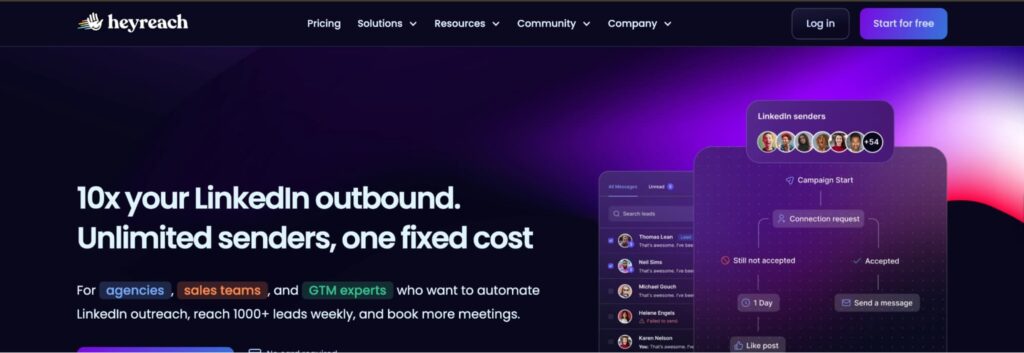
Heyreach is another LinkedIn automation tool for tracking your LinkedIn outreach ROI. With its campaign dashboard, you can track metrics such as connection requests sent and accepted, so you don’t have to sift through LinkedIn profiles manually.
You can also check the reply rates, whether for outreach or InMails, to refine your campaign. Having this detailed, centralized information helps you make informed decisions that improve your campaign performance.
Pricing
Heyreach’s pricing plan starts at $79 per month/sender.
3. Dripify
Next on the list is Dripify. The sales automation tool offers built-in reporting and a dashboard that lets you monitor your LinkedIn campaign performance. You can track metrics such as invites sent, connection acceptance rates, response rates, and more.
You also get instant alerts on your performance to tweak your strategies and drive growth. On top of this, you can compare your current performance with previous ones to make informed decisions.
Pricing
Dripify’s pricing plan starts at $39 per user/month.
4. Dux-Soup
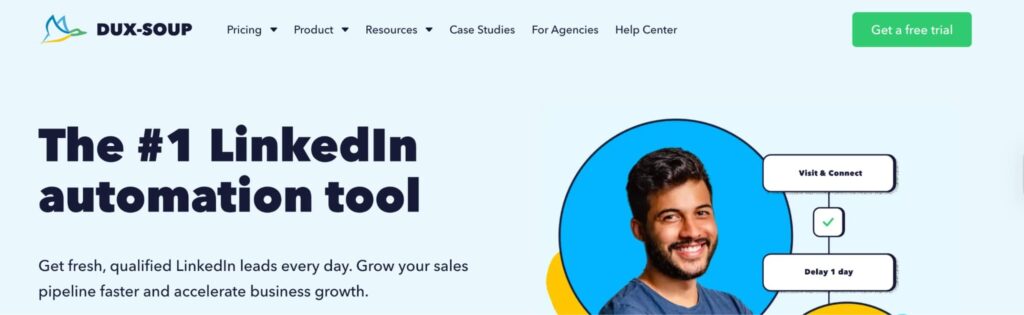
If you want a LinkedIn automation tool that measures your campaign performance, Dux-Soup is another option to consider.
With its dashboard, you can see how many connections you’ve made, the qualified leads generated, and the reply rates. These statistics let you A/B test campaign elements to find out what works best.
Pricing
Dux-Soup’s pricing plan starts at $11.25 per month.
5. Linked Helper
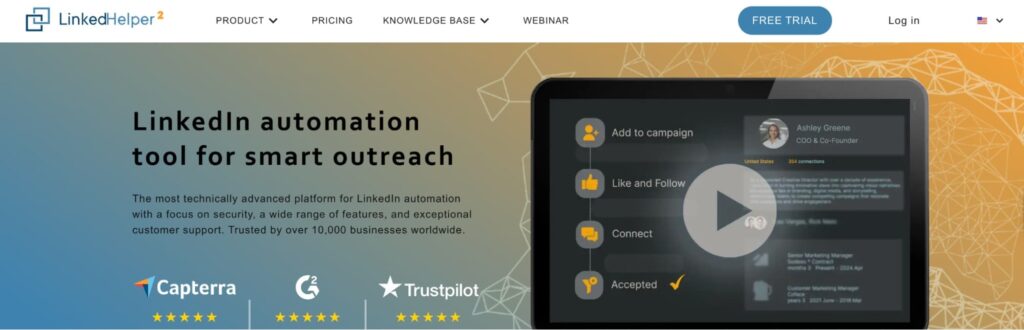
Our final option on the list is LinkedHelper. The LinkedIn automation tool lets you gather insights from individual profiles and companies to make data-driven decisions that drive growth.
You get to analyze your number of followers, competitors’ profiles, and companies in target markets, and export them via a CSV file. You can also check metrics such as invitations sent and response rate to understand your campaign performance.
Pricing
LinkedHelper’s pricing plan starts at $15 per month.
Common Mistakes to Avoid for LinkedIn Outreach ROI
Over-reliance on AI is one of the biggest reasons many LinkedIn outreaches fail. When your messages and those of hundreds of sales professionals come from the same source (AI), everything tends to sound the same, especially when it lacks human touch. At least 68% of sales professionals agree that generative AI lacks human contextual knowledge.
So when your prospects have hundreds of messages that are generic in their inbox, they’d most likely get bored and ignore your messages. Plus, you’d witness low replies and could end up with potential account restrictions. To avoid this, personalize your messages to initiate conversations with prospects and maintain connections.
Another hidden mistake is failing to follow up on prospects after sending the initial messages. Some prospects forget that you sent a message. That’s why you follow up to keep your brand on top of their mind.
Follow-up doesn’t mean being pushy. Instead, you’re gently nudging your prospects to take a look at what you have. If you sent an initial message today, follow up after 48 hours to avoid being ignored.
Finally, avoid chasing vanity metrics. Engagement metrics such as likes, views, or follower counts don’t mean much unless your target audience converts into ICP. Focus on what moves the pipeline instead. Look out for positive replies, the number of meetings booked, conversion rate.
Conclusion
Remember, your goal isn’t just to build an outreach sequence. It’s to create a healthy pipeline that drives consistent revenue. To do this, you have to stop asking for a call immediately after connecting with prospects.
Instead, engage with their posts before sending a relevant message that address their needs. Only then can you track the performance of your LinkedIn campaigns. If you want to make things easier, we recommend LinkedIn automation tools like Expandi which take the heavy lifting off your plate.
We help you build an outreach sequence that engage your prospects and track the performance of the results effectively. Book a demo with us today to get started!
FAQs about LinkedIn Outreach ROI
LinkedIn outreach ROI is the process of tracking and optimizing the performance of your LinkedIn outreach campaigns. You can use metrics such as connection acceptance rate or meeting booked to gauge your campaign’s effectiveness. Or you can refine your strategies with methods like A/B testing to determine which element works best for your outreach campaigns.
Yes, you can. With tools like Google Sheets or Excel, you can build a lead list and include the outreach message you want to send. The only downside is that this process is manual, which can waste time and get messy as you run large-volume campaigns. That’s why a tool like Expandi can be a lifesaver.
Expandi offers a dedicated outreach feature to help you engage with your prospects. You can send up to 300 connection requests per week to your ideal buyers. The best part is it mimics human sending behavior to ensure you don’t bypass LinkedIn connection limits. This helps in safeguarding your LinkedIn account and prevents it from getting restricted.



You’ve made it all the way down here, take the final step