
Expandi is expanding into signals, one motion, go-to-market, AI that does the prep and One connected system.
-
Going to market got too complicated.
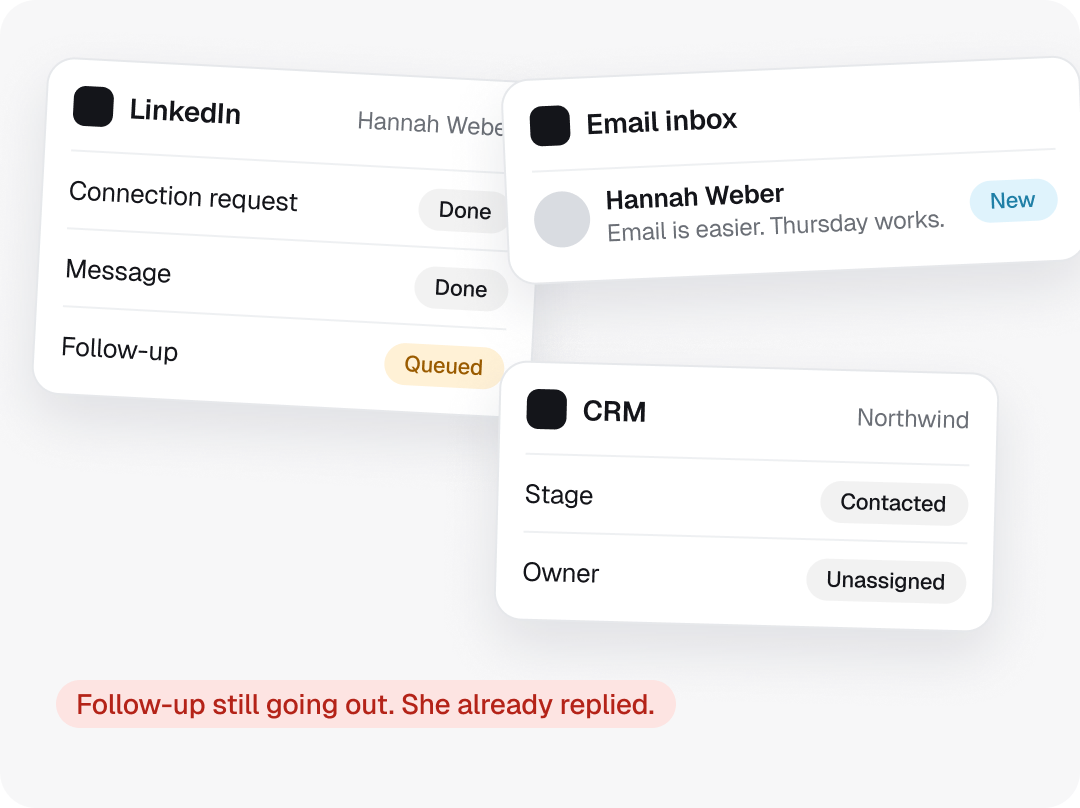
Every tool holds one piece of it, and none of them tells the others what just happened.
-
With Expandi, GTM doesn’t have to be rocket science.
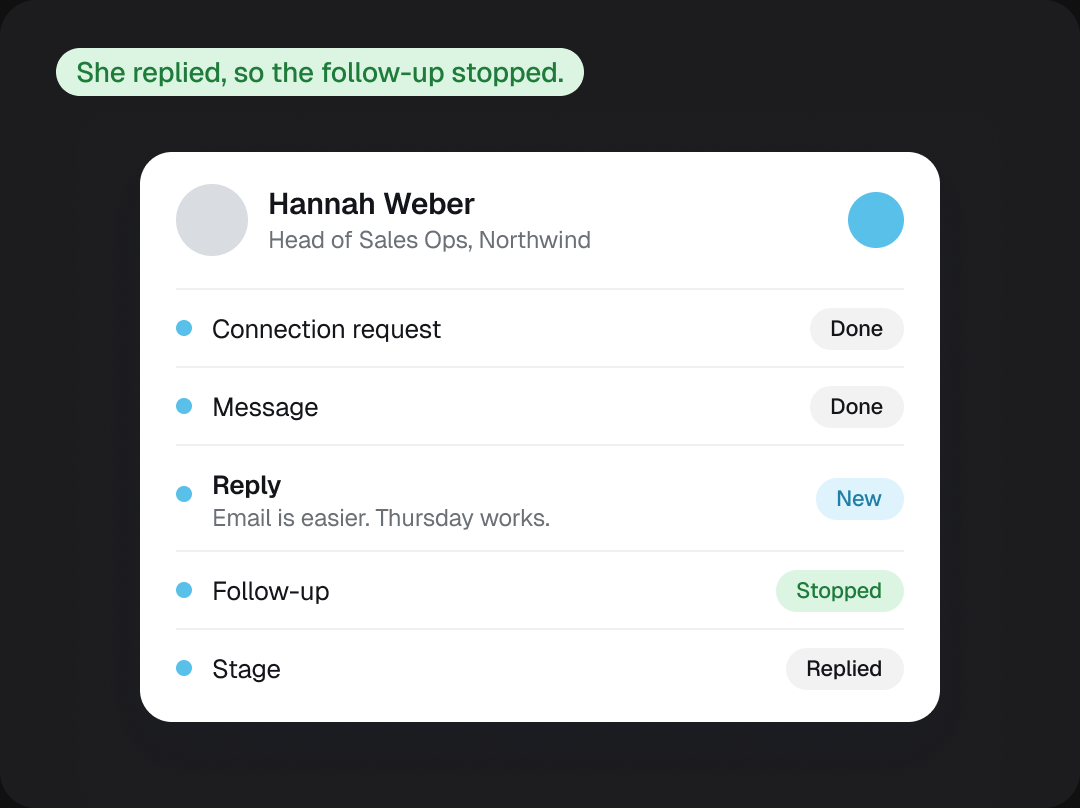
Signals, LinkedIn, email and your pipeline run as one connected motion.
We’ve been building toward this longer than anyone.

-
2019
It started with a problem we had ourselves.
Before Expandi we ran LeadExpress, a website tracker that showed which companies visited. Finding the decision maker behind the visit was the hard part, so we tried LinkedIn with three tools stitched together. They broke constantly. In January 2019 we started building our own, and launched it that November.
-
2020 to 2022
Agencies had our pain, so we went to them first.
We found them one by one in the communities they already used, reaching out with our own software. Whenever someone showed us a workaround, it tended to become the next feature. No paid ads, just playbooks and guides passed around by the people already teaching outreach.
- $0 to $4M ARR in 14 months, with zero paid marketing
-
2023 to 2025
Then the market moved, and so did we.
Agencies closed or went exclusive, and sales teams started running outbound themselves. From 2023 we rebuilt the product around them. For about a year most of the work went into making the software solid, and honestly, we didn’t show enough of it.
- SaaS Bootstrapper of the Year 2024, Tekpon Awards
-
2026
The pieces started to connect.
Each one shipped as its own feature. Side by side, they’re the base we’re building the next Expandi on.
- Signals Center
- Expandi MCP
- Expandi Email
- Global Inbox
- Event Pods
- Content
-
What’s next
Expandi 3.0.
Everything since 2019, rebuilt around how teams actually launch GTM. The whole motion, from strategy to the first reply, in one place and a lot simpler to run. We do the heavy lifting, and you decide what goes out.
What each layer does.

Understand your business

Discover and enrich

Execute and orchestrate

Engage and understand

What this makes possible.
From your ICP to one coordinated campaign
A focused list and one coordinated campaign, and your team decides what goes out.
- 1 Define your ICP
- 2 Find the right people
- 3 Enrich the list
- 4 Review the campaign
- 5 Run LinkedIn and email

Every target account in one connected process
Every account in one connected process, working from the same picture.
- 1 Start with target companies
- 2 Find the buying committee
- 3 Coordinate your team
- 4 See account activity


Agents prepare the work. You decide what happens.
The work gets prepared, you decide what happens with it, and the result is back with your team.
- 1 Set up a defined task
- 2 Share context and tools
- 3 It researches and prepares
- 4 You approve
- 5 Back to your team
Content and conversations in the same motion
Content and conversations in the same motion, and everyone sees what matters.
- 1 Share a content strategy
- 2 Create and organize posts
- 3 Enrich the list
- 4 Manage conversations
- 5 See what’s working
One source of
truth for your
team’s go-to-market
-
Case Study
BelVG
442 replies
In 90 days with no account restrictions.
-
Case Study
Talent Netwerk Nederland
~50%
Of new clients come through LinkedIn.
-
Case Study
Salescout
$250k
In pipeline within 3 weeks.
-
“Great user interface for sales automation—easy to use, and it makes creating campaigns simple.”
 Verified User
October 2026
-
“The initial setup was very easy, especially setting up multiple sales campaigns and having the results filtered in a manageable way.”
 Gill M.
November 2026
-
“It is a very intuitive and easy to use sales automation tool, their support is very good too.”
Verified user
November 2026 -
“The platform is easy to use, reliable, and has made LinkedIn outreach much more efficient. Their customer support is also outstanding. The team is very responsive.”
Angela Sarabosing
July 2026 -
“We really like how easy Expandi makes it to manage multiple LinkedIn outreach campaigns in one place. It makes our sales outreach more structured, consistent and easier to monitor.”
Marie Z.
September 2026 -
“Expandi is the best option for LinkedIn automation on the market. Their dashboard and interfaces make it really easy to engage with others on LinkedIn.”
Finn S.
January 2026 -
“It’s more user friendly than Dux Soup, and it makes running many LinkedIn campaigns easier.”
Ronald B.
April 2026 -
“Expandi is very user-friendly. It offers a lot of built-in tools that make it easy to create custom sales campaigns, engage new leads, and close deals.”
Constance C.
March 2026 -
“I like how sophisticated Expandi is, with intuitive built-in functions that I wanted years ago. The biggest thing I love is that it automates everything.”
Steve M.
October 2026 -
“With Expandi safety is not going to be an issue. We’ve been using Expandi for three years with no accounts banned.”
Harry Mason
-
“I can launch a campaign directly from Claude Code and only touch Expandi to press the launch button. That’s all.”
Taras Pashniak
-
“My favorite sales automation tool is Expandi. I’ve tried about a dozen different ones, and in terms of settings and stability, this is the best.”
Andrew Bush












Frequently asked questions
What Expandi 3.0 means for you, whether you are a customer today or just curious.
Expandi is growing beyond LinkedIn outreach into a go-to-market platform that connects signals, LinkedIn and email, with AI that handles more of the work. It is the same company and the same product, taken further.
Your campaigns, LinkedIn accounts, limits and workspaces keep running as they do today. New capabilities arrive inside the account you already have. When there is something ready to try, customers hear from us directly.
Joining the list changes nothing about your subscription. Plans for Expandi 3.0 are not decided yet. If anything about plans changes, you will hear it from us in advance.
Quite a lot since the version you knew. Signals Center shows who is paying attention across the LinkedIn accounts in your workspace. Expandi Email runs your own mailboxes on the same prospect record as LinkedIn, in beta. Expandi MCP lets the AI you already use build lists and draft campaigns for your review. Workspaces, Shared Campaigns and the Global Inbox keep a team’s work in one place.
You get updates on what is changing and an invitation to try things as they become ready. Invitations go out by email, in groups, so access is not guaranteed for everyone at the same moment. Customers and newcomers are on the same list.
Not for anything you run today. New capabilities arrive inside your existing account, the way Signals, Email and MCP did.