
Run your team’s outreach as one
7-day free trial
Five reps, five versions
-
The same prospect gets a connection request from two of your reps in the same week.
-
A reply sits in one rep’s LinkedIn inbox, and nobody else sees it.
-
Every rep sets up campaigns their own way, so nobody can say why one works.
-
The manager pieces the week together from each rep’s account.

Build the campaign once.
Your team sends it.
Set up the sequence one time and add the LinkedIn accounts that should send it. Every day Expandi hands each account its own batch of leads, sized to that account’s daily limit, so two of your reps never reach out to the same person. Each rep works their own leads, answers their own replies and watches their own numbers.
- The whole team runs one sequence, and nobody splits a spreadsheet by hand.


Every rep’s replies in one inbox
Global Inbox brings the conversations from every LinkedIn account in the workspace into one list. Filter by rep, by status or by what’s still unread, and answer from the account the prospect already knows. A warm reply doesn’t sit and wait for one person to log in.
- Nothing warm goes quiet because one rep is out this week.


See how the team is doing
without asking around
The workspace dashboard puts every LinkedIn account side by side: acceptance and reply rates, daily activity, active campaigns, and each Shared Campaign with its replies. Filter by rep, campaign or period and compare this month with the last. Pipeline review can start from what actually happened.
- Coaching starts from the numbers, not from memory.


The right access for each person, the right limits for each account
Easy

- Workspace acess Add teammates at no extra cost. You pay for the LinkedIn accounts you connect, not for the people.
- Access management Share every LinkedIn account in the workspace, one company’s accounts or a single LinkedIn account.
- Billing Manage your seats and subscriptions in one place.
Flexible

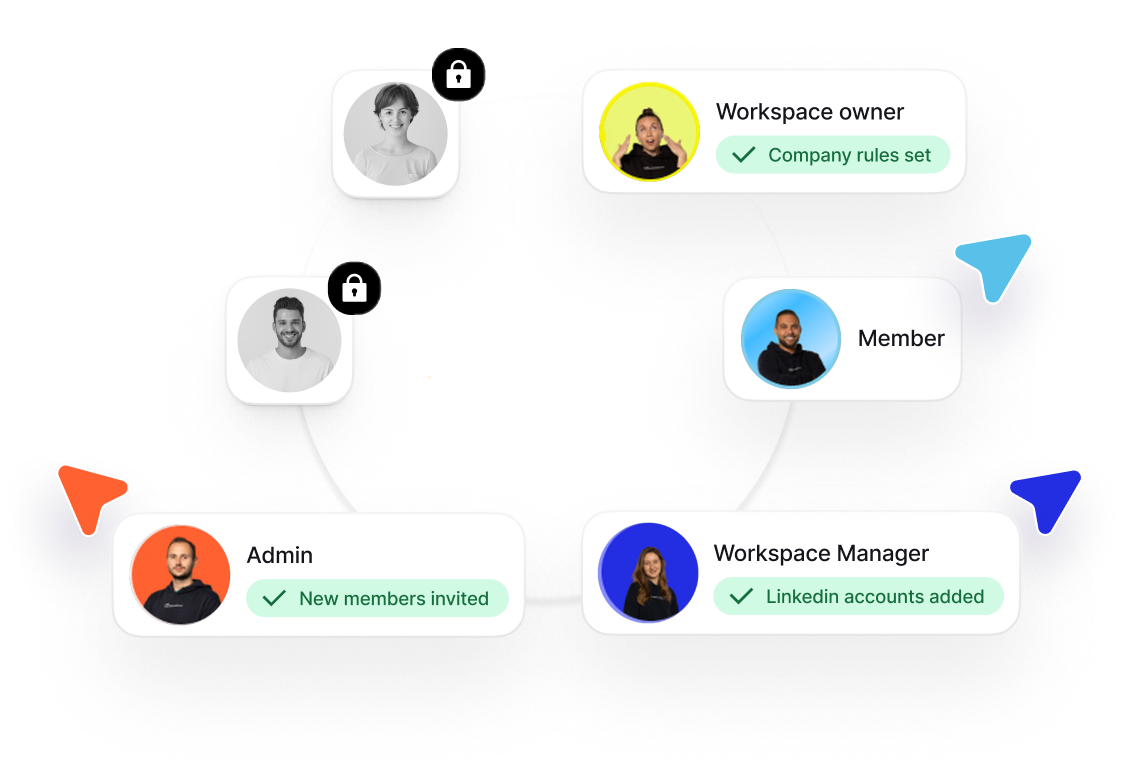
- Roles Start from a preset role such as Admin, Workspace manager or Workspace member, or create your own.
- Permissions Decide what each role can view, add, edit or delete.
- Changes anytime Update or remove someone’s roles from the Members page when their job changes.
Safe

- Adding new accounts Teammates connect their own LinkedIn account by entering their credentials themselves, so nobody passes passwords around.
-
Profile access
Share all LinkedIn accounts or just a few, person by person.
- Admin control Billing, workspace settings and permissions stay with the owner and the Admins you add.
What changes for each
person on the team
One way of running outreach that holds as the team grows
- Everyone on the same sequence Shared Campaigns put the whole team on one sequence, built once.
- Every rep side by side Analytics compare each rep’s LinkedIn account by acceptance and reply rate.


Coach from the numbers
- See who’s getting answers Compare acceptance and reply rates across reps and see which Shared Campaign gets replies.
- Read what’s behind them Open the conversations in Global Inbox and coach from what was actually said.

A list that’s already yours
- Your share, every day Your leads land in your campaign each day, sized to your LinkedIn account’s limits.
- Nobody else on it No one else on the team is writing to the same people, and your replies are in one place.

Set it up once for the whole team
- Access by role Roles at workspace, company or LinkedIn account level, plus duplicate protection across your company’s LinkedIn accounts.
- Connected to your CRM HubSpot, Pipedrive or Salesforce connected at the workspace level.

Your team in one workspace, in three steps
-
Step 1
Create your workspace
You get one when you sign up. Add more later if you run separate teams. -
Step 2
Invite your team
Send invites from the Members page and pick each person’s role. Teammates connect their own LinkedIn account. -
Step 3
Launch your first Shared Campaign
Build the sequence, add your reps’ LinkedIn accounts as senders and activate it. Leads start splitting with the first daily batch.
“We really like how easy Expandi makes it to manage multiple LinkedIn outreach campaigns in one place… This makes our outreach more structured, consistent and easier to monitor.”

Frequently asked questions
One place for your team’s LinkedIn accounts, campaigns and conversations. You get one when you sign up, and you can add more later if you run separate teams.
Inside a Shared Campaign, leads are split between the LinkedIn accounts taking part, so each person hears from only one of you. Across campaigns, Expandi blocks the same lead from being added from two LinkedIn accounts in the same company, unless your team turns that setting off.
No. You pay for the LinkedIn accounts you connect, not for the people.
The workspace owner and Admins. Workspace managers and members don’t see it. The owner can transfer ownership of the workspace to someone else.
If you want it that way. Give a rep the LinkedIn account manager role and they see only their own LinkedIn account. In a Shared Campaign, each rep sees the leads sent from their account, while the person who set up the campaign sees the whole picture.
You remove their access from the Members page, and their seat can move to another LinkedIn account in the same workspace, for example the person who replaces them.
Yes. You get one workspace when you sign up, and you can add more if you run separate teams.
HubSpot, Pipedrive and Salesforce connect at the workspace level, for the companies you choose. API keys are there too if you build your own.
Blacklists work per LinkedIn account or per company, and a company blacklist covers every LinkedIn account in that company. There isn’t a single list across the whole workspace.
