7 Safest LinkedIn Automation Tools in 2026 (and How to Avoid a Ban)

The safest LinkedIn automation tools in 2026 share an architecture: they run from a server you never touch, log in from one fixed IP, and ramp a new account up slowly. Tool choice is only half the risk, though.
The other half is how the account is used, and LinkedIn’s own restriction notices say as much.
The limits and warm-up defaults below come from a year of running 13.2 million connection requests across 13,302 accounts on our own infrastructure.
Here’s what this guide covers:
- The five factors that separate a safe tool from a risky one, with a score out of 10 for each tool.
- Seven tools compared on execution method, proxies, warm-up controls and price, every figure read from the vendor’s live pages.
- The behaviors that get accounts restricted, taken from LinkedIn’s own policy pages.
- Seven ways to do LinkedIn automation without getting banned.
Key Takeaways
- Expandi (9/10) for teams that want cloud execution, a dedicated country-matched IP, and campaigns that start from a prospect’s own action.
- Linked Helper (8/10) for solo users and recruiters who will run a desktop app to keep their own IP.
- Dripify (9/10) for structured, moderate-volume sequences.
- La Growth Machine (8/10) for EU teams running LinkedIn, email and X from one flow.
- Meet Alfred (7/10) for small teams that want multichannel at a low annual price,
- HeyReach (6/10) for agencies running many client seats, and Waalaxy (7/10) for light LinkedIn-only use on a budget.
- The rule that holds across all seven: cloud execution, a dedicated proxy per account, conservative daily limits, and a gradual warm-up. No tool is zero-risk, and none can override how you use the account.
- Expandi’s gradual warm-up starts a new account at 5 actions a day and reaches 21 over two weeks, which is the default the safety tips below are built on.
7 Safest LinkedIn Automation Tools in 2026 (and How to Avoid a Ban)


How we evaluated the safest LinkedIn automation tools
A LinkedIn automation tool is safe to the extent that its activity is indistinguishable from you working your own account:
- Same location.
- Human pacing.
- Volumes a real person could sustain.
- No code running inside your browser for LinkedIn to find.
We scored each tool from 0 to 2 on five factors and summed the result out of 10. Every price and feature claim was checked on the vendor’s live pages in September 2026.
1. Execution method: cloud, desktop app, browser extension or official API
Cloud tools run your account from their own servers, so nothing sits in your browser and campaigns keep going when your laptop is shut.
Desktop apps such as Linked Helper run a separate browser on your machine, which keeps your own IP but ties uptime to that machine. Browser extensions inject into the LinkedIn tab itself, the one place LinkedIn can look directly.
That stopped being theory in March 2026, when the BrowserGate report from Fairlinked e.V., an association of commercial LinkedIn users, documented code on linkedin.com that checks visitors’ browsers against a list of extensions that grew from roughly 461 in 2024 to more than 6,000 by February 2026.
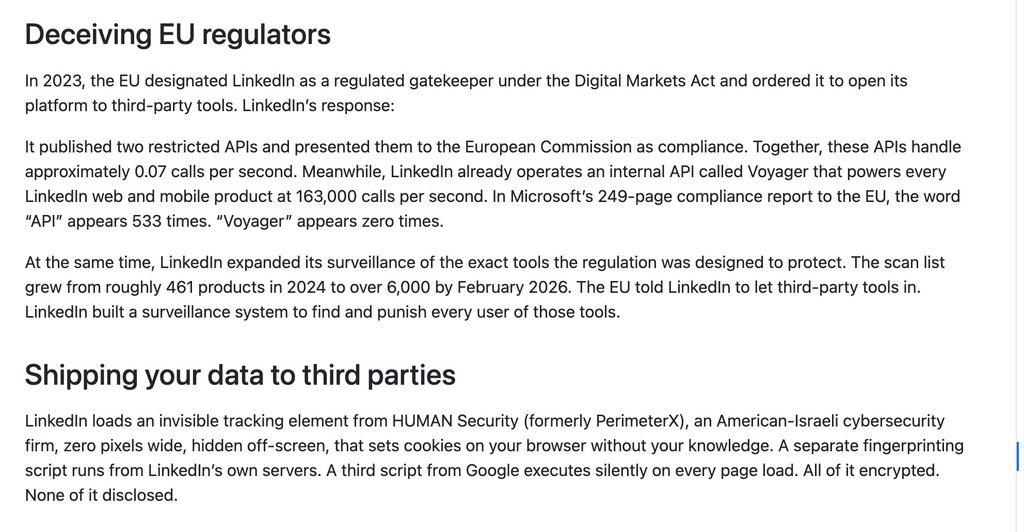
Our BrowserGate breakdown for LinkedIn outreach tools covers what that means for tool selection.
Tools built on LinkedIn’s official APIs are the fourth category: no detection risk, a different job (ads, company pages, CRM sync), and none of the seven here is one.
- Two points for cloud.
- One for a desktop app.
- Zero for an extension.
2. Proxy and IP setup: dedicated and country-matched, or shared
LinkedIn sees where a session logs in from.
A dedicated IP in the account owner’s country means every automated action arrives from one consistent place, the way the person’s own connection would.
- Two points for a dedicated proxy per account included in the price.
- One when the IP is shared, optional, or included only on some plans.
- Zero when the vendor publishes nothing.
3. Warm-up and daily limit controls
LinkedIn restricts accounts that send “many invitations within a short amount of time,” in its own words, and new or recently restricted accounts get less slack.
- Two points for a documented gradual warm-up plus limit ranges you set per action.
- One for daily caps with no ramp.
- Zero for no published limits.
4. Behavioral simulation: human pacing or scripted timing
A tool that fires 25 requests at 09:00 sharp looks like a script. Randomized delays, working-hours windows, pacing that adapts to the account’s history, and sequences that wait for an acceptance or a reply before the next step look like a person.
- Two points for pacing that adapts to the account’s history, or for simulating the mouse and keyboard input a person would produce.
- One for randomized delays and working hours without either.
- Zero where the vendor describes no pacing behavior at all.
5. Vendor transparency and track record
The vendor should publish its recommended limits, say plainly what its features do and do not bypass, and be open when LinkedIn acts against it.
- Two points for documentation a prospect can read before signing up.
- One where it is thin, or where the vendor has been the subject of a platform-level action.
- Zero for none.
Two cautions before the scores.
Cloud execution is necessary but never sufficient: a cloud tool with no proxy discipline and 200 requests a day is riskier than a desktop app run carefully at 20. And local execution can be safe too, because it keeps your own IP, which is the most natural fingerprint of all, as long as the machine stays on.
The 7 safest LinkedIn automation tools at a glance
Here is how the seven safest LinkedIn automation tools compare on the five factors, with every price read from the vendor’s pricing page in September 2026:
| Tool | Execution method | Dedicated proxies | Warm-up controls | Safety score | Starting price | Best for |
|---|---|---|---|---|---|---|
| Expandi | Cloud | Yes, country-based IP per account | Gradual 5-to-21 ramp plus custom limit ranges | 9/10 | $99/mo per seat ($79 annual) | Teams and agencies scaling from the cloud |
| Linked Helper | Desktop app | Own IP, or a proxy you supply | Custom limits, rolling 24-hour caps | 8/10 | $15/mo local, $29.90/mo cloud storage | Solo users and recruiters on a budget |
| Dripify | Cloud | Yes, dedicated IP | Daily quotas per plan, adaptive pacing | 9/10 | $59/mo per user ($39 annual) | Structured, moderate-volume sequences |
| La Growth Machine | Cloud | Yes, dedicated mobile proxy | Data-backed limits, no gradual ramp | 8/10 | $70/mo per identity ($60 annual) | EU teams on LinkedIn, email and X |
| Meet Alfred | Cloud | Yes, dedicated IP | Smart limits, no published numbers | 7/10 | $59/mo per user ($29 annual) | Small teams wanting cheap multichannel |
| HeyReach | Cloud | Growth plan only, bring your own above it | Per-account limits, sender rotation | 6/10 | $79/mo per sender ($63 annual) | Agencies running many client seats |
| Waalaxy | Cloud (since July 2026) | Fixed VPN IP, shared by up to 5 users | Invitation caps by plan | 7/10 | $19/mo per user ($16 annual) | Light, LinkedIn-only outreach |
The seven are covered below, with the full scoring in each section. Expandi is scored on the same five factors as everything else, and every point is checkable against the pages linked in its section.
1. Expandi
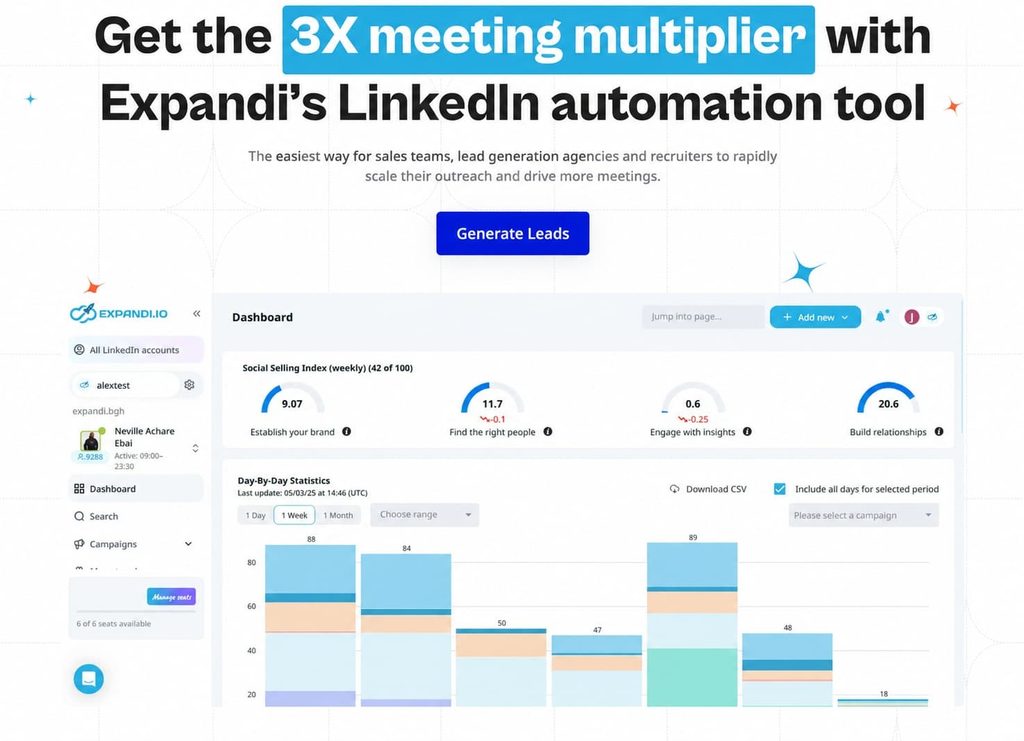
Expandi is our LinkedIn outreach automation platform: cloud-based, one dedicated country-based IP per account, and campaigns built as if-then sequences. It earns the top slot for sales teams and agencies that want outreach running with no machine on, with safety settings they can see and adjust per account, and with the trigger for a message being something the prospect just did.
Safety score: 9/10 (execution 2, proxy 2, warm-up and limits 2, behavioral 1, transparency 2).
The behavioral point is the ramp: Expandi’s warm-up runs a schedule you set rather than pacing that reads the account’s own history and adjusts to it.
Safety features:
- Cloud execution with one dedicated, country-based IP per account: no desktop app or extension, and every action logs in from the same place you do.
- A gradual account warm-up from 5 actions a day to 21 over two weeks, then custom limit ranges per action type that campaigns cannot exceed.
- Mobile Connector campaigns add 50 to 100 text-free requests a week on top of the standard limit. They need 2FA, and they do not bypass LinkedIn’s weekly cap.
- Condition-based flows in the campaign builder (20 actions, 11 conditions, randomized daily limit ranges), with Expandi Signals starting a sequence when someone visits your profile, views your company page or engages with a post, so volume goes to people who already know your name.
- Native CRM sync for HubSpot, Pipedrive and Salesforce through the Expandi CRM integration, with webhooks for the rest.
- For agency teams, Workspaces keep each client’s accounts, permissions and reports separate, and the global inbox pulls replies from every account into one view.
Pros and cons of Expandi:
| Pros | Cons |
|---|---|
| Cloud-based with a dedicated country IP per account, so nothing runs inside your browser | LinkedIn-first: email runs as a sequence step, with no standalone email channel |
| Gradual warm-up and per-action limit ranges are included on the only plan, with no safety tier to upgrade to | One plan at $99 per seat, with no lighter tier for low-volume solo use |
| Signals turn profile visits and post engagement into campaign triggers with no list building | Image and video personalization run through Hyperise and Sendspark, each a separate subscription |
| Workspaces and the Agency plan cover 10+ accounts under one login | Reviewers on G2 and Trustpilot say the interface takes time to learn |
Pricing, from the Expandi pricing page: $99 a month per LinkedIn account, or $79 billed annually, with every feature included and a 7-day free trial. Agency pricing is custom from 10 seats.
Reviews: 4.3/5 from 161 reviews on G2 and 4.5/5 from 234 reviews on Trustpilot. Reviewers rate customer support highest, and the most common complaints are technical issues and delays.
Best for: sales teams and agencies that want cloud outreach with per-account safety settings they can see and adjust.
2. Linked Helper
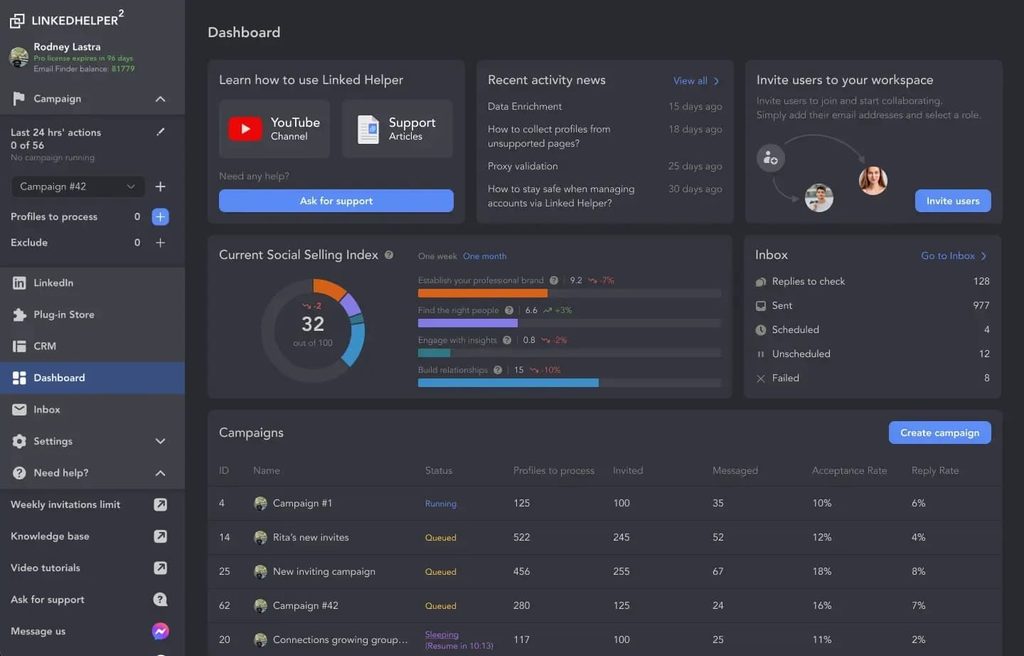
Linked Helper is a desktop application, and that is the whole safety argument. It runs its own embedded browser on your machine, so LinkedIn sees a session from your own IP, on your own hardware, with mouse movement, typing and randomized delays simulated in front of the page.
The trade is uptime: campaigns stop when the machine sleeps unless you rent a VPS.
Safety score: 8/10 (execution 1, proxy 1, warm-up and limits 2, behavioral 2, transparency 2).
It loses a point on execution because a desktop app still runs code on your machine, and separately ties uptime to it, and one on proxies because the dedicated proxy is yours to bring, checked by a built-in quality test.
Safety features:
- Runs as desktop software with human behavior simulation for mouse movement, typing and delays, and no code injected into the LinkedIn page.
- Smart daily limits on a rolling 24-hour window, custom limits and timeouts per action, and working hours with randomized start times.
- Works from your own IP or a dedicated proxy you supply, with a built-in proxy quality check, and runs 24/7 on a VPS you control.
Pros and cons of Linked Helper:
| Pros | Cons |
|---|---|
| 14-day full-Pro trial with no card | Campaigns run only while the machine, or a VPS you pay for, is on |
| Your own IP is the most natural fingerprint there is | Proxy, VPS and setup are yours to manage, which is real work for a team |
| Granular per-action limits and timeouts | The Standard plan caps several bulk actions at 20 a day, and AI and enrichment credits are metered |
Pricing, from the Linked Helper pricing page: licenses rather than seats, at $15 a month for Standard on local storage, rising to $29.90 for Standard and $59.90 for Pro with cloud storage, on a one-month term.
Reviews: 4.5/5 from 149 reviews on G2. Reviewers point to time-saving automation and campaign customization, and the recurring complaint is a dated interface with a learning curve.
Best for: solo users, recruiters and small teams comfortable running a desktop app who want control over their own IP.
For more info, see how Expandi compares to Linked Helper.
3. Dripify
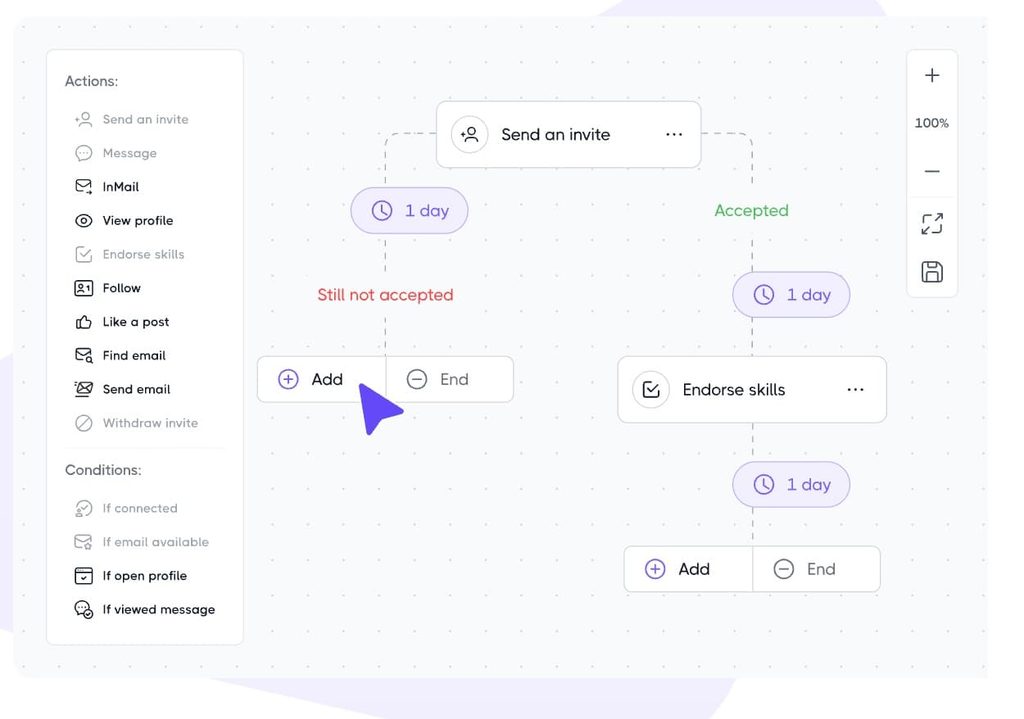
Dripify is a cloud tool built around multi-step drip campaigns: connection request, wait, message, wait, follow-up, with conditions between steps. Every plan runs on a dedicated IP with randomized timing inside the working hours you set, and the pace adapts to the account’s own history.
Safety score: 9/10 (execution 2, proxy 2, warm-up and limits 1, behavioral 2, transparency 2).
The warm-up point is the only one it drops: limits are set by plan with no ramp, so a new account starts at the plan’s quota unless you lower it yourself.
Safety features:
- Cloud sending with a dedicated IP tied to your location.
- Randomized timing inside your working hours, and adaptive activity control based on the account’s history.
- Daily quotas per plan, with your own volumes set inside those ranges.
- Personalization through smart variables and an AI icebreaker inside templates, on lists you build from LinkedIn search, Sales Navigator or CSV. That is a real trade-off against tools that trigger on what a prospect just did.
Pros and cons of Dripify:
| Pros | Cons |
|---|---|
| Dedicated IP, randomized timing and working hours on every plan | Stronger account protection and multi-team management sit on the $99 Advanced tier |
| Published per-plan daily quotas you can read before buying | No gradual warm-up. |
| Clean sequence builder with LinkedIn plus email steps | Template-driven personalization, with no signal triggers |
Pricing, from the Dripify pricing page: Basic $59, Pro $79 and Advanced $99 a month per user, or $39, $59 and $79 billed annually, with a 7-day trial on Advanced features and no card required. Enterprise is custom.
Reviews: 4.5/5 from 353 reviews on G2. Ease of use is the most-cited strength, ahead of automation and time saved, and price is the most common complaint, followed by limited features.
Best for: teams that want structured, moderate-volume LinkedIn and email sequences with limits they can read on the pricing page before they buy.
For more info, see how Expandi compares to Dripify.
4. La Growth Machine
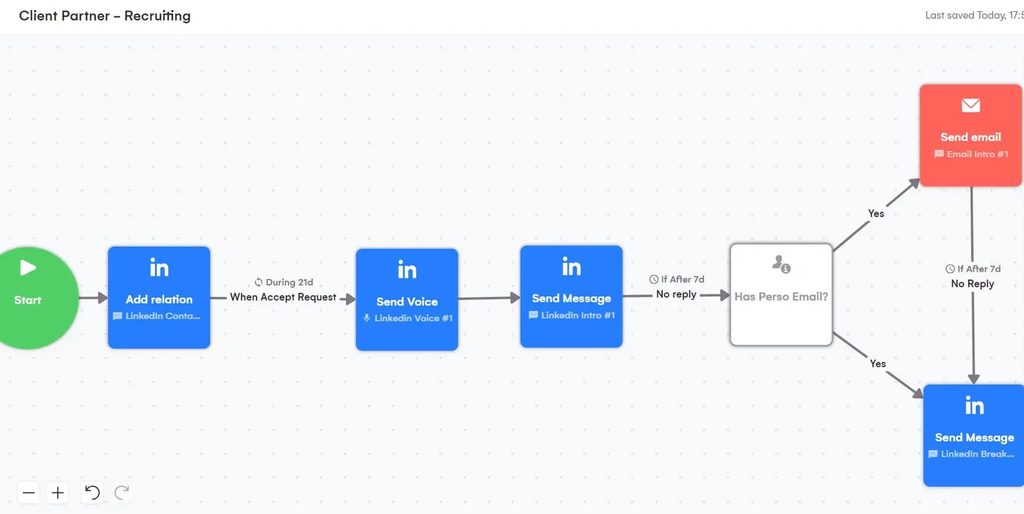
La Growth Machine (LGM) is a French, cloud-based multichannel tool that runs LinkedIn, email, calls and X from one sequence. It makes two claims few others do: every user gets a dedicated IP through mobile proxies, and it publishes a data processing agreement, which matters to teams that have to show a compliance officer how prospect data is handled.
Safety score: 8/10 (execution 2, proxy 2, warm-up and limits 1, behavioral 1, transparency 2).
LGM publishes a LinkedIn safety page and a DPA, but its limits are described as “backed by concrete data” without numbers, and there is no gradual ramp for a fresh account.
Safety features:
- 100% cloud, with a dedicated IP per user through 4G mobile proxies, which LGM describes as giving a dynamic rather than fixed IP.
- Daily limits and action intervals set from LGM’s own data to mimic human pacing.
- Intent imports on Pro (post likers, commenters, event attendees) and “social warming” steps that like, follow and visit before a request goes out.
- A published DPA from a French vendor, with pricing in EUR, USD or GBP.
Pros and cons of La Growth Machine:
| Pros | Cons |
|---|---|
| Dedicated mobile proxy on every plan and a published DPA | Per-identity pricing, so a five-seat team pays five times the headline |
| Real multichannel, including calls and X, in one flow | No numeric daily limits published and no gradual warm-up |
| Intent imports and social warming on Pro | Pro at $135 a month is where the useful features start |
Pricing, from the La Growth Machine pricing page: per identity, meaning per profile that runs campaigns. Basic $70, Pro $135 and Ultimate $195 a month, or $60, $110 and $165 billed annually, with a 14-day free trial and no card. The page prices in euros by default (€60, €120 and €180 monthly), Basic is capped at three identities, and X as a channel is on Ultimate only.
Reviews: 4.6/5 from 57 reviews on G2. Reviewers rate the multichannel setup and LinkedIn integration highest, and the recurring complaints are bugs and sync errors.
Best for: EU-based solo founders and small teams that want LinkedIn, email and X in one sequence, with a DPA they can point to.
5. Meet Alfred
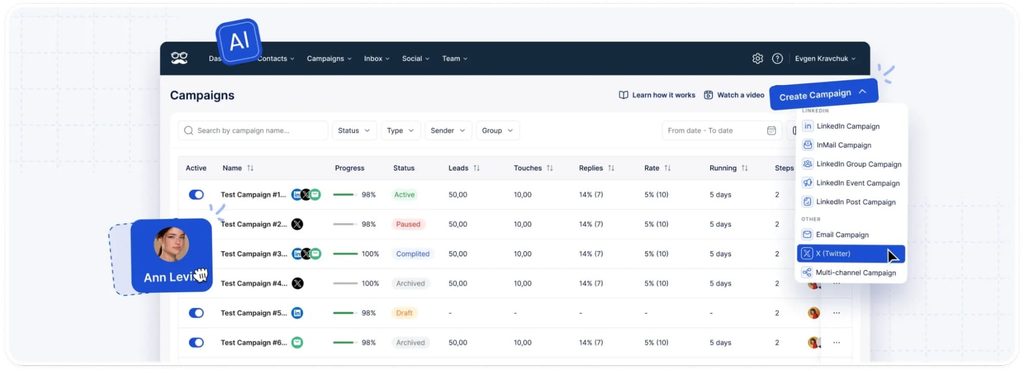
Meet Alfred has run cloud-first since 2017, on AWS, with a dedicated IP for each account and a custom-proxy option for teams that bring their own. It covers LinkedIn, email and X, with a LinkedIn CRM and inbox built in, and its Pro plan is the cheapest way here to run LinkedIn, email and X from one tool.
Safety score: 7/10 (execution 2, proxy 2, warm-up and limits 1, behavioral 1, transparency 1).
The infrastructure is right and the documentation is thin: “smart limits” and “human behavior simulation” are named, but no daily numbers or ramp schedule are published, and the review base is small.
Safety features:
- Cloud infrastructure on AWS, with a dedicated IP per account and an optional custom proxy.
- Human behavior simulation and smart limits, without published figures.
- LinkedIn, email, and X automation, plus InMail, group, event and post campaigns on Pro and Team.
Pros and cons of Meet Alfred:
| Pros | Cons |
|---|---|
| Dedicated IP and cloud sending on every plan, including the cheapest | No published daily limits or warm-up schedule |
| Broadest campaign set here: groups, events, posts and InMail | Small review base, at 38 reviews on G2 |
| 50% off on annual billing | The Team plan is priced below Pro on the live page, so read the feature table rather than the tier names |
Pricing, from the Meet Alfred pricing page: Basic $59, Pro $99 and Team $79 a month per user, or $29, $49 and $39 billed annually. Basic holds three active campaigns. There is a free trial with no card required.
Reviews: 4.3/5 from 38 reviews on G2. Reviewers rate ease of use and time saved highest, and the recurring complaint is slow customer support.
Best for: small teams that want LinkedIn, email and X on a cloud tool at a low annual price and can live without published limits.
For more info, see how Expandi compares to Meet Alfred.
6. HeyReach
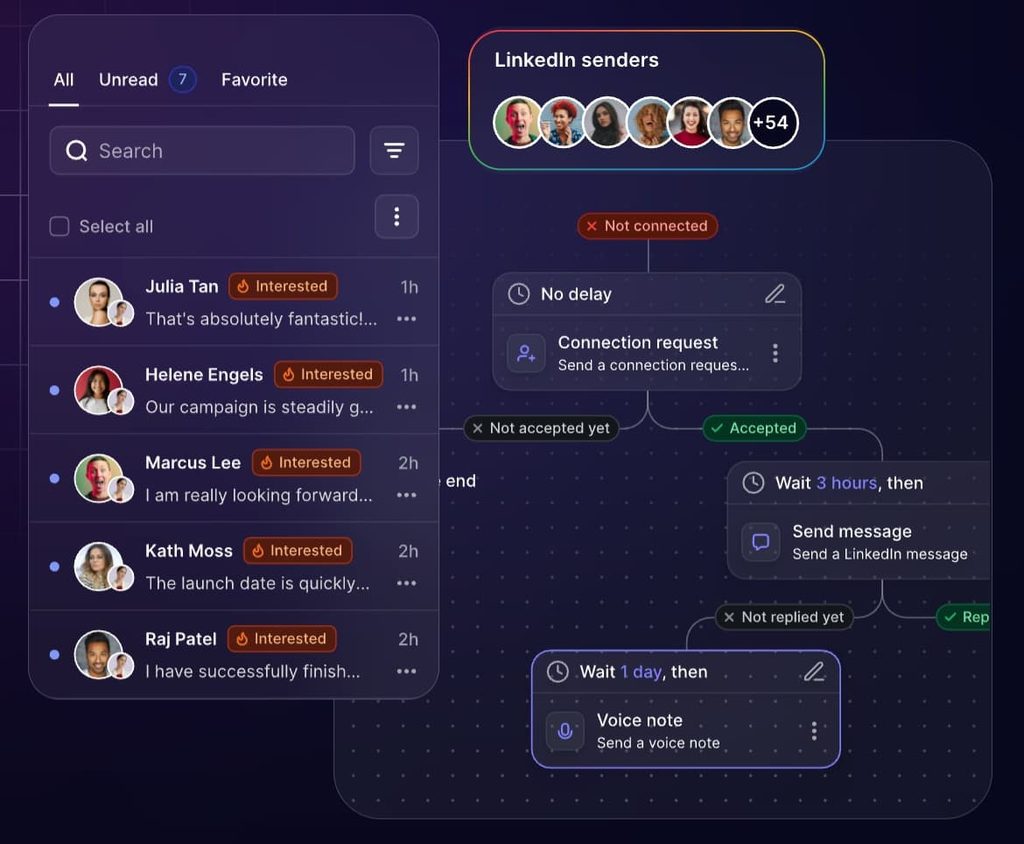
HeyReach is a cloud tool built for running many LinkedIn accounts from one workspace: unlimited campaigns, sender rotation to spread a campaign’s volume across a team, per-account sending limits, and a dedicated residential proxy for each sender on the Growth plan.
The Agency and Unlimited plans require you to bring your own proxies.
Safety score: 6/10 (execution 2, proxy 1, warm-up and limits 1, behavioral 1, transparency 1).
The proxy point is lost because the included proxy stops at Growth, and the track-record half of the transparency point goes to the March action — not to anything HeyReach failed to disclose, since it published its own account within the day and publishes its sending limits openly.
In March 2026, LinkedIn removed HeyReach’s company page, which had about 16,400 followers, and restricted the profiles of its executives, with no stated violation. HeyReach published its own account of the removal and the page has not returned since.
Two things matter for a buyer:
- The software kept running for customers throughout, and LinkedIn has never said what triggered the action. That makes it a lesson about platform-level risk to a vendor’s own presence, and about LinkedIn acting without notice.
- It is weak evidence about the safety of an individual HeyReach account compared with an account on any other cloud tool.
Safety features:
- Cloud execution with a dedicated residential proxy per sender on Growth.
- Sender rotation across the accounts in a workspace, with sending limits set per account.
- Email through Instantly and Smartlead integrations, with no native sender.
Pros and cons of HeyReach:
| Pros | Cons |
|---|---|
| Built for many senders per workspace, with rotation and per-account caps | Included proxy only on Growth, so agencies on Agency or Unlimited manage their own |
| Flat per-sender price with a 14-day trial on up to 3 accounts | No native email sender |
| Open about the March 2026 page removal | The removal itself: a reminder that platform-level actions arrive without warning |
Pricing, from the HeyReach pricing page: Growth is $79 a month per sender, or $63 billed annually. Agency is $999 a month for 25 senders ($799 annual) and Unlimited is $2,999 a month ($2,399 annual), capped at 300 senders under fair use.
Reviews: 4.6/5 from 72 reviews on G2. The LinkedIn integration and customer support draw the most mentions, and the complaints are scattered — update issues, limited features and price — with none dominant.
Best for: agencies managing many client LinkedIn seats from one dashboard who will handle proxies themselves above the Growth tier.
For more info, see how Expandi compares to HeyReach.
7. Waalaxy
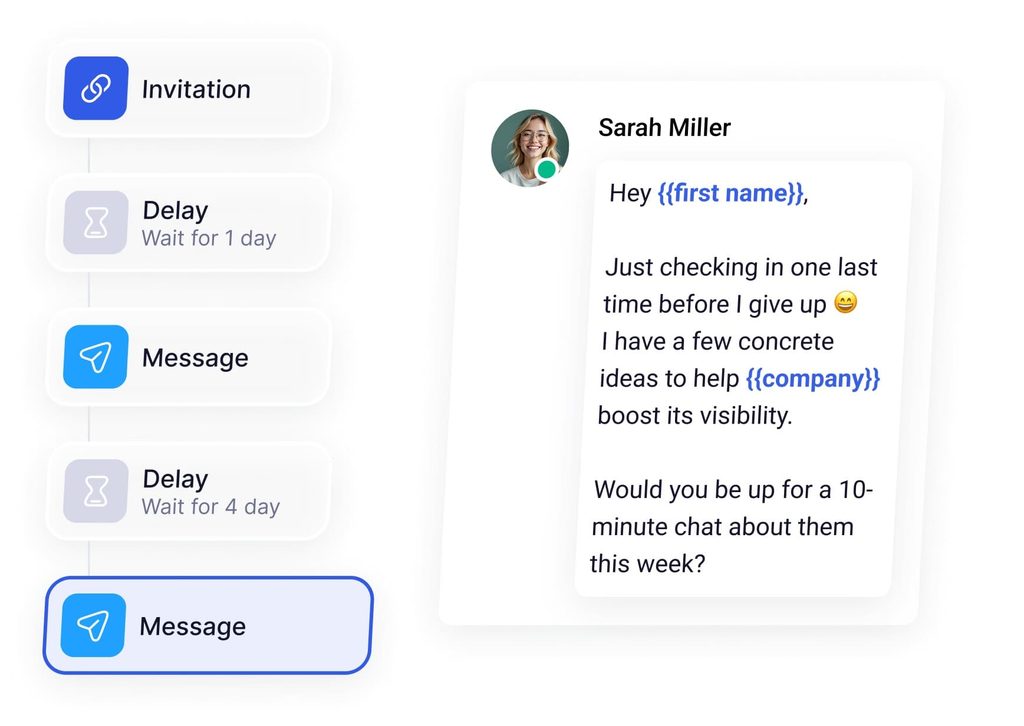
Waalaxy was the best-known Chrome-extension tool in the category until July 2026, when it removed the extension from the Chrome Web Store and moved everything to app.waalaxy.com.
Campaigns now run with the browser closed, and an optional companion extension only speeds up imports. That change moved it from the riskiest architecture to a workable one, and it is the reason it is on this list.
Safety score: 7/10 (execution 2, proxy 1, warm-up and limits 1, behavioral 1, transparency 2).
The proxy point is lost on the IP model: each user gets a fixed VPN IP near their location, but Waalaxy shares one IP between up to five users and offers no dedicated option, so your account’s traffic can share a source with strangers’ accounts.
Limits exist as plan caps, 300 invitations a month on Pro and 800 on Advanced and Business, with no ramp you control.
Safety features:
- Cloud execution since July 2026, with no extension required.
- Semi-random delays between actions and working hours you set, with conditional steps that wait for an acceptance before the next message.
- A fixed VPN IP close to your location, shared with up to four other Waalaxy users.
- Cold email sequences and multichannel campaigns only on the $69 Business plan, and the LinkedIn inbox is a paid add-on.
Pros and cons of Waalaxy:
| Pros | Cons |
|---|---|
| Lowest cloud entry price here, and a 14-day trial | One VPN IP shared by up to five users, with no dedicated-IP option |
| Large user base: 1,582 reviews on G2 at 4.5/5 | Email and multichannel gated to the top tier, with the inbox sold separately |
| The extension dependency is gone | Invitation caps are monthly plan quotas, with no gradual warm-up |
Pricing, from the Waalaxy pricing page: Pro $19, Advanced $39 and Business $69 a month per user, or $16, $32 and $55 billed annually. A paid subscription is required to import prospects or launch campaigns.
Reviews: 4.5/5 from 1,582 reviews on G2. Ease of use dominates by a wide margin, with easy setup and automation behind it, and price is the most common complaint, followed by missing features and plan limits.
Best for: very light, low-volume, LinkedIn-only outreach where budget is the top priority and the reader accepts a shared IP.
For more info, see how Expandi compares to Waalaxy.
What gets a LinkedIn account restricted or banned?
LinkedIn restricts accounts for volume, for rejection, and for detectable tooling. Its stated standard is narrow: it recommends you “only send invitations to people you know and trust.”
Its own help pages name three triggers: many invitations in a short time, invitations that get ignored or marked as spam, and suspected use of an automation tool. Repeated suspensions for automated activity can become permanent. Everything below is one of those three in practice.
The behaviors that get LinkedIn accounts restricted, in the order the five-factor framework predicts:
- Exceeding the weekly connection cap. LinkedIn publishes no number, but the observed LinkedIn connection limit sits near 100 invitations a week, lower for new or low-trust accounts. The restriction that follows lasts about a week, and support cannot lift it.
- Low acceptance. Invitations that sit pending or get reported as spam are a named trigger, which makes acceptance rate a safety metric. Across the 13.2 million requests in our State of LinkedIn Outreach H2 2026 report, the average is 28.5%, and notes that reference a real existing tie (a follow, a shared group) accept at 1.8 to 2.7 times the baseline. Under 20% on a new campaign is a signal to pause and fix targeting.
- Skipping warm-up on new or recently restricted accounts. An account that went from zero to 25 requests a day is the pattern LinkedIn describes as “many invitations within a short amount of time.”
- Identical templates at volume. The same message to 400 people reads as spam to recipients, and recipients are the ones marking it.
- Logging in from mismatched locations. Your laptop in Berlin and a tool’s server in Virginia on the same account within the hour is the fingerprint country-matched proxies exist to avoid.
- Extensions and scrapers. The LinkedIn User Agreement bars software that scrapes the service and “bots or other unauthorized automated methods,” and BrowserGate showed LinkedIn checks browsers for the tools that do it. Cloud tools carry policy risk too, which is why no tool here is zero-risk.
- Shared infrastructure across accounts. Several accounts on one IP, or one account run from two tools at once, ties their fates together: one restriction pulls the pattern into view for all of them.
Enforcement has been moving up the stack in 2026 as well.
In September 2026, a federal court entered a consent judgment against ProAPIs permanently barring the company from accessing LinkedIn through fake accounts, scraping or bots, closing a case LinkedIn filed in October 2025 over profile scraping.
That case is about scraping, and the direction is the point: LinkedIn is spending on detection and on litigation, and a tool’s architecture decides whether your account looks like part of that pattern.
If a notice does arrive, our guide to a restricted LinkedIn account covers the recovery steps.
How to do LinkedIn automation without getting banned: 7 safety tips
These are the settings and habits that keep an automated account inside the patterns LinkedIn treats as normal, in the order to apply them:
- Run a LinkedIn account warm-up on every new or recently restricted account for at least two weeks. Start at 5 actions a day and add a few every couple of days. Expandi’s gradual warm-up does this by default and ends at 21.
- Stay meaningfully under the weekly cap. If the practical ceiling is about 100 invitations, run 60 to 80 on an established account and lower on a new one, and let acceptance rate tell you whether to move.
- Vary the copy inside a campaign. Two or three message variants per step, and personalization that references something real about the person.
- Use a tool with a dedicated, country-matched proxy, and never log the same account into two tools.
- Keep daily limits conservative even when the tool allows more. A plan quota is a maximum, and the right number for your account sits below it.
- Treat automation as amplifying what you would do anyway. A sequence that follows a real trigger, at a human pace, is the pattern LinkedIn cannot separate from you.
- Watch LinkedIn’s own warnings and pull back at the first one. An invitation restriction is the first signal, and a suspension for automated activity is the second strike.
Nick Tomic, founder of Face2Face and productmarketfit.io, who has interviewed around 350 SaaS founders, described the sixth tip in practice in a GTM Society interview:
“I used Expandi, and I went through, I put an automation so that it would go through the whole list of everybody that liked and commented that post. And then I added them on LinkedIn with a message saying, hey, I saw you engage with my case study. I was wondering if you wanted to learn more … I booked a couple demos from that.” — Nick Tomic, Face2Face
Choosing the safest LinkedIn automation tool for your team
The safest LinkedIn automation tools in 2026 are the ones whose architecture you can verify:
- Cloud execution or a desktop app you control.
- One dedicated IP per account.
- A warm-up you can see.
- Limits you set.
- Vendor that publishes what its features do.
Expandi, Linked Helper, Dripify and La Growth Machine clear that bar in different ways, and Meet Alfred, HeyReach and Waalaxy each clear most of it with gaps to know about before you buy.
Whichever you pick, the account is yours, and the weekly cap, the warm-up and the acceptance rate are yours to manage.
If safety is the deciding factor, start a 7-day free trial of Expandi and run the gradual warm-up on one account before you scale anything.
Safest LinkedIn automation tools: Frequently asked questions
Yes. The User Agreement bars bots and other unauthorized automated methods to access the service, add contacts or send messages, and LinkedIn’s help center says it does not allow third-party software that automates activity.
Enforcement in practice is a temporary restriction that lifts automatically, with permanent restriction reserved for repeat suspensions. Every tool in this list operates in that gray zone.
LinkedIn publishes no number. The ceiling established accounts run into is about 100 invitations a week, and accounts with high acceptance rates sometimes clear more. New accounts, and accounts coming off a restriction, are throttled lower and should stay well under it.
Yes, for one structural reason: a cloud tool runs nothing inside your LinkedIn tab, so there is nothing on your machine for LinkedIn to detect, while an extension is visible to the page it modifies.
A cloud tool still needs a dedicated IP and conservative limits to be safe. A desktop app sits between the two.
No. LinkedIn’s help center says all members, Basic and Premium, are subject to the same invitation limits and restrictions. What Premium changes is personalized notes: free members can add a note to three connection requests a month, and Premium members to unlimited requests.
They can, and it is one of the faster ways to get restricted. Two tools or two locations on one account produce the mismatched-session pattern that dedicated proxies exist to prevent. Give each account one tool, one IP and one set of limits, and share the inbox and reporting through a workspace feature while the login stays with one person.




You’ve made it all the way down here, take the final step