17 Best AI Lead Generation Software for B2B Sales in 2026

Key Takeaways
- No single software covers AI lead generation end to end. Working stacks pair a data or signal layer with an execution layer.
- Expandi leads for LinkedIn-first outbound, Clay for enrichment, 6sense for enterprise intent.
- Entry pricing runs $10 to $185 per month. Intent platforms and enterprise data vendors start in the thousands.
- AI pays off at prioritization more than sending. Deciding who is worth a message beats generating more messages.
17 Best AI Lead Generation Software for B2B Sales in 2026

AI lead generation software uses machine learning and behavioral data to find prospects, rank them by likelihood to buy, and trigger outreach based on what those prospects do.
We looked at how this software shows up across the campaigns running on our platform, and the teams getting results pair one data layer with one execution layer, then stop buying software.
This guide compares 17 of them for B2B sales teams, with pricing verified against live pricing pages in July 2026, plus where each one falls short.
What is AI lead generation software?
An AI lead generation software uses machine learning, language models or predictive scoring to do work a rep would otherwise do by hand:
- Finding accounts.
- Resolving contact details.
- Ranking prospects by fit.
- Drafting outreach.
- Deciding when to send it.
The label covers products that share almost nothing beyond that.
Three distinct product shapes sit under the category, and confusing them is the most expensive mistake in a buying process:
- Data providers own or aggregate contact records. You query them and get names, emails and direct dials back. The AI is in the search and the verification.
- Automation platforms execute. They send sequences, branch on behavior and manage replies. The AI drafts copy and triages responses, and the data comes from somewhere else.
- AI assistants research and generate. They read pages, answer questions per record and write first lines. They neither own data nor send messages.
What changed in 2026 is where the advantage sits. Sequencing and sending have been automated for a decade.
The newer capability is deciding who deserves a message before anyone writes one, which is why intent scoring and enrichment now command higher prices than sending does.
8 different types of AI lead generation software
Before comparing products, it helps to know which shelf each one sits on. Eight categories cover the market, and the tools overlap far less than their homepages suggest:
Prospect databases
Own or license B2B contact records at scale, queried with filters or natural language. ZoomInfo and Cognism sit here. Coverage in your specific territory is the deciding factor, because every vendor is strong somewhere and thin elsewhere.
Data enrichment
Fill gaps in records you already have. Modern enrichment runs waterfall logic: query one provider, and when it returns nothing, fall through to the next until the field resolves.
Clay is the category leader, and B2B data enrichment is where targeting logic gets built.
AI research assistants
Read the open web and answer custom questions per record. Clay’s Claygent is the clearest example: point it at a company and ask whether they run an in-house SDR team, and it reads the site and careers page to answer.
Copywriting software
Draft or grade outreach copy. Lavender scores emails as reps write them. Expandi’s AI Analyzer generates campaign messages and follow-ups inside the sequence builder.
Outreach platforms
Send the messages and manage what comes back. Expandi, Instantly, Smartlead, Outreach and Salesloft cover this across different channels. Channel is the deciding factor: LinkedIn-first, email-first, or a calling-heavy cadence.
Intent data platforms
Score accounts by how likely they are to be in-market, using third-party research signals, hiring, funding and product activity. 6sense and Common Room live here, and they need an execution tool downstream to be worth the spend.
Website visitor identification
Resolve anonymous site traffic to named companies. Dealfront is the main pick. The signal is first-party, so it needs no vendor’s intent model to be trustworthy.
Sales intelligence
Combine data with insight layers: org charts, technographics, buying committees, conversation analysis. ZoomInfo and Gong approach this from opposite ends, one before the conversation and one after it.
How we evaluated these AI lead generation software
Every software below was assessed against six criteria, and pricing was read off each vendor’s live pricing page in July 2026, never pulled from secondary sources. Several published figures had moved since the last review, which is the normal state of this market.
- AI capability. The AI does work a rules engine could not, such as ranking accounts or resolving a field across providers.
- Ease of use. How much of the product a team reaches without a dedicated operator.
- Integrations. Native CRM and execution-tool connections, not only a generic webhook.
- Pricing transparency. Published pricing scored higher than quote-only, and credit multipliers were checked for the point where costs jump.
- Customer reviews. G2 ratings and review volume read directly in July 2026, with recurring complaints noted in each tool’s cons.
- Data quality. Coverage by region, verification method, and what the vendor does after a field resolves.
Where a vendor publishes no pricing, that is stated plainly. Where buyers have reported what they paid, that range is included and labelled as an estimate, because a quote-only vendor still needs a budget bracket you can plan against.
Quick comparison table
Use this table to narrow the list to two or three candidates, then read the full entries below:
| Software | Best for | Who for | Starting price | Standout AI feature |
|---|---|---|---|---|
| Expandi | LinkedIn-first outbound | Founders, SDRs, agencies | $99/mo per seat | LinkedIn + email sequences with account safety |
| Clay | Enrichment at scale | RevOps and GTM engineers | $185/mo | Waterfall enrichment, research agent |
| Cognism | Compliant EU and UK data | Phone-heavy SDR teams | Quote only | Phone-verified data, lead scoring |
| ZoomInfo | Enterprise data coverage | Mid-market and enterprise | Quote only | Copilot, intent signals |
| Lavender | Email coaching | SDRs with weak reply rates | $29/mo | Real-time email scoring |
| Common Room | Community and product signals | Product-led companies | $2,500/mo | Signal summarisation |
| Gong | Coaching and deal risk | Sales leaders, enablement | Quote only | Conversation intelligence |
| Surfe | LinkedIn-to-CRM capture | Reps prospecting manually | $49/mo per user | Contact enrichment |
| HubSpot Sales Hub | Teams already on HubSpot | Existing HubSpot users | $100/mo per seat | Breeze Prospecting Agent |
| Instantly | High-volume cold email | Agencies, lean teams | $47/mo | Copilot campaign workflows |
| Smartlead | Multi-inbox agency sending | Lead gen agencies | $39/mo | Sequence assists |
| Outreach | Structured rep execution | SDR/AE teams of 10+ | Quote only | Kaia conversation intelligence |
| Salesloft | Prioritization at scale | Larger SDR and AE teams | Quote only | Rhythm next-best-action |
| Seamless.AI | Real-time contact discovery | SDRs needing direct dials | Quote only | Prospector, intent modules |
| 6sense | Predictive ABM | Enterprise ABM teams | Quote only | Buying-stage prediction |
| Dealfront | Website visitor identification | Teams with real site traffic | EUR 113/mo (~$130) | Visitor identification |
| Make | Connecting the stack | RevOps without engineers | $10.59/mo | AI modules in workflows |
A working stack combines two or three of these: one data source, one execution tool, and something to connect them. In practice that lands around $295 for Clay, Expandi and Make once enrichment gets serious.
The entries below cover what each does well, what it really costs, and where it falls short.
The 17 best AI lead generation software
Each entry below follows the same shape: what the tool does, who it suits, its AI features, honest pros and cons, verified pricing, integrations, its current G2 rating, and the one reason to pick it.
1. Expandi
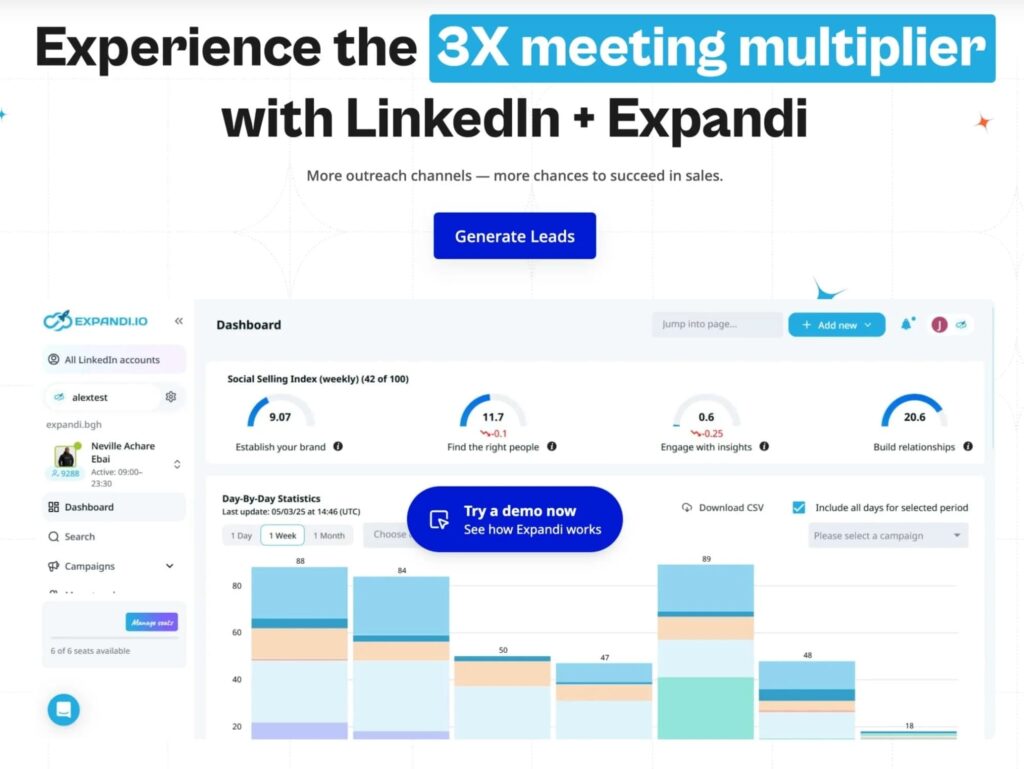
Expandi runs LinkedIn and email outreach from the cloud, with sequences that branch on what each prospect does.
A prospect who accepts a connection but ignores the first message gets a different path than one who views your profile twice. In the campaigns we see, LinkedIn outreach breaks on inconsistency long before it breaks on volume.
Across the 13.2 million connection requests in our 2026 LinkedIn outreach benchmarks, platform-wide averages were 28.5% connection acceptance and 10.4% message reply.
Best for: Founder-led teams, SDRs and agencies running LinkedIn as a primary channel.
Key AI features
- AI Analyzer – Generates campaign messages and in-conversation replies, then sorts incoming replies into Interested, Maybe Interested and Not Interested.
- Campaign Builder – Branching if-then sequences from 20 actions and 11 conditions, adapting to accepts, replies, profile views and email opens.
- Smart daily limits – Algorithmic pacing that holds activity inside safe ranges per account, with automatic profile warm-up.
Pros
- The branching is real branching, not one linear path with delays between steps.
- Workspaces let agencies invite teammates and clients at no extra cost, with per-client reporting and 100+ permission settings.
Cons
- No contact database. You bring your own list or pair it with an enrichment tool, though Expandi can build lead lists from LinkedIn searches, post engagement and group members.
- The Builder rewards operators who enjoy flowcharts. Teams wanting one linear sequence will pay for capability they never open.
Pricing: No free plan, 7-day free trial. From $99/month per LinkedIn account, dropping to $79 per seat annually. Every feature is included on the plan, with no tier gating. Full pricing is public.
Integrations: Native HubSpot, Pipedrive and Salesforce, plus Zapier, Make and webhooks. Hyperise for image personalization, Sendspark for video. Smartlead lists Expandi as a native partner on its own integrations page.
G2 rating: 4.2/5 from 153 reviews.
Why choose it: It is the execution layer that keeps a LinkedIn motion consistent for months, with account safety built into every seat instead of sold as an add-on.
2. Clay
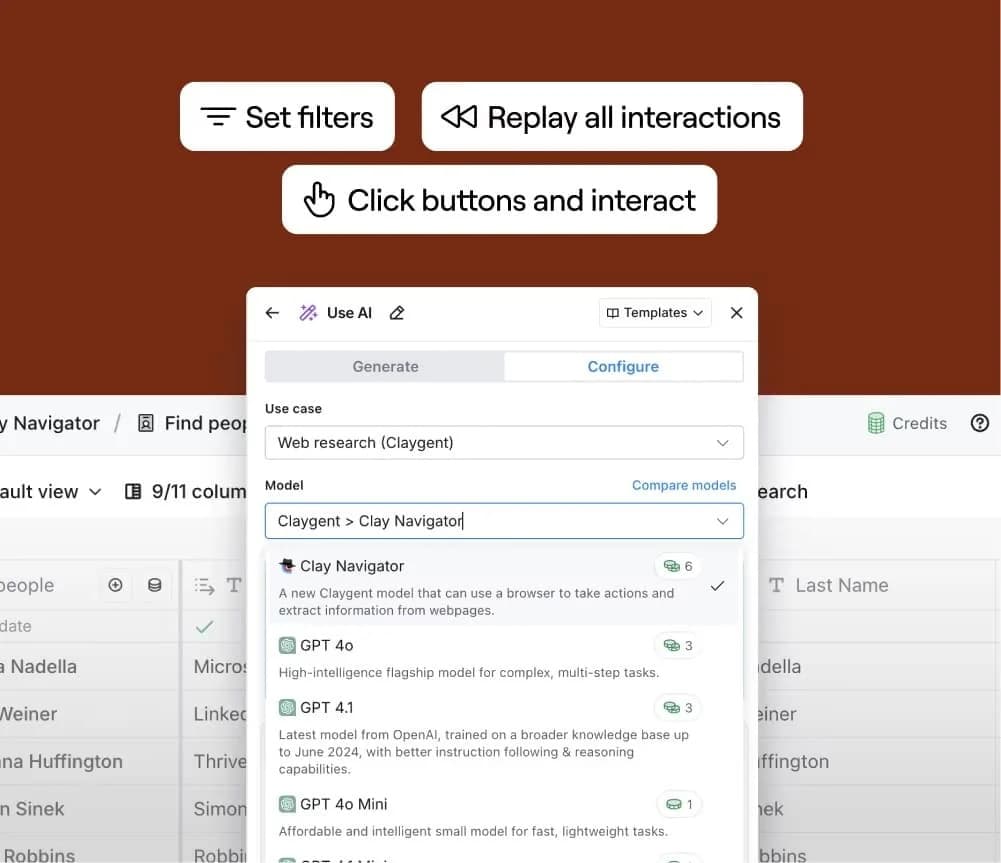
Clay works like a programmable spreadsheet for go-to-market data: each row a lead, each column an enrichment or an AI agent.
The mechanism that matters is waterfall enrichment. It queries one provider for a field and falls through 200-plus providers until the field resolves, which lifts fill rates past any single vendor.
Our Clay and Expandi workflow documents the handoff into outreach.
Best for: RevOps and agencies building enrichment and routing systems, not one-off lists.
Key AI features
- Claygent – An AI research agent that reads sites and documents to answer custom questions per row.
- Waterfall enrichment – Sequential fallback across 200-plus providers, charged only when a field resolves.
- Signals – Job changes, funding and hiring tracked as live triggers, updating as they move.
Pros
- Enrichment stops being data hygiene and becomes targeting logic you can reason about.
- A messy list becomes obviously messy within an hour, which is uncomfortable and useful.
Cons
- Steep learning curve. Value depends on having someone who enjoys building tables.
- Two meters, Data Credits and Actions, make cost forecasting genuinely hard.
Pricing: Free plan with 500 actions per month, 14-day trial on paid features. From $185/month (Launch, 15,000 actions) and $495 (Growth), dropping to $167 and $446 annually.
Integrations: Salesforce, HubSpot, Dynamics 365, Pipedrive, Close and Attio, plus Salesloft, Outreach, Gong, Smartlead and Instantly. Data is drawn from 200+ providers in its marketplace.
G2 rating: 4.6/5 from 226 reviews.
Why choose it: Nothing else turns a rough list into per-record research at this depth, which is what makes personalization survive scale.
3. Cognism
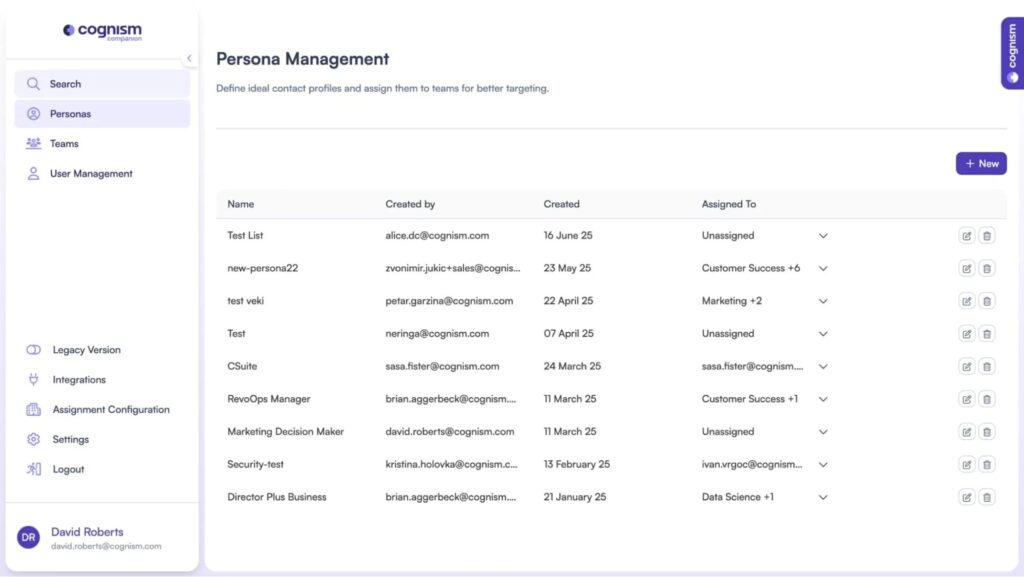
Cognism competes on data quality and compliance posture over database size. Its Diamond dataset contains phone numbers verified by a human placing the call, which changes connect rates in a way that “maybe direct dial” datasets do not.
For teams selling into the EU and UK, the compliance story carries real procurement weight.
Best for: Phone-heavy SDR teams and EU or UK companies with a procurement review to clear.
Key AI features
- Sales Companion – A Chrome extension and web app that surfaces and prioritizes prospect data in context.
- Lead scoring – Prioritization so reps work higher-value accounts first.
- DNC screening – Records checked against global Do-Not-Call registries before delivery.
Pros
- Phone verification is one of the few data advantages that shows up directly in pipeline.
- Compliance documentation shortens legal review for EU-facing teams.
Cons
- APAC coverage is thin, a point reviewers raise repeatedly.
- Packages start at five seats, so small teams pay for capacity they will not use.
Pricing: Quote only, no free plan. Two Sales Prospecting packages, Standard and Pro, both starting at five seats, with credit-based add-ons for CRM enrichment.
Integrations: Salesforce, HubSpot, Pipedrive, Bullhorn and Microsoft Dynamics, plus Salesloft, Outreach and Zapier.
G2 rating: 4.5/5 from 1,351 reviews.
Why choose it: If calling is part of the motion and you sell into Europe, human-verified mobile numbers plus a documented lawful basis is a combination the other databases do not match.
4. ZoomInfo
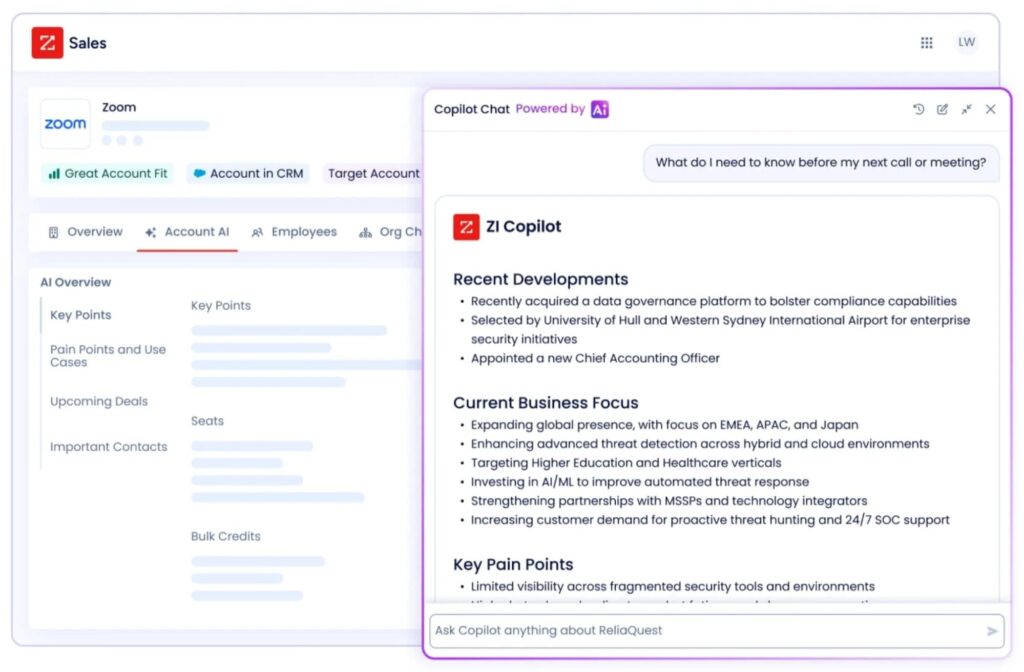
ZoomInfo, now sold as GTM Workspace, is the incumbent enterprise data platform, and coverage breadth is what buyers pay for.
Combined with its intent layer, it answers both which accounts exist and which are researching your category inside one system. It serves a different primary function than a LinkedIn outreach tool, and enters the comparison when data coverage is the constraint.
Best for: Mid-market and enterprise teams where precision targeting at volume justifies an annual contract.
Key AI features
- Copilot – An AI layer surfacing accounts and recommended next actions inside the platform.
- Intent signals – Topic-level research activity used to prioritize accounts.
- Account scoring – Fit and buying-signal scores applied across the database.
Pros
- Coverage depth remains hard to match for mid-market and enterprise targeting.
- Data and intent in one system removes a reconciliation step.
Cons
- Contract structure is the common complaint: annual commitments, seat minimums and renewal terms that catch teams out.
- Inaccurate data is the single most-cited drawback across its G2 reviews.
Pricing: Quote only, with a free trial offered on each package. Three tiers exist: ZoomInfo Professional, Copilot Advanced and Copilot Enterprise, priced on feature tier, licence count and credit usage, where one credit equals one export. Online reviews claim anywhere from $15,000 to over $45,000 per year.
Integrations: Salesforce and HubSpot CRM integrations, with email export to Outreach and Salesloft, plus the ReachOut Chrome extension.
G2 rating: 4.5/5 from 9,109 reviews.
Why choose it: When the constraint is knowing that an account exists at all, nothing else covers as much ground in one contract.
5. Lavender
Lavender scores emails as reps write them, inside Gmail or Outlook, flagging length, reading level and structure before the message goes out.
Where conversation intelligence analyzes calls after they happen, Lavender intervenes before the first touch. It is the cheapest intervention on this list.
Best for: SDR teams with solid targeting and disappointing reply rates.
Key AI features
- Email scoring – Real-time grading on length, readability, tone and personalization as you type.
- Personalization assistant – Prospect context pulled into the compose window to ground the opening line.
- Coaching dashboard – Team-level analytics on email quality and its correlation with replies.
Pros
- Feedback lands at the moment of writing, which is when a rep can act on it.
- It exposes the length problem: emails far longer than anyone will read.
Cons
- Advertised prices assume annual billing, so monthly costs more than the headline suggests.
- It improves individual emails without touching targeting or sequencing.
Pricing: Free plan covering 5 analyses per month. From $29/month (Starter) and $49 (Individual Pro), dropping to $27 and $45 on annual billing. Team plans are $99 per seat monthly, or $89 annually.
Integrations: Gmail and Outlook 365 natively, with integrations included from the Starter plan up.
G2 rating: 4.8/5 from 63 reviews.
Why choose it: When the list is fine and the writing is the problem, this fixes the cheaper half of the equation first.
6. Common Room
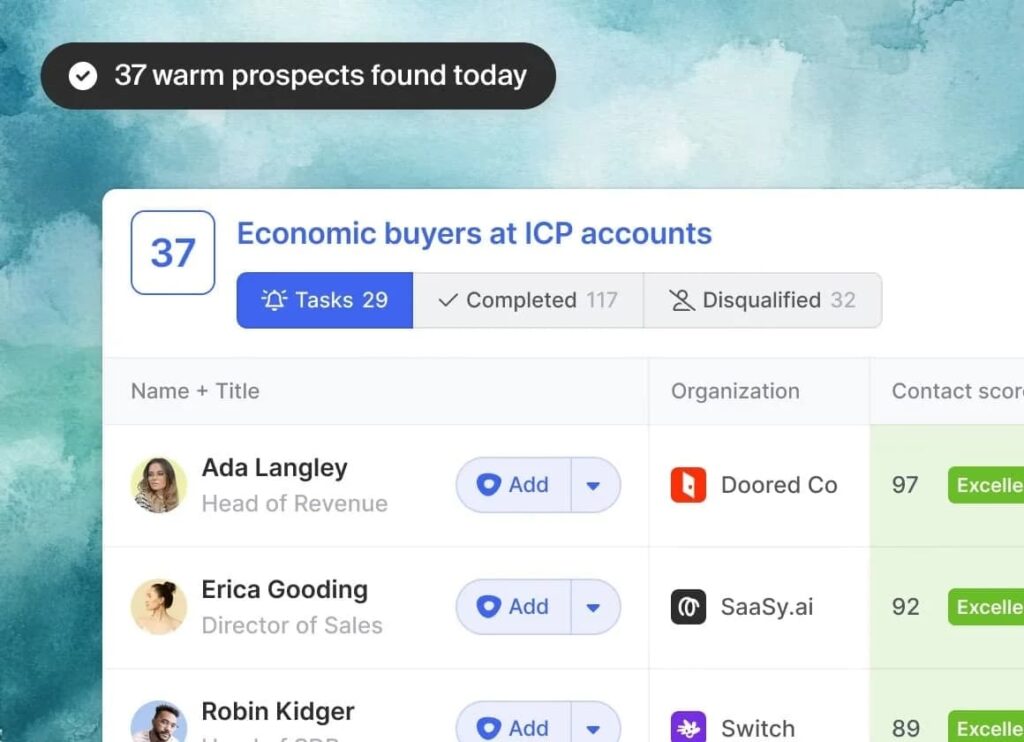
Common Room watches the places buyers reveal intent before they fill in a form: Slack and Discord communities, social posts, GitHub activity, product usage.
It resolves those scattered actions to a person and an account, then routes the warm ones into outbound. It fits companies whose market lives in public channels.
Best for: Product-led and developer-focused companies with active communities.
Key AI features
- RoomieAI – Automated research summarizing what an account did and why it matters now.
- Person resolution – Anonymous handles matched to real contacts and their companies.
- Signal scoring – Community, social, product and web activity unified and ranked against a person record.
Pros
- Timing-based outbound stops depending on guesswork about who is ready.
- The signal context gives reps a real reason to reach out, grounded in something the account did.
Cons
- The entry price is the highest published figure in this list, and it is billed annually.
- Value collapses if your buyers are not active in public channels.
Pricing: No free plan. From $2,500/month (Essential), billed annually, including five seats and up to 100,000 contacts. Advanced and Enterprise are quote only.
Integrations: HubSpot, Salesforce and Marketo, plus Gong, Outreach, Apollo, Salesloft, Smartlead, Slack, Discord and Intercom. An MCP server ships alongside, across 50+ signal channels.
G2 rating: 4.5/5 from 115 reviews.
Why choose it: It surfaces buying intent that never touches your website, which no database or visitor-ID tool can see.
7. Gong
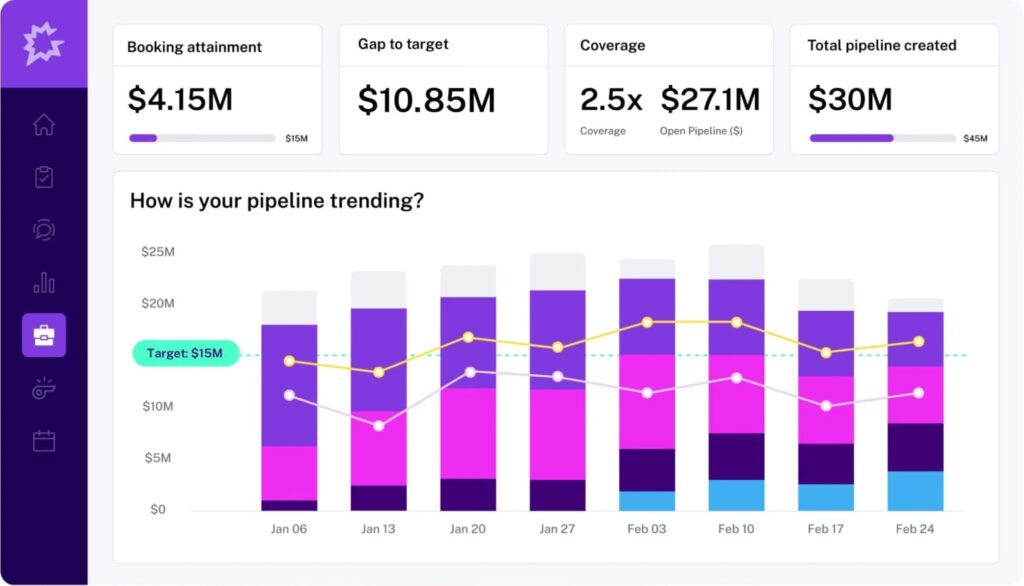
Gong records and transcribes calls, then analyzes them for objections, competitor mentions, next steps and risk patterns, turning conversations into a dataset managers can coach against.
It generates no leads. It raises the conversion rate on leads already in motion, which is the cheaper fix when meetings happen but do not close.
Best for: Teams with meeting volume who want better conversion and sharper coaching.
Key AI features
- Conversation intelligence – Recording, transcription and analysis of calls with deal-level insights.
- Deal risk flags – Warning signals raised from what was said on the call, ahead of CRM stage.
- Coaching workflows – Patterns across calls surfaced so managers coach from specific moments.
Pros
- Coaching becomes concrete. Managers point at a moment instead of offering general advice.
- Forecasting improves because the source of truth is the conversation itself.
Cons
- Pricing combines per-user licences with a platform fee, which makes small deployments inefficient.
- Recording consent requirements vary by region and add a compliance step before rollout.
Pricing: Quote only, no free plan. Licences are priced per user with a platform fee based on the number of users supported.
Integrations: Salesforce, HubSpot and Microsoft Dynamics, plus Zoom and Microsoft Teams for conferencing. The Gong Collective directory lists 424 apps.
G2 rating: 4.7/5 from 6,678 reviews.
Why choose it: It is the only software here that improves what happens after the meeting is booked, which is where most pipeline is lost.
8. Surfe
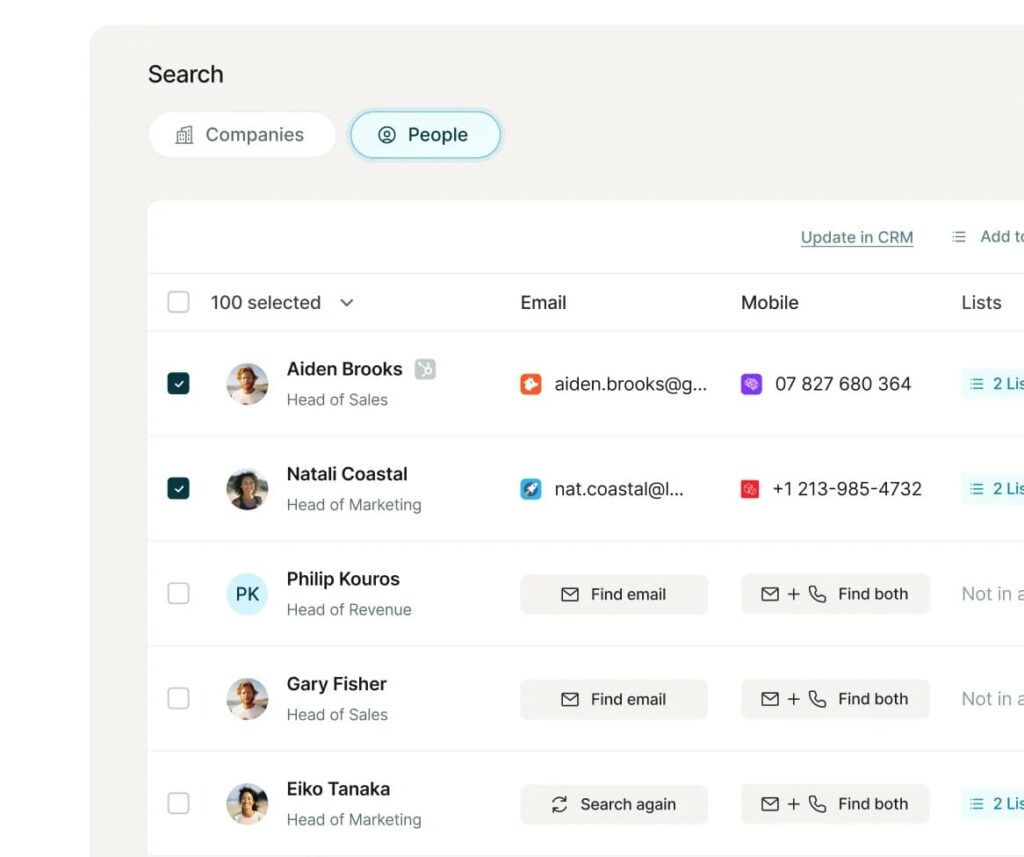
Surfe runs as a browser extension over LinkedIn and Sales Navigator, revealing verified emails and mobile numbers on a profile and pushing the contact into your CRM in one click. It does not try to be a database you query in bulk.
It removes the copy-paste step between a profile and a CRM record, which is a smaller job done well.
Best for: Reps sourcing prospects manually on LinkedIn who want clean CRM records.
Key AI features
- Contact reveal – Business emails and mobile numbers aggregated from multiple providers per profile.
- Company and people search – Filtered search with technographic, revenue and headcount criteria.
- Sequence push – Contacts added to connected outreach tools without leaving LinkedIn.
Pros
- Adoption is nearly free. Reps already work in LinkedIn, and the extension meets them there.
- CRM hygiene improves as a side effect, because logging a contact takes one click.
Cons
- On annual billing the credits land as one yearly allowance, so a heavy sprint can drain the year early.
- It is a capture tool. Bulk list building needs a different product.
Pricing: Free plan with 240 email finder and 60 mobile credits per year. From $49/month per user (Essential), dropping to $39 annually, with a 14-day trial.
Integrations: HubSpot, Salesforce, Copper and Pipedrive one-click sync, plus Salesloft and Outreach sequence pushes, a native LinkedIn integration and Zapier. 22 integrations are listed.
G2 rating: 4.6/5 from 465 reviews.
Why choose it: It is the lowest-friction way to get LinkedIn prospects into a CRM without buying a full database seat.
9. HubSpot Sales Hub
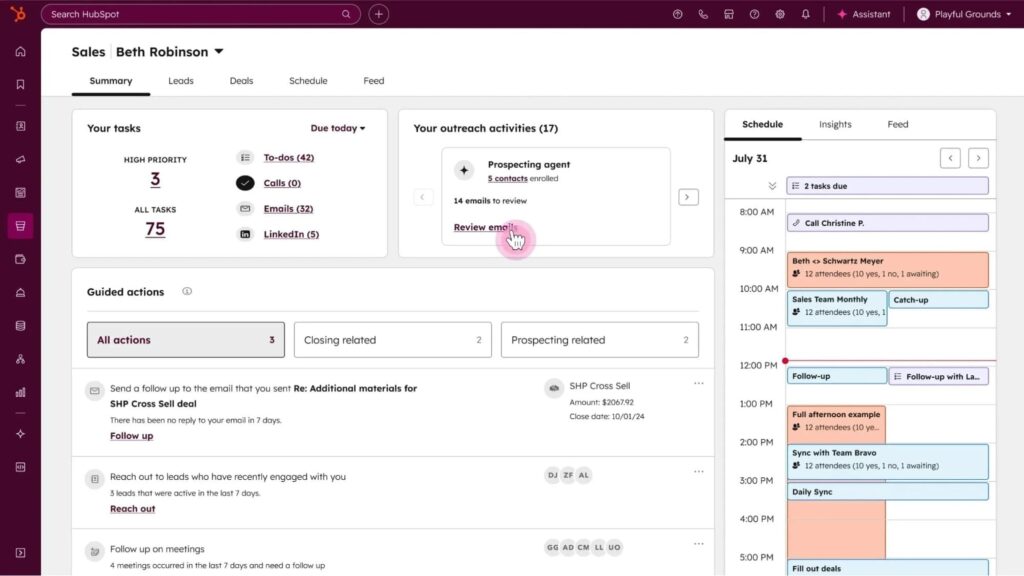
If your CRM is HubSpot, Sales Hub keeps prospecting, sequencing, pipeline and reporting in one system. Its Breeze AI layer and Prospecting Agent surface leads and draft outreach against CRM context, so reps work from live records instead of spreadsheets.
The case for it is coherence over best-in-class capability at any single step.
Best for: Teams already running HubSpot CRM that want prospecting tied to pipeline.
Key AI features
- Prospecting Agent – AI-generated outreach recommendations built from CRM context, charged in credits.
- Breeze AI – A platform-wide AI layer spanning research, drafting and data hygiene.
- Data Agent – Automated record cleanup and smart property population.
Pros
- Context never leaves the system, so follow-up is faster and better informed.
- Consolidation removes the usual chain of list builder, sequencer, task tool and reporting.
Cons
- Professional requires a mandatory one-time onboarding fee of $1,500, and Enterprise $3,500, neither shown in the headline price.
- AI agents consume credits on top of seat costs, so the true monthly figure depends on usage.
Pricing: 14-day free trial. Sales Hub starts at $100/month per seat (Professional) and $150 (Enterprise), dropping to $90 on annual billing. HubSpot’s free tools and $10 Starter tier belong to the wider platform bundle, not to Sales Hub.
Integrations: Native across the HubSpot ecosystem, plus the HubSpot App Marketplace for third-party connections. Expandi connects through a native CRM integration.
G2 rating: 4.4/5 from 13,885 reviews.
Why choose it: If pipeline already lives in HubSpot, keeping prospecting there removes the handoff where leads go missing.
10. Instantly
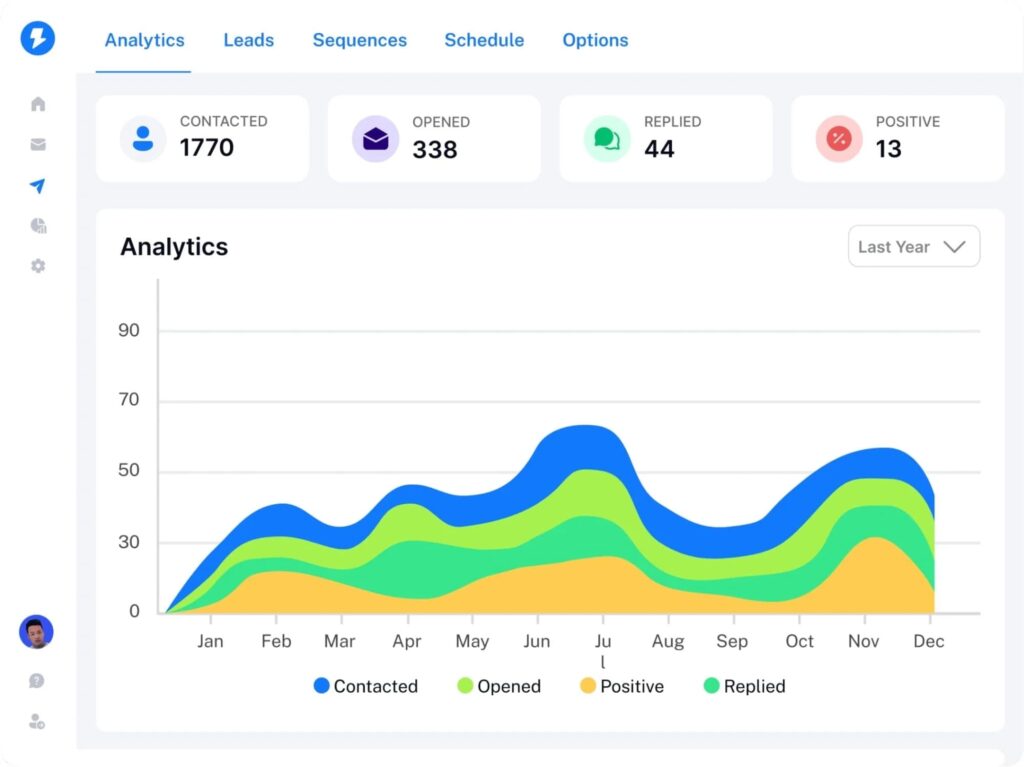
Instantly is the ai lead generation software for teams whose pipeline math depends on email volume. The core proposition is unlimited email accounts and unlimited warm-up on every paid plan, so scaling means adding mailboxes and leaving the contract alone.
It has grown into a lead finder and AI campaign builder, though sending and deliverability remain the reason teams buy it.
Best for: Agencies and lean teams running email-led outbound at volume.
Key AI features
- AI Copilot – Workflow assistance from ICP definition through to campaign build.
- B2B lead finder – A built-in database for sourcing prospects without a separate subscription.
- Deliverability network – Automated warm-up maintaining sender reputation across the account pool.
Pros
- Scaling volume stays an operational decision.
- It pairs cleanly as the sending engine when list building happens in Clay.
Cons
- Email only. LinkedIn steps need a separate tool.
- The 1,000-contact ceiling on the entry plan is tight for anything past a pilot.
Pricing: No free plan. From $47/month (Growth, 5,000 emails), with Hypergrowth at $97 and Light Speed at $358. Annual billing drops Growth to roughly $37.60.
Integrations: API, webhooks and integrations are included on every paid plan per its feature comparison.
G2 rating: 4.8/5 from 4,130 reviews.
Why choose it: Unlimited mailboxes on every plan makes email volume a question of setup time, not budget renegotiation.
11. Smartlead
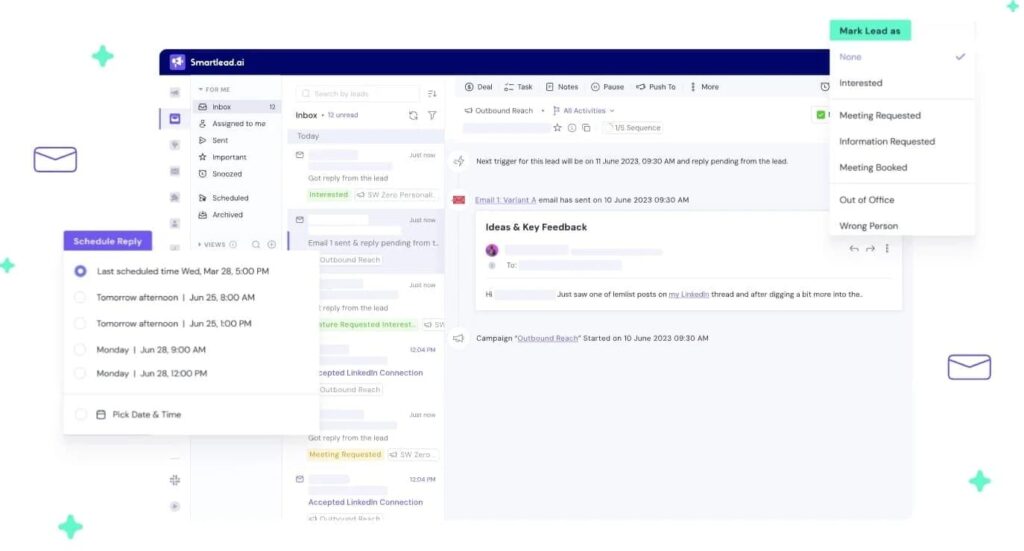
Smartlead solves the same problem as Instantly with a different emphasis. Where Instantly optimizes for raw scale, Smartlead optimizes for operational control: client workspaces, permissions, reply routing and visibility across campaigns. That makes it the common pick for agencies running outbound for several brands at once.
Best for: Lead generation agencies managing multiple clients, inboxes and campaigns.
Key AI features
- Sequence assists – Dynamic variables and conditional steps with AI drafting on higher plans.
- Inbox rotation – Sending distributed across mailboxes so no single domain absorbs the full volume.
- Reply categorisation – Incoming responses sorted so positive replies surface first.
Pros
- The agency features were built for agencies, with client separation designed in from the start.
- It works well as a pure execution layer when Clay handles the list.
Cons
- The interface carries a lot of surface area, and new users feel it in week one.
- Email verification and mailbox provisioning are priced as add-ons, so the real monthly cost sits above the plan price.
Pricing: No free plan, trial available. From $39/month (Basic), with Pro at $94 and Unlimited Smart at $174. Annual billing brings those to $32, $78 and $144.
Integrations: Expandi, Clay, HubSpot, Salesforce, Pipedrive and Zoho, plus Slack, Zapier, Gmail, Outlook, webhooks and an API.
G2 rating: 4.5/5 from 414 reviews.
Why choose it: Running outbound for a dozen clients without campaigns bleeding into each other is a specific problem, and this is the software built for it.
12. Outreach
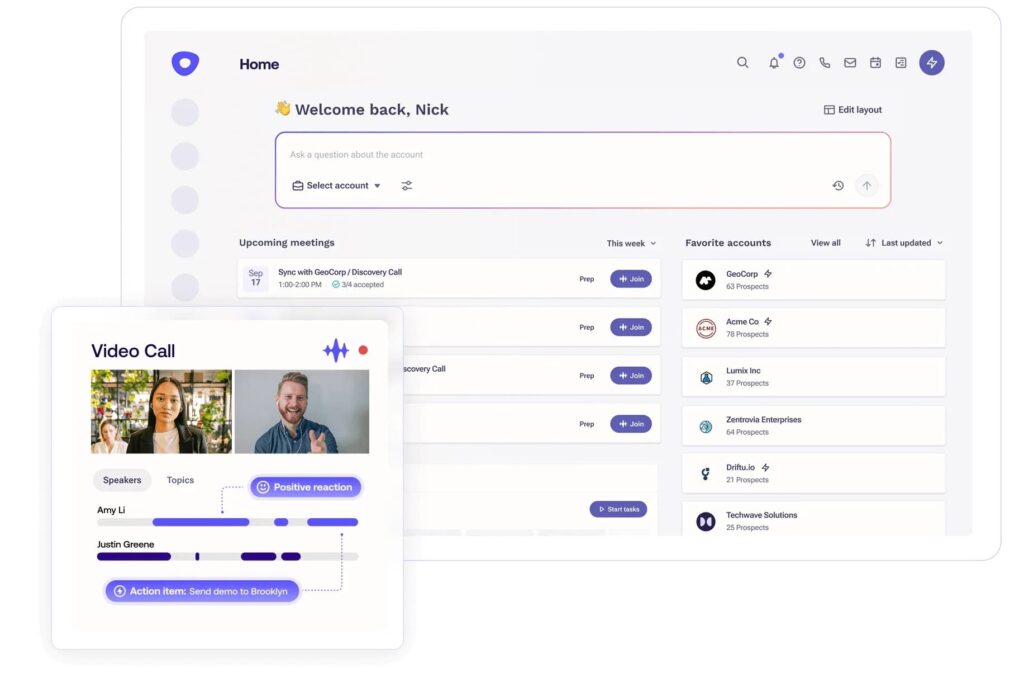
Outreach is a sales engagement platform rather than a lead source. It makes reps execute consistently once a list exists: sequences, task queues, calling, conversation capture and reporting in one daily workflow.
It serves a different primary function than a LinkedIn automation tool, so treat it as relevant when execution consistency is the bottleneck. The company now operates from outreach.ai, with the old outreach.io domain redirecting.
Best for: SDR and AE teams of roughly ten reps and up who need a structured daily workflow.
Key AI features
- Kaia – Conversation intelligence producing auto-notes, action items and meeting summaries.
- Amplify packages – Tiering built around AI credit volume, from 10,000 to 100,000 credits.
- Sequence optimisation – Performance data surfaced against cadence steps to guide changes.
Pros
- Execution discipline is the product. Activity, sequencing and reporting reinforce each other.
- Strong choice when lead sourcing already works and conversion is the constraint.
Cons
- No published pricing, and the AI-credit tiering makes real annual cost hard to model before a quote.
- Heavy for teams under roughly ten reps. Process overhead outweighs the benefit.
Pricing: Quote only, no free plan. Four Amplify packages differentiated by AI credit volume, priced per user with no separate platform fee.
Integrations: Salesforce and HubSpot as systems of record, with an app marketplace at marketplace.outreach.io. Clay, Cognism, 6sense and Surfe all publish Outreach connectors.
G2 rating: 4.3/5 from 3,574 reviews.
Why choose it: When rep activity is inconsistent and nobody can see why, this is the system that makes the day repeatable.
13. Salesloft
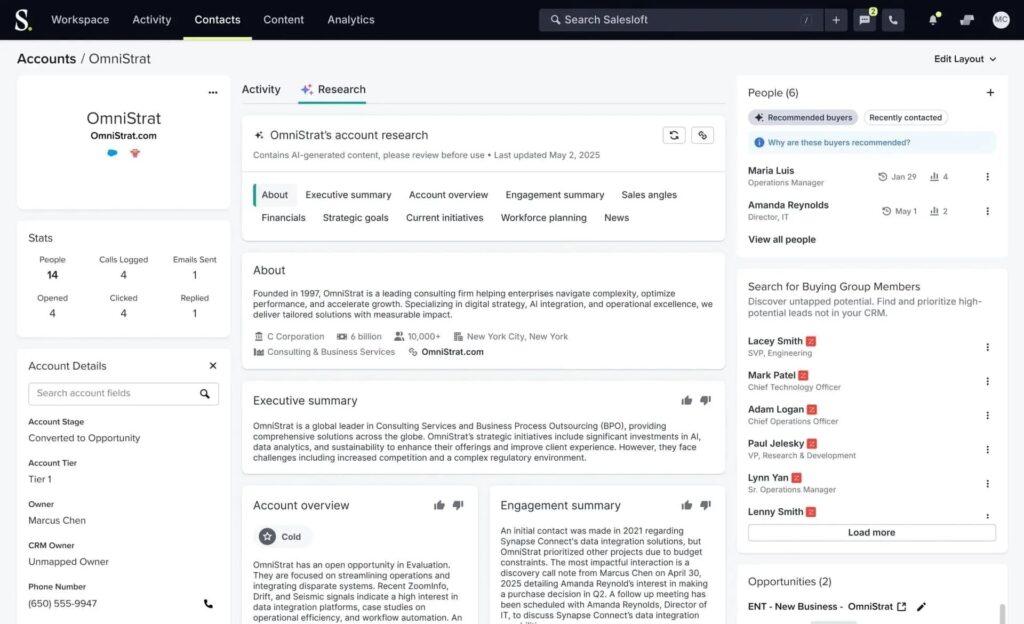
Salesloft covers similar ground to Outreach, with prioritization as its distinguishing bet. Its Rhythm layer ranks what each rep should do next across their accounts, which addresses the failure mode where a rep with 60 open accounts works whichever one they saw most recently.
Best for: Larger SDR and AE teams where prioritization, not effort, is the constraint.
Key AI features
- Rhythm – Next-best-action scoring that ranks accounts and tasks for each rep daily.
- Conversations – Call capture and analysis feeding coaching and deal-risk flags.
- Cadence optimisation – Multi-touch sequences measured against pipeline outcomes.
Pros
- Rhythm addresses prioritization directly, which is where follow-ups slip.
- Managers get visibility into what is working without relying on rep self-reporting.
Cons
- Quote-only pricing with three unnamed tiers, so budgeting requires a sales conversation.
- Value concentrates in larger teams. A four-person team will not recover the cost.
Pricing: Quote only, no free plan. Three tiers are published without prices, and the page routes to a 15-minute intro call.
Integrations: Salesforce, LinkedIn Sales Navigator, Gmail and Outlook via Salesloft Connect, plus an App Directory.
G2 rating: 4.5/5 from 4,287 reviews.
Why choose it: Rhythm is the clearest answer on this list to the question of which account a rep should touch next.
14. Seamless
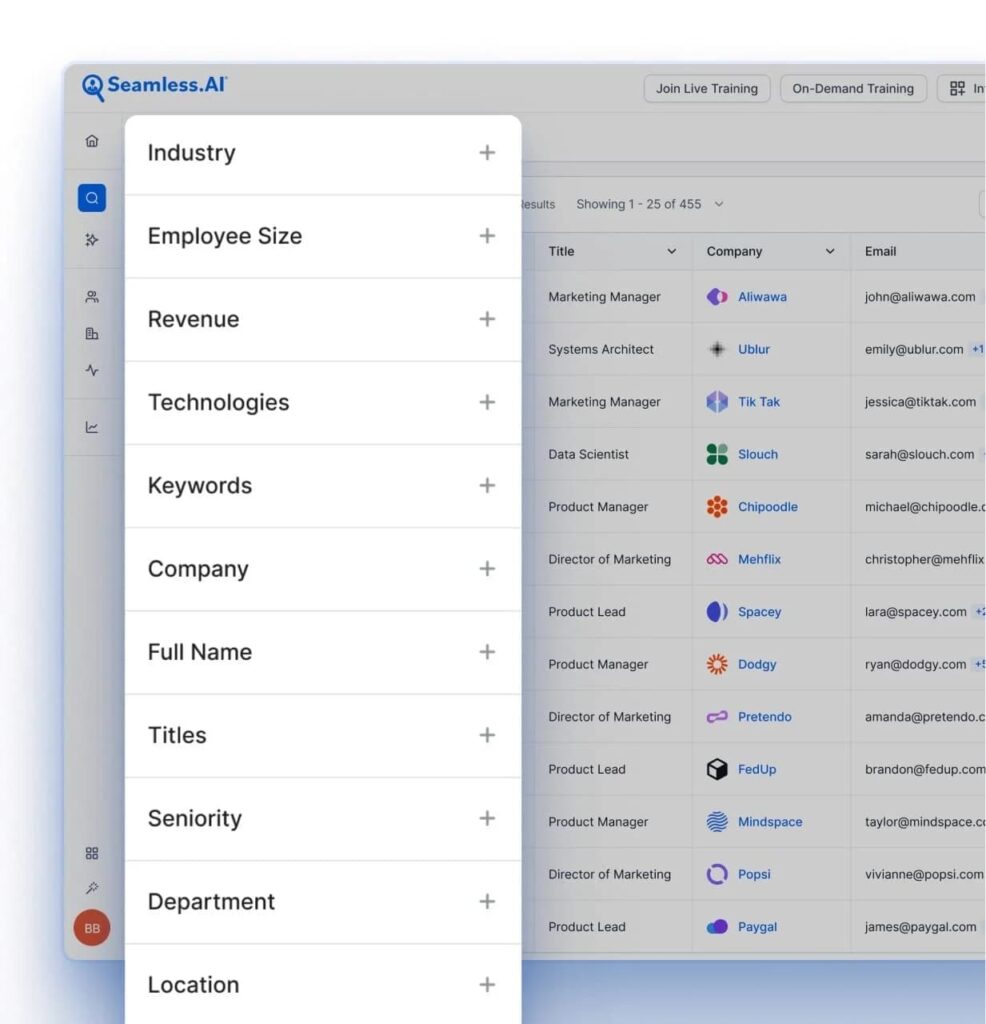
Seamless.AI treats its database as a live search engine rather than a static file. Records are researched and verified at the moment you query, which suits teams whose bottleneck is finding an accurate number today.
Its Chrome extension is the primary surface, working across LinkedIn and Sales Navigator so reps enrich while they prospect.
Best for: SDR teams needing verified contacts and direct dials at speed.
Key AI features
- Prospector – AI-driven email discovery with verification built into the search.
- Buyer intent and job changes – Signal modules that surface a reason to reach out now.
- Autopilot list building – Automated list construction against a defined ICP.
Pros
- The find-enrich-export loop is fast for reps who live inside LinkedIn.
- Intent and job-change modules push it past being a pure database.
Cons
- No published pricing on paid tiers, and reviewers consistently flag the annual commitment.
- Verification quality is uneven, so a portion of credits gets spent on records that do not hold up.
Pricing: Free plan with 50 credits for a single user. Pro and Enterprise are quote only, sold per user with annual credit packages.
Integrations: Chrome extension across LinkedIn and Sales Navigator with CRM export. Seamless publishes no integrations directory, so confirm your specific CRM with their team.
G2 rating: 4.4/5 from 5,356 reviews.
Why choose it: Real-time verification at the moment of prospecting beats a database refreshed on someone else’s schedule.
15. 6sense
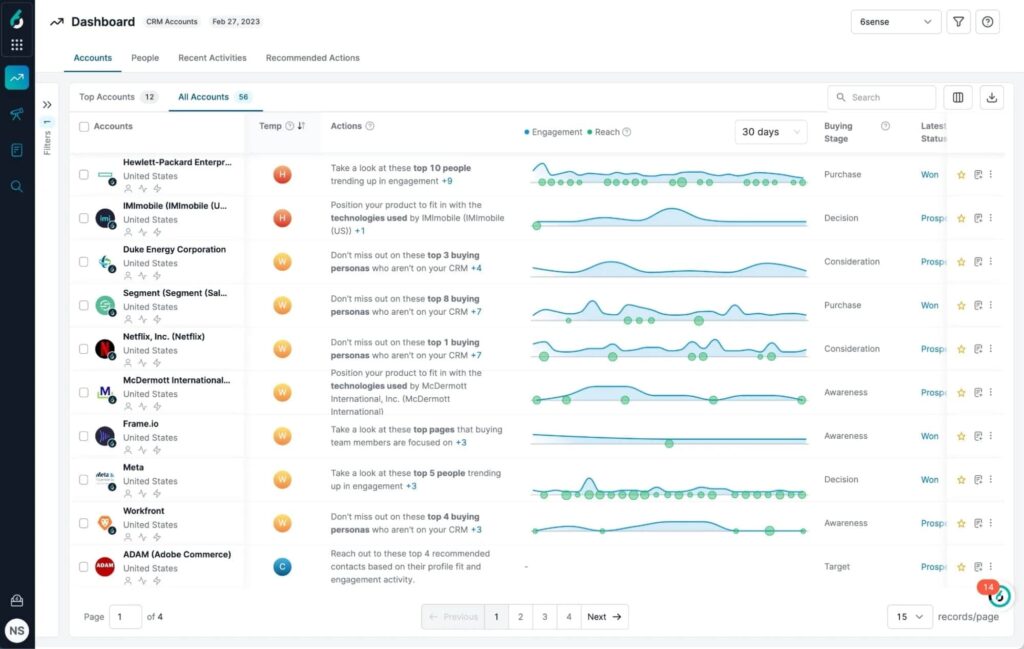
6sense reads anonymous research activity across the web, matches it to accounts, and places each one into a buying stage with a predicted timeline.
For enterprise ABM, where committees are large and timing decides everything, that prediction is the product. For a ten-person team selling a $500-per-month tool, it is far more machinery than the motion needs.
Best for: Enterprise GTM teams running ABM with aligned sales and marketing.
Key AI features
- Buying-stage prediction – Accounts scored by in-market probability and placed on a journey stage.
- Anonymous intent resolution – De-anonymized research activity matched to accounts before they visit your site.
- Committee mapping – Identification of the buying group inside each prioritized account.
Pros
- It changes who gets targeted and when, which few software in this list genuinely do.
- Wasted sequences on accounts with no current need drop noticeably.
Cons
- Enterprise pricing and an enterprise implementation timeline. This is a quarter-long rollout.
- Predictions need volume to calibrate, and small territories produce noisy scores.
Pricing: Quote only, no free plan. Three editions combine Sales Intelligence, Data Credits and Predictive AI in different mixes. Online content estimates anywhere from $35,000 to $130,000+ annually, depending on features and requirements.
Integrations: Salesforce, HubSpot CRM, Outreach and Salesloft, plus Bombora and G2 for intent and review data.
G2 rating: 3.9/5 from 1,046 reviews.
Why choose it: It answers when to reach out with more evidence than any other software on this list, if you have the deal size to justify it.
16. Dealfront
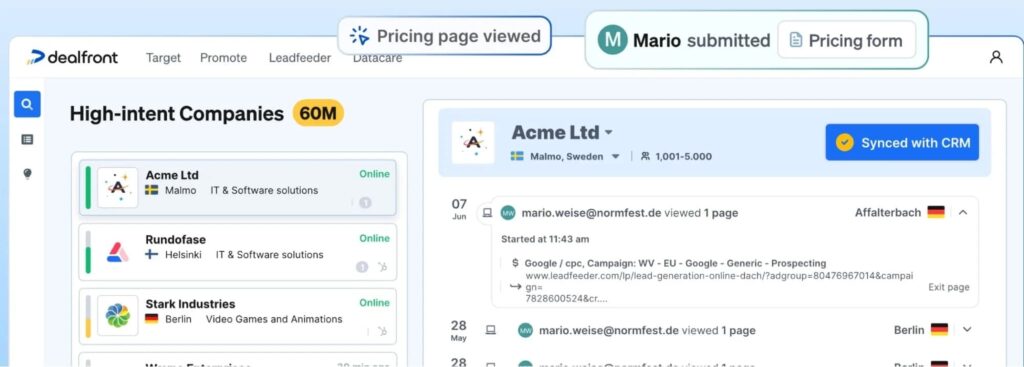
Dealfront, which absorbed Leadfeeder, identifies the companies visiting your website and what they looked at. A prospect reading your pricing page three times this week is a stronger signal than anything a database can tell you, and it costs nothing extra to generate.
Best for: Teams already driving meaningful traffic through SEO, ads or partnerships.
Key AI features
- Visitor identification – Companies resolved from anonymous traffic, with page-level detail.
- Target-account alerts – Real-time email notifications when a named account visits.
- Contact discovery – Decision-maker names, titles, emails and direct dials inside visiting accounts.
Pros
- The signal is first-party, so it needs no vendor’s intent model to be trustworthy.
- The free tier is genuinely usable for testing whether your traffic justifies the paid plan.
Cons
- Identification resolves companies rather than individuals, so the person still has to be inferred.
- Its G2 listing was reset after the Leadfeeder merger, so there is no current rating to check it against.
Pricing: Free Lite plan, free forever, covering a 7-day visitor history and the last 100 companies per month. Paid plans start at EUR 113/month (about $130) for Discover, dropping to EUR 79 (about $91) on annual billing, which saves 30%. Activate runs EUR 527/month and Scale EUR 599, annual only. Every paid plan includes a 14-day trial.
Integrations: Salesforce, HubSpot, Pipedrive, Zoho and Zapier.
G2 rating: Not currently rated. The listing was reset after the merger.
Why choose it: Traffic you already paid for becomes an outbound queue, which is the cheapest intent signal available.
17. Make
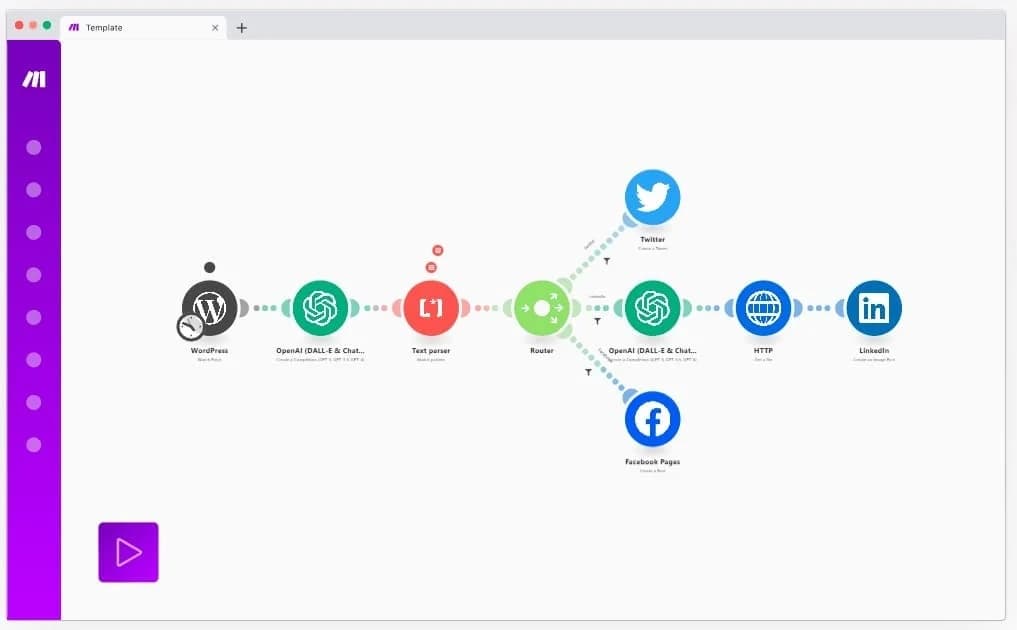
Make is the connective tissue. When a signal fires in one tool, a contact needs enriching in a second, and a sequence needs launching in a third, Make routes it without anyone touching a CSV. It is what stops a four-tool stack from generating manual work faster than it generates pipeline.
Best for: RevOps teams wiring several ai lead generation software into one motion without engineering support.
Key AI features
- AI modules – 350-plus AI apps callable inside a workflow for classification, drafting and extraction.
- Trigger-based automation – New lead, enrich, score, route, notify, executed as one chain.
- Error handling – Retries and fallbacks so a failed enrichment does not silently drop a lead.
Pros
- Scattered tools become one repeatable motion without engineering time.
- Handoffs stop being the place leads quietly disappear.
Cons
- Credits are consumed per module action, so a busy scenario burns a tier faster than expected.
- Someone has to own the scenarios. Unmaintained automations break quietly.
Pricing: Free plan with 1,000 credits per month. From $10.59/month (Core) and $18.82 (Pro) at 10,000 credits, dropping to $9 and $16 annually.
Integrations: 3,000-plus apps, including every CRM and outreach tool in this list, plus HTTP and webhooks. Its directory lists 3,542.
G2 rating: 4.6/5 from 333 reviews.
Why choose it: It is the cheapest line item in the stack and the one that stops the other five from creating work.
Which AI lead generation software is best for your business?
The shortlist changes with the motion. Six common situations, and what fits each:
Best for outbound sales
Clay plus Expandi if budget allows for it. The split matters because all-in-one platforms trade depth for consolidation, and outbound teams feel that trade first in data accuracy.
Our guide to outbound lead generation covers how the pieces fit before you buy any of them.
Best for LinkedIn outreach
Expandi. When connection requests, DMs and follow-ups drive pipeline, you need branching sequences and account safety controls ahead of another database.
Our State of LinkedIn Outreach H1 2026 report, built on 70,130 campaigns, put average LinkedIn DM reply rates at 10.3% against 5.1% for cold email.
Best for SDR teams
Lavender and Gong when targeting works and conversion lags, Salesloft when prioritization is the problem. Adding data volume to a team that already has enough names makes the real bottleneck worse.
Best for enterprise
6sense with ZoomInfo underneath, and Outreach or Salesloft for execution. This assumes procurement runway, an implementation team and enough deal volume to calibrate predictive models.
Best for startups
Surfe for data, Expandi for outreach, Make to connect them. Total spend lands under $250 per month, the realistic budget before a first sales hire.
Best for agencies
Smartlead and Expandi for multi-client execution, Clay for enrichment. Client separation, permissions and per-client reporting matter more than any single AI feature, and all three handle workspaces properly.
How to build an AI-powered lead generation workflow
Software does not produce pipeline. Sequenced correctly, they produce a motion that runs daily without anyone deciding what to do next. Seven steps, and the tool category that owns each:
- Find prospects. Pull the account list from a database or a signal source, filtered to your ICP.
- Enrich data. Resolve the decision-maker, work email, direct dial and company context behind each record.
- Prioritise leads. Score against fit and buying signals, and drop anything failing the test before a rep sees it.
- Generate personalised messaging. Draft the opening line from the trigger itself, so the reason for reaching out is visible in the first sentence.
- Launch multichannel campaigns. Run LinkedIn and email touches that branch on what the prospect does next.
- Monitor engagement. Watch accepts, opens, replies and profile views as they come back, and route positive replies with the signal attached.
- Optimise using AI insights. Feed reply and conversion data back into scoring and sequencing so the next cycle targets better.
Rahul Lakhaney, founder of Enrich Labs, which supplies real-time people and company data to platforms building AI agents, described that loop in a GTM Society interview:
“A lot of the content that we post or a lot of content that is posted by our competitors, we look at the people who engage with that content, qualify those people and then use automation on LinkedIn to reach out to them.” – Rahul Lakhaney, Enrich Labs
That is the whole pattern in one sentence: a signal others ignore, a qualification step, then automated outreach carrying the context. More worked examples live in our guide to AI for lead generation, and the tooling options in our roundup of B2B prospecting tools.
Where does Expandi fit into AI lead generation?
Expandi owns steps five through seven. Upstream tools decide who deserves a message. Expandi runs the campaign and manages what comes back.
Here is the Clay to Expandi to CRM path, end to end:
- Clay enriches the list against a funding or hiring trigger and writes a personalized first line into a column.
- A webhook pushes the finished records into Expandi.
- A smart sequence views the profile, sends the connection request, then waits.
- The sequence branches into a LinkedIn message or an email follow-up, depending on whether the request was accepted.
- The AI Analyzer drafts the message variants and sorts incoming replies by sentiment.
- Positive replies sync to HubSpot, Pipedrive or Salesforce.
Four things keep that motion running past the first month:
- Campaign analytics report acceptance, reply and conversion rates per sequence step, so step seven optimises on real numbers.
- Workspaces carry per-client reporting with custom roles, so a client sees their own campaigns and nothing else.
- Each LinkedIn account runs from its own dedicated country-based IP with automatic warm-up, keeping activity consistent to the platform.
- Duplication prevention stops the same prospect being contacted twice across overlapping campaigns.
Benefits of using AI for lead generation
The gains concentrate in specific steps, leaving much of the funnel unchanged. Salesforce’s 2026 State of Sales report, based on a survey of 4,050 sales professionals, quantifies most of them.
Time savings
Sellers expect AI agents to cut prospect research time by 34% and email drafting by 36% once fully implemented. Research is the step where reps spend hours producing something a model assembles in seconds, which is why it moves first.
Better personalisation
Enrichment plus generation means the reason for outreach can be specific at volume. McKinsey puts the commercial value of getting this right at a 5% to 15% revenue lift, with acquisition costs falling by as much as 50%.
Improved reply rates
Relevance beats volume, and channel choice compounds it.
Per our 2026 data, LinkedIn DMs reply at 10.3% against 5.1% for cold email, and the platform-wide LinkedIn message average sits at 10.4%. The campaigns at the top of that range are the ones triggered by a signal rather than a list refresh.
Higher productivity
High performers, defined as sellers who substantially grew year-over-year revenue, are 1.7 times more likely to use prospecting agents than sellers whose revenue stayed flat or fell. Per McKinsey, faster-growing companies also draw 40% more of their revenue from personalisation than slower-growing ones.
Reduced manual work
Per Salesforce’s 2026 data, 48% of reps say they lack the bandwidth for adequate cold outreach despite spending close to a full day each week on prospecting. AI closes that gap by absorbing the research and drafting layers.
More consistent prospecting
Sequencing removes the human variable that breaks outbound: follow-ups that get skipped when the week gets busy. Branching logic keeps a campaign running to its end state whether or not anyone is watching.
Outreach that scales without more headcount
87% of sales organizations now use AI somewhere in prospecting, forecasting, lead scoring or drafting, and 55% apply it to prospecting specifically. Running fully manual outbound means competing against teams working from a shorter, better-qualified list.
Limitations of AI lead generation
Every software in this list has a failure mode, and the vendors are quiet about them. Six are worth planning around.
Data quality
An enriched record is only as good as the providers behind it. Waterfall enrichment raises fill rates by querying more sources, and it also means a wrong answer from provider four ships as confidently as a right answer from provider one.
Benjamin Douablin, CEO and co-founder of FullEnrich, a data enrichment platform aggregating more than 20 premium vendors, explained how his team handles that in a GTM Society interview:
“We aggregate 20 plus premium data vendors… we add on top of that some data quality layers to make sure that the emails are good, they do not bounce, they are not catch-all, and the mobile phone number pick up when you call them.” – Benjamin Douablin, FullEnrich
When evaluating an enrichment vendor, ask what happens after a field resolves, not how many sources it queries.
Hallucinations
Research agents that read the open web will confidently return something for every row, including rows where the answer was not there. A generated first line citing a funding round that never happened does more damage than no personalisation at all. Spot-check a sample of any AI-generated field before it reaches a sequence.
Compliance
GDPR, CAN-SPAM and regional Do-Not-Call rules apply identically whether a human or a model composed the message, and volume raises exposure. Call recording consent varies by jurisdiction, scraped data carries lawful-basis questions in the EU, and LinkedIn’s limits are enforced per account regardless of the tool sending.
Over-automation
Per Salesforce’s 2026 data, 51% of sales leaders using AI say disconnected systems are slowing their initiatives, and 74% are running data-cleansing work to compensate. A stack of five tools that do not talk to each other produces the same manual work it was bought to remove.
Loss of authenticity
Gartner surveyed 645 B2B buyers and found 69% turn to sales reps to validate AI-generated insights. More pointedly, 51% said they are more likely to encounter misleading information from generative AI, against 49% who said the same about a sales rep. Buyers have priced in that AI-generated claims need checking.
Human oversight
None of the above is an argument against AI lead generation. It is an argument for a person owning the output: reviewing a sample of enriched records, reading the generated copy before it ships, and watching bounce and complaint rates as volume climbs. Practically, verify your data vendor’s lawful basis, keep sending inside platform limits, and keep a human reviewing what goes out at scale.
8 considerations to choose the right AI lead generation software
Once the shortlist is down to three or four candidates, these eight factors decide it. Work them in order, because the early answers eliminate more options than the late ones:
- Team size. Sales engagement platforms need roughly ten reps to justify the process overhead. Below that, a sequencer and a data source cover it.
- Sales process. Match the tool to where pipeline stalls. A data tool will not fix a conversion problem, and conversation intelligence will not fill an empty funnel.
- Budget. Add credits, seats, onboarding fees and add-ons before comparing. HubSpot’s $1,500 Professional onboarding and Smartlead’s verification add-ons both sit outside the headline price.
- Integrations. Native CRM connections beat webhooks. If the answer is “through Zapier,” budget for the automation layer as well.
- AI maturity. Clay and Make repay a team with someone who enjoys building systems, and quietly decay without one. Buy for the team you have.
- Data quality. Ask about coverage in your specific territory and the verification method, not the total record count. Every vendor is strong somewhere and thin elsewhere.
- Automation needs. Decide whether you want the software to execute or to recommend. Intent platforms recommend and sequencers execute. Conflating the two is how teams buy a $30,000 product that sends nothing.
- Compliance. EU and UK teams need a documented lawful basis and DNC screening, which narrows the vendor list fast and is cheaper to check before signing than after.
Score each candidate against those eight before booking a demo. Vendors sell on capability, and the constraint is almost always cost structure, integration depth or compliance instead.
Ready to give AI lead generation software a try?
The best AI lead generation software in 2026 owns one job properly and hand off cleanly to the next. Name the step where your pipeline stalls, buy the software that fixes that step, and connect it to what you already run before adding anything else. Selecting on business needs beats selecting on feature count, and the difference shows up in reply quality rather than activity volume.
If LinkedIn is where your buyers are, Expandi handles the execution half of that stack: branching sequences across LinkedIn and email, AI-drafted messages, sentiment-sorted replies and campaign analytics in one place.
Start your 7-day free trial and run a sequence against your own list.
Frequently asked questions
No single software is best for every team, because the category covers eight different jobs. Clay leads on enrichment, 6sense on account intent, and Expandi on LinkedIn outreach execution. The right answer depends on which step of your pipeline is currently the constraint.
Yes, though the useful framing is that AI finds and prioritizes leads rather than creating demand. It identifies accounts showing buying behavior, resolves contact details, ranks them by fit, and triggers outreach. Demand still has to exist for AI to surface it.
For teams already running consistent outbound, yes. The measurable gains land in research time and prioritization, not in message volume. For teams without a defined ICP or a working offer, AI accelerates a broken motion and makes the problem visible faster.
Accuracy varies by data type and region. Work email verification is reliable, mobile numbers less so, and coverage outside North America and Western Europe is thinner across every vendor. Assume a portion of any enriched list will be wrong and check bounce rates before scaling a campaign.
Expandi automates LinkedIn connection requests, messages and follow-ups from the cloud with sequences that branch on prospect behavior. Surfe reveals contact data on LinkedIn profiles and pushes it to a CRM. Seamless.AI and Cognism both run Chrome extensions across LinkedIn and Sales Navigator for contact discovery.
Not at present. AI removes research, list building and drafting from the SDR role, which changes what the job involves without eliminating it. Gartner’s 2026 buyer research found buyers still turn to human reps to validate AI-generated information at the decisive points in a purchase.
Entry-level outreach and workflow software run between roughly $10 and $185 per month. Published contact-database pricing runs from about $49 to $99 per seat per month, and the enterprise vendors quote privately. Account intent platforms start in the low thousands per month, and enterprise data vendors quote privately on annual contracts.



You’ve made it all the way down here, take the final step