PhantomBuster Review 2026: Pricing, Limits, and Who It’s Really For


In this PhantomBuster review, I tested the tool myself, ran its LinkedIn Phantoms and automations on a real, new account, worked through its help center and pricing docs, and read what users say on G2, Capterra, and Trustpilot.
PhantomBuster automates 15+ platforms. I focused my testing on LinkedIn, since that’s where its outreach features and automations live.
My verdict: it’s one of the most flexible list-building tools you can buy, and it does its best work feeding a dedicated outreach platform.
Here’s what I’ll cover:
- Where PhantomBuster shines and where it gets in the way.
- What 1,000 LinkedIn leads cost in hours, credits, and plan tiers.
- Each LinkedIn feature, with the limits PhantomBuster publishes.
- How safe it is for your LinkedIn account, and what reviewers report.
- When to pair it with an outreach tool, and the alternatives if it doesn’t fit.
PhantomBuster at a glance
- What it is: PhantomBuster is a cloud automation platform that extracts, enriches and acts on data from LinkedIn, Sales Navigator and 15+ other platforms.
- Best for: growth marketers, GTM engineers and agencies building lead lists to feed other tools.
- Price: from $69 per month on the Start plan, or $56 per month billed annually. Plans are priced per workspace, with unlimited users.
- Free trial: 14 days with no card, then an ongoing Free plan with 30 minutes of execution time a month.
- Ratings on September, 2026: G2 4.4/5 (138 reviews), Capterra 4.5/5 (64 reviews), Trustpilot 3.3/5 (113 reviews).
- My verdict: excellent at building lists, workable for simple LinkedIn sequences, strongest when paired with a dedicated outreach platform.
- Expandi picks up where the list ends: import a PhantomBuster CSV into a Campaign Builder sequence and let Signals keep adding warm leads.
PhantomBuster pros and cons
PhantomBuster is a cloud-based automation platform that runs pre-built scripts called Phantoms, and ready-made chains of Phantoms called Workflows, to extract data and automate actions on LinkedIn, Sales Navigator, Instagram, X, Google Maps, and other sites.
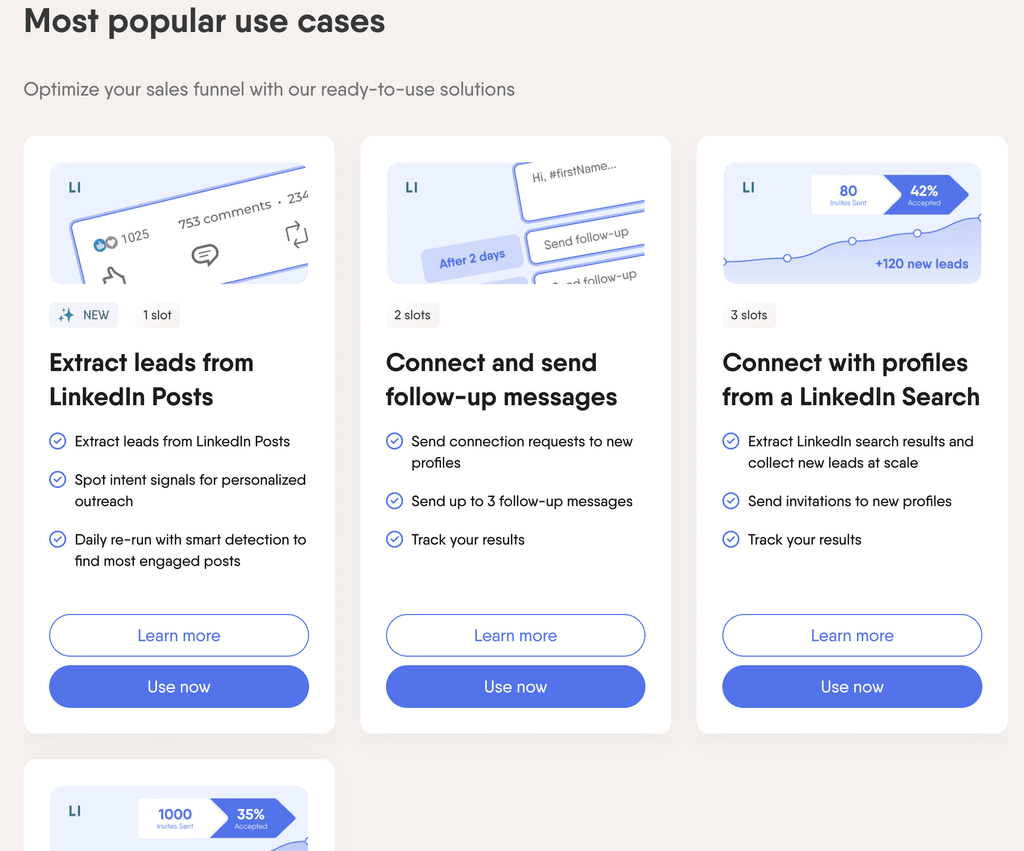
Its strengths are breadth and flexibility. Its weak spots are quota management and running outreach at team scale.
Phantoms run on PhantomBuster’s servers, so your browser can stay closed once a run starts. The Chrome extension is an optional add-on.
The extension connects your LinkedIn session in one click, shows contact details on any profile you open and launches campaigns from that profile, and those launches count toward your slots like any other run.
Here’s where PhantomBuster earns its reputation:
- Breadth: 100+ automations across 15+ platforms, from LinkedIn search exports to Google Maps and Reddit.
- No-code setup: each Phantom is a form with an input, a few settings, and a launch schedule.
- Workspace pricing: unlimited users on every plan, with up to 100 members per workspace.
- API on every plan, plus an MCP server that runs Phantoms from Claude or ChatGPT.
- Native HubSpot, Salesforce and Pipedrive connections, plus Zapier, Make, n8n, and Clay.
- Email discovery runs through a waterfall of 20+ data sources by default.
Here’s where PhantomBuster falls short:
- Four credit pools sit on top of execution time and slots, all shared across the workspace.
- Unused hours and credits reset every billing cycle with no rollover.
- Email credits are charged per attempt, whether or not an email turns up.
- LinkedIn session cookies expire, and each disconnect needs a refresh.
- Outreach runs campaign by campaign, with reply tracking in a dashboard and no shared team inbox.
- Execution time and slots have no mid-cycle top-ups.
PhantomBuster by the numbers: what 1,000 LinkedIn leads cost
To see how the quotas play out in practice, I priced one example job on the Start plan:
- Find 1,000 LinkedIn leads.
- Scrape their profiles.
- Look up their emails.
- Draft AI first lines.
- Send connection requests.
The job fits inside 20 execution hours, but it needs twice the Start plan’s 500 email credits. That gap, more than hours or slots, decides which plan you need.
To size it, I took the run-time estimates PhantomBuster publishes on each Phantom’s help page and checked them against the quotas on its pricing page.
| Task | PhantomBuster’s estimate | For 1,000 leads | Quota it draws on |
|---|---|---|---|
| Search export (LinkedIn Search Export) | About 12 seconds per page of results | A few minutes | Execution time, 1,000 results a day on most accounts |
| Profile scraping (LinkedIn Profile Scraper) | About 30 minutes per 1,000 profiles | About 30 minutes | Execution time, 1,500 profiles a day ceiling |
| Email discovery (Professional Email Finder) | About 3 minutes per 10 people | About 5 hours | 1,000 email credits, one per attempt |
| AI first lines (AI LinkedIn Message Writer) | About 10 seconds per query | About 2.8 hours | AI credits, scaled by model |
| Connection requests (LinkedIn Auto Connect) | 30 seconds to 1 minute per profile | About 3.3 to 6.7 hours for 400 invites | Execution time, 100 invites a week ceiling |
Three things stand out from the math.
- Execution time is the loosest limit here: roughly 12 to 15 hours of the Start plan’s 20.
- Email credits bind first: 1,000 attempts against the Start plan’s 500.
- LinkedIn’s weekly invite ceiling sets the pace: 1,000 leads take about 10 weeks at 100 invites a week.
On the Start plan, email credits alone work out to about $0.14 per attempt ($69 for 500).
On Grow, 2,500 attempts for $159 bring that down to about $0.06, before any failed lookups. Every figure above is PhantomBuster’s estimate, and real runs shift with page loads, retries, and the size of each search.
PhantomBuster’s LinkedIn features and their limits
PhantomBuster automates 15+ platforms, from LinkedIn to Google Maps and Reddit.
For LinkedIn prospecting, these are the Phantoms that matter, each with its own daily or weekly ceiling. Other platforms get a short rundown at the end.
LinkedIn and Sales Navigator search export
LinkedIn Search Export and Sales Navigator Search Export turn a search URL into a spreadsheet of profiles.
PhantomBuster’s rate limits page caps exports at 1,000 results a day for most accounts and 2,500 for frequently used Premium or Advanced Sales Navigator accounts.
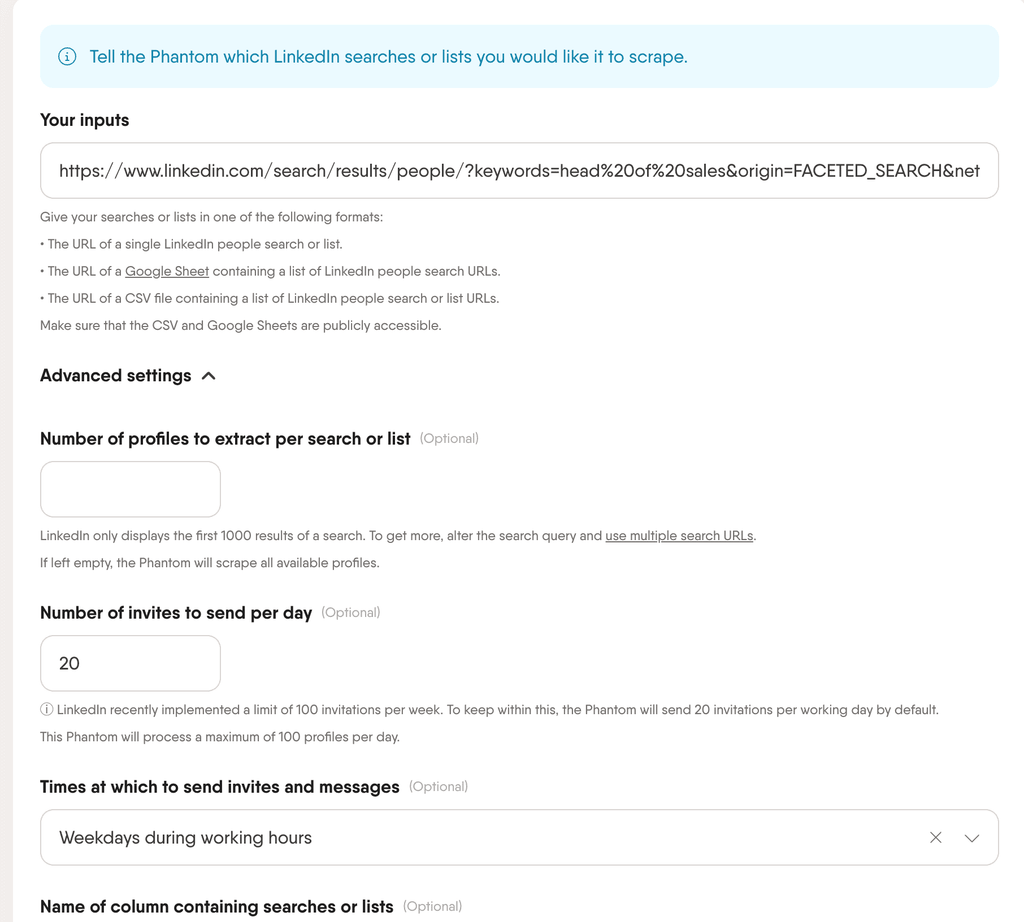
PhantomBuster also lets you connect several LinkedIn accounts inside one export Phantom, and says one Phantom with five accounts uses a single slot.
Pro tip: LinkedIn shows only the first 1,000 results of a search (2,500 in Sales Navigator), so split big searches into narrower ones. Slice by region, company headcount, or seniority in Sales Navigator, paste each search URL into a Google Sheet, and let one Phantom work through them all. Our guide on how to use Sales Navigator covers the filters worth stacking.
The source of a list matters less than its fit, though.
Across nearly 11,000 campaigns and 2.2 million contacted prospects in our State of LinkedIn Outreach H2 2026 report, CSV-imported lists accepted at 18.5% against 19.8% for Sales Navigator searches, and reply rates came out a dead heat.
A well-built PhantomBuster export holds its own once it’s in a campaign.
Profile scraping and email enrichment
The LinkedIn Profile Scraper pulls job history, company, and contact fields from a list of profile URLs, and PhantomBuster rates it at about 30 minutes per 1,000 leads with a ceiling of 1,500 profiles a day.
The Professional Email Finder then looks for work emails, and PhantomBuster’s own wording on credits is plain: one credit equals one attempt to find and verify an email for one profile.
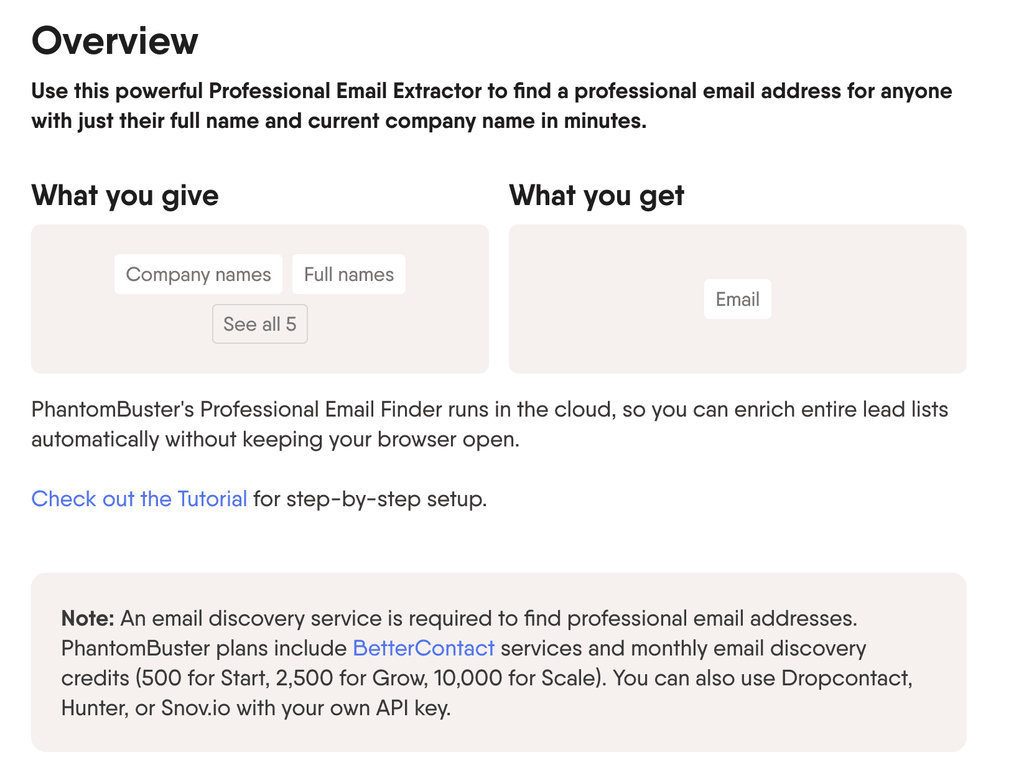
By default, the Email Finder runs on BetterContact’s waterfall, which queries 20+ sources.
PhantomBuster reports 76% valid emails in its own benchmark of 2.8 million contacts, a vendor figure worth checking against your own market.
Pro tip: qualify rows before you enrich them, because every attempt spends a credit. PhantomBuster also tells users to process half the usual LinkedIn limits when email discovery runs, since the automation opens two pages per profile. For the wider picture on waterfalls and data sources, see our guide to B2B data enrichment.
Post likers and commenters export
The Post Likers Export and Post Commenters Export Phantoms turn a single LinkedIn post into a lead list of everyone who reacted or commented, at 2,500 to 10,000 profiles a day.
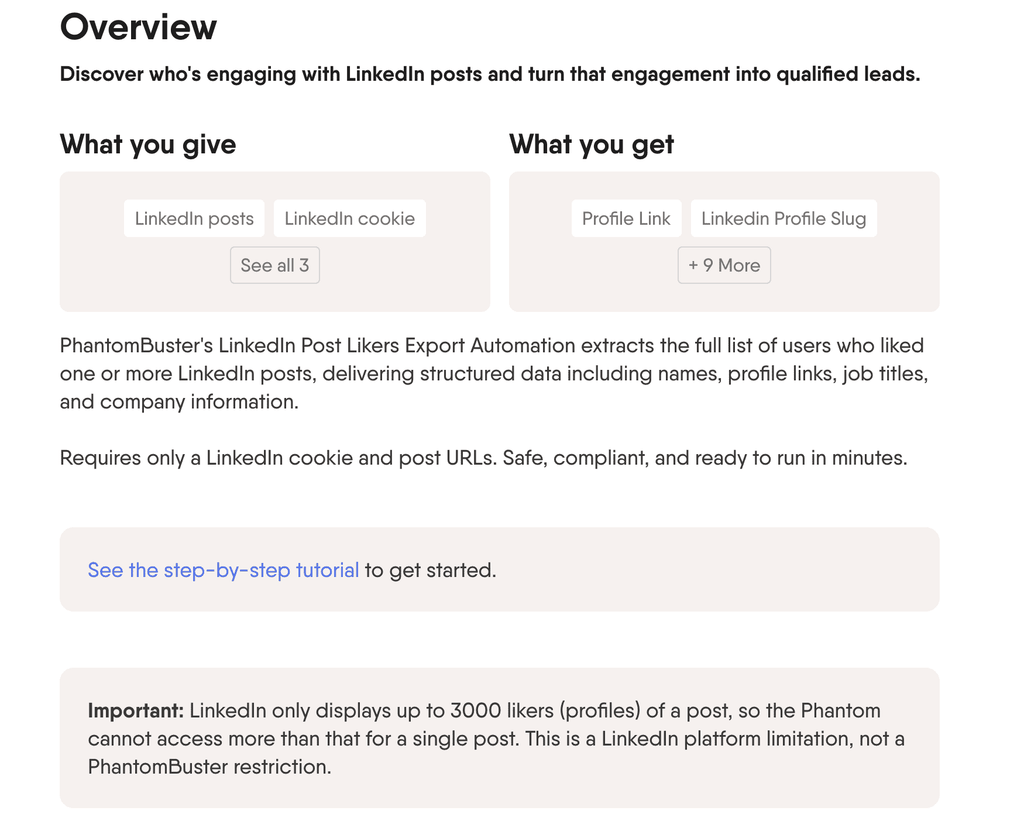
PhantomBuster also packages this as a ready-made Workflow that exports post engagers, scrapes their profiles and sends them to your CRM.
Engagement-based lists earn the setup time.
In our State of LinkedIn Outreach H1 2026 report, campaigns built on profile visitors replied at 13.4% and event attendee campaigns at 14.21%, against a 10.3% average across LinkedIn DMs. People who just engaged with a topic are easier to start a conversation with.
The single-run export Phantoms capture a post’s engagers at one moment, and PhantomBuster’s newer Extract leads from LinkedIn Posts workflow can re-run daily to catch new ones. Either way, the result is a list you still have to move into an outreach tool.
Expandi covers the same ground inside the campaign.
A Post Engagement URL lead list pulls everyone who reacted to or commented on a post, up to about 2,500 to 3,000 leads per post.
The post engagement signal in Expandi’s signal-based campaigns goes further: new engagers join a running campaign about every 24 hours, on a free LinkedIn account, ready for the first message.
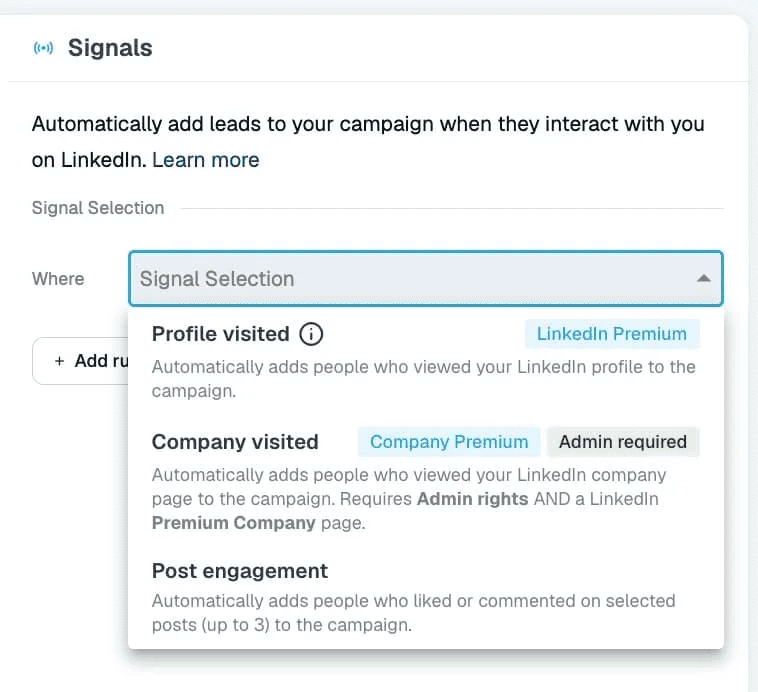
Stormbreaker shows what engagement targeting can build.
Founder Matt Cretzman credits post and group targeting as a core part of the agency’s client campaigns. Per our Stormbreaker case study, the agency reached $40k MRR in its first three months and more than $500k ARR in its first year, with some campaigns topping 80% connection acceptance.
Auto Connect, Message Sender and LinkedIn Outreach
PhantomBuster’s outreach Phantoms send connection requests and messages, and the LinkedIn Outreach Workflow chains them into a short sequence.
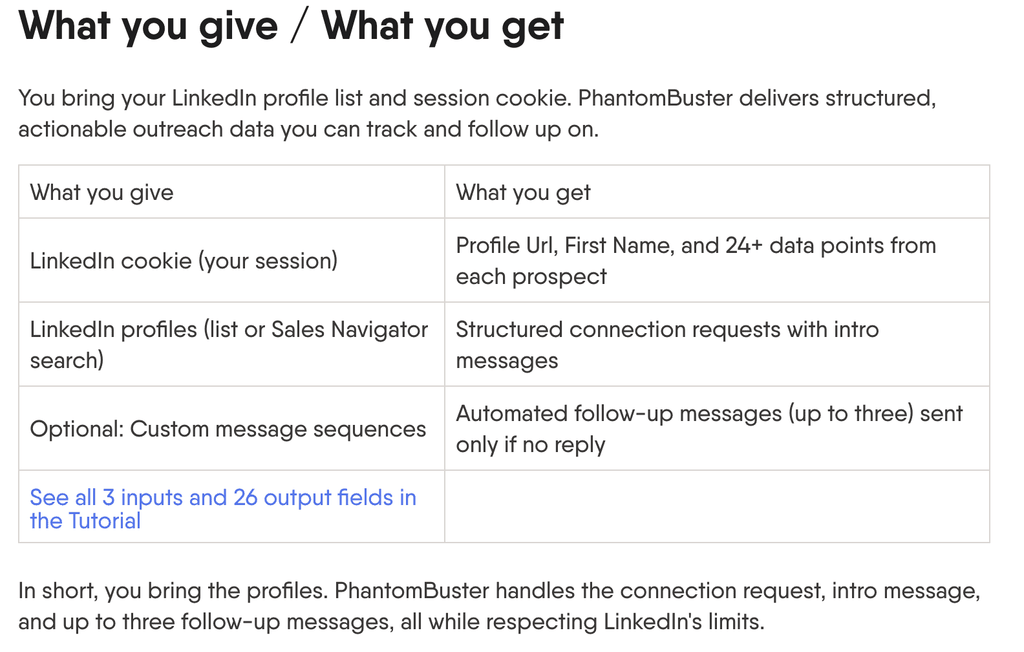
The LinkedIn Message Sender reaches 1st-degree connections and Open Profiles only, and the Sales Navigator Message Sender is the only Phantom that sends InMails, using your Sales Navigator InMail credits.
The LinkedIn Outreach Workflow sends a connection request, then up to three follow-ups.
Each follow-up goes out only if the person accepted and hasn’t replied, and a dashboard tracks invited, accepted, follow-up sent and replied leads. Replies themselves land in your regular LinkedIn inbox, so a team working several accounts reads them account by account.
Pro tip: use all three follow-up slots and stop there. Per our H2 2026 data, three-message campaigns replied at 9.8%, and five or more messages dropped to 5.0%, below a single message. Our guide to LinkedIn message automation covers how to space and write each step.
PhantomBuster Workflows for multi-step automation
Workflows are PhantomBuster’s ready-made chains of Phantoms, such as extracting leads from a LinkedIn post or connecting with Sales Navigator leads.
PhantomBuster lists them on its outbound workflows page, and they’re the fastest way to launch a common play without wiring Phantoms together yourself.
Workflows need hands-on attention in three places:
- Slots: each Workflow uses one, two or more slots, so the Start plan’s five fill quickly.
- Inputs: CSV upload as an input works on paid plans only.
- Sessions: a Workflow stops when LinkedIn expires your session cookie, until you reconnect it.
AI LinkedIn Message Writer
The AI LinkedIn Message Writer generates a personalized line for each profile using GPT models (GPT-4o Mini by default) and a prompt you write.
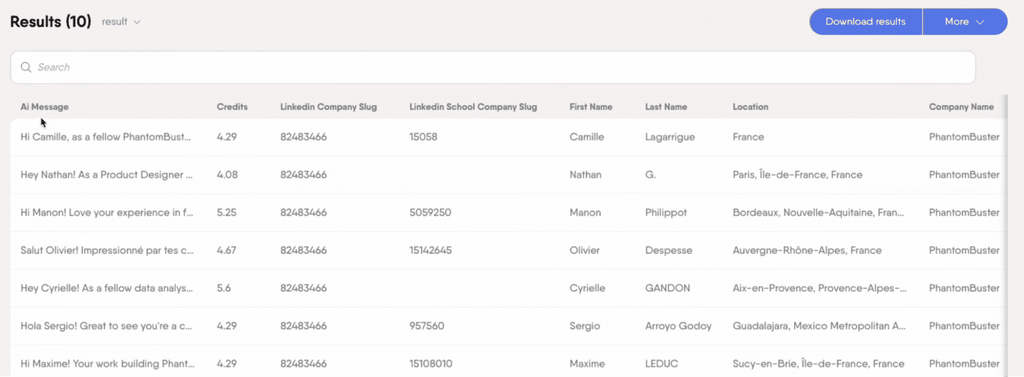
The output lands in an ai_message column you can drop into the Message Sender or LinkedIn Outreach, and each query spends AI credits based on the model.
Treat the output as a first draft.
In our H2 2026 data, AI-generated messages were accepted about 12% less than human-written templates from the same accounts, with reply rates flat, across 118 campaigns from 73 accounts.
That holds for every tool with an AI writer, ours included. For prompts and workflows that hold up, see our guide to using AI for lead generation.
Integrations, API and MCP
PhantomBuster connects natively to HubSpot, Salesforce and Pipedrive, and to thousands of other tools through Zapier, Make and n8n, per its integrations page.
Enrichment partners include Clay, BetterContact, Hunter, Snov.io and Dropcontact.
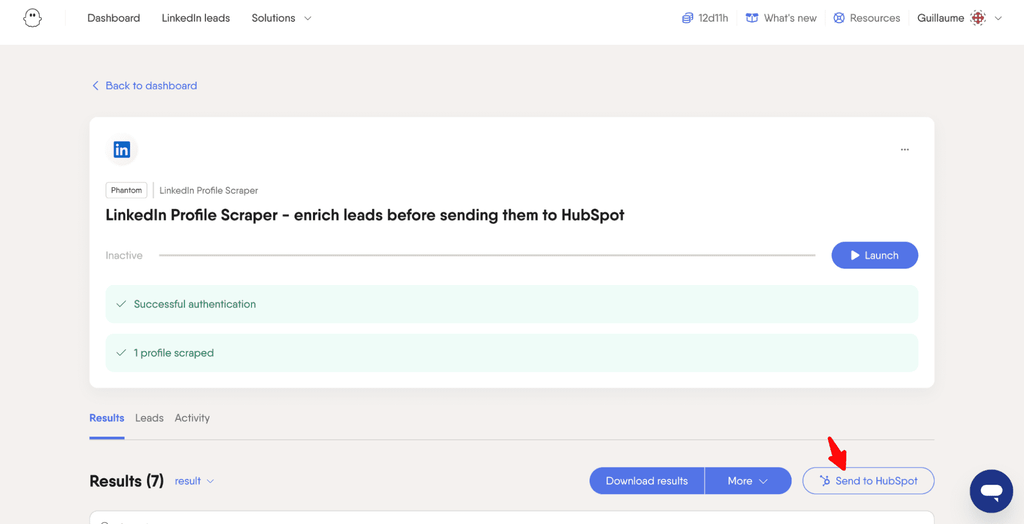
API access comes with every plan, and PhantomBuster’s product updates added a synchronous API endpoint and an MCP server in 2026, so you can trigger Phantoms from Claude, ChatGPT, or your own agent.
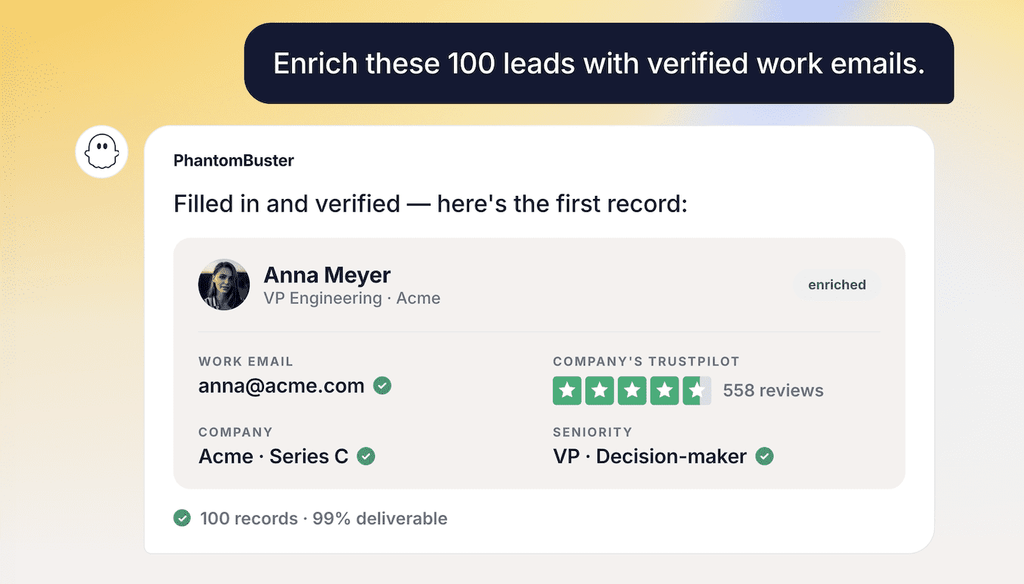
On the trial and Free plan, exports and API output stop at 10 rows.
Beyond LinkedIn: Google Maps, Instagram, X, and Reddit
PhantomBuster’s reach beyond LinkedIn is the main reason to choose it over a LinkedIn-only tool.
The Phantom store also covers:
- Google Maps.
- Instagram.
- X.
- Facebook.
- YouTube.
- Reddit.
- GitHub
- And many others.
That puts local-business prospecting and community research within reach of the same account.
How much does PhantomBuster cost in 2026?
PhantomBuster has three paid plans, plus a trial and a Free plan:
- Trial (14 days, no card): every feature unlocked, with room for 5 Phantoms on your dashboard at a time (a multi-step Workflow takes 1 to 3 of those slots), 2 hours of execution time in total, 50 email credits and 1,000 AI credits. Exports are capped at 10 rows.
- Free (after the trial): 30 minutes of execution time a month and 1 slot, with no email, AI or URL finder credits and the same 10-row export cap. It’s enough for an occasional one-off run.
- Start ($69/mo): solo users and small setups enriching up to about 500 contacts a month.
- Grow ($159/mo): freelancers and growing teams running several workflows at once, up to about 2,500 enriched contacts a month.
- Scale ($439/mo): agencies and power users running always-on automations, up to about 10,000 enriched contacts a month.
Annual billing cuts 20%: $56, $128, and $352 a month, charged upfront as $672, $1,536, and $4,224 a year, per PhantomBuster’s pricing page.
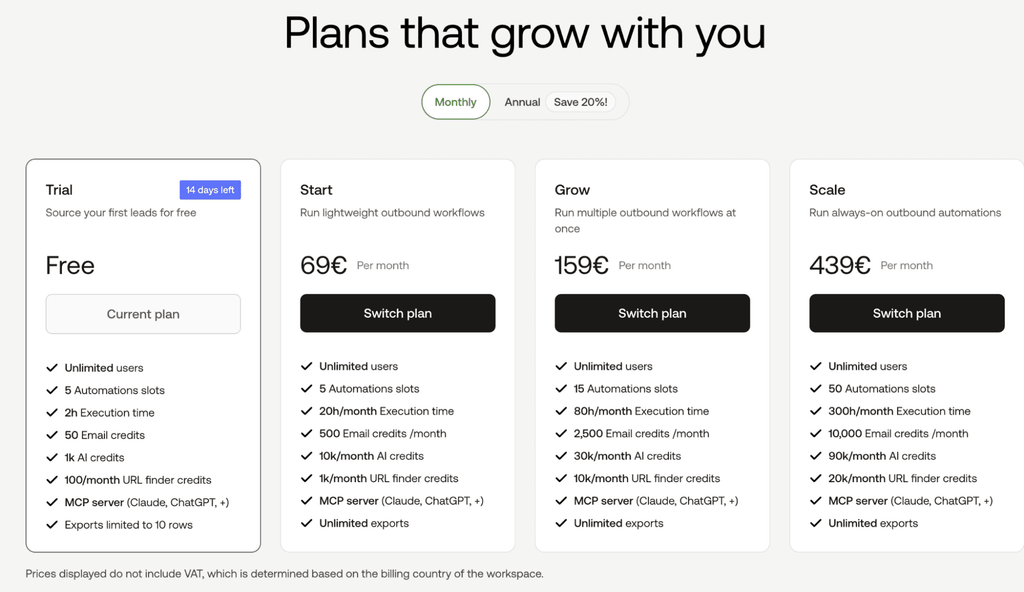
Prices exclude VAT. European accounts are billed the same numbers in euros, which costs a little more at current exchange rates. Every plan includes unlimited users and API access.
How slots, execution time, and credits work
Four resources shape every PhantomBuster plan:
- Slots: how many Phantoms can sit on your dashboard and run at once.
- Execution time: monthly run hours, shared across every Phantom in the workspace.
- Credit pools: email discovery, AI, URL finder, and CAPTCHA solving, each tracked separately.
- Workspace sharing: every member draws from the same pool of hours, slots, and credits.
All of it resets each billing cycle.
PhantomBuster’s pricing explainer confirms credits don’t roll over and says add-on credit packs are available, while execution time and slots have no mid-cycle top-ups.
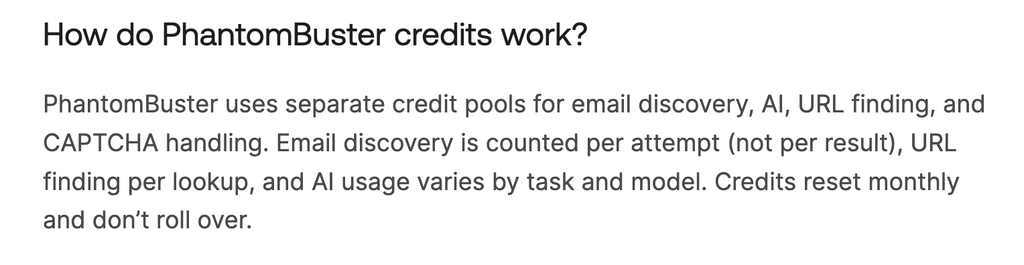
Run out of hours and your automations pause until the next cycle or an upgrade, with no automatic overage charge.
| Plan | Monthly | Annual (per month) | Execution time | Slots | Email credits | AI credits | URL finder |
|---|---|---|---|---|---|---|---|
| Trial (14 days) | $0 | n/a | 2 hours total | 5 | 50 total | 1,000 total | 100 |
| Free (after trial) | $0 | n/a | 30 minutes | 1 | None | None | None |
| Start | $69 | $56 | 20 hours | 5 | 500 | 10,000 | 1,000 |
| Grow | $159 | $128 | 80 hours | 15 | 2,500 | 30,000 | 10,000 |
| Scale | $439 | $352 | 300 hours | 50 | 10,000 | 90,000 | 20,000 |
Three triggers push teams up a tier:
- Email credits: enriching more than 500 contacts a month outgrows Start.
- Slots: two or three Workflows running side by side can fill Start’s five.
- Parallel runs: several teammates launching Phantoms at once share one pool.
Against a per-seat tool, the workspace model favors teams with light, shared usage.
One Start plan can serve a whole growth team building lists, as long as their combined runs fit 20 hours and 500 email attempts a month.
Is PhantomBuster safe for LinkedIn?
PhantomBuster is reasonably safe for LinkedIn at conservative volumes, and its own account safety guide is direct about the ceiling: no automation tool can eliminate risk entirely.
Risk comes from how much you automate and how that activity looks to LinkedIn, and PhantomBuster gives you the settings to keep it low.
The mechanics work like this.
- PhantomBuster connects through your LinkedIn session cookie, never your password, and runs Phantoms from its cloud infrastructure.
- LinkedIn judges your account as a whole, so manual activity, other tools and every Phantom add up to one behavior pattern.
PhantomBuster’s published LinkedIn ceilings, from its 2026 rate limits page:
| Action | New or low-use account | Established Premium or Sales Navigator account |
|---|---|---|
| Connection requests | 50 to 80 a week | Up to 100 a week |
| Messages | Up to 80 a week | Up to 150 a week |
| Search exports | 1,000 results a day | 2,500 results a day |
| Profile scraping | Up to 1,500 profiles a day | Up to 1,500 profiles a day |
| Post likers and commenters | 2,500 to 10,000 profiles a day | 2,500 to 10,000 profiles a day |
PhantomBuster calls these numbers starting guidelines, not guarantees, and builds the weekly cap into its defaults: its outreach workflow sends 20 invitations per working day unless you change it.
Our guide to the LinkedIn weekly invitation limit explains why the connection request cap is the one to watch.
Disconnects are the day-to-day friction.
PhantomBuster’s own analysis of LinkedIn restrictions says expired session cookies explained a large share of disconnects, and it advises updating the cookie whenever LinkedIn prompts and avoiding quick jumps between mobile, VPN, extension and cloud sessions.
The Chrome extension adds a separate consideration.
PhantomBuster’s extension appears in the BrowserGate database of 6,222 extensions that LinkedIn’s site code checks for, which means LinkedIn can see it installed on your browser.
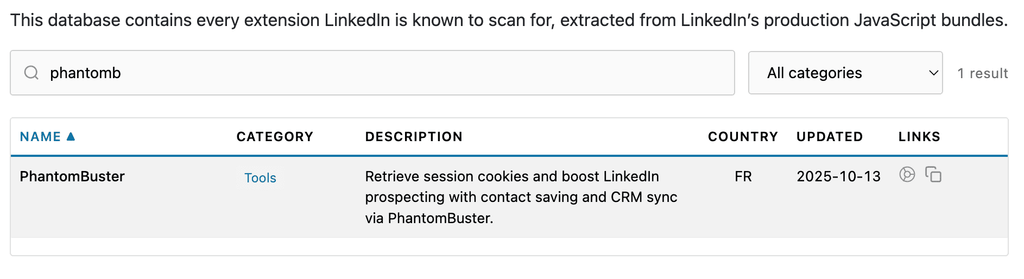
The cloud Phantoms keep running without it once your session is connected, and our breakdown of the BrowserGate report covers what that detection means for any extension-based tool.
Conservative settings still carry some risk.
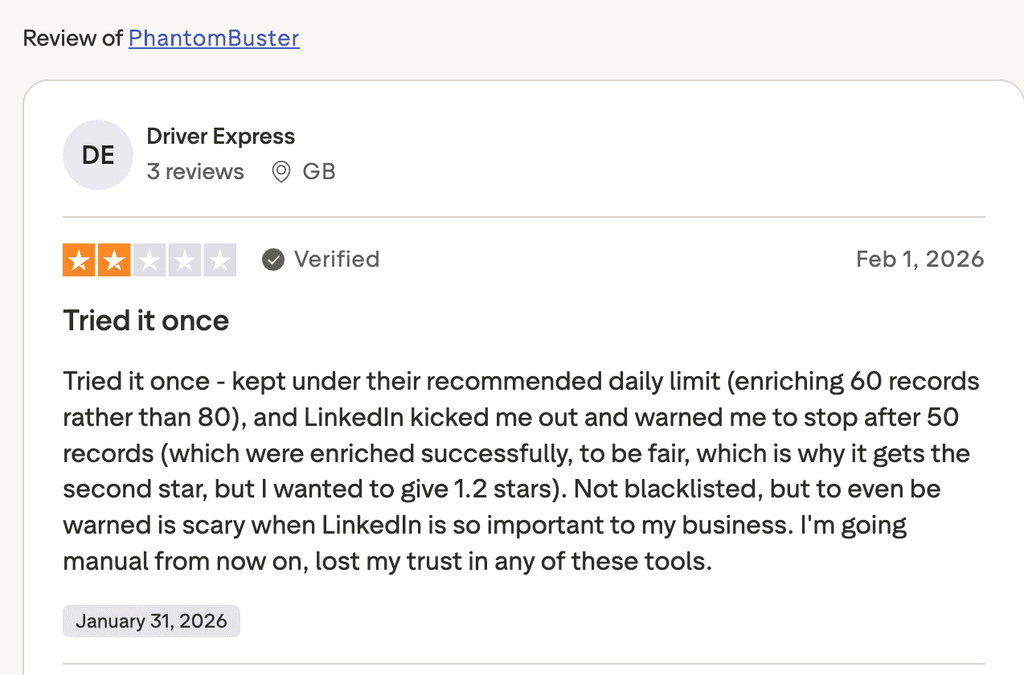
One Trustpilot reviewer set a 60-record enrichment run in February 2026, under the 80 a day PhantomBuster recommends, and LinkedIn logged them out with a warning after 50 records.
Expandi approaches the same risk with a different setup: cloud-based with no extension required, a dedicated country-based IP for each LinkedIn account, automatic profile warm-up and daily limits you configure and Expandi won’t let you exceed.
Those settings can only manage risks, no tool can completely remove it.
What real users say about PhantomBuster
Users rate PhantomBuster highly for automation and ease of use, and its lower scores come from pricing, support speed and Phantoms that break.
I pulled all three review platforms in September, 2026.
| Platform | Rating | Reviews |
|---|---|---|
| G2 | 4.4 out of 5 | 138 |
| Capterra | 4.5 out of 5 | 64 |
| Trustpilot | 3.3 out of 5 | 113 |
On G2, the most-tagged positives are:
- Automation (44 mentions).
- Ease of use (42).
- Features (20).
- LinkedIn integration (18).
The top negatives are:
- The learning curve (15).
- Pricing issues (11).
- Poor customer support (10).
- Complex setup (7).
- Cost (6).
Capterra reviewers give ease of use 4.3 and customer service 4.1. One reviewer credits PhantomBuster with accurate extraction from social platforms, and another flags slow scraping and error logs that explain little.
Trustpilot is where frustration concentrates. Recent reviews cite support that takes days to respond, Phantoms breaking mid-run, URL finder results that missed and trouble canceling, and PhantomBuster replies to the negative reviews directly.
PhantomBuster vs Expandi: different jobs
PhantomBuster is built to extract and enrich data across many sites.
Expandi is built to run a LinkedIn outreach motion a team can see and control.
For teams that need both, the two tools fit together.
| PhantomBuster | Expandi | |
|---|---|---|
| Primary job | Extract and enrich data across 15+ platforms | Run LinkedIn and email outreach sequences |
| Pricing model | Per workspace, from $69 a month | Per LinkedIn seat, $99 a month or $79 billed annually |
| Free trial | 14 days with capped hours and credits, then Free plan | 7 days |
| LinkedIn sequencing | Connection request plus up to 3 follow-ups | Campaign Builder with 20 actions and 11 conditions |
| Warm lead capture | One-off exports of post engagers | Signals add engagers and visitors automatically |
| Team inbox | Replies stay in each LinkedIn inbox | Centralized inbox across accounts |
| Account safety | Session cookie, published limits, user-set pacing | Dedicated country-based IP, auto warm-up, enforced daily limits |
| Platforms | LinkedIn, Sales Navigator, Google Maps, Instagram, X, Reddit and more | LinkedIn, with email steps |
Expandi’s smart campaigns branch on what a lead does: accepted, visited your profile, opened an email, liked a post.
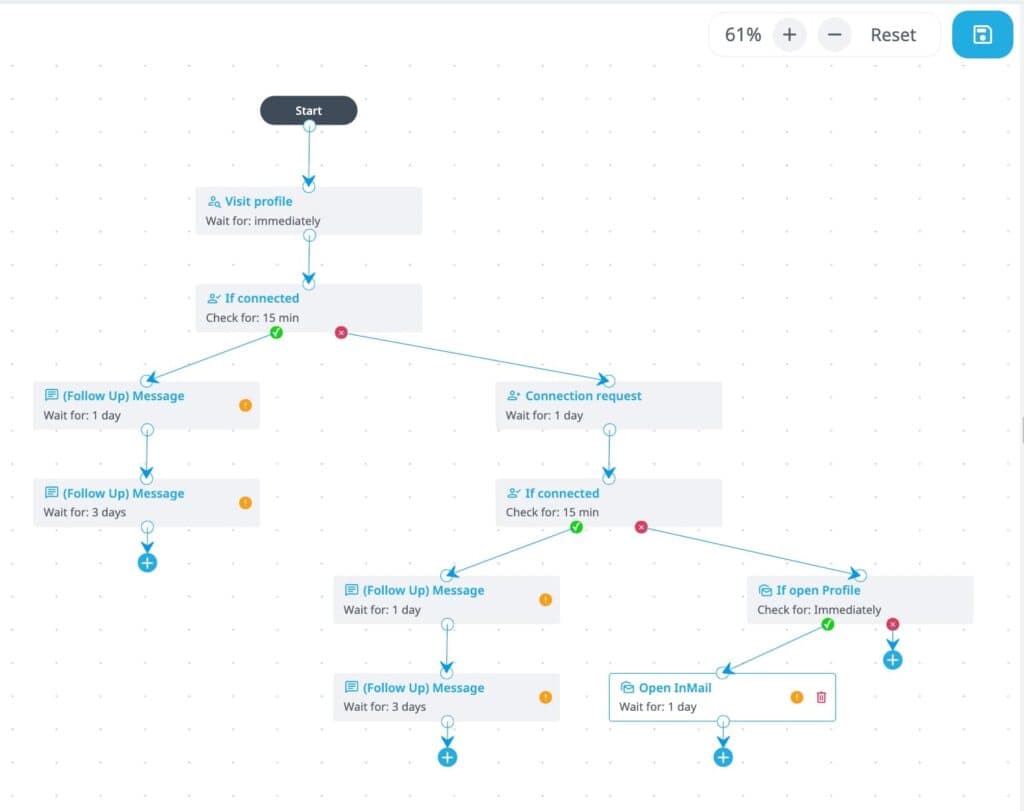
PhantomBuster’s outreach checks two things before each follow-up: whether the lead accepted and whether they replied.
For the full side-by-side, read our PhantomBuster vs Expandi comparison.
Using PhantomBuster and Expandi together
To run the two tools as one stack:
- Build and enrich the list in PhantomBuster from searches, posts or Google Maps.
- Export the CSV and import it into an Expandi Campaign Builder sequence.
- Branch the sequence on acceptance, profile visits and email availability.
- Turn on Signals so new engagers join the campaign automatically.
The CSV route gives up nothing on performance.
Per our H2 2026 data, imported lists and Sales Navigator searches landed within 1.3 points on acceptance and level on replies. Teams that already enrich in Clay can follow our Clay and Expandi integration guide and skip the file handoff.
PhantomBuster alternatives
The right PhantomBuster alternative depends on the job you hired it for: running LinkedIn outreach or building and enriching data. Here are the options by job.
For LinkedIn outreach:
- Expandi: cloud LinkedIn and email sequences with conditional logic, Signals and team workspaces.
- Waalaxy: LinkedIn and email prospecting sequences for solo users and small teams. See Expandi vs Waalaxy.
- HeyReach: LinkedIn outreach built around running many sender accounts together. See Expandi vs HeyReach.
- Linked Helper: a desktop app for LinkedIn automation that runs on your own computer. See Expandi vs Linked Helper.
- Dripify: cloud LinkedIn drip campaigns with team management. See Expandi vs Dripify.
For data and enrichment:
- Clay: data orchestration with waterfall enrichment across many providers, with a native PhantomBuster integration.
- Apollo: a B2B contact database with email sequencing built in.
For a wider field, our roundup of LinkedIn automation tools compares 40 options, and our guide to outbound sales software covers the rest of the stack.
Teams weighing sales engagement platforms can start with our list of Outreach alternatives.
PhantomBuster review verdict: who should use it?
PhantomBuster is worth paying for when list building is the job, and the split between the teams it fits and the teams it frustrates is clear.
PhantomBuster is a strong fit for:
- GTM engineers and technical growth marketers comfortable managing quotas.
- Sales teams that need data from LinkedIn plus Google Maps, Instagram or X.
- Anyone building lists to feed a CRM, Clay or an outreach tool.
PhantomBuster is a poor fit for:
- Teams that want one place to run and monitor LinkedIn outreach.
- Non-technical users who don’t want to track hours and credits.
- Teams that need predictable monthly usage without resets.
Use PhantomBuster to build the list and a dedicated platform to work it.
When your PhantomBuster export is ready for a sequence, start a 7-day free trial of Expandi and run it through Campaign Builder with Signals adding warm leads as they appear.
Frequently asked questions
Yes. After the 14-day trial, a workspace drops to an ongoing Free plan with 30 minutes of execution time a month and one slot. The Free plan includes no email, AI, URL finder or CAPTCHA credits, and exports stop at 10 rows, so it works for testing a single Phantom and little else.
Yes. Every plan allows up to 100 members in a workspace at no extra cost. All members draw from the same execution hours, slots and credits, and agencies can create a separate workspace with its own subscription for each client.
Your Phantoms pause until the next billing cycle or an upgrade, and PhantomBuster applies no automatic overage charge. Data already collected stays available to download, so a paused run loses no leads.
Yes, through the Sales Navigator Message Sender with the InMail option turned on. You need a Sales Navigator account with InMail credits, and the Phantom only accepts Sales Navigator profile URLs as input.
Yes. LinkedIn Search Export, Profile Scraper, Auto Connect, Message Sender and the post export Phantoms all run on a regular LinkedIn account. Sales Navigator adds its own search and list exports, InMail sending and the higher 2,500-result daily export ceiling for established accounts.
Yes. Export your PhantomBuster results as a CSV and import the file into an Expandi campaign as a lead list. Teams that enrich in Clay can also send leads from Clay into Expandi directly.





You’ve made it all the way down here, take the final step